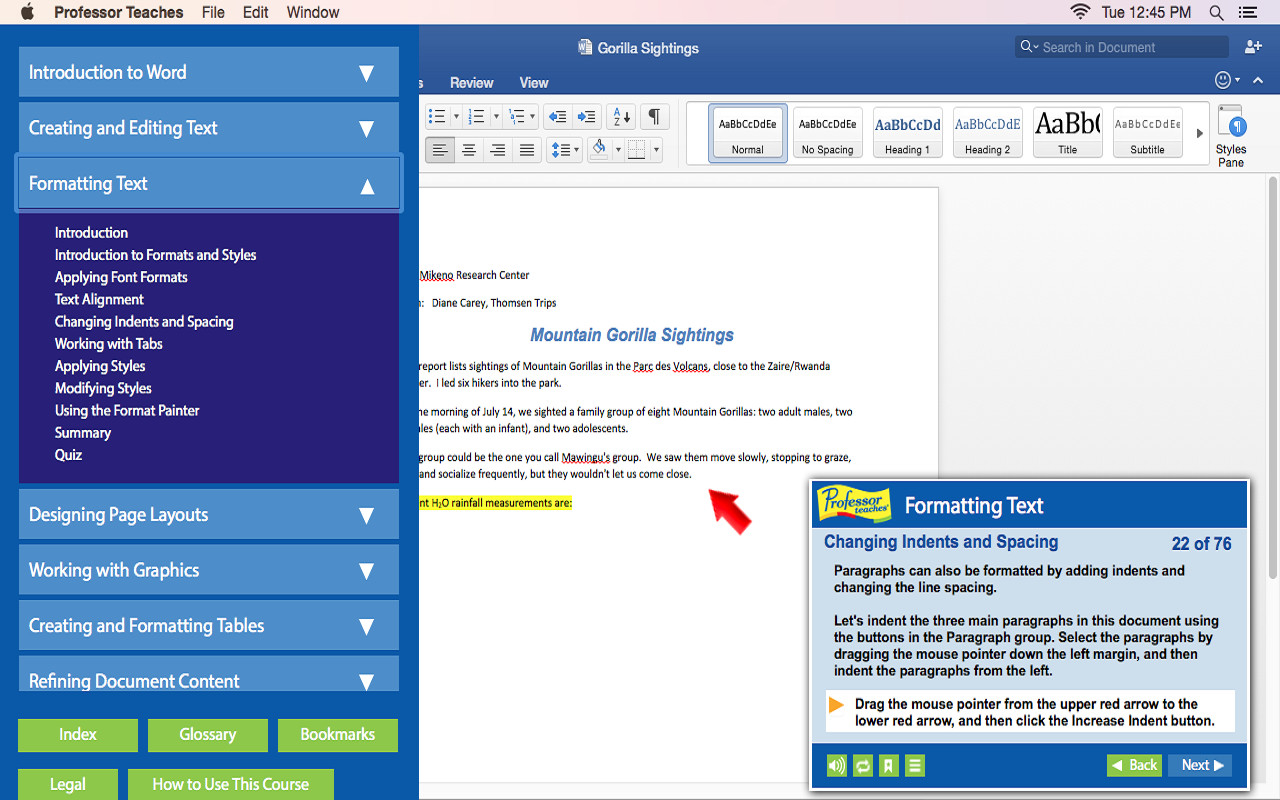
Professor Teaches, the leading brand of training, provides realistic, interactive, and complete training for Word 2016 for Mac. Build your skills with Professor Teaches tutorials and learn everything you’ll need, from beginning to advanced lessons.
Ngày phát hành:
28 Thg02, 2017
Nhà phát triển:
Nhà phát hành:
Theo nhãn

Đăng nhập để thêm sản phẩm này vào danh sách ước, theo dõi, hoặc đánh dấu nó thành "đã phớt lờ"

Không hỗ trợ ngôn ngữ Tiếng Việt

Sản phẩm này không hỗ trợ ngôn ngữ địa phương của bạn. Vui lòng xem lại danh sách ngôn ngữ được hỗ trợ dưới đây trước khi mua.

Mua Professor Teaches® Word 2016 – Mac


Về phần mềm này

Professor Teaches, the leading brand of training, provides realistic, interactive, and complete training for Word 2016 for Mac. Build your skills with Professor Teaches tutorials and learn everything you’ll need, from beginning to advanced lessons. Each interactive tutorial is organized for fast and easy learning so you can practice and apply what you learn right away. Learn Microsoft Word 2016 for Mac with hours of interactive training lessons and exercises.

What is Microsoft Word 2016 - Mac?
Microsoft Word is a word processing program that is a part of the Microsoft Office suite. This program allows you to create high quality, professional-looking documents using the finest document formatting tools. Professor Teaches Word 2016 will teach you how to create, edit, save, share, and access documents online from any internet browser.

What are the Benefits of Learning Microsoft Word 2016 - Mac?
• Create professional-looking documents for presentations
• Learn to create meaningful reports and share valuable information
• Learn to export information as a web page

Word 2016 – Over 70 Lessons!
Our extensive computer training course will cover the following topics:
• Learn how to apply Quick Styles
• Use SmartArt™ diagrams
• Publish documents as Web Pages
• Create bulleted and numbered lists
• Insert images, tables, and charts
• Learn to use the Document Inspector
• Explore Office Backstage
• Customize the Quick Access Toolbar
• Working with KeyTips
• Creating and editing text
• Using Repeat, Undo, and Redo
• Revealing and Clearing Formats
• Using the Format Painter
• Exploring page layout options
• Resizing and moving pictures
• Creating a Table
• Converting Text to a Table
• Working with Document Properties
• Adding a Hyperlink
• Tracking Document Changes
• Using the Document Inspector
• Saving Documents in different formats
• Working in the Cloud
• Signing in with Microsoft Accounts

Features of Professor Teaches Word 2016 - Mac
• Practice in a Realistic Simulation of the Software
• Hundreds of Learning Topics
• 4 to 8 Hours of Training per Course
• Realistic Simulations
• Beginner to Advanced Topics
• Self-Paced Learning Objectives
• Introductions and Summaries
• Interactive Exercises
• Professional Voice Narration
• End-of-Chapter Quiz Questions
• Check marks for Completed Topics
• Glossary, Index, and Search
• Professor Answers for Instant Training

Yêu cầu hệ thống

    Tối thiểu:
    • HĐH: 10.6 or higher
    • Bộ nhớ: 150 MB RAM
* Bắt đầu từ 15/02/2024, phần mềm Steam sẽ không còn hỗ trợ trò chơi 32-bit hoặc macOS từ 10.14 trở xuống.
Chưa có đánh giá cho sản phẩm này

Bạn có thể chia sẻ trải nghiệm với cộng đồng bằng cách viết bài đánh giá của bản thân đối với sản phẩm. Sử dụng khu vực trên nút thanh toán thuộc trang này để viết đánh giá của mình.