Learn languages through the games you love. This free demo turns your PC games into a language course: it reads on-screen text, overlays the meaning, and logs everything. Save words to your Word Book and review them with flashcards and SRS. Try it to confirm Playto runs on your PC before buying.

Sign in to add this item to your wishlist, follow it, or mark it as ignored

Free Demo

Play Playto Demo

Check out the full game


About This Demo

Learn languages through the games you love. While you play, Playto reads the on-screen text of your PC game with local AI, shows the meaning as a translucent overlay, and logs everything — so when your session ends, you can pick the words and sentences that caught your eye and save them. The more you play, the more your own dictionary grows.

This is the free demo. It lets you experience the full learning loop — read → log → save → review — in a feature-limited form. Use it to confirm two things before buying: that Playto runs smoothly on your PC, and that the learning style fits you.

What you can do in the demo

  • Read and translate on-screen text — Set a fixed region, and Playto continuously reads the text there, showing the original with its meaning as an overlay, without pausing the game.

  • Automatic log — Everything you encounter is recorded. Look back anytime during play to check meanings or pronunciation.

  • Word Book (up to 100 words / 50 sentences) — Save the words and sentences you want to remember. Only what you choose is kept — not an AI dump, but a learning record you select yourself.

  • Flashcards + SRS — Review saved items with spaced repetition timed to the forgetting curve.

  • Text-to-speech — Hear captured sentences read aloud for listening and pronunciation practice.

  • 12 languages, offline — 12 languages for the UI and in-game meanings (EN, JA, ZH, KO, DE, FR, ES, PT, RU, IT, PL, VI). Translation runs entirely on your PC.

  • Album (up to 3) — Keep captured scenes as full images with their translation, to look back on anytime.

About translation accuracy

Game text is hard to translate because the context — a character's tone, the story's background — doesn't reach the AI. Playto is upfront about this: word meanings are reliable through the dictionary, while long sentences give you the gist via local AI. The demo is the best way to judge this accuracy for yourself before buying, and we keep working on long-sentence quality.

Unlocked in the full version

If you like the demo, the full version gives you more freedom.

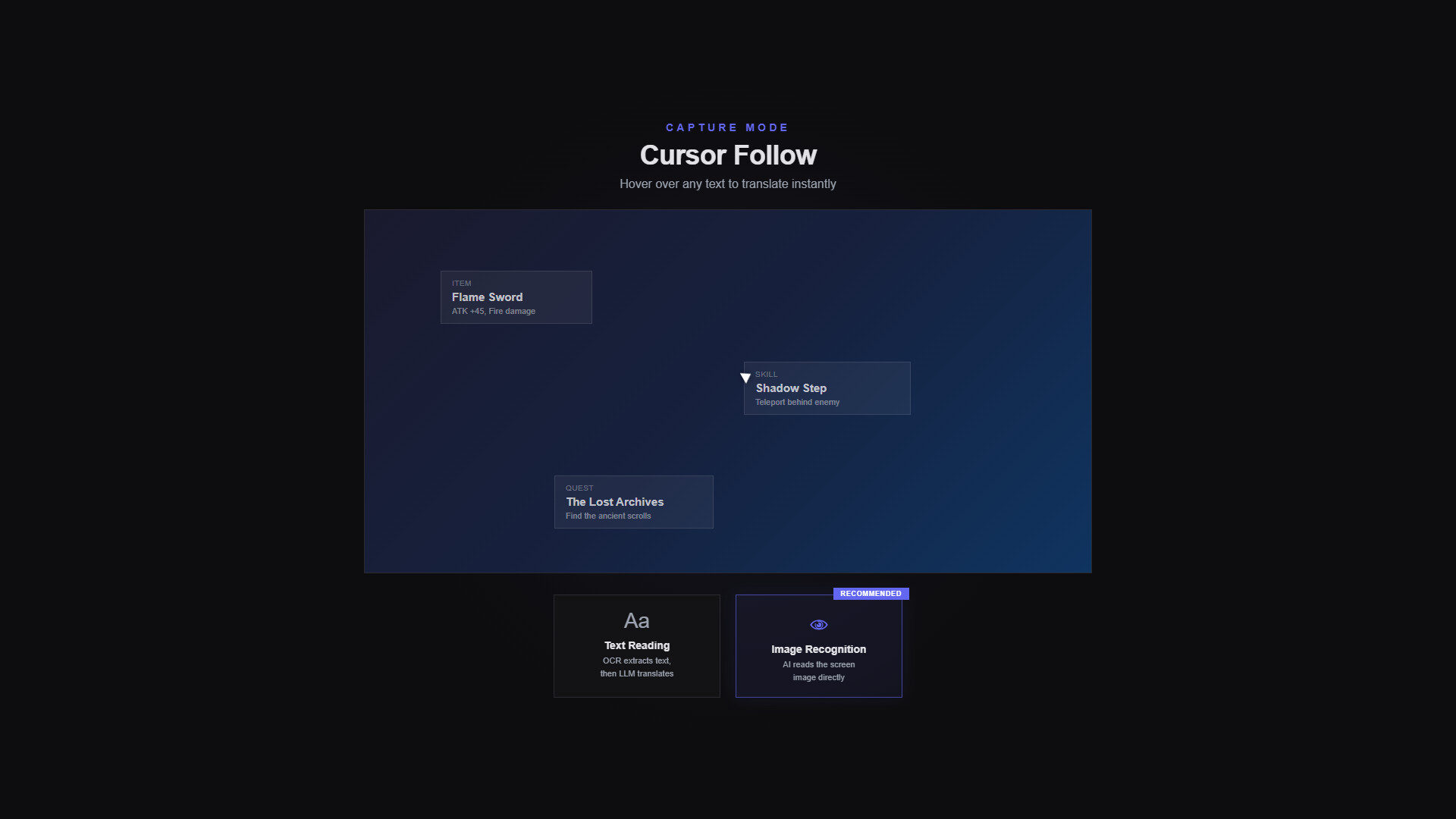
  • Cursor-follow mode — Reads the text wherever you point your mouse — menus, UI, item tooltips — not just a fixed region.

  • Vision Mode — When ordinary OCR struggles with emblem-style fonts or busy backgrounds, AI interprets the image directly.

  • 8 quiz modes — In addition to flashcards: Multiple Choice, Fill Blank, Dictation, Meaning Match, Context Quiz, and more.

  • Per-game glossary — Register character names and custom terms so they're reflected in that game's translations.

  • Unlimited Word Book and Album — No limits on saved words, sentences, profiles, or albums.

No mods, no plugins, any PC game

Playto runs as an overlay over any PC game, so you can start right away with no game-specific setup. Translation uses open-source AI models running locally on your PC — no internet connection needed while you play.

Before you start

  • VRAM — Local AI needs GPU VRAM in addition to your game (typically 2–4 GB extra). Please use this demo to confirm compatibility on your PC.

  • Speech support varies — Text-to-speech is fully supported for English; quality varies for other languages, and 5 (KO, DE, RU, PL, VI) currently lack TTS. See for details.

AI Generated Content Disclosure

The developers describe how their game uses AI Generated Content like this:

Playto uses AI models (LLMs) to generate real-time translations of on-screen game text. All AI processing runs entirely on your machine using local models — no data is sent to external servers. The AI is also used for OCR (optical character recognition) to read text from game screens. No pre-generated AI content is included; all translations are generated live during use.

System Requirements

    Minimum:
    • Requires a 64-bit processor and operating system
    • OS: Windows 10 64-bit
    • Processor: Intel Core i5 / AMD Ryzen 5 (with AVX2 support)
    • Memory: 8 GB RAM
    • Graphics: DirectX 11 compatible GPU. Local AI runs on the CPU by default; an NVIDIA (CUDA) or Vulkan-capable GPU enables faster acceleration
    • DirectX: Version 11
    • Network: Broadband Internet connection
    • Storage: 5 GB available space
    • Additional Notes: AI models (about 2–6 GB) download on first run. For GPU acceleration, keep your GPU driver up to date — 4 GB+ VRAM recommended. No dedicated GPU? CPU mode works (slower)
    Recommended:
    • Requires a 64-bit processor and operating system
    • OS: Windows 11 64-bit
    • Processor: Intel Core i7 / AMD Ryzen 7
    • Memory: 16 GB RAM
    • Graphics: NVIDIA GPU (CUDA) or Vulkan-capable GPU, 6 GB+ VRAM, with an up-to-date driver
    • DirectX: Version 11
    • Network: Broadband Internet connection
    • Storage: 10 GB available space
    • Additional Notes: Keep your GPU driver current (especially on the latest-generation GPUs). If CUDA isn't supported, Vulkan and CPU modes are available.
There are no reviews for this product

You can write your own review for this product to share your experience with the community. Use the area above the purchase buttons on this page to write your review.

Review Filters