Each game has its own dedicated note group. Launch a game, and it auto-switches to the corresponding notes—no more manual grouping! Notes stay hidden at the screen edge and appear on hover for instant editing. Use slash commands for formatting and switching to keep your workflow entirely mouse-free.
출시일:
2026년 6월 29일
개발자:
ZGQ
배급사:
ZGQ

로그인하셔서 게임을 찜 목록에 추가하거나, 팔로우하거나 또는 제외로 지정하세요.

이 게임은 아직 Steam에 출시되지 않았습니다

출시 예정일: 2026년 6월 29일

이 애플리케이션은 약 2 개월 후에 잠금 해제됩니다

관심이 있으신가요?
찜 목록에 추가하고 출시가 되면 알림을 받으세요.
 

소프트웨어 정보

Overview

What did you use to do when you suddenly wanted to take notes while gaming? Often, you’d just give up because it was such a hassle.

Now, with Shadow Notes, every game has its own dedicated note set. When you launch a game, its notes are already prepared. They stay hidden at the edge of your screen with just a small tab showing; simply hover your mouse, and they appear automatically.

All you need to do is open your game and summon the notes. Write whatever you want without worrying about organizing, as each game’s specific notes are ready the moment the game starts.

Recommended Scenarios

  • Games: Game-related info like walkthroughs, memos, rules, etc.

  • Software: Software-specific info like shortcuts, user guides, learning logs, etc.

Features

Note Window (Supports Virtual Desktops and Multi-Monitor setups)

1. Floating Window

The note window stays on top, hiding at the screen edge with a small tab visible. Hover over the tab to reveal it. Once you're done, clicking back into the game will hide it automatically.

2. Draggable

The window position is adjustable; it auto-hides when near the edge and snaps into place.

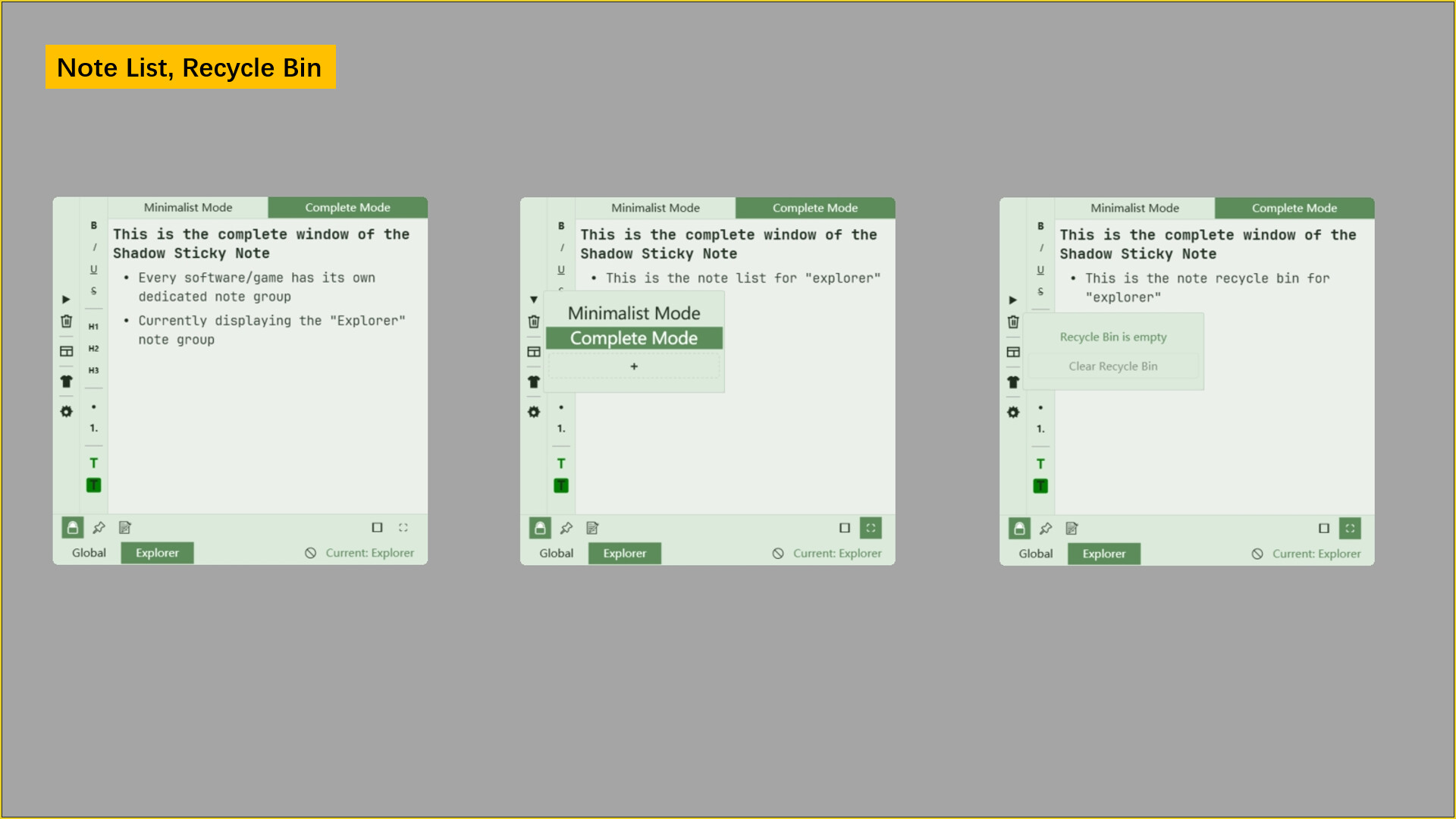
3. Multiple Display Modes

  • Minimalist Mode (Only shows the editor and key buttons for a pure experience)

  • Normal Mode (Complete note window)

4. Display Opened Notes

Currently open notes are displayed above the editor for quick switching.

5. Global Note Group

In addition to game-specific notes, there is a permanent Global Group that stays consistent regardless of which game or software is active.

Note Functionality

1. Auto-binding Note Groups

When you first launch any game or software, a note group is automatically bound to it. You can edit, add, or delete notes as you wish, and all changes are saved.

2. Auto-switching Note Groups

When you launch a game (or software), the note window automatically switches to the group bound to that specific application.

3. Game Blacklist

If you don't want certain games or software to trigger an automatic switch, you can easily add them to the blacklist. The note window will ignore these applications next time they are opened. This process is very simple.

4. Recycle Bin

Each note group has its own recycle bin, allowing you to recover accidentally deleted files.

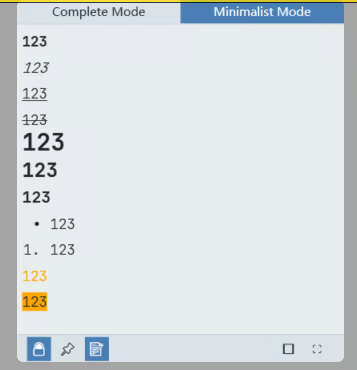
5. Editable Content and Formats

Supports text input and pasting images.

Slash Commands: Edit notes without a mouse!

Typing "/" during editing brings up the Slash Command panel. Use arrow keys or type the command name to select.

Format your notes and switch between them entirely without your mouse.

You can disable specific commands or reorder them to keep the panel clean.

Switch Themes

  • Choose different color themes for your notes

  • Adjust brightness

  • Toggle Light/Dark mode

More Features

Actively in development!

시스템 요구 사항

    최소:
    • 운영 체제: Windows 10,11
    • 프로세서: 듀얼 코어 1.5 GHz
    • 메모리: 50 MB RAM
    • 저장 공간: 160 MB 사용 가능 공간
이 제품에는 아직 평가가 없습니다.

이 제품의 평가를 직접 써서 자신의 경험을 커뮤니티와 공유할 수 있습니다. 구매 버튼 위의 기입란을 이용하여 자신만의 평가를 써 보세요.