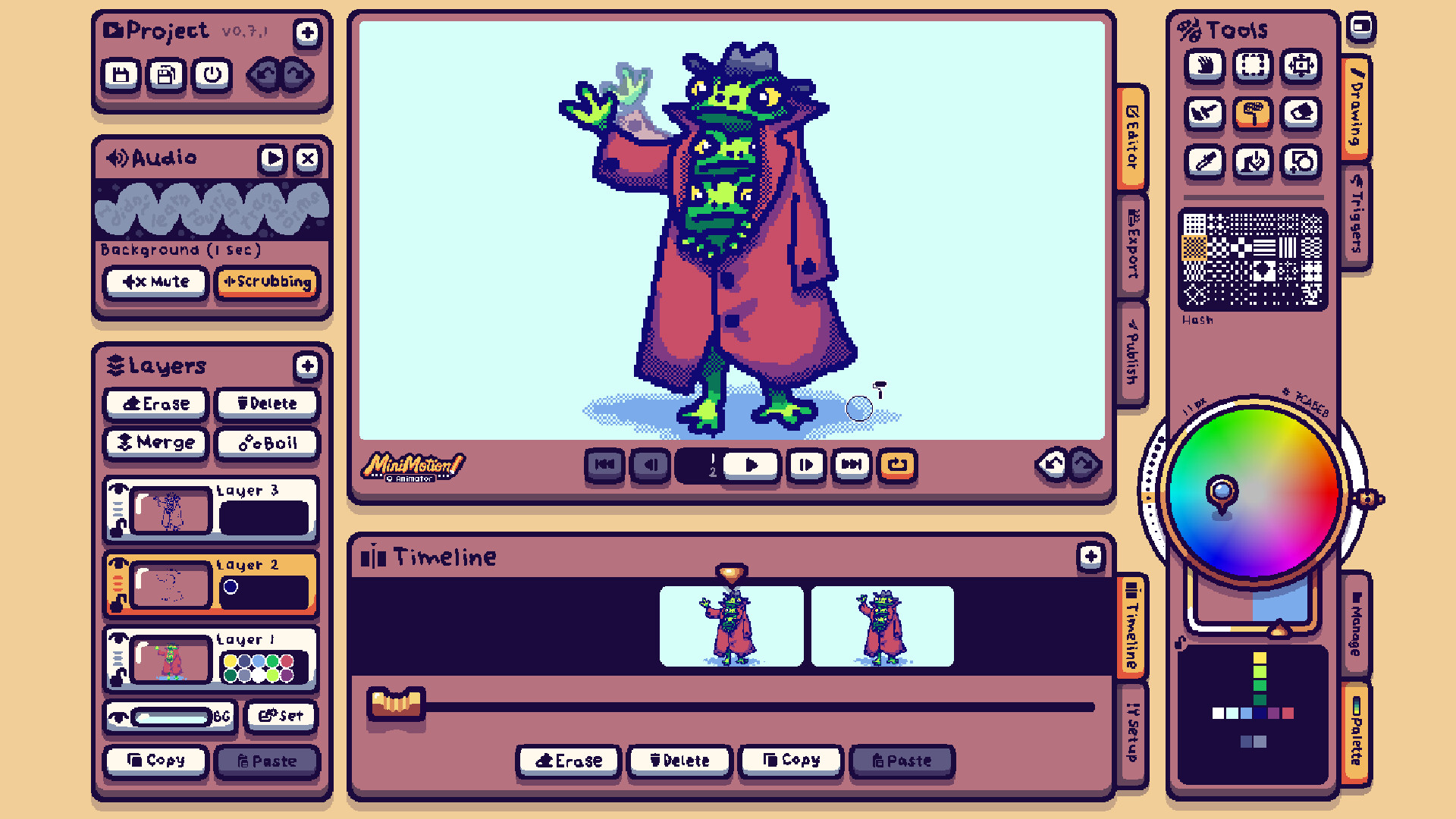
A very simple tool for creating little bitmap animations, and even short interactive experiences. Share your masterpieces to the workshop to get feedback.

想要将此项目添加至您的愿望单、关注它或标记为已忽略,请先登录

在 Steam 上查看“Follow the Fun”全系列作品
不支持简体中文

本产品尚未对您目前所在的地区语言提供支持。在购买请先行确认目前所支持的语言。

此游戏尚未在 Steam 上推出

计划发行日期: 2026 年

感兴趣吗?
将此游戏添加至您的愿望单,以便在游戏推出时收到通知。
 

关于此软件

If you just want to try your hand at animation without even thinking about opening a tutorial, you’ve come to the right place.

Designed to be intuitive

You’ve used a paint application before right? It’s exactly like that. But now if you press [➔] on your keyboard, you get a new frame.

Tooltips

Hover a tool to see a quick explanation of what it does, including its keyboard shortcut. The shortcuts are standard across most art software, so you shouldn't need to relearn any muscle memory.

Stackable dithering

Overlay the various pattern brushes over each other to make unique dithering patterns.

Automatic layer switching

Automatically switch to the last layer a colour was used on - never spill a single drop of paint on the wrong layer ever again.

Live brush preview

See what it would look like before you start drawing

Procedural line boil

At the press of a button, regenerate your drawing with subtle changes, as if you'd redrawn it

Protection from art theft

Metadata such as your username and steam account ID are baked into your project file, so if someone were to re-upload your work to the Mini Motion community as their own, moderators can easily verify the original creator and take appropriate action against the thief.

Key features

  • Canvas size of 320x180, with upscaling and cropping options when you export

  • Export to mp4, gif and webm

  • Browse the community from inside the app

  • Create simple interactive projects with clickable regions

  • Audio support, with scrubbing

  • Animate on the go on Steamdeck

系统需求

    最低配置:
    • 操作系统 *: Windows 7
    • 内存: 2 GB RAM
    • 存储空间: 需要 100 MB 可用空间
* 2024 年 1 月 1 日(PT)起,Steam 客户端将仅支持 Windows 10 及更新版本。
此产品无任何评测

您可以为此产品撰写您自己的评测,与社区分享您的使用体验。在本页面购买按钮上方的区域撰写您的评测。