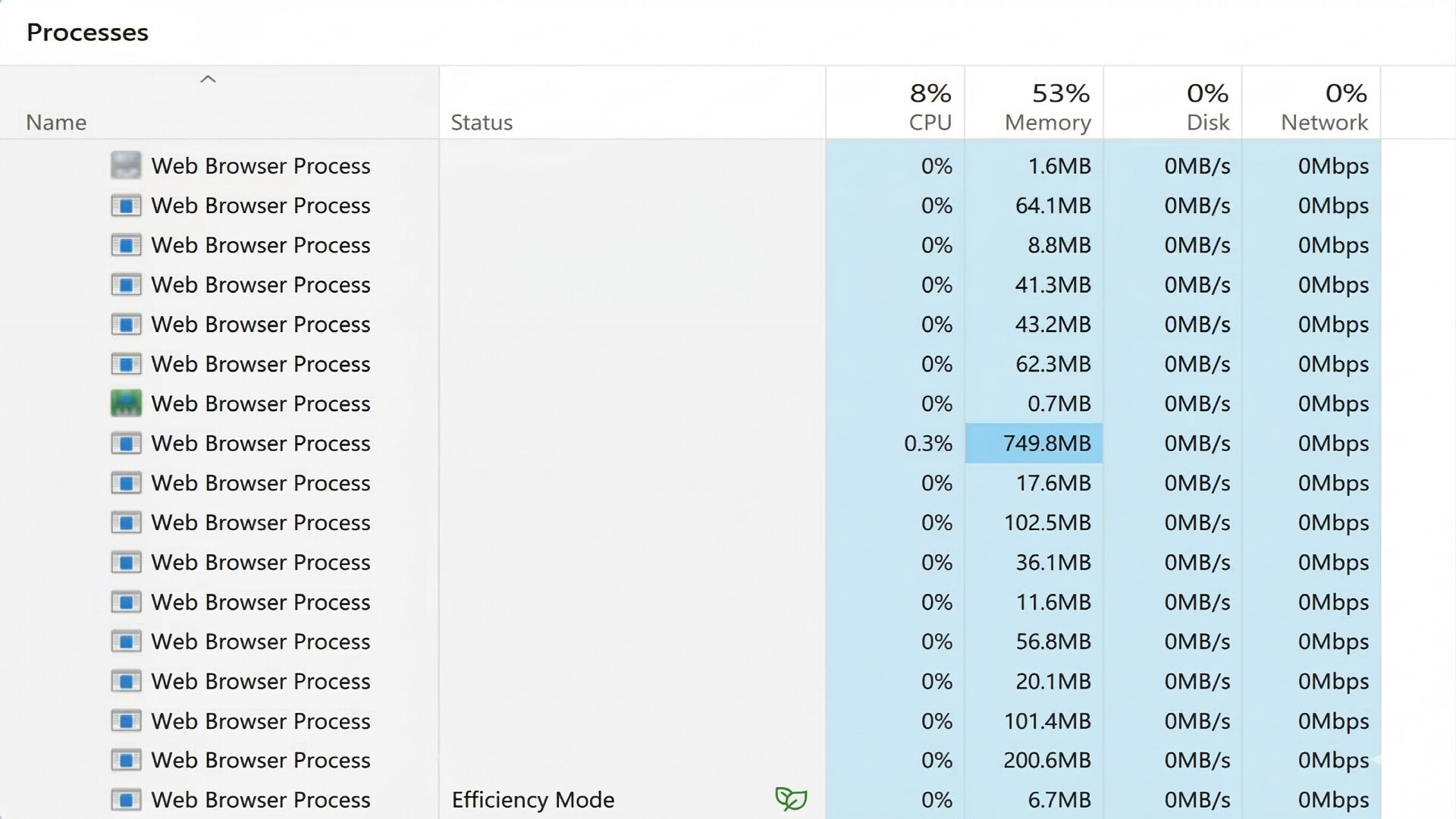
Windows 'Efficiency Mode' throttles performance even on high-end PCs. EffOff detects and resolves these restrictions in real-time, ensuring your hardware runs at 100% potential without compromise.
發行日期:
即將推出
開發人員:
發行商:
標籤

登入以將此項目新增至您的願望清單、關注它,或標記為已忽略

不支援繁體中文

本產品尚不支援您的目前所在地的語言。購買前請先確認語言支援清單。

注意: 「EffOff」已不再於 Steam 商店中提供。

即將推出

此項目尚未發售

感興趣嗎?
將這款遊戲加入願望清單,以便在發售時收到通知。
 

關於此軟體

Why is my PC slow despite having high-end specs?

Even on high-end PCs, Windows often forces certain processes into 'Efficiency Mode' to save power. This leads to lag and decreased responsiveness in your applications, even when there is an abundance of CPU performance and RAM available.

EffOff: Real-time Performance Protection

EffOff monitors your designated processes in real-time to prevent the system from arbitrarily restricting their performance.

  • Real-time Detection & Resolution: Instantly identifies and disables Efficiency Mode as it occurs to maintain seamless performance.

  • Maximize Hardware Potential: Ensures your ample hardware resources are fully dedicated to your tasks rather than being wasted by system throttling.

  • Simple Configuration: Solve performance degradation with a single click—no need for complex registry edits or deep system setting changes.

系統需求

    最低配備:
    • 需要 64 位元的處理器及作業系統
    • 作業系統: Windows 10 (22H2 or later) / Windows 11
    • 處理器: 1.0 GHz Dual Core Processor
    • 記憶體: 16 MB 記憶體
    • 顯示卡: Integrated Graphics
    • 儲存空間: 10 MB 可用空間
    • 備註: Designed to be ultra-lightweight, using less than 10MB of memory during operation.Designed to be ultra-lightweight, using less than 10MB of memory during operation.
    建議配備:
    • 需要 64 位元的處理器及作業系統
    • 作業系統: Windows 11 (Optimized for Efficiency Mode management)
    • 處理器: 2.0 GHz Quad Core Processor or higher
    • 記憶體: 32 MB 記憶體
    • 顯示卡: Integrated Graphics
    • 儲存空間: 10 MB 可用空間
    • 備註: Ensures maximum performance for games and web browsers by preventing CPU throttling.
此產品無任何評論

您可以撰寫評論來與社群分享您對於本產品的看法。請使用本頁面中位於購買按鈕上方的區塊來進行評論的編寫。