เนื้อหานี้ต้องการเกมหลัก Elemental Heroes บน Steam ในการเล่น

เข้าสู่ระบบ เพื่อเพิ่มผลิตภัณฑ์นี้ลงในสิ่งที่อยากได้ของคุณ ติดตาม หรือทำเครื่องหมายเป็นถูกละเว้น

ไม่รองรับภาษาไทย

ผลิตภัณฑ์นี้ไม่รองรับภาษาท้องถิ่นของคุณ โปรดตรวจสอบรายชื่อภาษาที่รองรับก่อนทำการสั่งซื้อ

หมายเหตุ: ร้านค้า Steam ไม่มี Elemental Heroes - Quick Starter Pack อีกต่อไปแล้ว

เนื้อหาดาวน์โหลด

เนื้อหานี้ต้องการเกมหลัก Elemental Heroes บน Steam ในการเล่น


เกี่ยวกับเนื้อหานี้

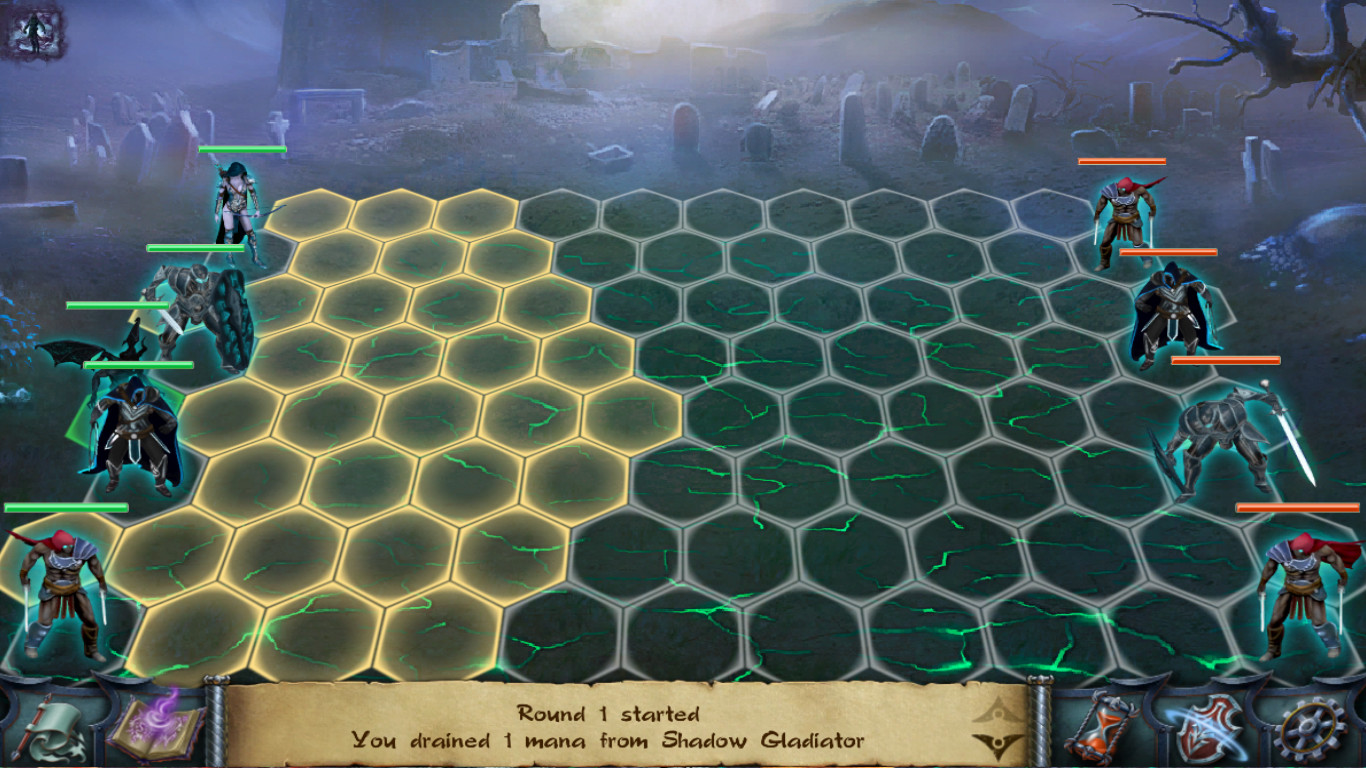
Starter pack for Elemental Heroes game is a good way to start the game with maximum comfort and a considerable discount.
You will get the following features with it:

  • First 5 unit types for each game faction (otherwise you will only have 3 units of your own faction)
  • 10 charges (think of charges as lives) for each unit (it's enough not to worry about mistakes)
  • Premium account for 7 days which gives you:
    - 2x higher experience
    - 2x higher resource pump rate from your mines
    - 2x higher resources amount received from battles including diamonds
    - 2x higher chance for getting a new card and charges for it
    - 2x higher chance to get a better artifact in obelisk dungeons
    - full mana in every battle you start
    - fast action points regeneration
    - cool golden HUD skin!
  • 250 diamonds (rarest resource)
  • White set of artifacts for your character

WARNING! If you have several characters, this DLC will be delivered to the first character who will enter the game! Be careful!

To claim your purchase, please restart the game.

To get the artifacts set, you will need to:
1. restart the game and look into the in-game mail.
2. find a message from SERVER, get it and close the in-game mail.
3. open the inventory and find a new box, once double clicked it will give you all the items which you will be able to wear.

To add acquired cards into the active deck, you need to:
1. enter the game lobby with the appropriate character
2. open the card upgrades window
3. press the Add button under the cards you need

If you need to remove some of the currently active deck cards, you need to press a small button with a "minus" sign which appears while the upgrades window is opened, on the active deck cards.

ความต้องการระบบ

Windows
macOS
SteamOS + Linux
    ขั้นต่ำ:
    • ระบบปฏิบัติการ *: Windows XP
    • หน่วยความจำ: แรม 1 GB
    • DirectX: เวอร์ชัน 9.0
    • พื้นที่จัดเก็บข้อมูล: พื้นที่ว่างที่พร้อมใช้งาน 1 GB
    แนะนำ:
    • ระบบปฏิบัติการ *: Windows 7
    • โปรเซสเซอร์: Core i5
    • หน่วยความจำ: แรม 2 GB
    • DirectX: เวอร์ชัน 9.0
    • เครือข่าย: การเชื่อมต่ออินเทอร์เน็ตแบบบรอดแบนด์
    • พื้นที่จัดเก็บข้อมูล: พื้นที่ว่างที่พร้อมใช้งาน 1 GB
* ตั้งแต่วันที่ 1 มกราคม 2024 เวลาแปซิฟิก เป็นต้นไป ไคลเอนต์ Steam จะรองรับเฉพาะ Windows 10 และเวอร์ชันที่ใหม่กว่าเท่านั้น
    ขั้นต่ำ:
    • หน่วยความจำ: แรม 1 GB
    • พื้นที่จัดเก็บข้อมูล: พื้นที่ว่างที่พร้อมใช้งาน 1 GB
    แนะนำ:
    • ระบบปฏิบัติการ: OS X El Capitan
    • โปรเซสเซอร์: Core i5
    • หน่วยความจำ: แรม 2 GB
    • เครือข่าย: การเชื่อมต่ออินเทอร์เน็ตแบบบรอดแบนด์
    • พื้นที่จัดเก็บข้อมูล: พื้นที่ว่างที่พร้อมใช้งาน 1 GB
* ตั้งแต่วันที่ 15 กุมภาพันธ์ 2024 เวลาแปซิฟิก เป็นต้นไป ไคลเอนต์ Steam จะไม่รองรับเกม 32 บิต รวมทั้ง macOS 10.14 และต่ำกว่า
    ขั้นต่ำ:
    • หน่วยความจำ: แรม 1 GB
    • พื้นที่จัดเก็บข้อมูล: พื้นที่ว่างที่พร้อมใช้งาน 1 GB
    แนะนำ:
    • ระบบปฏิบัติการ: Ubuntu
    • โปรเซสเซอร์: Core i5
    • หน่วยความจำ: แรม 2 GB
    • เครือข่าย: การเชื่อมต่ออินเทอร์เน็ตแบบบรอดแบนด์
    • พื้นที่จัดเก็บข้อมูล: พื้นที่ว่างที่พร้อมใช้งาน 1 GB
ไม่พบบทวิจารณ์สำหรับผลิตภัณฑ์นี้

คุณสามารถเขียนบทวิจารณ์ของคุณเองสำหรับผลิตภัณฑ์นี้เพื่อแบ่งปันประสบการณ์ของคุณให้กับชุมชน ใช้พื้นที่ด้านบนของปุ่มซื้อในหน้านี้เพื่อเขียนบทวิจารณ์ของคุณ