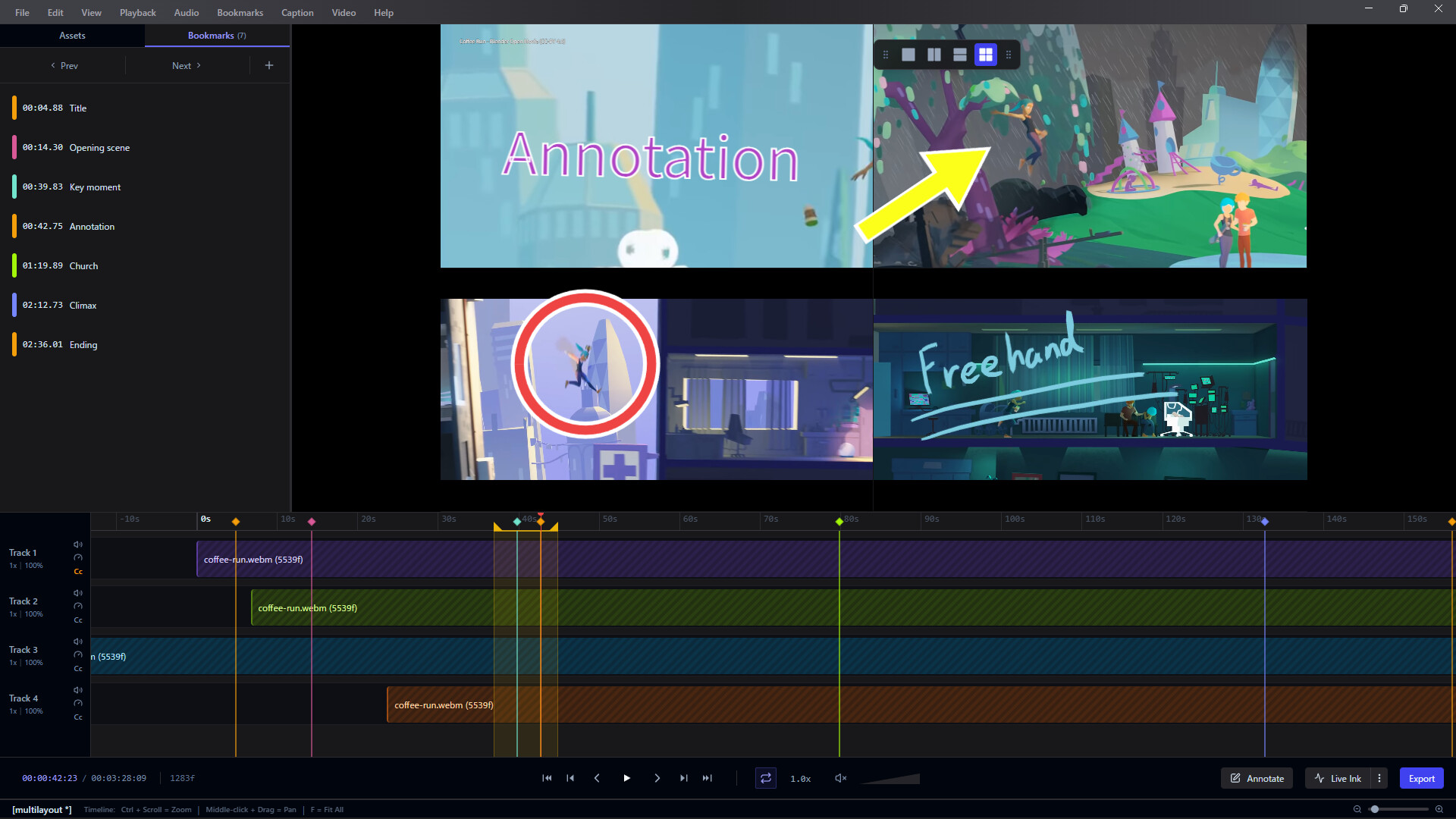
Frameglyph is an intuitive video review and reference tool for animators and creators. It features simultaneous multi-video playback, frame-by-frame navigation, direct on-frame drawing (Live Ink), and bookmarking. By organizing your essentials into one screen, it powers up your workflow.

登入以將此項目新增至您的願望清單、關注它,或標記為已忽略

搶先體驗軟體

立即開始使用,並參與軟體開發過程。

備註:這款搶先體驗軟體尚未開發完成,且內容可能會有所變動。如果目前的開發進度未使您產生興趣,建議您等待本軟體開發至下一階段再決定是否購買。了解更多

開發者的話:

為何採用搶先體驗模式?

「This software is a tool designed to directly improve the workflows of video creators and animators. Therefore, we believe that receiving direct feedback from the user community on how it is used in actual production environments and what features are needed is the best way to build the most practical and refined tool possible.」

這款軟體的搶先體驗時間大約會持續多久?

「Depending on the volume of community feedback and the scale of requests, we expect to be in Early Access for approximately [6 months to 1 year]. We will decide to transition to a full release once we are confident that the quality has reached our target standards.」

正式版預計會與搶先體驗版有何不同?

「The Early Access version already includes core features (synchronized video playback, frame-by-frame stepping, bookmarks, layout export, etc.). For the full version, we plan to introduce the following additional content and features:
* Expansion of supported video formats and codecs
* Further performance optimization and stability improvements
* Integration of advanced UI customization and additional features highly requested by users
(*These are plans and may change depending on development progress and feedback.)

搶先體驗版目前的開發進度如何?

「Currently, all core features of the software are implemented, and it is fully usable as a daily reference tool. Simultaneous loading of multiple video files, highly accurate seeking, timeline features, and basic export features are all functional. We are currently focusing on further improving stability and fixing minor bugs.」

軟體售價在搶先體驗期間前後會有所變動嗎?

「During Early Access, the software will be offered at a lower price to show our appreciation for your early support. We plan to raise the price to an appropriate level upon the full release, or when major features are added leading up to it.」

在開發過程中,您打算如何與社群互動?

「We will actively use the Steam Discussion boards to gather bug reports, feature requests, and workflow ideas from our users. Additionally, we plan to publish patch notes with every update to transparently communicate how your feedback is being reflected in the development. 」
繼續閱讀
不支援繁體中文

本產品尚不支援您的目前所在地的語言。購買前請先確認語言支援清單。

此遊戲尚未在 Steam 上發售

即將推出

感興趣嗎?
將這款遊戲加入願望清單,以便在發售時收到通知。
新增至您的願望清單
 
查看所有討論

在討論區回報錯誤並留下對於此軟體的意見

關於此軟體

FrameglyphPrecision Video Review & Annotation

Frame-accurate playback, expressive Live Ink annotations, and seamless export. Elevate your review workflow in one powerful workspace.

Frame-by-Frame Precision

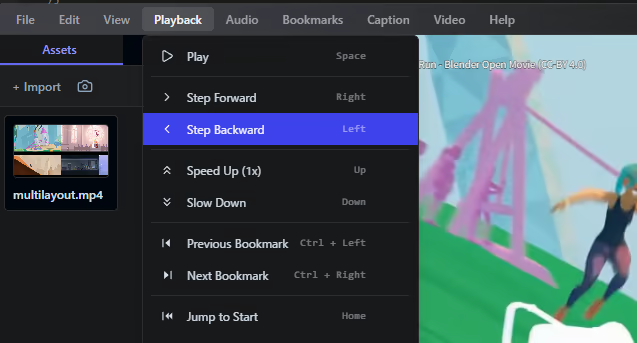
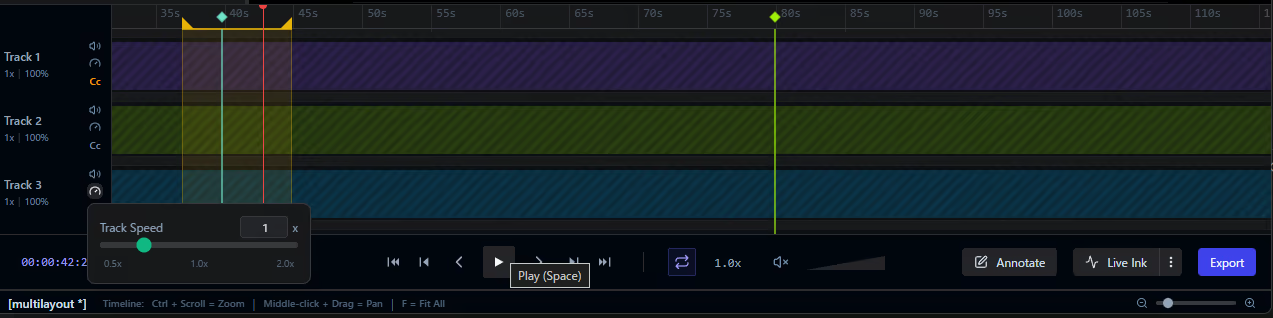
Navigate your media with absolute control. Variable speed playback and customizable loop ranges allow you to scrutinize every single frame at your own pace.

Expressive Annotations

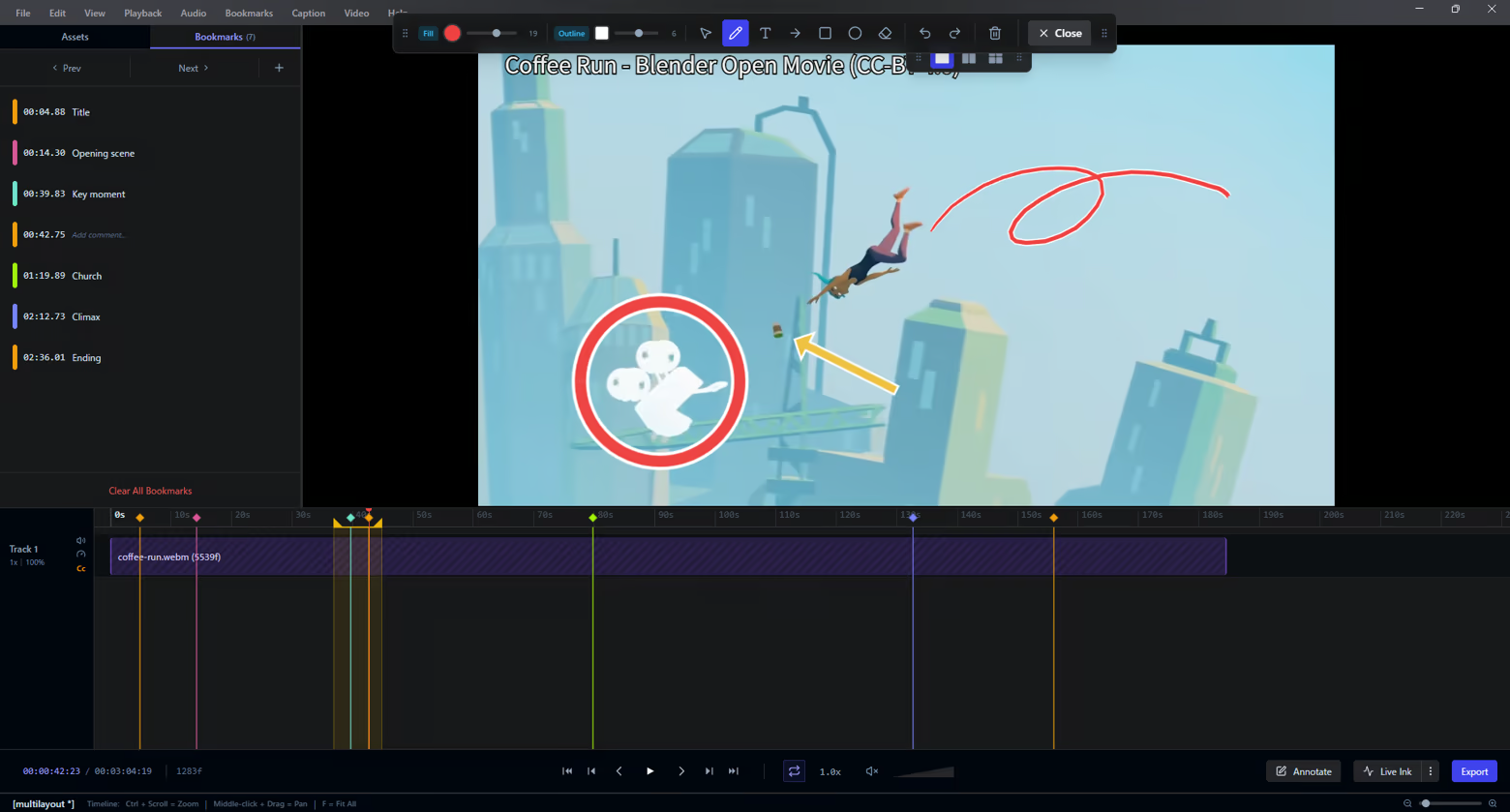
Communicate feedback instantly. Draw freehand with Live Ink, add shapes, or place text overlays directly onto video frames to highlight exactly what matters.

Interactive Timeline

Keep your review sessions perfectly organized. Drop bookmarks at key moments, define precise loop regions, and manage your keyframes intuitively along an interactive timeline.

Seamless Multi-Video Comparison

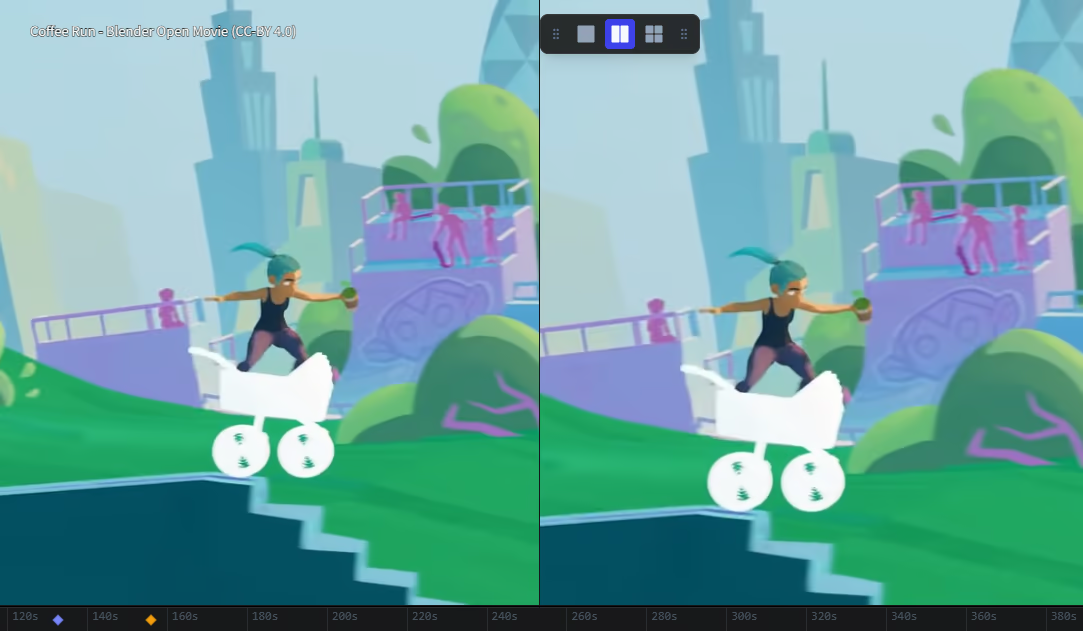
Review iterations side-by-side. Watch up to 4 videos simultaneously in fully configurable layouts (1x1, 2x1, 2x2) — ideal for comparing takes or checking animation progress.

Effortless Export

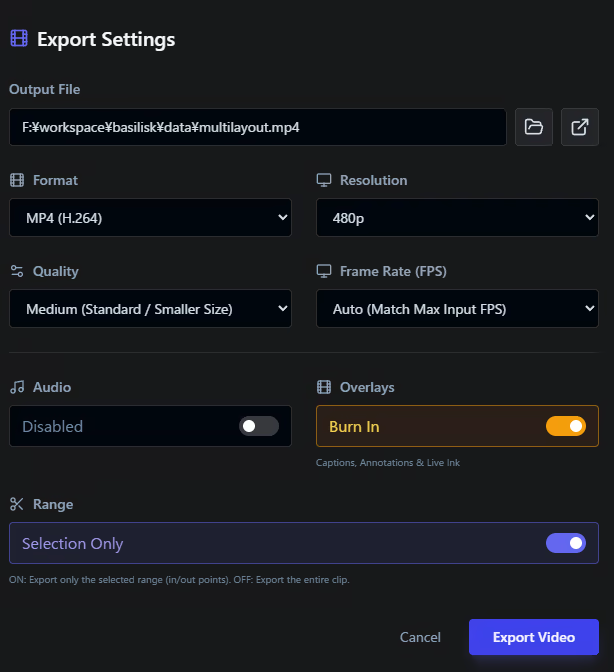
Share your feedback anywhere. Render and burn your annotations directly into MP4, WebM, GIF, APNG, or image sequences using integrated FFmpeg processing.

Integrated Screen Capture

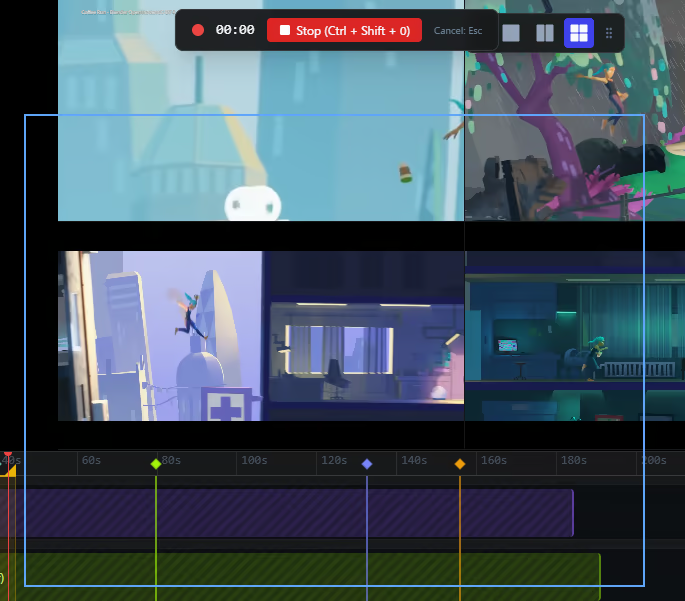
Never break your flow. Use the built-in screen recorder to capture your workflow and bring it directly into Frameglyph for immediate review and annotation.

Global Accessibility

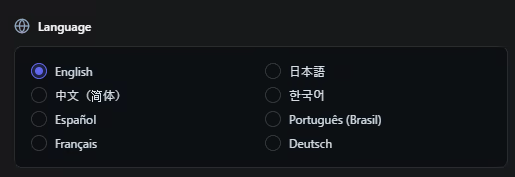
Work in the language you prefer. Frameglyph is fully localized and available in English, Japanese, Chinese, Korean, Spanish, Portuguese, French, and German.

系統需求

    最低配備:
    • 需要 64 位元的處理器及作業系統
    • 作業系統: Windows 10 (64-bit)
    • 處理器: Intel Core i3 / AMD Ryzen 3 or equivalent x64/x86 processor
    • 記憶體: 4 GB 記憶體
    • 顯示卡: DirectX 11 or OpenGL 3.3 compatible GPU
    • DirectX: 版本:11
    • 儲存空間: 500 MB 可用空間
    建議配備:
    • 需要 64 位元的處理器及作業系統
    • 作業系統: Windows 10 or Windows 11 (64-bit)
    • 處理器: Intel Core i5 / AMD Ryzen 5 or better multi-core processor
    • 記憶體: 8 GB 記憶體
    • 顯示卡: NVIDIA GeForce GTX 1060 / AMD Radeon RX 580 or better dedicated GPU (4GB+ VRAM recommended)
    • DirectX: 版本:11
    • 儲存空間: 500 MB 可用空間
    • 備註: SSD is highly recommended for loading large video files quickly. High-resolution (4K) or high-framerate videos may require higher specifications.
此產品無任何評論

您可以撰寫評論來與社群分享您對於本產品的看法。請使用本頁面中位於購買按鈕上方的區塊來進行評論的編寫。