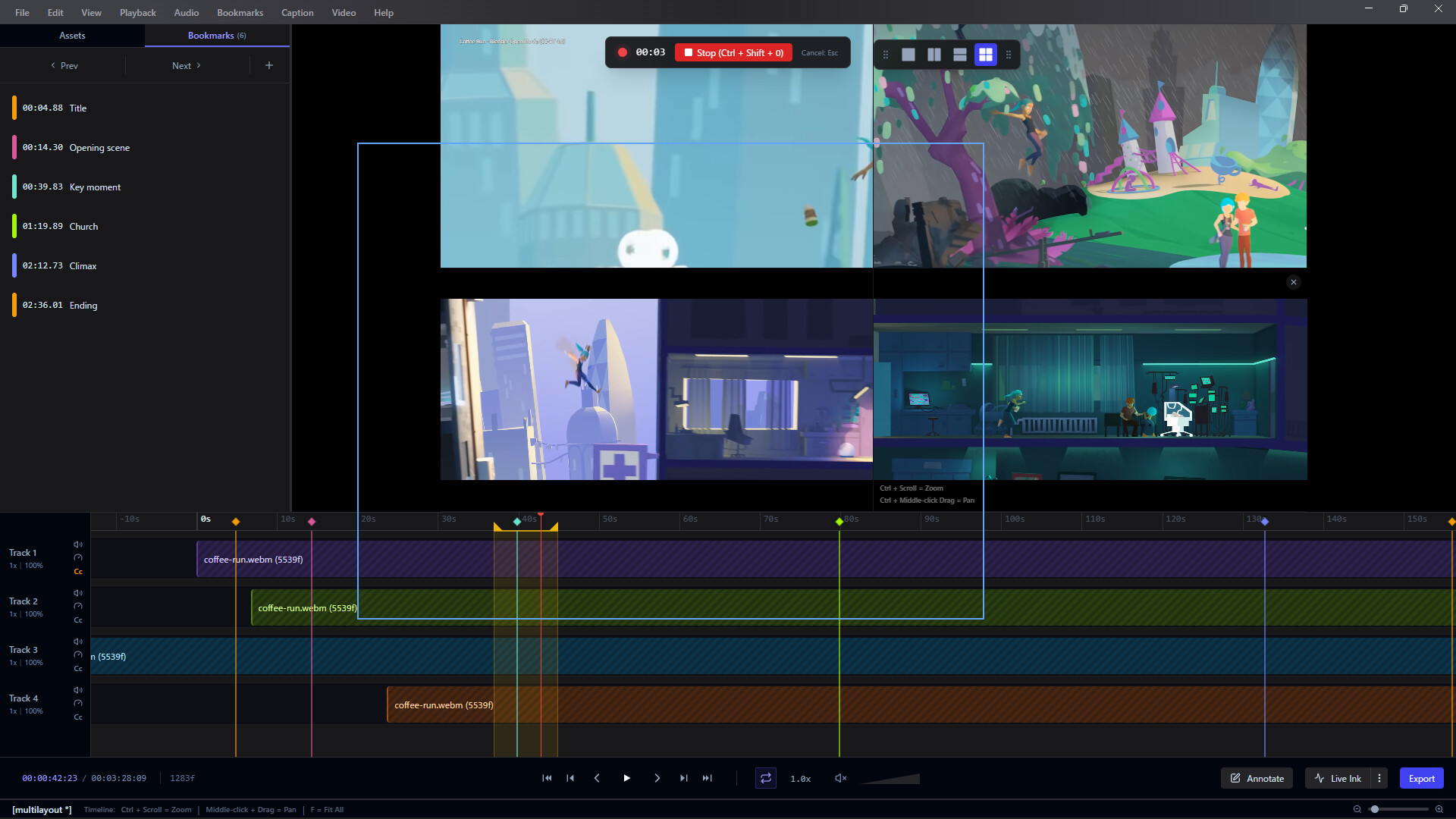
Frameglyph is an intuitive video review and reference tool for animators and creators. It features simultaneous multi-video playback, frame-by-frame navigation, direct on-frame drawing (Live Ink), and bookmarking. By organizing your essentials into one screen, it powers up your workflow.

Zaloguj się, aby dodać tę pozycję do listy życzeń, zacząć ją obserwować lub oznaczyć jako ignorowaną

Program z wczesnym dostępem

Zaangażuj się w powstawanie programu.

Uwaga: ten program oferowany w formie wczesnego dostępu nie został jeszcze ukończony i może (choć nie musi) ulec dalszym zmianom. Jeśli program w jego obecnym stanie nie interesuje cię, sugerujemy poczekać, by zobaczyć, czy prace nad nim będą kontynuowane. Dowiedz się więcej.

Od twórców:

Dlaczego wczesny dostęp?

„This software is a tool designed to directly improve the workflows of video creators and animators. Therefore, we believe that receiving direct feedback from the user community on how it is used in actual production environments and what features are needed is the best way to build the most practical and refined tool possible.”

Mniej więcej jak długo program będzie w fazie wczesnego dostępu?

„Depending on the volume of community feedback and the scale of requests, we expect to be in Early Access for approximately [6 months to 1 year]. We will decide to transition to a full release once we are confident that the quality has reached our target standards.”

Czym różni się zaplanowana pełna wersja od tej z wczesnego dostępu?

„The Early Access version already includes core features (synchronized video playback, frame-by-frame stepping, bookmarks, layout export, etc.). For the full version, we plan to introduce the following additional content and features:
* Expansion of supported video formats and codecs
* Further performance optimization and stability improvements
* Integration of advanced UI customization and additional features highly requested by users
(*These are plans and may change depending on development progress and feedback.)

Jaki jest obecny stan wersji z wczesnego dostępu?

„Currently, all core features of the software are implemented, and it is fully usable as a daily reference tool. Simultaneous loading of multiple video files, highly accurate seeking, timeline features, and basic export features are all functional. We are currently focusing on further improving stability and fixing minor bugs.”

Czy cena programu ulegnie zmianie podczas i po wczesnym dostępie?

„During Early Access, the software will be offered at a lower price to show our appreciation for your early support. We plan to raise the price to an appropriate level upon the full release, or when major features are added leading up to it.”

Jak zamierzacie włączyć społeczność w wasz proces tworzenia?

„We will actively use the Steam Discussion boards to gather bug reports, feature requests, and workflow ideas from our users. Additionally, we plan to publish patch notes with every update to transparently communicate how your feedback is being reflected in the development. ”
Więcej
Polski język nie jest obsługiwany

Ten produkt nie obsługuje twojego lokalnego języka. Przed zakupem zapoznaj się z listą obsługiwanych języków, która znajduje się poniżej.

Ta gra nie jest jeszcze dostępna na Steam

Wkrótce dostępne

Interesuje cię ten produkt?
Dodaj go do swojej listy życzeń i otrzymaj powiadomienie, gdy stanie się dostępny.
Dodaj do listy życzeń
 
Zobacz wszystkie dyskusje

Zgłoś błędy i zostaw swoją opinię o tym programie na forach dyskusyjnych

O tym programie

FrameglyphPrecision Video Review & Annotation

Frame-accurate playback, expressive Live Ink annotations, and seamless export. Elevate your review workflow in one powerful workspace.

Frame-by-Frame Precision

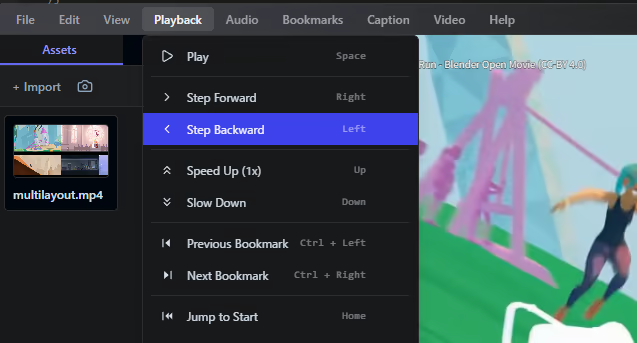
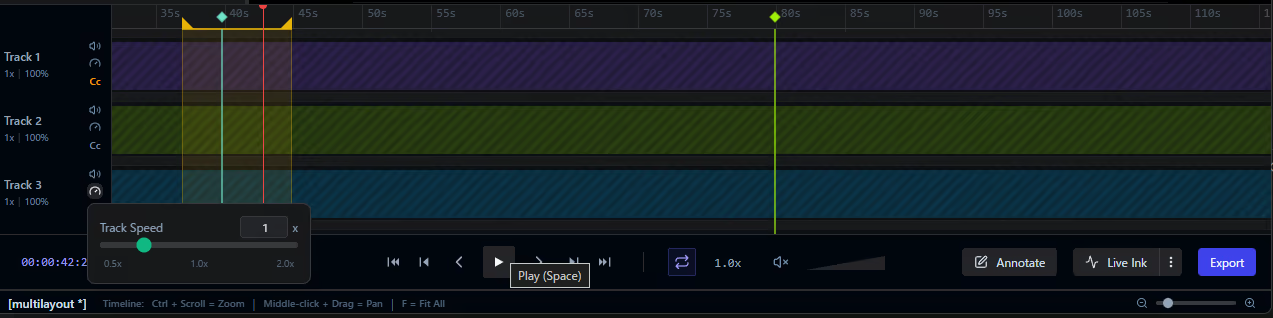
Navigate your media with absolute control. Variable speed playback and customizable loop ranges allow you to scrutinize every single frame at your own pace.

Expressive Annotations

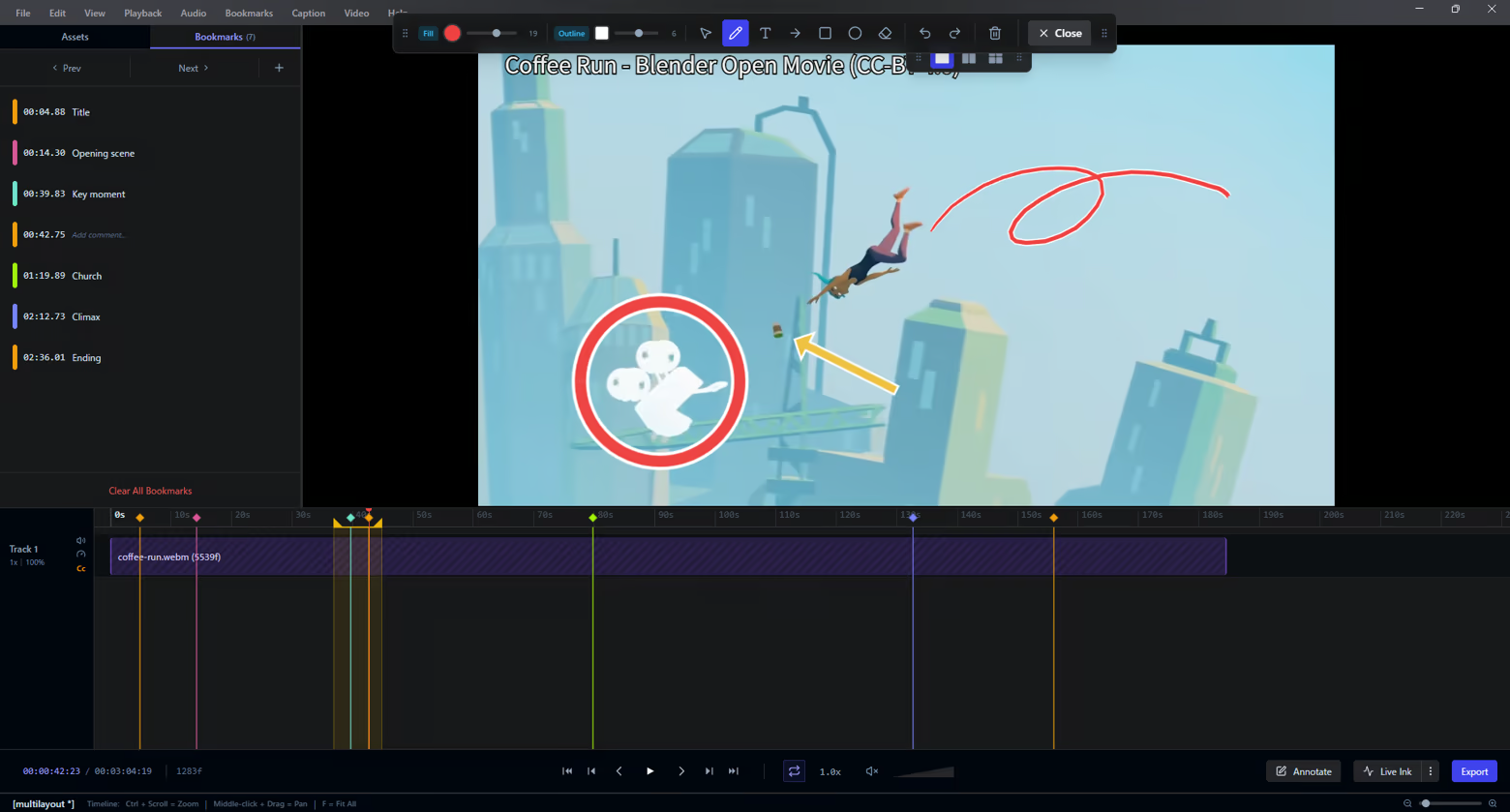
Communicate feedback instantly. Draw freehand with Live Ink, add shapes, or place text overlays directly onto video frames to highlight exactly what matters.

Interactive Timeline

Keep your review sessions perfectly organized. Drop bookmarks at key moments, define precise loop regions, and manage your keyframes intuitively along an interactive timeline.

Seamless Multi-Video Comparison

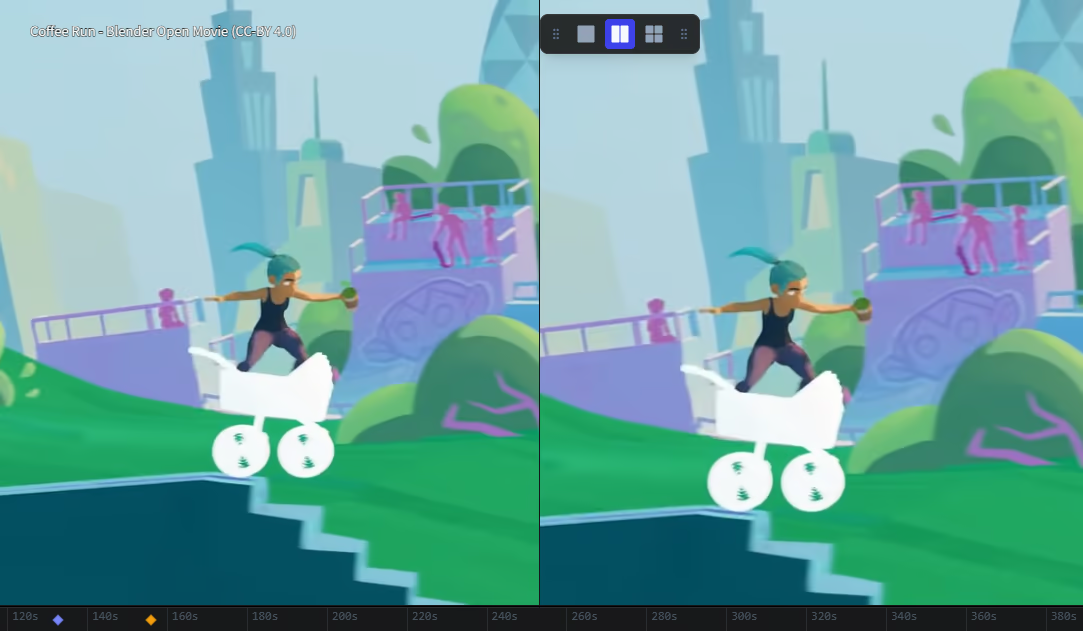
Review iterations side-by-side. Watch up to 4 videos simultaneously in fully configurable layouts (1x1, 2x1, 2x2) — ideal for comparing takes or checking animation progress.

Effortless Export

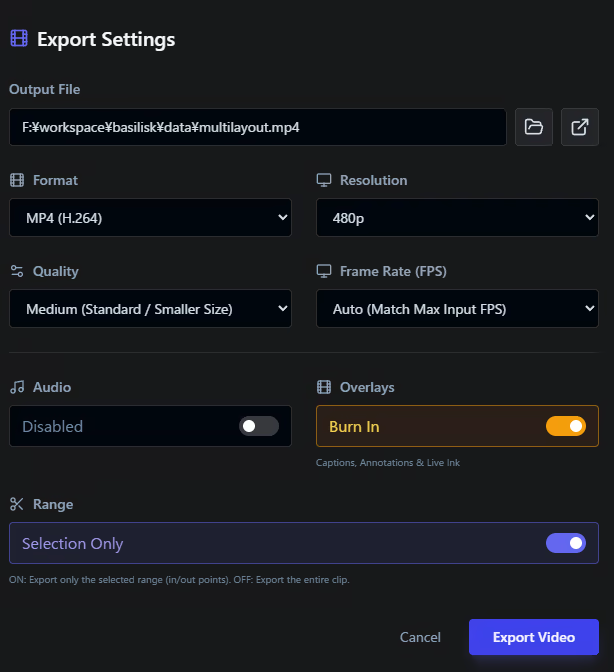
Share your feedback anywhere. Render and burn your annotations directly into MP4, WebM, GIF, APNG, or image sequences using integrated FFmpeg processing.

Integrated Screen Capture

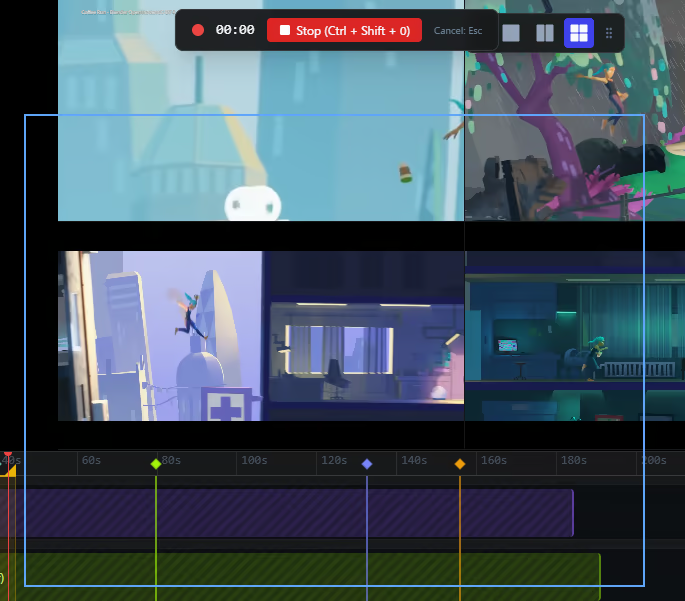
Never break your flow. Use the built-in screen recorder to capture your workflow and bring it directly into Frameglyph for immediate review and annotation.

Global Accessibility

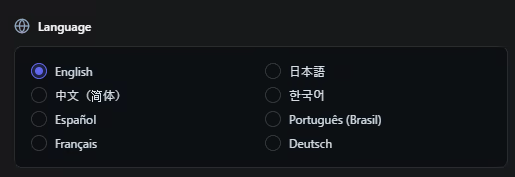
Work in the language you prefer. Frameglyph is fully localized and available in English, Japanese, Chinese, Korean, Spanish, Portuguese, French, and German.

Wymagania systemowe

    Konfiguracja minimalna:
    • Wymaga 64-bitowego procesora i systemu operacyjnego
    • System operacyjny: Windows 10 (64-bit)
    • Procesor: Intel Core i3 / AMD Ryzen 3 or equivalent x64/x86 processor
    • Pamięć: 4 GB RAM
    • Karta graficzna: DirectX 11 or OpenGL 3.3 compatible GPU
    • DirectX: Wersja 11
    • Miejsce na dysku: 500 MB dostępnej przestrzeni
    Konfiguracja zalecana:
    • Wymaga 64-bitowego procesora i systemu operacyjnego
    • System operacyjny: Windows 10 or Windows 11 (64-bit)
    • Procesor: Intel Core i5 / AMD Ryzen 5 or better multi-core processor
    • Pamięć: 8 GB RAM
    • Karta graficzna: NVIDIA GeForce GTX 1060 / AMD Radeon RX 580 or better dedicated GPU (4GB+ VRAM recommended)
    • DirectX: Wersja 11
    • Miejsce na dysku: 500 MB dostępnej przestrzeni
    • Dodatkowe uwagi: SSD is highly recommended for loading large video files quickly. High-resolution (4K) or high-framerate videos may require higher specifications.
Brak recenzji dla tego produktu

Możesz napisać swoją własną recenzję dla tego produktu, żeby podzielić się swoimi wrażeniami ze społecznością. Użyj obszaru, który znajduje się na tej stronie nad przyciskiem zakupu, żeby napisać swoją recenzję.