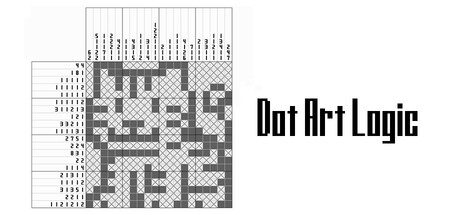
A simple and relaxing puzzle game where you can enjoy Nonograms (also known as Picture Cross or Griddlers). Featuring over 2,000 monochrome puzzles and over 1,000 color puzzles, there are more than 3,000 puzzles in total to solve!

Inicia sesión para añadir este artículo a tu lista de deseados, seguirlo o marcarlo como ignorado.

No disponible en Español de España

Este artículo no está disponible en tu idioma. Por favor, consulta la lista de idiomas disponibles antes de realizar la compra.

Descargar Dot Art Logic Demo

Comprar Dot Art Logic


Acerca de este juego

A simple and relaxing puzzle game where you can enjoy Nonograms (also known as Picture Cross or Griddlers). Featuring over 2,000 monochrome puzzles and over 1,000 color puzzles, there are more than 3,000 puzzles in total to solve!

Over 3,000 Puzzles Included

  • 20x20 Monochrome: 1,900 puzzles

  • 15x15 Monochrome: 100 puzzles

  • Timed 20x20 Monochrome: 200 puzzles (No support features allowed)

  • Approx. 15x15 Color: 400 puzzles

  • Approx. 10x10 Color: 500 puzzles (No "X" marks allowed) ...and more. Perfect for playing steadily during 5–10 minute breaks.

The puzzle themes vary widely, including animals, food, buildings, nature, people, sports, fantasy, chibi designs, and silhouettes. We’ve also included puzzles inspired by Japanese culture, offering a unique experience for international players.

  • Logic-Based: All monochrome puzzles can be solved without guessing or temporary placements. (A few color puzzles may require temporary placements).

Support Features (Primarily for Monochrome Puzzles)

Customize your experience by toggling these features on or off:

  • Manual Marking: Manually cross out numbers with a red line.

  • Hint Arrows: Arrows indicate rows/columns that can be completely filled based on the numbers alone.

  • Auto-Fill X: Automatically places "X" marks in remaining empty spaces when a row/column is completed.

  • Completed Numbers: Numbers turn gray once their conditions are met.

  • Error Check: Numbers turn red if a filled square is incorrect (available up to 5 times per puzzle).

HELP Functions (Optional)

  • CHECK: Verify if all currently filled squares are correct.

  • COMBO: Fills a selected square. If it’s not an "X," you can continue checking.

  • CROSS: Fills the squares in all four directions from the selected point until an "X" is reached.

  • CHECK+: Becomes available after 5 minutes. Same as CHECK, but with unlimited uses.

Full Version vs. Demo

The full version consists of the 1,400 puzzles from the demo, plus a collection of puzzles from previous titles and brand-new additions.

About the DEMO Version:

  • There is a time limit before HELP functions become available.

  • Includes about half the content of the full version—still over 1,500 puzzles to enjoy!

  • Save data can be transferred to the full version.

All puzzles are designed to be cleared without using the HELP functions. If you aren't in a rush, the demo version alone offers plenty of content to keep you entertained!

Información sobre contenido generado por IA

Según los desarrolladores, el juego utiliza contenido generado por IA de la forma siguiente:

Translations: All English text in this game was translated from Japanese using AI translation tools.

Puzzles and Illustrations: AI was used to generate reference drafts for approximately 10% of the puzzle illustrations. These were primarily used for composition and conceptual guidance; no AI-generated images are used directly in the game. All final illustrations have been manually created and refined by the developer.

Requisitos del sistema

    Mínimo:
    • Requiere un procesador y un sistema operativo de 64 bits
    • SO: Windows 10 (64-bit) / windows 11
    • Procesador: 2.0 GHz Dual Core
    • Memoria: 2 GB de RAM
    • Almacenamiento: 10 MB de espacio disponible
    Recomendado:
    • Requiere un procesador y un sistema operativo de 64 bits

Reseñas de usuarios para «Dot Art Logic» Acerca de las reseñas de usuarios Tus preferencias

Reseñas generales:
1 reseña(s) de usuario(s) (1 reseñas)


Para ver las reseñas correspondientes a un intervalo de fechas, haz clic y arrastra en uno de los gráficos de arriba para crear una selección o haz clic en una barra específica.


Filtrar las reseñas según el tiempo de juego del usuario cuando se escribió la reseña:


Sin mínimo a sin máximo

Mostrar las reseñas en el orden seleccionado


Más información
Filtros
Excluir actividad de reseñas no relacionadas con el tema
Tiempo de juego:
Partidas principalmente en Steam Deck
Sistema operativo:
CPU:
GPU:
Tipo de dispositivo: