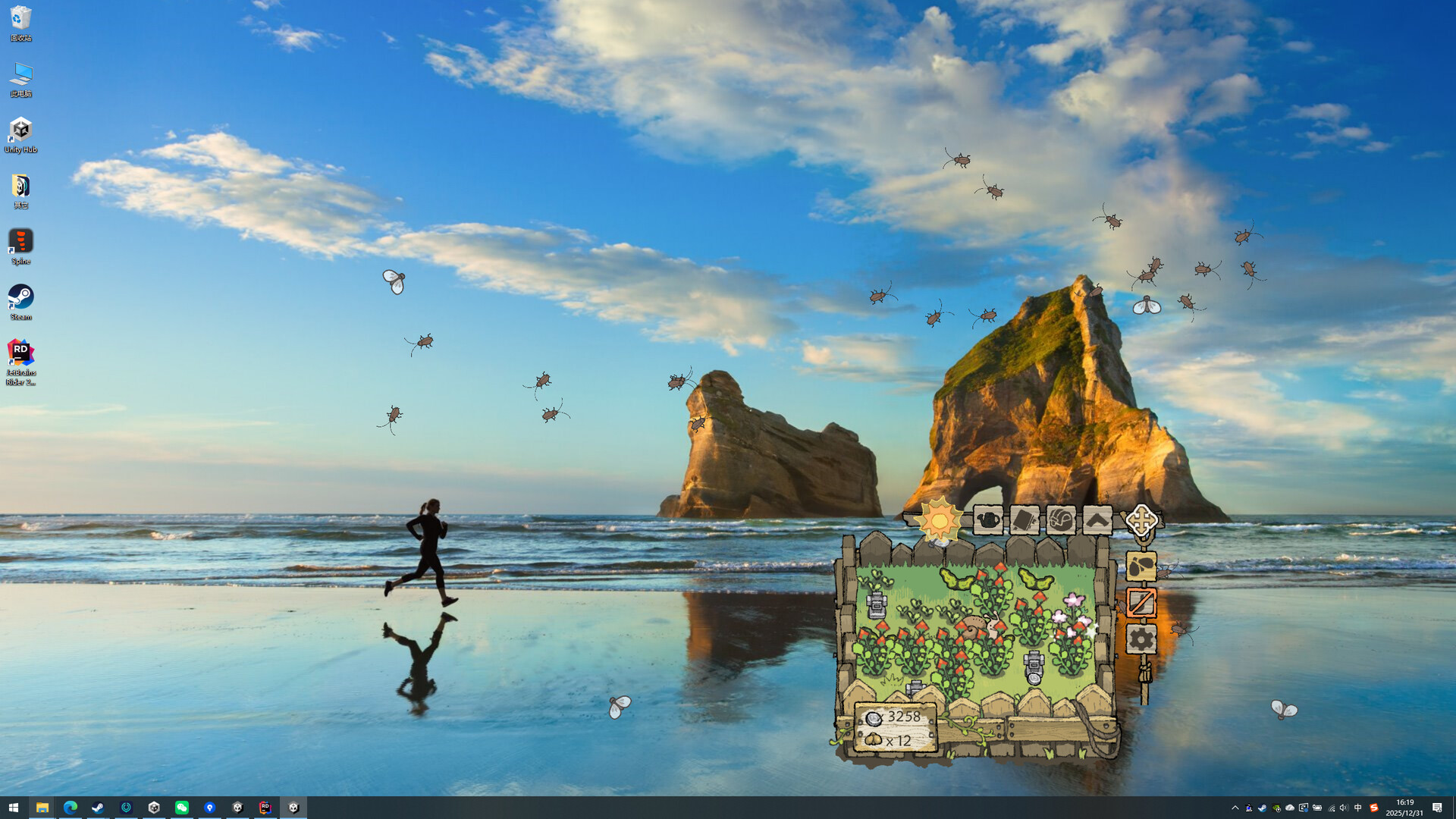
《BuGarden》 is a cozy idle flower-growing game that lives in the corner of your desktop. Plant seeds, water and fertilize them at your own pace, harvest cute flowers and fruits, and deal with a few playful bugs—nothing messy, just a calm little garden keeping you company.

Connectez-vous pour ajouter cet article à votre liste de souhaits, le suivre ou l'ignorer

Français non disponible

Ce produit n'est pas disponible dans votre langue. Veuillez consulter la liste des langues disponibles ci-dessous avant de l'acheter.

Ce jeu n'est pas encore disponible sur Steam

Prochainement

Ce produit vous intéresse ? Ajoutez-le à votre liste de
souhaits et recevez une notification lors de sa sortie.
Ajouter à la liste de souhaits
 

Find Us Here~

Join our official Discord to chat with players, share feedback, and stay connected with us.

À propos de ce jeu

A tiny garden in the corner of your screen, where lovely flowers sway happily in the sunlight you bring them!

Plant any seeds you like the look of, give them a bit of water, and they’ll bloom just for you!
Feeling extra lazy? No worries—the little snail will help water them for you too!

Want your flowers to grow faster? Give them some careful fertilizing!
Of course, a few tiny “byproducts” may show up along the way XD
Have fun getting rid of them with a variety of tools!

Rest assured—since this is a desktop companion, you can hide all the annoying stuff with a single click, leaving only your favorite flowers quietly keeping you company.

Configuration requise

    Minimale :
    • Système d'exploitation : Windows 10 or newer
    • Processeur : Intel Core i3 or equivalent
    • Mémoire vive : 1 GB de mémoire
    • Graphiques : Integrated GPU with OpenGL 3.2 / DirectX 10 support
    • Espace disque : 500 MB d'espace disque disponible
    Recommandée :
    • Système d'exploitation : Windows 10 or newer
    • Mémoire vive : 2 GB de mémoire
    • Espace disque : 500 MB d'espace disque disponible
Aucune évaluation pour ce produit

Vous pouvez rédiger une évaluation sur ce produit pour partager votre expérience avec la communauté. Utilisez l'encadré situé au-dessus des options d'achat pour rédiger votre évaluation.