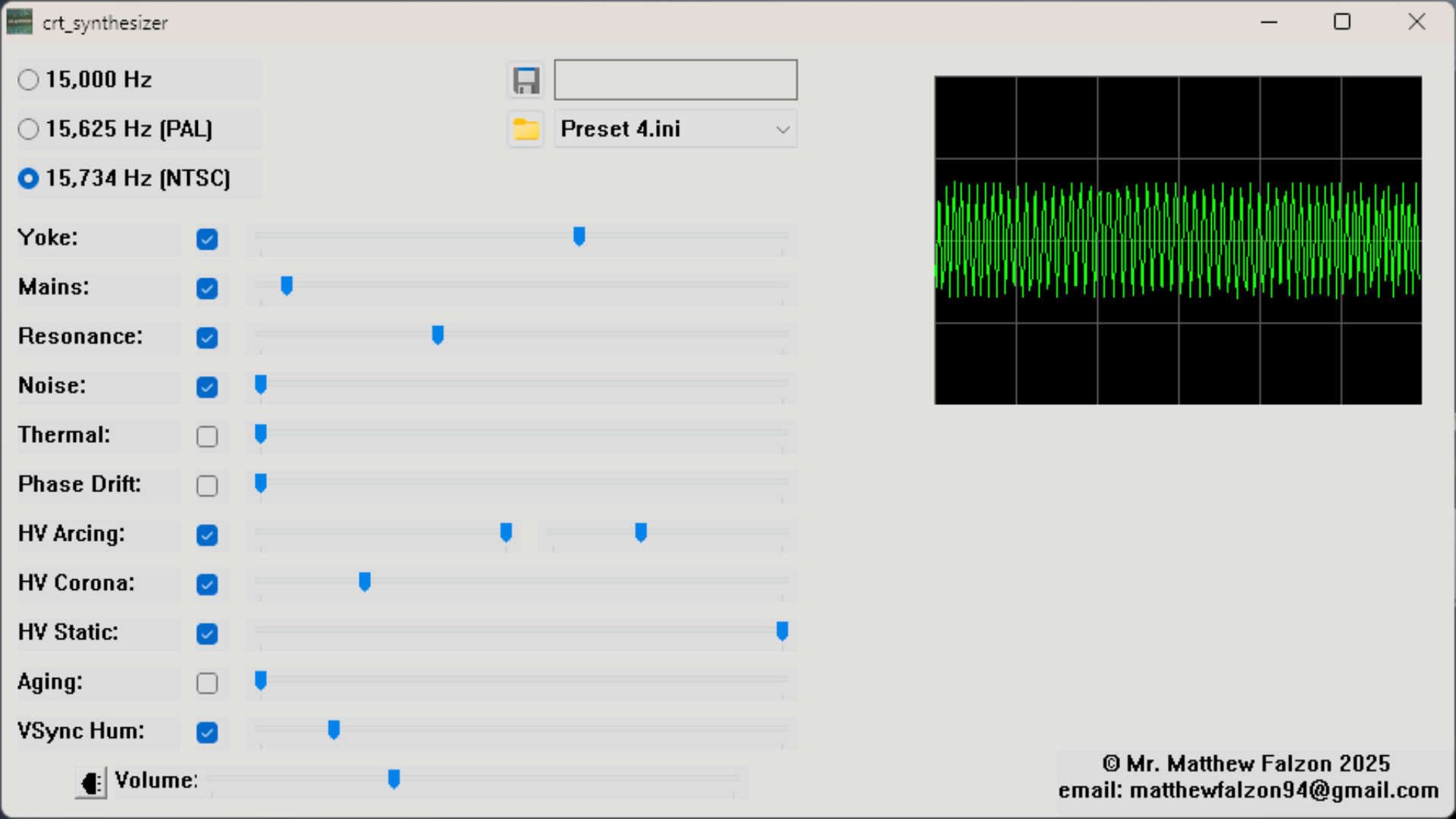
A small, handcrafted tool that recreates the authentic hum, buzz, and flyback resonance of classic CRT displays. Built for retro gaming fans, streamers, and anyone chasing that nostalgic analog soundscape.
วันวางจำหน่าย:
29 พ.ย. 2025
ผู้พัฒนา:
ผู้จัดจำหน่าย:
แท็ก

เข้าสู่ระบบ เพื่อเพิ่มผลิตภัณฑ์นี้ลงในสิ่งที่อยากได้ของคุณ ติดตาม หรือทำเครื่องหมายเป็นถูกละเว้น

ไม่รองรับภาษาไทย

ผลิตภัณฑ์นี้ไม่รองรับภาษาท้องถิ่นของคุณ โปรดตรวจสอบรายชื่อภาษาที่รองรับก่อนทำการสั่งซื้อ

ซื้อ crt_synthesizer


เกี่ยวกับซอฟต์แวร์นี้

About This Software

CRT Synthesizer is a passion project turned tool — a simple yet detailed sound simulator that brings back the subtle, forgotten noises of cathode-ray tube displays.

It doesn’t try to be a studio plugin or a sound workstation. Instead, it focuses purely on authenticity — from the variable pitch of flyback transformers to the faint hum and corona buzz that defined the atmosphere of 80s and 90s screens.

Whether you’re streaming retro games, creating nostalgic videos, or just miss the immersive analog warmth of old displays, this program runs quietly in the background and reproduces those sounds in real time.

Features
• Real-time CRT flyback and yoke resonance emulation
• Adjustable parameters: pitch, hum, arcing, corona noise, and more
• Minimal, functional interface — no fluff, just control
• Works alongside any emulator, game, or desktop environment
• Lightweight CPU footprint and simple setup

Who It’s For
• Retro gaming enthusiasts
• Streamers and YouTubers seeking authentic CRT ambience
• Developers and sound designers who appreciate real hardware character

A Note from the Developer
This project started as a personal experiment in nostalgia — a curiosity about whether the sound of a flyback transformer could be synthesized convincingly in software.
It grew into something people seemed to love, and with your support, it continues to improve.

Thank you for supporting small, independent projects like this — they keep these little pockets of history alive in sound form.

Just a remark - if you observed that on browser streaming services the program does not react to monitor changes, this is because it most probably is caused by 'DRM'. What you have to do is disable 'hardware acceleration' in your browser settings, and it should work fine.


                                                                                      +  |    |  +

                                                                             Α     |John 3:16|     Ω

                                                                                      +  |    |  +


ความต้องการระบบ

    ขั้นต่ำ:
    • ระบบปฏิบัติการ: Windows 10/11 (64-bit).
    • โปรเซสเซอร์: Any modern dual-core CPU (e.g., Intel i3 / AMD Ryzen 3 or better).
    • หน่วยความจำ: แรม 4 GB
    • กราฟิกส์: Integrated graphics is fine; no dedicated GPU required.
    • พื้นที่จัดเก็บข้อมูล: พื้นที่ว่างที่พร้อมใช้งาน 4 MB
    • หมายเหตุเพิ่มเติม: Speakers recommended for basic experience.
    แนะนำ:
    • ระบบปฏิบัติการ: Windows 10/11 (64-bit).
    • โปรเซสเซอร์: Modern quad-core CPU (e.g., Intel i5 / AMD Ryzen 5).
    • หน่วยความจำ: แรม 8 GB
    • กราฟิกส์: Integrated graphics is fine; no dedicated GPU required.
    • พื้นที่จัดเก็บข้อมูล: พื้นที่ว่างที่พร้อมใช้งาน 4 MB
    • หมายเหตุเพิ่มเติม: Good speakers recommended for best experience.
ไม่พบบทวิจารณ์สำหรับผลิตภัณฑ์นี้

คุณสามารถเขียนบทวิจารณ์ของคุณเองสำหรับผลิตภัณฑ์นี้เพื่อแบ่งปันประสบการณ์ของคุณให้กับชุมชน ใช้พื้นที่ด้านบนของปุ่มซื้อในหน้านี้เพื่อเขียนบทวิจารณ์ของคุณ