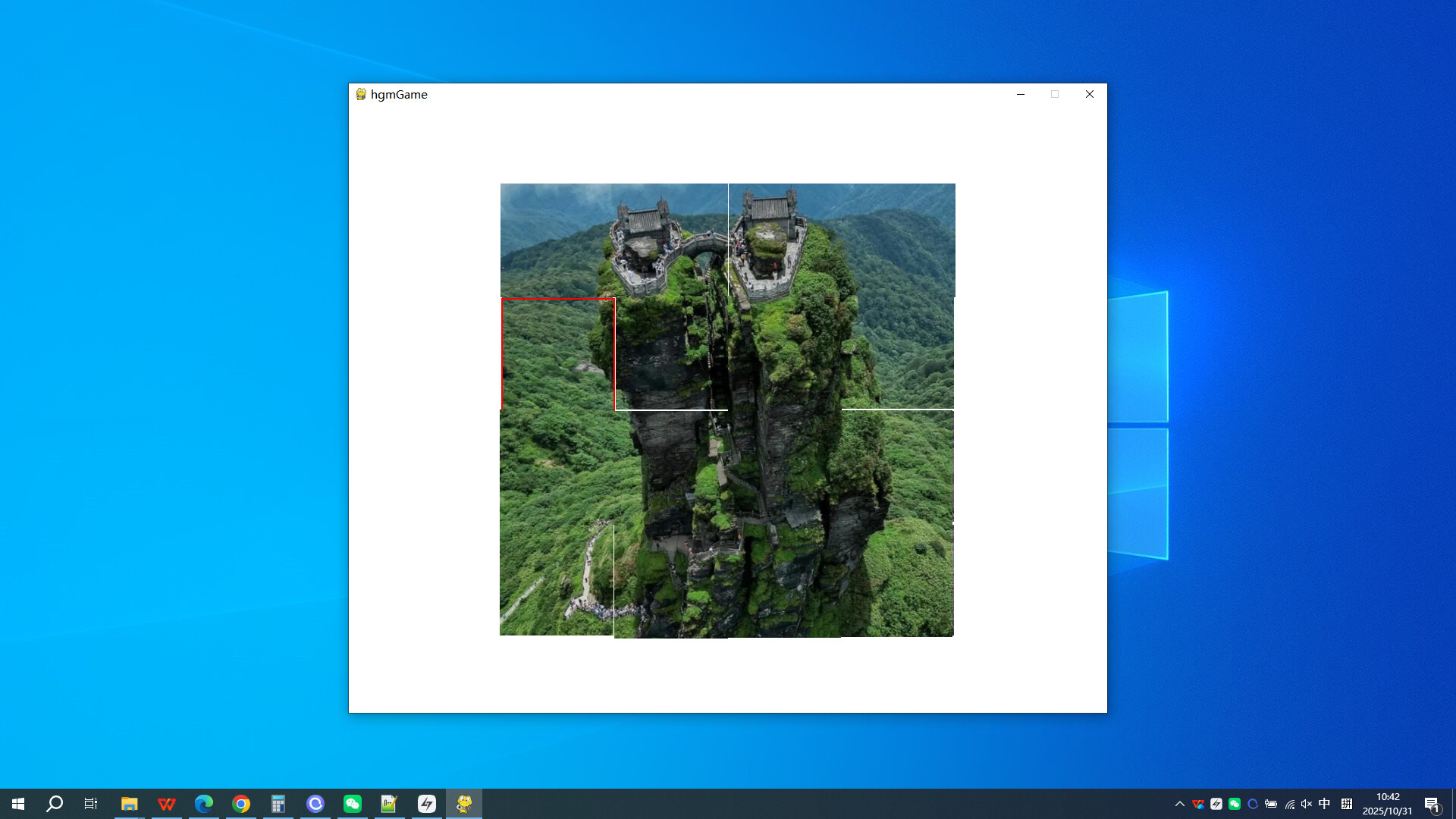
Click on 'Start Game', the image will be grayed out, and the colored parts will be randomly scrambled into 16 small fragments, scattered randomly on the screen.Players click on the small image, drag it to its original position to restore it, until all the small fragments move to the correct position

Zaloguj się, aby dodać tę pozycję do listy życzeń, zacząć ją obserwować lub oznaczyć jako ignorowaną

Polski język nie jest obsługiwany

Ten produkt nie obsługuje twojego lokalnego języka. Przed zakupem zapoznaj się z listą obsługiwanych języków, która znajduje się poniżej.

Kup Fanjing Mountain in Guizhou


O tej grze

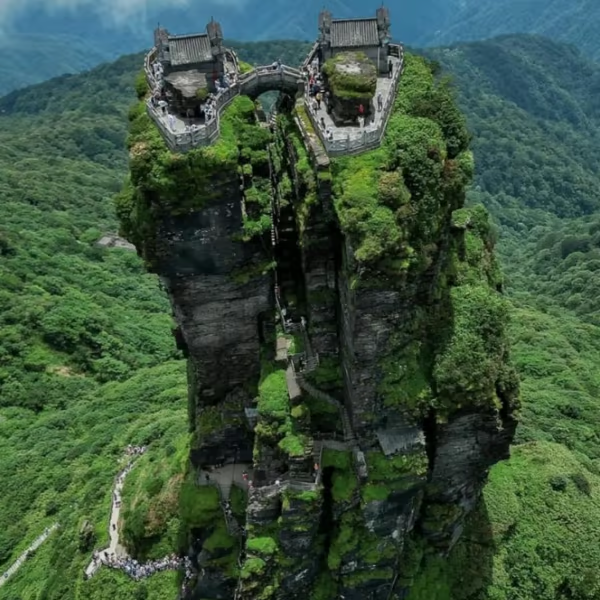
This casual puzzle game features beautiful graphics that make up:

Fanjing Mountain is located at the junction of Jiangkou, Yinjiang, and Songtao counties in Tongren City, Guizhou Province. It is situated at 27 ° 49 ′ 50 ″ -28 ° 1 ′ 30 ″ N latitude and 108 ° 45 ′ 55 ″ -108 ° 48 ′ 30 ″ E longitude, close to Jiangkou County, the southeast of Yinjiang County, and the southwest of Songtao County.

Game starts:

Click on 'start game', the image will be grayed out, and the colored parts will be randomly scrambled into 16 small fragments, scattered randomly on the screen

Game process:

Players click on the small image, drag it to its original position to restore it, until all the small images move to the correct position, and the game ends

End or start the next game:

All the small fragments move to the correct position, and the game ends. At this point, click "try again" to repeat the game.

Wymagania systemowe

    Konfiguracja minimalna:
    • System operacyjny *: Windows7/8/9/10/11
    • Procesor: i3-6100U
    • Karta graficzna: GTX 970
    • Miejsce na dysku: 200 MB dostępnej przestrzeni
    • Karta dźwiękowa: Any computer
* Począwszy od 1 stycznia 2024, klient Steam będzie obsługiwał wyłącznie system Windows 10 i jego nowsze wersje.

Recenzje klientów dla produktu Fanjing Mountain in Guizhou O recenzjach użytkowników Twoje preferencje

Ogólne recenzje:
Recenzje użytkowników: 1 (1)


Aby zobaczyć recenzje w wybranym zakresie dat, kliknij i przeciągnij zaznaczenie na powyższym wykresie lub kliknij na wybrany słupek.


Filtruj recenzje według czasu gry użytkownika w momencie publikacji recenzji:


Bez minimum do Bez maksimum

Pokaż recenzje w wybranej kolejności wyświetlania


Dowiedz się więcej
Filtry
Wyłączanie okresów występowania recenzji nie na temat
Czas gry:
Głównie Steam Deck
Brak recenzji pasujących do filtrów ustawionych powyżej
Dostosuj filtry powyżej, by zobaczyć inne recenzje
Wczytywanie recenzji…