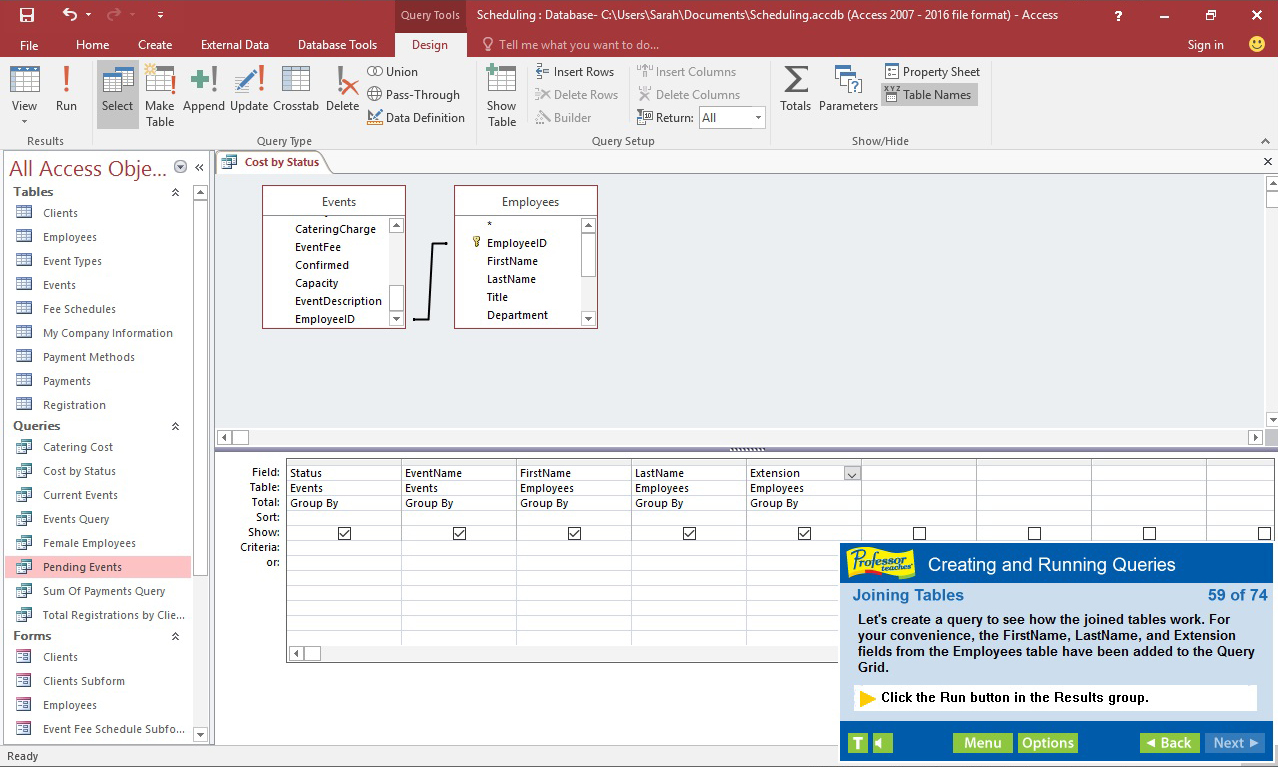
Professor Teaches, the leading brand of training, provides realistic, interactive, and complete training for Access 2016. Build your skills with Professor Teaches tutorials and learn everything you’ll need, from beginning to advanced lessons.

Log på for at føje dette emne til din ønskeliste, følge det eller markere det som ignoreret


Om denne software

Professor Teaches, the leading brand of training, provides realistic, interactive, and complete training for Access 2016. Build your skills with Professor Teaches tutorials and learn everything you’ll need, from beginning to advanced lessons. Each interactive tutorial is organized for fast and easy learning so you can practice and apply what you learn right away. Learn Microsoft Access 2016 with hours of interactive training lessons and exercises.

What is Microsoft Access 2016?
Microsoft Access is a database management system and is a part of Microsoft Office. Learn the features of the latest version of this powerful program that allows users to store and track large amounts of data, and analyze the data for various applications.

What Are the Benefits of Learning Microsoft Access 2016?
• Discover how to use database knowledge to track and analyze information
• Learn to create meaningful reports and share valuable information
• Learn to export information as a web page

Access 2016 – Over 60 Lessons!
Our extensive computer training course will cover the following topics:
• Creating a Database
• Exploring Office Backstage
• Exploring Database Objects
• Printing Database Objects
• Working with Tables
• Working with Datasheets
• Updating Records
• Sorting Records & Filtering Records
• Designing Tables
• Adding Tables & Fields to a Database
• Importing Data & Exporting Data
• Performing Database Maintenance
• Creating and Running Queries
• Creating Calculated Fields
• Using Aggregate Functions
• Understanding Query Properties
• Creating Multi-Table Select Queries
• Joining Tables
• Enforcing Referential Integrity
• Using Forms
• Creating a Form with the Form Wizard
• Generating Reports
• Working in the Cloud with Office 365
• Understanding the Cloud & OneDrive

Features of Professor Teaches Access 2016
Practice in a Realistic Simulation of the Software
Hundreds of Learning Topics
4 to 8 Hours of Training per Course
Realistic Simulations
Beginner to Advanced Topics
Self-Paced Learning Objectives
Introductions and Summaries
Interactive Exercises
Professional Voice Narration
End-of-Chapter Quiz Questions
Check marks for Completed Topics
Glossary, Index, and Search
Professor Answers for Instant Training

Systemkrav

    Minimum:
    • Styresystem *: Windows 10, 8, 7, XP
    • Processor: None
    • Hukommelse: 150 MB RAM
    • Lydkort: None
* Fra den 1. januar 2024 understøttes Steam-klienten kun på Windows 10 og senere udgaver.

Kundeanmeldelser for Professor Teaches Access 2016 Om brugeranmeldelser Dine præferencer

Samlede anmeldelser:
3 brugeranmeldelser (3 anmeldelser)


For at se anmeldelser indenfor et datointerval kan du klikke og trække et interval på grafen ovenfor eller klikke på en specifik bjælke.


Sorter anmeldelser efter brugerens spilletid, da anmeldelsen blev skrevet:


Intet minimum til Intet maksimum

Vis anmeldelser i valgt visningsrækkefølge


Læs mere
Filtre
Eksklusive irrelevant anmeldelsesaktivitet
Spilletid:
Spillet mest på Steam Deck
Der er ingen anmeldelser, der passer med de valgte filtre ovenfor
Tilpas filtrene ovenfor for at se andre anmeldelser
Indlæser anmeldelser...