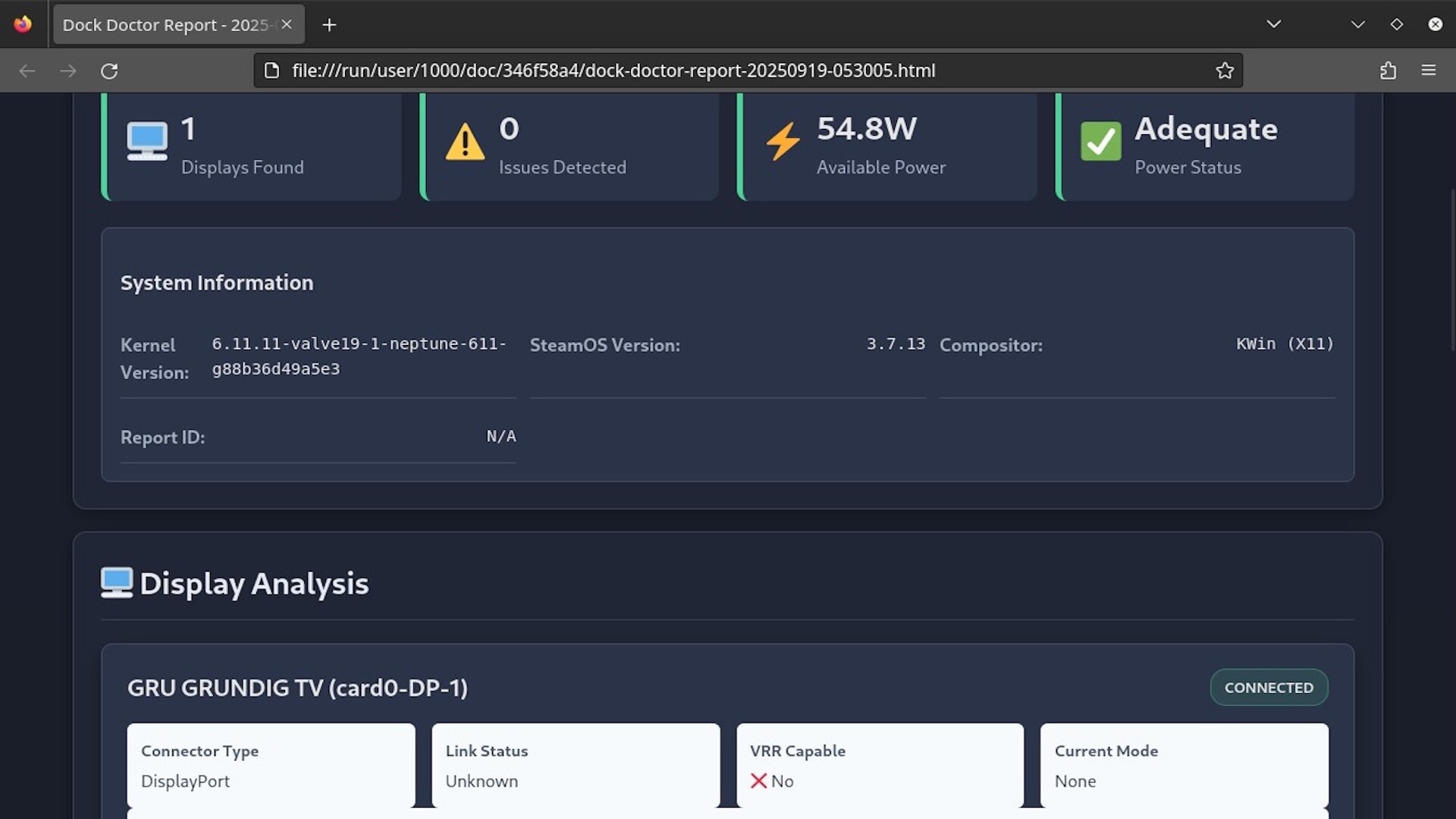
Diagnose and fix Steam Deck & Linux dock issues in seconds - black screens, missing audio, no internet, power or HDR/VRR quirks. Native, safe, and fast.
Date de parution :
Prochainement
Développement :
Édition :
Tags

Connectez-vous pour ajouter cet article à votre liste de souhaits, le suivre ou l'ignorer

Français non disponible

Ce produit n'est pas disponible dans votre langue. Veuillez consulter la liste des langues disponibles ci-dessous avant de l'acheter.

Prochainement

Cet article n'est pas encore disponible

Ce produit vous intéresse ? Ajoutez-le à votre liste de
souhaits et recevez une notification lors de sa sortie.
Ajouter à la liste de souhaits
 

À propos de ce logiciel

Dock Doctor - Diagnose, Fix, and Understand Your Dock

Dock Doctor takes the guesswork out of docked gaming on Steam Deck and Linux PCs.
If you’ve ever dealt with black screens, missing audio, or flaky power after docking, Dock Doctor shows you exactly why - and how to fix it.

It scans your entire setup - dock, display, USB-C cable, and power - and gives you a clear report on what’s working, what’s not, and what to try next.
No more blind restarts or forum diving.

Core Features (Available Now)

Dock Diagnostics

  • Read and decode EDID from connected displays.

  • Detect VRR / refresh-rate mismatches.

  • Inspect USB-C Power Delivery contracts, voltage/amp negotiation, and cable capabilities.

  • Check dock bandwidth and connected USB device health.

  • Verify audio routing and supported formats.

Profiles & History

  • Save “known good” dock or game configurations.

  • Compare against current setups to spot what changed.

  • Keep a timeline of your successful and failed dock sessions.

Reports & Export

  • Generate a clean HTML report with full dock, display, and power info - plus Dock Doctor’s recommendations.

  • Export JSON, EDID, and raw diagnostic data for support or deeper analysis.

  • Optional redaction for privacy before sharing.

Planned Features (Future Updates - based on demand)

AutoTune for Games

  • One-click game optimizer: applies Proton build, launch flags, and FSR/NIS scaling automatically.

  • Auto-benchmarks with MangoHud logs, reverts if performance worsens.

  • Per-game recipes in YAML for transparency.

  • Community sharing via Steam Workshop.

  • Optional auto-apply on game launch.

Why Dock Doctor?

  • Built natively for Linux and Steam Deck.

  • Understand what your dock and display are really doing.

  • Fix faster, with confidence.

  • Built by someone who got tired of rebooting five times just to make HDMI audio work.

Configuration requise

    Minimale :
    • Système d'exploitation : SteamOS 3.x
    Recommandée :
    • Système d'exploitation : SteamOS 3.x
Aucune évaluation pour ce produit

Vous pouvez rédiger une évaluation sur ce produit pour partager votre expérience avec la communauté. Utilisez l'encadré situé au-dessus des options d'achat pour rédiger votre évaluation.