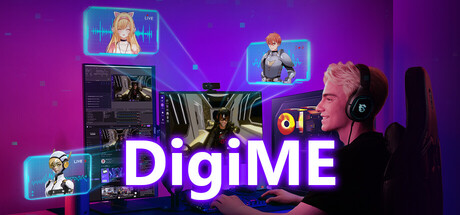
DigiME is streamer-friendly VTuber software with preset avatars and spaces, custom asset uploads, real-time motion capture, and Voicemod voice-changing integration. Bring your VTuber to life with just a webcam and microphone—no extra equipment needed.

Zaloguj się, aby dodać tę pozycję do listy życzeń, zacząć ją obserwować lub oznaczyć jako ignorowaną

Polski język nie jest obsługiwany

Ten produkt nie obsługuje twojego lokalnego języka. Przed zakupem zapoznaj się z listą obsługiwanych języków, która znajduje się poniżej.

Użyj DigiME

Bezpłatne
 

O tym programie

DigiME: Your Ultimate Virtual Studio & Motion Capture Suite

Bring your digital identity to life with DigiME—a high-performance motion capture tool designed for streamers, content creators, and VTubers. By leveraging advanced Computer Vision and Digital Signal Processing, DigiME translates your real-world movements and voice into a virtual performance in real-time. No specialized suits or expensive sensors required—just your webcam and microphone.

Unmatched Freedom & Customization Your Live Avatar

  • Universal Avatar Support: Go beyond presets. You have total freedom to import your own VRM (VRoid) files, allowing you to use your unique, custom-made characters.

  • HDR Environment Hosting: Create the perfect atmosphere by uploading your own HDR format backgrounds, providing a great 3D stage that fits your brand.

  • Live Voice Transformer: Complete your transformation with the integrated Voice Changer. Modify your tone and pitch in real-time to perfectly match your avatar’s personality.

  • Advanced Motion Tracking: Experience fluid upper-body, facial, and hand-gesture recognition. Our latest update ensures high-precision tracking for more natural, lifelike interactions.

Optimized Streaming Performance

  • Optimized for Gaming: Built to run seamlessly alongside demanding titles. Utilizing NVIDIA RTX GPU acceleration and Intel OpenVINO optimization, DigiME delivers high-FPS animation with minimal system impact.

  • Global Accessibility: The software features full Multi-language support, ensuring a seamless experience for creators worldwide.

  • Friendly Setup for Streaming: Broadcast instantly to Twitch, YouTube, Discord, and Zoom via effortless virtual camera integration.

Meet MIA: Your Personalized Assistant

MIA is your on-screen co-pilot, ready to assist with software navigation and hardware optimization. You can now customize MIA’s appearance and voice to your preference, making her a truly personalized part of your streaming setup. She provides expert recommendations on MSI hardware and up-to-date tech industry insights.

Unlock the Full Experience with MSI Member Login

Sign in with your MSI Member account to unlock the DigiME full potential.

Oświadczenie w sprawie treści generowanych przez SI

Producenci opisują, jak ich gra korzysta z treści generowanych przez SI, w następujący sposób:

MSI DigiME uses AI to enhance player interaction. AI enables personalized avatars and light-hearted, MSI-related responses while fully respecting intellectual property and privacy policies.

Wymagania systemowe

    Konfiguracja minimalna:
    • Wymaga 64-bitowego procesora i systemu operacyjnego
    • System operacyjny: Windows 11
    • Procesor: Intel Core i7 10th Gen / i5 11th Gen or above; AMD Ryzen 5 5600 / Ryzen 7 5800 or above
    • Pamięć: 8 GB RAM
    • Karta graficzna: NVIDIA RTX 2060 or above; AMD Radeon RX 6600 or above
    • DirectX: Wersja 12
    • Miejsce na dysku: 1 GB dostępnej przestrzeni
    • Dodatkowe uwagi: A standard webcam with 720P resolution and microphone is required. Note: An NPU paired with a GPU can enhance performance by offloading AI-related tasks such as camera-based motion tracking, freeing up the GPU for processing-intensive work like textures and advanced graphics rendering.
    Konfiguracja zalecana:
    • Wymaga 64-bitowego procesora i systemu operacyjnego

Recenzje klientów dla produktu DigiME O recenzjach użytkowników Twoje preferencje

Ogólne recenzje:
Recenzje użytkowników: 3 (3)


Aby zobaczyć recenzje w wybranym zakresie dat, kliknij i przeciągnij zaznaczenie na powyższym wykresie lub kliknij na wybrany słupek.


Filtruj recenzje według czasu gry użytkownika w momencie publikacji recenzji:


Bez minimum do Bez maksimum

Pokaż recenzje w wybranej kolejności wyświetlania


Dowiedz się więcej
Filtry
Wyłączanie okresów występowania recenzji nie na temat
Czas gry:
Głównie Steam Deck
System operacyjny:
CPU:
GPU:
Typ urządzenia:
Brak recenzji pasujących do filtrów ustawionych powyżej
Dostosuj filtry powyżej, by zobaczyć inne recenzje
Wczytywanie recenzji…