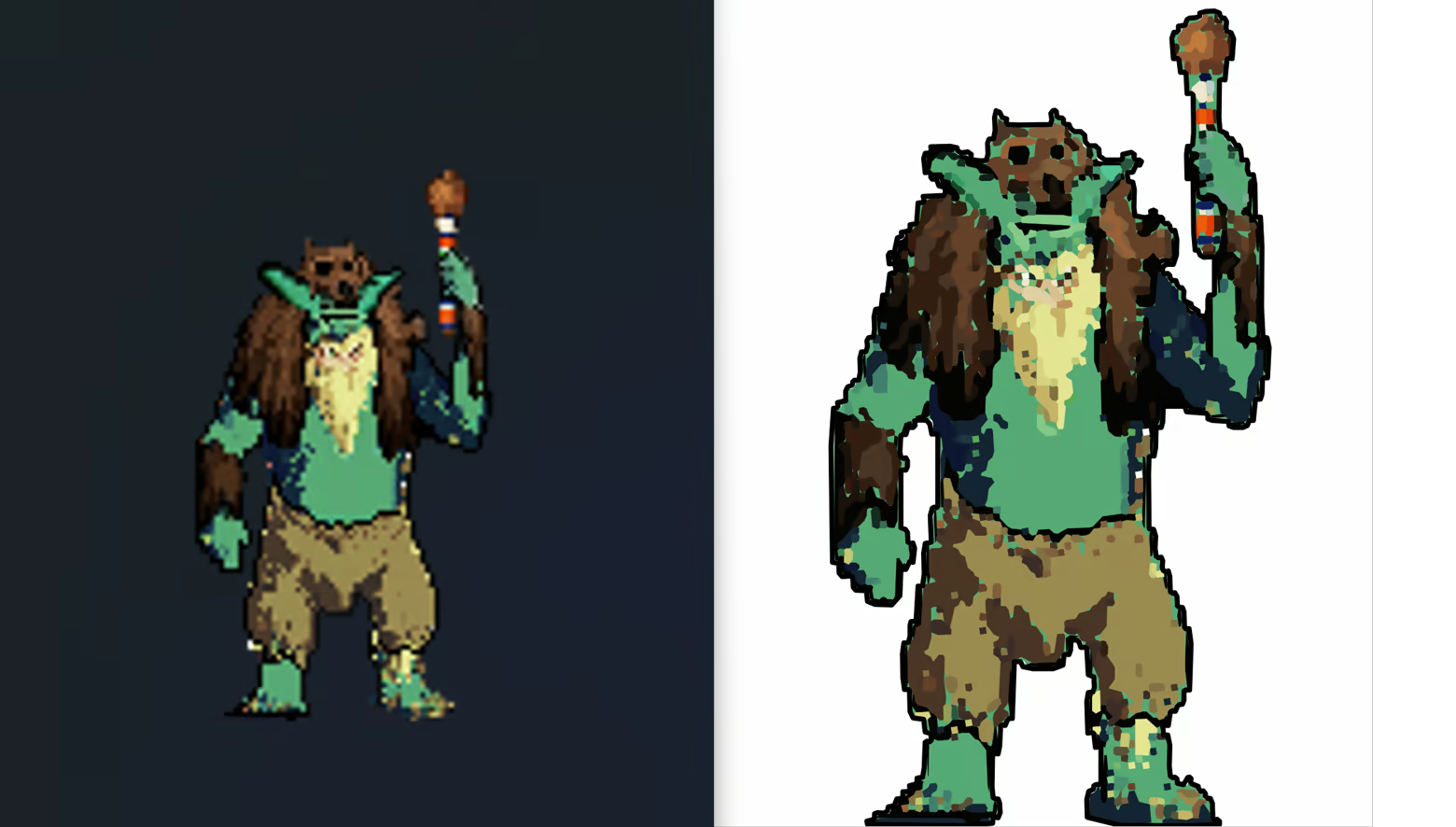
PixelRefinery is a professional utility that converts pixel art into clean, fully editable vector graphics while preserving its original style. Perfect for game developers, pixel artists, and asset creators who need scalable, consistent results.

Zaloguj się, aby dodać tę pozycję do listy życzeń, zacząć ją obserwować lub oznaczyć jako ignorowaną

Polski język nie jest obsługiwany

Ten produkt nie obsługuje twojego lokalnego języka. Przed zakupem zapoznaj się z listą obsługiwanych języków, która znajduje się poniżej.

Ta gra nie jest jeszcze dostępna na Steam

Planowana data wydania: Nie ogłoszono

Interesuje cię ten produkt?
Dodaj go do swojej listy życzeń i otrzymaj powiadomienie, gdy stanie się dostępny.
Dodaj do listy życzeń
 

O tym programie

PixelRefinery

Fix, scale, and edit pixel art — without losing its original style.

Turn your pixel art into clean, fully editable, scalable assets.

PixelRefinery lets you reshape, recolor, refine, and iterate on your pixel art — without destroying what makes it pixel art.

Your art still looks like pixel art — but now behaves like vector.

What makes PixelRefinery different?

Most tools treat pixel art like just another image.
PixelRefinery treats it as art.

Instead of blurring, smoothing, or hallucinating details, it preserves the structure, colors, and proportions — while making every element editable.

This is not just conversion.
This is a new way to work with pixel art.

Why use PixelRefinery?

Scaling pixel art for modern resolutions, UI systems, and multiple platforms is painful.

PixelRefinery removes that friction.

Instead of redrawing assets, manually cleaning them up, or accepting blurry results, you get clean, editable versions of your original artwork — without losing its pixel-art identity.

No forced cleanup.
No unwanted reinterpretation.
Just clean, usable assets — ready for creative iteration.

Use Cases

🎮 Game Developers

Resize, reshape, and iterate on sprites without redrawing.
Perfect for adapting assets to multiple resolutions, UI systems, and platforms.

🎨 Pixel Artists

Explore new styles, silhouettes, and color variations.
Experiment freely without destroying the original look.

Why use PixelRefinery?

Scaling pixel art for modern resolutions, UI systems, and multiple platforms is painful.

PixelRefinery removes that friction.

Instead of redrawing assets, manually cleaning them up, or accepting blurry results, you get clean, editable versions of your original artwork — without losing its pixel-art identity.

No forced cleanup.
No unwanted reinterpretation.
Just clean, usable assets — ready for real production.

Use Cases

🎮 Game Developers
Resize, reshape, and iterate on sprites without redrawing.
Perfect for adapting assets to multiple resolutions, UI systems, and platforms.

🎨 Pixel Artists
Explore new styles, silhouettes, and color variations.
Experiment freely without destroying the original look.

📦 Asset Creators
Create scalable asset packs without manual rework.
One source — infinite sizes, variations, and formats.

Key Features

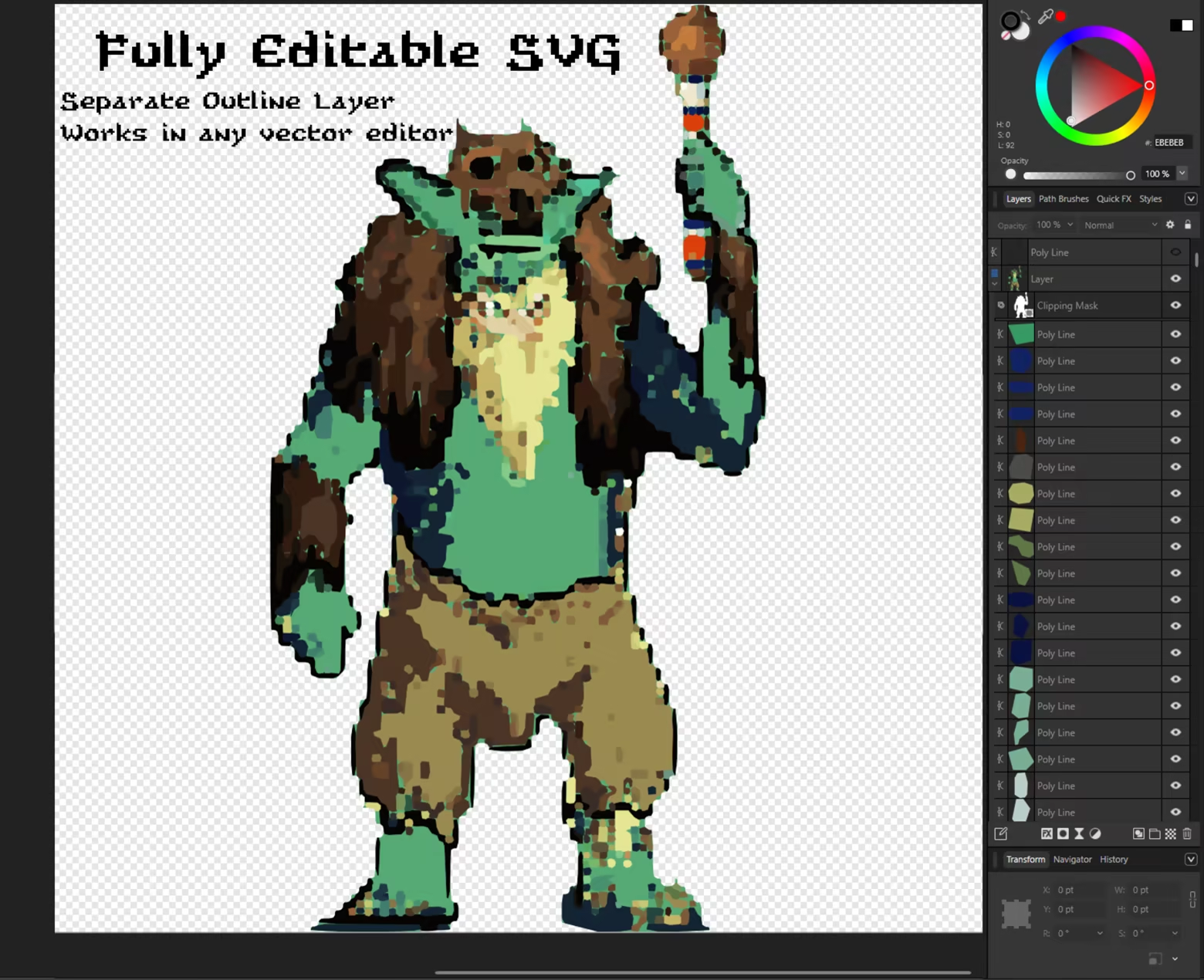
• Convert pixel art into fully editable SVG vector graphics
• Preserves original style, colors, and proportions
• Layered output for easy editing
• One-click workflow
• Batch processing for entire folders
• Deterministic, consistent results
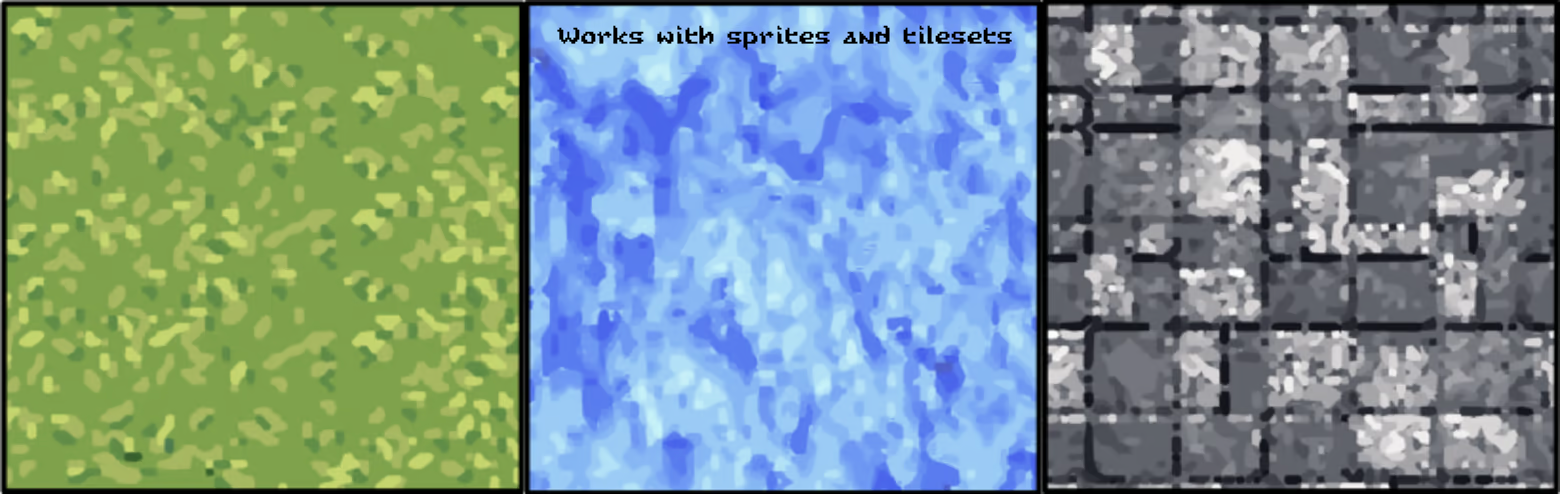
• Perfect for sprites, tilesets, UI elements, and textures
• Designed for real production pipelines

Typical Use Cases

• Convert sprites into scalable assets
• Turn tilesets into editable vector tiles
• Prepare UI icons for multiple resolutions
• Create print-ready pixel art
• Modify shapes, colors, and layers easily
• Maintain visual consistency across projects

Typical Use Cases

• Convert sprites into scalable assets
• Turn tilesets into editable vector tiles
• Prepare UI icons for multiple resolutions
• Create print-ready pixel art
• Modify shapes, colors, and layers easily
• Maintain visual consistency across projects

How it works

  • Drop your pixel art image

  • Run PixelRefinery

  • Get a clean, layered SVG

That’s it.

Important note about AI usage

PixelRefinery uses AI-powered algorithms to analyze pixel art and convert it into clean, editable vector graphics while preserving the original style, proportions, and colors.

• No hallucinated details
• No reinterpretation
• Fully deterministic results

All output is based strictly on your input artwork.

Credits

Font used in the logo:
Saga 8 by Ivano Palmentieri (somepx)

Oświadczenie w sprawie treści generowanych przez SI

Producenci opisują, jak ich gra korzysta z treści generowanych przez SI, w następujący sposób:

PixelRefinery uses AI-powered algorithms to analyze pixel art and automatically convert it into clean, fully editable vector graphics while preserving the original style, proportions, and colors. The AI operates only on user-provided images and does not generate independent or unpredictable content. All output is deterministic and based solely on the input artwork.

Wymagania systemowe

    Konfiguracja minimalna:
    • System operacyjny: Windows 10
    • Procesor: Intel i3-4150 / Ryzen 3
    • Pamięć: 4 GB RAM
    • Karta graficzna: Any GPU with OpenGL 3.3+ support (integrated OK)
    • Miejsce na dysku: 300 MB dostępnej przestrzeni
    Konfiguracja zalecana:
    • System operacyjny: Windows 10
    • Procesor: Intel i5 / Ryzen 5
    • Pamięć: 16 GB RAM
    • Karta graficzna: Any modern GPU with OpenGL 4.x support
    • Miejsce na dysku: 800 MB dostępnej przestrzeni
Brak recenzji dla tego produktu

Możesz napisać swoją własną recenzję dla tego produktu, żeby podzielić się swoimi wrażeniami ze społecznością. Użyj obszaru, który znajduje się na tej stronie nad przyciskiem zakupu, żeby napisać swoją recenzję.