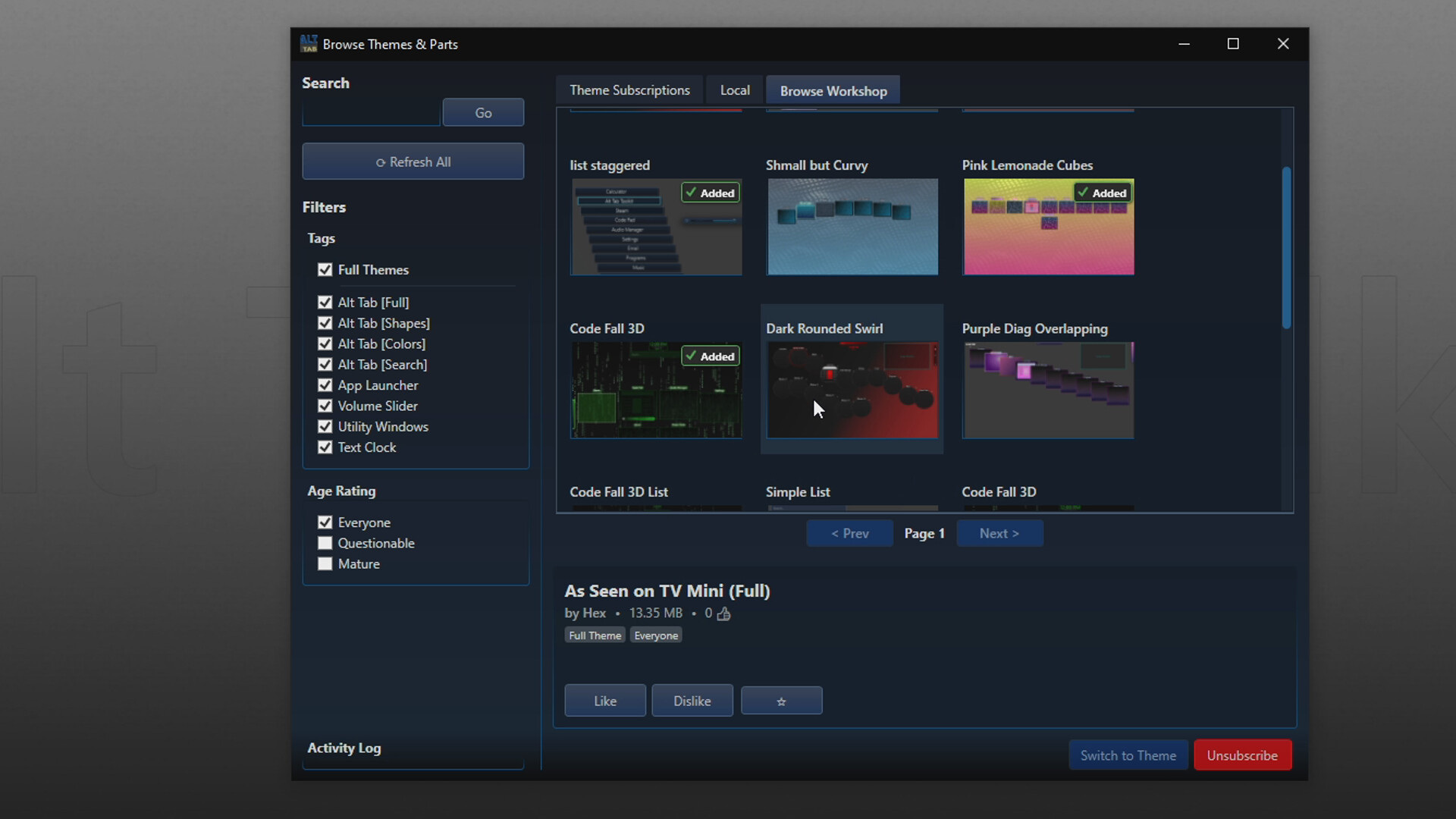
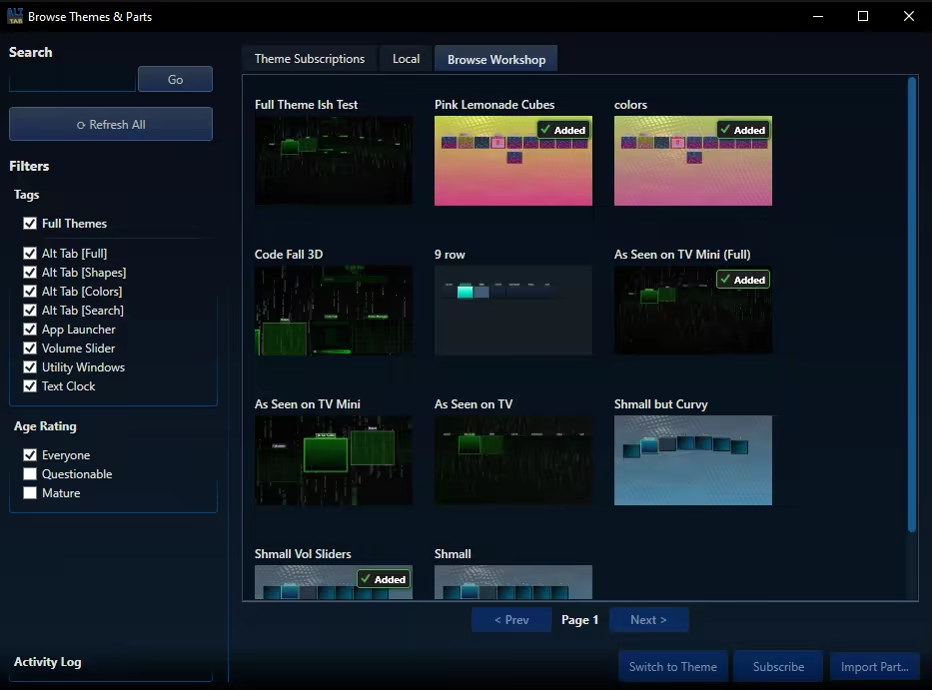
Not Just an Alt Tab replacement, but a suite of Visual Enhancement, "QOL" and Productivity Upgrades. Enhance your multitasking capabilities. Allows setting Video, GIFs, or Images for the Background / Items and Icons. Searchbar / Filter (Automatically Accepts Input) Steam Workshop Support and More!

로그인하셔서 게임을 찜 목록에 추가하거나, 팔로우하거나 또는 제외로 지정하세요.

앞서 해보는 소프트웨어

이 소프트웨어가 개발되는 과정에 참여하세요.

주의 사항: 이 앞서 해보기 소프트웨어는 완성되지 않았으며 앞으로 더 변하거나 변하지 않을 수 있습니다. 현재 상태의 소프트웨어가 흥미롭지 않다면 이 소프트웨어가 개발을 거치며 발전하는지 살펴보는게 좋습니다. 앞서 해보기에 대해 더 알아보세요.

개발자의 한마디:

왜 앞서 해보기를 진행하나요?

“Alt Tab Toolkit is already a powerful and highly functional replacement for the default Windows app switcher. However, our vision for this tool is much bigger, and its deep integration with the Windows OS means that real-world testing is essential. We're choosing Early Access because we want to be transparent:

This app will likely have occasional hiccups / bugs during development.
As an application that must interact with all other software applications, and must work predictably across all different hardware setups, it is likely there will be problems to fix over the lifetime of Early Access.

Early Access allows us to prioritize what our community wants most, whether it's new theme options, plugin support, QOL features, or deeper OS integrations.

We believe the best productivity tools are shaped by the people who use them every day. We hope that early access, combined with community feedback will help us achieve the best product possible.”

이 소프트웨어는 대략 얼마간 앞서 해볼 수 있나요?

“4 - 12 months”

정식 버전은 앞서 해보기 버전과 어떻게 달라지나요?

“Over the period of Early Access, our goal is to continuously improve the application by adding more 'Alt Tab Layouts' and enhancing the overall quality and polish. We plan for the full version to be more feature-rich, with a more refined UI and user experience. We also aim to offer more UI alternatives and customization options based on community feedback”

앞서 해보기 버전은 현재 어떤 상태인가요?

“The app is already in a fully functional state.
It comes out of the box with a multitude of themes, the theme editor,
Steam workshop support and more.

For a full list of already implemented features, check out the "About this software" section of the store page.

*It is possible that theme files, or layouts could become broken or unusable at some point(s) when updates are released during early access; However, we plan on working carefully to mitigate that issue as much as possible.

Some things could likely be optimized in the future, but the app already uses low amounts of system resources.”

이 소프트웨어는 앞서해보기 기간동안 가격이 달라질 수도 있습니까?

“It's likely the price will increase after early access is finished. We plan for the 1.0 version to have more features, more polish, better stability, and the benefit of months of community feedback and development work.”

개발 과정에서 어떻게 커뮤니티와 소통할 계획인가요?

“The community is absolutely vital to this entire process.
We want to hear you feedback, and work to improve the quality of this app for everyone.
We plan on communicating with the community through Steam, Reddit, and Discord.”
더 읽어보기
한국어(을)를 지원하지 않습니다

이 제품은 귀하의 로컬 언어를 지원하지 않습니다. 구매하기 전에 아래에 있는 지원하는 언어 목록을 확인해주세요.

Alt Tab Toolkit 구매

Alt Tab Power Pack 구매

2개 항목 포함: Alt Tab Toolkit, Alt Tab Toolkit - Power Tools

 
모든 토론 보기

이 소프트웨어의 버그를 신고하고 피드백을 토론 게시판에 남겨주세요

소프트웨어 정보

This application replaces the classic Alt-Tab switcher with a fluid, and deeply configurable suite of tools.

Animated UI: Set backgrounds of the window and Alt Tab Items to Custom Images, GIFs, or Videos!

Custom App Icons: App Icons can be substituted for custom images, including animated ones. (These custom app icons are used universally in this app, including DLC features like app launch animations, and the app launcher)

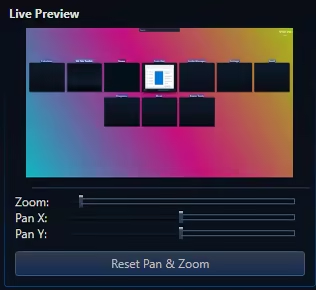
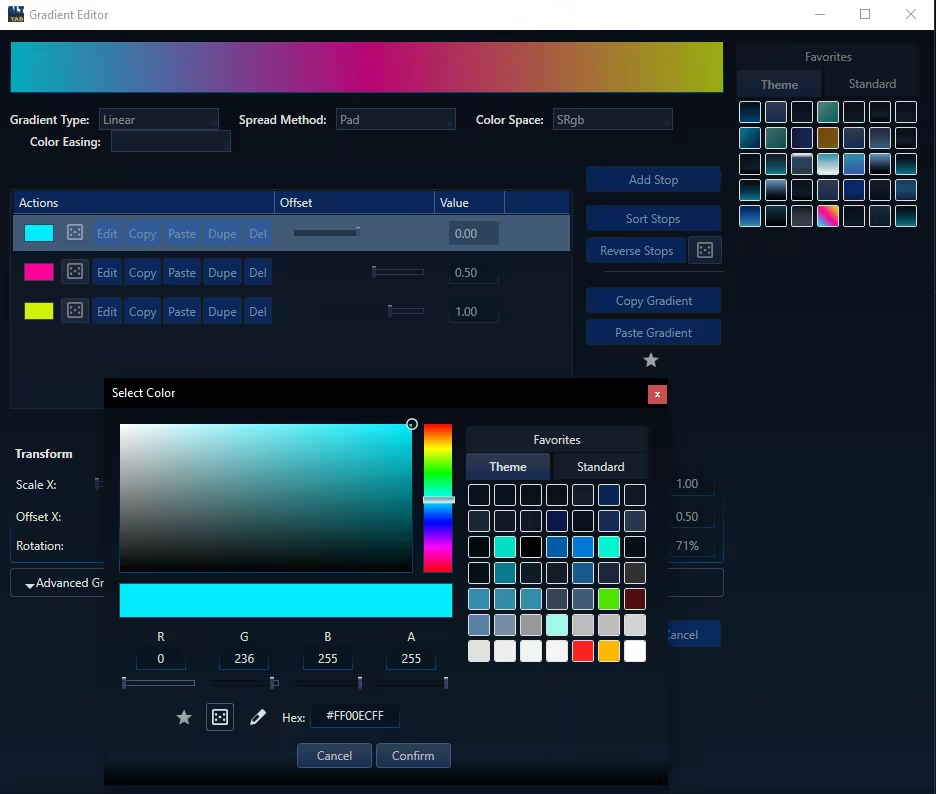
Total Visual Control: Change everything from shapes and layouts to fonts and colors. Use solid colors or create complex gradients.


Steam Workshop Support: Share your unique designs and download themes from the community for free.

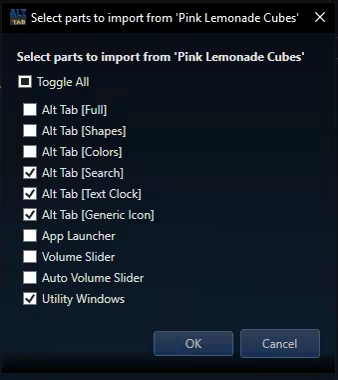
Modular Themeing: Pick and choose which parts you like from different themes. 

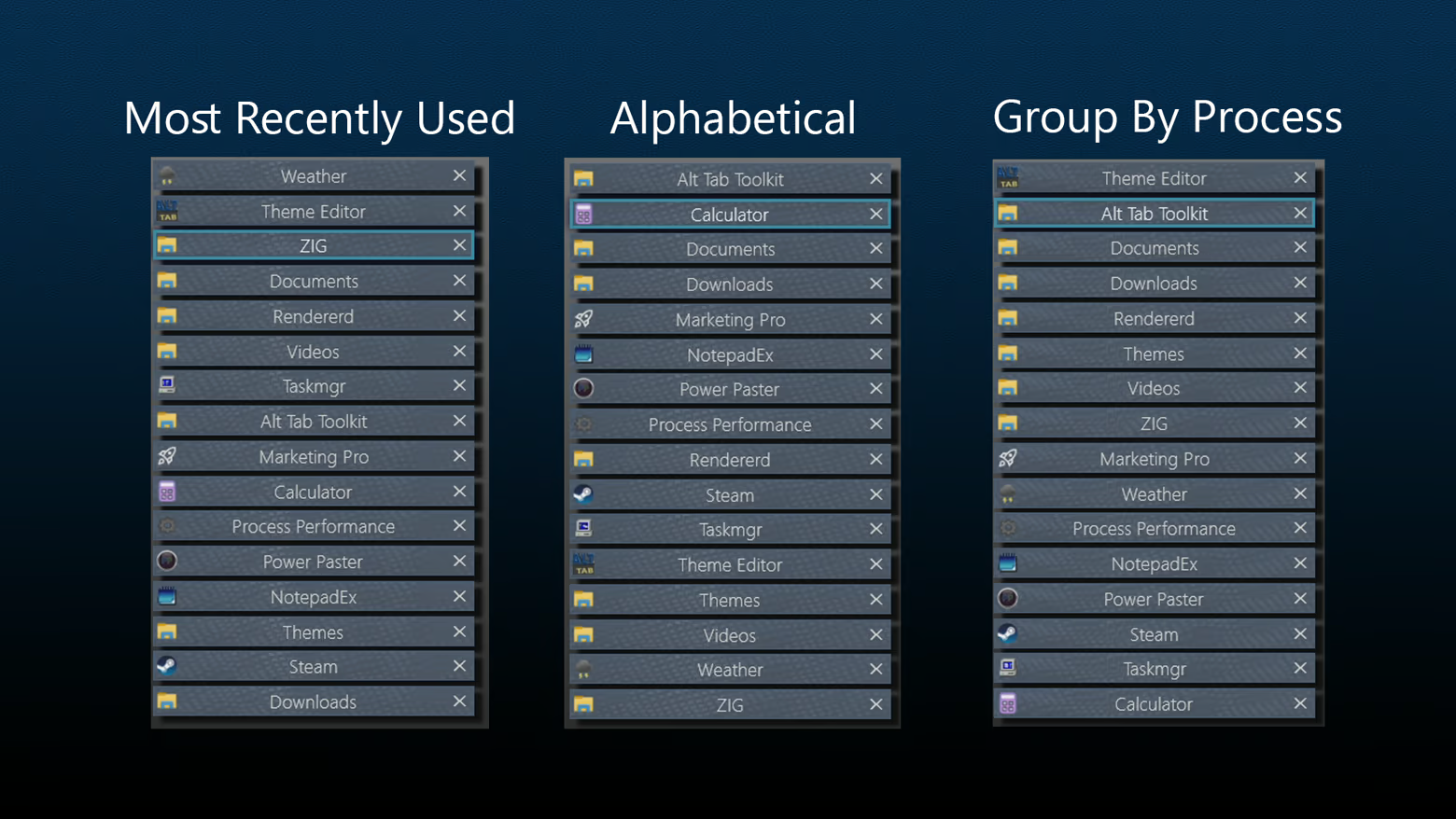
Sorting Options: 

Improved Navigation: Navigate the Alt Tab menu using keys, mouse clicks, or Mouse Wheel Scrolling.

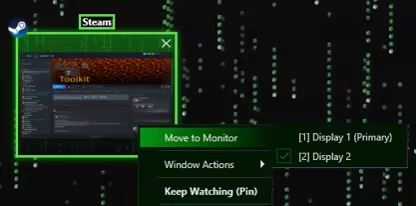
Move Monitors: Swiftly change what monitor a given window resides on

Keep Watching: This feature displays the contents of a given window in a duplicate window, which may become transparent and click-thru on hover. Awesome for single monitor work flows and watching a video while working, or quickly duplicating a screen for a multi monitor setup.

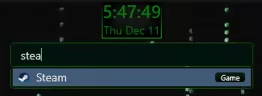
Searchbar / Filter: Any time you type while the alt tab window is open it automatically begins typing in the searchbar. This acts as a filter (i.e. typing "Th" would filter to windows like "Theme Editor"). For DLC owners, the search bar doubles as an app launcer, using the same apps you have registered with the app launcher itself.
Tags may also be applied to any "App item" (i.e. "Game") and will be included in search filtering


Highly Customizable UI: Precisely control the size, spacing, and flow of application windows within the switcher to create the perfect layout for your workflow.


Blacklist Support: Hide certain windows from appearing in your Alt Tab window at all! (Toggleable)

Lock / Toggle Alt Tab Window: Option to make the alt tab window "toggle on" instead of staying visible only while alt is held.

시스템 요구 사항

    최소:
    • 64비트 프로세서와 운영 체제가 필요합니다
    • 운영 체제: 10, 11
    • 프로세서: 1.66 GHz Intel i5 or equivalent
    • 메모리: 2 GB RAM
    • 그래픽: NVIDIA GeForce GTX 660 or equivalent
    • 저장 공간: 100 MB 사용 가능 공간
    권장:
    • 64비트 프로세서와 운영 체제가 필요합니다
    • 운영 체제: 10, 11
    • 프로세서: 2 GHz Intel i7 or equivalent
    • 메모리: 8 GB RAM
    • 그래픽: NVIDIA GeForce GTX 1060 or equivalent
    • 저장 공간: 1024 MB 사용 가능 공간

Alt Tab Toolkit에 대한 사용자 평가 사용자 평가 정보 환경 설정

종합 평가:
사용자 평가 없음


특정 날짜 범위에 속하는 평가를 보려면, 위의 그래프에서 선택 항목을 클릭한 후 드래그하거나 원하는 바를 클릭하세요.


평가를 작성한 시점의 사용자 플레이 시간을 기준으로 평가를 필터링:


최소 시간 없음 ~ 최대 시간 없음

선택한 표시 순서로 평가 보기


자세한 정보
필터
게임과 관련없는 평가 활동 제외
플레이 시간:
주로 Steam Deck에서 플레이
운영 체제:
CPU:
GPU:
기기 유형:
위에서 설정한 필터 조건에 맞는 평가가 없습니다
다른 평가를 보려면 위에서 필터를 조정해주세요
평가 불러오는 중...