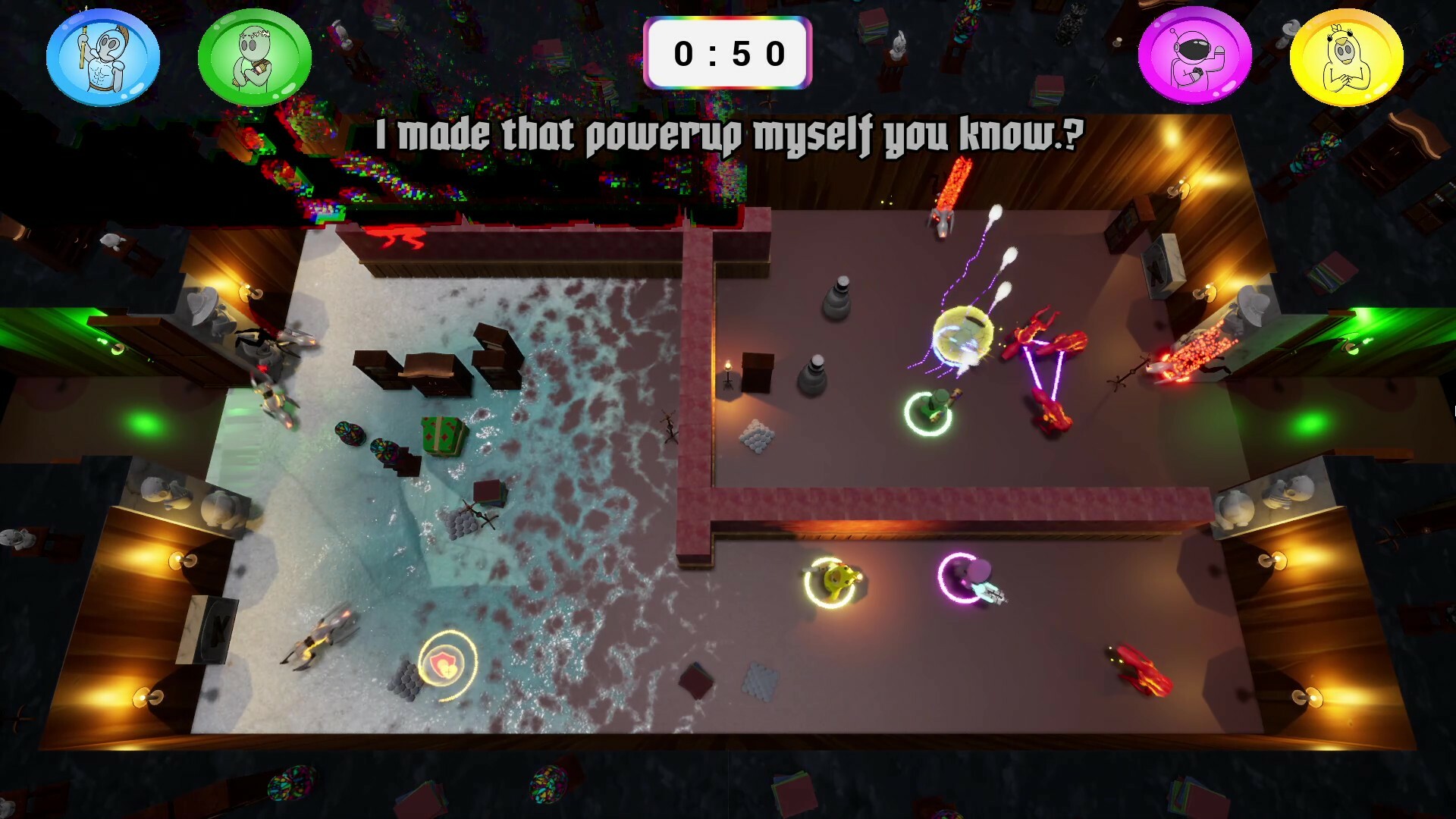
Twin-stick shooter roguelite with environment-merging levels! With 1-4 players, survive for two minutes in each level while waves of relentless enemies are sent to attack you! Combine powerful upgrades and earn your freedom in this wacky interdimensional gauntlet!

로그인하셔서 게임을 찜 목록에 추가하거나, 팔로우하거나 또는 제외로 지정하세요.

한국어(을)를 지원하지 않습니다

이 제품은 귀하의 로컬 언어를 지원하지 않습니다. 구매하기 전에 아래에 있는 지원하는 언어 목록을 확인해주세요.

Mega Dimension Ripper 9000 플레이


게임 정보

Twin-stick shooter roguelite with environment-merging levels! Play with 1-4 players in this wacky interdimensional gauntlet!

Features

  • 1–4 Player Co-op Roguelite (Play locally or online with Steam Remote Play Together)

    • Single Player: Use Mouse & Keyboard or Controller

    • Co-op: Controllers Required

  • Multiple Difficulty Options (Try Your Best at "Mega")

  • Endless Waves of Diverse Enemy Types

  • Discover Powerful Upgrade Combinations

  • Seamlessly Merge Into New Environments Mid-Level

Setting

In this 1-4 player, couch co-op, roguelite party game, you play as combatants being teleported against their will into a life-threatening arena by the scary, yet charismatic, "General". With his prototyped teleportation technology malfunctioning, he sends wacky and unlikely environments from across the multiverse to merge onto the arena as the levels progress. 

Gameplay

Experience fast progression, permanent powerups, and procedurally generated levels commonly found in the roguelike genre. Rather than exploring larger areas in longer levels, you must instead survive with your team in a small top-down arena. This arena will shift and glitch between environments for two minutes while waves of enemies are sent by the "General" to test you. It’s life or death, and freedom is waiting for you at the end!

How to Use Controllers Other Than Xbox

  • Connect your desired controllers to the device

  • Find Mega Dimension Ripper 9000 in your Steam library

  • Click on the "Manage" button on the right side of your screen

  • Select "Properties"

  • Select the "Controller" tab on the new window

  • Click the dropdown on the right side of the new window

  • Select "Enable Steam Input" or "Use Default Settings"

  • You can now close out of that window and play the game with various controller type

    * Some controllers may need to be plugged into the system

How to Use Steam Remote Play Together

From the Friends tab

  • When in game, press Shift + Tab to open steam overlay

  • Open the "Friends" tab at the bottom of the screen

  • Right click on friend you want to invite

  • Select "Remote Play Together"

From the Remote Play Together tab

  • When in game, press Shift + Tab to open steam overlay

  • Open the "Remote Play Together" tab at the bottom of the screen

  • Select Invite a Friend

  • Select up to 3 friends you would like to invite

  • Select "Confirm"

시스템 요구 사항

    최소:
    • 운영 체제: 10
    • 프로세서: AMD Ryzen 5 6600U @ 2.90 GHz
    • 메모리: 16 GB RAM
    • 그래픽: AMD Radeon(TM) Graphics
    • 저장 공간: 750 MB 사용 가능 공간

Mega Dimension Ripper 9000에 대한 사용자 평가 사용자 평가 정보 환경 설정

종합 평가:
사용자 평가 9개 (평가 9개)


특정 날짜 범위에 속하는 평가를 보려면, 위의 그래프에서 선택 항목을 클릭한 후 드래그하거나 원하는 바를 클릭하세요.


평가를 작성한 시점의 사용자 플레이 시간을 기준으로 평가를 필터링:


최소 시간 없음 ~ 최대 시간 없음

선택한 표시 순서로 평가 보기


자세한 정보
필터
게임과 관련없는 평가 활동 제외
플레이 시간:
주로 Steam Deck에서 플레이
운영 체제:
CPU:
GPU:
기기 유형:
위에서 설정한 필터 조건에 맞는 평가가 없습니다
다른 평가를 보려면 위에서 필터를 조정해주세요
평가 불러오는 중...