Twin-stick shooter roguelite with environment-merging levels! With 1-4 players, survive for two minutes in each level while waves of relentless enemies are sent to attack you! Combine powerful upgrades and earn your freedom in this wacky interdimensional gauntlet!

登入以將此項目新增至您的願望清單、關注它,或標記為已忽略

不支援繁體中文

本產品尚不支援您的目前所在地的語言。購買前請先確認語言支援清單。

執行 Mega Dimension Ripper 9000

免費遊玩
 

關於此遊戲

Twin-stick shooter roguelite with environment-merging levels! Play with 1-4 players in this wacky interdimensional gauntlet!

Features

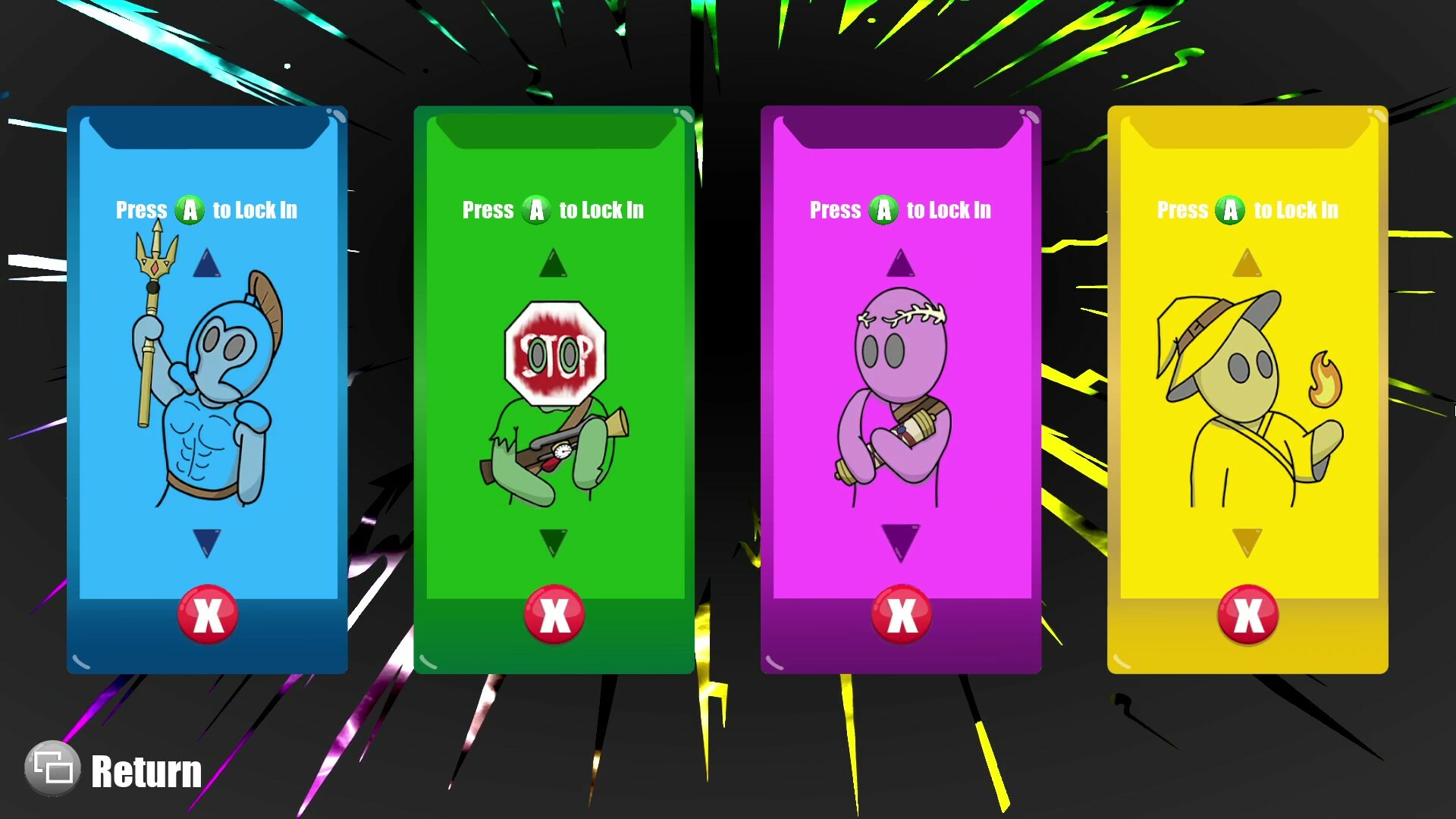
  • 1–4 Player Co-op Roguelite (Play locally or online with Steam Remote Play Together)

    • Single Player: Use Mouse & Keyboard or Controller

    • Co-op: Controllers Required

  • Multiple Difficulty Options (Try Your Best at "Mega")

  • Endless Waves of Diverse Enemy Types

  • Discover Powerful Upgrade Combinations

  • Seamlessly Merge Into New Environments Mid-Level

Setting

In this 1-4 player, couch co-op, roguelite party game, you play as combatants being teleported against their will into a life-threatening arena by the scary, yet charismatic, "General". With his prototyped teleportation technology malfunctioning, he sends wacky and unlikely environments from across the multiverse to merge onto the arena as the levels progress. 

Gameplay

Experience fast progression, permanent powerups, and procedurally generated levels commonly found in the roguelike genre. Rather than exploring larger areas in longer levels, you must instead survive with your team in a small top-down arena. This arena will shift and glitch between environments for two minutes while waves of enemies are sent by the "General" to test you. It’s life or death, and freedom is waiting for you at the end!

How to Use Controllers Other Than Xbox

  • Connect your desired controllers to the device

  • Find Mega Dimension Ripper 9000 in your Steam library

  • Click on the "Manage" button on the right side of your screen

  • Select "Properties"

  • Select the "Controller" tab on the new window

  • Click the dropdown on the right side of the new window

  • Select "Enable Steam Input" or "Use Default Settings"

  • You can now close out of that window and play the game with various controller type

    * Some controllers may need to be plugged into the system

How to Use Steam Remote Play Together

From the Friends tab

  • When in game, press Shift + Tab to open steam overlay

  • Open the "Friends" tab at the bottom of the screen

  • Right click on friend you want to invite

  • Select "Remote Play Together"

From the Remote Play Together tab

  • When in game, press Shift + Tab to open steam overlay

  • Open the "Remote Play Together" tab at the bottom of the screen

  • Select Invite a Friend

  • Select up to 3 friends you would like to invite

  • Select "Confirm"

系統需求

    最低配備:
    • 作業系統: 10
    • 處理器: AMD Ryzen 5 6600U @ 2.90 GHz
    • 記憶體: 16 GB 記憶體
    • 顯示卡: AMD Radeon(TM) Graphics
    • 儲存空間: 750 MB 可用空間

Mega Dimension Ripper 9000 的顧客評論 關於使用者評論 您的偏好設定

整體評論:
9 篇使用者評論 (9 篇評論)


如欲檢視特定日期範圍內的評論,請在上方圖表框選一段日期範圍,或點擊直條。


依照使用者撰寫評論當時的遊戲時數篩選:


不限最低時數不限最高時數

以所選顯示順序顯示評論


進一步了解
篩選條件
排除離題評論活動
遊戲時數:
主要在 Steam Deck 上遊玩
無其它評論符合上述篩選條件
調整上方的篩選條件以檢視其它評論
評論讀取中…