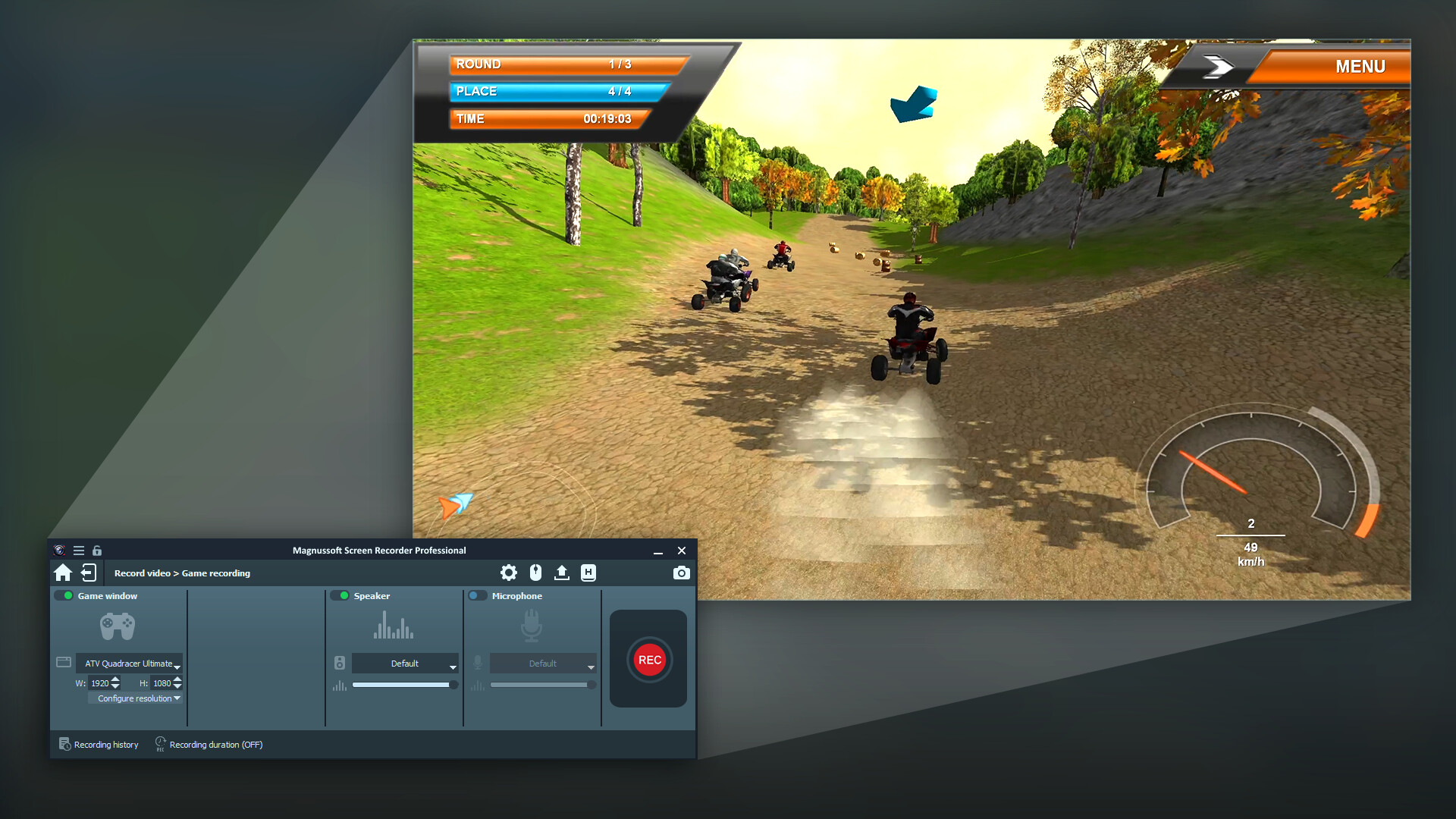
Record what is happening on the screen: Program sequences including mouse movements and text input, film clips from the Internet, games, video calls and much more.
วันวางจำหน่าย:
8 มิ.ย. 2025
ผู้พัฒนา:
ผู้จัดจำหน่าย:
แท็ก

เข้าสู่ระบบ เพื่อเพิ่มผลิตภัณฑ์นี้ลงในสิ่งที่อยากได้ของคุณ ติดตาม หรือทำเครื่องหมายเป็นถูกละเว้น

ไม่รองรับภาษาไทย

ผลิตภัณฑ์นี้ไม่รองรับภาษาท้องถิ่นของคุณ โปรดตรวจสอบรายชื่อภาษาที่รองรับก่อนทำการสั่งซื้อ

ซื้อ Magnussoft® Screen Recorder Professional


เกี่ยวกับซอฟต์แวร์นี้

Record what is happening on the screen:

Program sequences including mouse movements and text input, film clips from the Internet, games, video calls and much more.

You choose which area you want to record - whether it's a specific window, any section or even full screen mode.

Recording audio tracks and microphone streams is child's play.

Some highlights at a glance

  • Super easy to use

  • Freely selectable recording area

  • Sound can be recorded with an internal or external microphone

  • Practical timer and cursor functions

  • Record videos of different quality: 4K UHD, HD, SD and much more

  • Supported output formats: WMV, MP4 (video) and MP3, WMA, AAC, M4A (audio)

  • Easily record videos on your computer

  • Record audio sources or record your own speech with the microphone

  • Ideal for creating your own video tutorials, game captures & online films

ความต้องการระบบ

    ขั้นต่ำ:
    • ต้องการโปรเซสเซอร์และระบบปฏิบัติการแบบ 64 บิต
    • ระบบปฏิบัติการ *: Windows 8 / 10 / 11
    • โปรเซสเซอร์: Intel Core i3
    • หน่วยความจำ: แรม 2 GB
    • กราฟิกส์: Onboard Graphics card
    • พื้นที่จัดเก็บข้อมูล: พื้นที่ว่างที่พร้อมใช้งาน 200 MB
    • การ์ดเสียง: Onboard Soundcard
    แนะนำ:
    • ต้องการโปรเซสเซอร์และระบบปฏิบัติการแบบ 64 บิต
    • ระบบปฏิบัติการ *: Windows 8 / 10 / 11
    • โปรเซสเซอร์: Intel Core i3
    • หน่วยความจำ: แรม 4 GB
    • กราฟิกส์: Onboard Graphics card
    • พื้นที่จัดเก็บข้อมูล: พื้นที่ว่างที่พร้อมใช้งาน 200 MB
    • การ์ดเสียง: Onboard Soundcard
* ตั้งแต่วันที่ 1 มกราคม 2024 เวลาแปซิฟิก เป็นต้นไป ไคลเอนต์ Steam จะรองรับเฉพาะ Windows 10 และเวอร์ชันที่ใหม่กว่าเท่านั้น
ไม่พบบทวิจารณ์สำหรับผลิตภัณฑ์นี้

คุณสามารถเขียนบทวิจารณ์ของคุณเองสำหรับผลิตภัณฑ์นี้เพื่อแบ่งปันประสบการณ์ของคุณให้กับชุมชน ใช้พื้นที่ด้านบนของปุ่มซื้อในหน้านี้เพื่อเขียนบทวิจารณ์ของคุณ