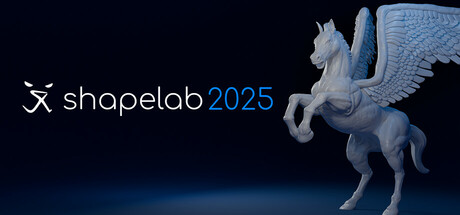
Shapelab is a unique 3D modeling application optimized for VR devices, offering an intuitive interface and powerful polygon mesh-based sculpting tools. Create high-quality characters, props, and concept art for games, movies, illustrations, and even for 3D printing!
發行日期:
即將推出
開發人員:
發行商:
標籤

登入以將此項目新增至您的願望清單、關注它,或標記為已忽略

不支援繁體中文

本產品尚不支援您的目前所在地的語言。購買前請先確認語言支援清單。

注意: 「Shapelab 2025」已不再於 Steam 商店中提供。
此遊戲尚未在 Steam 上發售

即將推出

感興趣嗎?
將這款遊戲加入願望清單,以便在發售時收到通知。
新增至您的願望清單
 

關於此軟體

Important information regarding this license and version: With this perpetual license, you will receive complimentary updates on Steam until the end of 2025.

Shapelab is a highly efficient 3D sculpting application primarily optimized for virtual reality that also supports desktop-based work with digital pens, allowing users to switch between the two modes on the fly. It offers a variety of industry-grade tools to create highly detailed 3D assets and optimized low-poly models. Visualize your creative ideas and print them in 3D or sculpt high-quality props, characters, and concepts for applications, games, and virtual worlds, as well as digital concept art and storyboards.

Shapelab leverages VR technology to offer an immersive and intuitive sculpting experience, enabling you to work seamlessly in 3D space with unparalleled control and creative freedom. You can easily navigate in 3D, interact with your designs as they were right in front of you. With your VR controllers, you can move, scale, adjust focus, and create 3D brushstrokes naturally, easily shaping complex designs with simple hand movements. This level of immersion is impossible to achieve in traditional desktop software and can boost productivity, allowing you to work faster, more efficiently, and often with greater precision. 

Shapelab’s proprietary, robust polygon mesh-based design engine enables sculpting stunning, detailed, and realistic 3D assets, as well as importing and editing large and complex 3D scans.

Join our community of artists and unleash your creativity with Shapelab today!

Please note that although you can register a Shapelab account after downloading Shapelab, an account is not needed to access the application. To create an account, you only need to provide an email address and a password. Tick the 'Remember me' checkbox to stay logged in. You can provide additional information and manage your email preferences in your account settings.

CORE FEATURES

VR and Desktop Modes
Run Shapelab on your PC in desktop mode or use a VR headset tethered to your PC for an immersive VR experience. Switch seamlessly between modes while working on your projects. 

Digital Pen and Tablet Support
Leverage the power of your digital pen and tablet with tilt, twist, and pressure sensitivity. Compatible with both Wintab and Windows Ink for precision sculpting. 

Advanced Sculpting Tools
Access industry-standard sculpting tools with extensive configuration options. Brushes include Clay, Standard, Mask, Crease, Smooth, Pinch, Inflate, Snakehook, Flatten, Trim, Regularize, and 3D Stamp. 

Dynamic Topology Sculpting (Optional)
Enable real-time tessellation to dynamically adjust mesh detail based on your needs. Alternatively, lock your brush resolution to a specific value by sampling directly from your model for precise sculpting control.

Customizable Work Environments
Personalize your workspace: 

  • Import custom HDRI skyboxes or use solid colors and gradients. 

  • Configure ambient lighting, reflections, and directional light settings. 

  • Toggle the workspace floor on or off as needed. 

Kitbashing with Custom Shapes and Primitives  

  • Build efficiently using a built-in library of fixed shapes and parametric primitives.  

  • Or use your custom models added to your shape library for quick scene population.  

Precision Tools: Snapping and Constraints  

  • Grid and angle snapping for organized creations and constraints for more precise alignments.  

  • Tools for you to quickly align and reset the scene to cycle through perspectives. 

Multiresolution and Subdivision Levels

Subdivide your mesh to create multiple levels of detail. Easily switch between them to optimize your workflow. 

Detail Transfer (Projection)
Transfer intricate details from high-resolution, unorganized meshes to cleaner, quad-based models. 

PBR Vertex Painting and Texture Export 

  • Paint Color, Roughness, Metalness, and Emission properties directly onto your models. 

  • Export texture maps, including normals, PBR properties, and vertex colors, during the export process. 

Remeshing and Mesh Transformations 

  • Voxel remesh, subdivide, decimate, and regularize meshes. 

  • Perform operations like mirroring, welding, flipping, and filling holes. 

  • Merge vertices and quad remesh for cleaner topology. 

Scene Management Streamline your workflow with: 

  • Object hierarchy organization through parenting. 

  • Clone, mirror, merge, subtract, intersect, and join objects. 

  • Multiselect and group objects for batch operations. 

  • Gizmo and freehand transformations for objects and scenes. 

Materials and Shading 

  • Use PBR materials, MatCaps, and procedural textures. 

  • Import custom MatCaps or utilize built-in ones. 

  • Flat shading support for stylistic effects. 

File Support and Import/Export

Easily import and export models in FBX, OBJ, STL, and GLB formats.

系統需求

    最低配備:
    • 作業系統 *: Windows™ 8.1 or later or Windows™ 10
    • 處理器: Intel™ Core™ i5-4590 or AMD FX™ 8350, equivalent or better
    • 記憶體: 8 GB 記憶體
    • 顯示卡: NVIDIA GeForce™ GTX 1060 or AMD Radeon™ RX 480, equivalent or better
    • 儲存空間: 800 MB 可用空間
    • VR 支援: OpenXR-based, compatible with Meta Quest Link and SteamVR
    • 備註: Supported devices: Supported devices: All Meta Quest headsets, HTC Vive, Valve Index, and Windows Mixed Reality devices.
* 自 2024 年 1 月 1 日(PT)起,Steam 用戶端僅支援 Windows 10 及更新版本。
此產品無任何評論

您可以撰寫評論來與社群分享您對於本產品的看法。請使用本頁面中位於購買按鈕上方的區塊來進行評論的編寫。