Для запуску цього вмісту необхідно мати придбану в Steam копію Driver4VR.

Позначки

Увійдіть до акаунта, щоби додати цей продукт до списку бажаного чи позначити як ігнорований.

українська мова недоступна

Цей продукт не підтримує вашу мову. Будь ласка, перегляньте список підтримуваних мов перед купівлею.

Завантажуваний вміст

Для запуску цього вмісту необхідно мати придбану в Steam копію Driver4VR.

Завантажити Driver4VR Puppeteer: Full Body Estimation

Вільний доступ
 

Про цей вміст

Overview

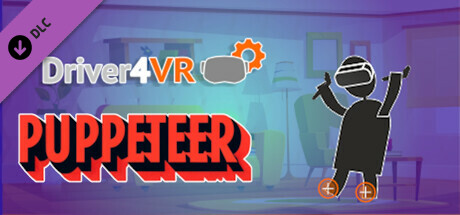
Puppeteer Mode allows users to directly control their VR avatar's movements through the controllers. By holding the grip, users can manipulate their avatar's feet with precision just like a Puppet Master, enabling detailed and complex movements. When Puppeteer Mode is not active, the system continues to estimate points of your body that are not currently tracked, ensuring a continuous and seamless VR experience, even when not directly controlling the avatar. Use Puppeteer Mode when precise movements are necessary, such as during specific interactions, dances, or maneuvers depending on the situation.

Quick Video Overview of the Puppeteer Mode

Key Features

  • Puppeteer Mode: Control your feet with hand controllers like a Puppet Master.
  • Dynamic Pose Estimation: Real-time calculation of body positions and movements.
  • Low CPU Usage: Optimized for efficiency, minimizing impact on device performance.
  • No Dedicated Hardware Required: Works with existing VR headset and controllers, eliminating the need for extra devices.

Setup Guide

Here’s a streamlined setup guide for your Driver4VR Puppeteer DLC:
  • Choose 'Puppeteer' from the Body Tracking options and download the DLC. After launching Driver4VR, the Puppeteer application will automatically start. Verify that your avatar responds correctly.
  • To calibrate the floor, press the 'Calibrate Floor' button and place the controllers on the floor. Wait for the process to complete, which will be signaled by an applause sound.
  • Next, press 'Calibrate Height'.
  • Enjoy :)

Controlling Puppeteer

Use your controllers to control the feet pose:
  • Enable Puppeteer mode by holding your hands above your head and holding the grip.
  • Activate the grip to enable precise and responsive foot movement.
  • Once the grip is released, the foot will return to its estimated pose.

Системні вимоги

    Мінімальні:
    • Потребує 64-бітних процесора та операційної системи
    • ОС: Windows 10
    • Процесор: Intel® i5-4590 / AMD FX 8350 equivalent
    • Оперативна пам’ять: 8 GB ОП
    • Відеокарта: NVIDIA GeForce® GTX 970 / AMD Radeon™ R9 290 equivalent
    Рекомендовані:
    • Потребує 64-бітних процесора та операційної системи
    • ОС: Windows 10
    • Процесор: Intel® i5-4590 / AMD FX 8350 equivalent
    • Оперативна пам’ять: 8 GB ОП
    • Відеокарта: NVIDIA GeForce® GTX 970 / AMD Radeon™ R9 290 equivalent

Користувацькі рецензії на Driver4VR Puppeteer: Full Body Estimation Про рецензії користувачів Ваші вподобання

Усі рецензії:
Рецензій: 8 (усього 8)


Щоб переглянути рецензії за певний проміжок часу, виберіть його на графіку вище або клацніть відповідний стовпчик.


Показувати рецензії у вибраній послідовності


Дізнатися більше
Фільтри
Виключення рецензійної активності «не за темою»
Ігровий час:
Переважно на Steam Deck
Операційна система:
ЦП:
ГП:
Тип пристрою:
Завантаження рецензій…