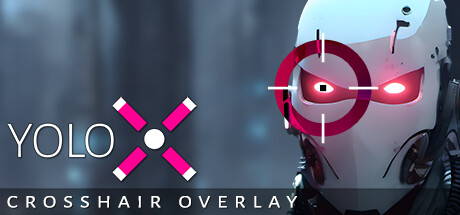
Always-visible crosshair overlay for FPS games. Dynamic color inversion, zoom, audio cues, motion reaction, anti-cheat safety with GameBar, and dedicated fullscreen.

Conectează-te pentru a adăuga acest articol în lista ta de dorințe, a-l urmări sau a-l marca drept ignorat.

Nu este disponibil în limba: Română

Acest produs nu este disponibil în limba ta locală. Te rugăm să consulți lista de mai jos cu limbile în care jocul este disponibil înainte de achiziționare

Cumpără YoloX


Despre acest Software

YoloX is an always-visible crosshair overlay built for FPS games. From dynamic visibility to reactive feedback and smooth fullscreen overlays, YoloX keeps your crosshair readable, reliable, and anti-cheat safe — without unsafe hooks.

Always-Visible Crosshair

Automatically inverts color against the game so your crosshair stays visible over any background.

Zoom

Add scope-style zoom to any weapon — even a knife!

Audio Sensor

Visual reactions to game audio. Listen to music without missing important cues like shots or footsteps.

Features

  • Always-Visible: Dynamic color inversion ensures consistent crosshair visibility.
  • Anti-Cheat Safety: GameBar support, whitelisting, code signing, overlay only (no dangerous hooks).
  • Fullscreen: Works in dedicated fullscreen.
  • Fast & Lightweight: Highly optimized. No lag. No FPS drops.
  • Profiles: Per-game crosshair, size, offset, and hotkeys.
  • Audio Sensor: Visual reactions to game audio like shots or footsteps.
  • Motion Sensor: Visual reactions to mouse activity or movement.
  • Animations: Separate animations for main fire, alt fire, jump, and more.
  • Variety: Includes many crosshairs and more by community users, pros, and streamers.
  • Publish: Publish to the community and share with friends.
  • Hotkeys: Switch crosshairs, scale, offset, toggle visibility, or zoom power.
  • Settings: Settings to autohide, autostart, desync from Steam (hide playing status), and more.
  • Input: XBox controller support.

Crosshair Creation Features

Design simple or advanced crosshairs with full creative control.
  • Layers: Multiple layers allowing complex designs.
  • Shapes: Use included vector shapes or add your own images.
  • Patterns: Single, dual, T, or + patterns.
  • Blending and Effects: Inverted, zoom, blur, and more.
  • Actions: Separate animations by main fire, alt fire, and idle.
  • Animation: Full keyframe animation with tweenable properties like position, rotation, color, and images.
  • Audio and Motion: Customize crosshair response to audio and motion.
  • Any crosshair is possible!

Getting Started

Open your game and press CTRL+SHIFT+P to assign a crosshair. Repeat to assign other crosshairs. For the full menu, click the pink X taskbar icon.

Notes

  • Effects: Inverted color, zoom, audio, and motion effects are crosshair-specific and depend on the crosshair design. Included crosshairs demonstrate all features.
  • Anti-Cheat Safety: YoloX operates like other widely accepted game overlays and includes multiple safety and compliance measures. It is routinely tested with major FPS titles. Always verify compatibility with a specific game’s ToS before use.
  • Dedicated Fullscreen: When not using Game Bar, this may require enabling the NVIDIA setting: Vulkan/OpenGL Present Method: prefer DXGI swapchain

Cerințe de sistem

    Minim:
    • Necesită un procesor și sistem de operare pe 64 de biți
    • SO: Windows 10, Windows 11
    • Procesor: Intel or AMD CPU
    • Memorie: 100 MB RAM
    • Grafică: Nvidia, AMD, or Intel GPU
    • DirectX: Versiune 10
    • Stocare: 10 MB spațiu disponibil
    Recomandat:
    • Necesită un procesor și sistem de operare pe 64 de biți
    • SO: Windows 10, Windows 11
    • Procesor: Recent Intel or AMD CPU
    • Memorie: 100 MB RAM
    • Grafică: Recent Nvidia, AMD, or Intel GPU
    • DirectX: Versiune 11
    • Stocare: 50 MB spațiu disponibil

Recenziile clienților pentru YoloX - Crosshair Overlay Despre recenziile utilizatorilor Preferințele tale

Recenzii generale:
Foarte pozitive (69 recenzii)


Pentru a vedea recenziile dintr-un anumit interval calendaristic, te rugăm să faci clic și să tragi o selecție pe un grafic de mai sus sau apasă pe o bară specifică.


Filtrează recenziile în funcție de timpul petrecut de recenzor în joc până la momentul scrierii acestora:


Niciun minimNiciun maxim

Arată recenziile în ordinea de afișare selectată


Află mai multe
Filtre
Se exclude activitatea cu recenzii irelevante
Timp petrecut:
Jucat în principal pe Steam Deck
Nu mai există recenzii care să se potrivească cu filtrele setate mai sus
Ajustează filtrele de mai sus pentru a vedea alte recenzii
Se încarcă recenzii...