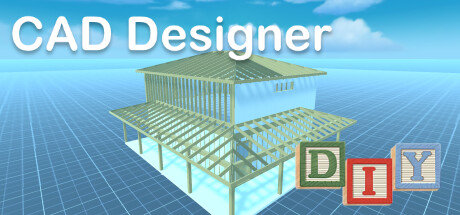
DIY CAD Designer is an innovative CAD software to create 3D drawings quickly and easily.Plan your project in just a few steps with DIY CAD Designer.Create photorealistic 3D drawings and share them with your friends and colleagues!

Daftar masuk untuk menambah item ini ke senarai hajat anda, ikuti atau tandakannya sebagai diabaikan

Bahasa Bahasa Melayu tidak disokong

Produk ini tidak menyokong bahasa tempatan anda. Sila semak senarai bahasa yang disokong di bawah sebelum membuat pembelian

Beli DIY - CAD Designer


Tentang Perisian Ini

Do you have an idea, would you like to do some handicrafts yourself? You are planning a do-it-yourself project in your own home, maybe you want to build your own table, a canopy or a cupboard? But are you still looking for suitable software to plan your project and draw it beforehand, preferably in 3D?

Then DIY CAD Designer is just right for you!

Download DIY CAD Designer today and implement your project in a playful way.

DIY CAD Designer has numerous libraries so you can easily drag and drop wooden beams, boards, sheets, rods and much more into your 3D scene to construct your project.

You can also use the importer to import models from other programs to use in your project.
With DIY CAD Designer you can import the following formats:

- FBX
- OBJ
- GLTF2
- STL
- PLY
- 3MF

Numerous libraries make your work easier. DIY CAD Designer contains the following component libraries:

- Base
- Wood
- Metal
- Glass
- Stone
- Components

There are also numerous materials and colors that will help you to implement your planning realistically.

You can change components quickly and easily with the editing functions.
Rotate, scale, position or copy your components.
Choose between imperial [ft] or metric [m] system of measurement.
You can change your view at the push of a button, whether orthogonal or perspective, depending on the application.
Fast viewing angles such as top view, front view or side view are also possible.
With the 3D dimensioning system, you can very quickly read all the information you want from your construction.
With the photo function, you can create and share high-resolution images of your project.

So what are you waiting for?

Download DIY CAD Designer now and take full advantage!

I wish you lots of fun with DIY CAD Designer!

Keperluan Sistem

Windows
macOS
    Minimum:
    • OS *: Windows 7
    • Pemproses: Intel® Core™ / AMD Ryzen™
    • Memori: 6 GB RAM
    • Grafik: Intel HD 5000 / GeForce GTX 480 / Radeon HD 5450
* Mulai 1 Januari 2024, Steam Client hanya akan menyokong Windows 10 dan versi yang lebih baharu.
    Minimum:
    • OS: Mac OS X Leopard
    • Pemproses: Intel 5 or equivalent
    • Memori: 6 GB RAM
    • Grafik: Intel HD Graphics
* Mulai 15 Februari 2024, Steam Client tidak akan menyokong permainan 32-bit atau macOS 10.14 atau lebih rendah lagi.

Ulasan pelanggan untuk DIY - CAD Designer Tentang ulasan pengguna Pilihan anda

Keseluruhan Ulasan:
Kebanyakan Negatif (12 ulasan)


Untuk melihat ulasan dalam sesuatu jangka masa tarikh, sila klik dan seret pilihan pada graf di atas atau klik pada bar tertentu.


Tapis ulasan mengikut masa bermain pengguna semasa ulasan ditulis:


Tiada minimum hingga Tiada maksimum

Tunjuk ulasan dalam susunan paparan yang dipilih


Ketahui Lebih Lanjut
Penapis
Tidak termasuk Aktiviti Ulasan di Luar Topik
Masa bermain:
Kerap Dimainkan di Steam Deck
Operating System:
CPU:
GPU:
Device Type:
Penapis Ulasan