Kandungan ini memerlukan aplikasi asas Fences 4 di Steam untuk berfungsi.

Tag

Daftar masuk untuk menambah item ini ke senarai hajat anda, ikuti atau tandakannya sebagai diabaikan

Bahasa Bahasa Melayu tidak disokong

Produk ini tidak menyokong bahasa tempatan anda. Sila semak senarai bahasa yang disokong di bawah sebelum membuat pembelian

Notis: Fences 4 - Multi-Device Upgrade tidak tersedia di gedung Steam lagi.

Kandungan Boleh Muat Turun

Kandungan ini memerlukan aplikasi asas Fences 4 di Steam untuk berfungsi.


Tentang Kandungan Ini

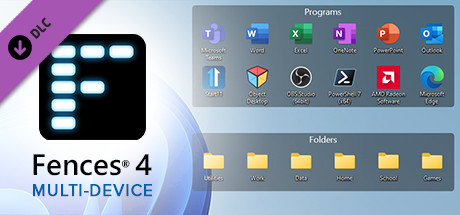
The Fences 4 multi-device upgrade DLC enables the software to run on up to 4 additional devices, allowing you to bring the world’s most popular desktop enhancement to all of your Windows 10 and 11 workspaces.

Automatically sort your desktop apps, files, and folders on Windows 10 and 11 with Fences. Create shaded areas on your desktop, bring your fences to the front of active programs using Peek, and organize your PC with the world’s most popular desktop enhancement.

Features

  • Install Fences 4 on up to 5 PCs
  • Create shaded areas to organize your desktop
  • Create rules to automatically organize your desktop icons
  • Peek brings your fences to the top for instant access
  • Use folder portals to quickly access files in Explorer
  • Swipe between multiple pages of fences
  • Customize “show desktop” hotkey functionality
  • Works with Windows 10 and 11

Peek at your fences for instant access
Bring your files, folders, and applications to the top of all your windows with Peek. By pressing Winkey + Space, you can instantly access everything you need inside of a fence without leaving your current application.

Create portals for your most used apps and files
Stop searching through dozens of icons to find the folder you need. Create a portal that mirrors the contents of a folder onto your desktop within a fence, enabling quick access to its files.

Eliminate clutter from your desktop
Roll up your fences by double-clicking on the title bar to save space on your desktop. To reveal your fence again, move your mouse over the title bar or double-click it again to view all of the fence’s icons normally.

Create multiple pages on your desktop
Quickly swipe between pages on your desktop, allowing you to segment different categories of files, folders, and fences into their own unique areas. To change pages, simply take your mouse cursor to the edge of your screen, then click and drag to view a new page of fences. This feature provides greater control over how you can organize your favorite programs, documents, websites, and much more.

Quickly hide your fences
Instantly clean up your desktop with a simple double-click on any blank area. The icons and fences will disappear, leaving you with a distraction-free desktop. Another double-click will return them to the desktop. If you have specific fences or folders you’d like to exclude from hiding, you can adjust those within the settings.

Keperluan Sistem

    Minimum:
    • OS: Windows 10 / 11
    • Pemproses: Any dual-core or better
    • Memori: 100 MB RAM
    • Grafik: Any
    • Storan: 50 MB ruang tersedia

Ulasan pelanggan untuk Fences 4 - Multi-Device Upgrade Tentang ulasan pengguna Pilihan anda

Keseluruhan Ulasan:
1 ulasan pengguna (1 ulasan)


Untuk melihat ulasan dalam sesuatu jangka masa tarikh, sila klik dan seret pilihan pada graf di atas atau klik pada bar tertentu.


Tapis ulasan mengikut masa bermain pengguna semasa ulasan ditulis:


Tiada minimum hingga Tiada maksimum

Tunjuk ulasan dalam susunan paparan yang dipilih


Ketahui Lebih Lanjut
Penapis
Tidak termasuk Aktiviti Ulasan di Luar Topik
Masa bermain:
Kerap Dimainkan di Steam Deck
Operating System:
CPU:
GPU:
Device Type:
Penapis Ulasan