Be what you want to be. You would import your own virtual avatar and make your own show.

登入以將此項目新增至您的願望清單、關注它,或標記為已忽略

不支援繁體中文

本產品尚不支援您的目前所在地的語言。購買前請先確認語言支援清單。

使用 Vtuber Broadcast Tool Mac supported


關於此軟體


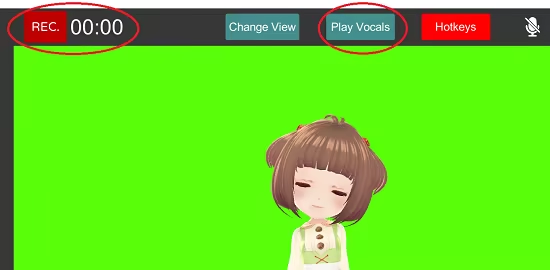
Virtual Studio supports video recording and also playing dubbing file with lipsync .

We also have other music video maker software for Vroid called DAN☆SING!


The features are summarized below
  • Create and upload your virtual character into the app
  • Control the character with only a webcam
  • Lip-sync with what you say
  • Media composition such as video/image insert
  • 1080P Video Export
  • Different poses and emotion supported

系統需求

    最低配備:
    • 需要 64 位元的處理器及作業系統
    • 作業系統: Windows 10 64bit
    • 處理器: Intel Core i5-4460 or better
    • 顯示卡: VIDIA GeForce GTX 970 or better
    建議配備:
    • 需要 64 位元的處理器及作業系統
    • 作業系統: indows 10 64bit
    • 處理器: ntel Core i5-8400/AMD Ryzen 5 2600X or better
    • 記憶體: 16 GB 記憶體
    • 顯示卡: VIDIA GeForce GTX 1060 or better

Vtuber Broadcast Tool Mac supported 的顧客評論 關於使用者評論 您的偏好設定

整體評論:
褒貶不一 (17 篇評論)


如欲檢視特定日期範圍內的評論,請在上方圖表框選一段日期範圍,或點擊直條。


依照使用者撰寫評論當時的遊戲時數篩選:


不限最低時數不限最高時數

以所選顯示順序顯示評論


進一步了解
篩選條件
排除離題評論活動
遊戲時數:
主要在 Steam Deck 上遊玩
無其它評論符合上述篩選條件
調整上方的篩選條件以檢視其它評論
評論讀取中…