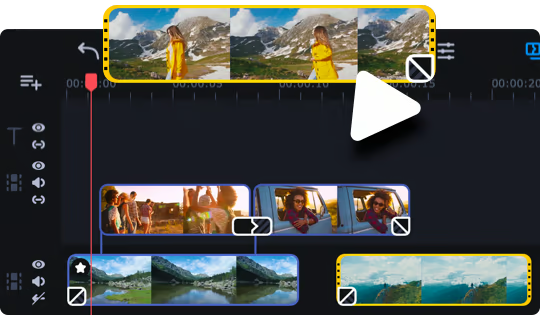
Partner with Movavi Video Editor Plus 2021 and create your own video stories! Edit your footage on the handy multi-track timeline, apply professional special effects, and upload the results to YouTube right from the program. Video editing with Movavi gives you true creative freedom.

Daftar masuk untuk menambah item ini ke senarai hajat anda, ikuti atau tandakannya sebagai diabaikan

Lihat keseluruhan koleksi Movavi Software di Steam
 

Tentang Perisian Ini

Movavi Video Editor Plus 2021 has everything you need to bring your ideas to life: edit your footage on the handy multi-track timeline, apply special effects, tweak the audio, and save the results in any format or upload directly to YouTube. Whether it’s footage of an epic gaming experience or treasured vacation memories, you’ll have a complete movie in under 20 minutes!

Highlights

  • Feel like a seasoned director with the new lookup tables and adjust colors at an advanced level.
  • Move your files around on the timeline as you wish: just choose the mode in which the clips are not joined together automatically.
  • Synchronize audio from different sources: the system recognizes and joins tracks with identical waveforms.
  • Apply fades and transitions to additional tracks, so those clips transition more smoothly.
  • Insert and edit captions in their own space, not in the player window

Your Story + Our Tools...

...Equals “perfect movie”. Movavi has just the right tools to interpret your story:
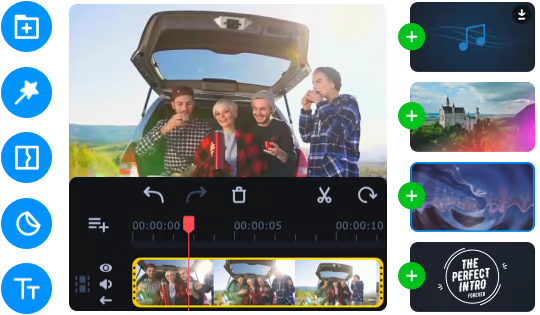
  • Stylish filters and transitions, themed stickers and titles
  • Special effects: Chroma Key, Slow Motion, Object Animation, Picture in Picture, Pan & Zoom, and more
  • Professional lookup tables (LUTs) that step up your color grading game
  • A great set of professional intro templates, plus tools to make your own
  • Volume normalization, noise removal, equalizer, audio recording
  • Adjustable clip properties: cut, crop, rotate
You can make movies automatically, too. Just upload the files in Quick Video mode, and the program will do the rest.

The Perfect Support for Creative Flow

You don’t need to struggle with complex professional software to get professional-grade results. Movavi Video Editor Plus 2021 is the perfect combination of simplicity and functionality:
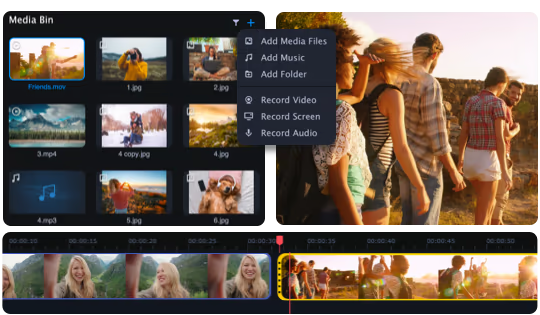
  • The handy Media Bin helps you organize files for your project
  • Effortless control over up to 99 tracks on the timeline
  • Smooth 4K editing thanks to Fast Track HD technology
  • Intuitive navigation between tabs and menus

A Smooth Journey from Concept to Reality

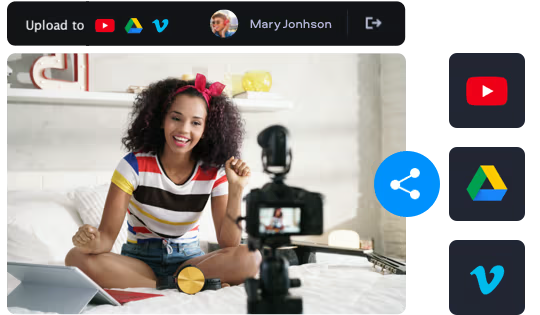
Save the results on your computer or upload them directly to YouTube, Vimeo, or Google Drive so everyone can watch your masterpiece right away.


Keperluan Sistem

Windows
macOS
    Minimum:
    • Memerlukan pemproses 64-bit dan sistem pengendalian
    • OS *: Microsoft® Windows® 7/8/10 with up-to-date patches and service packs installed
    • Pemproses: Intel®, AMD®, or compatible processor, 1.5 GHz
    • Memori: 2 GB RAM
    • Grafik: Intel® HD Graphics 2000, NVIDIA® GeForce® series 8 and 8M, Quadro FX 4800, Quadro FX 5600, AMD Radeon™ R600, Mobility Radeon™ HD 4330, Mobility FirePro™ series, Radeon™ R5 M230 or higher graphics card with up-to-date drivers
    • Storan: 800 MB ruang tersedia
    Dicadangkan:
    • Memerlukan pemproses 64-bit dan sistem pengendalian
* Mulai 1 Januari 2024, Steam Client hanya akan menyokong Windows 10 dan versi yang lebih baharu.
    Minimum:
    • OS: Mac OS X® 10.10 or higher
    • Pemproses: 64-bit Intel® processor
    • Memori: 2 GB RAM
    • Grafik: Intel® HD Graphics 2000, NVIDIA® GeForce® series 8 and 8M, Quadro FX 4800, Quadro FX 5600, AMD Radeon™ R600, Mobility Radeon™ HD 4330, Mobility FirePro™ series, Radeon™ R5 M230 or higher graphics card with up-to-date drivers
    • Storan: 500 MB ruang tersedia
    Dicadangkan:

    Ulasan pelanggan untuk Movavi Video Editor Plus 2021 - Video Editing Software Tentang ulasan pengguna Pilihan anda

    Keseluruhan Ulasan:
    Sangat Positif (510 ulasan)


    Untuk melihat ulasan dalam sesuatu jangka masa tarikh, sila klik dan seret pilihan pada graf di atas atau klik pada bar tertentu.


    Tapis ulasan mengikut masa bermain pengguna semasa ulasan ditulis:


    Tiada minimum hingga Tiada maksimum

    Tunjuk ulasan dalam susunan paparan yang dipilih


    Ketahui Lebih Lanjut
    Penapis
    Tidak termasuk Aktiviti Ulasan di Luar Topik
    Masa bermain:
    Kerap Dimainkan di Steam Deck
    Operating System:
    CPU:
    GPU:
    Device Type:
    Penapis Ulasan