ColorDirector makes it possible for you to apply Lightroom-like color grading and color correction to video projects, producing amazing transitions in a few, quick steps. Seamless integration with PowerDirector’s video editing workflow makes ColorDirector a must-have application for professional video makers wanting to add the right...
Дата выхода:
4 ноя. 2019 г.
Разработчик:
Издатель:
По меткам

Войдите, чтобы добавить этот продукт в список желаемого или скрыть его

Не поддерживается русский язык

Этот продукт не поддерживает ваш язык. Пожалуйста, перед покупкой ознакомьтесь со списком поддерживаемых языков.

Внимание: CyberLink ColorDirector 8 Ultra больше не доступна в магазине Steam.
 

Об этом ПО

Precision Color Grading. Professional Results.

ColorDirector makes it possible for you to apply Lightroom-like color grading and color correction to video projects, producing amazing transitions in a few, quick steps. Seamless integration with PowerDirector’s video editing workflow makes ColorDirector a must-have application for professional video makers wanting to add the right finishing touches to their productions.

    Color Replacement with Keyframe Control

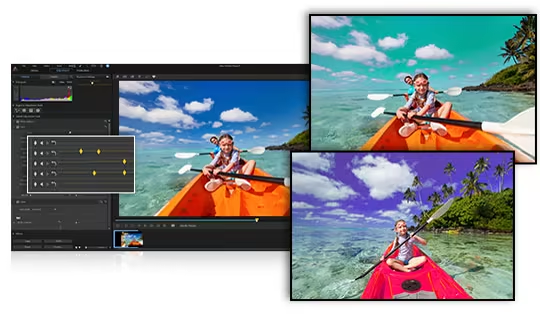
    Completely change the look of objects in your footage by remapping their color to give them an entirely different feel. With keyframe control, you can now apply multiple color changes to objects in a video clip.


    Color Match

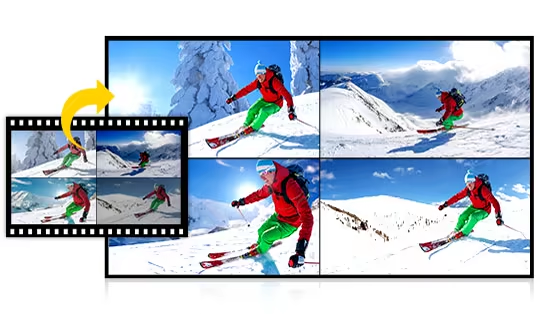
    Scenes filmed with different cameras can have very different exposure and color looks. Color Match lets you standardize color through different clips with the click of a button.


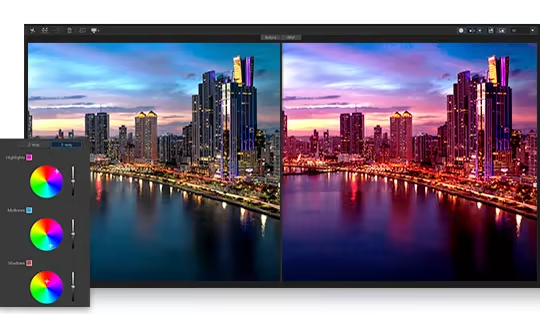
    Split Tone for Video

    Applying split tone effects to video clips allows you to give scenes a truly distinctive look. Just like Lightroom for your videos, ColorDirector gives you the ability to control and adjust highlights, mid tones & shadows.


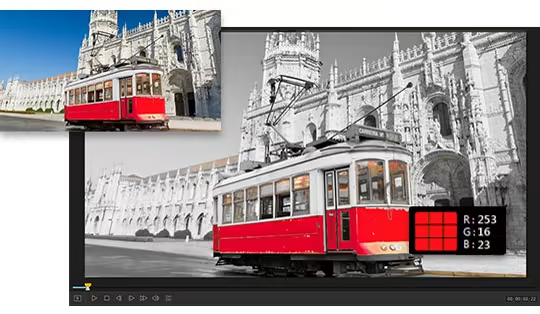
    Color Splash

    Quickly add drama and focus to your videos by turning them to black and white while retaining selected parts of the clip in color.


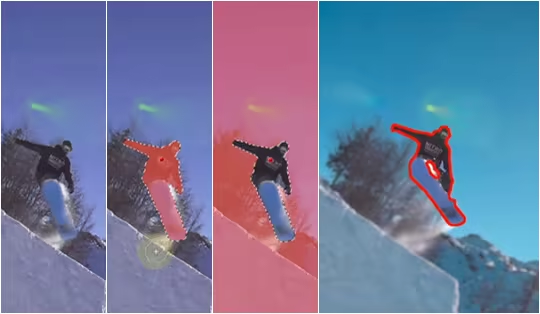
    Motion Tracking

    Intelligent motion tracking algorithm makes frame-by-frame object tracking a breeze. Precision selection tools, now including Bezier Curve, let you select, isolate and track multiple objects through your footage.


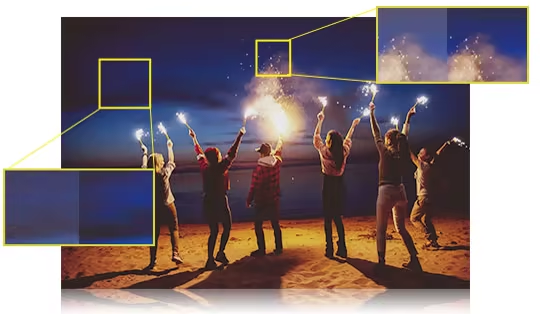
    Automatic Noise Reduction & Dehaze

    Noise Reduction minimizes extraneous visible artifacts including luminance (grain) and color noise, that degrade video quality.Use the intuitive Dehaze slider to remove fog and haze and create remarkably clear videos.


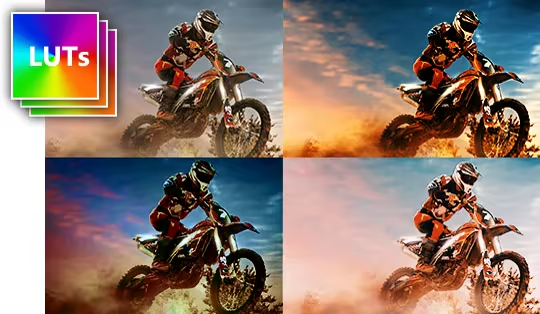
    Import & Export LUTs

    Import and export Look-up Tables (LUTs) for professional color grading control. Match footage from one source to another in order to achieve a particular effect throughout a video.


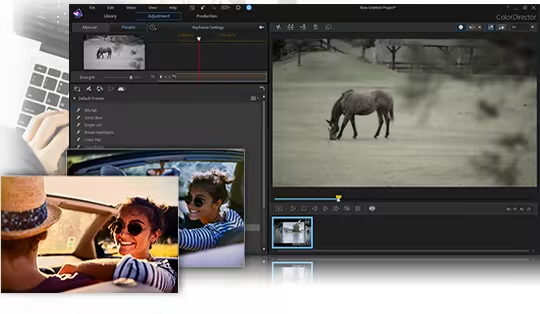
    Adjustable Presets with Keyframe Support

    Take more control when color grading your projects, even when you use one of our pre-made templates. Control the intensity of each effect with as much granularity as you desire, using keyframe editing support.


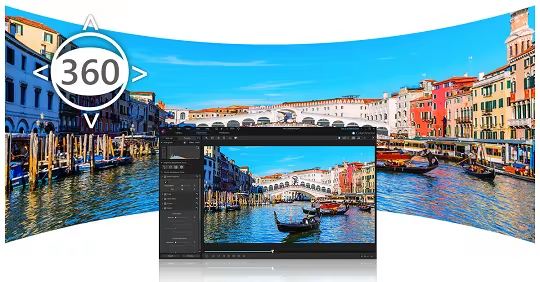
    360º Video Color Grading

    Import, preview, edit and export 360-degree video footage. Launch ColorDirector directly from PowerDirector’s interface for color grading, then send the footage back to PowerDirector for video rendering and production. You’ll be hard pressed to find an easier 360º video editing workflow.

Системные требования

    Минимальные:
    • ОС *: Microsoft Windows 10, 8/8.1, 7 (64 bit OS only)
    • Процессор: Intel Core™ i-series or AMD Phenom® II
    • Оперативная память: 4 GB ОЗУ
    • Видеокарта: 128 MB VGA VRAM
    • Место на диске: 2 GB
    • Дополнительно: Internet connection is required for initial software & file format activation. Internet connection and registration are necessary for downloading software updates (patches), and accessing to DirectorZone services.
    Рекомендованные:
    • Оперативная память: 8 GB ОЗУ
    • Видеокарта: 1 GB or higher VRAM and OpenCL capable
* С 1 января 2024 года клиент Steam будет поддерживать только Windows 10 и более поздние версии.
У этого продукта нет обзоров

Вы можете написать обзор этого продукта, чтобы поделиться своим опытом с сообществом. Для этого воспользуйтесь разделом над кнопками покупки.