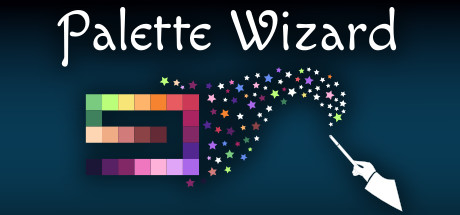
Easily create or edit color palettes for your projects, replace colors in your images, sprites and designs.

Daftar masuk untuk menambah item ini ke senarai hajat anda, ikuti atau tandakannya sebagai diabaikan

Lihat keseluruhan koleksi SmallBigSquare di Steam
Bahasa Bahasa Melayu tidak disokong

Produk ini tidak menyokong bahasa tempatan anda. Sila semak senarai bahasa yang disokong di bawah sebelum membuat pembelian

Beli Palette Wizard


Tentang Perisian Ini

Easily create or edit color palettes for your projects, replace colors in your images, sprites and designs.

If you’re an artist, game developer or web developer and you need to create a color palette
for your project quickly or edit one that you already have, then give this tool a try.


Palette Wizard allows you to create color palettes from scratch.
It will help you find analogous, complementary, and split-complementary colors and others with ease.

You can load any image and extract colors from it using the built-in extraction function,
then modify the palette as you wish.

Use magic pens to create color ramps with no time!


You can replace colors in the loaded image with colors created in the project and see the differences in real time.

You can also sort and organize colors using various sorting options


Supported palette formats: PAL Jasc, GPL Gimp, TXT Paint(dot)net, HEX, GML Game Maker Studio 1&2, ASE Adobe Swatch Exchange

Supported Image Formats: Loading: Png, Jpg, Jpeg Saving: Png

If you encounter any problems or have a suggestion/request, please describe them on community forum, DM me on Twitter or send me an e-mail.

Features:

  • Create color ramps from two colors with ease. You can also slide all colors from ramp towards one of them using slider.
  • Easy create random colors with different properties like (entirely random, randomize hue, randomize saturation, randomize value or random color which is close to current one).
  • Easily create Analogous, Compliment, Split-Compliment, Triadic, Square, Tetriadic, Pentagram colors from existing ones (also works with multiple selected colors).
  • Move colors as you like, select multiple and move multiple colors at once.
  • Copy and paste individual colors or multiple of them. Colors are copied as HEX values so you can also copy/paste them from/to other programs.
  • Duplicate colors (also works with multiple selected colors).
  • Color picking by hand from loaded image or using draw picker.
  • Color extraction from image. You can extract colors from any loaded image and you can set maximum colors to extract (16, 32, 64, 128, 256, 512).
  • You can replace colors in the loaded image with ones created in the project
  • You can save images with replaced colors.
  • Color pickers RGB, HSV, HSL, LAB, HCY's, RGBs, HSVs, HSV/HSL Wheel (s means square)
  • You can load palettes in the following formats: (PAL Jasc, GPL Gimp, TXT Paint(dot)net, HEX, GML Game Maker Studio 1&2), ASE Adobe Swatch Exchange
  • You can save palettes in the following formats: (PAL Jasc, GPL Gimp, TXT Paint(dot)net, HEX, GML Game Maker Studio 1&2, PNG 8 px color squares), ASE Adobe Swatch Exchange
  • Each menu or context menu option has its description on the bottom of the screen so you don't need any manual.
  • You can load/save project to edit it later.
  • Free drawing using Magic Pen
  • Color adjustment pens
  • Multiple color sorting options by hue, saturation, value, lightness, chroma, luminance, red, green, blue
  • Distance based color sorting by RGB*, HSV, HSL, HCY', LAB distances
  • Multiple color adjustments options
  • Undo
  • Color Blindness Emulation Tool (Three major disability types)
  • Color Evolution Using Genetic Algorithm
  • Color Evolution Using Cellular Automaton
  • Magic Brush

Trailer music credits:
Stock Media provided by AZOVMUSIC / Pond5

Keperluan Sistem

Windows
macOS
    Minimum:
    • OS *: Windows XP/Vista/7/8/8.1/10 x86/x64
    • Pemproses: Intel Pentium D 830 (2* 3000) or equivalent / AMD Athlon 64 4000+ (2600) or equivalent
    • Memori: 1 GB RAM
    • Grafik: GeForce 7600 GS (256 MB) / Radeon HD 2400 PRO (256 MB)
    • Storan: 5 MB ruang tersedia
* Mulai 1 Januari 2024, Steam Client hanya akan menyokong Windows 10 dan versi yang lebih baharu.
    Minimum:
    • OS: Mac OS X 10.9 or later
    • Pemproses: Intel Pentium D 830 (2* 3000) or equivalent / AMD Athlon 64 4000+ (2600) or equivalent
    • Memori: 1 GB RAM
    • Grafik: GeForce 7600 GS (256 MB) / Radeon HD 2400 PRO (256 MB)
    • Storan: 5 MB ruang tersedia
* Mulai 15 Februari 2024, Steam Client tidak akan menyokong permainan 32-bit atau macOS 10.14 atau lebih rendah lagi.

Ulasan pelanggan untuk Palette Wizard Tentang ulasan pengguna Pilihan anda

Keseluruhan Ulasan:
Campur (11 ulasan)


Untuk melihat ulasan dalam sesuatu jangka masa tarikh, sila klik dan seret pilihan pada graf di atas atau klik pada bar tertentu.


Tapis ulasan mengikut masa bermain pengguna semasa ulasan ditulis:


Tiada minimum hingga Tiada maksimum

Tunjuk ulasan dalam susunan paparan yang dipilih


Ketahui Lebih Lanjut
Penapis
Tidak termasuk Aktiviti Ulasan di Luar Topik
Masa bermain:
Kerap Dimainkan di Steam Deck
Operating System:
CPU:
GPU:
Device Type:
Penapis Ulasan