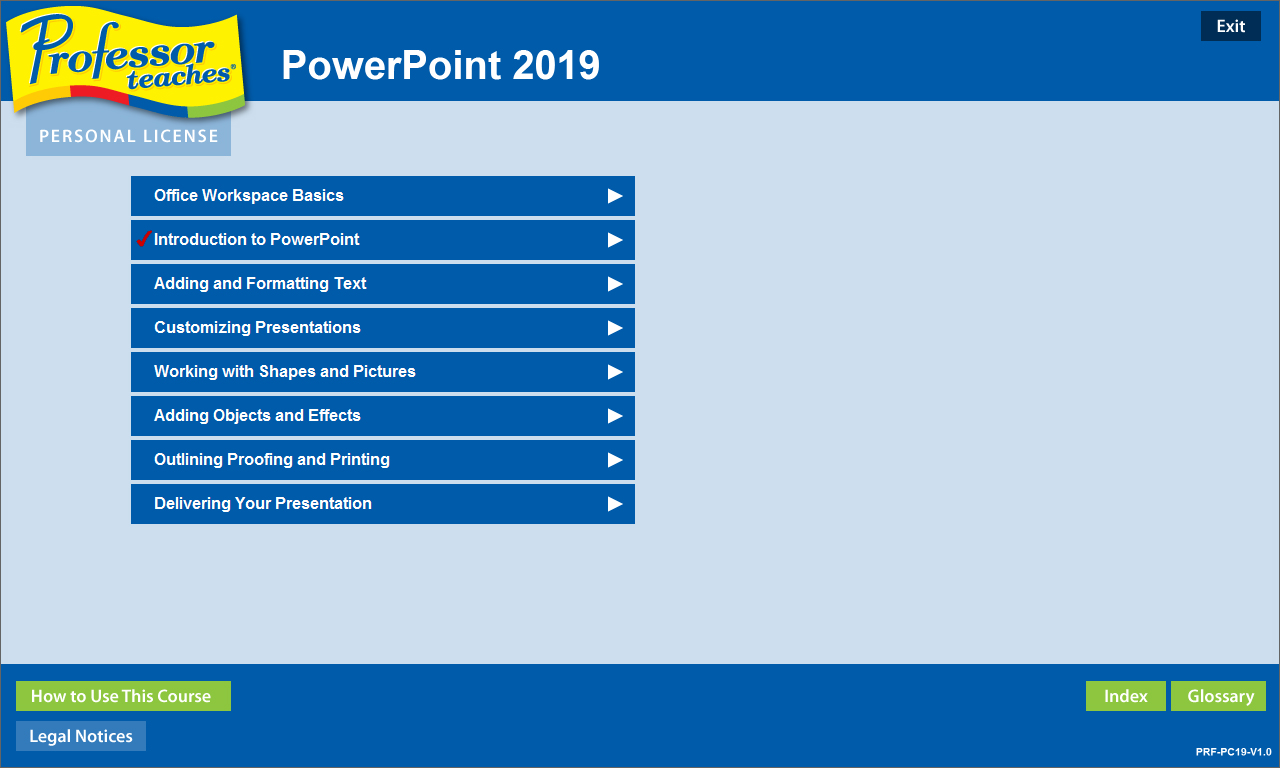
Professor Teaches PowerPoint 2019 is a computer training program designed by experts to teach you everything you need to know to about Microsoft PowerPoint. Learn how to create visually stunning presentations for work or school.

เข้าสู่ระบบ เพื่อเพิ่มผลิตภัณฑ์นี้ลงในสิ่งที่อยากได้ของคุณ ติดตาม หรือทำเครื่องหมายเป็นถูกละเว้น

ไม่รองรับภาษาไทย

ผลิตภัณฑ์นี้ไม่รองรับภาษาท้องถิ่นของคุณ โปรดตรวจสอบรายชื่อภาษาที่รองรับก่อนทำการสั่งซื้อ

ซื้อ Professor Teaches PowerPoint 2019


เกี่ยวกับซอฟต์แวร์นี้

Professor Teaches PowerPoint 2019 is a computer training program designed by experts to teach you everything you need to know to about Microsoft PowerPoint. Learn how to create visually stunning presentations for work or school. Professor Teaches provides hours of course material and hands-on training in a realistic simulation of the actual software.

PowerPoint 2019 is software developed by Microsoft to help you create quality presentations. PowerPoint is used for business and academic applications as a fast and effective way to present information and ideas. PowerPoint 2019 is the latest version of the program and provides better collaboration tools and editing capabilities.

The Benefits of Learning Microsoft PowerPoint 2019
• Discover new ways to create professional-looking presentations quickly
• Learn how to publish to the web
• Learn how to create dynamic presentations using animation effects

PowerPoint 2019 – Over 60 Lessons!
Our extensive computer training course will cover the following topics:
• How to apply PowerPoint views
• How to use templates
• Using drawing tools
• Adding tables and charts
• How to apply selecting and grouping
• Adding images
• Using Grids and Guides
• Saving and Closing a Presentation
• Creating a New Presentation
• Using the Format Painter
• Working with Tabs
• Using Templates
• Changing a Slide Layout
• Customizing Templates
• Adding Headers and Footers
• Adding Speaker Notes
• Introduction to Drawing Tools
• And more!

Key Benefits
• Accurate screen presentations, menus, and buttons provide an easy transition to the real application
• Step-by-step interactive exercises help you achieve high retention rates
• Practical exercises and examples make learning easy
• Professional voice narration assists retention
• The most realistic, interactive & complete training

Features of Professor Teaches
Practice in a Realistic Simulation of the Software
Hundreds of Learning Topics
4 to 8 Hours of Training per Course
Realistic Simulations
Beginner to Advanced Topics
Self-Paced Learning Objectives
Introductions and Summaries
Interactive Exercises
Professional Voice Narration
End-of-Chapter Quiz Questions
Check marks for Completed Topics
Glossary, Index, and Search
Professor Answers for Instant Training

ความต้องการระบบ

    ขั้นต่ำ:
    • ระบบปฏิบัติการ: 10, 8, 7
    • โปรเซสเซอร์: Intel
    • หน่วยความจำ: แรม 150 MB
    • พื้นที่จัดเก็บข้อมูล: พื้นที่ว่างที่พร้อมใช้งาน 150 MB
    • การ์ดเสียง: Recommended

บทวิจารณ์จากผู้ซื้อ Professor Teaches PowerPoint 2019 เกี่ยวกับบทวิจารณ์จากผู้ใช้ การปรับแต่งของคุณ

บทวิจารณ์โดยรวม:
2 บทวิจารณ์จากผู้ใช้ (2 บทวิจารณ์)


ในการดูบทวิจารณ์ตามช่วงวันที่ โปรดคลิกและลากการเลือกบนกราฟด้านบน หรือคลิกบนแท่งที่กำหนด


กรองบทวิจารณ์ตามเวลาเล่นของผู้ใช้เมื่อบทวิจารณ์ถูกเขียน:


ไม่มีต่ำสุด ถึง ไม่มีสูงสุด

แสดงบทวิจารณ์ตามลำดับการแสดงผลที่เลือกไว้


เรียนรู้เพิ่มเติม
ตัวกรอง
กำลังละเว้นกิจกรรมบทวิจารณ์นอกเรื่อง
เวลาเล่น:
เล่นบน Steam Deck เป็นส่วนใหญ่
Operating System:
CPU:
GPU:
Device Type:
ไม่มีบทวิจารณ์ใดเลยที่ตรงกับตัวกรองที่กำหนดไว้ด้านบน
ปรับแต่งตัวกรอกด้านบนเพื่อดูบทวิจารณ์อื่น ๆ
กำลังโหลดบทวิจารณ์...