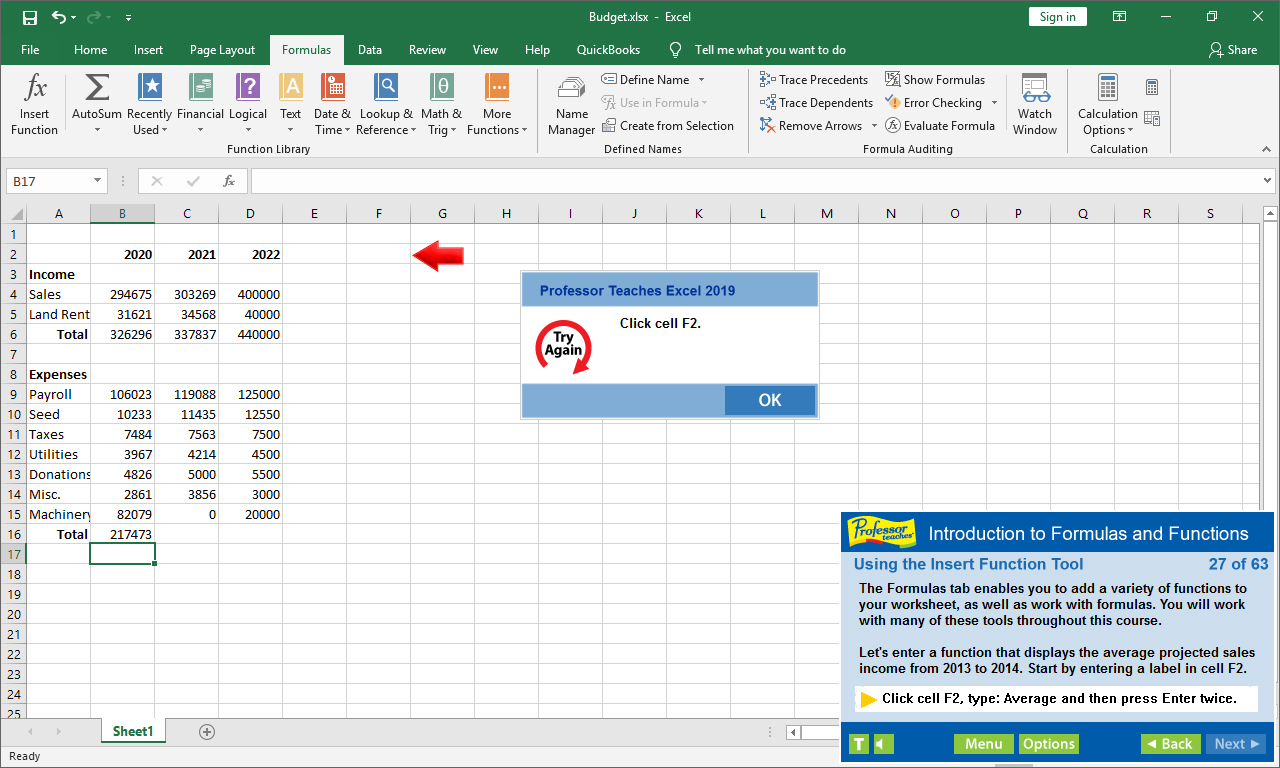
Professor Teaches Excel 2019 is a computer training course developed by experts to help you learn the features of Excel. Unlike other training courses, Professor Teaches provides a realistic simulation of the software, so you can practice and apply what you learn right away.

เข้าสู่ระบบ เพื่อเพิ่มผลิตภัณฑ์นี้ลงในสิ่งที่อยากได้ของคุณ ติดตาม หรือทำเครื่องหมายเป็นถูกละเว้น

ไม่รองรับภาษาไทย

ผลิตภัณฑ์นี้ไม่รองรับภาษาท้องถิ่นของคุณ โปรดตรวจสอบรายชื่อภาษาที่รองรับก่อนทำการสั่งซื้อ

ซื้อ Professor Teaches Excel 2019


เกี่ยวกับซอฟต์แวร์นี้

Professor Teaches Excel 2019 is a computer training course developed by experts to help you learn the features of Excel. Unlike other training courses, Professor Teaches provides a realistic simulation of the software, so you can practice and apply what you learn right away. Learn Excel 2019 with hours of interactive, hands-on training lessons and exercises.

Microsoft Excel 2019 is the latest version of this popular spreadsheet management program. This powerful program allows you to analyze, manage and share data in more ways than ever before. With the analysis tools, you can track and highlight important data trends and share data.
The Benefits of Learning Microsoft Excel 2019
• Discover how to create spreadsheets quickly
• Learn how to analyze data and share information
• Learn how to use critical information to make business decisions

Excel 2019 – Over 80 Lessons!
Our extensive computer training course will cover the following topics:
• Getting to Know the Excel Window
• Navigating a Workbook
• Creating Workbooks
• Entering Text, Numbers, and Dates
• Moving and Clearing Data
• What are Formulas and Functions?
• Copying and Moving Formulas
• Using Statistical Functions
• Using Linked Values in Formulas
• Introduction to Formatting
• Changing Cell Alignment
• Inserting and Deleting Rows and Columns Hiding Worksheet Components
• And more!

Key Benefits
• Accurate screen presentations, menus, and buttons provide an easy transition to the real application
• Step-by-step interactive exercises help you achieve high retention rates
• Practical exercises and examples make learning easy
• Professional voice narration assists retention
• The most realistic, interactive & complete training

Features of Professor Teaches Excel 2019
Practice in a Realistic Simulation of the Software
Hundreds of Learning Topics
4 to 8 Hours of Training per Course
Realistic Simulations
Beginner to Advanced Topics
Self-Paced Learning Objectives
Introductions and Summaries
Interactive Exercises
Professional Voice Narration
End-of-Chapter Quiz Questions
Check marks for Completed Topics
Glossary, Index, and Search
Professor Answers for Instant Training

ความต้องการระบบ

    ขั้นต่ำ:
    • ระบบปฏิบัติการ: 10, 8, 7
    • โปรเซสเซอร์: Intel
    • หน่วยความจำ: แรม 150 MB
    • พื้นที่จัดเก็บข้อมูล: พื้นที่ว่างที่พร้อมใช้งาน 150 MB
    • การ์ดเสียง: Recommended

บทวิจารณ์จากผู้ซื้อ Professor Teaches Excel 2019 เกี่ยวกับบทวิจารณ์จากผู้ใช้ การปรับแต่งของคุณ

บทวิจารณ์โดยรวม:
8 บทวิจารณ์จากผู้ใช้ (8 บทวิจารณ์)


ในการดูบทวิจารณ์ตามช่วงวันที่ โปรดคลิกและลากการเลือกบนกราฟด้านบน หรือคลิกบนแท่งที่กำหนด


กรองบทวิจารณ์ตามเวลาเล่นของผู้ใช้เมื่อบทวิจารณ์ถูกเขียน:


ไม่มีต่ำสุด ถึง ไม่มีสูงสุด

แสดงบทวิจารณ์ตามลำดับการแสดงผลที่เลือกไว้


เรียนรู้เพิ่มเติม
ตัวกรอง
กำลังละเว้นกิจกรรมบทวิจารณ์นอกเรื่อง
เวลาเล่น:
เล่นบน Steam Deck เป็นส่วนใหญ่
ระบบปฏิบัติการ:
CPU:
GPU:
ประเภทอุปกรณ์:
ไม่มีบทวิจารณ์ใดเลยที่ตรงกับตัวกรองที่กำหนดไว้ด้านบน
ปรับแต่งตัวกรอกด้านบนเพื่อดูบทวิจารณ์อื่น ๆ
กำลังโหลดบทวิจารณ์...