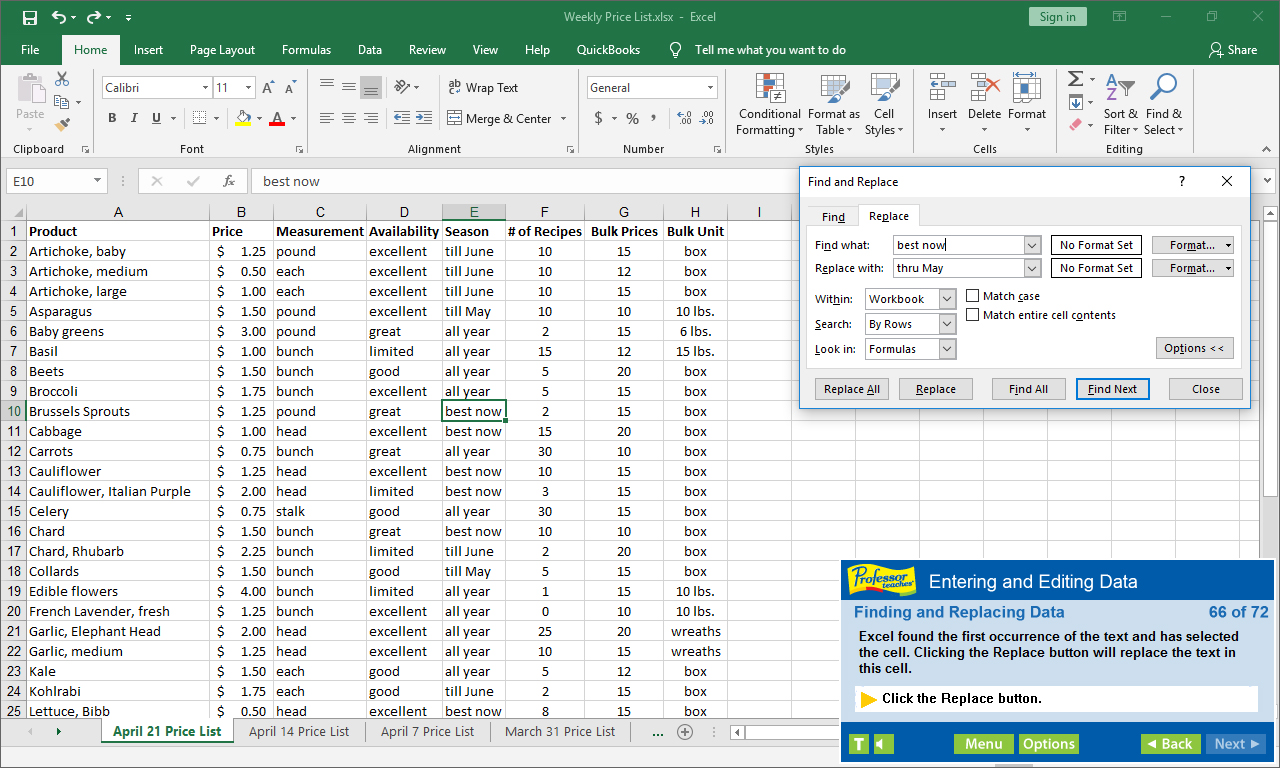
Professor Teaches Excel 2019 is a computer training course developed by experts to help you learn the features of Excel. Unlike other training courses, Professor Teaches provides a realistic simulation of the software, so you can practice and apply what you learn right away.

Войдите, чтобы добавить этот продукт в список желаемого или скрыть его

Не поддерживается русский язык

Этот продукт не поддерживает ваш язык. Пожалуйста, перед покупкой ознакомьтесь со списком поддерживаемых языков.

Купить Professor Teaches Excel 2019


Об этом ПО

Professor Teaches Excel 2019 is a computer training course developed by experts to help you learn the features of Excel. Unlike other training courses, Professor Teaches provides a realistic simulation of the software, so you can practice and apply what you learn right away. Learn Excel 2019 with hours of interactive, hands-on training lessons and exercises.

Microsoft Excel 2019 is the latest version of this popular spreadsheet management program. This powerful program allows you to analyze, manage and share data in more ways than ever before. With the analysis tools, you can track and highlight important data trends and share data.
The Benefits of Learning Microsoft Excel 2019
• Discover how to create spreadsheets quickly
• Learn how to analyze data and share information
• Learn how to use critical information to make business decisions

Excel 2019 – Over 80 Lessons!
Our extensive computer training course will cover the following topics:
• Getting to Know the Excel Window
• Navigating a Workbook
• Creating Workbooks
• Entering Text, Numbers, and Dates
• Moving and Clearing Data
• What are Formulas and Functions?
• Copying and Moving Formulas
• Using Statistical Functions
• Using Linked Values in Formulas
• Introduction to Formatting
• Changing Cell Alignment
• Inserting and Deleting Rows and Columns Hiding Worksheet Components
• And more!

Key Benefits
• Accurate screen presentations, menus, and buttons provide an easy transition to the real application
• Step-by-step interactive exercises help you achieve high retention rates
• Practical exercises and examples make learning easy
• Professional voice narration assists retention
• The most realistic, interactive & complete training

Features of Professor Teaches Excel 2019
Practice in a Realistic Simulation of the Software
Hundreds of Learning Topics
4 to 8 Hours of Training per Course
Realistic Simulations
Beginner to Advanced Topics
Self-Paced Learning Objectives
Introductions and Summaries
Interactive Exercises
Professional Voice Narration
End-of-Chapter Quiz Questions
Check marks for Completed Topics
Glossary, Index, and Search
Professor Answers for Instant Training

Системные требования

    Минимальные:
    • ОС: 10, 8, 7
    • Процессор: Intel
    • Оперативная память: 150 MB ОЗУ
    • Место на диске: 150 MB
    • Звуковая карта: Recommended

Обзоры пользователей: Professor Teaches Excel 2019 О пользовательских обзорах Ваши настройки

Все обзоры:
Обзоров пользователей: 8 (всего 8)


Чтобы посмотреть обзоры за определённое время, отметьте промежуток на графике или выберите одну из колонок.


Фильтр обзоров пользователей по их времени в игре в момент написания обзора:


Без минимумаБез максимума

Показать обзоры в выбранном порядке


Подробнее
Фильтры
Исключать обзоры не по теме
Время в игре:
В основном на Steam Deck
Operating System:
CPU:
GPU:
Device Type:
Под выбранные фильтры не подходит ни один обзор
Измените фильтры, чтобы увидеть другие обзоры
Загрузка обзоров…