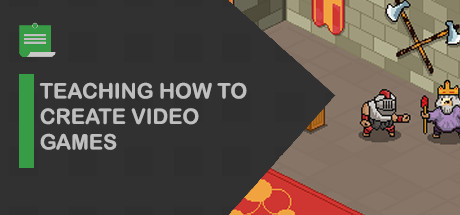
In these videos we will teach how to create games in the Isometric 2D style using the Unity game engine with the C # programming language.

Daftar masuk untuk menambah item ini ke senarai hajat anda, ikuti atau tandakannya sebagai diabaikan

Bahasa Bahasa Melayu tidak disokong

Produk ini tidak menyokong bahasa tempatan anda. Sila semak senarai bahasa yang disokong di bawah sebelum membuat pembelian

Notis: Aprenda Como Criar Jogos tidak tersedia di gedung Steam lagi.
 

Kandungan Siri

Tiada kandungan yang tersedia untuk Siri ini.
init_data: 0.0102, render: 0.0102

Video Steam

Kandungan ini hanya tersedia dalam format penstriman dalam talian. Maklumat lanjut tentang penstriman video boleh ditemui dalam Penstriman Video pada Soalan Lazim Steam.

Tentang Siri Ini

In these videos we will teach how to create games. We will show diffrent styles of games and we will explain how to create each genre.
We will start showing how to create Isometric 2D style games using the Unity game engine with the C # programming language.

Topics
- Animations
- Layers
- Sorting Layers
- Aliasing
- Filter Mode
- Momement of Objects
- Language Program
- Programming Movement of Objects
- Level Design
- Prototyping
- Development
- Release Version
- Version Control

Lesson 01
-----------------
- Unity Overview
- Creation of the Zero Project in the Unity Program

Lesson 02
-----------------
Title: OBJECTS
Creating Objects that in Unity are called GameObjects (Game Objects)

Lesson 03
-----------------
Title: COMPONENTS
Definition of a Component
Definition of what is the Object (GameObject) Camera and why it has a Component named Camera.

Lesson 04
----------------
Title: IMAGE
How to make an object render a 2D image
Definition of a SpriteRenderer Component

Lesson 05
----------------
Title: SCALE
Title: PIXELS PER UNIT
Defining Dots Per Unit = Pixels Per Unit

Lesson 06
----------------
Title: ALIASING
Definition of Image Smoothing = Aliasing
Explanation of Filter Mode = Filter Mode
Pixel Art set to be Point in Filter Mode
Project Settings - Quality - Anti Aliasing - Disabled

Lesson 07
---------------
Title: AXIS = PIVOT
In this lesson we show what the Axis (Pivot) is and how we should proceed by configuring the Axis of Objects
so that they are correctly positioned. This way it will be easier to work and even avoid future problems.
at the time of programming. (Pivot = Lower Axis = Bottom)

Lesson 08
---------------
TITLE: LAYERS (LAYER ORDINATION)
In this lesson we will learn what is the Sorting Layer (Sorting Layer)
as well as learn about the Order in the Layer (in English Order in Layer) for
Display, Image Rendering.

Lesson 09
---------------
Title: RIGID BODY (RigidBody2D)
In this lesson we will learn what is a Hard Body, which in the program
Unity is called RigidBody2D and how to set it up properly in a 2D Isometric game

Lesson 10
---------------
Title: MOVEMENT
In this lesson we will program the Player's movement.
To teach this we use the C # language.

Lesson 11
---------------
Title: ROTATION
In this lesson we will program the Player Rotation (Player)
Making the image turn right and left
Programming in C #

Lesson 12
--------------
Title: SHADOW
Adding shadow to the player and configuring Layers

Lesson 13
--------------
Title: ANIMATIONS
Animator Creation and its Controller (Animator COntroller)

Lesson 14
--------------
Title: CLIPS
In this lesson we will learn how to create new Animations through Clips,
where each Clip will correspond to an animation.

Showing how to create the walking animation for the next lesson show how to do the
change language between animations.

Lesson 15
--------------
Title: WALKING ANIMATION
Explanation of how to do through the programming language
to the Walking State of the Player object.

Lesson 16
--------------
Explanation of what Coliders are and put them on the walls quite simply for now

Keperluan Sistem

Windows
macOS
SteamOS + Linux
    Minimum:
    • OS *: Windows 7
    • Pemproses: Intel Core 2 atau AMD setara
    • Memori: 1 GB RAM
    • Rangkaian: Sambungan Internet jalur lebar
    • Storan: 200 MB ruang tersedia
    • Nota Tambahan: Jalur Lebar Rangkaian 5Mbps untuk 540p, 3Mbps untuk 360p.
    Dicadangkan:
    • OS: Windows 10
    • Pemproses: Intel Core I3+ atau AMD setara dicadangkan untuk main semula HD 1080p
    • Memori: 2 GB RAM
    • Rangkaian: Sambungan Internet jalur lebar
    • Storan: 500 MB ruang tersedia
    • Nota Tambahan: Jalur Lebar Rangkaian 12Mbps untuk 1080p atau 8Mbps untuk 720p.
* Mulai 1 Januari 2024, Steam Client hanya akan menyokong Windows 10 dan versi yang lebih baharu.
    Minimum:
    • OS: Mac OSX 10.7
    • Pemproses: Intel Core 2 atau AMD setara
    • Memori: 1 GB RAM
    • Rangkaian: Sambungan Internet jalur lebar
    • Storan: 200 MB ruang tersedia
    • Nota Tambahan: Jalur Lebar Rangkaian 5Mbps untuk 540p, 3Mbps untuk 360p.
    Dicadangkan:
    • OS: Mac OSX 10.10+
    • Pemproses: Intel Core I3+ atau AMD setara dicadangkan untuk main semula HD 1080p
    • Memori: 2 GB RAM
    • Rangkaian: Sambungan Internet jalur lebar
    • Storan: 500 MB ruang tersedia
    • Nota Tambahan: Jalur Lebar Rangkaian 12Mbps untuk 1080p atau 8Mbps untuk 720p.
* Mulai 15 Februari 2024, Steam Client tidak akan menyokong permainan 32-bit atau macOS 10.14 atau lebih rendah lagi.
    Minimum:
    • OS: Linux Ubuntu 12.04 atau lebih baru, SteamOS 2.20 atau lebih baru
    • Pemproses: Intel Core 2 atau AMD setara
    • Memori: 1 GB RAM
    • Rangkaian: Sambungan Internet jalur lebar
    • Storan: 200 MB ruang tersedia
    • Nota Tambahan: Jalur Lebar Rangkaian 5Mbps untuk 540p, 3Mbps untuk 360p.
    Dicadangkan:
    • OS: Linux Ubuntu 12.04 atau lebih baharu, SteamOS 2.20 atau lebih baharu
    • Pemproses: Intel Core I3+ atau AMD setara dicadangkan untuk main semula HD 1080p
    • Memori: 2 GB RAM
    • Rangkaian: Sambungan Internet jalur lebar
    • Storan: 500 MB ruang tersedia
    • Nota Tambahan: Jalur Lebar Rangkaian 12Mbps untuk 1080p atau 8Mbps untuk 720p.

Ulasan pelanggan untuk Aprenda Como Criar Jogos Tentang ulasan pengguna Pilihan anda

Keseluruhan Ulasan:
1 ulasan pengguna (1 ulasan)


Untuk melihat ulasan dalam sesuatu jangka masa tarikh, sila klik dan seret pilihan pada graf di atas atau klik pada bar tertentu.


Tapis ulasan mengikut masa bermain pengguna semasa ulasan ditulis:


Tiada minimum hingga Tiada maksimum

Tunjuk ulasan dalam susunan paparan yang dipilih


Ketahui Lebih Lanjut
Penapis
Tidak termasuk Aktiviti Ulasan di Luar Topik
Masa bermain:
Kerap Dimainkan di Steam Deck
Operating System:
CPU:
GPU:
Device Type:
Penapis Ulasan