Client Update - Valve
A new Steam client has been released and is being automatically downloaded.

UPDATE - June 7: This client build has been re-published with additional bugfixes for reported issues.

General
  • Updated web control to CEF v58.0.3029.81
  • Improved launch error messaging in case the OS failed to create the game process
  • Fixed installing games from multiple retail discs (June 7)
  • Fixed optional DLC automatically being installed (June 7)
  • Fixed some dedicated gameservers being unable to log in with certain game-specific parameters (June 7)

Steam Input
  • All Controllers types now can assign Guide Chord actions when opted out of further controller support. Similar to the Guide + Trigger for screenshot, additional actions can be bound or reassigned to Guide + Button via the Controller Settings. Additional options include mouse and keyboard support, changing volume or other media keys, turning off the controller (on supported hardware), and so forth
  • Fixed PS4 Controllers showing inappropriate art and text in the button diamond
  • Fixed XBox controllers potentially having a second phantom controller when not opted into Steam Configuration support
  • Fixed a crash when closing a game after previewing a controller config
  • Added Desktop Settings panel for configuring controller settings and editing base configurations
  • Fixed a case where native games requesting the configuration screen wouldn't work
  • Opting in to Steam Configuration Support for 3rd Party Controllers is now set for the user rather than the Steam Install. Users who have opted in to 3rd party Steam Controller Configurator Support will have to opt back in for their specific controllers
  • Fixed long-press activator toggle option not functioning properly
  • Fixed a case where closing the on-screen keyboard in Big Picture would not return to the proper controls
  • Manual registration in Big Picture is no longer required for new controllers. Personalization and changes to registration can still be made via the Controller Settings in Big Picture
  • Games which use the Steam Configurator natively for 3rd Party Controllers can now opt those controllers into support without the user having to manually do so
  • Fix for a case where a cache for offline configurations could be corrupted
  • 3rd Party Controllers no longer have to be disconnected and reconnected when opting into/out of Steam Configuration support. Games can still be individually opted out of support via the game's controller settings panel
  • Fix for In-Home Streaming from Linux PC to Steam Link or another Linux PC with Steam Controller Wireless Receivers connected to both devices
  • Fixed Linux mouse button assignments for Forward and Backwards
  • Fixed On-Screen Keyboard being disabled in windowed non-Steam Games
  • Fixed Non-Steam game configs not being applied if controller is power cycled
  • Fixed unexpected input when importing Gyro configs for devices without Gyro
  • Simplified UI for DPad mode on DS4 Dpad
  • Changed "Add a Steam Controller" button to only appear when a Wireless Receiver is present
  • Added "Recover Steam Controller Firmware" button to walk users through recovering a device via mass storage update
  • Fixed configuration showing incorrect controller type of the configuration being previewed (or presenting an error message in some cases)
  • Fixed a case where previewing a configuration with a mode shift could make inputs editable
  • Fixed non-Steam shortcuts not respecting the per-game opt-out of Configuration setting
  • Fixed configurations not being saved properly in offline mode
  • Fixed controllers not registering in offline mode if the account didn't match its existing registration
  • Removed online-only configuration browser categories when loading or saving configurations when in offline mode
  • Fixed Steam Button in the Big Picture Overlay being delayed when using a 3rd party controller (June 7)

Steam Link and In-Home Streaming
  • Fixed Sony PS3 Controllers acting incorrectly via streaming
  • Enlarged the capture area for windows with menu bars to include the menu bar when streaming (June 7)

Linux
  • Desktop view support for SteamVR dashboard
  • Fixed overlay not working for Vulkan applications

SteamVR
  • Enabled Microtransation confirmation dialog from VR applications
Client Update - Valve
A new Steam client has been released and is being automatically downloaded.

UPDATE - June 7: This client build has been re-published with additional bugfixes for reported issues.

General
  • Updated web control to CEF v58.0.3029.81
  • Improved launch error messaging in case the OS failed to create the game process
  • Fixed installing games from multiple retail discs (June 7)
  • Fixed optional DLC automatically being installed (June 7)
  • Fixed some dedicated gameservers being unable to log in with certain game-specific parameters (June 7)

Steam Input
  • All Controllers types now can assign Guide Chord actions when opted out of further controller support. Similar to the Guide + Trigger for screenshot, additional actions can be bound or reassigned to Guide + Button via the Controller Settings. Additional options include mouse and keyboard support, changing volume or other media keys, turning off the controller (on supported hardware), and so forth
  • Fixed PS4 Controllers showing inappropriate art and text in the button diamond
  • Fixed XBox controllers potentially having a second phantom controller when not opted into Steam Configuration support
  • Fixed a crash when closing a game after previewing a controller config
  • Added Desktop Settings panel for configuring controller settings and editing base configurations
  • Fixed a case where native games requesting the configuration screen wouldn't work
  • Opting in to Steam Configuration Support for 3rd Party Controllers is now set for the user rather than the Steam Install. Users who have opted in to 3rd party Steam Controller Configurator Support will have to opt back in for their specific controllers
  • Fixed long-press activator toggle option not functioning properly
  • Fixed a case where closing the on-screen keyboard in Big Picture would not return to the proper controls
  • Manual registration in Big Picture is no longer required for new controllers. Personalization and changes to registration can still be made via the Controller Settings in Big Picture
  • Games which use the Steam Configurator natively for 3rd Party Controllers can now opt those controllers into support without the user having to manually do so
  • Fix for a case where a cache for offline configurations could be corrupted
  • 3rd Party Controllers no longer have to be disconnected and reconnected when opting into/out of Steam Configuration support. Games can still be individually opted out of support via the game's controller settings panel
  • Fix for In-Home Streaming from Linux PC to Steam Link or another Linux PC with Steam Controller Wireless Receivers connected to both devices
  • Fixed Linux mouse button assignments for Forward and Backwards
  • Fixed On-Screen Keyboard being disabled in windowed non-Steam Games
  • Fixed Non-Steam game configs not being applied if controller is power cycled
  • Fixed unexpected input when importing Gyro configs for devices without Gyro
  • Simplified UI for DPad mode on DS4 Dpad
  • Changed "Add a Steam Controller" button to only appear when a Wireless Receiver is present
  • Added "Recover Steam Controller Firmware" button to walk users through recovering a device via mass storage update
  • Fixed configuration showing incorrect controller type of the configuration being previewed (or presenting an error message in some cases)
  • Fixed a case where previewing a configuration with a mode shift could make inputs editable
  • Fixed non-Steam shortcuts not respecting the per-game opt-out of Configuration setting
  • Fixed configurations not being saved properly in offline mode
  • Fixed controllers not registering in offline mode if the account didn't match its existing registration
  • Removed online-only configuration browser categories when loading or saving configurations when in offline mode
  • Fixed Steam Button in the Big Picture Overlay being delayed when using a 3rd party controller (June 7)

Steam Link and In-Home Streaming
  • Fixed Sony PS3 Controllers acting incorrectly via streaming
  • Enlarged the capture area for windows with menu bars to include the menu bar when streaming (June 7)

Linux
  • Desktop view support for SteamVR dashboard
  • Fixed overlay not working for Vulkan applications

SteamVR
  • Enabled Microtransation confirmation dialog from VR applications
ABZU - Valve
Save 50% on ABZU as part of this week's Weekend Deal*!

*Offer ends Monday at 10AM Pacific Time
Planet Explorers - Valve
Today's Deal: Save 50% on Planet Explorers!*

Look for the deals each day on the front page of Steam. Or follow us on twitter or Facebook for instant notifications wherever you are!

*Offer ends Saturday at 10AM Pacific Time
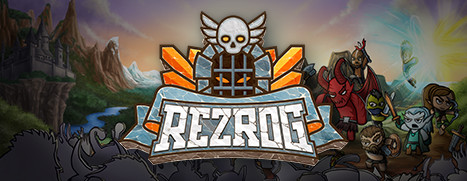
Rezrog - Valve
Rezrog is Now Available on Steam and is 10% off!*

Test your fighting spirit as you take your party of brave adventurers on an epic quest to restore peace to the lands of Rezrog in this table-top inspired, turn-based, dungeon crawler. Upgrade your skills & tactically exploit enemy weaknesses as you try to handle everything the dungeons will throw at you.

*Offer ends June 7 at 10AM Pacific Time
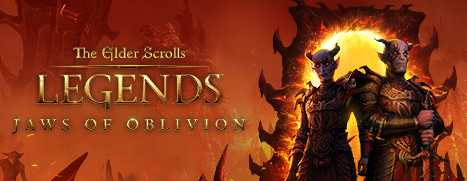
The Elder Scrolls®: Legends™ - Valve
The Elder Scrolls ®: Legends is Now Available on Steam!

Play The Elder Scrolls ®: Legends before June 14th, and get 5 free card packs. The free card packs will be given out to users automatically on June 15th.

The Elder Scrolls: Legends is a new strategy card game based on the world and lore of the award-winning Elder Scrolls series. Play for hours or minutes across many game modes that are easy to learn but challenging to master.

Dota 2 - Valve
* As an experimental change for a few days, All Pick will now have 25 heroes randomly removed from the hero pool at the start of the draft before the ban phase. This change only affects Ranked Matchmaking.


* In today ™s update we are changing how commands are processed in Dota to address some user input contention and improve responsiveness. Previously if you cast a spell and before it finished casting, you cast two spells afterwards, only the last spell would be cast. The order queue was only 1 deep effectively. This usually has no practical impact, except for things with really fast/instant cast time done in sequence. Here are a few examples of how the behavior would be different:


Example 1:
--
Axe casts battle hunger. While the cast animation is playing, Axe quickly uses a Blink Dagger and then Berserker ™s Call.

Old Rules: Only Berserker ™s Call is cast. The blink dagger order is ignored.
New Rules: Axe will use the Blink Dagger, then cast Berserker ™s Call.


Example 2:
--
Puck casts Illusory Orb. Puck then casts Dream Coil. While the cast animation of Dream Coil is playing, Puck quickly casts Ethereal Jaunt and Waning Rift.

Old Rules: Only Waning Rift would have triggered and Puck would not have teleported with Ethereal Jaunt.
New Rules: Puck teleports with Ethereal Jaunt and then casts Waning Rift in the new location.


This change applies generally to all orders that are issued when your hero is in another action (like during a cast animation or while stunned), and the order needs to enter the queue. Issuing a movement command or stop will still empty the queue same as before, if you decide you no longer want to issue the orders in the queue.
Oh...Sir! The Hollywood Roast - Valve
Oh...Sir! The Hollywood Roast is Now Available on Steam and is 15% off!*

The boys are back , and they look better than ever! Oh Sir! The Hollywood roast is a brand new spinoff to the surprise indie hit 0f 2016, Oh Sir!! The Insult Simulator. This time around we ™re taking tinsel town down a few notches, whilst classing up the joint. Play as one of many famous, but for legal purposes, slightly different pop culture icons and verbally spar with other Hollywood elitists using a deep battle system

*Offer ends June 7 at 10AM Pacific Time
Quantum Break - Valve
Today's Deal: Save 50% on Quantum Break!*

Look for the deals each day on the front page of Steam. Or follow us on twitter or Facebook for instant notifications wherever you are!

*Offer ends Friday at 10AM Pacific Time
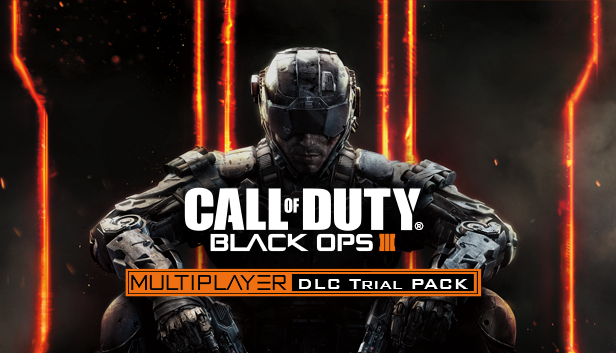
Call of Duty®: Black Ops III - Valve
Call of Duty ®: Black Ops III Multiplayer DLC Trial Pack is Now Available on Steam!

The Call of Duty: Black Ops 3 Multiplayer DLC Trial Pack for PC, a 30-day free trial that will give players access to all of the multiplayer goodness found in all four Downloadable Content packs. Furthermore, all of the MP maps will be added to all of the playlists. If you already own the DLC that you ™re playing, you ™ll get a 2XP reward. The deal is even sweeter for Season Pass owners, who will receive 2XP on all multiplayer maps. And those offers last through the duration of the 30-day trial.

...