Steam News - andrewl


Continuing our monthly series, we're happy to announce the Top Releases of November. As a reminder, we showcase the Top 20 titles released during the month, measured by the revenue generated during the first two weeks after release. We also highlight the Top 5 free-to-play titles, based on number of unique players they acquired.

Now Hiring

Players have always appreciated how games allow them to see worlds they may not otherwise be able to. November demonstrated that theme in a fun way, with many players opting for the experiences that come with real-life careers. Whether it's the excitement of blazing danger in Firefighting Simulator, the feeling of worldwide musical fame in FUSER™, the challenge of attaining perfection in Football Manager 2021, or even the appetite for exploration in Mars Horizon, these games give players a taste of what these careers entail - now only if they came with the paycheck, too! Make sure to check future months to see if your job ends up becoming a Top Release.

Early Access

We're also happy to see four new Early Access debuts in November, each well on their way to creating collaborative and invested communities. Prodeus and Due Process are bringing new and exciting elements to the FPS genre, while Door Kickers 2 and Kingdoms Reborn give players two completely unique simulation experiences that are worth checking out. We're looking forward to watching these games and their communities grow as they progress through Early Access.

Welcome to Steam

About half of the games this month are coming from teams who are releasing a product on Steam for the very first time. Some of these teams have worked on games before, while others are completely new to development. A big welcome and congratulations to Bounding Box Software Inc., Chris Shanaz, Chronos Unterhaltungssoftware, Damian Schloter, Earthshine, Giant Enemy Crab, GSQ Games, Pillow Castle, Ryu Ga Gotoku Studio, Stellar Entertainment Limited, Vadim Slyusarev, and YS Net.

--

November's Top Releases

Here's the list of November's top releases ordered by release date (we've organized this list on a handy sale page too):
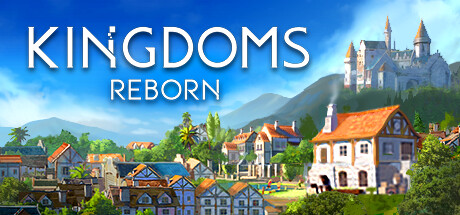

Kingdoms Reborn
Earthshine (Thailand)


Door Kickers 2: Task Force North
KillHouse Games (Romania)
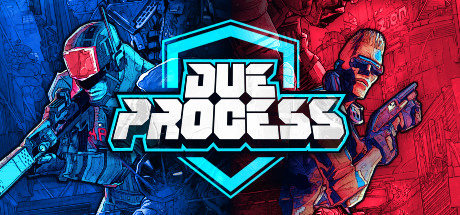

Due Process
Giant Enemy Crab (USA)
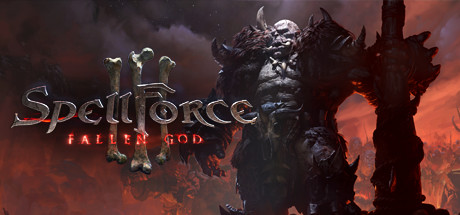

SpellForce 3: Fallen God
Grimlore Games (Germany)


Apex Legends™
Respawn Entertainment (USA)


DIRT 5
Codemasters (UK)


Need for Speed™ Hot Pursuit Remastered
Stellar Entertainment Limited (UK)


Superliminal
Pillow Castle (USA)
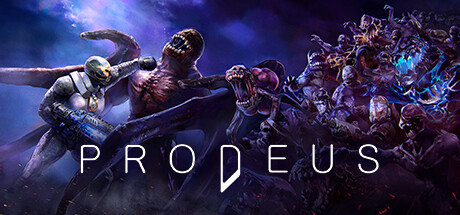

Prodeus
Bounding Box Software Inc. (USA)

FUSER™
Harmonix Music Systems, Inc (USA)


Sakuna: Of Rice and Ruin
Edelweiss (Japan)


Yakuza: Like a Dragon
Ryu Ga Gotoku Studio (Japan)


Titanfall™
Respawn Entertainment (USA)


Firefighting Simulator - The Squad
Chronos Unterhaltungssoftware (Germany)


Mars Horizon
Auroch Digital (UK)


Shenmue III
YS Net (Japan)

Slasher's Keep
Damian Schloter (Germany)


Football Manager 2021
Sports Interactive (UK)


Amazing Cultivation Simulator
GSQ Games (China)


NEKOPARA Vol. 4
NEKO WORKs (Japan)

--

November 's Top Free Releases


And here are the Top 5 free-to-play titles from November, ranked by total unique player count:


Apex Legends™
Respawn Entertainment (USA)


Super Buckyball Tournament Preseason
Pathea Games (China)


*NEW* SCUFFED EPIC BHOP SIMULATOR 2023 (POG CHAMP)
Chris Shanaz (Australia)


Our Life: Beginnings & Always
GB Patch Games (USA)

Disc Space
Vadim Slyusarev (UK)

--

If you're curious about previous months, here are more Top Release lists:

Steam News - Alden
Library
  • Added a new game properties dialog, which replaces the old dialog for all Steam games.
  • Fixed displaying the coming soon date for a pre-loaded game

Steam Input
  • Added support for software calibration of the PS5 controller gyro
  • Fix issue with Dpad emulation in games using the joyGetPosEx Windows API, ex: Shiren the Wanderer
  • Fix Nintendo Switch origins in Steam Input API not reflecting the current Nintendo/Xbox layout setting

Steam Cloud
  • Fixed an issue causing files to swap between users under separate Windows user IDs, and also with some file stored in paths with embedded 64-bit SteamIDs

SteamNetworkingSockets
  • P2P connections now may attempt to negotiate a direct connection (punch NAT), if needed, to prevent connections from having very high latency. Added an option in the In-Game settings panel to control when your IP address is shared.

Server Browser
  • Fix bug causing LAN server browser search to not show any servers

Linux
  • Improved performance of processing incremental Vulkan shader database updates
  • Fixed several issues around skipped Vulkan shader processing continuing in the background after a game has started
  • Disabled shader processing on NVIDIA while driver issues are being looked into
  • Fixed long delay in UI response when hot-plugging a controller

macOS
  • Disabled “Enable GPU accelerated rendering in web views” and “Enable hardware video decoding” settings on Apple M1 devices due to poor HW-accelerated performance currently through Rosetta.
Client Update - Valve
A new Steam client has been released and will be automatically downloaded.

Library
  • Added a new game properties dialog, which replaces the old dialog for all Steam games.
  • Fixed displaying the coming soon date for a pre-loaded game

Steam Input
  • Added support for software calibration of the PS5 controller gyro
  • Fix issue with Dpad emulation in games using the joyGetPosEx Windows API, ex: Shiren the Wanderer
  • Fix Nintendo Switch origins in Steam Input API not reflecting the current Nintendo/Xbox layout setting

Steam Cloud
  • Fixed an issue causing files to swap between users under separate Windows user IDs, and also with some file stored in paths with embedded 64-bit SteamIDs

SteamNetworkingSockets
  • P2P connections now may attempt to negotiate a direct connection (punch NAT), if needed, to prevent connections from having very high latency. Added an option in the In-Game settings panel to control when your IP address is shared.

Server Browser
  • Fix bug causing LAN server browser search to not show any servers

Linux
  • Improved performance of processing incremental Vulkan shader database updates
  • Fixed several issues around skipped Vulkan shader processing continuing in the background after a game has started
  • Disabled shader processing on NVIDIA while driver issues are being looked into
  • Fixed long delay in UI response when hot-plugging a controller

macOS
  • Disabled “Enable GPU accelerated rendering in web views” and “Enable hardware video decoding” settings on Apple M1 devices due to poor HW-accelerated performance currently through Rosetta.
Dota 2 - Valve
- Fixed an unintended inclusion of damage reduction on Wrath of Nature
Dota 2 - Valve
Hoodwink
- Base Agility reduced by 4.
- Acorn Shot: Bonus damage reduced from 25/50/75/100 to 20/40/60/80.
- Acorn Shot: Bounce count reduced from 3/4/5/6 to 2/3/4/5
- Bushwhack: Cast range reduced from 1200 to 1000.
- Bushwhack: Radius reduced from 325 to 275.
- Level 20 talent changed from -5 Armor Corruption to -3 Armor Corruption.
Dec 18, 2020
Left 4 Dead 2 - Valve
An update has been released for Left 4 Dead 2.

- Fixed survival stats getting reported during demo playback
- Fixed response rules "campaign" criteria not recognizing DLC campaigns
- Enabled stats reporting for CS weapons
- Fixed some caption colors
- Updated Spanish translations
- Fixed talker typo
- Script Functions:
• "ForceVersusStart" to force start the versus round.
• "ForceSurvivalStart" to force start the survival round.
• "ForceScavengeStart" to force start the scavenge round.
• "QueueSpeak" (hEntity, szConcept, flDelay, szCriteria) to queue a speech concept
• "RushVictim" (hVictim, flRange ) to force all common zombies in range to rush the victim. If hVictim isn't set, a random survivor will be chosen.
Team Fortress 2 - Valve
An update to Team Fortress 2 has been released. The update will be applied automatically when you restart Team Fortress 2. The major changes include:

  • Fixed a client crash related to inspecting the same item twice
  • Fixed the Strange Count Transfer Tool not being able to transfer stats between Mad Milk and Mutated Milk
  • Fixed the equip_region for Pebbles the Penguin
  • Fixed not being able to use Taunt: The Table Tantrum Unusualifier on Taunt: The Boiling Point
  • Updated Taunt: The Pooped Deck to fix some sounds
  • Updated the localization files
  • Updated ctf_snowfall_final
    • Fixed an issue some players were having with candy cane textures
    • Updated the lighting
  • Updated pl_wutville_event
    • The Smissmas trees are now properly colliding with mercs and ordinance
    • The larger first BLU spawn has been re-zoned for proper class changes and no more Engineer shenanigans
    • Wooden crates and furniture from the 2Fort division has had the minimum DirectX levels restored and should now be visible to mercs
    • Clipping of ledges and outcroppings around the Control Points has been installed to keep the merc's boots on the ground
    • The train tunnels will no longer allow for early escape
Steam News - alden


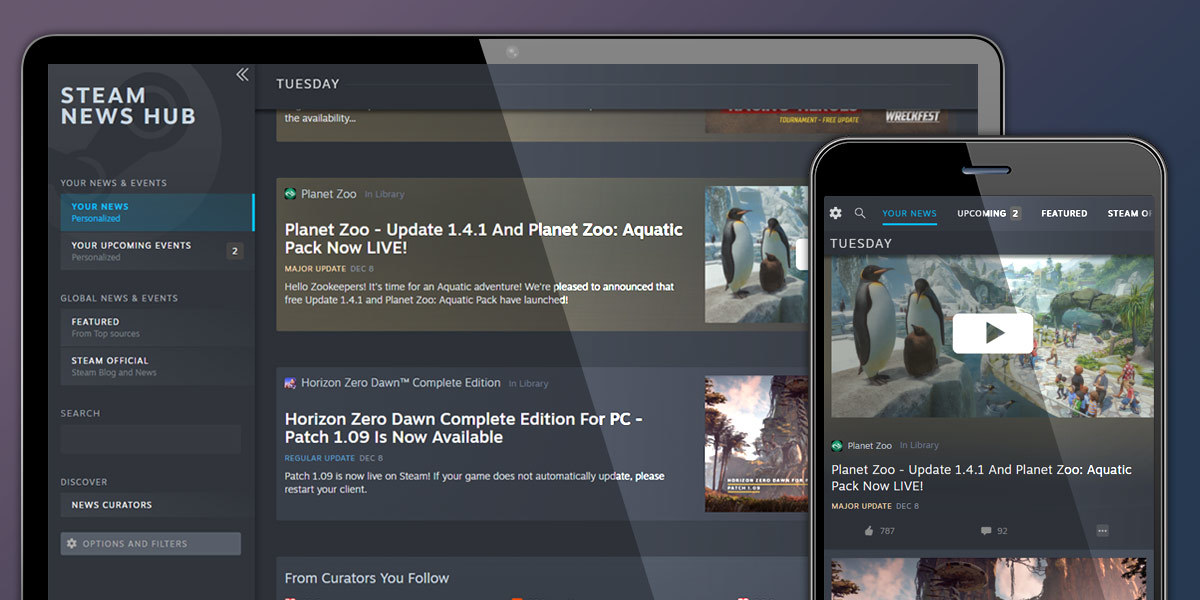
Whether you're at work, on the bus, or playing at home, you can now browse your personalized Steam News Hub to easily find updates, announcements, and events for the games you play, wishlist, and follow.

https://store.steampowered.com/news/

The News Hub is designed to be flexible and personalized around your games and preferences, with many customization options built in. By default, the News Hub shows posts from the games you play, wishlist, follow, or are recommended. Or, if you want to take full control, you can change all that with a few quick setting adjustments in the left-hand menu. Plus, you can choose to follow and receive news from dozens of top gaming news sources across a variety of languages.

First launched as an experiment in Steam Labs in March, the News Hub has been developed with the feedback of players along the way. Today it becomes a full feature of Steam and replaces the previous news feed found at /news.

Personalized feed of news
By default, the Steam News Hub will show you everything posted by the developers of the games you play, games you wishlist, and games that you follow. From patch notes to weekend tournaments to Major Updates, the News Hub is a great way to keep up to speed with new developments and activities in the games you care about. But you can easily change these defaults to exclude certain kinds of posts or posts from certain categories of games. You can also mute individual games directly from the News Hub.

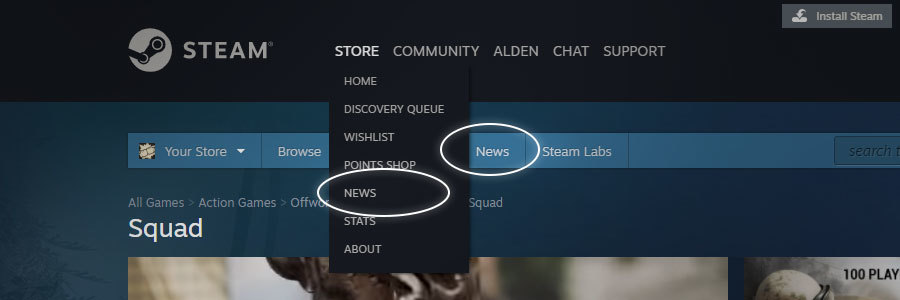
Explore your personalized Steam News Hub here: https://store.steampowered.com/news/ or by selecting 'store → news' at the top of Steam.


More gaming news choices
In addition to news from Steam and game creators, the News Hub allows you to follow gaming sites from around the world.

The old newsfeed only featured a handful of gaming news sites. Now, housed through the Steam Curator system, dozens of sites from around the world are now featured via a new menu item for “Steam News Curators” that allows you to explore all these sources. Here you can see what sorts of things they write about as you choose which ones you might like to add to your personalized hub.


Each News Curator brings different kinds of news and content, including rich media, screenshots, videos, and/or detailed guides and reviews. Some deliver blurbs that you can quickly scan in the News Hub, while other sources include full articles. Included YouTube videos are even playable right in the news feed. And there's always a link to explore more via the news source's own website.

Check out news sources here: https://store.steampowered.com/news/collection/press/

See what's coming up
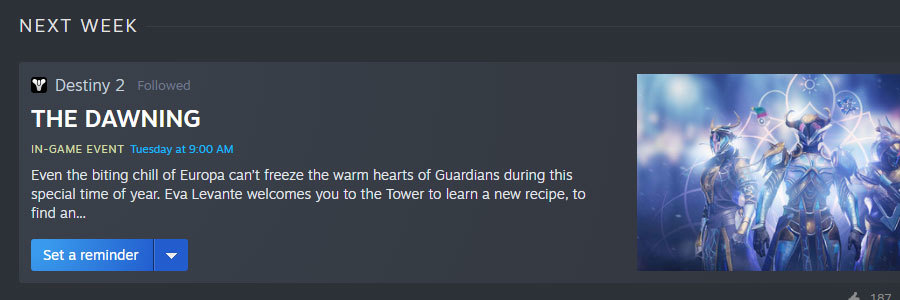
Beyond info, the News Hub also makes it easy to explore events coming up and lets you sign up for email or mobile app reminders. Or you can just add the event to your Google Calendar or iCal so you can plan your weekend around interesting tournaments or community events.


Explore your upcoming events here: https://store.steampowered.com/news/?upcoming=1

Game updates and patch notes
Get more info on all the recent updates for the games you play: When you click to read news from games in your library that just updated, you'll find the Steam News Hub, filtered to just update notes about that game (note that not every developer is in the habit yet of posting patch notes with every update. We've got some updates coming soon that should help with that.)

Explore posts from top games
Interested in what's happening in some of the most popular games on Steam? Check the 'featured' channel for major updates, live events, and news from top selling and top played games on Steam.

Check out featured articles here: https://store.steampowered.com/news/collection/featured/

Official Steam announcements
Keep up to date with the latest announcements directly from Steam, such as new feature announcements and exciting new events and festivals. Plus, if you are a game developer, this will include news and updates about Steamworks.

Browse official Steam announcements here: https://store.steampowered.com/news/collection/steam/

Fine-grained control
Of course, the whole goal behind the Steam News Hub is to give you a personalized view of gaming news, so you get to choose what kind of content you want to see and what kind you don’t. If you wish, you can ignore individual news sources from within your feed by selecting the little menu below a post by that source and selecting 'mute' to exclude their news from your feed.

Full Language Support
While your favorite game may not translate everything they post into your language, the News Hub supports it. You'll find official Steam news as well as news and posts from many popular games available in a huge variety of languages.

Mobile friendly
The event hub is designed with mobile use in mind so you can keep up with your favorite games when you're out and about.

--

To get back to the new Steam News Hub, just select 'news' from the main store drop-down in Steam.
Or click "news" on the blue bar.

Check it out now: https://store.steampowered.com/news/


About Steam Labs
Launched in July 2019, Steam Labs is a place where experimental new features can be introduced early in development, tested, and developed in conjunction with the community. For more information, please visit https://store.steampowered.com/labs/
Team Fortress 2 - Valve
An update to Team Fortress 2 has been released. The update will be applied automatically when you restart Team Fortress 2. The major changes include:

  • Fixed the Spy's arms not cloaking
  • Updated Taunt: Spin-to-Win to fix an animation timing issue
  • Updated Taunt: The Pooped Deck with missing animations and sounds
  • Updated the equip_region for The Cammy Jammies
  • Updated the localization files
Steam News - Christen
Introducing New Ways to Browse Steam
With this experiment, we aim to increase the surface area of the store by introducing a broader set of ways to browse Steam’s catalog of games from the outset—no login or complex searching required. Our new views provide greater exposure to the breadth of games available on Steam through new useful points of entry such as sub-genres, themes, and player modes. We hope you’ll opt into our Store Browse Experiment to give these new views a try, then let us know what you think in the discussions.

New & Noteworthy
Many users rely on our charts for quick snapshots of what’s new and popular on Steam. These are now accessible from one menu, New & Noteworthy, which also provides direct access to the biggest events currently running Steam—including game festivals, publisher sales, and other seasonal celebrations.

Categories
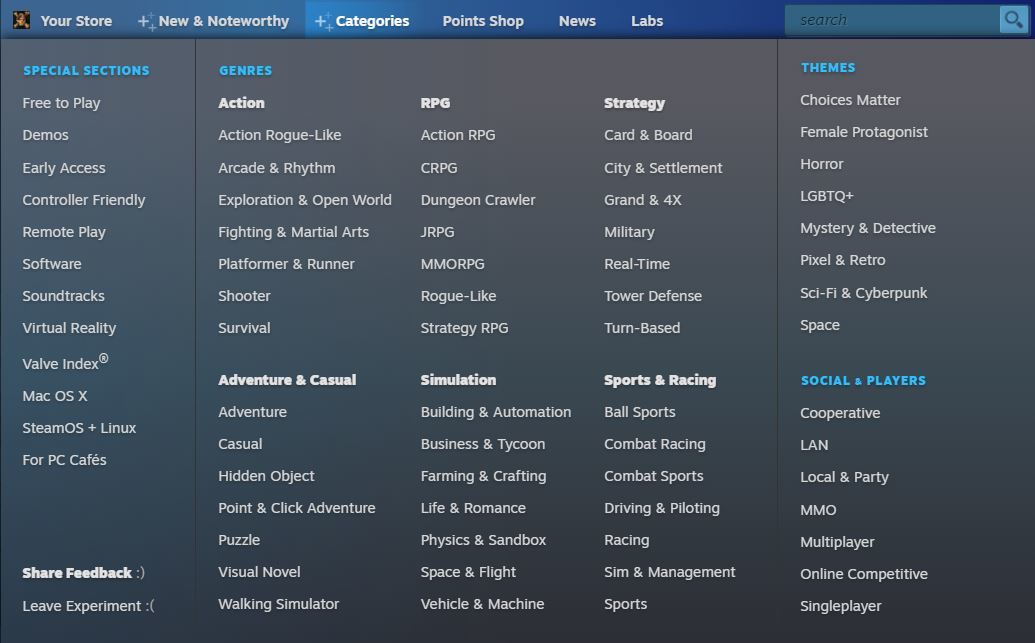
A basic list of genres, while easy to browse, falls a bit short given how large our catalog has grown. Our new Categories menu helps users quickly discover and dive into the breadth and depth of interesting games on Steam. This menu serves up dozens of new categories of games, which can then be explored further.


It’s not enough to simply offer good games on Steam—we also need to make sure they’re easy to discover. And to do that, we need to organize them in ways that make sense without being overwhelming. You might be able to fit the same amount of goods in an open-air bazaar as in a cramped warehouse, but you’re far more likely to find what you want in the former.

The first step in building such a system is to present meaningful entry points which reflect the various ways people typically want to browse a store full of games.

New Entry Points: Genres, Themes, and Player Modes

This experiment exposes entry points modeled after the three chief ways players tend to browse Steam—by genre, by theme, and by player modes. Each of these motivations broadly answers a different question:

Genres “What kind of game is this? What is it like to play?”
Strategy, RPG, 3D Platformer, Metroidvania, etc.

Themes “What is the game’s content like?”
Fantasy, Science Fiction, Cute, Relaxing, Anime, Horror, etc.

Player Modes “Who can I play the game with?”
Singleplayer, Multiplayer, MMO, Co-op, etc.

These player motivations can be organized and expressed using our existing tags and metadata. Categories grouped under the Genres and Themes entry points are defined by tags, whereas categories grouped under Player Modes are defined by metadata provided directly by the developer.

We arrived at these three top-level categories through a mix of formal research and intuition. But there’s also strong precedent for this scheme on Steam itself in the form of Steam Curators. We noticed many curators are building lists of specific types of games, almost all of which fall under one of the above three patterns: Gameplay and genre-based lists like City Builders, theme-based lists like Games with Dogs, or player mode-based lists like Games to Play with Your Significant Other.

New Browse Views

Among these three entry points we are currently surfacing 48 genre categories, 8 theme categories, and 7 player mode categories, for a total of 63 new categories. Clicking on any of these will take you to a dedicated content hub, a landing page dedicated to that kind of game.


Each of these destinations has its own URL, so you can bookmark them or share them with friends. Each features a carousel highlighting featured games, top sellers, and specials, as well as five specific tabs listing
  • New & Trending
  • Top Sellers
  • What’s Being Played
  • Top Rated
  • Upcoming

Players can narrow by popular tags within these hubs as well. The left column of tags surfaces popular genre and sub-genre tags common to this category, and the right column surfaces other types of popular tags (such as mechanics, visuals, themes, and player modes).

Clicking on any of these will take you to a sub-view of the content hub. In the illustration above, we’re viewing Building & Automation Sims, but now we’re viewing only those which also include the Space Sim tag. Each of these sub-views gets its own unique URLs too.

Viewers can return to the parent category any time by toggling the filtering tag previously clicked, or by clicking another to display a different sub-view of the category.

Steam’s Special Sections

This experiment also moves some items previously found in their own top-level menus (such as Software and Hardware) into Special Sections under Categories. Now these and other potential points of entry are all consolidated in a single categorical browse menu.

Our Design Process
How can we be confident in our selection and definition of over 60 new categories? This is an experiment, and thankfully our process includes you. Your feedback on our decisions will help us refine our categorization. To date, our methodology has been a mixture of traditional Library Science and human intuition backed by numerical analysis, and is built leveraging previous Steam Labs experimentation.

  1. We organized all of our user tags into meaningful Categories such as Genres, Visuals, Themes, and Features. These categories were first used in Deep Dive to help determine similarity between games.

  2. We mapped out the semantic relationships between tags, so Steam could recognize that a Strategy RPG is both a Strategy game and also an RPG. This feature was first used in Query Expansion for Search.

  3. We’ve made some efforts to improve the quality of Steam tags. We built an internal tool that analyzes the quality of the tags of every game on Steam, flagging games that have too few tags, or are missing crucial tags like genres and subgenres, and now surface these and other warnings to developers. We paired this tag quality inspector with a new developer tool, the Tag Wizard, that helps our partners improve the sets of tags associated with their games.

  4. We identified a flexible hierarchy of genres using prior research in games classification, as well as statistical analysis of which tags appear most commonly alongside other tags on Steam.

  5. We built a system for defining tag clusters to reveal higher-level concepts like Card & Board Games rather than a single tag like Card Game. Now, a tag cluster like Card & Board Games isn’t defined as simply Card Game plus Board Game. Instead, it also includes tags like Solitaire, Card Battler, Deckbuilder, Tabletop, and so on. And naturally, it uses Query Expansion to make sure nothing slips through the cracks.

  6. We gave each tag cluster its own permanent landing page as described above.

  7. We built a tool that analyzes which games fall into which categories, across the entire catalog. This helps us gut-check our choices and identify and resolve situations like:
    • Narrow categories too small to stand on their own that might be better served when merged with a sibling or two. This is where hubs like City & Settlement and Grand Strategy & 4X came from.
    • Overly broad or redundant categories that overlap too much with adjacent genres. These should be broken down into smaller categories or removed altogether. A good example is Action-Adventure; although we have a tag for this, in practice the concept of Action-Adventure doesn’t meaningfully distinguish itself enough from either Action or Adventure alone.
    • Games that aren’t being surfaced by any of our proposed categories. This is a wake-up call that we need to add new categories. This check kept us from overlooking the need for categories like Experimental and Exploration & Open World.

  8. And most recently, we launched this experiment in Steam Labs!

Now we want to hear from you! What’s missing? What seems redundant? What is most interesting, and what’s… just not? Share your feedback in the discussions and help us improve the Steam store through Labs.


...