Mushihimesama - Valve
Mushihimesama is Now Available on Steam and is 25% off!*

Battle huge "Koju" bugs in CAVE's beautiful fantasy shooter, Mushihimesama. Experience the thrill of bullet hell from the masters of the genre as you evade visually stunning shot patterns with thousands of bullets.

*Offer ends November 12 at 10AM Pacific Time
Robotpencil Presents: Basic Render Tips - Matte and Metal - Valve
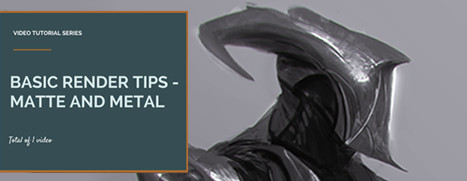
Robotpencil Presents: Basic Render Tips - Matte and Metal is Now Available on Steam!

This video tutorial mainly talks about how to handle MATTE and METAL materials using some simple tricks and tips I use on a daily basis. This is for those who are more intermediate and have control of their paintings, but not their materials. You should refer to the Painting with Confidence video if you are super beginner, before this video.
Robotpencil Presents: Advanced Design Tips - Valve
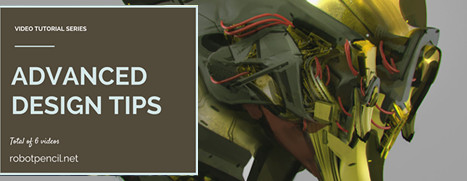
Robotpencil Presents: Advanced Design Tips is Now Available on Steam!

Advanced Design Tips goes through Design from basic to advanced rules of design. Demo paintings included in this package.
Conflicks - Revolutionary Space Battles - Valve
Conflicks - Revolutionary Space Battles is Now Available on Steam and is 25% off*!

Spaceships, lasers, and chickens! What more could you ask for?

Conflicks: Revolutionary Space Battles is a creative new take on space-themed videogames that merges the deep, thoughtful gameplay of strategy games with the intuitive accessibility of physics-based games.

*Offer ends November 19th at 10am Pacific.
Trine 3: The Artifacts of Power - Valve
Save up to 85% on the Trine Franchise as part of this week's Weekend Deal*!

Experience a fairytale world of breathtaking sceneries and face a myriad of physics-based puzzles, wonderful contraptions, dangerous foes and enchanting creatures.

The gameplay is based on fully interactive physics - each character's different abilities help the player battle an army of undead and defeat hazardous contraptions. The player can at any time freely choose whoever is best suited for the upcoming challenge or puzzle: The Wizard is able to summon objects to help solve puzzles and create new ways to overcome obstacles, the Thief uses her agility and dead-on accuracy to swiftly surprise the monsters, and the Knight unleashes mayhem and physical destruction wherever he goes.

*Offer ends Monday at 10AM Pacific Time
Announcement - Valve
The Nordic Publisher Weekend is on now, with deals up to 95% off on great games and franchises like Darksiders, The Book of Unwritten Tales, Red Faction and more!

Kenshi - Valve
Today's Deal: Save 40% on Kenshi!*

Look for the deals each day on the front page of Steam. Or follow us on twitter or Facebook for instant notifications wherever you are!

*Offer ends Saturday at 10AM Pacific Time
Age of Empires II (Retired) - Valve
Age of Empires II HD: The African Kingdoms, all new content for Age of Empires II HD is Now Available on Steam and is 20% off!*

Welcome to Age of Empires II HD: The African Kingdoms; the second new official expansion for the Age of Empires II universe in over 16 years. Challenge friends with four additional civilizations, new units, ships and technologies. Fight your way through the African continent with four campaigns and obliterate your opponents with a fresh batch of units under your command!


*Offer ends November 9th at 10AM Pacific Time

Client Update - Valve
General
  • Improved startup times for users with a large number of games
  • Added a "Update News" option to the view menu so you can go back to past offers and view their details
  • Changed controller Steam/Xbox button behavior to fix a collision with the hold-down-for-4-seconds method of turning off the controller:
    • Old behavior: Hold down 3 seconds to launch Big Picture (or single press if you were in desktop Steam).
    • New behavior: Pressing once will change focus to Steam if it doesn't have focus. If it has focus, pressing once will launch Big Picture.
  • Fixed the friends dialog sometimes dismissing if your network connection dropped and reconnected
  • Fixed play button for non-Steam games showing "Preload" in some cases
  • Fixed a possible crash when running a badly-formed steam:// URL

Big Picture
  • Improved hover behavior when using the mouse to navigate
  • Significantly improved performance in the Library area for users with a large number of games
  • Updated status bar look at the top of the main menu
  • Reorganized the Settings section and fixed several issues with individual pages
  • Web browser shows hand cursor when hovering over web link
  • Added support for multiple game library folders
  • Added support for picking your default install library for Games
  • Improved performance when rendering large amounts of text
  • Fixed Steam overlay flickering when using multiple NVIDIA GPUs in SLI configuration
  • Fixed bad on-screen positioning of Big Picture mode after running games that change display settings
  • Fixed unexpected switch out of Big Picture mode when displaying content validation messages
  • Fixed getting stuck in the Library screenshot viewer if you used the guide button
  • Fixed web pages being partially transparent when moving
  • Fixed rare crash when navigating through large lists
  • Fixed crash when using daisy wheel in the Web browser
  • Fixed mouse wheel not working when hovering the right grid in the Library
  • Fixed "New For You" items not activating when selected
  • Fixed in-game crash when using the Daisy Wheel keyboard
  • Fixed buttons mis-firing on the Steam Controller right after leaving a game
  • Fixed view CD key button in the overlay being styled incorrectly
  • Fixed getting stuck in the overlay if you backed out of certain panels before they fully loaded
  • Fixed focus going to the wrong place if you deleted the last game from the Disk Management page under settings

Steam Controller
  • Added a new trackpad mode, Mouse Joystick. This is an alternate way of emulating mouse-style controls for games that disable mouse input when using a gamepad. For best results, we recommend increasing the gamepad camera sensitivity/speed in the game settings.
  • Added a new trackpad mode, Touch Menu. This mode is useful to bind many infrequently-used hotkeys to a single trackpad. The Big Picture in-game overlay has to be enabled for this feature to work.
  • Added support for custom controller configurations for Desktop mode
  • Added option to turn off steam controller when leaving Big Picture mode.
  • Additional work to prevent noise and drift for the gyro when in a steady state. Calibration will refine when left idle for five seconds if current configuration uses Gyro. If drift is severe, leave idle for 15 seconds for repeated refinements. Note that "always on" is not required for auto-calibration, it happens regardless of button activation.
  • Made trigger soft and full pull mode-shift and gyro-enable capable buttons
  • Added the ability to mode shift triggers
  • Mouse Rotation horizon line visualization is now shown/hidden when adjusted
  • Added Trigger Mouse Dampening. Squeezing the trigger can now engage a dampening factor to the mouse mode.
  • Added Joystick Camera option to Gyro.
  • Added Invert Horizontal and Invert Vertical to mouse/joystick modes.
  • Added options to configure the suggestion modes of the dualtouch keyboard
  • Added Legacy configuration option for games with In Game Actions, allowing users to access advanced settings.
  • Mouse Rotation now visualized as a horizon line when changing the slider.
  • Gyro Enable Button is now visible in the gyro preferences.
  • Added support for keyboard/mouse emulation on Mac
  • Fixed a client crash when running a game with an invalid official controller configuration
  • Fixed some "gyro enable button" options not applying properly
  • Fixed bugs preventing controllers from showing up under settings when using a Steam Link
  • Fixed properly showing binding descriptions for games that have an official configuration
  • Fixed an issue with emulated analog stick sometimes moving in the wrong direction when fully deflected
  • Fixed Trigger modes getting stuck on Hip Fire Aggressive
  • Fixed Rotation visualization for Mouse Joystick
  • Fixed Mode Shifts not showing up properly on main controller overview.
  • Fixed Mode Shifts not being disabled by setting the shift button to none.
  • Fixed loss of input in Portal 2 after losing focus or activating the overlay

In-Home Streaming
  • Reduced CPU usage of the streaming client software
  • Enabled hardware encoding by default, please report issues on the bug forum
  • Added workarounds for some multi-monitor issues with NVFBC capture mode
  • Updated AMD hardware encoding SDK for improved Win8+ performance
  • Improved performance and fixed garbled picture with AMD hardware encoding
  • Improved performance of some video capture methods for windowed games
  • Disabled some incompatible capture methods if AMD Crossfire is detected
  • Improved support for rotated (portrait-mode) monitors
  • Changed desktop mode to capture one monitor at a time and follow the mouse across monitors
  • Fixed incorrect display cropping on Linux clients when hardware accelerated decoding is enabled
  • Fixed a potential cause of black screens when hosting games on a computer with multiple GPUs
  • Fixed low resolution due to Windows display-scaling settings in NVFBC capture mode
  • Fixed bugs with streaming multiple-monitor desktops on Windows 8 and higher
  • Fixed incorrect mouse coordinates in some situations with Windows 8.1 and Windows 10
  • Fixed a crash if the user exits Steam while a streaming session is still active
  • Fixed some causes of audio stutter when streaming at high bitrate
  • Fixed always-black video on some multi-GPU, multi-monitor systems
  • Fixed issues with Toki Tori 2 and several other games which rely on VSync for animation timing
  • Fixed crashes on systems with certain AMD video drivers
  • Fixed low capture resolution when running games on a high-DPI monitor
  • Fixed mouse cursor position when text scaling is enabled on the host computer
  • Fixed mouse clipping issue with fullscreen games

SteamOS + Linux
  • Added support for Captured Portal (i.e Hotel Wifi) network configurations
  • Improved compatibility with XCB games
  • Fixed being unable to type shifted characters from the virtual keyboard

Mac OS X
  • Fixed focus issues when displaying 2 modal dialogs at the same time
  • Fixed slow shutdown when you had a Steam Controller connected

Windows
  • Added a warning and link to troubleshooting steps when Steam detects that Windows Compatibility Mode is interfering with internal functionality
  • Improved compatibility of the Steam overlay with other third-party overlay software
Clandestine - Valve
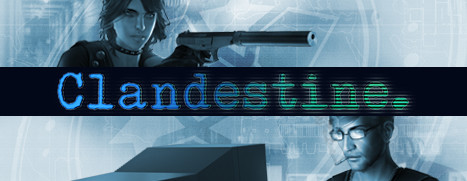
Clandestine is Now Available on Steam and is 20% off!*

Clandestine is a 2-player or singleplayer stealth/hacking game set in 1996. Asymmetrical co-op allows one player to take the role of the spy while a friend provides overwatch and assistance as the hacker, and unravel a post-Cold War espionage conspiracy.

*Offer ends November 12 at 10AM Pacific Time
...