Gamecraft - JoshJammer
Hello Gamecrafters,

After a week in the Preview Branch, we’ve collected all of your feedback and made a couple of changes. We’re happy with the current state of the latest update, so we’re closing down the Preview and putting that build live for everyone to enjoy! We’ll give a brief summary of the new content in the Preview, but you can check out the full Preview patch notes here:

https://steamcommunity.com/games/1078000/announcements/detail/1692726369367754771

...and a subsequent hotfix based on community feedback here...

https://steamcommunity.com/games/1078000/announcements/detail/1692726369386542808


Wiring System
This method of connecting parts is an overhaul of what was previously used in Gamecraft and is designed to future proof all the functional blocks we hope to add in future (such as Logic Blocks and all the blocks you will need to make incredible multiplayer games). Along with future-proofing, the new system is designed to be more user-friendly and more powerful, allowing you to achieve builds not possible before.

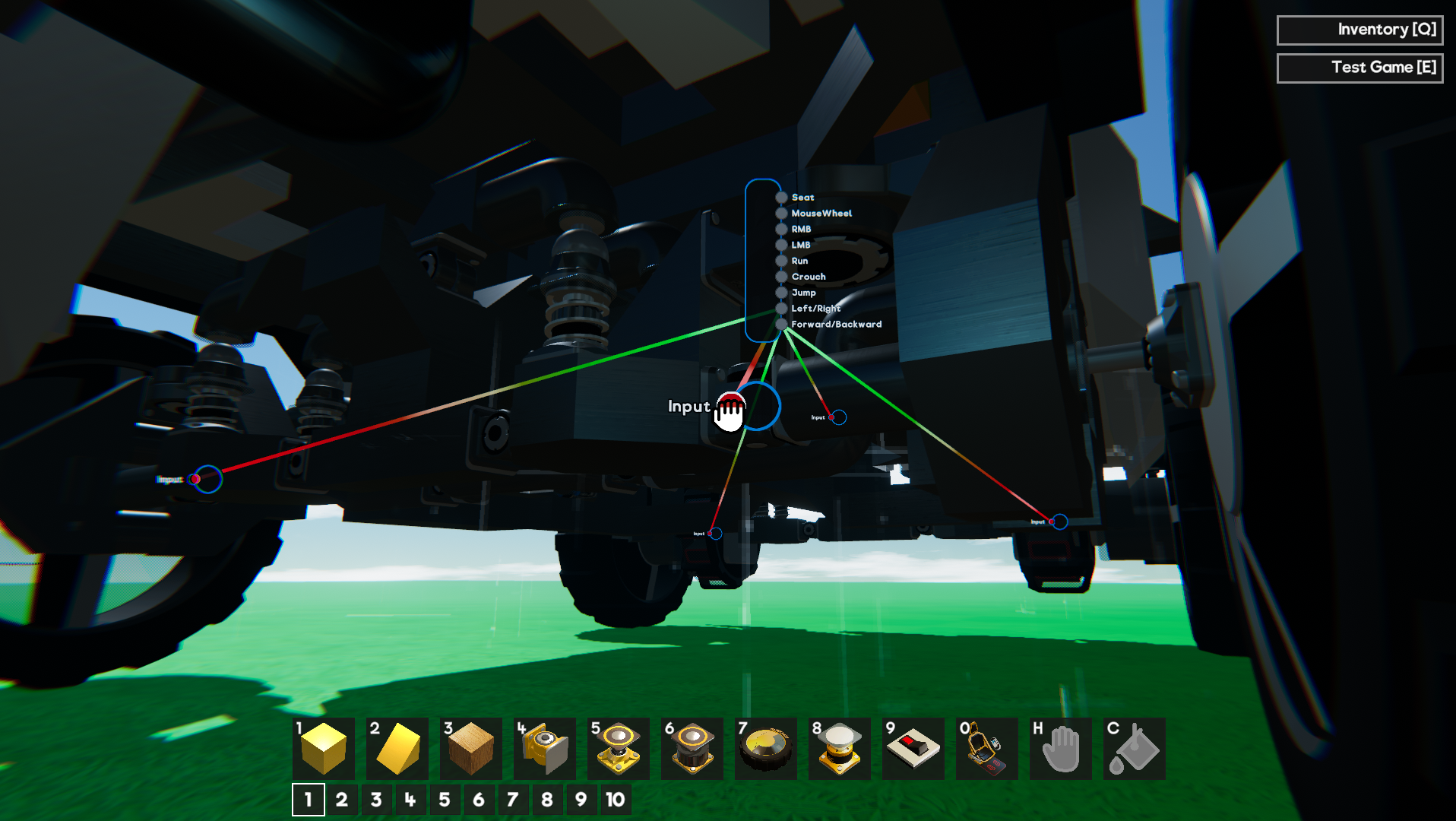
The wiring system lets you connect parts in the same way as before, but with a lot of improvements and nice extras. Instead of assigning a “channel” to each of your motorised parts and controllers, you will now be connecting them through virtual wires.

Changes to Conductivity, Connectivity & Power
With the wiring system, we decided it would be the best time to remove the requirements for parts to always be connected through conductive materials that also have access to a power source. We felt that all of these constraints were a bit too limiting and often confusing to pick up.

Tweakable Stats
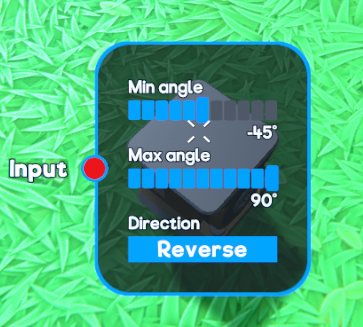
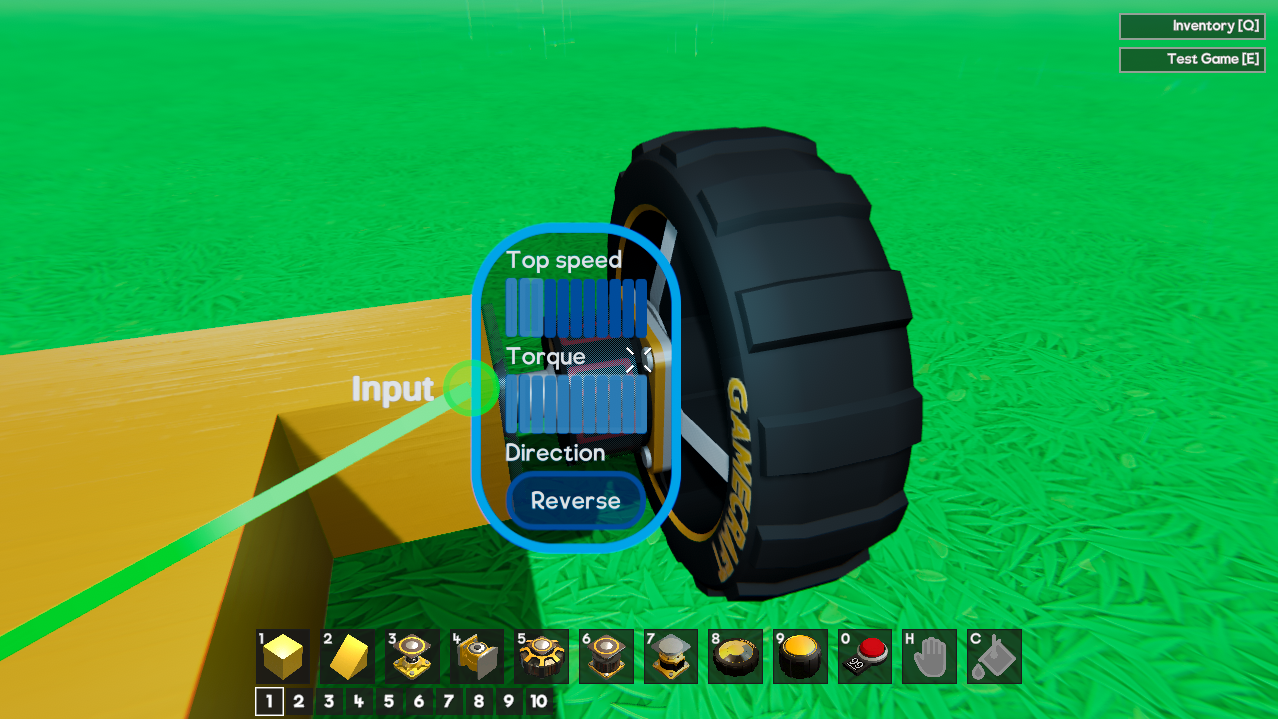
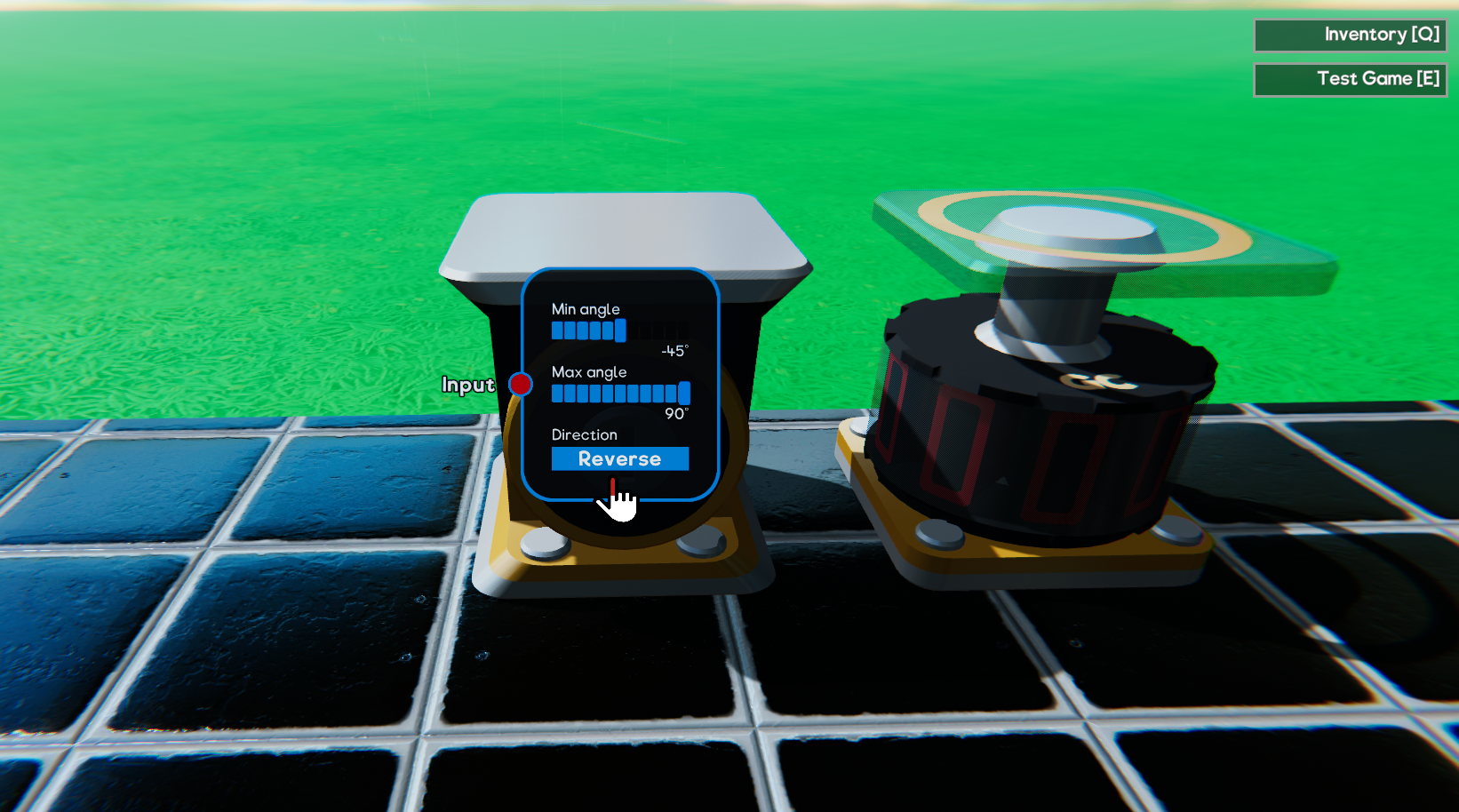
Parts like the Motor can have their “Max Speed”, “Torque” and even default direction (normal/reverse) altered. Other parts like Pistons can have their maximum extension tweaked. Levers and other controllers have their default position moved into this menu rather than dragging them like you do in simulation. Clicking on the blue “target button” that appears when looking at a part will give you access to the part’s stats.


Signal Changes
Since we now have Tweakable Stats to control the power and speed of things we have, we’ve also taken the opportunity to switch from an “averaged” combined signal to a “summed” one. This is another step towards Logic blocks. Old saves will still work with the old “average” system unless you convert them over using our new “switchSignalsToSummed” console command.

Existing Save conversion
Any existing save files will automatically be converted and wired based on their old signal channel when you load them. This means you shouldn’t have to lift a finger and almost all save files will continue to work the same way.

The only change that may affect your save games is the fact that some parts (like Motors) that would have spun on their own if you connected Power to them without connecting any controls (like Levers) will now spin on their own regardless (as there is no ‘Power’ requirement now.
Graphics & Sound Settings
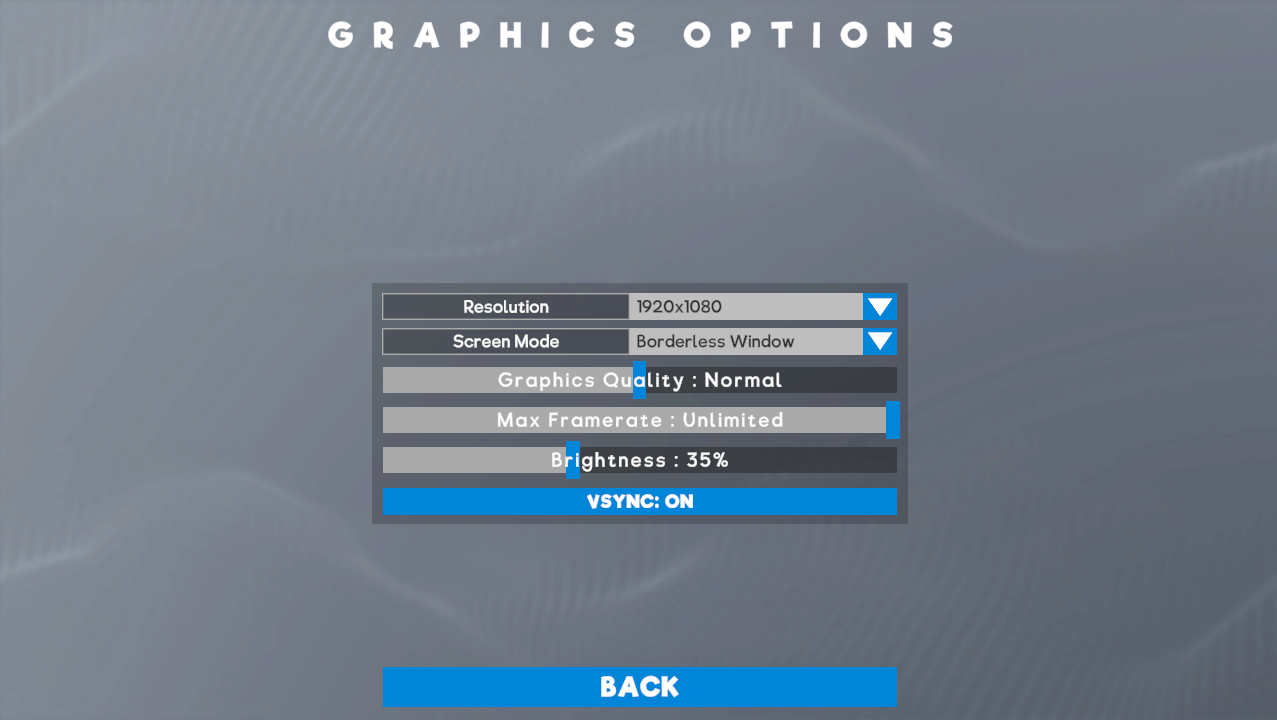
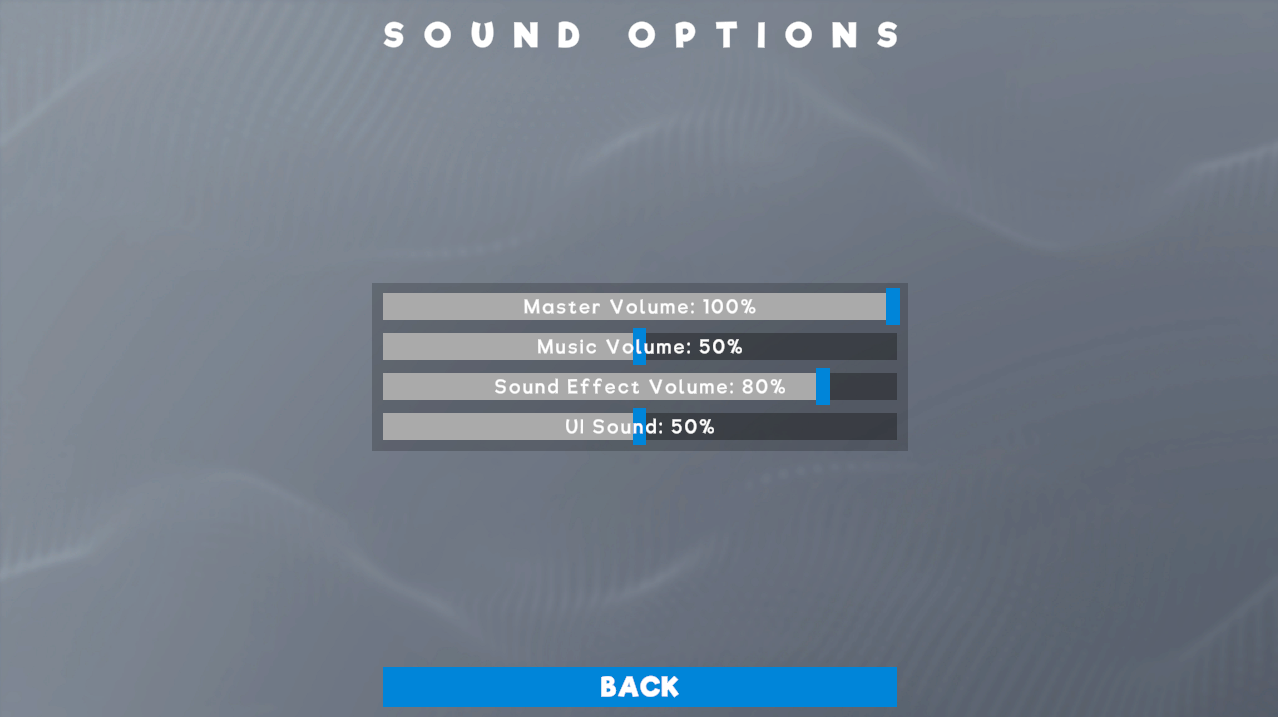
Graphics and Audio settings screens are here too! These settings are available via the Main Menu, and in-game so that you can tweak as you play.

Tyre Changes & Variants
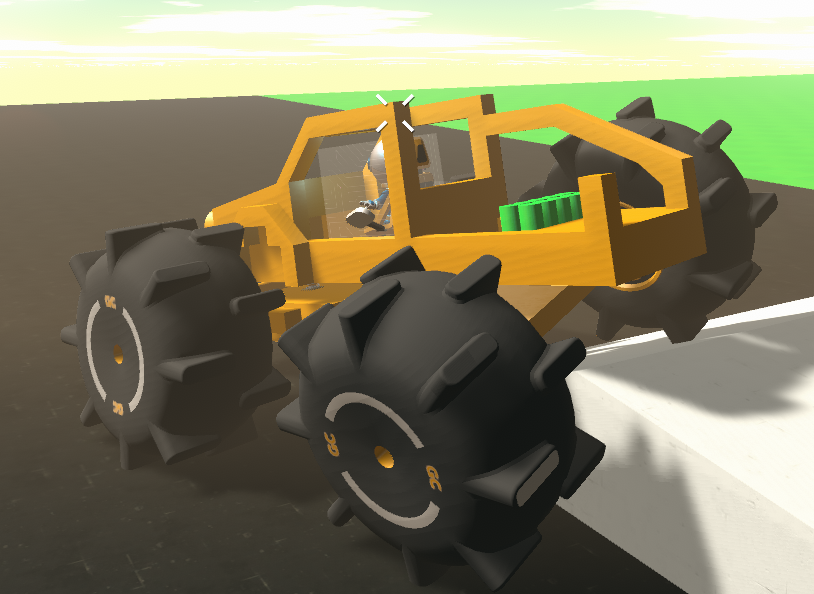
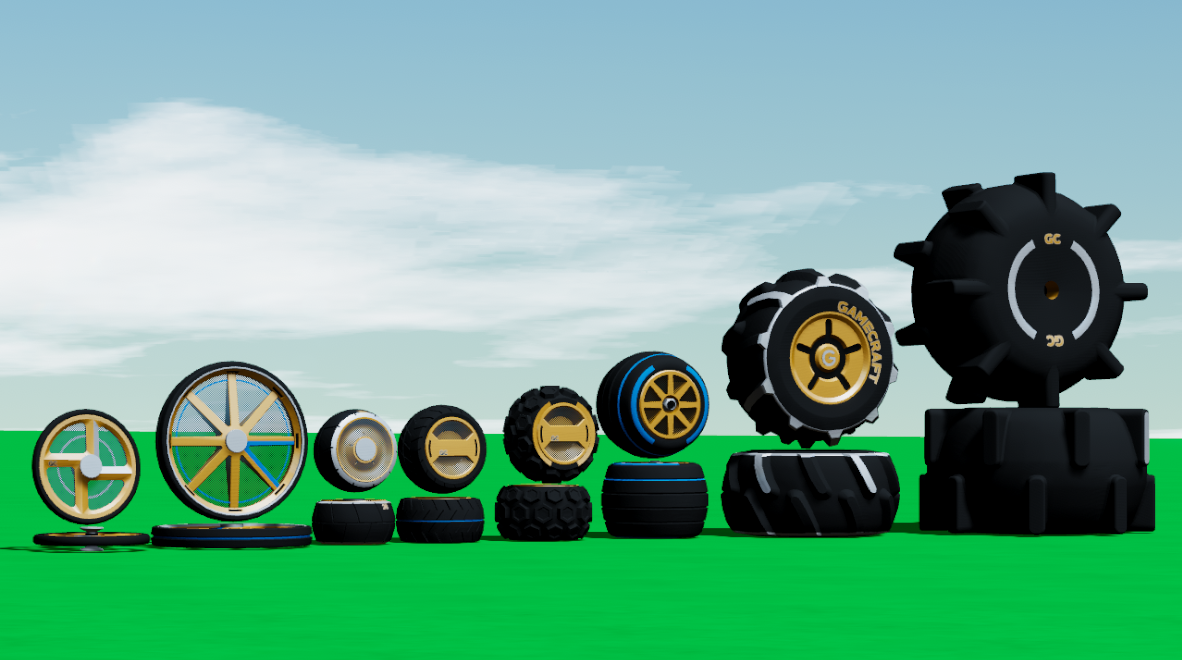
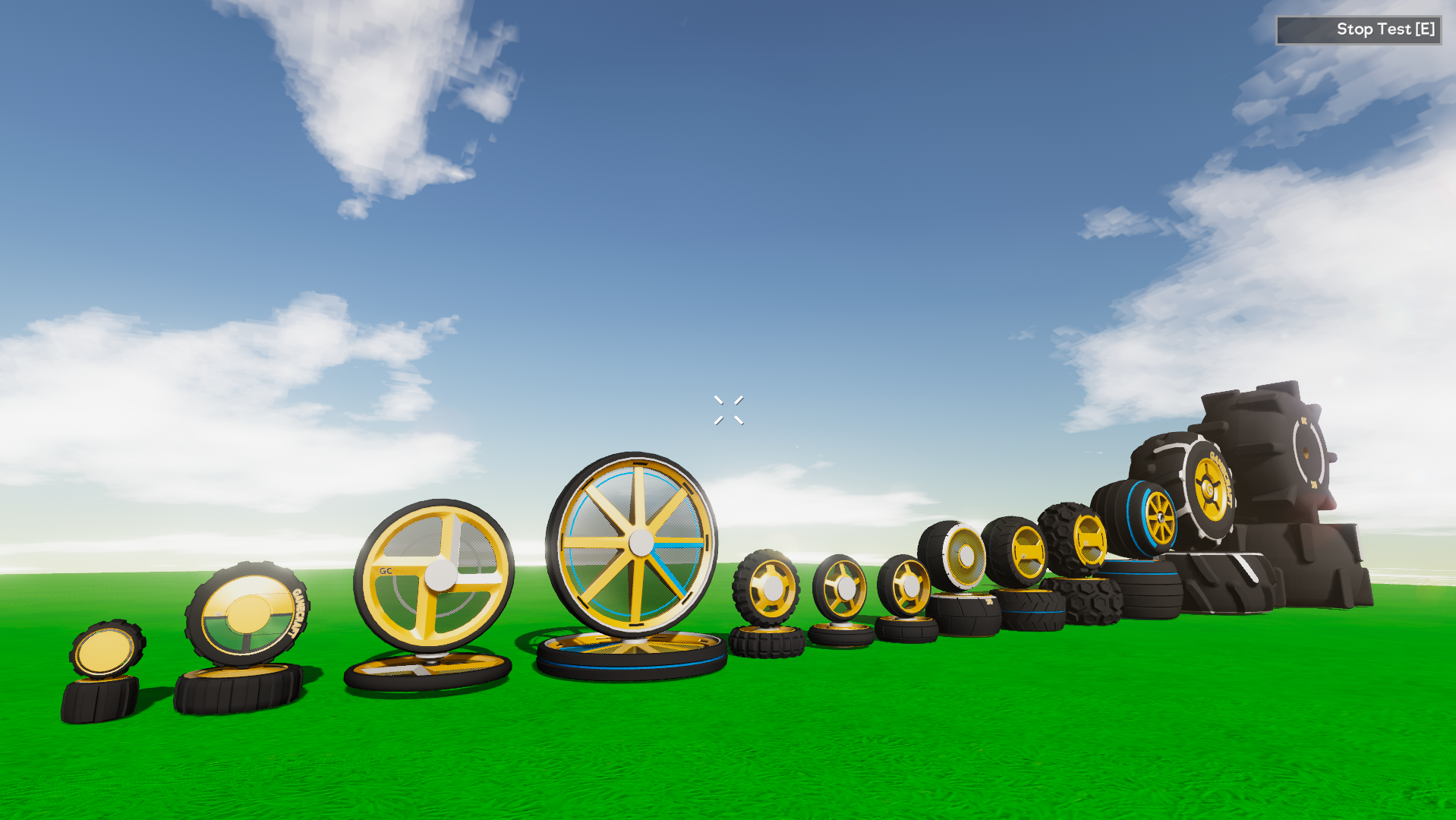
We’ve made some big changes to the way tyres work. We’ve also added 11 new variants!


We’ve split forwards and sideways friction of tyres, which should make cars feel much, much better to drive. We’ve also Set different friction and driving characteristics for different tyres on different materials. “Road” tyres used on Grass or Dirt will slide around and have less friction than Concrete, for example. Finally, we’ve tweaked the mass of all wheels. We’ve adjusted them to make them more relative to the size of the wheel and make sure the mass increases sensibly as they are scaled.
Other Changes
QuickSave
We’ve added in a Quicksave button (F5 by default), so that you don’t have to constantly open the pause menu to save every time. If you use this on your first save you’ll go through the usual screenshot/naming flow. Using quicksave after that will simply save.

Pilot Seat collider size
We’re always listening out for your feedback and this was a quick and simple change that we’ve seen requested. The Pilot Seat and Pilot Control parts now have the collision as the Passenger Seat to make compact builds a bit easier. The visuals still need to be updated to stop the controls slipping through other parts but we’ll clean that up with something a bit fancier later.

Updated Guides & Prefab Tutorials
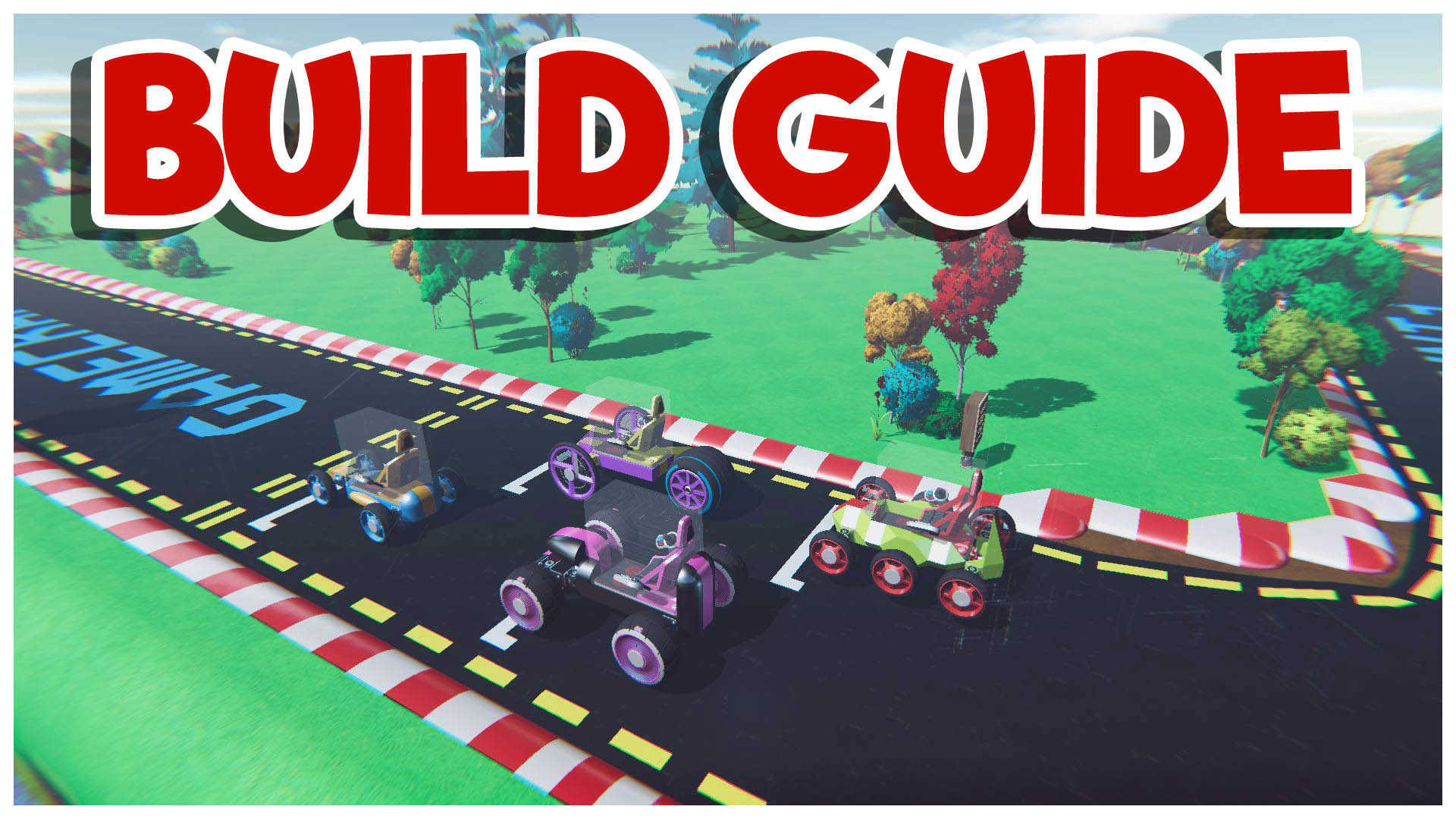
The old 4 “Guides” available to new users have been removed and updated a new “Build Guide” aimed at teaching users about start/stop time and the various building tools available. New users will now only see this one Guide in their “Create Games” list.


We’ll be carrying on with the Tutorial series, hopefully getting Tutorial 02 ready in the coming months. On top of this, we’re also adding “Prefab Tutorials”. The new “Build Guide” will be added here, along with a host of new tutorials to help players pick up some of the less well-known features of Gamecraft.

Optimisations
We’ve been hard at work these past few weeks making Gamecraft run a lot smoother. Most of the changes this time around will have a bigger impact on newer CPU’s with more cores but we’re hoping everyone will see some improvements in general.

Motors spinning fast often snag on the world
An official fix for this is still in the works but we’ve tried our hands at a short term alternative. In short, we’ve changed the collisions on motors and axles while in simulation to make them smaller and spherical (similar to what we did with the wheels). This makes snagging much less frequent but does have the tradeoff of having a mismatched collider, which is more noticeable as you scale, so it won’t be a permanent solution.

We’re already diving right into the next update’s workload. We’ve got a lot of powerful tools coming that we’re really excited about! We’ll be able to share more details on these in a Dev Blog real soon. Once again we’d like to thank everyone who tried out the Preview and offered feedback.

The Gamecraft Team
Gamecraft - JoshJammer
Hello Gamecrafters,

A big thanks to everyone who has been testing out the Preview. We’ve read through all of the feedback you’ve left and we’ve just released a small hotfix into the Preview Branch. We’ve fixed a couple of bugs, polished a few things off and made some fairly big changes to wheels so we’d like to hear your thoughts on these changes before they make it live. Below is the full list of the changes and fixes.


Changes
One recurring bit of feedback we’ve seen is that the mass of wheels felt wrong. We’ve adjusted them all in this Hotfix to make them more relative to the size of the wheel and make sure the mass increases sensibly as they are scaled.

NB: In order to make this work we have had to make the old small and medium tyres lighter.

Motors spinning fast often snag on the world
Another major issue that has been causing problems, especially on faster vehicles, is the constant snagging against seams in the world. An official fix for this is still in the works but we’ve tried our hands at a short term alternative. In short, we’ve changed the collisions on motors and axles while in simulation to make them smaller and spherical (similar to what we did with the wheels). This makes snagging much less frequent but does have the tradeoff of having a mismatched collider, which is more noticeable as you scale, so it won’t be a permanent solution.

Wire UI now inversely scales at range
This change makes the wire UI scales up slightly as you move away, to a certain distance. This should make it much easier to interact with the wiring system on larger builds.

Tutorial Prefab Filter
We’ve added a new filter to the Prefab Workshop. This new “Tutorial” filter works in the same way as the “Community Games” version, allowing us to create and curate some of the Prefabs that help teach new players different aspects of Gamecraft.

The main goal here is to make sure players are aware of some of the less obvious features. The latest example of this is how the wiring system’s target buttons appear differently when you have a part selected and when you have the empty hand-selected. We’ll be making some of our own “official” tutorials but we’d love to feature some community Prefabs as well, so let us know if you’ve made something that teaches new players something cool about Gamecraft!

General Bug Fixes
  • Added a confirmation dialogue with a 10 second reset when switching to fullscreen, or when changing resolution in fullscreen mode
  • Chopper Bike Tyre now has a connection point on both sides
  • Capped the number of “open wire UI” sound effects that can play at the same time
  • Fixed a bug that allowed the camera to clip through objects in 3rd person Note: This is likely still going to happen but it should be much less obvious now
  • Fixed some inconsistent collisions with the Front & Back Bike Tyres
  • Fixed some inconsistent stats on the cars in the “Build Guide”
  • Fixed a typo in the “Build Guide”
We’ve got more feedback that we plan to act on over the next update and more that we’ve put on the back burner for now, but let us know what you think of these changes so far!

The Gamecraft Team

Gamecraft - JoshJammer
STEAM BETA CODE = “zyZubXwRfDTK”

Hello Gamecrafters,

The first major update of 2020 is now available in the Preview Branch! We’ve got lots of new features and improvements to shout about. The reason we’re putting this in the Preview Branch first is to give you awesome Gamerafters the chance to help us test out all of these new features, catch anything we may have missed and share your thoughts with us, so that we can improve on it and polish it off before it reaches the live version. Read through the full patch notes below before you get started.


Wiring System
The brand new wiring system is ready to go! This method of connecting parts is an overhaul of what was in the game before and is designed to future proof all the functional blocks we hope to add in future (such as Logic Blocks and all the blocks you will need to make incredible multiplayer games). Along with future proofing the new system is designed to be more user friendly and more powerful, allowing you to achieve builds not possible before.


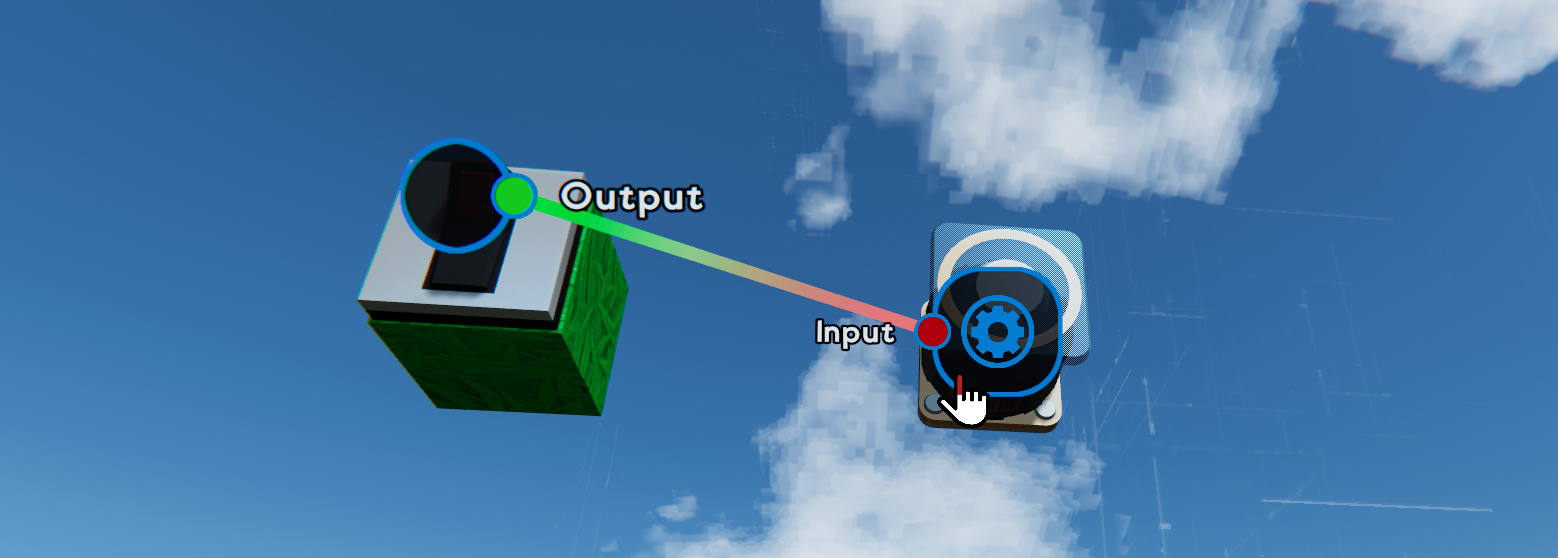
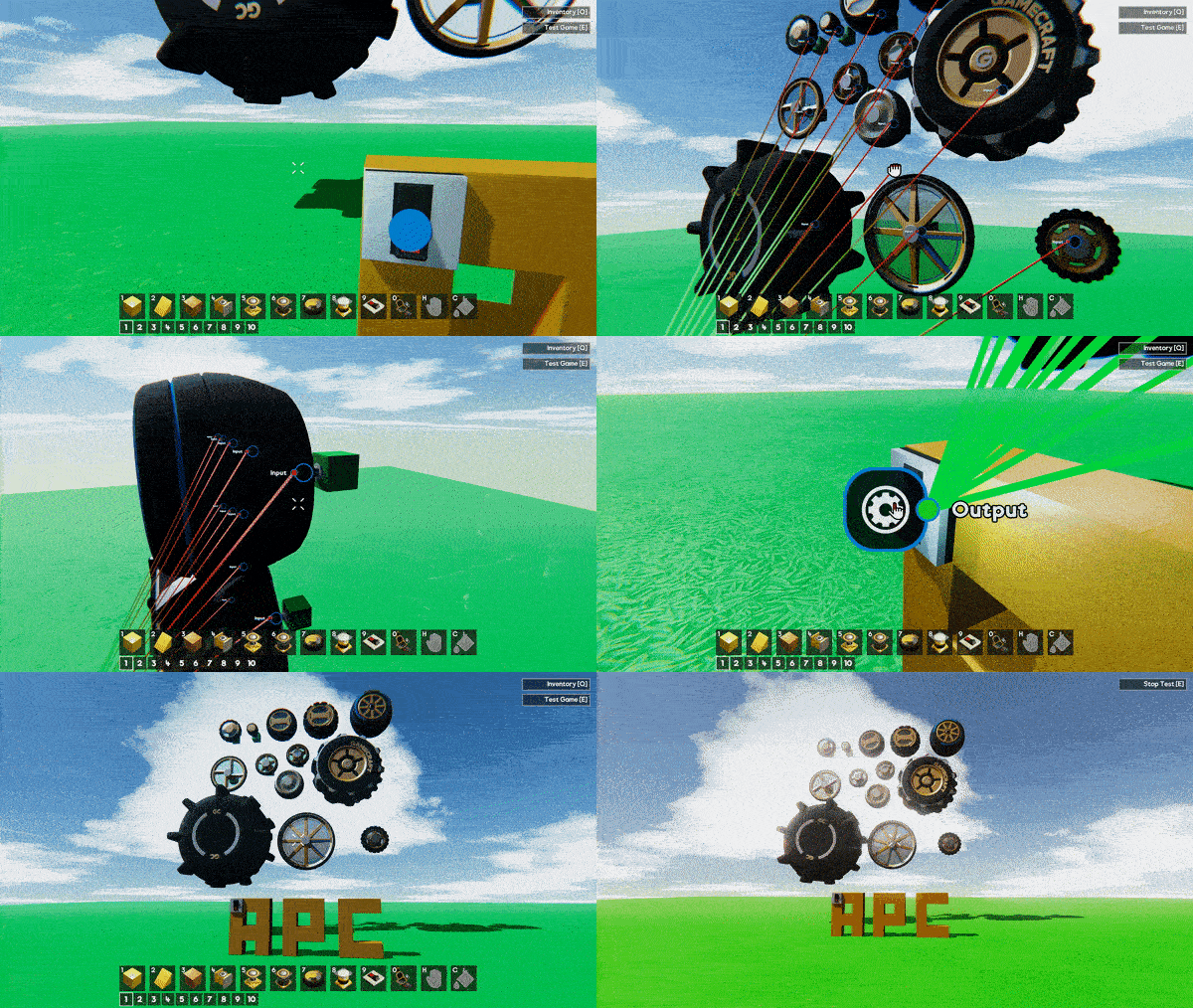
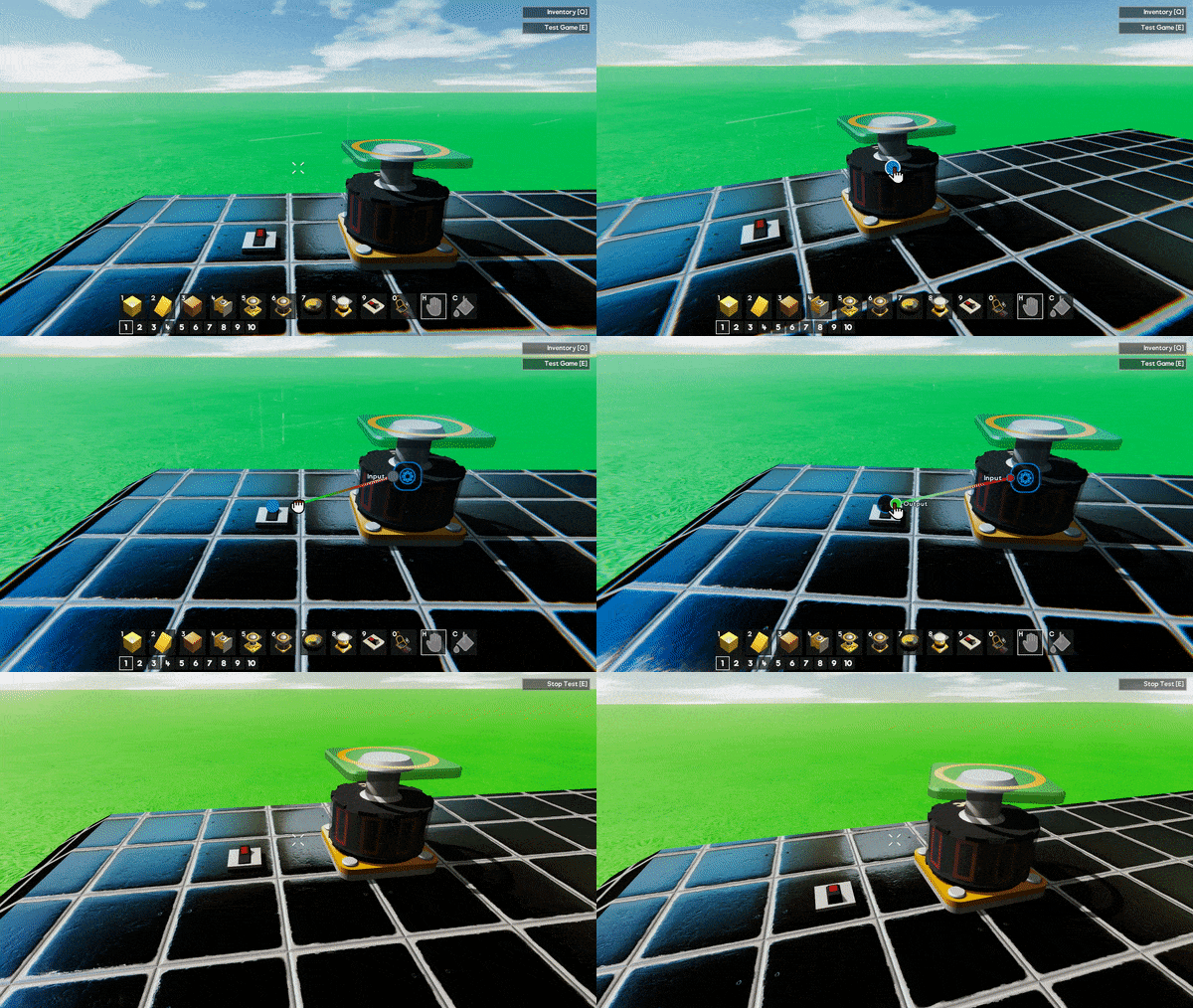
The wiring system lets you connect parts in the same way as before, but with a lot of improvements and nice extras. Instead of assigning a “channel” to each of your motorised parts and controllers, you will now be connecting them through virtual wires. After you’ve placed a part (we’ll use a Motor and a Switch in this example), simply hover over the Motor and you’ll see a small blue button. Put your crosshair over it and click LMB and you’ll see an “Input” button. From here you simply click on the little “port” and start dragging a wire between two parts. Drag this wire over the Switch and it will automatically expand the little blue circle and display an “Output” button. Click on this “port” to finish the connection and voila! These parts are now connected as if they were both set to “channel 01”.

Pro Tip: You can create a wire by holding down Left-Click and finishing the connection by releasing it over another port, or by Left-Clicking over both ports, if you’d prefer.


Some parts have more input/output ports than others, the best example of this is the Pilot Seat, which has 0 inputs and 9 outputs, compared to a Command Console, which has 1 input 0 outputs. A future example would be a logic gate like an AND gate which will have 2 inputs and 1 output (blocks like the AND would have been difficult with the old channel numbering system). Each of these ports can even have multiple wires connected from a number of sources! We’ve got a few bits of visual and audio feedback when you hover over ports, especially when you try to connect to inputs to help you out as you learn the basics of the new system.

To delete an existing wire you have two options. The first is to recreate the wire by “connecting” the two ports again. This would be the prefered method if you have lots of connections. The second option is to simply Right-Click a port. This will delete all wires connected to it.

We’ve got a few extra improvements on the way to make wiring lots of things quicker and easier, but we’ll share more on those a bit later.

Changes to Conductivity, Connectivity & Power
With the wiring system, we decided it would be the best time to remove the requirements for parts to always be connected through conductive materials that also have access to a power source. We felt that all of these constraints were a bit too limiting and often confusing to pick up.

Now, instead of having to connect a Motor to a Switch through a line of Aluminium blocks, with a Battery taking up space somewhere along that line, you can simply place a Switch on the Grass, a Motor in the air and simply wire them up and watch them go! You can now create all sorts of wireless contraptions with great ease.


We’ll be reintroducing “power” at a later date as we know game creators still want to have the option of limited resources in their games.

Tweakable Stats
In addition to wiring parts together, you’ll now be able to tweak some of the basic stats of motorised parts and controllers!


Certain parts will display a small “cog” button when you open the wiring panel. Clicking on this cog will display a new stats panel, with various sliders and buttons to play with.
Parts like the Motor can have their “Max Speed”, “Torque” and even default direction (normal/reverse) altered. Other parts like Pistons can have their maximum extension tweaked. Levers and other controllers have their default position moved into this menu rather than dragging them, like you do in simulation. For consistency, the Text Block and Command Console UIs now appear when you click on the “cog” button on their respective parts.

Signal Changes
Since we now have Tweakable Stats to control the power and speed of things we have, we’ve also taken the opportunity to switch from an “averaged” combined signal to a “summed” one. Old saves will still work with the old “average” system unless you convert them over using our new “switchSignalsToSummed” console command.

New games will always be on the new “summed” signal system.

In future we will drop support for “average” signals as well as the older “Unity Physics” (in favour of Havok Physics). We’ll give you plenty of warning when we plan to do this.

Existing Save conversion
Any existing save files will automatically be converted and wired based on their old signal channel when you load them. This means you shouldn’t have to lift a finger and almost all save files will continue to work the same way.

The only change that may affect your save games is the fact that some parts (like Motors) that would have spun on their own if you connected Power to them without connecting any controls (like Levers) will now spin on their own regardless (as there is no ‘Power’ requirement now.

Graphics & Sound Settings
As we teased in our previous Dev Blogs, the Graphics and Audio settings screens are here too! These settings are available via the Main Menu, and in-game so that you can tweak as you play.

Graphics Settings
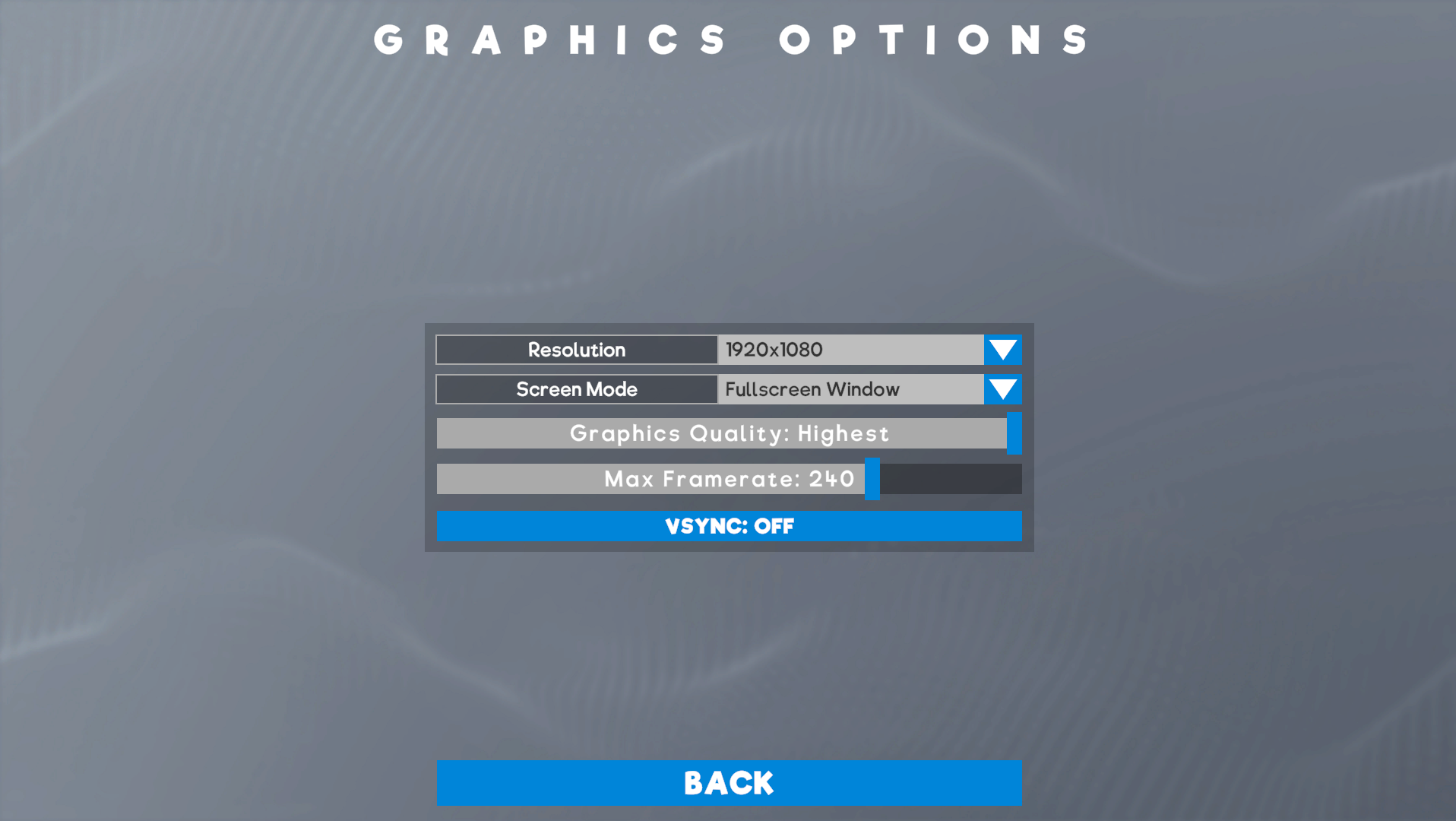
The graphics settings screen offers the following settings:
  • Resolution
  • Screen Mode (Fullscreen, Windowed or Fullscreen Windowed)
  • Graphics Quality (Fastest to Highest, with “Fastest” being the equivalent of the previous “Fast”
  • Max Framerate (30 to Unlimited)
  • Vsync (Off by default)


Sound Settings
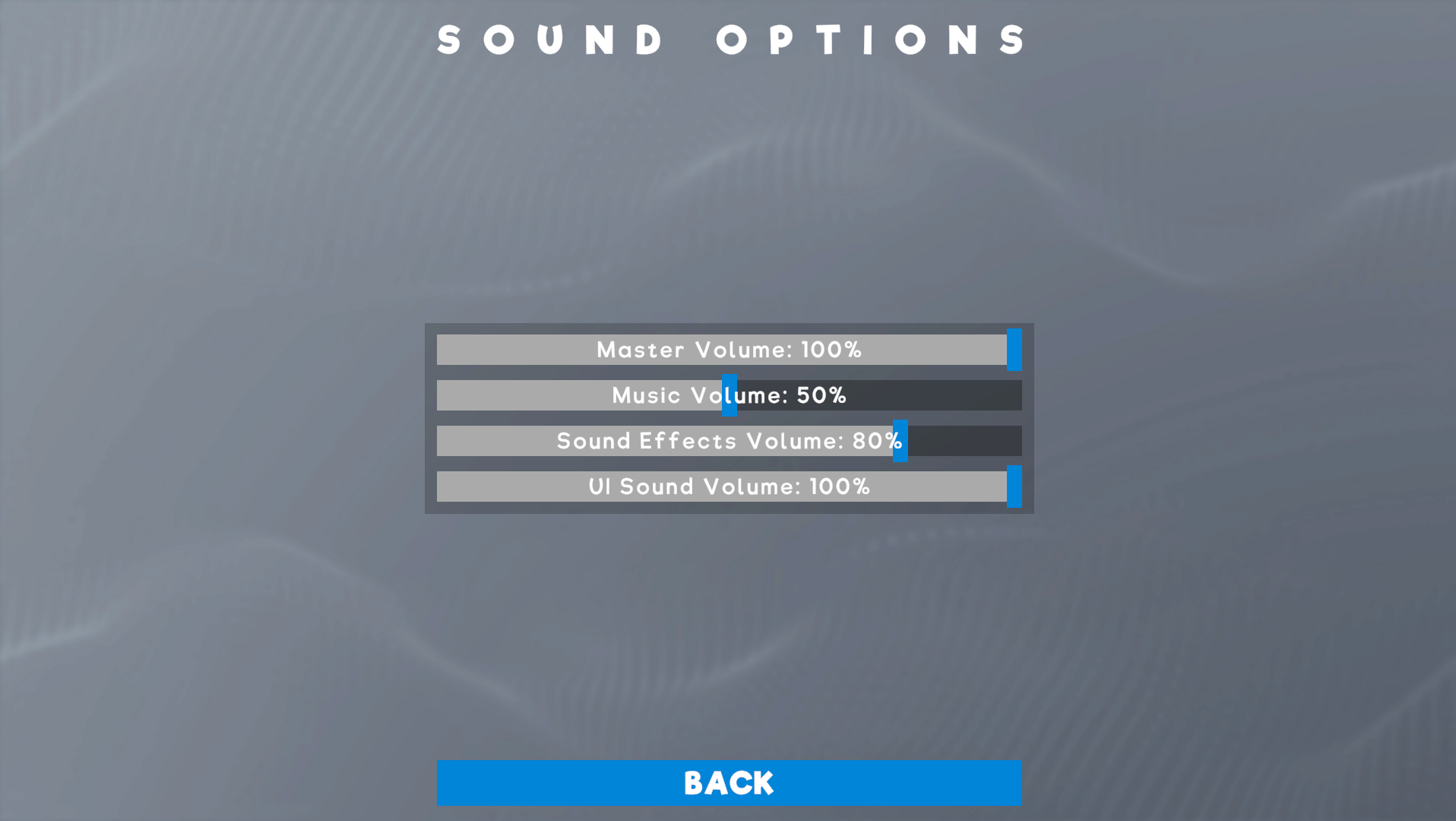
We have 4 basic volume sliders in this screen:
  • Master Volume
  • Music Volume - Affects the music in menus and in-game
  • Sound Effects Volume - Affects all non-UI audio, such as placing cubes, painting and jumping
  • UI Sound Volume: - Affects any UI buttons, including the wiring system UI


Tyre Changes & Variants
We’ve made some big changes to the way tyres work. We’ve also added 11 new variants!


We’ll cover the changes first. The first major change is to split forwards and sideways friction of tyres. In short, this allows us to give each tyre more, or less, friction when the tyre isn’t facing directly forwards. More sideways friction gives more grip while you’re turning, which should make cars feel much, much better to drive.

The second major change is to set different friction and driving characteristics for different tyres on different materials. Until now all tyres performed the same across all materials (with Rubber and Oily being slight exceptions to the rule), so Aluminium and Grass offered essentially the same performance. We’ve now split these out into 5 categories:
  • Road - aka Concrete
  • Off Road - aka Grass and Dirt
  • Smooth - Aluminium, Iron, Wood, Brick, Glass
  • Rubber - special category
  • Oily - special category
All 13 of our tyres are set up to interact differently with these surfaces so make sure you try them out to find the perfect fit for your vehicles. They will have different friction characteristics in forwards and sideways depending on the tyre type and the surface you are on.

Pro Tip: If you’re wheel spinning and sliding all over the place try reducing the ‘torque’ on your Motors and the angle on your Steering with the new Tweakable Stats on Motors and Servos

New tyres best on road:
  • Car
  • Racing
  • Bicycle
  • Front Bike
  • Rear Bike
  • Chopper Bike
  • Cart
New tyres best off road:
  • Offroad
  • Tractor
  • Monster Truck
  • Motocross
NB: The previous Small and Medium tyres are average on both on and off road.

Other Changes
QuickSave
We’ve added in a Quicksave button (F5 by default), so that you don’t have to constantly open the pause menu to save every time. If you use this on your first save you’ll go through the usual screenshot/naming flow. Using quicksave after that will simply save.

Camera Zoom saved in Stasis
The camera distance you are using when you enter simulation will now be stored. When you exit simulation, it will switch back to this distance. We felt that this change would feel a bit nicer as we constantly found ourselves zooming out to test a vehicle, then having to zoom back in to first-person to edit it. If you enter simulation, then change your camera zoom, it will be reverted to the state you were building with.

Controller Part Updates
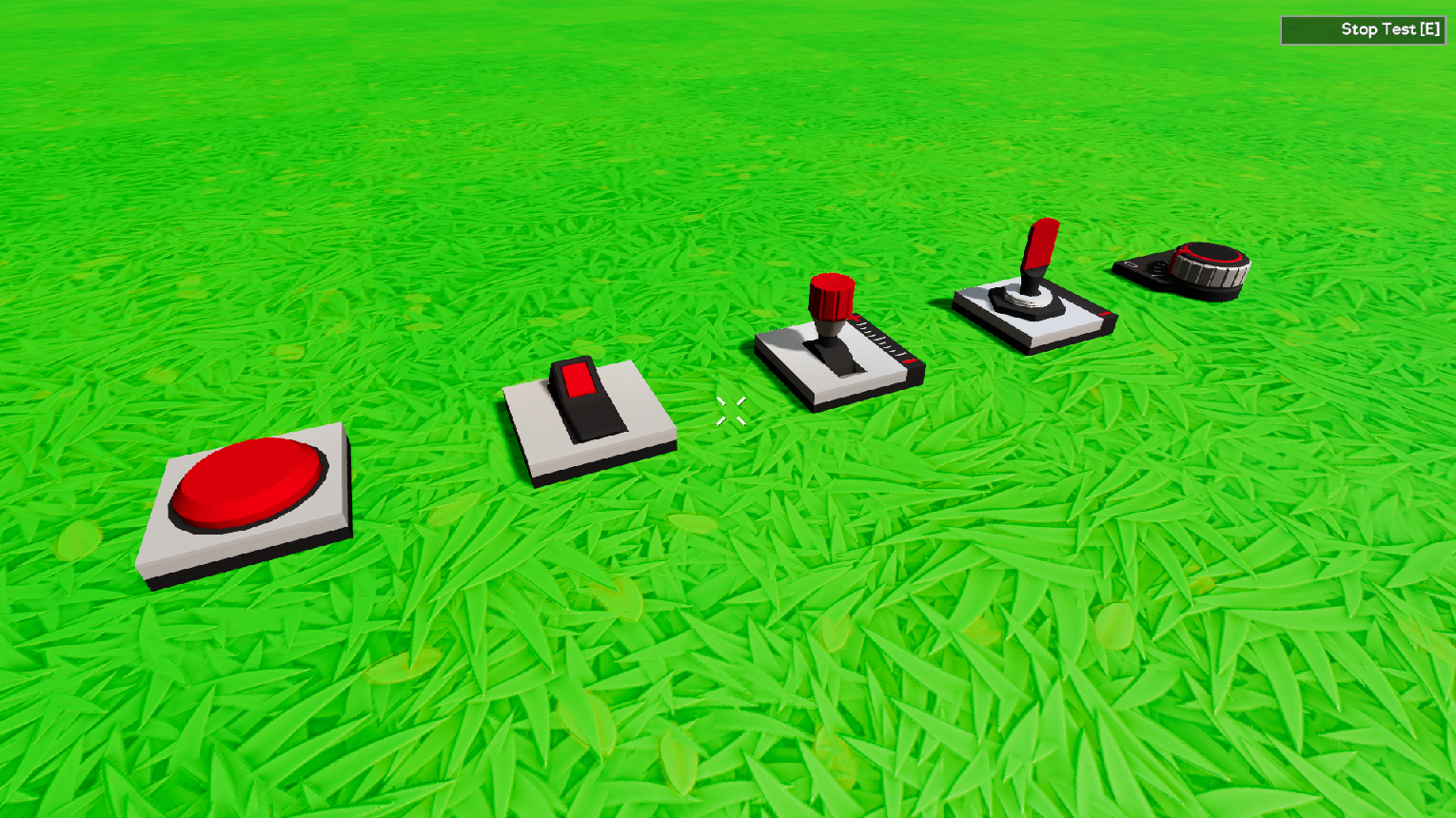
The 5 controllers (Button, Lever, Switch, 3-Way-Switch and Dial) have all been updated to be a bit easier to interact with. All parts that had “channel” Id panels have been updated but these parts are probably the most impacted by the change.


Pilot Seat collider size
We’re always listening out for your feedback and this was a quick and simple change that we’ve seen requested. The Pilot Seat and Pilot Control parts now have the collision as the Passenger Seat to make compact builds a bit easier. The visuals still need to be updated to stop the controls slipping through other parts but we’ll clean that up with something a bit fancier later.

Updated Guides/My Games default
The old 4 “Guides” available to new users have been removed and updated a new “Build Guide” aimed at teaching users about start/stop time and the various building tools available. We’ll share this on our Discord server for any existing players that want to check it out as well, but new users will now only see this one Guide in their “Create Games” list.


We’ve also removed the “My First Game” save as this seemed a bit redundant with the “New Save” button right there. We’ll also be carrying on with the Tutorial series, hopefully getting Tutorial 02 ready in the coming months.

Optimisations
We’ve been hard at work these past few weeks making Gamecraft run a lot smoother. Most of the changes this time around will have a bigger impact on newer CPU’s with more cores but we’re hoping everyone will see some improvements in general. We’d love to hear the impact these changes have had so do let us know! We’ll be continuing this work to clean up other areas as we go.

Bug Fixes
  • We’ve fixed a couple of issues with the limits of massive save files. These shouldn’t have too noticable of an impact but these saves may have had some underlying issues that would cause odd behaviour previously
  • Powered joints should now sync a bit better and act more consistently in multiplayer servers for non-host players
  • Fixed a bug that occasionally caused the camera to shake while in multiplayer
  • Fixed a bug that caused a part to be selected while in colour mode after opening various menus or UI’s
  • Fixed some backgrounds not stretching correctly on Ultra-widescreen resolutions
  • Fixed a bug that caused certain parts to appear black when viewed in the Screenshot Taker
  • Fixed a bug that caused the Ambient Light values to be incorrect the first time you load a save
Preview Access & Specifics
With all that out of the way, here’s how to get access to the Preview!

For those of you that took part in our previous previews, you’ll be a bit more familiar with these steps. For anyone who didn’t take part, we’ve got a simple step by step guide on getting into the preview below.

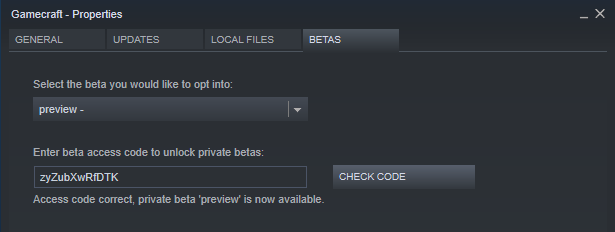
To access the Preview Build, follow these steps:
  1. Open the Library tab on Steam
  2. Right-Click on Gamecraft
  3. Click on “Properties”
  4. Click on the “Betas” tab
  5. Enter the code “zyZubXwRfDTK” and click on the “Check Code” button
  6. Click on the dropdown and select the “Preview” branch
  7. Give this a minute to download
  8. Make sure the game appears as “Gamecraft [preview]” in the Library
  9. Click Play and get started


NB: We’ve disabled the Publish button in the preview. This is simply because any saves created or edited in this version will not be compatible with the current live build. You’ll be able to update your saves and manually carry them back over to the live version when the preview is concluded.

NB: Save files from the “live” version will still be safe in the usual directory. You can copy these over to the preview save folder if you want to try them out.


Once you’ve dived in and had some experience with the new Wiring system we’d love to hear your feedback. We have a few known issues that we’ll be working to resolve before the preview goes live as well as a few improvements that still need to be developed. We’re super excited to see all of the amazing things you’re going to create with these powerful new tools.

The Gamecraft Team
Gamecraft - Freejam Rawxas
Hello Gamecrafters!


We didn’t get around to posting our weekly dev blog last Friday as we were focused on working our way through some of the final issues with the next update, as well as some extra tweaks and polish, so this will be a bit of a short blog.

We’re not quite finished yet and we want to spend a bit more time testing and iterating to make sure it’s in great condition when it reaches you so we’re now aiming to release later this week. We’ll keep you posted when we’ve got a date in mind.

We’ve shared a couple more teasers of the work so far on our Discord server throughout the week which you can check out below!


That’s it for this devblog. We’ll also try to finish up the “Let’s Play” of the Christmas Competition and get those posted on our Youtube channel soon as well.

Please follow us on our social spaces and share your creations with us:
Twitter- https://twitter.com/Gamecraft_FJ
Youtube - https://www.youtube.com/c/GamecraftGame
Facebook- https://www.facebook.com/GamecraftGame/
Reddit - https://www.reddit.com/r/GamecraftGame/
Discord - https://discord.gg/gamecraft

Thanks for reading!
The Gamecraft Team
Gamecraft - Freejam Rawxas
Hello Gamecrafters!


We’re back and working hard on the next Gamecraft update. We’ve got another big one planned this time with some new major features, new parts, optimisations and a whole lot more!

This update is currently expected to land next week, although we might need a little bit longer to make sure it’s as great as it can be. We do plan on launching this update in the Preview branch again this time around. The main reason for this is to get a playable version of the wiring system in the talented hands of you crafters, so that we can get your valuable feedback.

Like some of our previous updates, the changes we’re introducing are massive and will affect existing saves. We don’t expect them to behave any differently (we’ll explain exactly why in the release patch notes) but there may be some unforeseen hiccups.

A few of the headlining features of this update will be:

Wiring system
We’ve been working on this for a while now and it’s almost ready to go! We’ve already shared a little teaser that you can view here: https://www.reddit.com/r/GamecraftGame/comments/eo65x5/hey_gamecrafters_were_back_from_the_holidays_and/

Our new wiring system will be familiar to those of you that have played a couple of different building games and we think our take on it will feel every bit as good and will definitely have a few nice additions. This system will completely replace the “signal channel” system we’ve been using up until now. We feel like we’ve reached the limits of what we can achieve with the signal channel system, and wiring opens up so many more possibilities that we’d just be silly not to switch.

We’re making sure that any existing save files are automatically converted to the new system, with all previous connections intact, so you won’t have to spend any time rewiring. With this, we’ll also be removing the conductivity and power systems as they’re no longer necessary and would often be limiting and cumbersome. We’ll also be changing the way multiple signals are calculated (e.g. having two levers control the same block). We’ll share more details on those when the update goes live

Tweakable Stats
A feature that has been heavily requested since the earlier experiments is coming with the wiring system as well! When you’re hooking up your buttons and motorised parts, you’ll be able to tweak a few of the stats of these parts. From the default “on/off” state of a switch to the maximum speed or default direction of a Motor; Tweakable Stats will give you much finer control over your creations.


Wheel Tweaks & New Wheels
It’s no surprise that loads of you have been creating a plethora of vehicles in a physics sandbox game. So we’ve taken a look at the current status of these and decided to make a couple of changes and additions that we’re sure you’ll all love.

The first change is a tweak to the friction settings of wheels. At the moment, wheels have a constant friction regardless of where your steering or what you’re doing. This makes it harder to create vehicles that can steer well, especially at higher speeds. To combat this, we’ve split forwards and sideways friction so that we can have finer control and offer more realistic wheels.

The second change is to have different friction based on the material the wheels interact with. For instance, if you’re driving on dirt, you would expect less grip on your wheels, when compared to concrete. We’ve broadly split these out into 5 categories; Road, Default, Offroad, Rubber and Oily. Each tyre will have different friction values for each surface so you can pick and choose the right tyre for the right surface.

With these changes we’re also adding a range of new tyre types. We’ll have 11 new tyres for you to play around with! From bicycle tyres and horse-carriage style tyres to massive monster truck tyres, we’re sure you’ll find the perfect one for each vehicle.


Graphics & Audio Settings
We know a lot of you have been asking for these for a while, and we’ve heard you. We added the Controls screen last update so we wanted to complete the set with Graphics and Audio settings. These are pretty straightforward so we won’t go into much detail here but you can also expect a few new “quality settings” to help find a sweet spot for each setup that offers a better balance between graphics and performance.


Performance optimisations
Seb’s been hard at work optimising our codebase, jobifying a massive amount and cleaning up some problem areas. These optimisations will be much more noticeable on CPU’s at the higher end but we’re hoping everyone should see some improvements across the board.

Quick Save
We know it’s easy to forget to save every do often, especially when you have to go through a couple of extra menus and buttons (we’ve all been there). We’re still planning out a better autosave system but that might be a while, so, we’re adding in a quicksave button in the meantime to take some of the pain away.

That’s it for this week’s devblog. We’ll aim to keep sharing some more teasers of the upcoming update next week while we iron out the issues and polish things up and hopefully get all of these amazing changes in your hands as soon as possible.

Please follow us on our social spaces and share your creations with us:
Twitter- https://twitter.com/Gamecraft_FJ
Youtube - https://www.youtube.com/c/GamecraftGame
Facebook- https://www.facebook.com/GamecraftGame/
Reddit - https://www.reddit.com/r/GamecraftGame/
Discord - https://discord.gg/gamecraft

Thanks for reading!
The Gamecraft Team
Gamecraft - JoshJammer
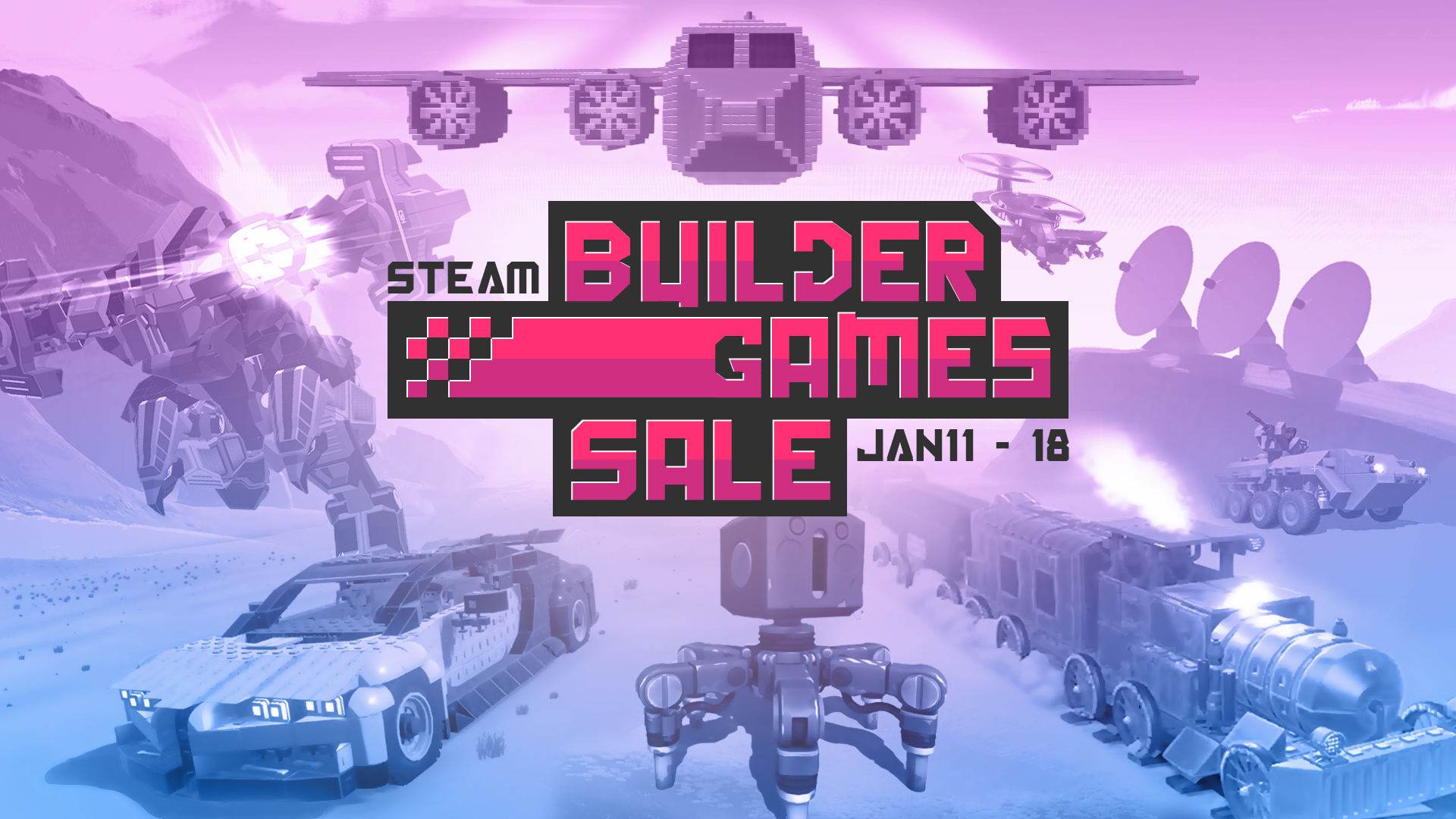
We’ve teamed up with a bunch of fantastic, highly creative developers to bring you the “Steam Builder Games Sale”!


You’ll find massive discounts across a whole host of great games, all focused around building, that we’re sure you’ll love as much as we do. With a couple of our own titles included of course! The sale will run from January 11, 2020 @ 9:55am PST to January 18, 2020 @ 10:05am PST so be sure to check it out and pick up some amazing games to unleash your creativity.

Gamecraft is 50% off during the sale
https://store.steampowered.com/app/1078000/Gamecraft/

Robocraft Lifetime Premium and all DLC bundles are also 50% off
https://store.steampowered.com/app/301520/Robocraft/
Gamecraft - JoshJammer
Hello Gamecrafters!


This has been the last day we are all in office this year. It’s been an amazing year for us and we have been absolutely blown away by everything you have created. We have enjoyed it so much, we want you to keep sending us all of your amazing creations over the winter holidays. Share them with us on Workshop, Steam Discussions, Reddit, Twitter, Facebook and our Discord! We want to see your fun games, wacky creations and funny builds!

Seb’s Competition Let’s Play
We’ve finished uploading our daily Let’s Play for the ‘Create a Game for Seb’ competition. It was great fun to record and you can watch all the episodes in the playlist here: https://www.youtube.com/playlist?list=PLkrUoIf8Lbr8DapRqOqj1lFL2kH3LN2xR

Gamecraft Holiday Competition
We’ve announced the winners for our Gamecraft Holiday Competition. You can see those winners here: https://steamcommunity.com/gid/103582791464559041/announcements/detail/2992010505947947642
We’ll be uploading the Let’s Play videos of that in the new year and handing out prizes early in the new year.

What to Expect in the New Year?
In the new year we will be working on some really exciting things. We’ll be continuing our on multiplayer, to fix and improve based on the feedback you give. We’re also working on Tyres to improve their handling by splitting out forwards and sideways friction and setting those independently, this should make them feel more realistic. Alongside this, we’re also working on new tyre variants, such as a bicycle tyre, monster truck tyre and F1 tyre. Some of these will be visual differences while others will functional differences on different surfaces.

Another feature we are working hard on is the wiring system. Akin to other games, you will be able to drag a wire from one part - through an in-world UI - to another. We’re making this change from the signal channel system as a wiring system is infinitely more powerful, easy to use and also allows us to have a better design over alt-stats and makes it easier for future features we want to add, like logic, as the channel system would have made features like this problematic.

Alt-stats was briefly mentioned above, this is another feature we will be working on. Alt-stats will allow you to tweak the stats on a part through the same in-world UI as the wiring system. You’ll be able to tweak the min and max angle of a servo hinge, or set a motor to turn counter-clockwise on a positive signal instead of clockwise. This is an easier way to control parts instead of using the averaging mechanic we currently have in place to get the desired effect.

You can look forward to all this and so much more from Gamecraft in 2020. We hope you stick with us as we continue to adapt, evolve and grow Gamecraft.

That’s it for this week - and year - we’ll give you another update when we’re back up and running in the new year. Until then, Happy holidays, we hope you have an enjoyable time playing games and spending it with loved ones. Please follow us on our social spaces and share your creations with us:
Twitter- https://twitter.com/Gamecraft_FJ
Youtube - https://www.youtube.com/c/GamecraftGame
Facebook- https://www.facebook.com/GamecraftGame/
Reddit - https://www.reddit.com/r/GamecraftGame/
Discord - https://discord.gg/gamecraft

Thanks for reading!
The Gamecraft Team
Gamecraft - JoshJammer
Hello Gamecrafters,


Competition Winners
After playing through your entries, Ric has decided his favourite maps for the Holiday Competition. The winners have been judged on how good they look, how well they fit the theme of the challenge and how enjoyable it was to play. The top 3 winners are:
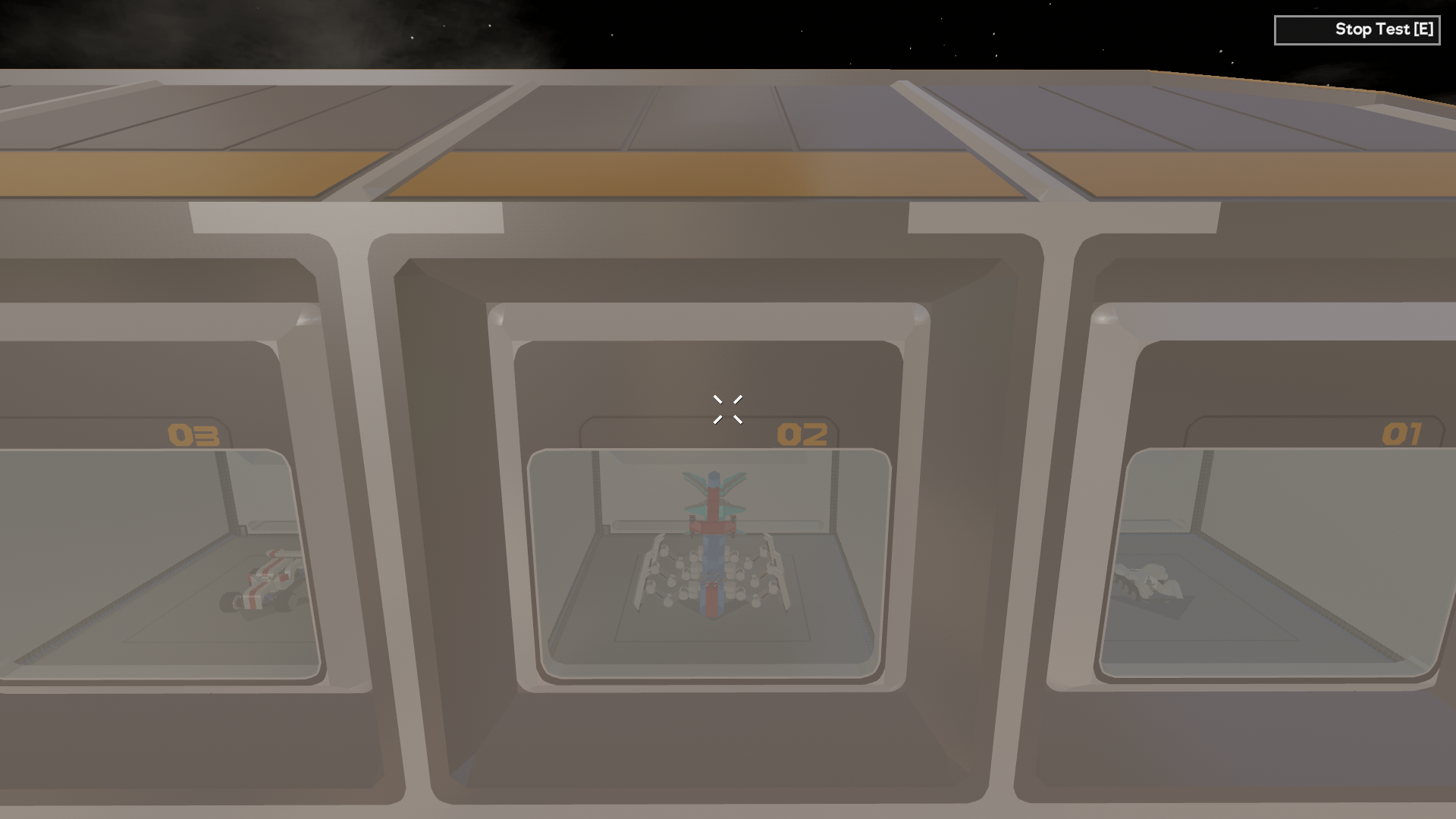
Holiday Workshop Questionnaire by Commanderbubbles


Gamecraft's Holiday by Havish


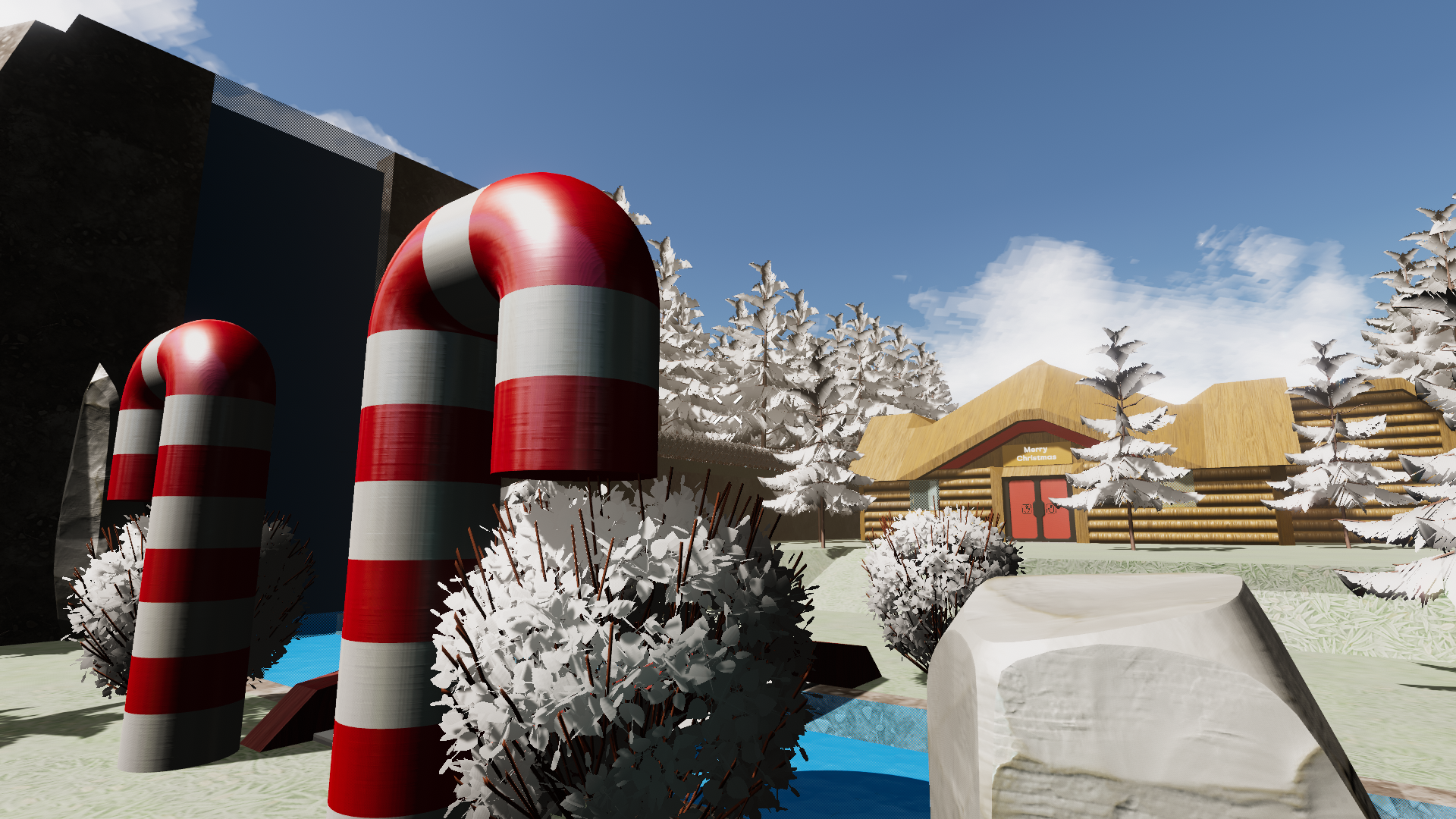
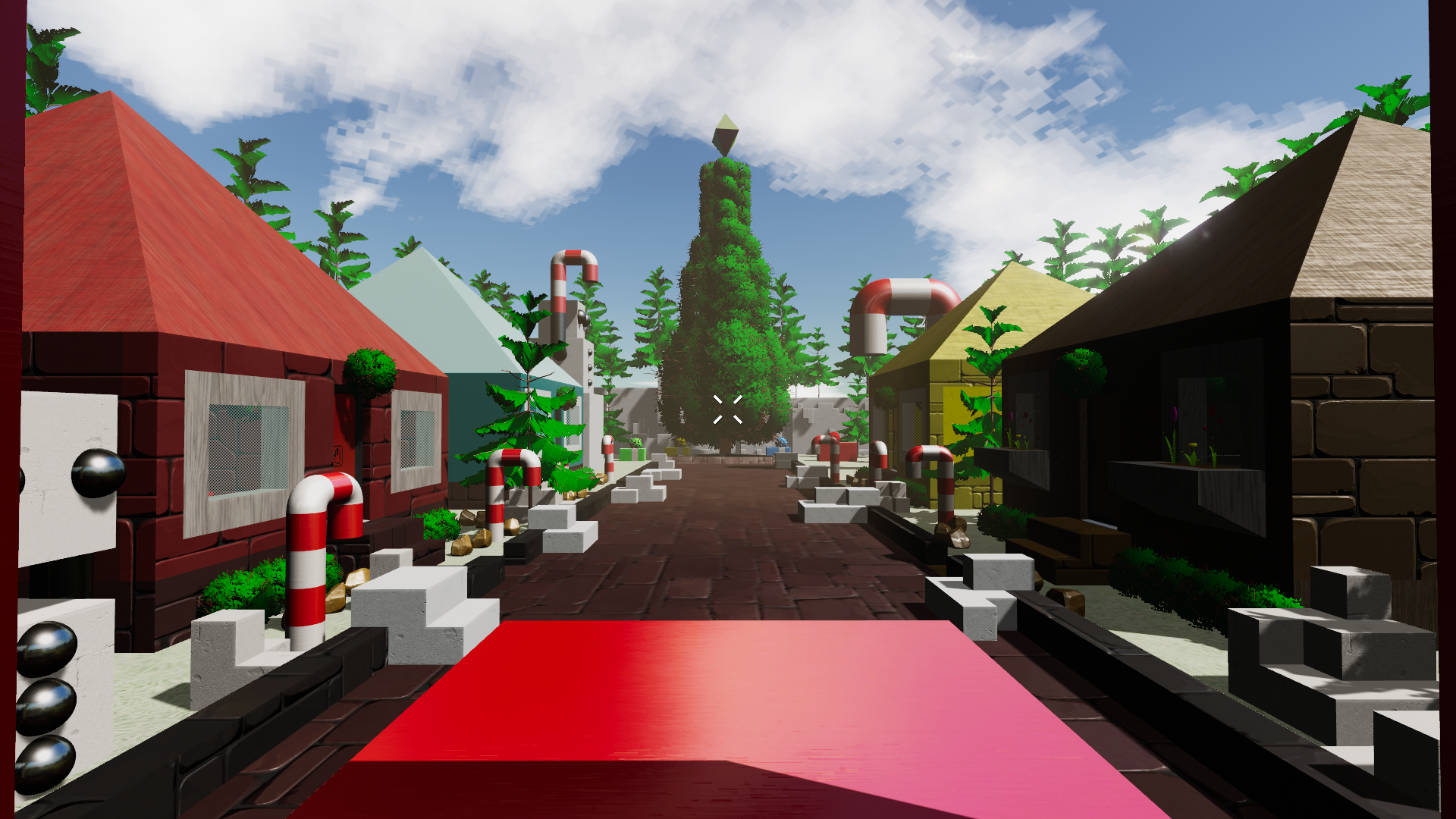
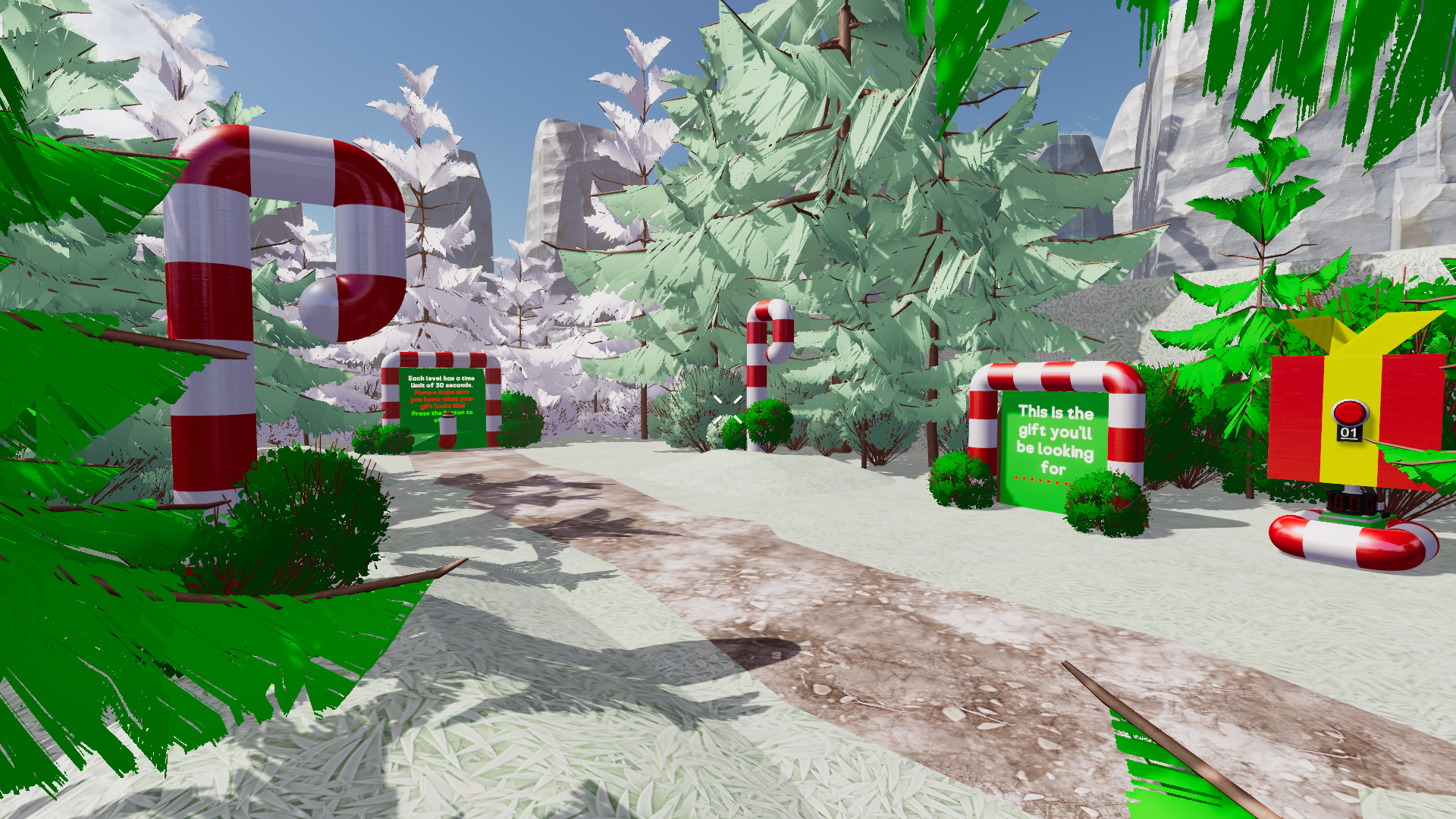
Holiday Gift Search by 357.JapeEgg


These winners will need to accept a friend request from a Freejam Member of staff who will send you the £25 steam gift card. Friend requests will be sent in the New Year. If the winner doesn't respond to the friend request within a week of sending the friend request, the prize will be passed over to the next runner up.

Thanks again to all the contestants and all the entries. We really enjoy running these competitions and playing through your entries. We hope to run more competitions in the new year.

The Gamecraft Team
Gamecraft - JoshJammer
Hello Gamecrafters,
Our latest update is now live. This update focuses a little more on general optimisations, bug fixes and a couple of nice tweaks and features, such as the Controls Screen! This update also includes the multiplayer preview. Read the full patch notes below.


Controls Screen
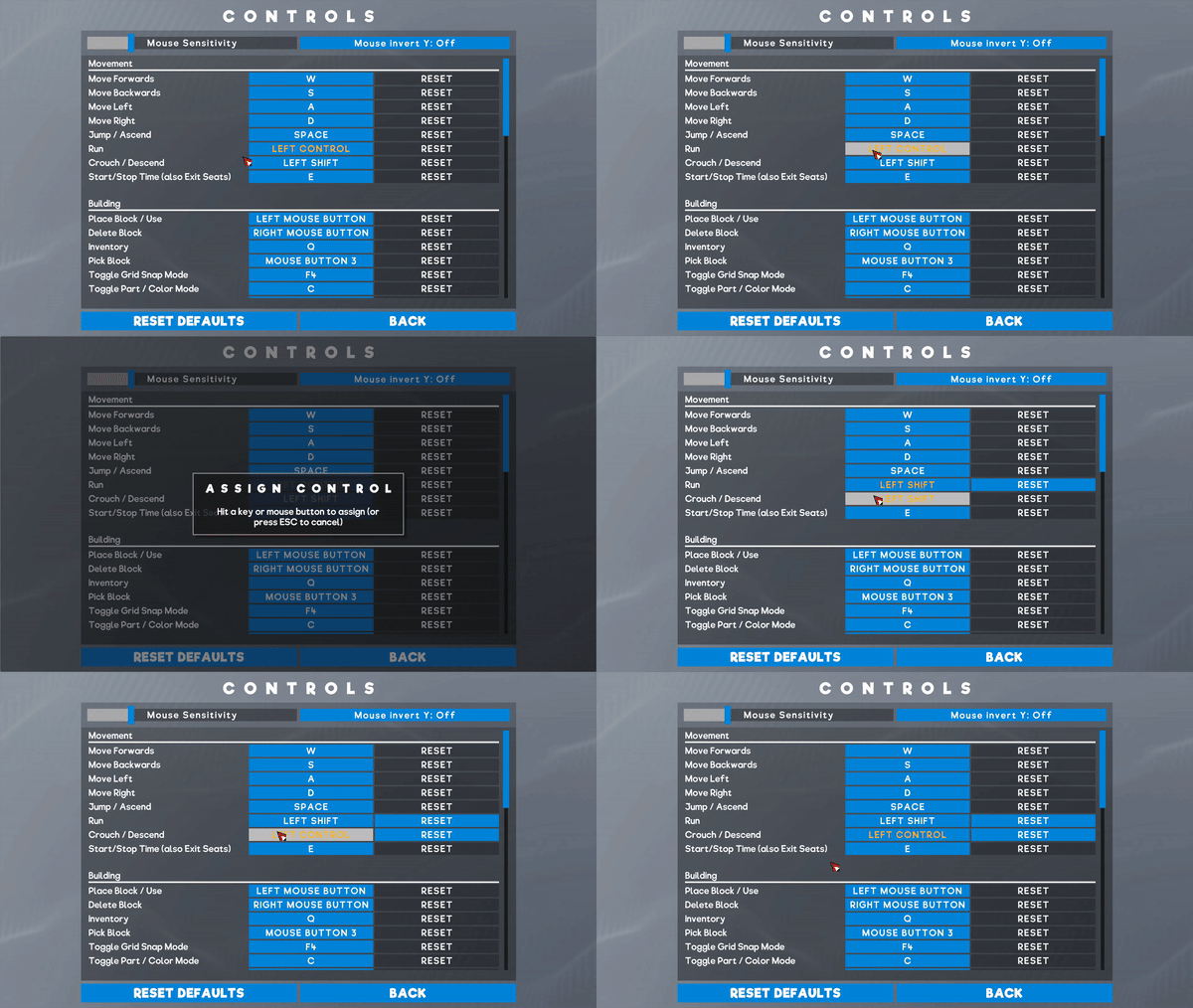
Yes, as we teased in last weeks blog post, the Control Screen is here! Accessible in both the Main Menu and in-game, you’ll finally be able to tweak your mouse sensitivity, flip the y-axis and rebind all of the basic controls.
This is all fairly straight forward but we’ll give you a quick rundown on how it works. Simply Click on the Controls button in the menu to open up the Controls Screen.


From here, you can tweak the mouse sensitivity slider to adjust the speed Leo looks around (N.B: This will not affect the cursor in menus). You can also toggle the mouse invert to make Leo look down when you move the mouse forwards.

Hook up a new keybind for any action in the list by clicking on the currently assigned keys, which will bring up an “Assign Control” dialogue. While this dialogue is open, any keyboard or mouse button input will be recorded and saved as soon as you let go. If you want to assign a combination of keys, you can do that too! By holding CTRL, Shift or Alt you can create a combination of keypresses to assign to an action. For example, if you want “Start/Stop Time” to be “CTRL + Shift + E” instead then you can hold both of these keys before pressing E.

You’ll see a couple of controls highlighted orange. These show that the key is also being used by another control, like CTRL being used for scaling as well as sprinting by default. While we recommend keeping your keys unique, there isn’t usually much harm in overlapping them (unless you decide to put “Place Block” and “Move Forwards” on W, or something like that...) so we just highlight them as a potential conflict for you to act on.

Each key has an individual reset button, just in case you want to revert a single change, as well as a “Reset Defaults” button at the bottom which will revert everything other than the mouse sensitivity and invert Y to their default key/button.

These controls will be saved per account, per machine. This means that multiple people playing on the same machine can have their own preferred setup. It also means that you can have a different setup for your PC and laptop if you choose.

Multiplayer Preview
The preview branch will be shutting down again shortly as we’ve cleaned up most of the major errors and issues with the multiplayer preview and put all of that into the standard branch. Multiplayer is still far from “release ready” but we think it should be in a stable enough state going forwards that crafters can still play around together if they wish.

A huge thanks to everyone who jumped into the preview and helped us out by reporting issues. We’ll cover the bug fixes and changes a bit later on. We’ve got a lot of work ahead of us next year but we’ll continue to work on getting multiplayer up to scratch with your support.

Other Changes and Optimisations
Changes to Foliage Collisions
We’ve done two things to address some of the concerns and complaints regarding flowers in particular.

The first is to simply have Leo ignore collisions with flowers that are not directly attached to the floor. Any flower connected to a block can still be deleted/coloured, but should no longer prevent Leo from walking. Any flowers that are placed in the air will still collide with Leo when they land. This should make moving around lush gardens a lot less painful!

The second change is to slightly tweak the colliders while in build mode, making it easier to paint or remove plants and bushes that you’ve placed, while not stopping you from interacting with blocks close by or behind them.

Foliage LOD’s
One of the more resource heavy parts have always been the trees. We’ve done a couple of things over the last few updates to try and reduce their impact a bit, removing the wind animations (as much as we really wanted them) and reducing the density of leaves are a couple of examples. This time around we’ve implemented basic LOD’s (Level of detail) on all foliage. As you walk further away from them, you’ll see them blend into a less detailed version. We still need to tweak these a bit more so they don’t look fantastic at the moment but they should perform better now.

Renaming of some parts/terms
A couple of parts have been renamed in this update as we’ve been using a lot of overlapping names internally and we’ve seen a bit of confusion in discussions. These, coupled with the addition of Controls and an increase in “command” usage for multiplayer, the following changes have been made:
  • Console Block -> Command Computer
  • Control console -> Pilot Controls

Main Menu Social Spaces
We’ve added another couple of links on the Main Menu for our other social spaces to help keep you updated:
https://www.youtube.com/c/GamecraftGame
https://twitter.com/gamecraft_fj
https://www.facebook.com/GamecraftGame/

Multiplayer Changes
Most of the work we’ve done since the preview went live is error fixing and cutting back on bandwidth where possible. A lot of the work that needs to be done in this area takes time, so there isn’t a drastic improvement this time around. We have some small improvements but things aren’t quite smooth yet.

One of the changes here is that players connecting during simulation are now rejected and returned to the menu rather than triggering an error. We’ll have better systems in place to handle these connections in the long run but for now the safest and simplest option is to simply stop the connection happening. We’ve also made the timeout period a bit more lenient, but it will still kick you if you fall too far behind for too long. This process should be a bit cleaner as well now, with clearer messaging and no errors.

Another change is to the console commands. Console commands are now synced for all players where possible. This does not include player related commands like teleport, camera distance etc. so those have been disabled while multiplayer is running for now. Commands like setGravity, sky colour etc. can all be called by any player, and will correctly update for everyone.

We’ve also added a couple of extra commands to tweak the performance in multiplayer:
  • SetNetSyncBanwidthLimit - This command specifies how much of the world should be sent each frame. A higher number is going to have a larger impact on the host’s performance (which could then cause issues for everyone else down the line) while lower numbers mean less objects are being updated for other players. The default is 20% and can be set by the host
  • SetNetworkJitterFrames - This command controls how often input messages are processed. There probably isn’t going to be much need for this command but we’ve included it just in case. A higher number means there is less chance for messages to be missed, but it will hurt performance. The defaults are 1 1 and can be tweaked by the clients.

We’re still hard at work optimising various areas of Gamecraft. A lot of it is very ‘under the hood’ so there isn’t much to show or talk about here but there should be some noticeable improvements all around in this update and we’ll be keeping on top of further optimisations as we continue to develop.

Bug Fixes
  • Fixed a bug that caused parts to become offset from the grid in certain scenarios
  • Fixed a couple of preview-specific bugs where painting or changing signal channels repeatedly could cause an error
  • Fixed a preview-specific bug that caused an error when replacing a hotbar item that you currently have selected
  • Fixed a bug with the new wheel colliders that caused them to lock up when things are placed directly behind them
  • Fixed a bug that caused vehicles to act strange when objects are placed directly behind a pilot seat
  • Fixed a rare error when saved player data (hotbar/filters) could become corrupt or empty
  • If a Host disconnects with an error, it should always kick other players after a short delay now

We’ll post one final Dev Blog for 2019 later this week before we sign off. We’ve got a lot of interesting things planned already for next year and things are definitely going to continue to get bigger and better as Gamecraft continues to expand and evolve. We’d like to give a massive thanks to all of our early adopters, from way back in Experiment 01 all the way up to today’s update. You’ve all been extremely helpful and understanding as we’ve been through some major save-breaking changes and worked through a number of hiccups along the way.

The Gamecraft Team
Gamecraft - JoshJammer
Hello Gamecrafters!


Next week we’ll be aiming to release one more update before the year ends, which will put live a more refined version of the latest preview, along with some general bug fixes and improvements as well as the release of one of the features more frequently requested by the community!

Preview going Live
Overall we're happy with the results of the preview. We've fixed some critical bugs, managed to clean things up quite a bit and learned a lot from it, so we’re going to push that live. This isn’t an official multiplayer launch as we still have a long way to go before we are happy with multiplayer being “release ready” but we don’t want to put it on a shelf and take it away from the dedicated crafters who helped us test it out. Multiplayer will still be accessed through console commands and massive saves are not quite ready to use in multiplayer yet but the option is still there if you choose.

Controls Screen
Yes, we’re finally adding the ability to allow users to customise their control layouts! Gone are the days of high mouse sensitivity, or uncomfortable control layouts, for you can now properly set-up your keybindings. We’ll give you the full details when this goes live but here is a little teaser.


Ongoing optimisations and QoL changes
Over the last couple of updates we’ve been working on optimising some of the slower areas of Gamecraft. For this update we’ve been focusing mostly on textures and foliage but we’ll share more on those next week. We’ve also been tackling a few of the issues that came out of the last update, along with a couple more tweaks and fixes, such as removing the collision of flowers when placed.

Seb’s Competition Let’s Play
The Let’s Play for the Seb Competition is coming to a close next week. The Final episode will go live on Wednesday 18th December at 4pm(GMT). You can watch all the episodes in the playlist here: https://www.youtube.com/playlist?list=PLkrUoIf8Lbr8DapRqOqj1lFL2kH3LN2xR

Gamecraft Holiday Competition
The Gamecraft Holiday competition is still on-going but is ending soon! Competition closes on the 15th of December at 11:59pm(GMT). You can read more about the competition here: https://steamcommunity.com/gid/103582791464559041/announcements/detail/1690468757544680493
The Community Highlights of the week
Monday 9th December- DaKar by Ddevil616

Thursday 12th December - Vanguard Project by Mr.Rotor

Friday 13th December- Panther Tank by Bug

If you would like a Community Highlight, be sure to share your creations in-game by publishing them to workshop, or by sharing a picture or video with us to one of our social spaces.

That’s it for this week, we’ll give you another update next week! Be sure to follow us on our social spaces:
Twitter- https://twitter.com/Gamecraft_FJ
Youtube - https://www.youtube.com/channel/UCkcRFCr9aQxszaYeXcWZjwA
Facebook- https://www.facebook.com/GamecraftGame/
Reddit - https://www.reddit.com/r/GamecraftGame/
Discord - https://discord.gg/gamecraft

Thanks for reading!
The Gamecraft Team
...