Gamecraft - Freejam Rawxas
Hello Gamecrafters,

We’re ready to share an extremely early preview of the work we’ve done so far on multiplayer with you dedicated crafters. We want to keep things small for now so we’re opening the preview branch back up for anyone interested in helping us test out the core multiplayer functionality.

Everything is currently being handled through console commands and slightly ‘out of the way’ things so this isn’t intended as something everyone can just pick up and play. There’s still a lot of work left before things are stable enough for a wider release and we’re already aware of a whole host of issues that need to be resolved but we wanted to get what we have out there to get some insight and feedback from the community.

The Details
So, let’s start with some of the key information regarding the state of the preview, then we’ll cover getting access and what we actually want to accomplish.

We really can’t stress this enough; this is an extremely early preview with the bare essentials. That means:
  • No public servers
  • You will only be able to build and simulate together (not “play” games)
  • No fancy UI, you connect via console commands
  • You will likely encounter bugs
  • You will need to keep things you build relatively simple at this stage, the more complicated you make the builds the more issues you will likely see
  • There is no limit to how many players you can add, but the more you add, the more stress you’ll put on the system and will likely see more issues

To go into a bit more detail on these points; all hosting and connecting will be done directly through Steam P2P (Peer-to-peer). This means that one player acts as the “server” (while also playing) and other players, who will connect directly to that player via the console, which we’ll cover shortly. This is far from the end goal of having a nice intuitive UI, party system and server browsers, but once you get the hang of it you’ll be able to play together with relative ease.

With the recent changes to “play games” starting the simulation automatically, we won’t be able to allow players to host servers in those games. We still have a lot of work before we can cleanly handle clients trying to connect to a server while there is an active simulation (as things could get wildly out of sync) so for now, we’re avoiding Community Games in multiplayer.

We don’t have any “host” or “connect” buttons hooked up yet, so everything is currently being handled with trusty console commands. As these are only available outside of the menu the host will need to load up a “Create Games” save file before they can start the server. Other players that want to join will also need to load up a save (any save at all) before they can connect to the host. All of this will be a lot smoother in future but the focus for now is to get the core nice and solid first.

The last few points all tie together. Certain features like text blocks, commands blocks (and commands themselves) still need some work before they can be synced between multiple players correctly. The host will be able to use most of these with no issues but other connected players will not. Colours and even joints and channels may also have issues still, although we’ve done a lot of work to avoid this. We’re already aware of some issues with lag and are working hard on reducing that as much as possible, but a lot of these improvements are massive tasks in their own right, so expect a bit of input delay, things getting out of sync slightly, parts visually jittering around etc. at this stage.

As the save gets larger, performance is typically expected to take a hit, as the host needs to send more data about the world and the clients need to process this data more frequently. We’d definitely recommend starting out with empty saves and getting a feel for things before trying to get your friends to help build a gigantic spaceship replica for now. If you do decide to host, make sure you have a strong connection otherwise you’ll run into these issues a lot sooner.

The Goal
The most important thing for us is to get as much information about your experiences as possible. From the big things like connection problems, performance issues, multiplayer specific bugs and big UX (user-experience) concerns to the smaller things like “I don’t like seeing other players ghost cubes”.

If you run into any bugs, please gather as much information as you can before reporting them. Whether the issue is multiplayer specific, only happens to the host or other players, only happens on poor connections etc. as this kind of information will really help us narrow down the cause.

General information on your network upload/download speed, traffic in-game and ping (accessible via the F3 menu), location of players you’re playing with any other information like that is crucial as well. So please take a moment to gather as much of this as you can with any reports.

Theoretically, we can support an unlimited number of players at the moment but the performance is not going to smooth. While it is still helpful to get information on those kinds of tests, building with a couple of close friends and spotting fundamental issues is the bigger focus here.

When you’ve had a good play around in multiplayer, gather up all of your issues, concerns and thoughts and post them as clearly and concisely as possible over on our Reddit https://www.reddit.com/r/GamecraftGame/ If you have any player logs, crash logs or images then let us know as well and we’ll contact you to grab them.

From there, we can see how well the test went, if it matches the kind of experience we’ve seen internally so far and make an action plan to get multiplayer form where it is now to a more refined state

Accessing the Preview
With all that out of the way, let’s move on to the fun stuff!

For those of you that took part in our first preview, you’ll be a bit more familiar with these steps. For anyone who didn’t take part, we’ve got a simple step by step guide on getting into the preview below.

N.B: Please, do only join this preview if you’re willing to help us test out multiplayer in its current, barebones state and feedback any issues and concerns as concisely as possible. This is far from “ready”. Things aren’t going to be smooth and things will almost definitely go wrong.

Please avoid sharing the code around as well, as we want everyone to really have a good read through and know what they’re signing up for before jumping in.


To access the Preview Build, follow these steps:
  1. Open the Library tab on Steam
  2. Right-Click on Gamecraft
  3. Click on “Properties”
  4. Click on the “Betas” tab
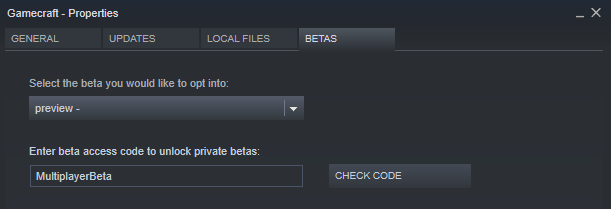
  5. Enter the code “MultiplayerBeta” and click on the “Check Code” button
  6. Click on the dropdown and select the “Preview” branch
  7. Give this a minute to download
  8. Make sure the game appears as “Gamecraft [preview]” in the Library
  9. Click Play and get started


N.B: Preview versions of Gamecraft grab local save files from a slightly different location. If you want to use your existing save files in the Preview branch, you'll need to copy them from "C:\\Users\\[USERNAME]\\AppData\\LocalLow\\Freejam\\Gamecraft" to "...\\GamecraftPreview".

Hosting and Connecting to Servers
From there, things get a little less straightforward. We’ll split this section in two, one for hosts and the other for players that want to connect.

To Host
If you want to be the host player:
  1. Load up a save file from the “Create Games” screen, or create a fresh one
  2. Press F3 to bring up the “Advanced Info” panel
  3. Open the console with ‘/’
  4. Enter the “ShowDebugDisplayExtraInfo true” command and hit Enter
  5. Enter the “StartDefaultServer” command and hit Enter
  6. Confirm that you are now “Running As Server” in the info panel

Once everything is set up there, you’ll need to grab your public SteamID. You’ll need to share this with other crafters in order for them to connect to you. The SteamID can be found in a couple of different ways so we’ll go over some of them.

The “official” route is:
  1. Open your Steam client
  2. Click “Steam” in the top left corner, then “Settings”
  3. Open the “Interface tab
  4. Tick the “Display Steam URL address bar when available” option, then click OK
  5. Click on your profile name at the top (next to “Community”)
  6. You should then see a 17 digit number in the URL just below

  7. If you see your profile name instead of a number (like me), then you’ll need to try a different method

The quickest and simplest alternative is:
  1. Open your prefered browser and go to https://steamidfinder.com/
  2. Type your profile name in and click the “GetSteamID” button
  3. Grab the 17 digit “SteamID64” number

Once you have this, send it out to the people you want to join you and they’ll be able to connect using the steps below.

To Connect
  1. If you know someone who is willing to host a server and you just want to connect to them and play, you’ll need to ask them for their SteamID (covered in the above section). Once you have that, follow these steps:
  2. Load up a save file from the “Create Games” screen, or create a fresh one
  3. Open the console with ‘/’
  4. Enter the “ConnectToCreativeServer” command with their SteamID as the value (e.g. ConnectToCreativeServer “12345678901234567”)
  5. After a moment, you’ll spawn in to their save

Key notes
  • Make sure you’re in Stasis, rather than simulation when anyone is trying to connect, otherwise they’ll likely fail and cause issues.
  • While you’re playing together, only the host will be able to save, so make sure you regularly save anything you want to keep.
  • Only the host will be able to start/stop the simulation in this version. So make sure everyone is ready before you do this.

Known Issues/Outstanding Features
This list isn’t going to be extensive but we just wanted to reiterate and highlight some of the more obvious concerns and issues before everyone starts reporting them.
  • The host being the only one to control simulation is a temporary thing. We want to have either a “ready check” system for starting simulation, or individual simulations if possible, to avoid conflict. All players will need to ready up, then the simulation will start/stop.
  • When players join during a simulation, we want to put them in a “standby” state until everyone returns to Stasis again (with messaging to show someone is waiting)
  • Multiple players can currently interact with the same buttons/levers. In future we’ll restrict this to whoever grabbed it first
  • Console commands will only trigger for the host. We’ll be making as may of these available to all players as possible in the future.
  • Certain commands won’t sync for all players. For example, sky colour changes will only visible to the host for now.
  • Colour, text blocks and a few other things may not sync correctly for all players at the moment

Please do let us know of anything else that you come across, along with general feedback regarding multiplayer so that we can continue to improve on it and clean up as many issues as we can.

The Gamecraft Team
Gamecraft - JoshJammer
Hey there Gamecrafters,

The holiday season is upon us, and we can sense the Thanksgiving turkey and potatoes have provided the Gamecraft community with new creative energy and so we’re going to start a new crafting competition in Gamecraft with three £25 Steam Digital Gift Card prizes to be won that will be in your Steam Wallet prior to the Winter sale on Steam should you win one.


This competition will run from today, 3rd December 2019 until 15th December 2019 23:59(UTC+0). The Judging will take place the next day. But before you rush to upload your entire games library, make sure they fit within the rules below, otherwise your entry won’t be valid.

Rules
  • It’s Holiday Season, so your game must have a strong holiday season theme
  • Your game must have an objective, and can be won and lost
  • Entries must have “Holiday” In the title - This is so we can easily search for them in the Play Games screen
  • You must publish your game to the ‘Play Games’ Screen for everyone to see
  • There must be a spawn point in the level for it to count as a game
  • Entries must be uploaded by 15th December 2019 23:59(UTC+0)

Judging
What will we judge the games on? Well there are a few factors we will take into account when judging a game:
  • Does your game follow the rules?
  • Was it fun?
  • Did it have a strong Holiday theme?
  • Can it be completed?
Pro-Tip: The Judge this time is Ric aka @FatDigester, and he’s Freejams’ Art Director so he likes to see you’ve put effort into the way things look, the environment, decoration, holiday themed colouring, etc.

Prizes
We have 3 Steam digital gift cards worth £25 GBP (~$30 USD) up for grabs. We’ll announce the winners once the judging process is done.

Prizes will be limited to 1 per user, and upon winning you will have to accept a Steam friend request from an official Freejam Source who will gift you the prize. It may take up to 3 days from accepting the friend request for the account to be able to receive the gift (this is a Steam restriction). If you fail to respond within 1 week of the friend request, your prize will be passed onto the next best winner. For multiple people working on 1 entry, the digital gift card can only be awarded to one person, so the person who uploads it to the workshop will be awarded the gift card.

We look forward to seeing all your submissions
The Gamecraft Team
Gamecraft - JoshJammer
Hello Gamecrafters!


We're continuing work on multiplayer, so we can release a preview build so crafters can get their hands on an early version and start building games together. We're fixing a couple of show stoppers but once we have fixed those, we'll aim to get that in a preview build asap.

We've also been pumping out a bunch of videos of Josh and Seb Playing through the community Submissions for the contest.
https://www.youtube.com/watch?v=CuKfiFgRRY0
https://www.youtube.com/watch?v=ig3AWDopBy4
https://www.youtube.com/watch?v=9xqAQIO-b2U
https://www.youtube.com/watch?v=zrO96-ZVwXc
https://www.youtube.com/watch?v=HHThBj8OYYA
https://www.youtube.com/watch?v=frpdUoQ7c6A
https://www.youtube.com/watch?v=_DW46ySYPWk
https://www.youtube.com/watch?v=Fs-Pua-ZiCI

Alongside that we've also given a shoutout to SteveMakerSpace For his coverage of the latest update, which you can see here:


And Mr.Rotor with the Help of JoYourBro made a create re-creation of the Classic Delorean with accurate colors too.
https://twitter.com/rotor_mr/status/1199438655296851969?s=20

If you would like a Community Highlight, be sure to share your creations in-game by publishing them to workshop, or by sharing a picture or video with us to one of our social spaces.

That’s it for this week, unfortunately, there won't be a dev blog next week, but you can follow us on our social spaces to get Gamecraft Content:
Twitter- https://twitter.com/Gamecraft_FJ
Youtube - https://www.youtube.com/channel/UCkcRFCr9aQxszaYeXcWZjwA
Facebook- https://www.facebook.com/GamecraftGame/
Reddit - https://www.reddit.com/r/GamecraftGame/
Discord - https://discord.gg/gamecraft

Thanks for reading!
Gamecraft Team
Gamecraft - JoshJammer
Hello Gamecrafters,
We’ve just released a small hotfix for the latest update. Below is a list of the changes and fixes.


Bug Fixes
  • Fixed some issues with shadows disappearing too soon - We’ll be able to make further tweaks to this as we continue to optimise areas of Gamecraft
  • Fixed a bug with the page navigation buttons not appearing correctly in the Prefab Workshop
  • Fixed a bug with the Empty Hand in colour mode preventing interactions with Levers/Text blocks etc.

A few more issues have been raised and we’re keeping an eye on any feedback, so we’ll continue working on another potential hotfix.

The Gamecraft Team
Gamecraft - JoshJammer
Hello Gamecrafters,

Our latest major update is live and available to all Gamecraft owners NOW! The headlining features are the switch to the Havok physics engine, a new Colour painting system, and the Prefab Workshop, but we’ve got plenty more to talk about as well! We’ll get into the details in the full patch notes below.


Colouring and Hotbar Pages
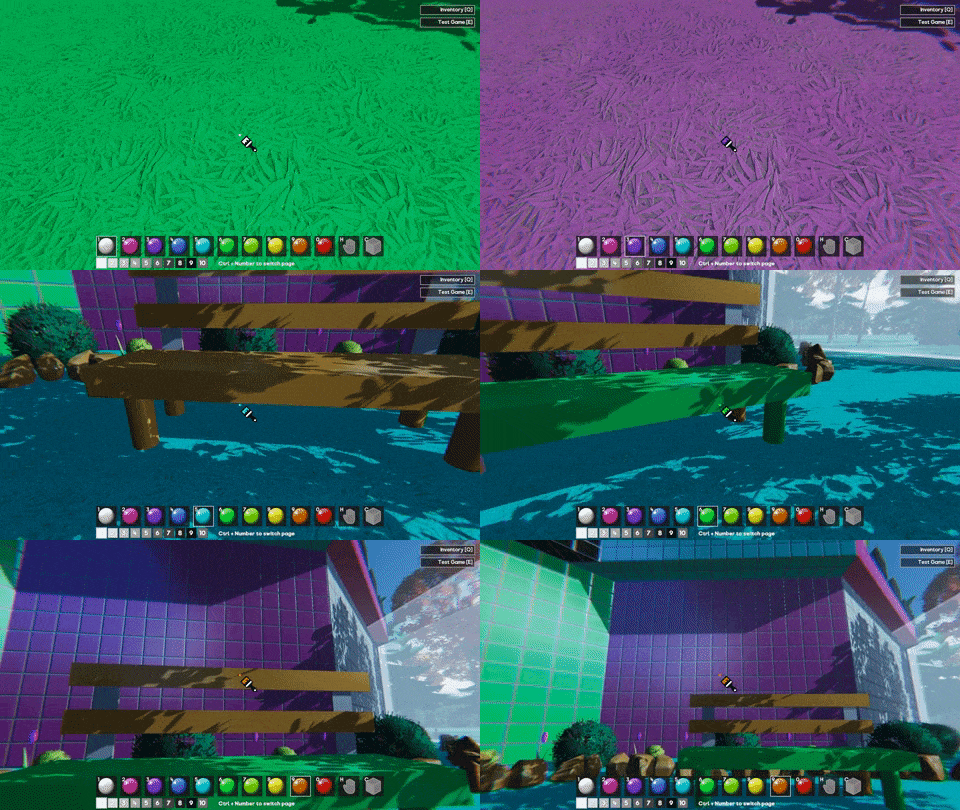
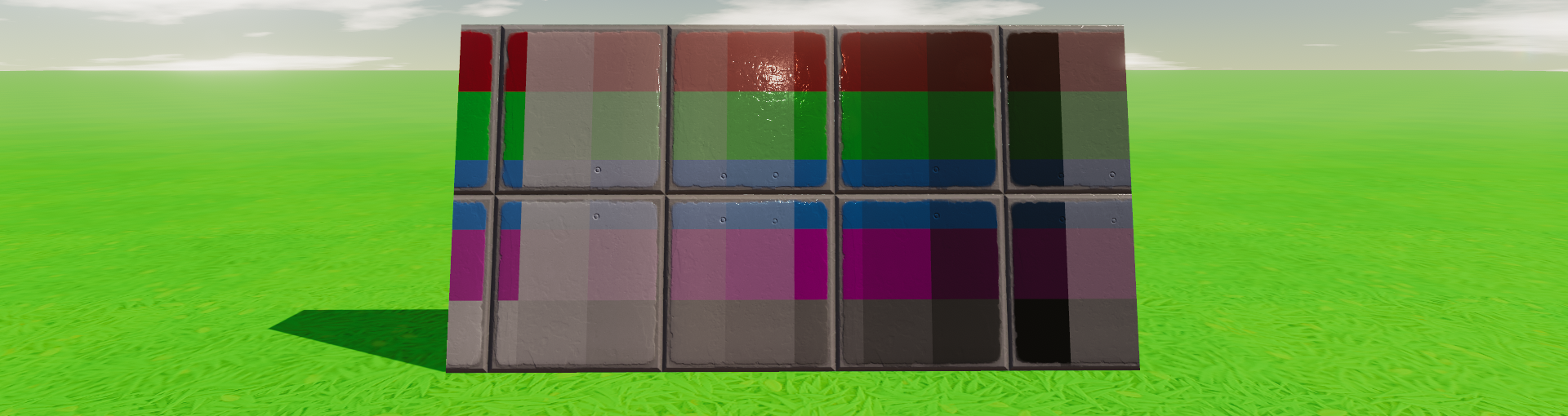
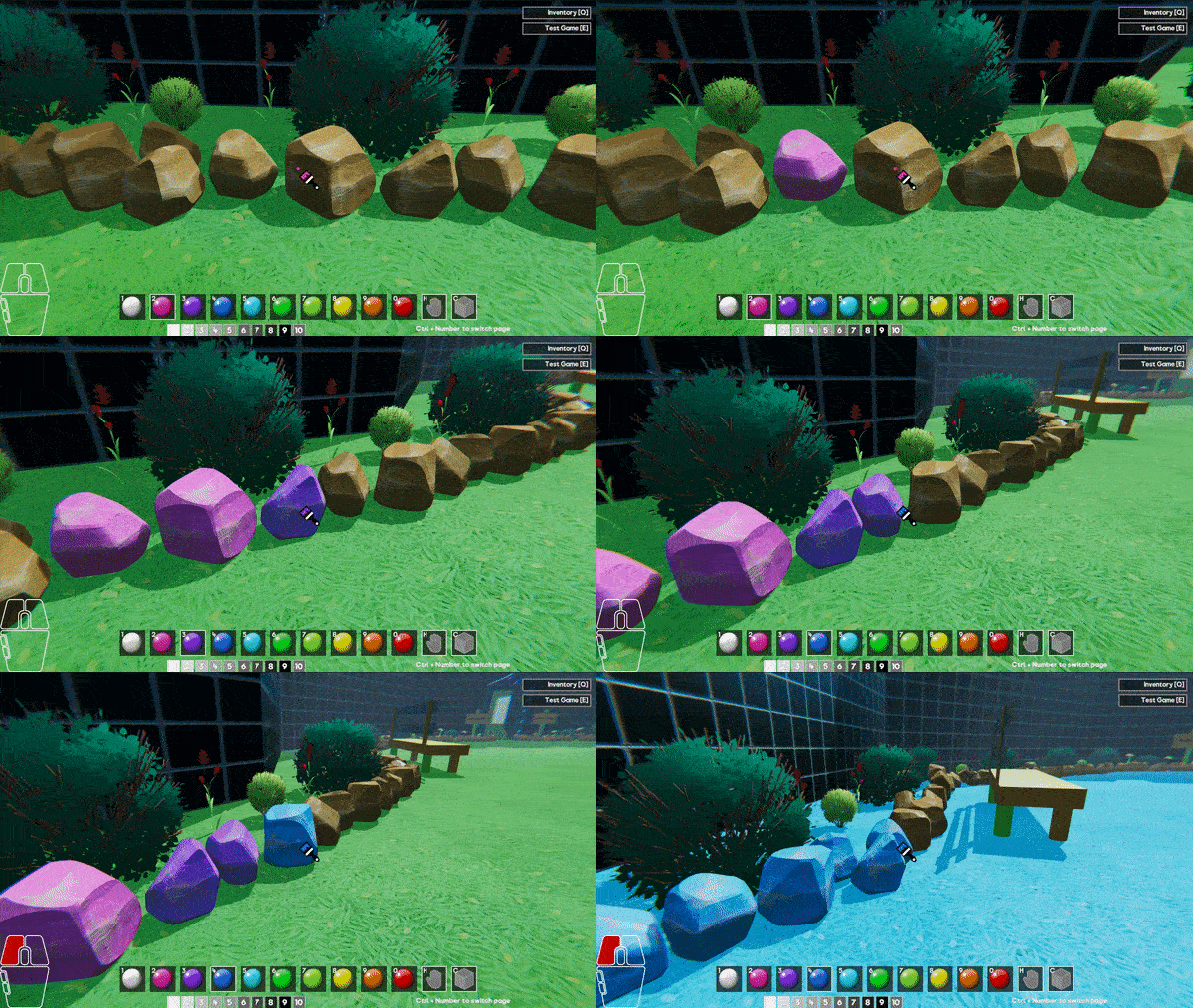
Now you can bring your games to life with the new colouring tool, one of the more highly requested features! Crafters now have access to 100 colour variants to spruce up their worlds.


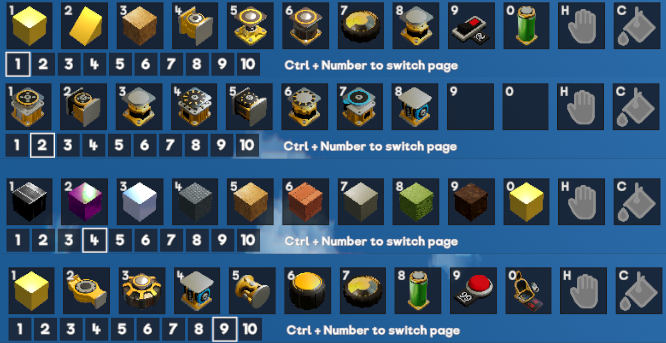
The hotbar is divided into two separate versions; The “Parts Hotbar”, which holds blocks, joints and all of the other parts that are available, and the “Colour Hotbar”, which holds all 100 colour variants in a fixed order. These two hotbars can be toggled by pressing ‘C’.

With the Colour Hotbar selected, you’ll have access to 10 pages of colours. These pages can be navigated by holding Ctrl and pressing 1-0 on your keyboard. The first page is the default colour palette with your vibrant shades of the common colours. Pages 2-9 are pastel-esque to darker variants and page 10 is an extra “desaturated” variant.


To get painting, just toggle the Colour Hotbar, select a page, select a colour and click away! You’ll even be able to paint multiple parts in a row by keeping the left mouse button held down.

Any parts that are selected from the Parts Hotbar or Inventory will be placed with a default colour. These defaults closely match the colours seen in experiment 10 and earlier, although some will be slightly different. You’ll be able to place these parts with their default colour, then paint over them as you please. If you want a part be placed in a particular colour then you’ll be able to “select” a part that’s already placed with the middle mouse button. This will select the part, size and colour.

With 100 colours being available and needing somewhere to store them all, it felt like the perfect opportunity to carry this page functionality over to the Parts Hotbar. You’ll also notice that there are now 10 pages in this hotbar too! That means you can have almost every item stored no more than two buttons away.


Just like before, you can drag and drop parts from the Inventory for quick access. As an added bonus, these hotbars will also be saved across multiple sessions and even machines (if you play on the same account)! We’ll cover the details on that a bit later.

The default page 1 has been shuffled around a bit as well, while the rest will start out empty. You’ll also notice the “Empty Hand” has also been moved from 0 to ‘H’. This is consistent across both hotbars and was necessary to make space for the colours.

Prefab Workshop
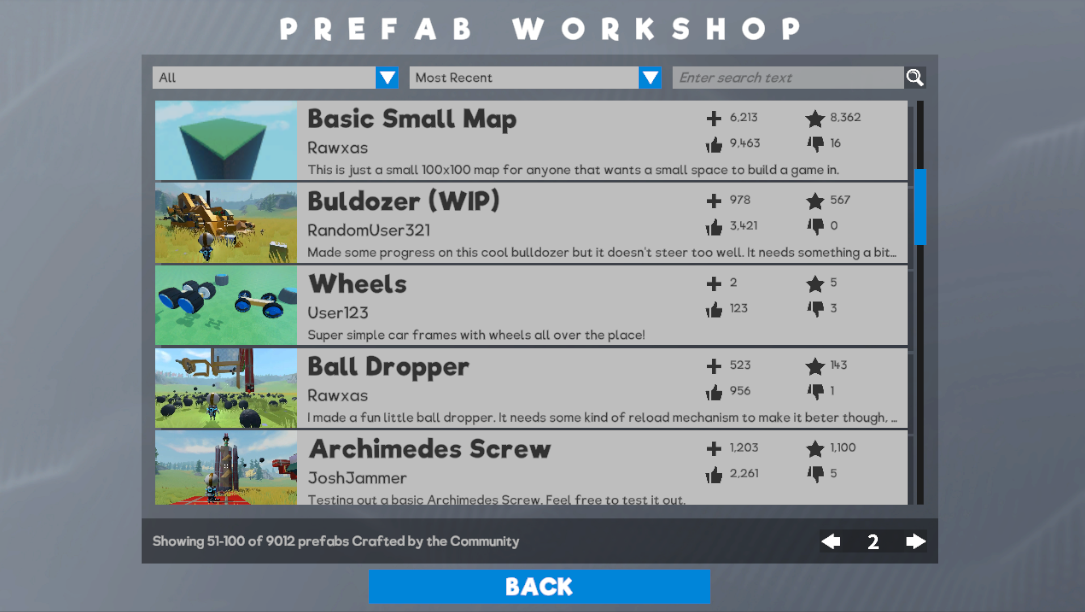
The Prefab Workshop is a place for crafters to share their non-game creations in a slightly more collaborative environment. The aim of this workshop is to provide a space for users to share builds that are not full games in themselves but that could be used to form parts of games. Say you’ve made an amazing vehicle or a beautiful environment and you want others to use it in a game, you can share it in the Prefab Workshop.


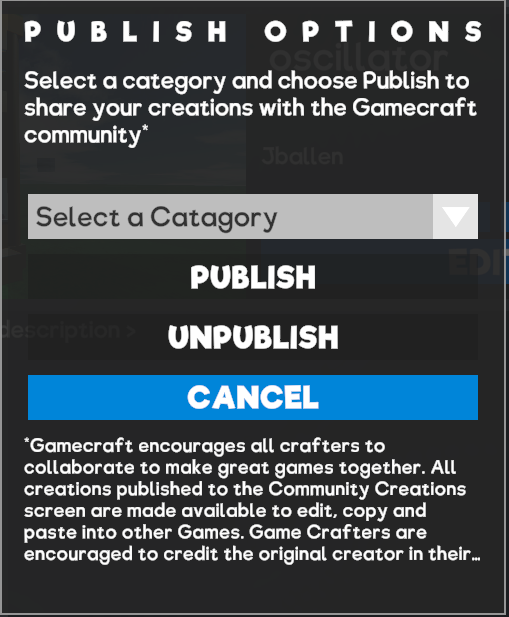
When publishing your save files, you’ll now have a few extra options. If you’re publishing a game, just select “Game” from the list and it will work exactly the same as before, putting that game in the Community Games section for others to play. Selecting one of the other options in the list will publish the save to the Prefab Workshop instead.

On the Prefab Workshop screen, you’ll be able to filter through various prefabs in the same way you can filter through games. There’s an added filter for category as well, in case you’re looking for something specific. The categories for this launch are:
  • Vehicle: As you’d expect, this option is recommended for any kind of car, bike, helicopter or walker you can think of
  • Environment: Environments can be breathtaking landscapes with lush forests, ready for other crafters to build their game in
  • Building: If you’ve built a nice little house for Leo, this is the place to share it
  • Prop: Props can be things like doors, postboxes, nice flower arrangements to larger bits of scenery
  • Gizmo: Gizmos can be cool contraptions like logic gates or even a steering system
  • Other: If you don’t feel like your Prefab fits in any of the above categories, let us know and we can consider adding some more over time.
The details page for Prefabs is a little different from Community Games. Instead of “Play”, you’ll be able to “View” the prefab. While viewing, you’ll still be able to edit, add or remove parts of the scene, as if it were one of your own games, but you won’t be able to save directly over it. If you like what you see, or you’ve made some tweaks that you’d like to save for later, you’ll be able to “Copy” the prefab to your own local saves!

Copying a prefab will add it to your list in the My Games screen, under the name of the original creator initially (if done via the details screen). If you build something with the prefab and save over it, you’ll become the “owner” and if decide to publish it, be sure to credit the original creator.

In the near future we plan to add a copy/paste feature when you can select things that are prefabs, copy them, then paste them into your games as many times as you like. This way we hope that the incredible Gamecraft community can collaborate to make great games if they wish.

Havok Physics


Gamecraft is one of the very first Unity games to publicly release with the world famous AAA Havok Physics engine incorporated in it. Up until now Unity developers have not been able to incorporate Havok into their games and a recent partnership between Unity and Havok has allowed those developers that have adopted Unity’s new DOTS technology to also use Havok. Havok is in beta form and Freejam has been an early adopter of the technology.

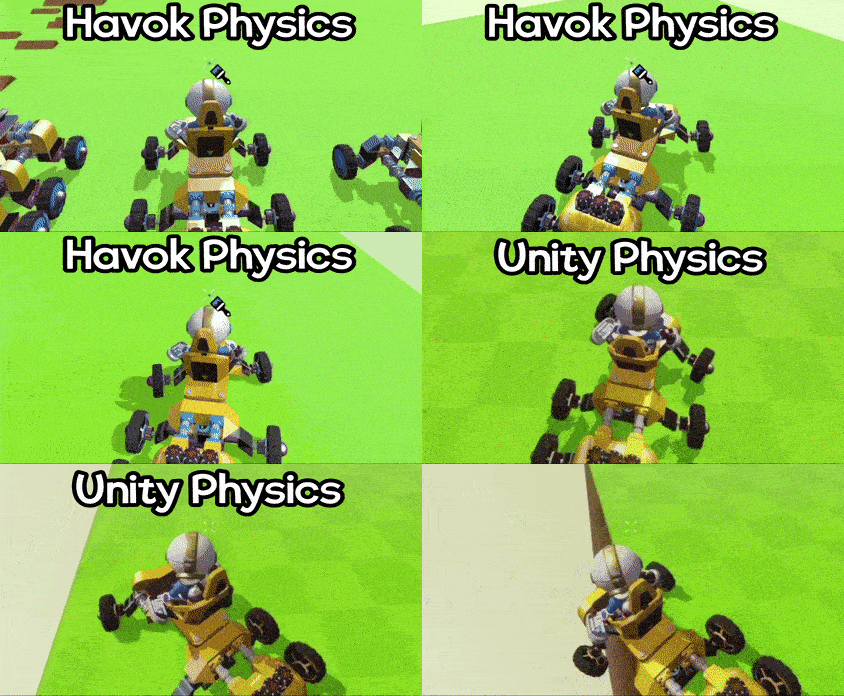
We’ve spent a lot of time trying to tweak and improve the physics of Gamecraft and Havok is the next big step. Havok Physics offers a lot of improvements, both in performance and stability, as well as a few fixes to issues that have been plaguing us for a while now.

Thanks to DOTS, the switch is practically seamless. So seamless in fact, that you can do it while running a simulation, but we’ll get to that shortly! There are some massive changes that come with this, but, from internal testing it looks like the majority of games that have already been published are performing better in Havok. There are definitely a few areas where Havok Physics slightly break existing saves or generally cause them to behave slightly differently due to Havok being more precise when it comes to collision detection and joint solving. For this reason we’ve implemented a sort of “legacy support” system to ease the transition and give crafters a chance to test their game out with the new physics before publishing them again.

Some of the main changes and fixes are:
  • Performance: Havok physics is faster than Unity Physics in most general cases that apply in Gamecraft.
  • Welding: Havok has a welding system that joins the seams of connected blocks. This allows for vehicles, sliding blocks and character to move more smoothly over connected block seams.
  • Joint Solving: This is improved in Havok. Joints are more rigid and stable when being ‘solved’ in physics simulations. This allows for better build reliability and less glitches.
  • Stacking: Stacked blocks are much more stable now and settle nicely without ‘jiggering’ apart.
  • Collider Penetration: When this occurs it is resolved more gently, so things do not ‘explode apart’ so much when objects penetrate each other.
  • Tyres: We’ve made use of some of Unity Physics and Havok Physics special low level features to treat the circumference of Tyres as perfect spheres. This allows for very smooth collision when they are spinning at speed which improves the contact with the ground and reduces bumping etc.
Legacy Support
With the sheer number of changes, some existing games are not going to perform exactly the same. In most cases, they’ll be much better, but there are a few parts that relied on the quirkiness of Unity Physics. These games are simply never going to work the same way in Havok without some minor tweaks. With this in mind, any existing saves will remain on Unity Physics for now, with most of the old settings and values, while newly created game will default to Havok. We have supplied a way to convert old saves over to Havok also.

When you load up an existing save (local or published), you can press F3 to show the “extra info panel”. This panel will show you which physics engine the save is running. With the new console command, “switchToHavokPhysics”, you’ll be able to switch to Havok physics.

IMPORTANT: If you save your game after switching to Havok the game will permanently save in Havok mode and you will not be able to switch it back. If you switch to Havok using the command but do not save it, you can reload your save and it will still remain in Unity Physics mode.

Published games will work with whichever physics engine they are published in (according to the save file), so if you’re happy with the way it behaves in Havok physics you can re-publish your game to the portal for others to play with the new physics option.

New Materials and Parts
New Materials
We have three new materials in this update:
  • Wood - A non-conductive, fairly lightweight material
  • Brick - A non-conductive, fairly heavy material
  • Concrete - A non-conductive, heavy material


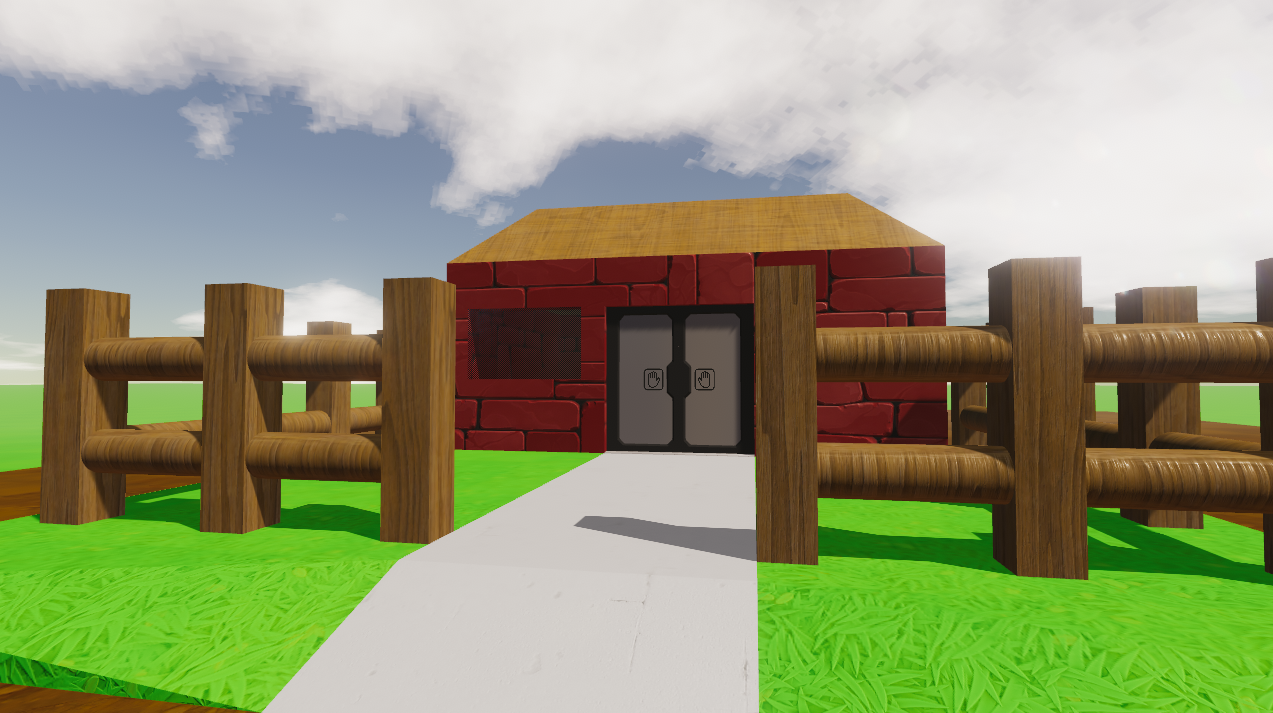
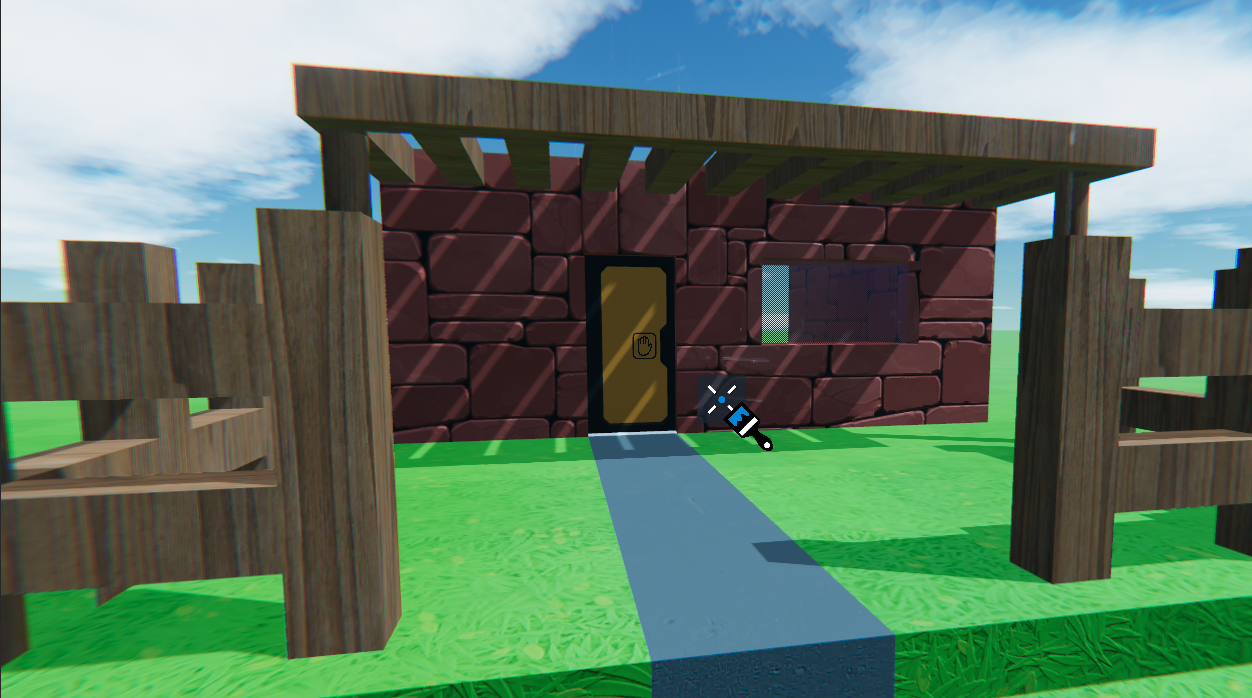
Wood is available in all existing shapes and works wonderfully with our triplanar shader so you’ll be able to create seamless wooden objects

Brick and Concrete are currently only available in four basic shapes; Cube, Cube Sliced, Slope and Corner. These felt like the shapes required for “buildings” but we may add more over time.

Doors
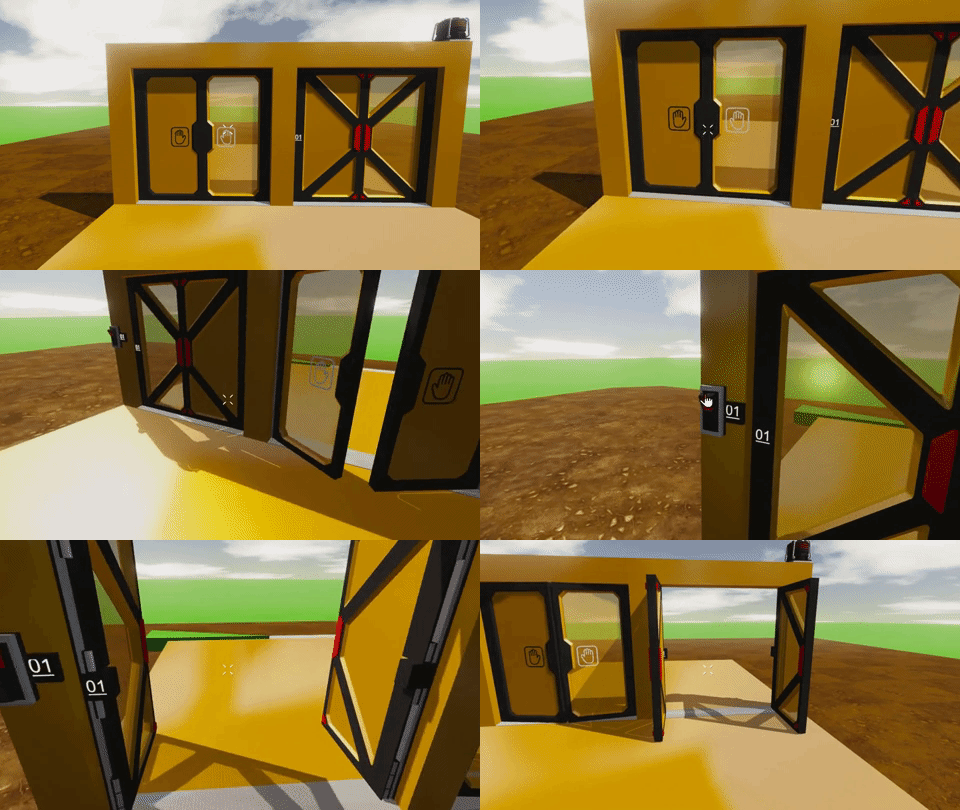
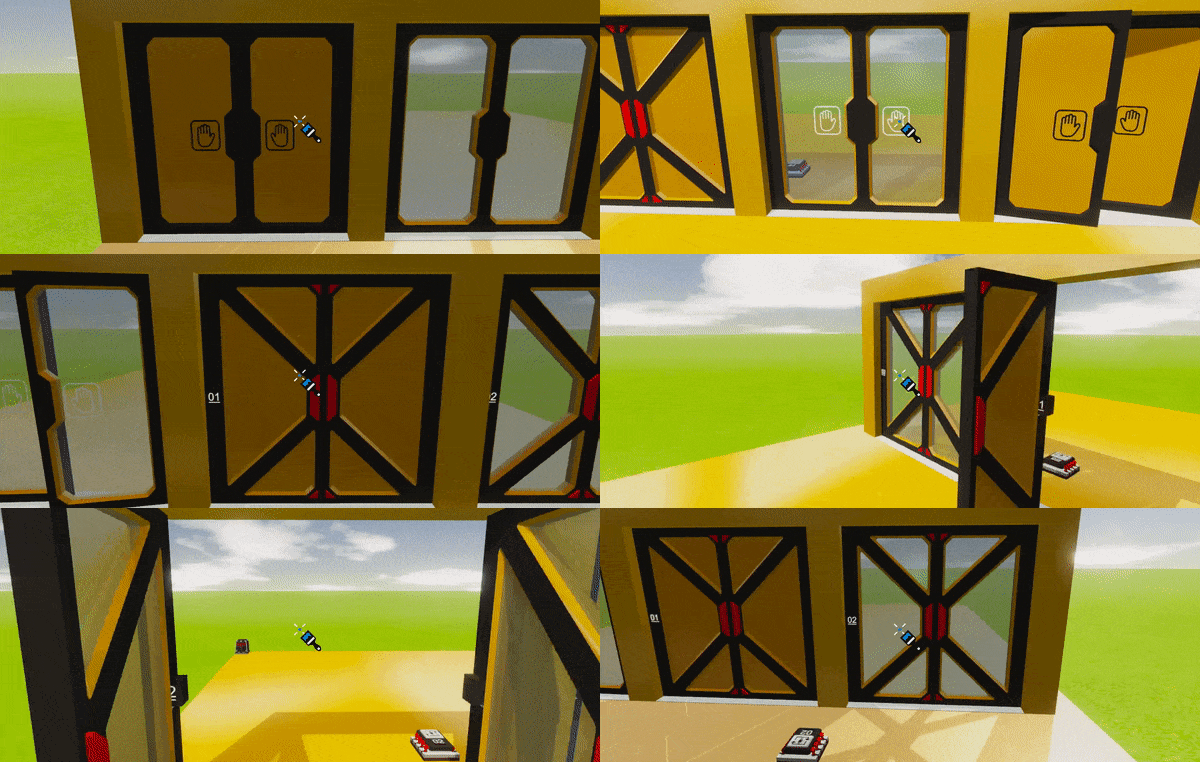
While crafters have been making absolutely outstanding doors with the parts available, we realised that it was quite restrictive, particularly when it comes to creating smaller, Leo-sized doors. These new parts offer a clean, compact alternative to building your own. They come in four variants; Solid and Glass, Unpowered and Powered.


Unpowered doors are spring loaded and will open when Leo walks into them, before swinging back closed. Powered doors can be opened only with a controller, so they must have a channel assigned and a power source.

Tubes
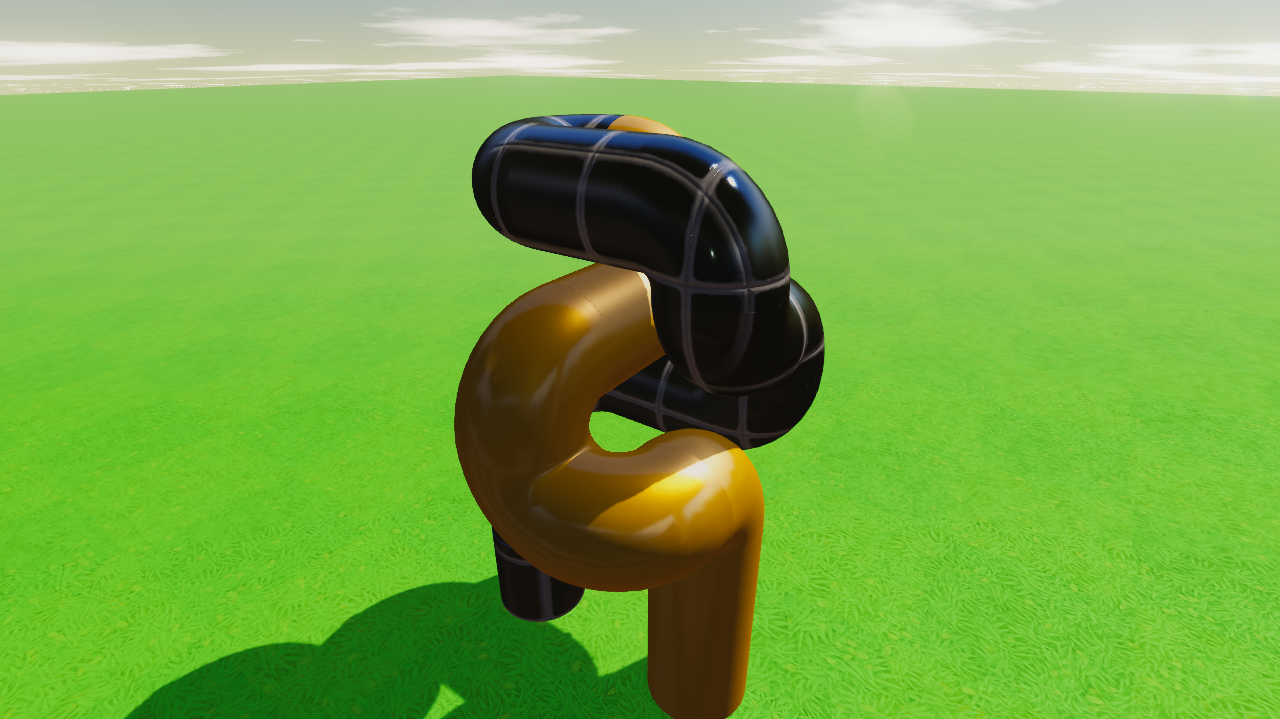
Aluminium and Iron Corner Tubes have been added. These offer a nice transition between cylinders.


Updated Player Spawn Point
The Player Spawn Point has received a bit of an overhaul. We’ll cover the “why” below, but this spawn point is now actually player-sized and doesn’t confine Leo in the same way the other box spawns do.

Auto-Simulation in Community Games
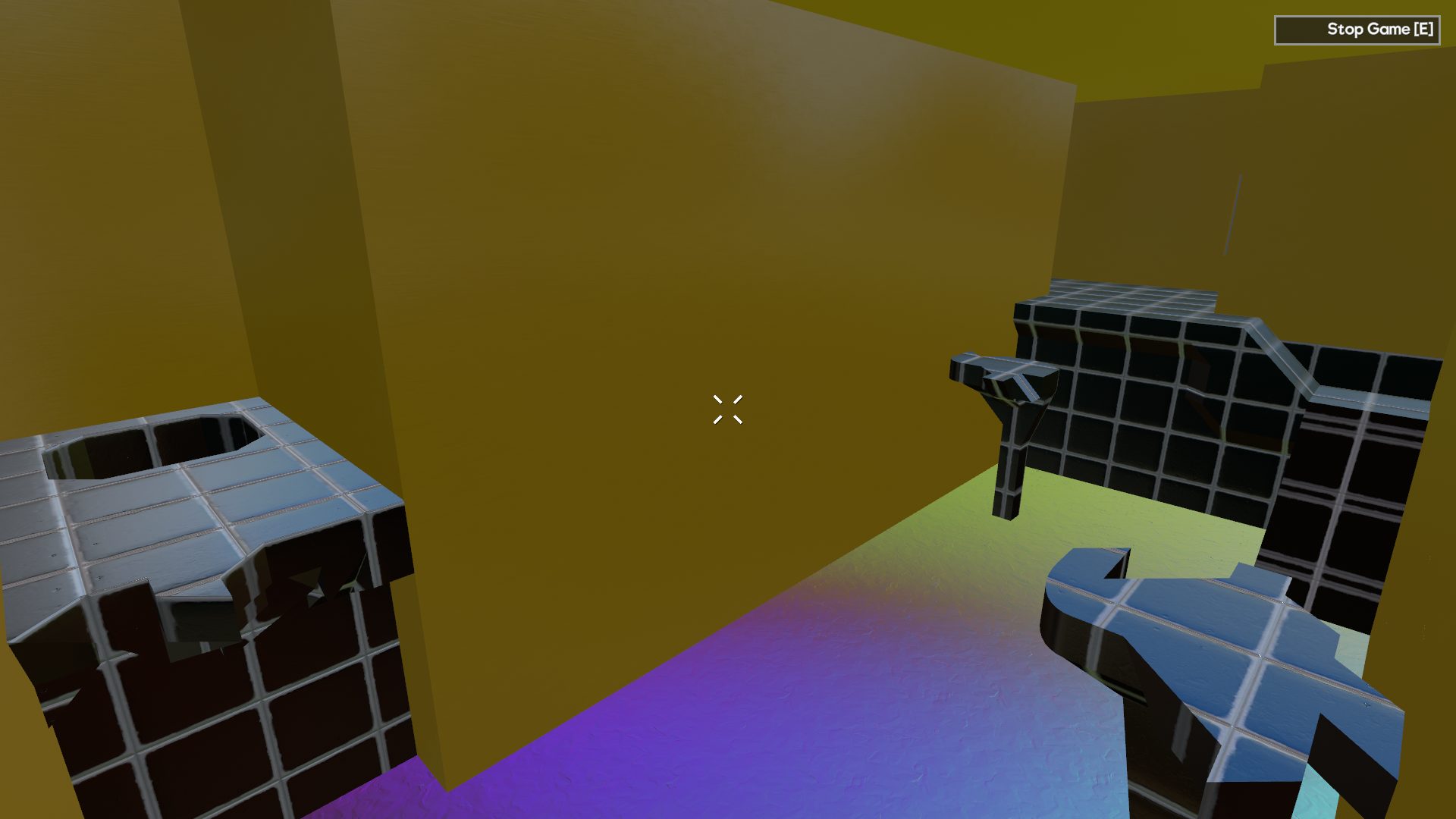
We’ve made some fairly large changes to the way players “play” games in this update. Previously, players would spawn into a white box, where they would then need to Press ‘E’ before being able to actually play that game. We felt that this was a little unintuitive and annoying, so we’ve made Community Games auto-start in simulation when there is a Player Spawn Point in use. Games that require building will still work the sam way, just make sure you include a small-large building spawn point instead of a player spawn point.

Any commands scheduled to run when simulation starts will still run as expected, so this has the added bonus of letting you set your ambient lighting, colour and time of day without having a jarring switch when a player presses ‘E’.

While the simulation is running, pressing ‘E’ will also now bring up a pause menu instead of automatically restarting the level. We’ve all accidentally hit ‘E’ and had to start over, I’m sure. This new pause menu will have Resume, Restart and Quit. Restart will do exactly that, sending you back to the spawn point and restarting the simulation.

Persistent Player Hotbar and Filters
We’ve been working on syncing some data to the Steam Cloud and the first stage of this is a couple of specific things. For this update, your hotbar (all 10 pages of it!) will be saved to the cloud. This means any parts you drag from the inventory will stay saved for the next time you run Gamecraft. You’ll also have access to this setup if you log in on another machine. The filters in the Play Games and Prefab Workshop screens will also be saved in the same way, so you can load the most recent games by default, rather than the tutorials every time.

We’ll be working on saving more data in future as well, from game saves to other player settings.

Other Changes
Ongoing optimisations
We know things have been getting a little more sluggish over the last few experiments so we’ve spent a lot of time going back through old shaders, parts and code to make sure we’re reducing our overheads as much as possible. We’re hoping everyone sees some noticeable improvements across the board already but we’ve still got plenty of things to work through over the next few updates as well

Character size and movement changes
Leo’s shrunk a little bit in this experiment! With the introduction of doors, we felt that now would be a good time to tweak Leo’s size a little bit. He should now be able to fit through a 2x5 gap with ease. This does make a few games slightly harder now as Leo will also fall through smaller gaps between platforms.

We’ve also made some tweaks to the way Leo moves. His acceleration and deceleration have been bumped up so that he slides around a lot less. The brief pause when Leo lands has also been reduced a little bit.

Capped cube scaling
We’ve capped the maximum size of a stretched cube to 1080 units in each axis for the foreseeable future. Parts above this scale had multiple issues that were tough to solve cleanly and this cap still offers a lot of building flexibility.

Steam Now Required
With the Workshop requiring players to be logged in to Steam and the added data saves, we’re now running checks on launch that ensure players are logged in to Steam and actually own Gamecraft. Previously, we’d only run these checks when you try to interact with Workshop content.

My Games order change
We’ve made a slight tweak to this screen. Games are now displayed by date created in descending order rather than ascending. We felt this would make more sense, as you’d prefer easier access to the latest games you’ve been working on.

Bug Fixes
  • Fixed a couple more cases where the client could crash when exiting from the main menu
  • Fixed a bug that could prevent Triggers activating on low framerate
  • Fixed a bug when calculating the inertia tensor of joints - This should make builds with lots of joints perform a little better, but may affect some existing games
  • Fixed some bugs with cubes overlapping at larger scales, preventing placement or connections - Existing parts that were placed may not connect still but deleting and placing them again should resolve the issue
  • Fixed some collision issues where the colliders didn’t quite match the visual shape - This shouldn’t have a noticeable impact in most cases, but helped fix the issue of placement/connections
  • Pressing Enter to search in the Community Game search filter will now correctly use the input
  • Fixed a couple of bugs with save descriptions that could lead to errors when using Rich Text Tags. These have now been disabled in the My Games and Play Games screens
  • Publishing changes to a save that is marked “Hidden” or “Friends Only” will no longer set it to Public
  • Fixed a visual issue with the Cone Segment parts
  • Fixed some visual issues with Leos positioning in Pilot Seats and Control Consoles
  • Fixed some audio timing issues with Servos

These new features and changes open up so many more possibilities, we’re all looking forward to seeing the amazing creations you can make and share with the new Havok Physics now, as well as the beautiful worlds you can create with the new materials and colours. If you haven’t left a review yet, please do as it really helps us all grow the community.

The next step for Gamecraft is a preview of multiplayer! We’re hoping to get an extremely early version in your hands very, very soon. It will be very barebones and we’re expecting a lot of issues so the sooner we can get some feedback and hands on testing, the sooner we can work on stabilising it and getting it ready for a public release. We’ll share more information on this as we get closer.

The Gamecraft Team
Gamecraft - JoshJammer
Hello Gamecrafters!


Unfortunately we had to delay our update this week, we're aiming to get that live early next week so you can enjoy it as soon as possible. We've also announced the winners of our 'Create a Game for Seb' competition. You can read about both these in more detail here:
https://steamcommunity.com/gid/35037633/announcements/detail/1609403415804321464[/url] We didn't do many Community highlights this week, but we will be pumping out daily videos of Josh and Seb playing through the competition entries to the competition. If you would like to watch, the first one was released today. [previewyoutube=CuKfiFgRRY0;full][/previewyoutube] [i]If you would like a Community Highlight, be sure to share your creations in-game by publishing them to workshop, or by sharing a picture or video with us to one of our social spaces.[/i] That’s it for this week, we’ll give you another update next week! Be sure to follow us on our social spaces: Twitter- https://twitter.com/Gamecraft_FJ Youtube - https://www.youtube.com/channel/UCkcRFCr9aQxszaYeXcWZjwA Facebook- https://www.facebook.com/GamecraftGame/ Reddit - https://www.reddit.com/r/GamecraftGame/ Discord - https://discord.gg/gamecraft Thanks for reading! [i]Gamecraft Team[/i]
We didn't do many Community highlights this week, but we will be pumping out daily videos of Josh and Seb playing through the competition entries to the competition. If you would like to watch, the first one was released today.

If you would like a Community Highlight, be sure to share your creations in-game by publishing them to workshop, or by sharing a picture or video with us to one of our social spaces.

That’s it for this week, we’ll give you another update next week! Be sure to follow us on our social spaces:
Twitter- https://twitter.com/Gamecraft_FJ
Youtube - https://www.youtube.com/channel/UCkcRFCr9aQxszaYeXcWZjwA
Facebook- https://www.facebook.com/GamecraftGame/
Reddit - https://www.reddit.com/r/GamecraftGame/
Discord - https://discord.gg/gamecraft

Thanks for reading!
Gamecraft Team
Gamecraft - JoshJammer
Hello Gamecrafters,


Update Delay
We’re working hard here in the studio to get Experiment 11 ready to release. Unfortunately there are a few pesky bugs left that we feel should be squished before we release this experiment. We’re aiming to get this done early next week, but we’ll message out if we feel it may take longer. If you are unsure of what to expect from this experiment, you can read about it in our latest dev blog

Some other things to look forward to that weren’t covered in that dev blog are multiple inventory tabs, tube corners, auto-simulation and some cloud-saving of inventory loadout.

Competition Winners
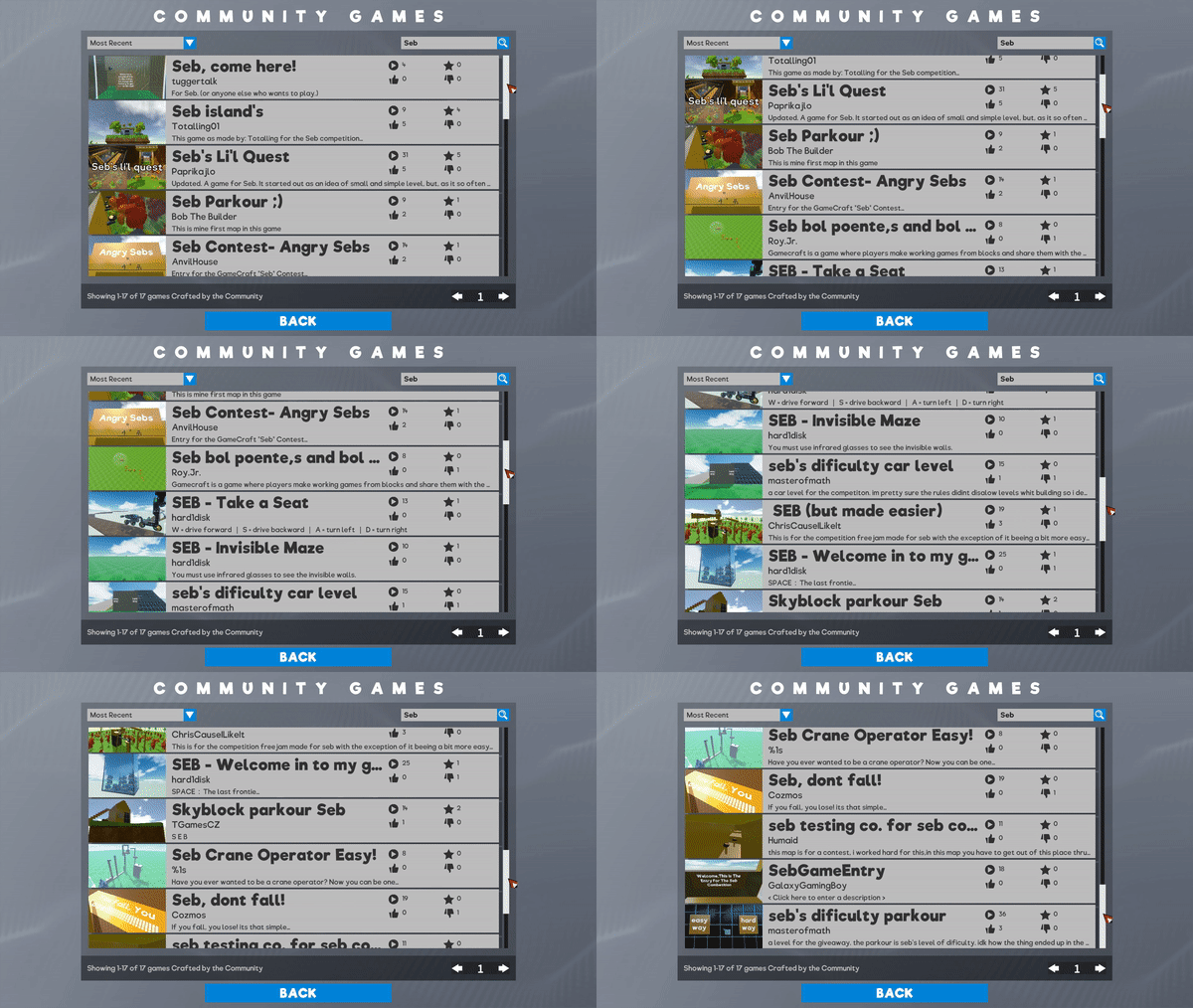
After a long and tiring session with Seb, we have decided our winners for the ‘Create a Game for Seb’ competition. The winners have been judged on how good of a challenge it was for Seb - not too easy, not too hard, - how much fun Seb had while playing through the level, and how it looked aesthetically. The top 3 winners are:

Sebs Island by Totalling01


12 Challenges for Seb by TOM353


Sebs Quiz by 357.JapeEgg


These winners will need to accept a friend request from a Freejam Member of staff who will send you the £25 steam gift card. If the winner doesn't respond to the friend request within a week of sending the friend request, the prize will be passed over to the next runner up.

Thanks again to all the contestants and all the entries. We feel this was a real success and will be running another competition shortly. The next competition should be even better as we’ll have all the amazing features listed above. We’ll aim to release the videos of Sebs playthrough once editing on each one is done. We don’t want to spam you with multiple videos, so we feel 1 or two a day would be best. We’ll create a playlist of all the videos so you can easily find them too.

Some special shoutouts
Seb’s Li’l Quest by Paprikajlo


Stunt Race GC by Puggle1019


Sebs Test Chamber by Pyromant


The Gamecraft Team
Gamecraft - JoshJammer
Hello Gamecrafters!


Next week we’ll be aiming to release our next update. This update includes the following features:
Coloring


With this update we’ll be giving users the ability to color their worlds. With this addition, you'll be able to easily add theming to your level, you can create a desert landscape or put yourself on an alien planet. Press ‘C’ to select the paintbrush and choose from 100 colors, to paint to your heart's desire!
New Materials


We’re adding Wood, Brick and Concrete to give even more ability to theme your levels. Brick walls, wooden train sets, concrete jungle, all these and more are possible with these additional blocks!
Doors


We’re adding some powered and unpowered doors into the game. Walk into the unpowered doors to open them, and set up controls to open the powered doors. In the example above we’ve hooked up triggers so the doors automatically open when you get near.
Prefab Workshop


The Prefab Workshop will allow crafters to share their various creations that aren’t quite games in a slightly different way. Publishing a save as a “Prefab” will allow other crafters to go in and “view” them (rather than play). If they like what they see, then they can copy this Prefab to their own local saves and start building with/onto it. Prefabs are essentially “open source” creations, so make sure you only publish Prefabs that you are willing to share, and if you use one, make sure you give credit.
Havok Physics


Shifting from Unity Physics to Havok will resolve a few core issues we’ve been dealing with over the past few months, from snagging in the seams between blocks to joints jittering around wildly; we really think you’ll notice the difference right away and will be able to build much more powerful things.

Alongside that, we’ll be continuing work on multiplayer and aiming to get a preview build out for players to play with as soon as possible.

This weekend is the last chance to submit your entries to the Seb competition. On Monday we’ll then get Seb to play through all the entries and decide a winner based on his playthroughs. Seb Competition announcement

The Community Highlights for this week were:

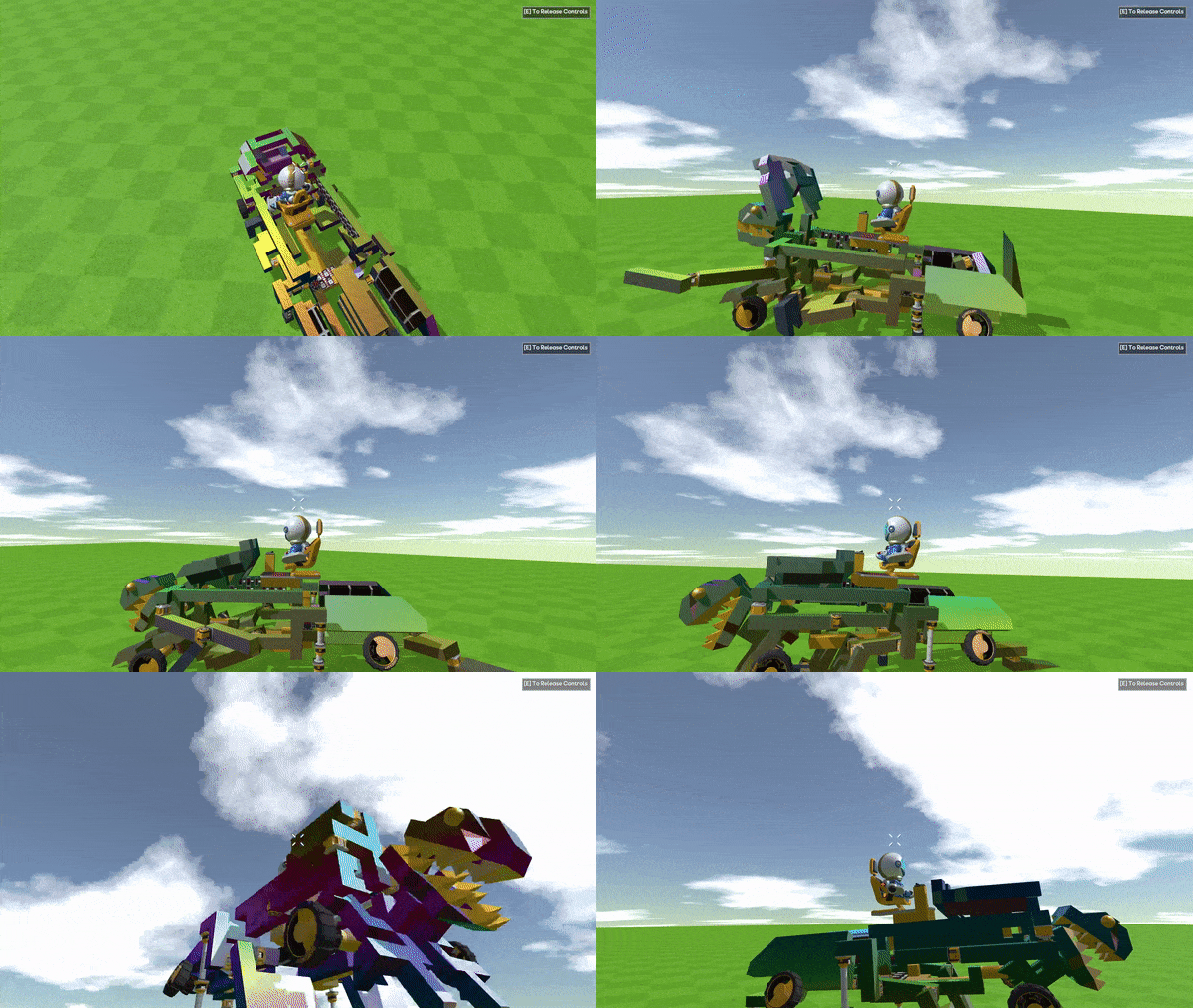
Monday 11th November - TRex Transformer by Stevesmakerspace


Tuesday 12th November - Competition Entries for Sebs Competition


Wednesday 13th November - Multiplayer Wipeout *In-studio development preview*


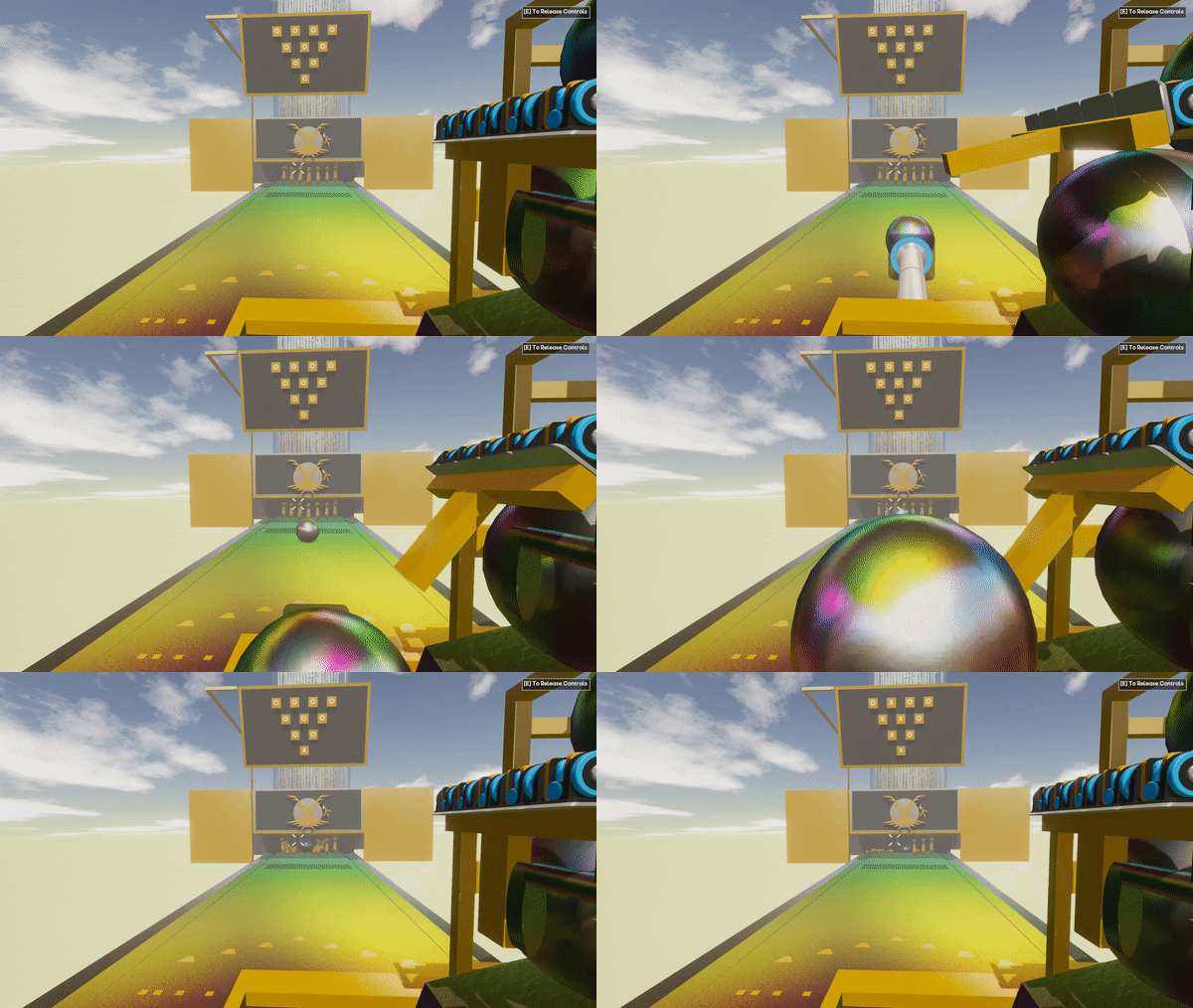
Friday 15th November - Bowling Alley by - KURA3000


If you would like a Community Highlight, be sure to share your creations in-game by publishing them to workshop, or by sharing a picture or video with us to one of our social spaces.

That’s it for this week, we’ll give you another update next week! Be sure to follow us on our social spaces:
Twitter- https://twitter.com/Gamecraft_FJ
Youtube - https://www.youtube.com/channel/UCkcRFCr9aQxszaYeXcWZjwA
Facebook- https://www.facebook.com/GamecraftGame/
Reddit - https://www.reddit.com/r/GamecraftGame/
Discord - https://discord.gg/gamecraft

Thanks for reading!
Gamecraft Team
Gamecraft - JoshJammer
Hello Gamecrafters!


Earlier this week we kicked off our first ever competition. The goal was to make a game that our CTO seb could complete. Be sure to read about the details for that here: Create a Game for Seb Competition. Yesterday he attempted to playthrough the first entry to the competition, and it ended in a hilarious failure, which you can watch here: Gamecraft - Seb Plays through the first competition entry Unfortunately he isn’t in the studio next week so he won’t be able to play your games until he comes back, but we’ll be sure to record more of his attempts at playing your submissions when he is back in the office.

What will we be working on next week? We’ll be continuing to work on the items we listed last week, you can read what they were here: Gamecraft Blog 01/11/2019 We’ll also be continuing work on Multiplayer.


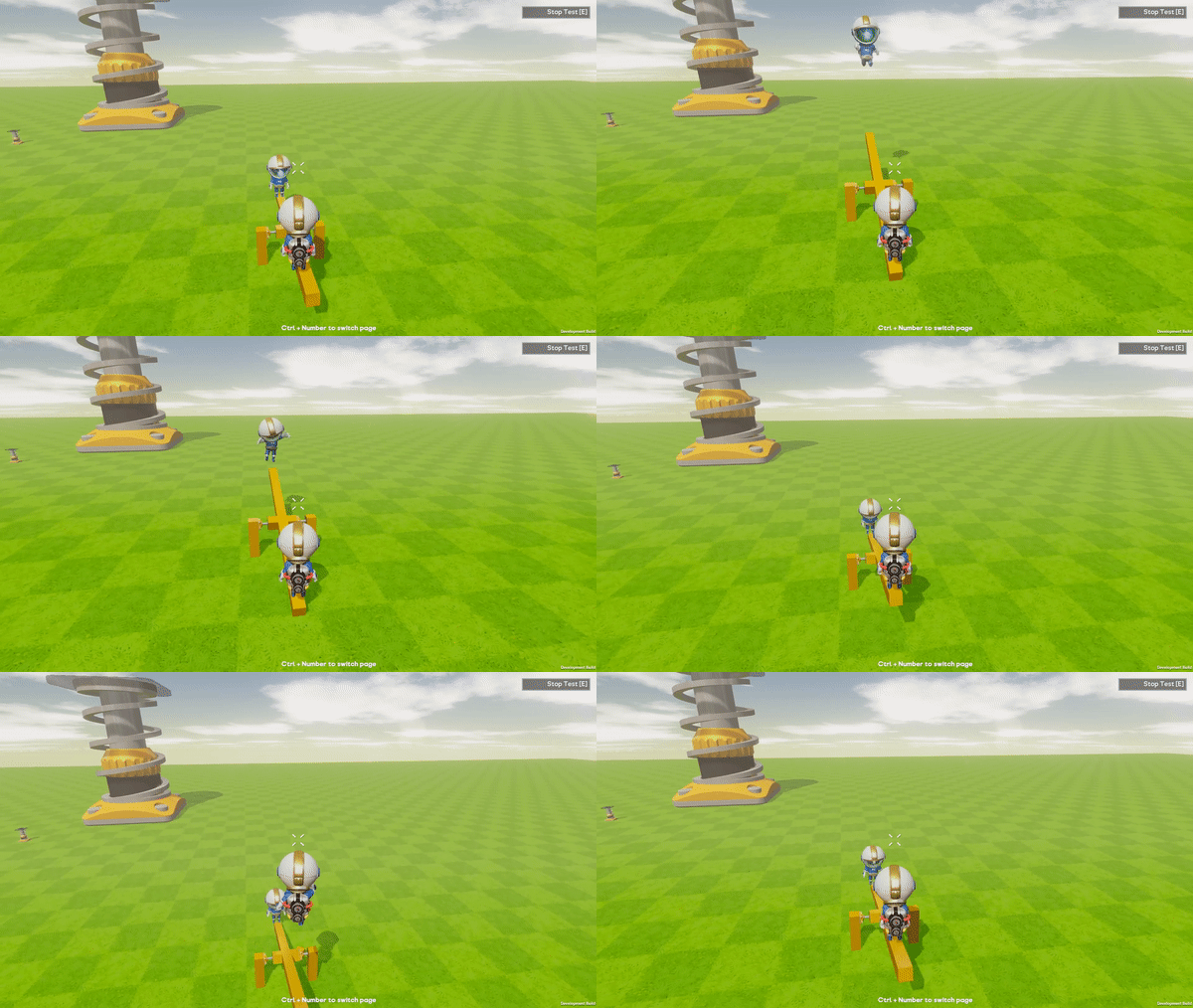
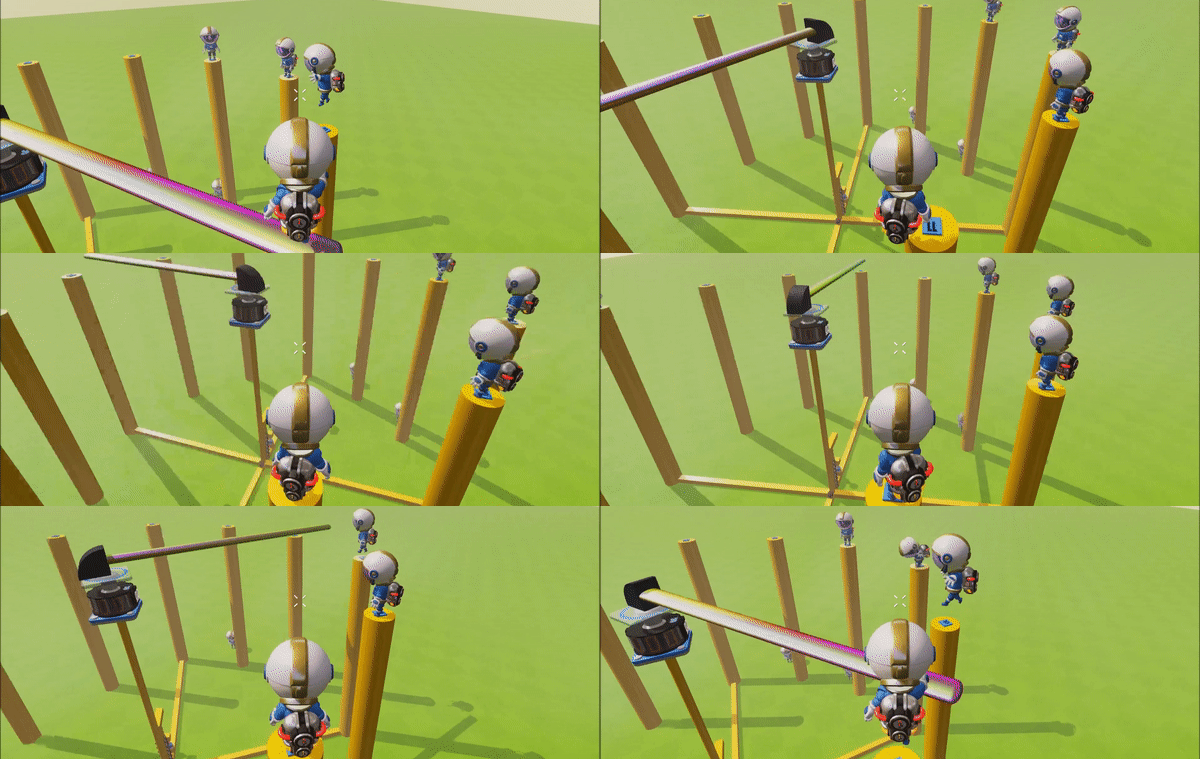
The multiplayer seems to be coming together quite nicely.You can build and play games and contraptions together. Just look at how the two Leos above are having a great time on their See-Saw!

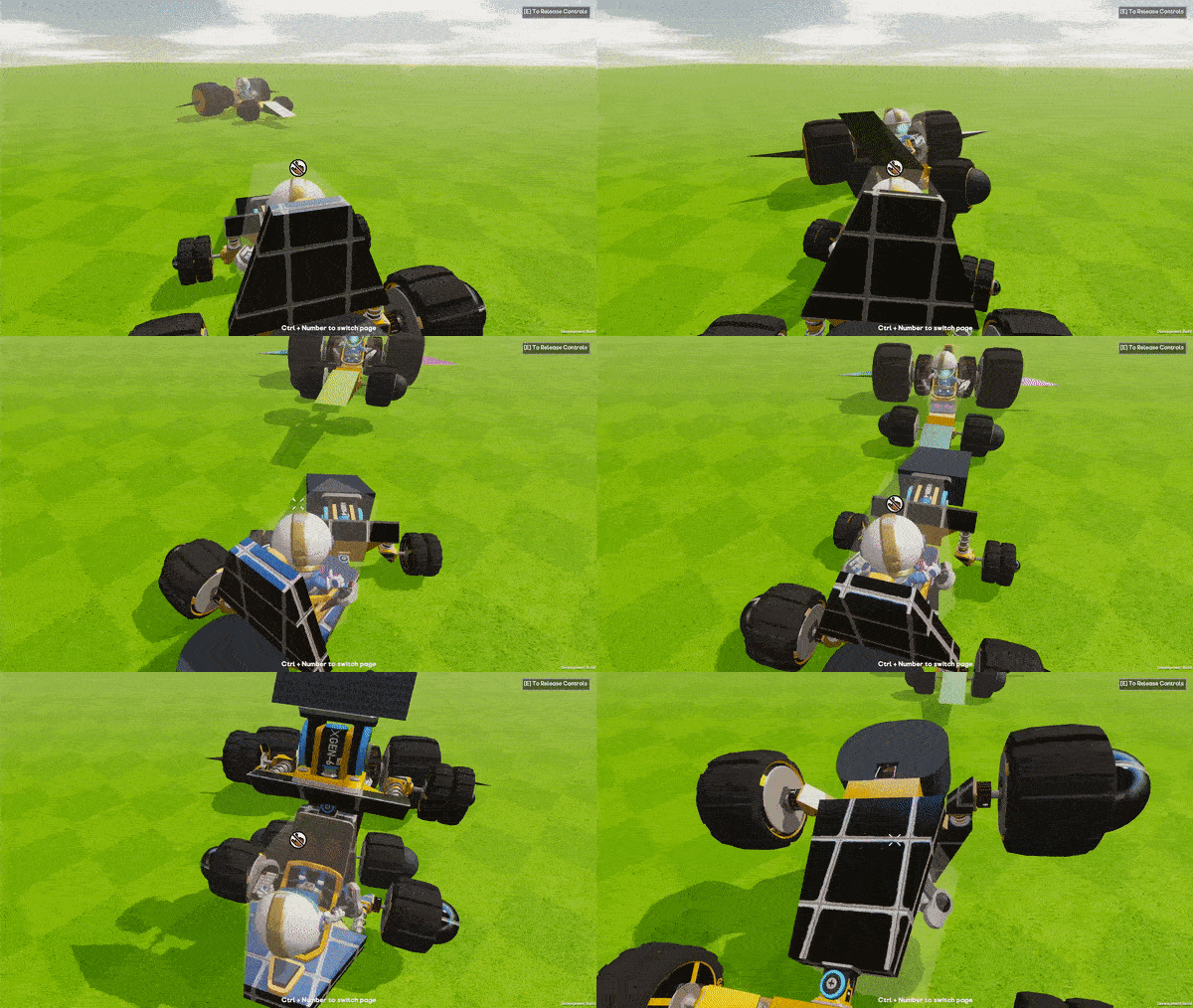
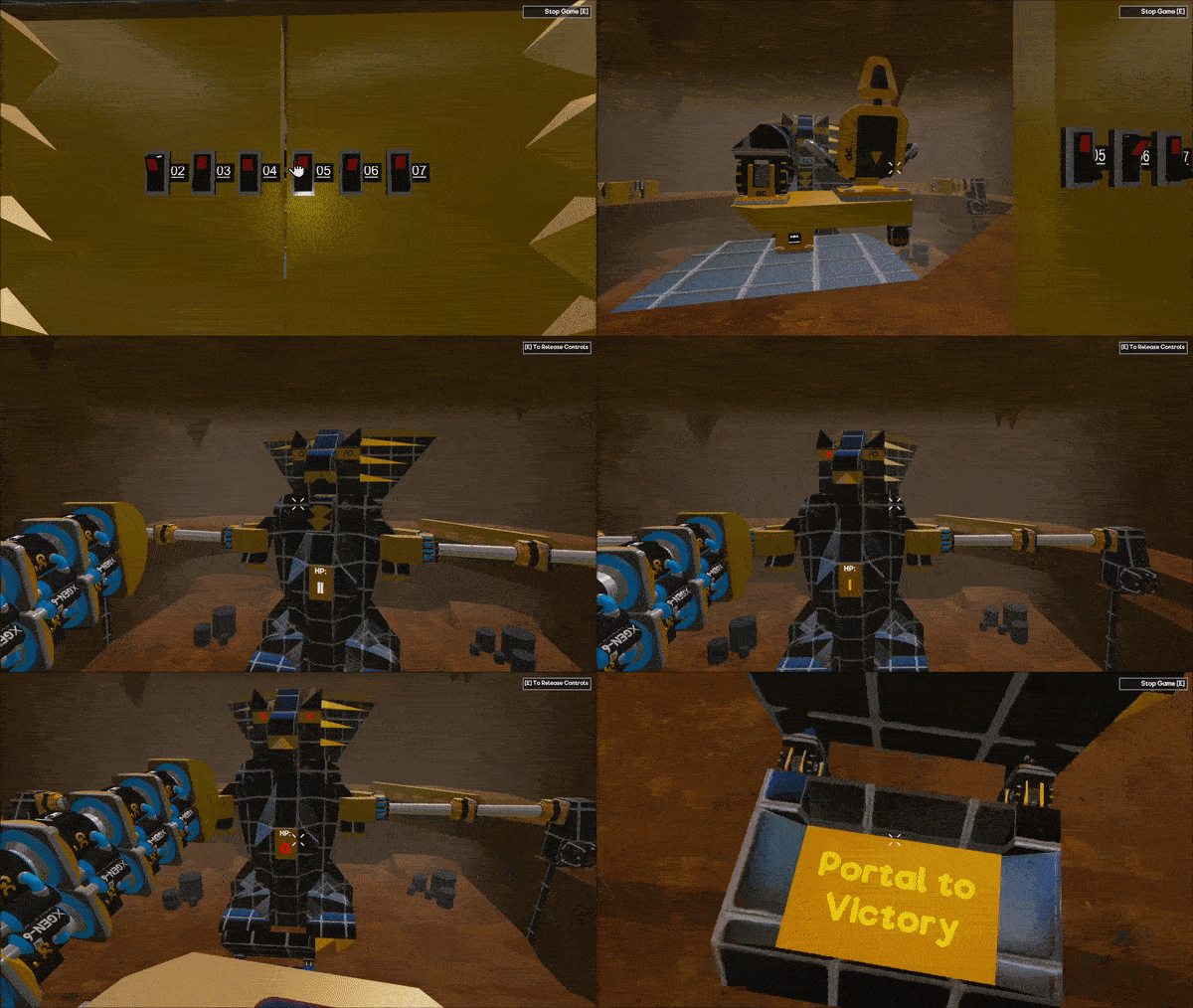
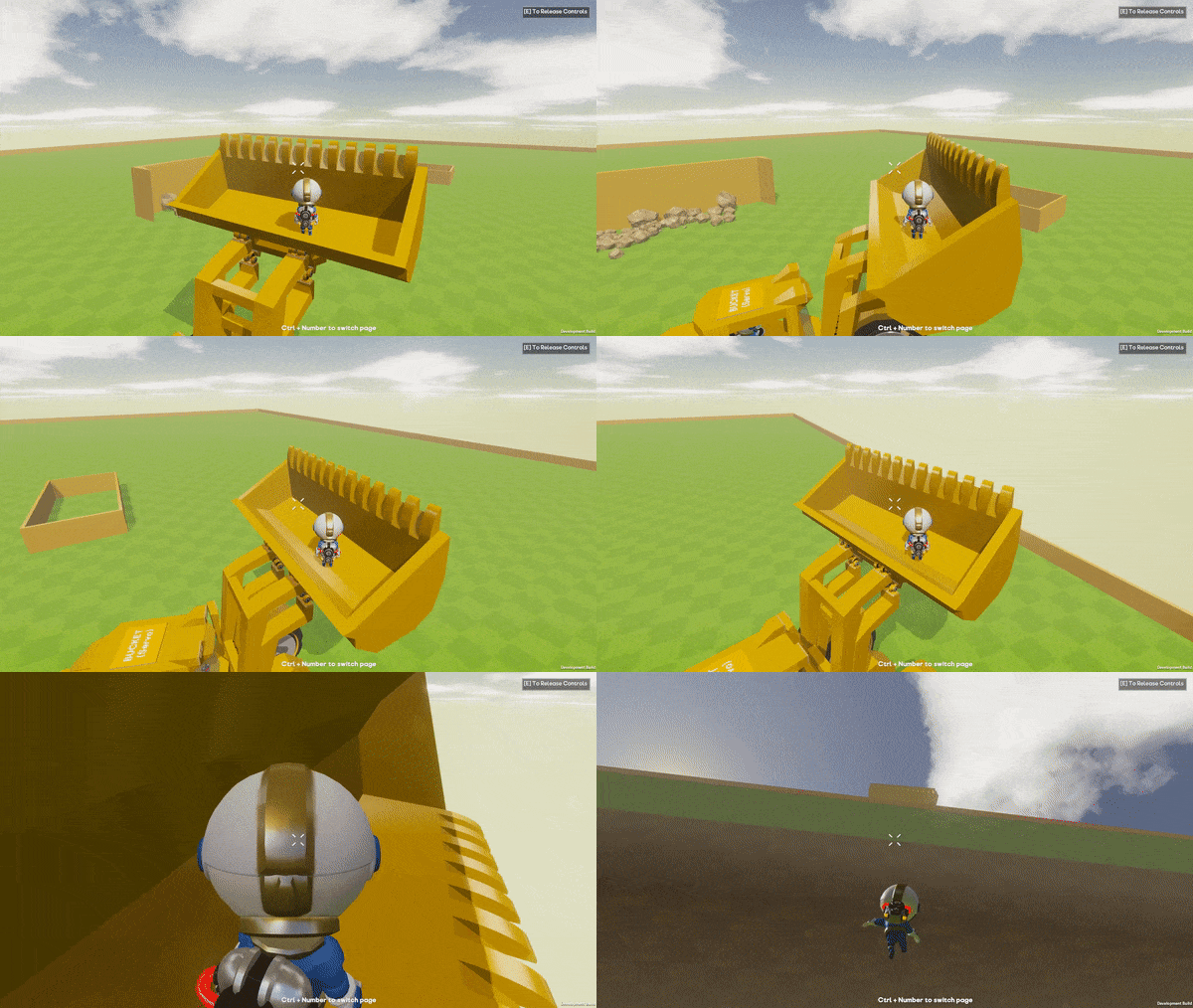
We’re also continuing work on implementing the Havok physics engine the Robot-wars battle shown below is already using this.


We’ll be sure to keep you posted on the developments in our weekly blog posts.

The Community Highlights for this week were:
Monday 4th November - Island Quest by 357.JapeEgg


Tuesday 5th November - Flight Sim Prototype by hēsuke12


Wednesday 6th November - Medusa by LittleBitHarsh


Thursday 7th November - Seb Playing through MathMaster’s Competition entry


Friday 8th November - Wheeled Dozer by Bug


If you would like a Community Highlight, be sure to share your creations in-game by publishing them to workshop, or by sharing a picture or video with us to one of our social spaces.

That’s it for this week, we’ll give you another update next week! Be sure to follow us on our social spaces:
Twitter- https://twitter.com/Gamecraft_FJ
Youtube - https://www.youtube.com/channel/UCkcRFCr9aQxszaYeXcWZjwA
Facebook- https://www.facebook.com/GamecraftGame/
Reddit - https://www.reddit.com/r/GamecraftGame/
Discord - https://discord.gg/gamecraft

Thanks for reading!
The Gamecraft Team
Gamecraft - JoshJammer
Hey there Gamecrafters,

Today, we will be running our first ever competition, a game-creation competition! Where we’re going to put you and our CTO Seb to the test! Seb is notoriously VERY bad at playing games here in the studio, so we want you guys to create some fun and relatively easy games for him (and our newer users) to play. Just to give you a head’s up on how bad Seb is at playing games, he got stuck on the tutorial level for Angry Birds - he still hasn’t completed it.


This competition will run from today, 6th November 2019 until 17th November 2019 23:59(UTC+0) so you may have to be quick to get your entry in on time. And the judging time will be however long it takes for Seb to play all the entries - that may be a while. But before you rush to upload your entire games library, make sure they fit within the rules, otherwise your entry won’t be valid.

Rules
  • Seb must be able to get to the end of your game within three attempts
  • You must publish your game to the Play Games Screen for everyone to see
  • Your entry must be a game - have an objective and can be won and lost
  • There must be a spawn point in the level for it to count as a game
  • Entries must be uploaded by 17th November 2019 23:59(UTC+0)
  • Entries must have “Seb” In the title - This is so we can easily search for them in the Play Games screen
Judging
What will we judge the games on? Well there are a few factors we will take into account when judging a game
  • Have they followed the rules?
  • Did Seb beat the level within 3 attempts?
  • Fun and engagement
  • Aesthetic presentation and theme
Prizes
We have 3 Steam digital gift cards worth £25 GBP (~$30 USD) up for grabs. We’ll get Seb to start playing through all the entries on the 18th of November 2019 and we’ll announce the winners once the judging process is done.

Prizes will be limited to 1 per user, and upon winning you will have to accept a friend request from an official Freejam Source who will gift you the prize. If you fail to respond within 1 week to the friend request, your prize will be passed onto the next best winner. For multiple people working on 1 entry, the digital gift card can only be awarded to one person, so the person who uploads it to the workshop will be awarded the gift card.

Happy Crafting!

The Gamecraft Team
...