In the last edition of Devlog, we opened a Dance Club, and today we will show what is happening in it.
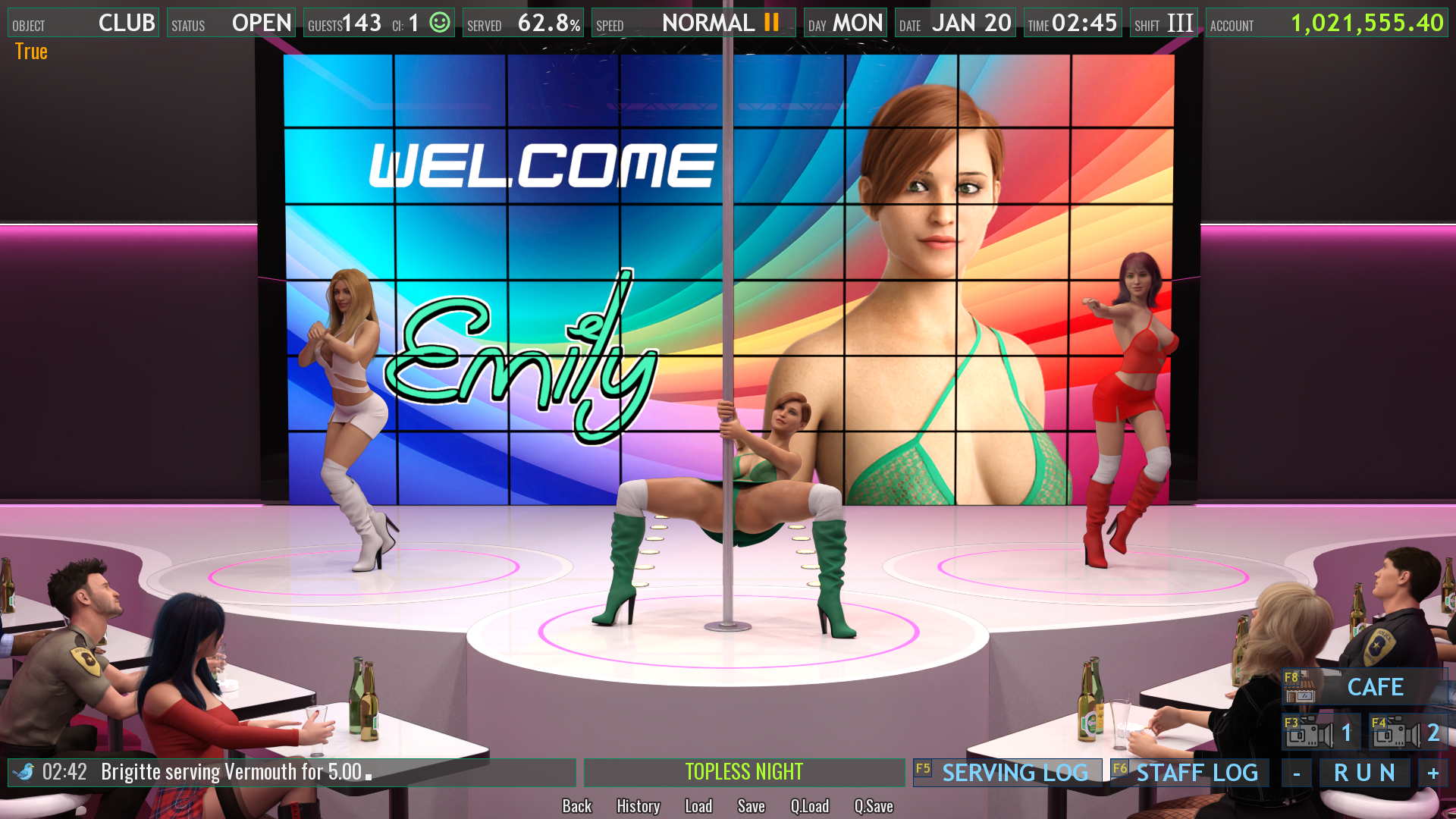
The Club view has two cameras... The first camera showing only the main stage where one girl is pole dancing, and two more dancing next to her.
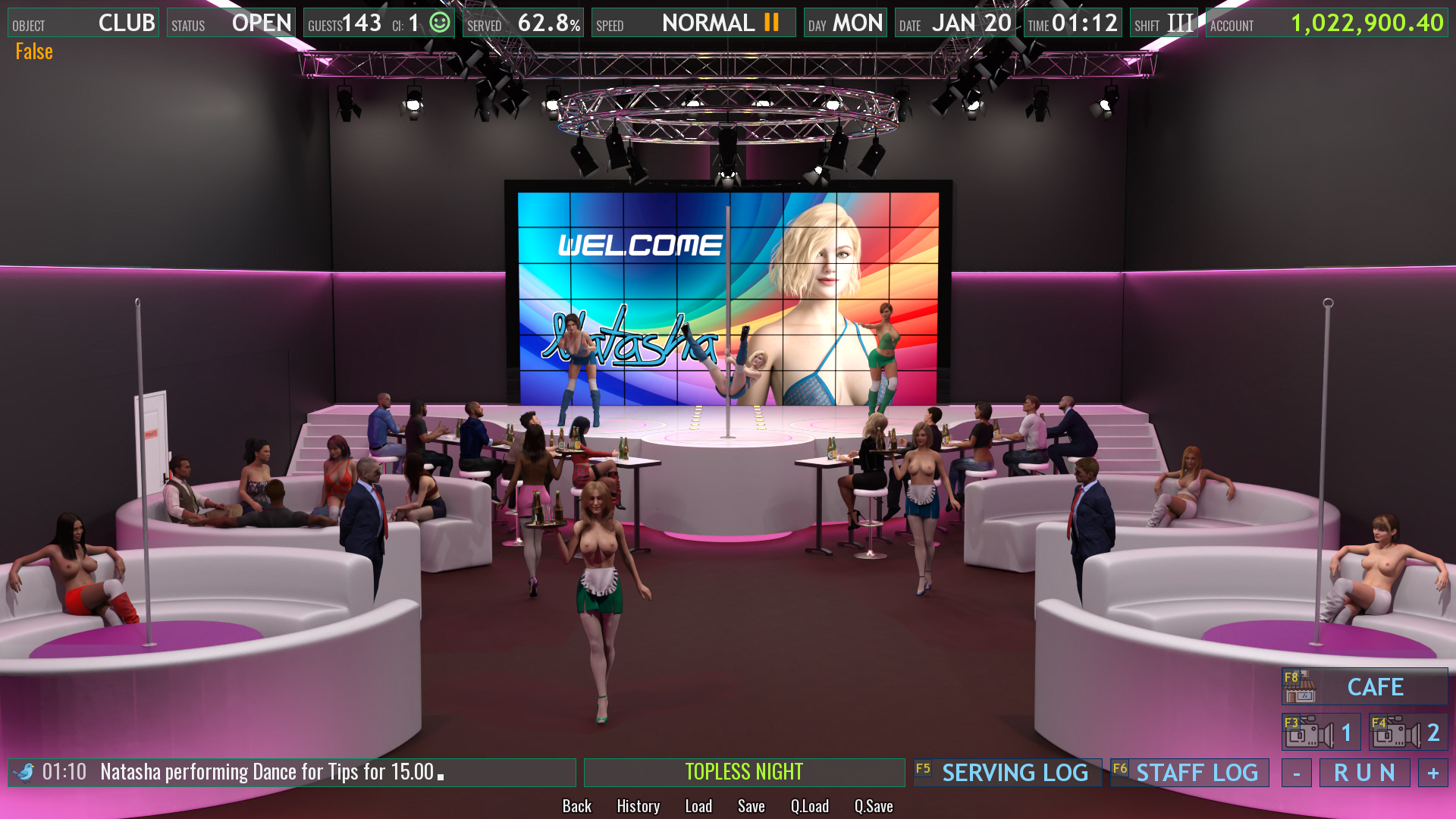
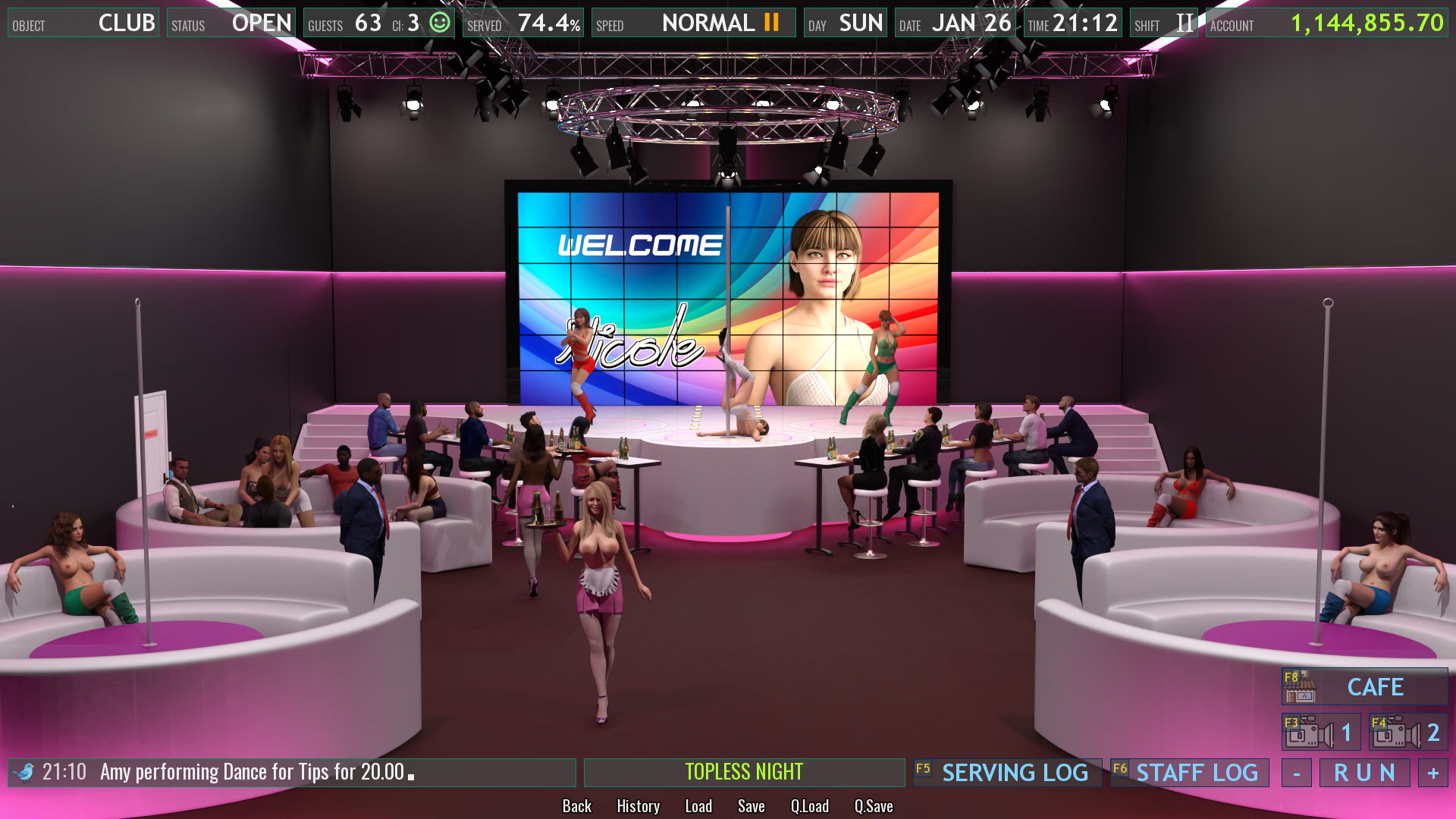
The second camera shows the entire Club, where you can see the main stage, but also four sofas, two on each side.
On the sofas closer to the stage, the girls entertain the guests, they dance for the guests, and lap dancing is also included. On the lower sofas they entertain guests with pole dancing.
If there are not enough guests at the moment, then the girls sit on the sofas and wait for guests.
On the main stage, the girls always wear a top and a skirt. Other girls, who dance inside the sofas can, if they wish, be topless.
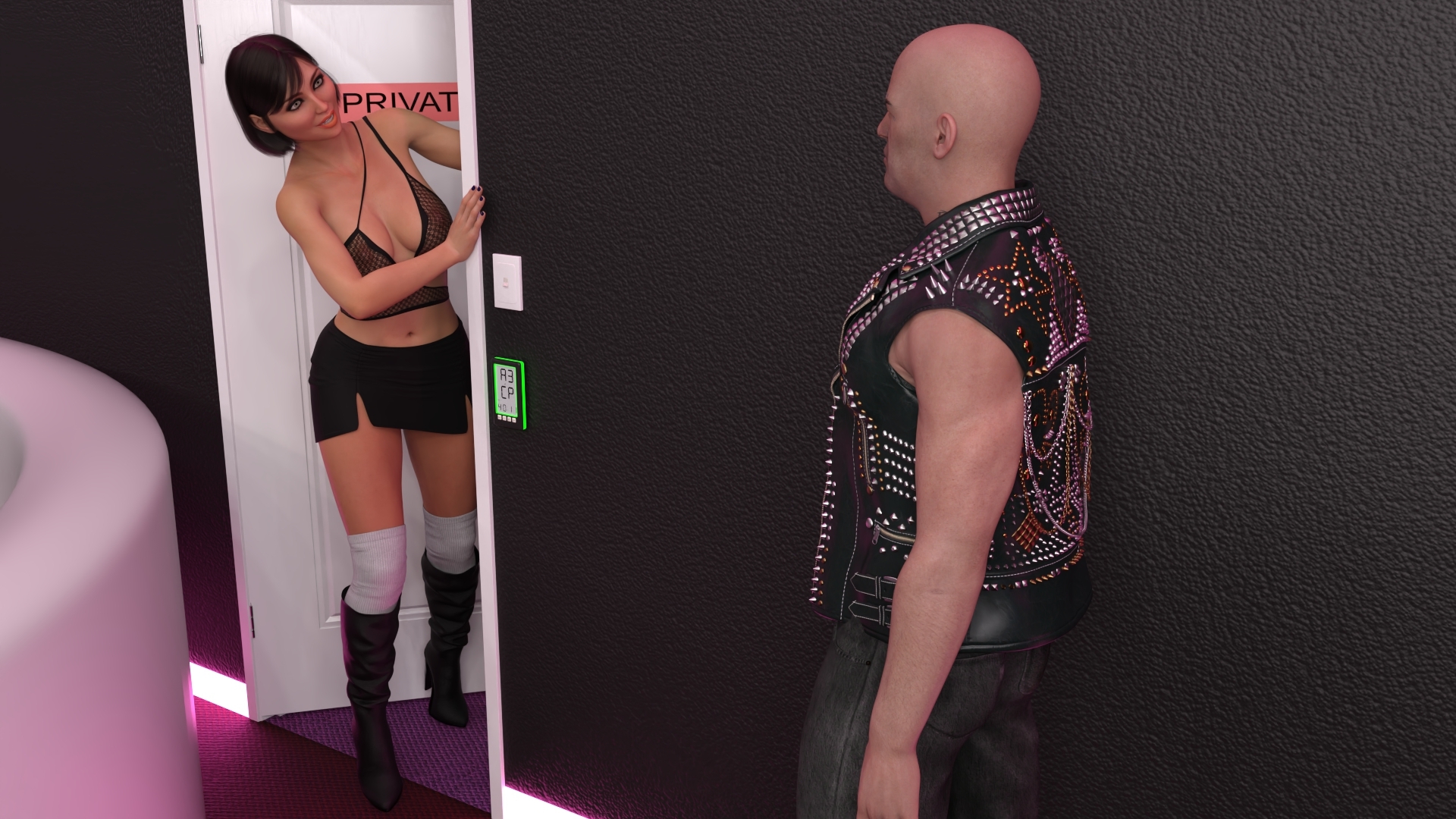
In addition to the usual dancing, whether on the pole, regular dancing or lap dancing, the dancers have (similarly to the waitresses) the possibility of additional income by having sex with the guests.
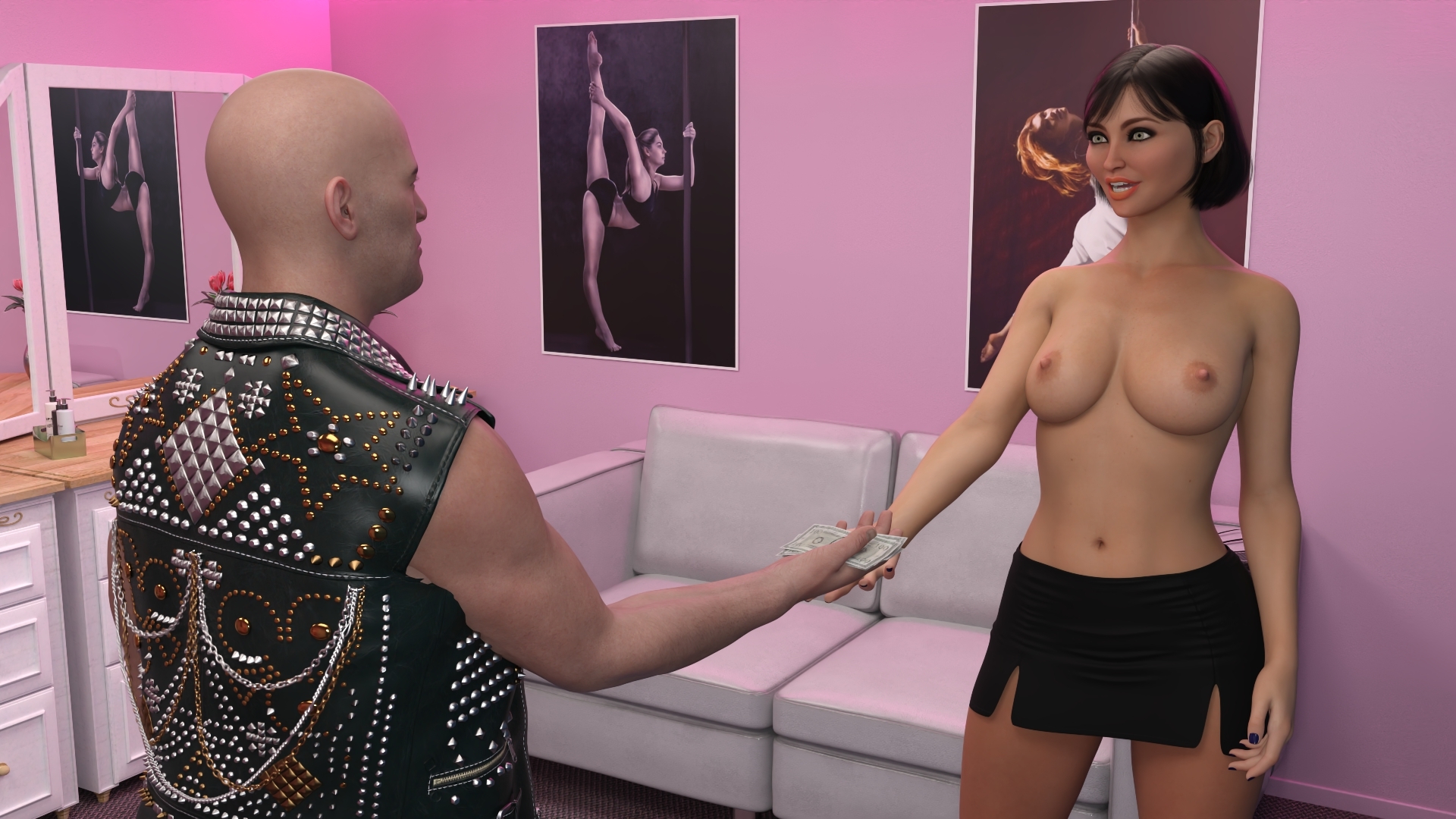
After the guest pays for the service...
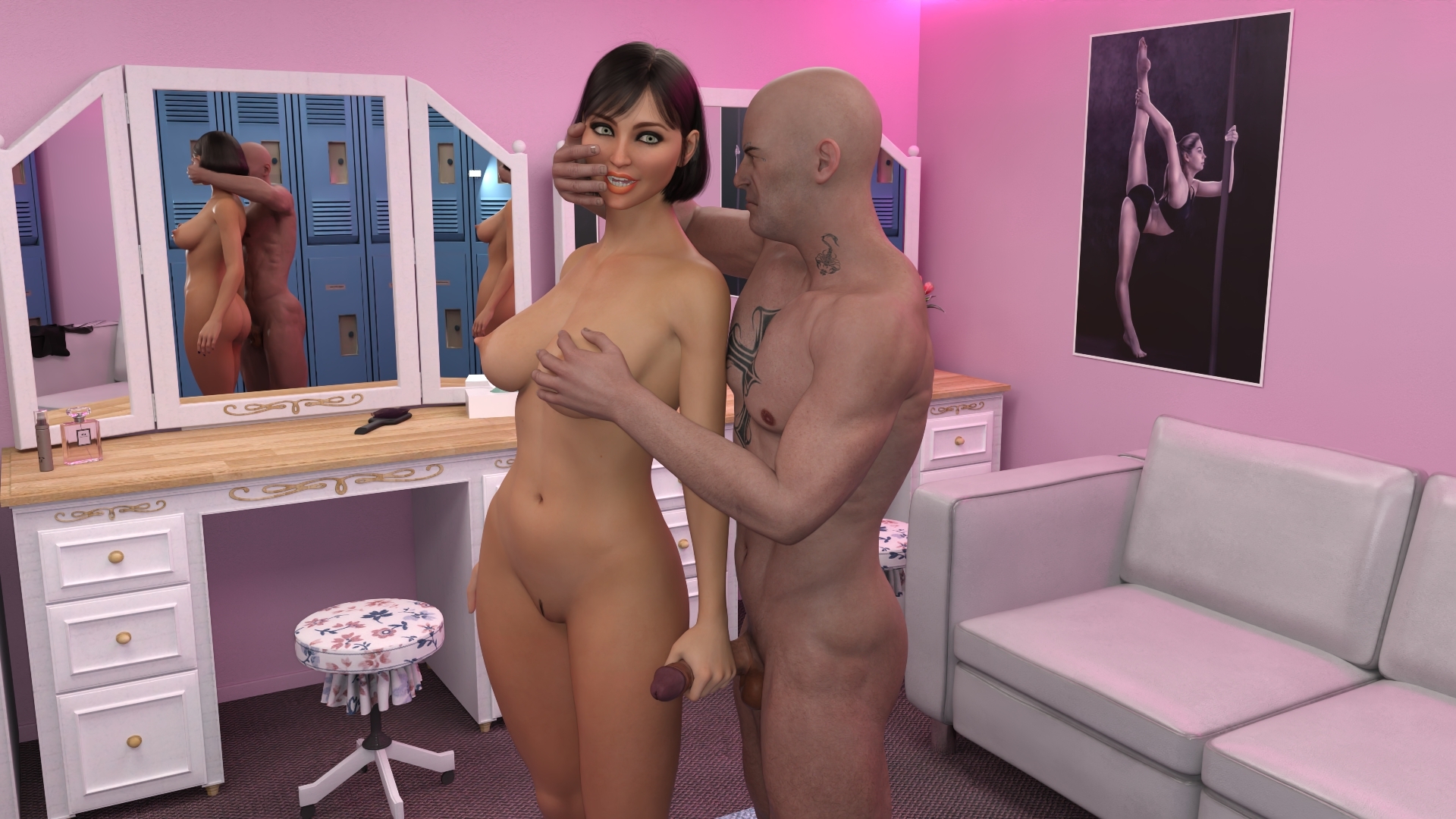
... and the dancer makes sure that the guest is ready for action...
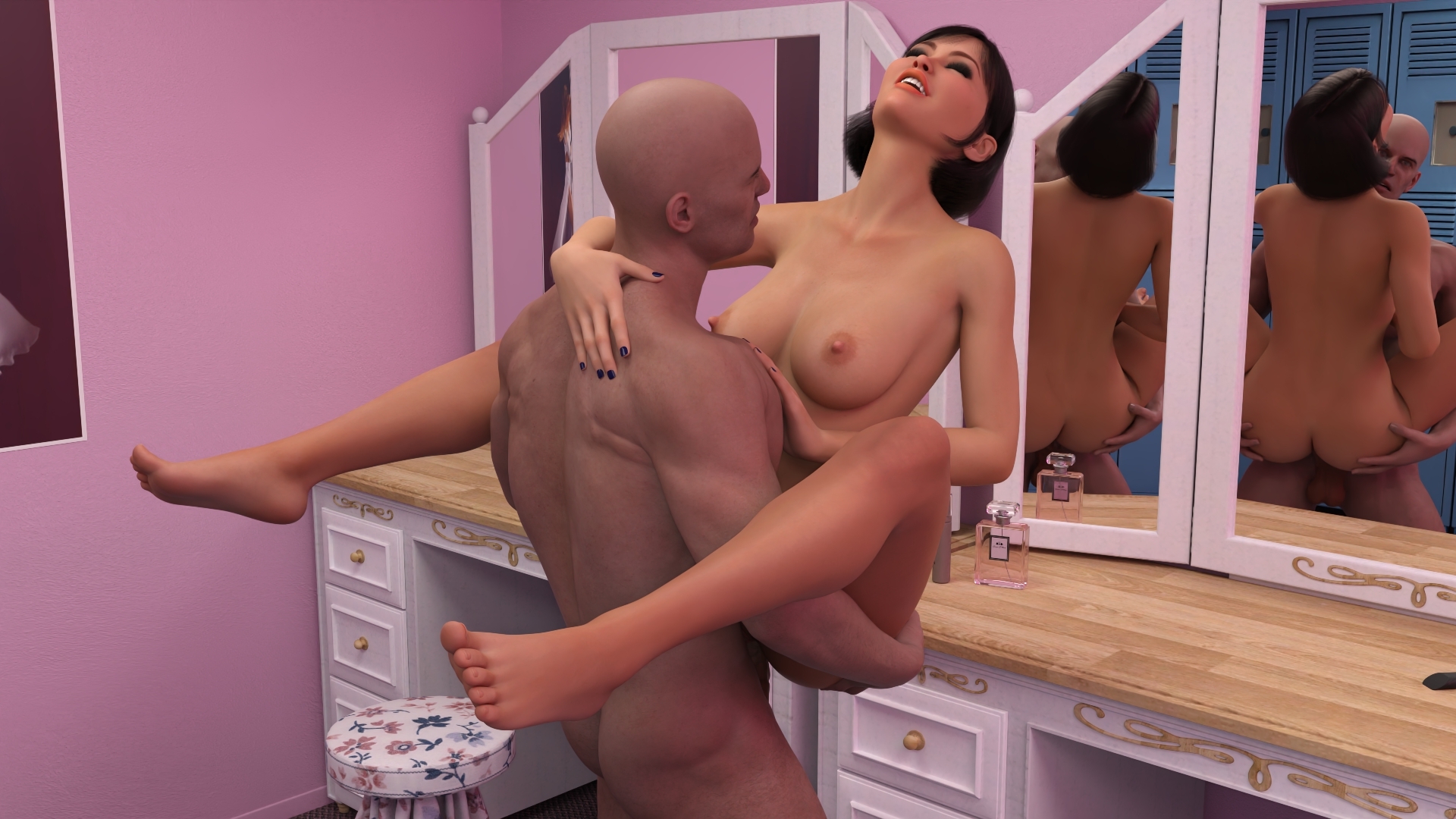
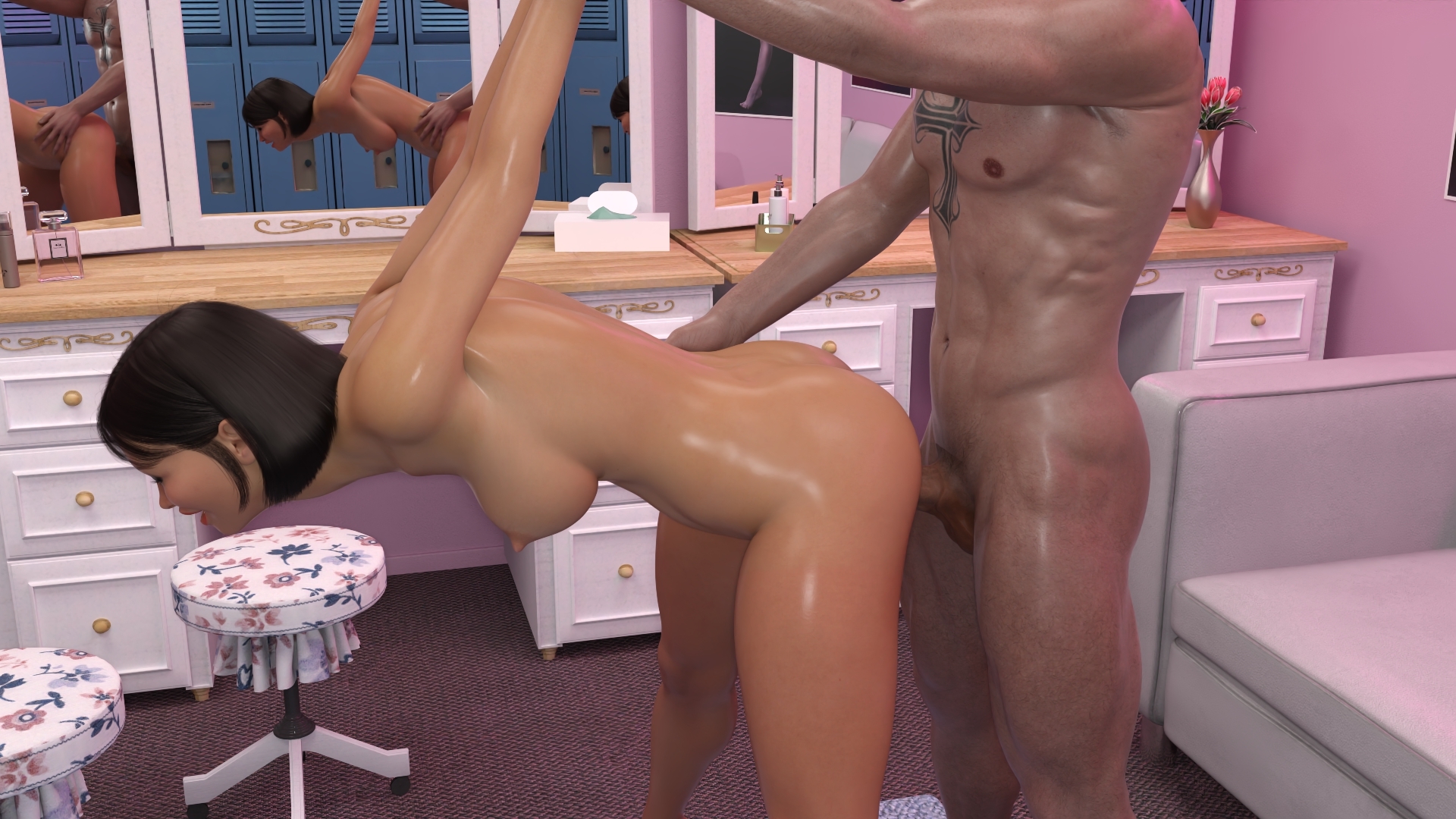
... sex follows...
In the next edition of Devlog, I will tell you about what else is happening in the entire facility, what additional options there are, and there is also the possibility to find out the exact release date of the game. Stay tuned!
When it comes to remapping your controls - you asked, so you shall receive!
Just a day into our first sizable update and we're pushing a few more fixes and improvements your way… and - by popular demand - you can now customize your key bindings, keyboard players.
Concisely conveyed, we crafted a core capability called upon by our committed community keen on conquering critical combos courtesy of customizable controls (say that five times fast!).
We heard you loud and clear: you want to punch / slash / stab / club through the Wilds in your own way …
It turns out that implementing control remapping is a bit bigger than initially anticipated. Right now, the full implementation of control remapping will take awhile as we work to get the UI elements in place, but the core functionality of remapping is available. So we pulled forward custom keybinding work allowing players to edit a file to customize mouse-and-keyboard controls to their liking.
Is it pretty? Nope. Does it work? Absolutely.
So, our first step is to allow players to customize via an .ini file while we continue to work on the implementation of in-game remapping for both mouse-and-keyboard and controller.
General Fixes / Updates
Fixed an issue that caused other Aces to slide around on the World Map.
Fixed an issue where the McKrakenstein and Iron Pox Masks names and descriptions were swapped in the Nightcloak’s Vault.
Combat: Fixed an issue that caused the Ace to ignore HitStop during attacks after being hit by an Environmental Hazard.
Combat: Fixed an issue where it was too easy to do infinite combos to airborne enemies with the Sentinel Class. You can still juggle enemies for quite awhile but they’ll eventually fall to the ground faster if you don’t mix up your combo enough.
How to Remap Key Bindings
Just to be clear, this isn’t the final solution. And, as soon as you get really good at this process - we encourage you to quickly forget it. Because, we’re going to put out a nice, shiny, user interface for remapping controls. Until then, you'll find a step-by-step instruction video below, with each step detailed beneath it. Enjoy remapping your controls!
Step 1
Grab a Founder’s Pack - and Download Towerborne :)
Step 2
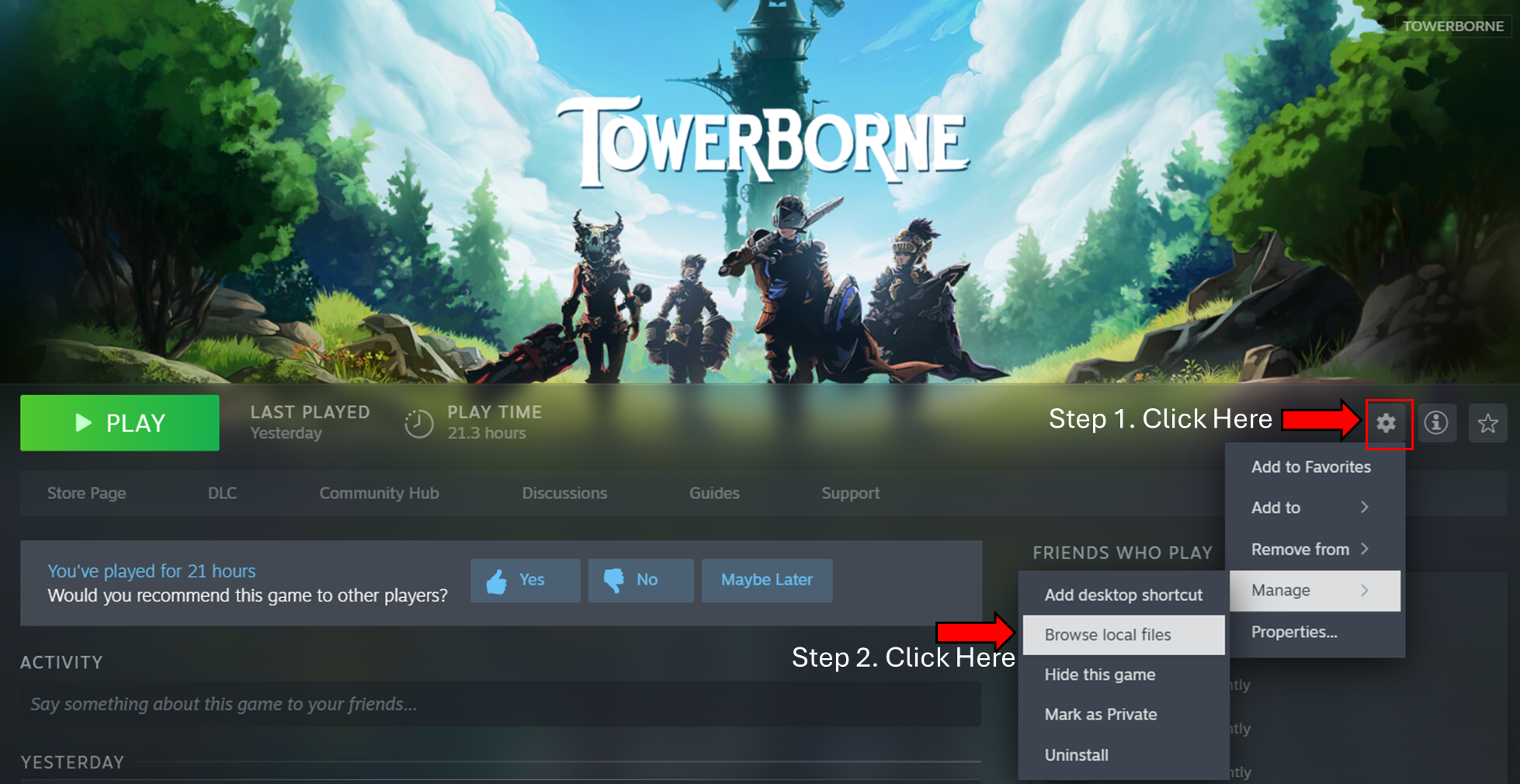
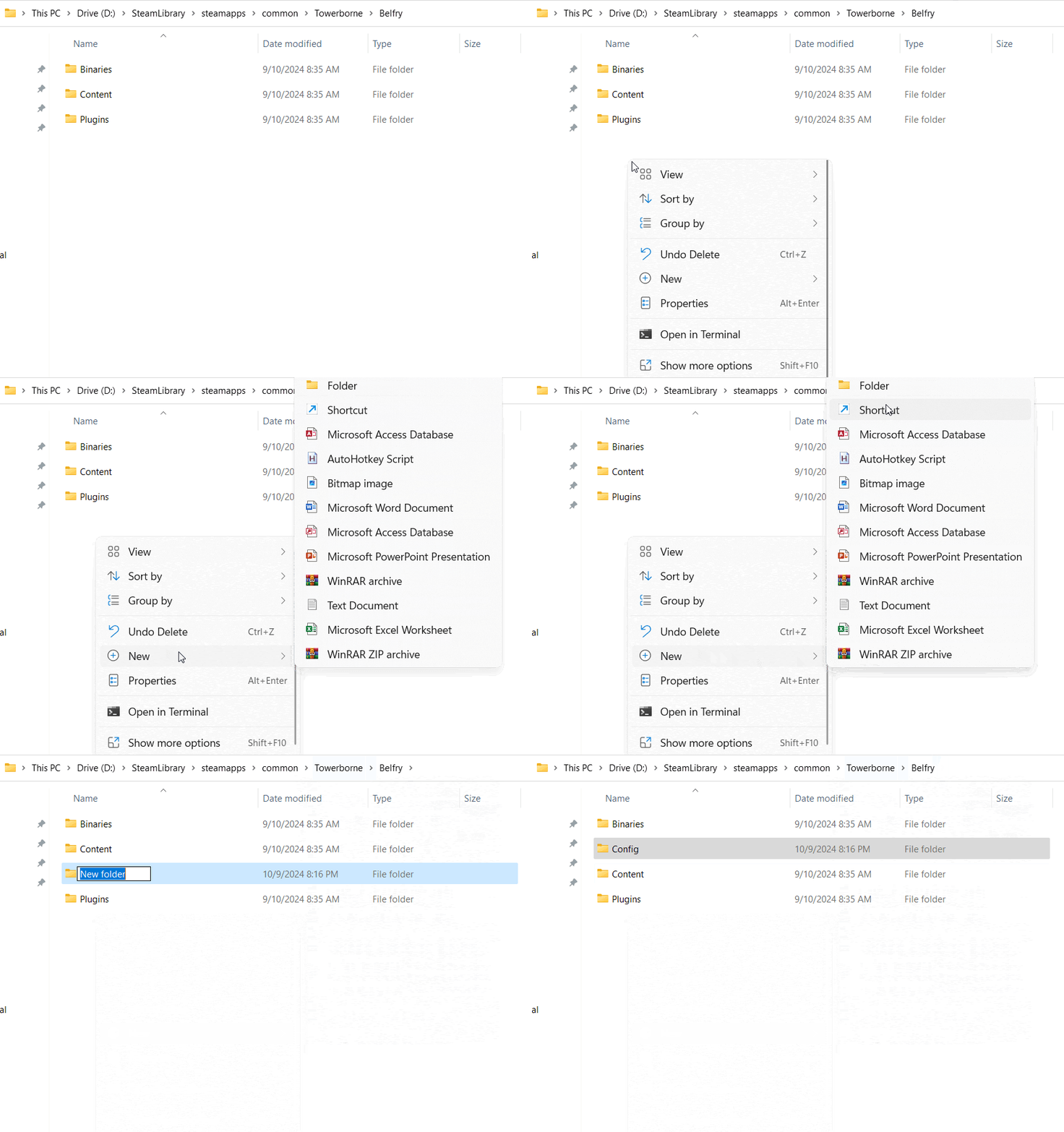
Click on Towerborne in Steam so that the main game page is displayed with the Play button.
Step 3
Click on the Manage button on the right side of the Play button. Highlight Manage and select Browse Local Files. This will open the folder where Towerborne is installed.
Step 4
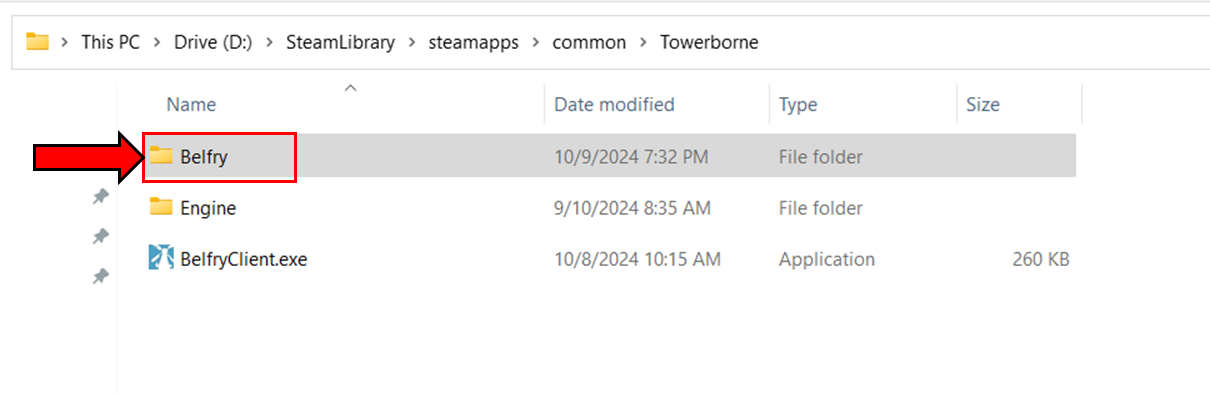
Now that you’re in the Towerborne folder, double click on the Belfry folder.
Step 5
While inside the Belfry folder, right click and select New -> Folder. Name this folder “Config”.
Step 6
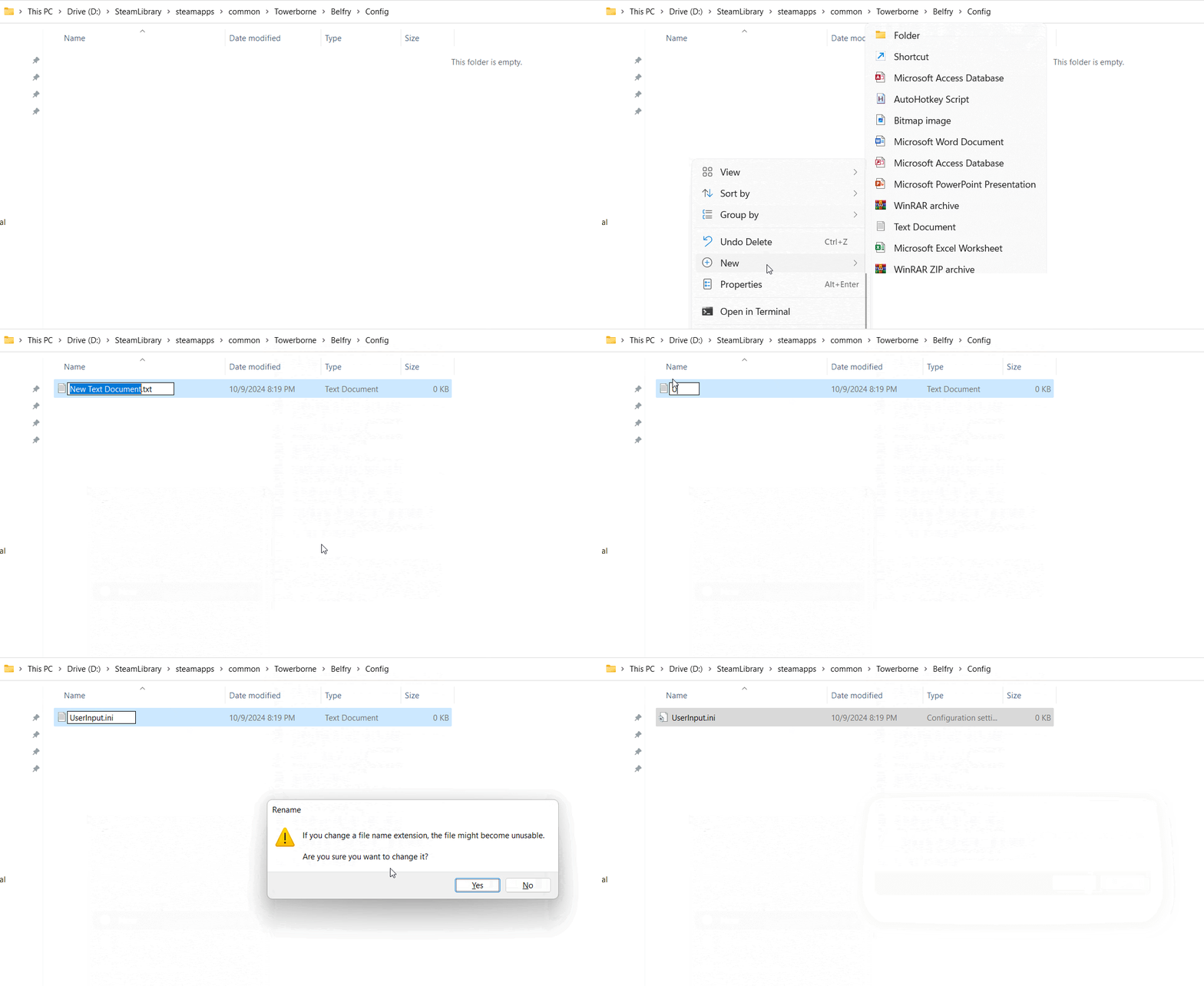
Open the “Config” folder that you just created.
While inside the Config folder, right click and select New -> Text Document. Name this document “UserInput.ini”.
You will get a confirmation message asking if you want to change the extension of the file. Hit “Yes”.
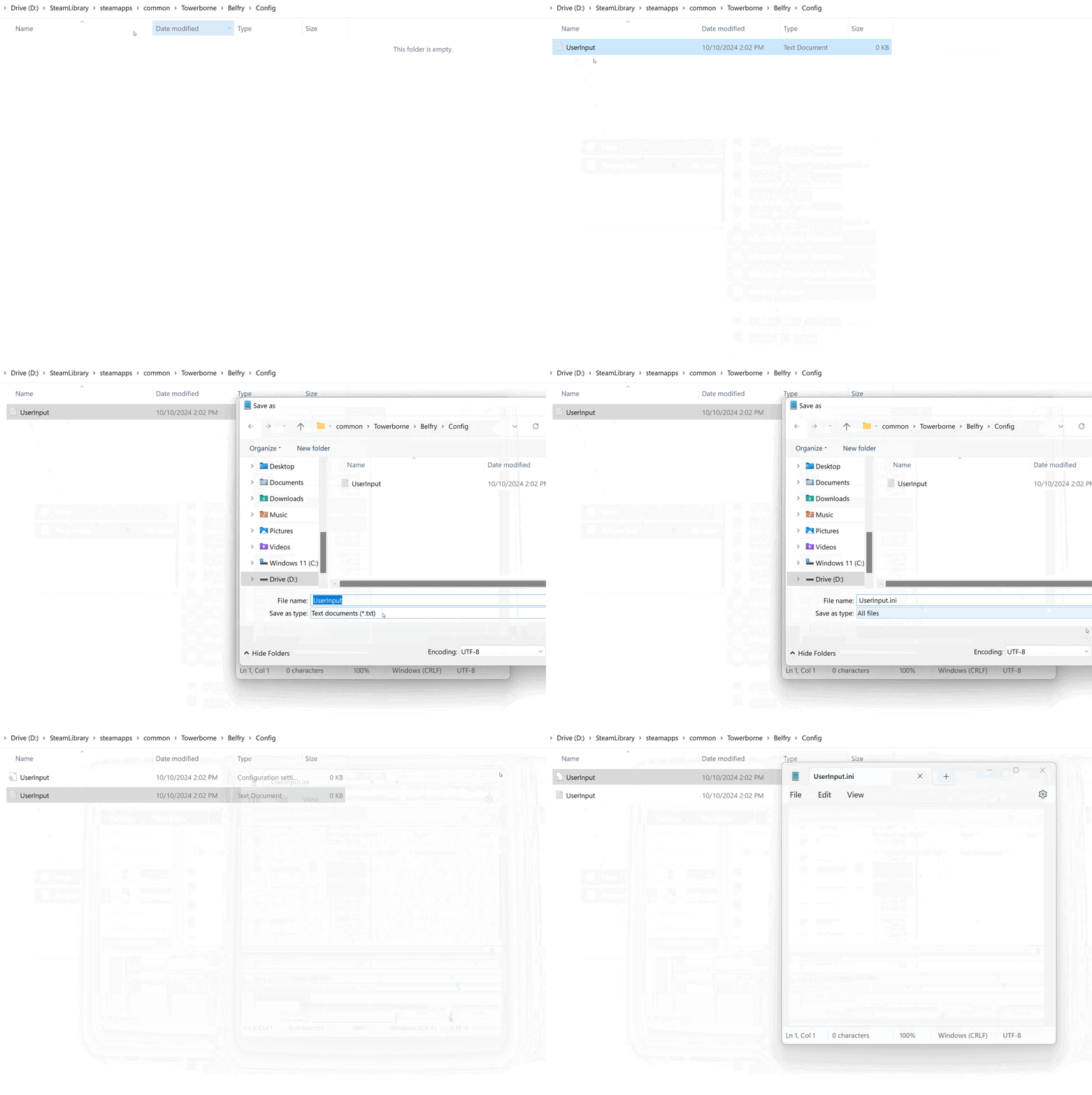
If you don’t have Show File Extensions enabled, the above steps will not work. However, you can still create the .ini file by following similar steps.
1. Right Click -> Create New Text Document 2. Open the text document 3. Go to File -> Save As 4. Make sure the directory you're saving to is Towerborne -> Belfry -> Config 5. Under filename type “UserInput.ini” without quotations 6. In the Save as type select “All files”
This process should create the UserInput.ini file.
Step 7
Double click on the new “UserInput.ini” file that you just created. This should open up your default text editing software.
Step 8
Copy and Paste the following text into UserInput.ini. These are the game’s default controls.
The InputMapName is largely self-explanatory. The Ace’s movement directions are Up, Down, Left, Right.
FocusSkillShift represents the modifier button for doing Focus Skills. If you hold this button and then press Light or Heavy Attack, you will do a Light or Heavy Focus Skill.
FocusSkillLight and FocusSkillHeavy provide alternative button mappings so that you can just press a single button to perform those specific actions. No need to even use the FocusSkillShift key. It’s not displayed anywhere in the game, but with default controls this is already assigned to X and C. It’s also assigned to I and O by default if you’re just using Keyboard Controls.
Step 9
To change your controls, change the “InputKeyName” section to the Keybind of your choice. For example, if you want Evade to be mapped to Left Shift, it would look like this:
Once you’re done making your modifications, save the UserInput.ini file.
Step 11
Now you’re ready to play the game! Once you load the game, your new control scheme should just work. Since these changes are being made in an .ini file, you cannot make changes while the game is running. Sorry.
It’s also worth noting that you will not see your new keys displayed in-game. This will work once the full feature is released, but for now the inputs you see on screen will not be reflective of your changes.
Examples of Keybind Remapping
If you wanted to create a control scheme that utilized the Arrow Keys for movement and combat actions on the left side of the keyboard, it would look something like this:
If you wanted to create a modified version of the existing control scheme where you moved the Evade button to LeftShift, Umbra to MiddleMouseButton, ClassMechanic to C, Interact to F, and Light and Heavy Focus Skills to Q and E, it would look something like this:
If you ever run into a problem where your controls are not working as expected, you can revert back to the default control scheme by just deleting the UserInput.ini file. If you’re having issues with certain keys not working, please see the list of Valid Keys in the next section below and make sure that your spelling is exactly as written in this list.
List of Valid Keys
Here is a list of valid keys that you can bind to. The key that you want to use needs to be typed out exactly as written.
LeftMouseButton RightMouseButton MiddleMouseButton BackSpace Tab Enter Pause CapsLock SpaceBar PageUp PageDown End Home Left Up Right Down Insert Delete Zero One Two Three Four Five Six Seven Eight Nine A B C D E F G H I J K L M N O P Q R S T U V W X Y Z NumPadZero NumPadOne NumPadTwo NumPadThree NumPadFour NumPadFive NumPadSix NumPadSeven NumPadEight NumPadNine Multiply Add Subtract Decimal Divide F1 F2 F3 F4 F5 F6 F7 F8 F9 F10 F11 F12 LeftShift RightShift LeftControl RightControl LeftAlt RightAlt LeftCommand RightCommand Semicolon Equals Comma Hyphen Period Slash LeftBracket Backslash RightBracket Apostrophe
We are thrilled to announce that Epic Space Trader is now live on Steam! Embark on an interstellar journey where you command your starship, trade goods across the galaxy, and navigate cosmic threats to build your trading empire.
Key Features:
Open-Ended Sandbox Experience: Choose your own path to riches, whether through trading, bounty hunting, or piracy.
Dynamic Markets: Exploit fluctuating prices to maximize your profits.
Space Hazards: Navigate asteroid fields, dodge pirates, and encounter unexpected challenges.
Procedurally Generated Galaxy: No two playthroughs are the same, with more than 8,000 galaxies to view, offering endless replayability.
Join us in shaping the future of Epic Space Trader during our Early Access phase. Your feedback is invaluable in refining the game and ensuring it delivers an experience that transcends the celestial limits.
Chart your course, forge alliances, and carve your legend among the stars. Are you ready to trade your way to the top?
Two additional, slower game speeds have been added, although we still recommend playing at the fastest one.
Mouse map panning is now available (just move your cursor to the edge of the screen to move the camera).
The cursor is locked within the window during battles for easier camera control. This feature can be disabled in the settings along with the previous option.
You can now rotate and zoom the camera by holding down the middle mouse button.
Guard dragoons now correctly play their animations and no longer appear to "ride under" their horses. It was dramatic, but not historically accurate.
All cuirassiers now wield broadswords instead of sabers.
Resetting settings now selects more appropriate default values.
We are building this game together! Your feedback helps us constantly improve the gameplay experience. That's why we have boosted the leaf blower's power in the demo. Thank you for being part of our community!
Update 13.07 finally introduces boss monster instances! You can enter private boss monster instances, public boss monster get a bit of an adjustment, new monsters were added, and several quality of life updates happened! You'll also be able to participate in the limited time Halloween event to earn exclusive character titles that can only be obtained during the event!
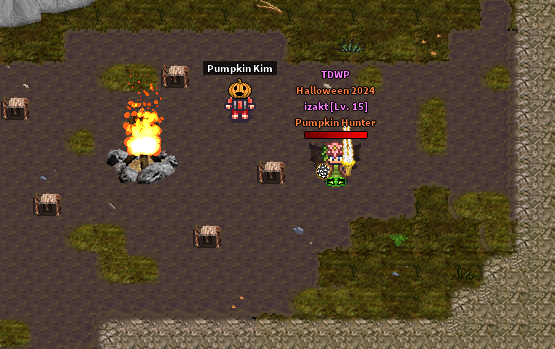
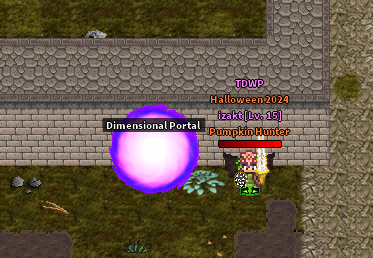
Halloween 2024 event! Event period: Oct 10 ~ Nov 07, 2024 Added a Halloween event where players can get unique items for a limited time.
Pumpkin items will spawn in random areas around the map, for the limited time.
Players can exchange Pumpkin items with Pumpkin Kim for special rewards, for the limited time.
Pumpkin items can alternatively be sold to the NPC for 20 Shek each.
The NPC, shop, and the Pumpkin item will be deleted from the game after the event period has ended.
Other items earned during the event period (excluding the "Pumpkin" item) will remain in the game permanently.
*After the event period has ended, this game feature, and the items that can be earned, will no longer be available or obtainable.
Boss monster adjustments... Boss monster levels and stats were adjusted to fit better with game progression.
Zhesad's difficulty increased from Lv 6 -> Lv 8
Drakii's difficulty decreased from Lv 18 -> Lv 15
Krojan's difficulty decreased from Lv 26 -> Lv 22
Moraegisk's difficulty decreased from Lv 34 -> Lv 30
Additionally, all boss monster HP was greatly increased.
Boss monster drops remain the same, except the skill items that can drop have been adjusted accordingly.
Players level 22+ can no longer attack the Zhesad boss monster, in the Spider Cavern map.
Boss monster private instances... Players can now enter a private instance in order to kill a boss monster of their choice.
Boss instances can be entered by using the Dimensional Portal in Scepia (4-5). ↪ It requires at least character level 6 to be able to enter. ↪ It costs Shek to enter a private boss area. ↪ Players may only enter one boss instance within a 4 hour period.
There is a time limit to kill the boss. ↪ Players have a total of 30 minutes to kill the boss. ↪ After the 30 minute period, players will be automatically removed from the boss instance. ↪ If the player dies they won't be able to reenter the area, and will permanently lose any items dropped on death. ↪ If the player disconnects from the game, they would remain in the boss instance unless the time limit has already passed.
Boss monsters in private instances have slight adjustments compared to public boss monsters. ↪ The boss monsters in private instances do not have a chance to drop Boss Token. ↪ The boss monsters in private instances do not have HP Regen.
Monsters in the boss monster instance (except for the boss) do not drop any items nor give any EXP.
Players can choose to leave the boss area at anytime through the warp.
New monsters added...
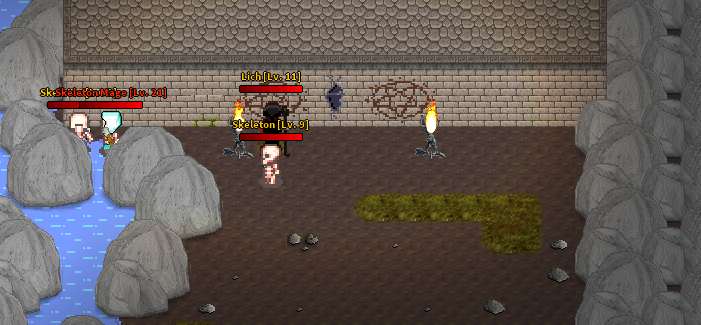
Skeleton Warrior (Lv 19)
Skeleton Mage (Lv 21)
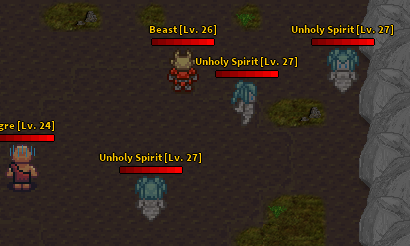
Beast (Lv 26)
Unholy Spirit (Lv 27)
Monsters adjustments...
Ogre difficulty increased from Lv 20 -> Lv 24, and drop table was edited.
Phantom Knight difficulty increased from Lv 28 -> Lv 29, and drop table was edited.
Adjusted some monster skills, and increased the frequency they try to cast skills.
Map updates and adjustments...
Monster spawn locations around Scepia were slightly adjusted.
Krojan's Tomb map was updated and slightly adjusted. ↪ Boss area was revamped, music changing when fighting the boss was removed, and the outdated 'unlockable' area was removed. ↪ Replaced the monsters that spawn in the map with Skeleton Warrior (Lv 19) and Skeleton Mage (Lv 21). ↪ Skeleton and Lich no longer spawn in the map.
Beast (Lv 26) and Unholy Spirit (Lv 27) spawn in the Corrupt Sepulcher map. ↪ Lich and Great Bull no longer spawn in the map.
Character skill/spell adjustments... Adjusted the effects and cooldowns of the following War Mage skills.
Lightning: increased the spell cooldown from 10s -> 14s.
Ice Storm: increased the spell cooldown from 10s -> 20s.
Shackle: increased the spell cooldown from 10s -> 14s, and decreased the immobilization duration from 5s -> 3s.
Merchant shop adjustments...
Increased the cost of some Recolor Tools (Red, Blue, and Green) in the Vanity Shop from 1,000 Shek -> 3,000 Shek.
Cursed Island adjustments...
You'll no longer be kicked from the Cursed Island mini-game if you disconnected from the game. ↪ If the mini-game is still happening, you'll simply remain in the Cursed Island when you log back in. ↪ If the mini-game ended but the reward period is active, you'll be moved to the reward area when you log back in. ↪ If the mini-game and reward period have ended, you'll be removed from the Cursed Island area when you log back in.
The reset time for repeated entries was lowered from 4 entries within 24 hours -> 4 entries within 8 hours.
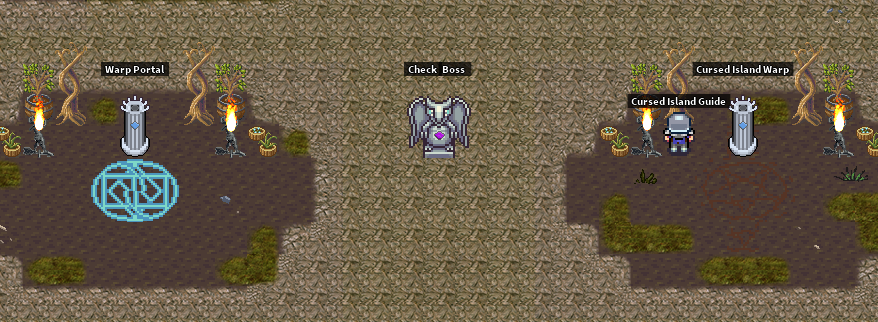
Added a player counter that shows players how many players have entered the Cursed Island zone. ↪ If a player dies in the Cursed Island, the player count will decrease accordingly. But if a player logs out of the game, it will still show as a player entry.
The chat log now shows your accumulated Event Points when killing monsters in the Cursed Island. ↪ For example "Monsters killed: +10 EXP (+5 EP; Total EP: 25)"
You can now check how many minutes are left until the Cursed Island portal appears by checking the warp pilliar.
Item adjustments... Converted weapon +Speed stat bonus into an +Attack Speed % bonus.
For example, a weapon that gave 'Speed +800' now gives 'Attack Speed +108%,' approximately.
Adjusted wing item level requirements...
Tier 1 wings: requires lv 8
Tier 2 wings: requires lv 15
Tier 3 wings: requires lv 22
New Items...
Beast Carcass
Cooked Beast
New cooking recipe...
Cooked Beast; costs 34 Shek. ↪ Restores 125 HP + 10 MP.
Miscellaneous changes...
The game server auto-reboots every day at 11:59 UTC.
Updated the game server time to display as UTC.
Updated the wikis on the website.
Updated the password recovery email to show game branding.
Added game rules to the website, and updated EULA by acknowledging the official Game Rules and requiring agreement to those rules.
The Steam Store download will now be branded as the recommended download source, however the direct download will still be offered as an alternative download option on the website.
Bug fixes and other minor adjustments...
Updated the map image that shows when using the Map of Scepia item.
Removed the old Recycler NPC from the game, and deleted all remaining Recycler Token items from the game.
Added the "+" symbol on item icons for rarity items that have been upgraded.
Added missing tooltip text for armor items, which shows the item stat bonuses in comparison to the base common item.
Added Phantom Knight and Zhesad to the monster kill count lists when talking to the Guards around Scepia.
You can no longer use the Dybbuk Box while in the Cursed Island map.
Updated the Thunder Staff item icons, and added the glow effect (for rarities) when equipped.
Fixed bug where Thunder Staff wasn't giving Life Steal on the Epic and Legendary rarities.
Fixed bug that prevented War Mage from equipping Demon Wings +8 [Uncommon].
Corrected the fail rate % with Scale Helm [Rare] upgrade.
Removed the text "Can be equipped by all classes" from item tooltips (like shield items).
Fixed the bug where you would get kicked from Cursed Island mini-game with error message "Auto-moved; all players were removed from the Cursed Island mini-game."
Fixed issue where the game would not reboot correctly do to conflict with the script that checks the game server status.