Arto - Ashe
Hi everyone!

If you were thinking about getting the game, now is a great time to do so. You can add the game to your collection for 50% off starting with the Steam Summer Sale on June 27th and ending an additional week after most sales end on July 19th!

Make sure to check out other great indie titles on sale to kick off your summer gaming!


https://store.steampowered.com/app/1906510/Arto/
Crosshair X - steeb
Hey everyone! We're excited to bring you another major update that we think you'll love. There's a lot to unpack in this announcement as we've introduced even more customization options to help you get the most out of Crosshair X.

One of the highlights of this update is a brand-new page where you can set your keybinds and tailor your Crosshair X experience to match your play style. We've also enhanced support for setting keybinds with controllers, along with several other UX improvements.

Keybinds Page
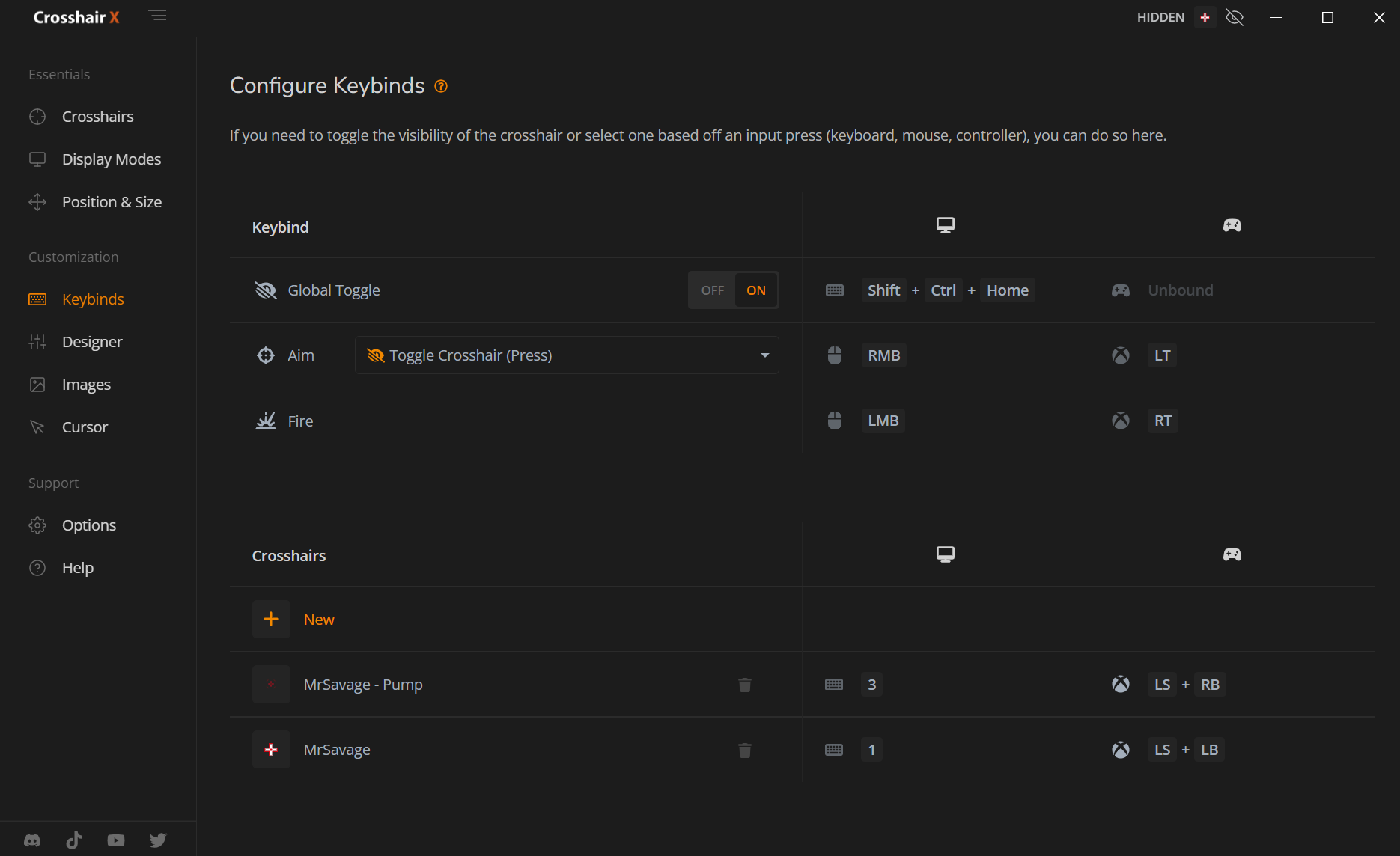
Introducing the new Keybinds experience! With a familiar and intuitive UI, you can now easily set custom crosshair keybinds and update your aim and fire keys.


Here you can set keybinds for:
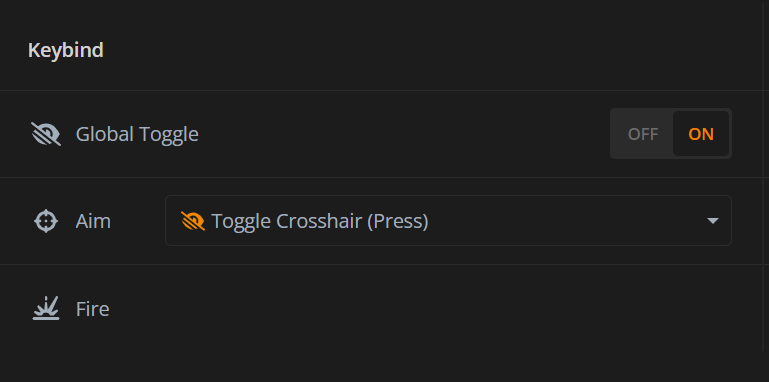
  • Global Toggle: Set a keybind to toggle the visibility of your crosshair on or off. Whether you’re using a keyboard, or controller, you can customize this to your preference.
  • Aim: Assign a keybind for aiming, choosing from various inputs to ensure it feels natural whether you’re using a mouse or controller. Additionally, you can assign actions to be triggered when the aim key is pressed. More details on this below.
  • Fire: Set a keybind for firing. Again, this is customizable across different input devices, giving you full control over your gameplay.


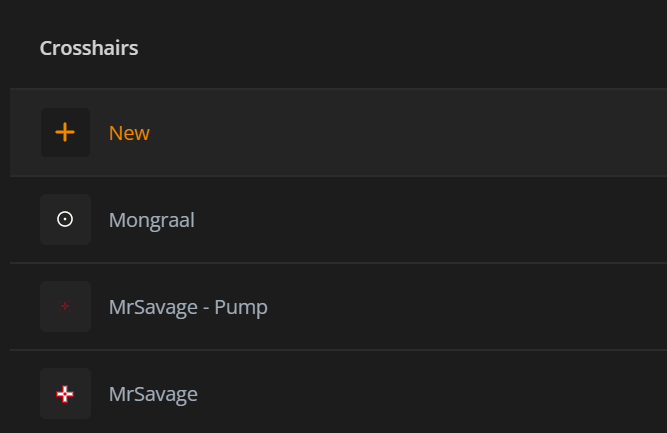
  • Crosshairs: Assign keybinds to a saved crosshair. Easily switch between different crosshair styles with a simple key press.


Controller Keybind Support
Yep that's right! Crosshair X now supports Controller Input mapping. Now you can set controller mappings for crosshairs and even switch up the aim and fire keybinds if you’re one of those players who prefer not to use the triggers.

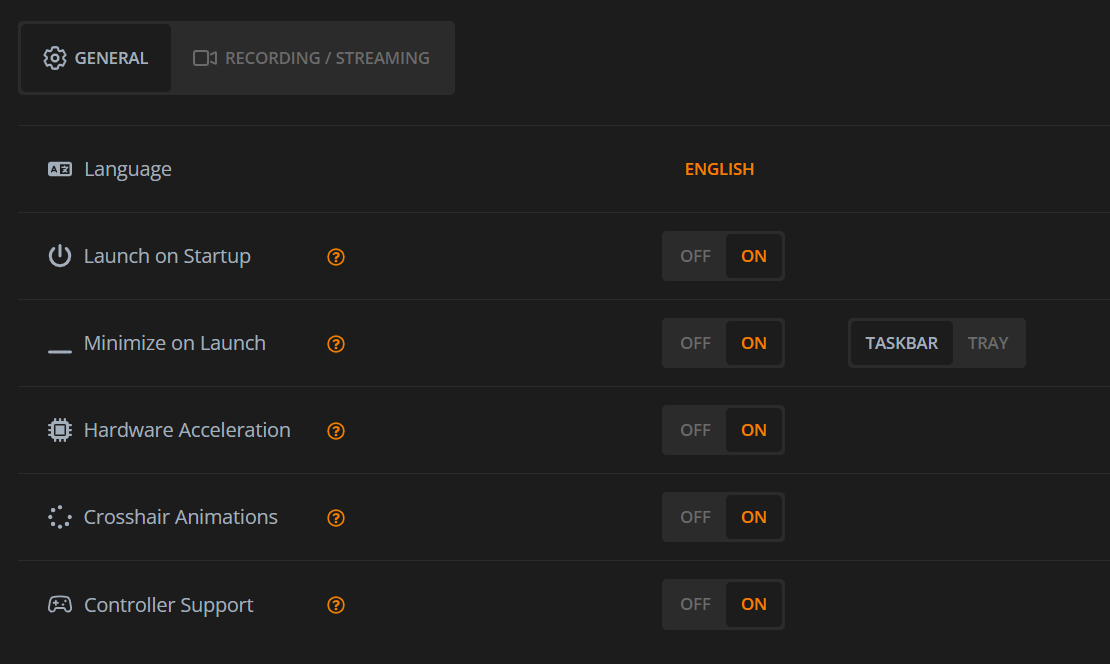
Make sure to enable "Controller Support" in the options!

Aim Keybind Actions
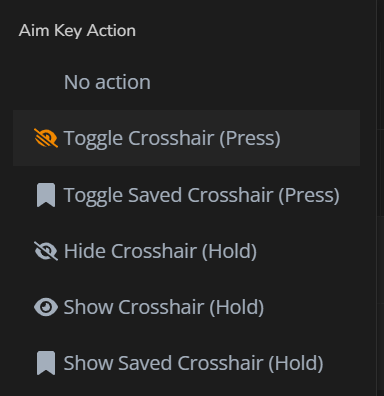
We’ve integrated the settings from the "Toggle" page into a convenient dropdown menu. Now, you can assign a specific action to be triggered when the aim key is pressed, or choose to have no action at all.
Supported "Aim" keybind actions:
  • No action: No additional action will be triggered when the aim key is pressed.
  • Toggle Crosshair (Press): Pressing the aim key will toggle the visibility of the crosshair on and off.
  • Toggle Saved Crosshair (Press): Pressing the aim key will toggle the visibility of a previously saved crosshair on and off.
  • Hide Crosshair (Hold): Holding the aim key will hide the crosshair.
  • Show Crosshair (Hold): Holding the aim key will display the crosshair.
  • Show Saved Crosshair (Hold): Holding the aim key will display a previously saved crosshair.

New Saved Crosshair Experience
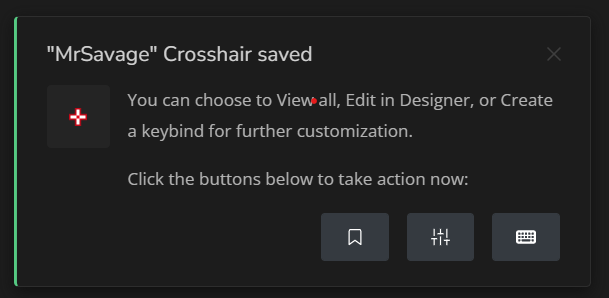
Save a crosshair with a single click! After saving, a message will appear, allowing you to explore other awesome crosshairs from our community. From this message you can:
  • View Saved Crosshairs
  • Open the crosshair in the Designer
  • Create a keybind for the crosshair


New Options Page
We've refreshed the Options page to match the look and feel of our new Keybinds page, featuring a sleek tabular view. This update not only makes the app look more premium but also ensures a consistent user experience across all settings


Bug Fixes and More!
  • Fixed an issue regarding page content not shifting when window is resized and navbar is collapsed
  • New modal will appear when a setting is changed that requires app restart
  • Other minor fixes.
Jun 28, 2024
Tidal Nexus Online Playtest - ☣Deathklaat☣
v0.0.26a
Forever Skies - wojciech.liwanowski
Greetings scientists.

We just sent out a smol hotfix to EA.1.5.3. Here is what we adressed:

  • Neon Plant seeds can be found in the world
  • Removed placeholder icons from the Database
That is all for now. More updates coming soon!

- Team Far From Home
Shop Legends - lan.xiaolong
Auto Adventuring (Available via Combined Fountain of Gems Starting 6/28)
Automatically queue up squads of heroes to begin adventuring when conditions are met while you're online.
Adventure automatically while offline, opening treasure bags and collecting loot to claim when you log back in.
Receive an auto-adventure report detailing all offline adventuring progress when you log back online.

4th of July Event - Celebration the summer of independence with fireworks and the following events

New Adventure Island (available for 7days Jul 3, 2024 0:00UTC ~ Jul 9, 2024 23:59:59UTC)
Send your heroes on the time-limited Adventures to loot exclusive Independence Vouchers
Each adventure will grant certain equipment with a +100% battle power bonus when equipped
Vouchers can be exchanged in the 4th of July Shop to redeem awesome and exclusive rewards
Daily 4th of July Task chains can be completed to earn bonus Vouchers (refreshed daily)
Exchange will still be available for an additional 24hours after the event is over (cannot earn more vouchers)

Independence Daily Login (available for 7days)
Login daily to claim free 4th of July exclusive vanity furniture & avatar customization

New Pack Details

Piggy Bank VI ($39.99, 300%+ Value)
Requires Lv. 44 & Piggy Bank V Unlocked to Activate
12,500 Gems
3,000 Magic Coins

4th of July Collection Pack
3-in-1 Pack containing 6x festive blueprints, 2x festive furniture, 2x festive avatars, exclusive floor & wall, Independence Vouchers and Magic Coins
3 Individual packs each containing 2x blueprints, and either 2x furniture, 2x avatar or floor & wall and more
Purchasing the 3-in-1 pack will also activate two exclusive buffs for the duration of the event (-50% boss cooldown time - all bosses & +50% more Independence Voucher looted)

Optimizations/Balancing:
The exclusive craftsman slot is now available with a regular fountain purchase (instead of requiring both fountains)
Added more push notification types and options within Settings
Introduced a secondary confirmation window for prematurely claiming Guild Chests
Optimized the progress bar display for Guild Tasks
Added support for Shake and collecting treasure bags in the Adventure UI
Introduced quick navigation to gear heroes when crafting Epic or higher quality equipment
Added a display of equipment quantity on racks in the Inventory UI
Optimized localization across multiple languages
QANGA - iolaCorpStudio
QANGA Minor Patch Note


New Features:

  • Game Shop Selling Tax/Bonus system: The Shop have a Tax or Bonus value based on it location. Selling items have better revenue if you travel to a Shop offering better bonus value.
  • Fixes and Adjustments:
    • Animation Fixes: Multiple fixes to animations for smoother and faster performance.
    • Third-Person Drone Camera Fix: Small fix to the third-person drone camera. The drone now correctly gets destroyed (camera needs more work).
    • Spawn Content Additions: Added new camps and abandoned stores to the spawn areas.
    • Item Drop Adjustment: Adjusted item drops to prevent infinite spawning of certain items.
    • Third-Person Drone Camera Fix: Small fix to the third-person drone camera. The drone now correctly gets destroyed (camera needs more work).
    • Contract Dealer: A 20-minute delay is now required before replaying a contract.
    • Nash Damage Balance: Adjusted and balanced the damage of Nash weapons.
    • Moonlight Addition: Added realistic moonlight effects.
    • VO-IP Fix: Fixed packet loss issues in VO-IP
    • Tutorial Level Fixes: Fixed some bugs in the tutorial level.
    Known Issues:
  • Random Frame Rate Drops: Ongoing investigation. The game may experience synchronous image freezes. Restarting the game can temporarily fix the problem.
  • Elevator Network Replication Problem: Using an elevator may cause the network system to consider you still inside after exiting. Other players won’t see you, and you cannot interact with the universe properly.
  • Item Loss on Death: Possible item loss after death is under investigation.
  • Graphical Glitches with Lumen: Avoid using Lumen as it creates too many artifacts.
  • If for some reason you are stranded in the world, there is a command you can use to teleport to the spawn area: Press ENTER to activate in-game chat and write "/tp Spawn".Thank you for your continued support and feedback. See you in QANGA Univers!The QANGA Team
My Pleasure - Season 1 - Tasty Pics
Tightrope Theatre - AdventureIslands
Adjusted the controls and bunch of levels to bring down some extreme difficulty especially end game.

-Player now slips less overall.
-Whole 5th theatre and some other unintentionally difficult levels have been adjusted. With new ropes, fireball speed adjustments, etc.
-Each theatre's No Deaths achievement dying limit increased from 5 to 10. Superstar achievement requirement increased from 25 to 50.
Tarnished Blood 🩸 [Tactic RPG] - malezoltekrety
Now with chinese subtitles!
Diorama Builder - Virtual Arts Studio
...