The official version of this update is the same as the beta version
Changelog
The issue that the folder title name of the previous version of Launchpad was modified was rendered incorrectly
The bug that the icon of the previous version of the launchpad was modified was abnormal
Fixed the issue that the previous version would automatically activate other minimized windows after closing or minimizing a window
Optimized the display of multiple icons in the same program of the dock
myfinder added Vidaldi menu support
Optimized myfinder to open the rendering of Control Center
The calendar interface adds the function of turning pages with the mouse wheel
Corrected Ukrainian translation, thanks to netizen @Олег Паньків
Fixed other crash issues and improved stability
Additional instructions
Win10 2004 before some systems may have a crash after opening the dock icon reflection, and even the task manager can not end the process, you can open the config.ini file in the program installation directory, search for "enable_iconreflection=1", delete this line of text and save it after restarting the computer
Once the Trash is deleted, it can be re-added in the Add System icon
The window display animation is not perfect at present, if there are many problems, you can close or add exclusions to individual programs, it is known that the window will occasionally disappear after the window animation is displayed, and the window needs to be reactivated to display, the UWP program animation will be displayed twice, and some program windows may be clicked invalid after display, such as Task Manager and Notepad
After MyFinder hides the window with its own menu bar, if the program that hides the menu is displayed abnormally or unstable, please unhide the window menu bar
Some fixes for pretty rare cases! Enjoy your weekend!
V 1.2.0 E Bugfixes
Fixed curing Mourning from Bourgeoise in some edge cases softlocking the game
Fixed self-curing of multiple Pips at once when everypip is affected causing a single Pip to become a very good handyman (i.e. he could operate *all* buildings alone)
Fixed snow terrain reverting visually to wrong bases after multiple plays
A new story has been added to the Storybook! The first part of the Great Desert saga.
Enter a land of Arabian myth and legend and fight for your survival amidst sun scorched dunes and glittering oases. Encounter ancient ruines, forgotten temples and great pyramids, and battle the dangerous creatures within.
Fixed a bug where the unit 'Watson Amelia' stopped while switching.
After correcting the source code and testing it several times, we have confirmed that there are no errors. After that, if the same bug is reported again, it will be rolled back to the previous version (0.1.2).
Fixed an error where the 'Wanted poster' object in the unit 'Watson Amelia' did not play sound.
Balancing
The damage rate of the 'machine gun fire' pattern of the unit 'Watson Amelia' is nerfed to 0.3 -> 0.2.
The 'investigation' pattern of the unit 'Watson Amelia' is now only casted if monsters are present.
Hello, fellow sheep! We appreciate all the feedback you've provided. We've enhanced the tutorial to ensure a smoother experience, guiding you in constructing a sturdy home for our adorable lamb babies. Additionally, we're excited to announce our participation in the Endless Replayability Fest, running from May 13th to 20th. Together, let's fend off the wolves and safeguard our sanctuary!
Added an option in the game settings to aim down sights by holding the right mouse button. Fixed an issue on Su Mountain Highway where players could fall out of the map in a large pit. Fixed an issue in the area of the Strange Fog where players could get stuck in containers. Fixed an issue where weapons in the gun store would block movement. Increased the pickup range of items.
After 2 days on sale,We have received a lot of feedback from players that the game is causing dead files after the computer crashes, blue screens, and game fast disappear,The second time you enter the game, you cannot "Continue" or "New Game".We are currently in the process of resolving the issue as soon as possible, and you can start by choosing the following options to deal with it -
Method settle an issue:
①. Don't start the game directly after the game closes abnormally.
(Make sure you don't start the game straight away!)
②. if you don't start the game directly. If you have already started the game, please go to (③)
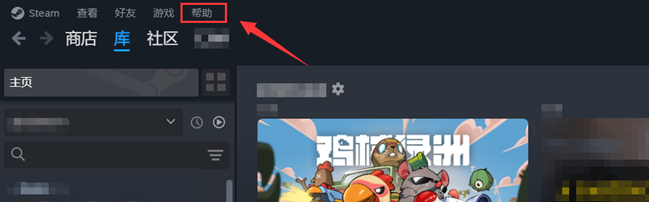
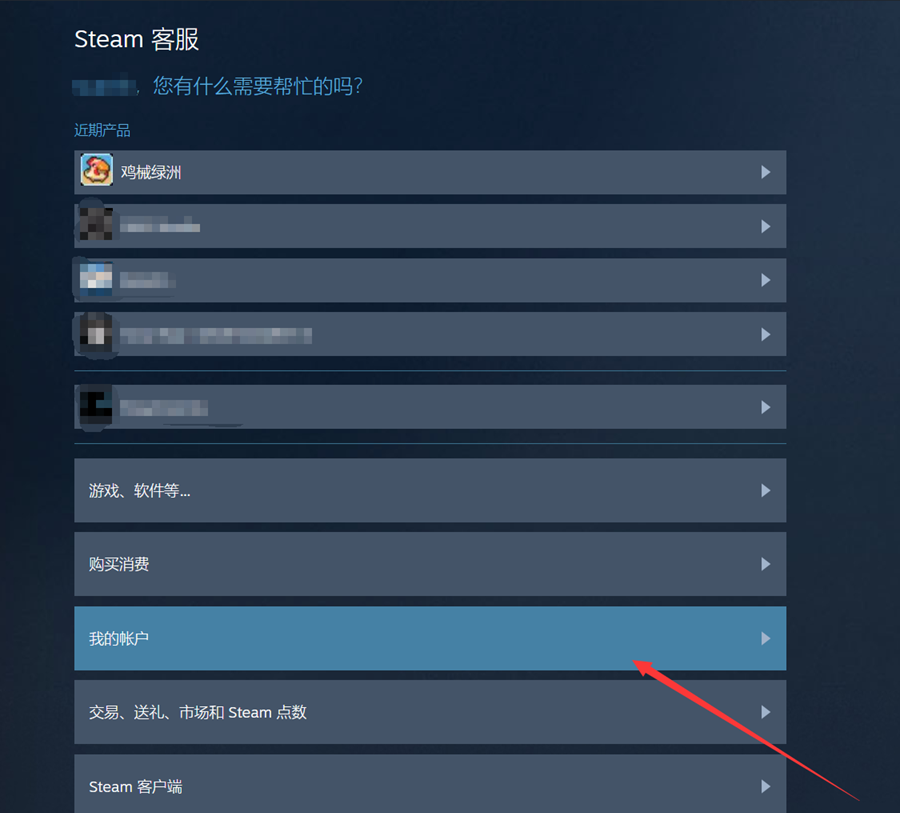
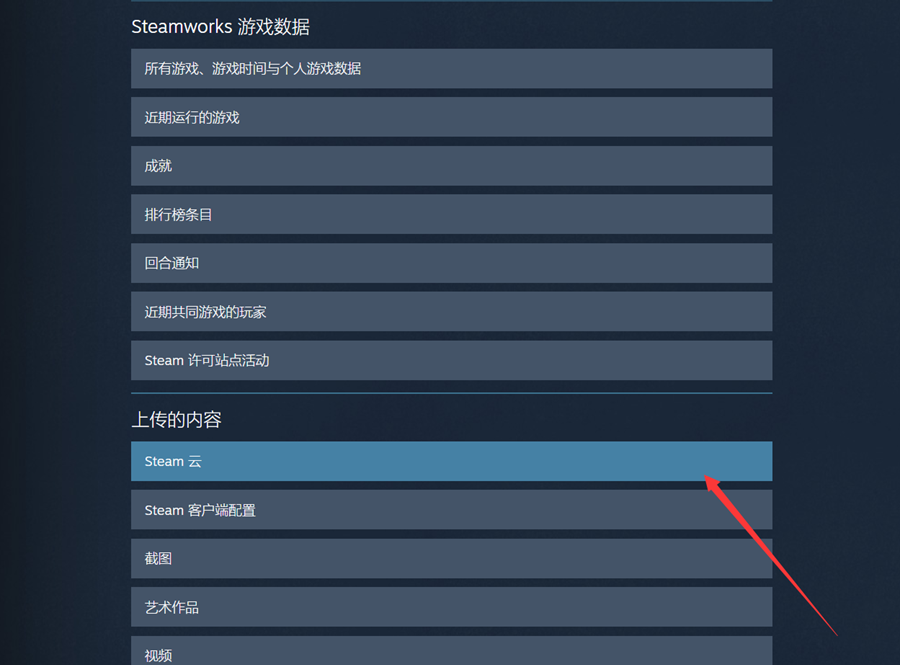
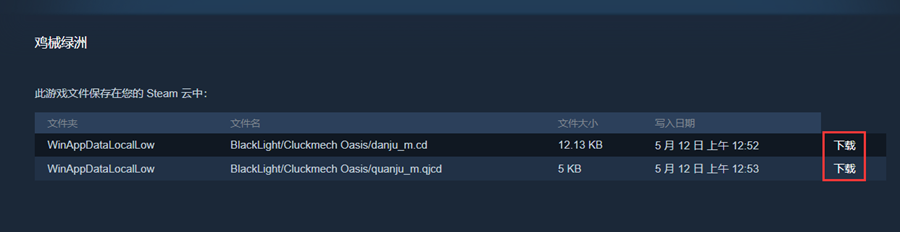
1. Follow the steps below to enter the Steam Cloud Archive management interface: Help→Steam Support→My Account→Data Related to Your Steam Account→in"Uploaded Content"find"Steam Cloud"→find"cluckmech oasis",click Show Files→ Download all archive files
2. Rename the downloaded archive file to the following name:
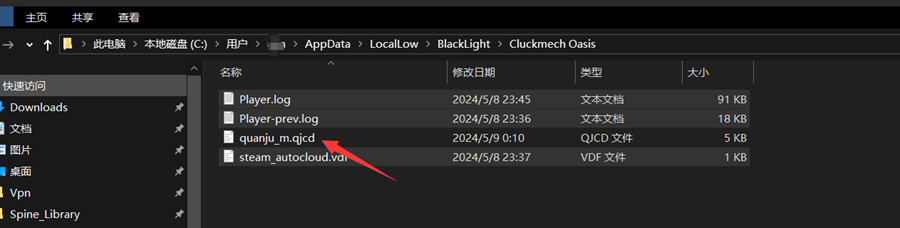
The .qjcd suffix is named quanju_m.qjcd If you have a file with a .cd extension, name it danju_m.cd.
3. Move and paste the downloaded and renamed archive files into this directory: C:\Users\你的用户名\AppData\LocalLow\BlackLight\Cluckmech Oasis
4. Open the game and check to see if it's back to normal.
③,If you start the game straight away and are unable to click new or continue:
Unfortunately, you may not be able to recover your game archive. This is mainly due to: 1),The game was shut down abnormally during the archive writing process and the archive data was corrupted. 2),Steam Cloud Archive Synchronization, will upload and download the cloud archive once when the game starts, your corrupted archive may have been synchronized to Steam's cloud archive server, and overwrite your normal healthy archive. Steam doesn't offer the ability to compare cloud archive data or trace the history of individual archive files, and we're not very good at that.
However, you can still clean up the corrupted archive and start a brand new adventure by doing the following:
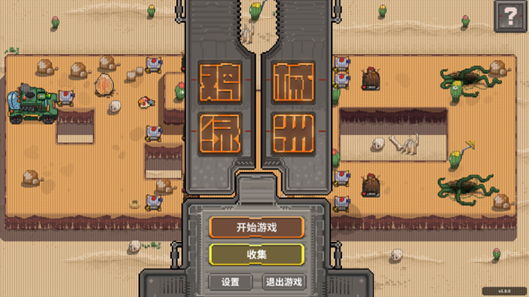
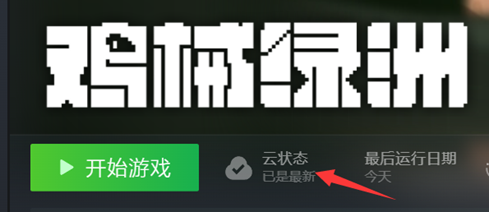
1. Launch the game and enter the main menu screen 2. Launch the game and enter the main menu screen C:\Users\你的用户名\AppData\LocalLow\BlackLight\Cluckmech Oasis 3. Exit the game and wait for the cloud status to sync to "up to date" 4. Start the game and begin a brand new adventure!
[We are also looking for better solutions!]
We've heard from players who have crashed, lost power, shut down, or had their computer shut down in an unusual process that resulted in a broken file. We are doing everything we can to avoid this problem! A later update will reduce the probability of complete archive corruption!