Fixed key mapping issues related to new version of Unreal (still some kinks there with deprecated setups).
Crawl Space decks now only features Araclings / Eggs
Added "Aracling Nests" objectives for Crawl Space.
Fixed collision issue around nests that sometimes made units spawn inside walls or get stuck on the nest.
Updated Level Select UI and the special Mainframe UI (at the end of prologue) with better presentation.
Text in console logs is being typed out.
Added a randomly placed healing pad to all lower decks.
Reduced player default resistances from 10% to 0%.
Added 5 body upgrades that increase resistances by 40% for each type.
Added visual indicator (X) on creeps to communicate their state.
Fixed issue where too many different enemy types where used in a level.
Fixed conduits clearing their range indicators when solved.
Mutations & Damage type:
- Enemy mutations now sets the affected enemies damage type to the same as the resistance type of the mutation.
- Updated some of the enemy attack FX to represent the damage types from mutations.
- Renamed several mutations and updated descriptions.
- Updated the mutation icons and tool tips with more clear descriptions, color coding, more stats and better layout. Fixed some number calculation issues.
- floating text indicating damage taking on the player now tells the type of damage.
There have been some long standing controller related issues that I finally was able to address. I had to move to an entirely new input system to fix them, but it's working great now.
Hello fellow Dwarf grinders out there. I know it has been a good awhile, but rest assured we're always working on the game at a nice pace! Our next major update is Skill & Prestige; however, this update is much more than just that. Let's dive in, shall we?!
For interaction with Litty Game developers and our community please join our Discord. We're open to constructive criticism, feedback and suggestions for our games and we find it very important to hear our community out!
Skill & Prestige
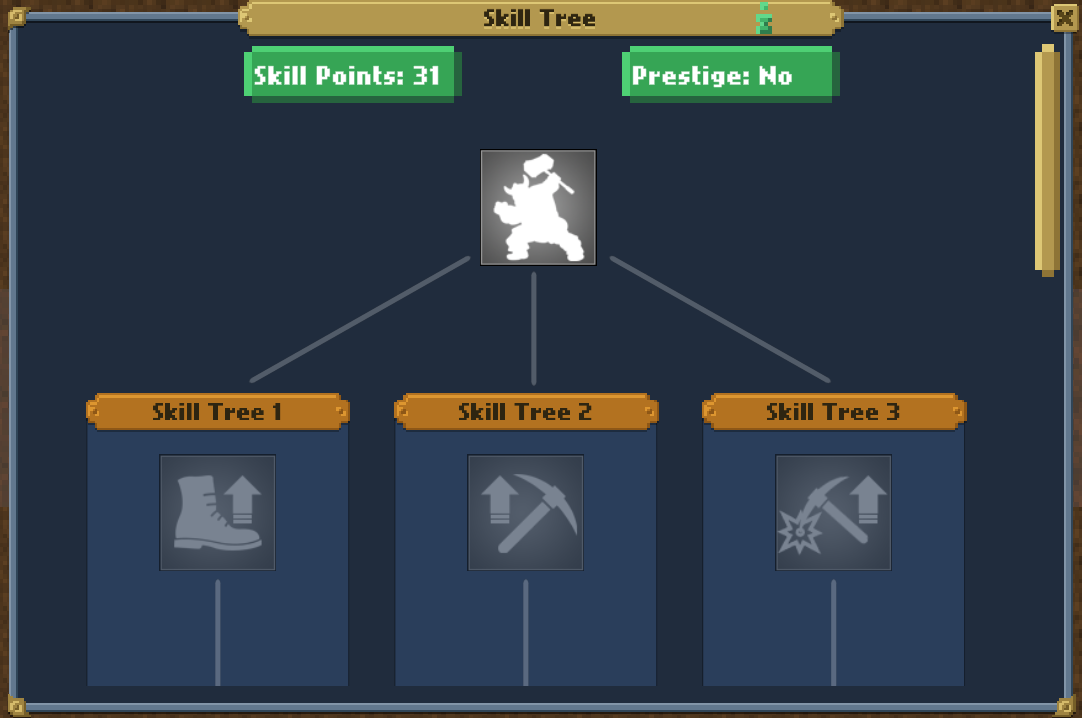
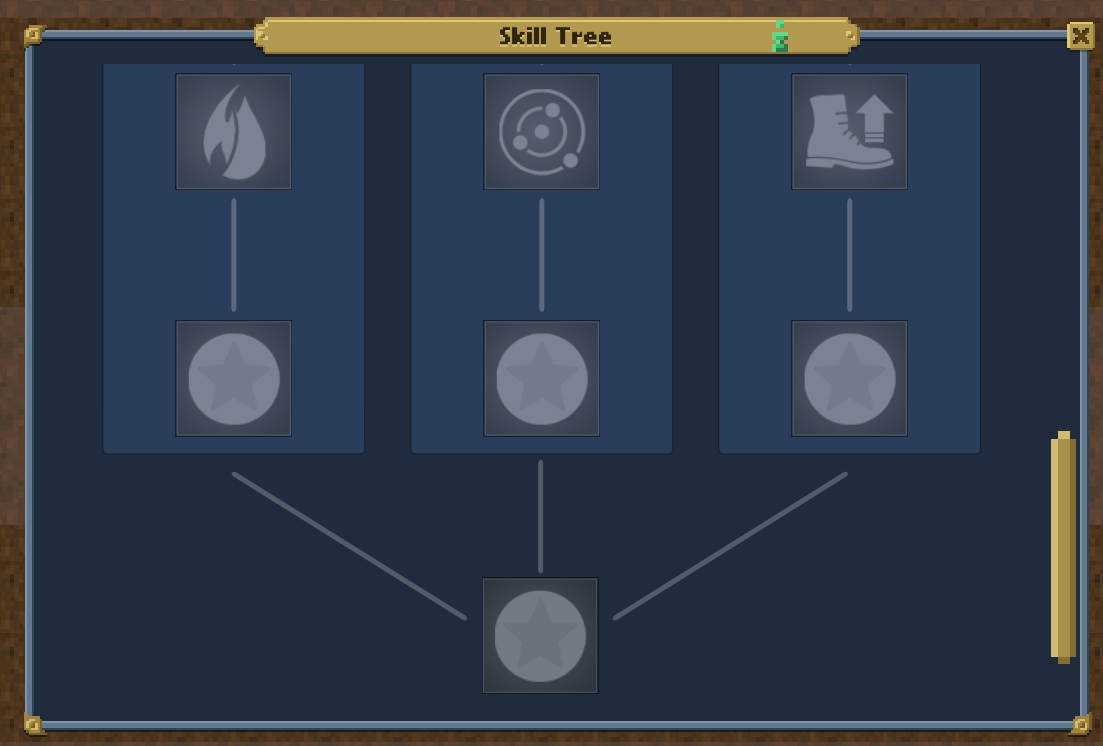
After my last teaser there has been quite a lot done. The skills user interface is finished, but we are still waiting for some icons to be made.
Skill Tree
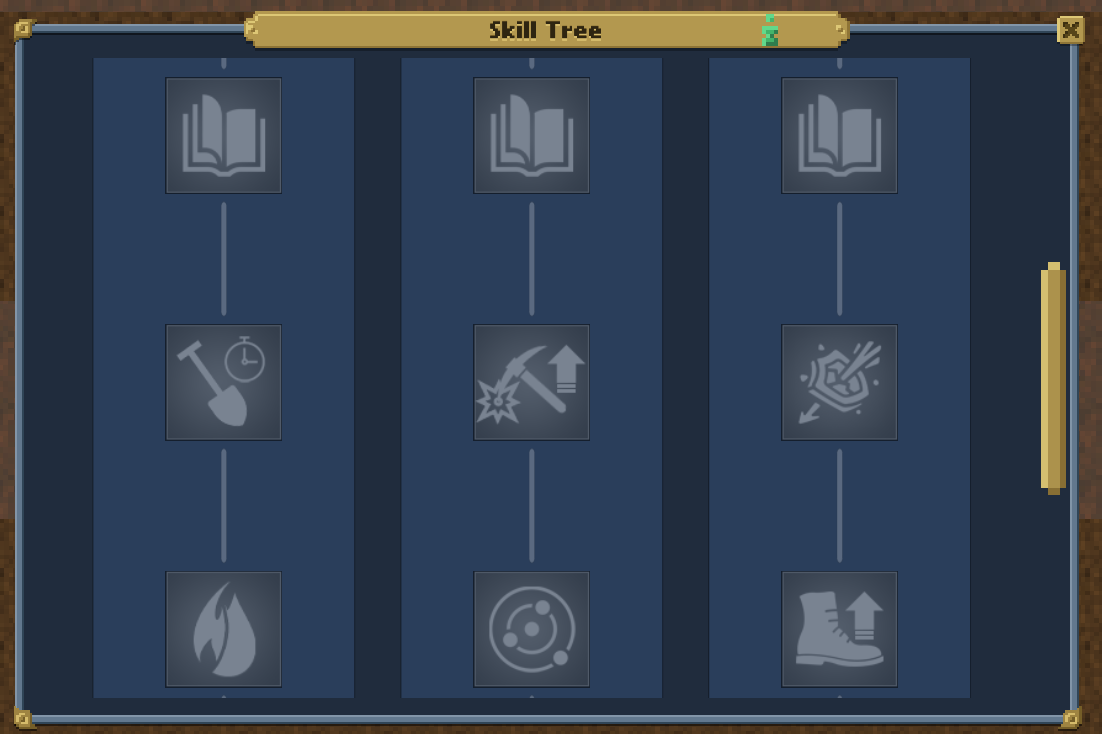
The last icons in the end screenshot are still being created so they'll be updated soon enough.
With this new Skill & Prestige system you'll be able to build Dwarves how you want with slight benefits from the trees themselves. 1 skill point is 10,000 experience. Spending a skill point removes experience from a Dwarf. Each time you spend a skill point it increases the cost by 1 for other skills in that tree.
As for prestige: After fully unlocking all the skills within a skill tree that Dwarf will be eligible for unlocking the prestige skill. A Dwarf will be able to prestige at level 10k and increases by 10k levels each time you prestige that specific Dwarf. Each Prestige increases experience gain by 25%.
Major Changes
As we're getting closer and closer to The Surface on the roadmap, I wanted to switch up the road map and switch The Surface with game polishing first. But, I have not forgotten about the importance of The Surface.
The Surface
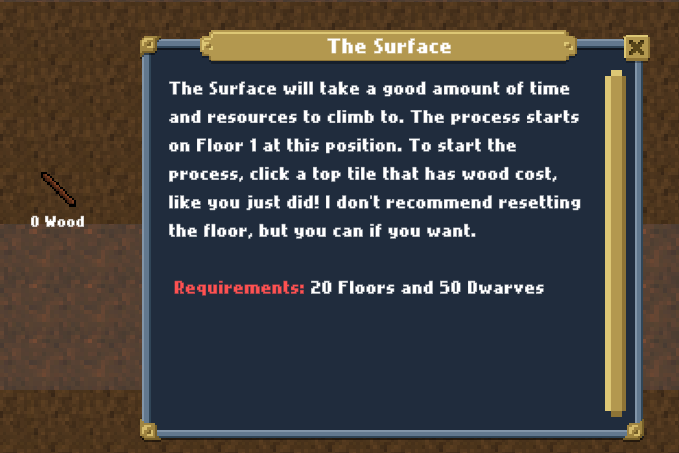
You can now start climbing to The Surface. Only climbing to The Surface is being implemented at this time. The artwork has to be made for it; however, you will have time to work on The Climb grind beforehand. Don't forget that enemies drop wood which you'll need for the climb!
What was added? Floor 1 is the climb floor. You will see a Wood icon with the cost text below the icon. Clicking this will prompt you with the requirements to start climbing.
Visual updates
Some new visuals have been added to make the game less boring to the naked eye. I'll let you see that when we release as a surprise! I want to make Dwarves Mining Idle a bit more visually appealing VFX-wise. Nothing super intensive but enough to make you go, "Woah..."
Dwarf and AI Updates/Rework
Dwarves behavior and animations are at a rough scale at the moment. After releasing Dwarves Mining Idle in early access there were changes to Dwarf AI at the beginning. That being said, we need to change them again for the better.
Dwarf Animations
The way animations work is too much like a spider-web. Animations won't over-play when Dwarves need to work, nor will they play before a Dwarf starts moving (e.g. If you set Dwarf to combat they'll hit the air before moving, they won't anymore). This has been a long time coming after initially fixing the animations incorrectly playing frame by frame.
Dwarf Behavior
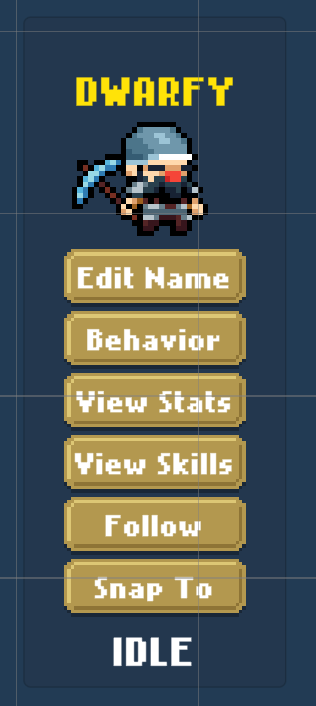
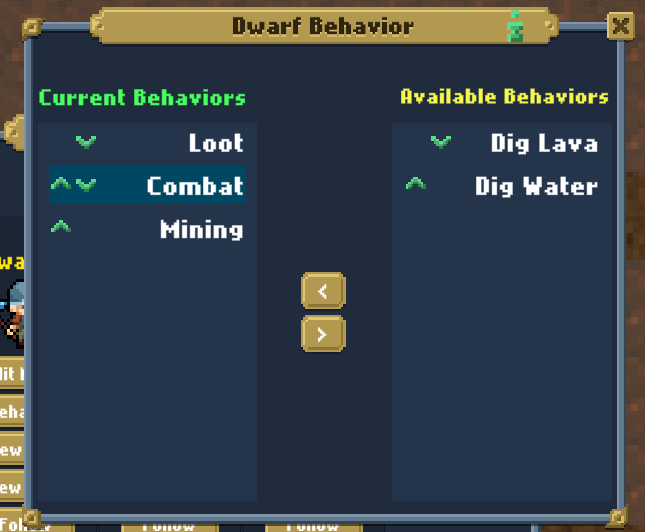
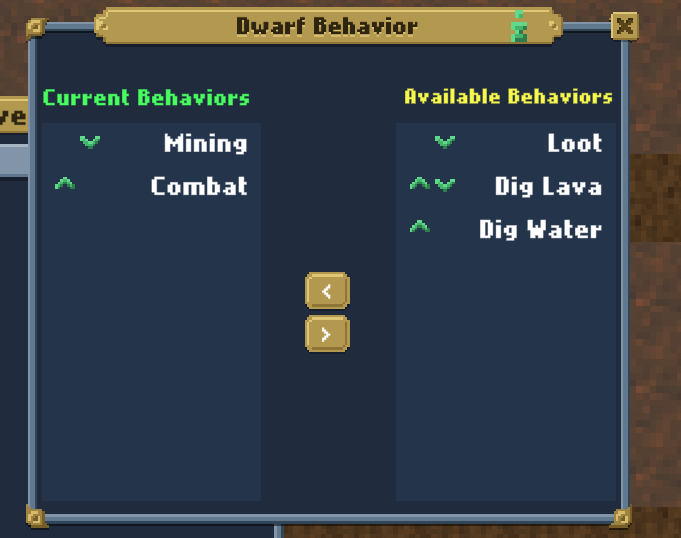
I've noticed some users not finding out how to change Dwarf behaviors as a new player. I want to change that. Behaviors has been taken out of "View Stats" and put within the Dwarves Window. The idea is to assign your wanted behaviors to a Dwarf. For example, if I assign Mining first and Combat second; if there's nothing else to mine the Dwarf will then change their behavior to Combat. Top is highest priority whilst bottom is lowest priority. This will make it so your Dwarves are ALWAYS active depending on the behaviors you give them.
Dwarf Looting Update
The way the Dwarves were finding loot was a bit rough and didn't help due to distance. Now, Dwarves that are looting will actually loot the closest items to them.
Enemy Rework
Enemy armor and health aren't properly setup. How so? Dwarves can practically one-shot enemies. In this update we'll be addressing that.
Optimizations
This update will include some internal optimizations. Though, you might not notice any major issues with performance, we're digging deep to make sure everything is okay! Within this major update, optimizations have been made and everything is working nicely!
There's some more updates but I think we've gone over enough! I want to try and release the update this upcoming Friday, but it isn't final. Still a bit more to do since it's a big major update!
Thanks for reading and I hope you have a great week! Again, please join our Discord if you have any questions or want to be apart of our community.
Due to having issues with some super nerdy stuff that made the hotel level crash, i had to re do a lot of things to get the level into working order as i want the game to be a good experience and Crashes don't exactly help with that.
For the nerds The issue was caused by a class within the engine code referancing instances of materials that diddn't excist in the game as they were located within the engine folder that does not get included to keep the filesize down for people with slower internet connections. due to the problem, other materials had lacking dependensies and were loop referancing NullPtr's causing infinate loops and essentially creating a massive memory leak and as it were referancing nulls it tried to allocate a memory block at a already reserved slot also causing this issue. CyboGurl, WeebClicker, LePoop and new goons has been added.
The Stuff 99.9% wanna hear I am working on getting the RatKing to proberly work and i will throw in that update once the AI is stable enough for release and the Rat king does not get stuck in walls, this is ruining my own experience and i want this to be a EPIC boss battle.
This is a placeholder update meaning it is to give you an update but the level does not continue after you defeat the CyboGurl. But the reason i am updating with this build is to give myself some time to proberly do the Rat King Code and give you the oppotunity to practice and explore the entire map so you know the in's and out's
If you experience any crashes or any issues please notify me as i wanna get these solved before going on to the Anime world level