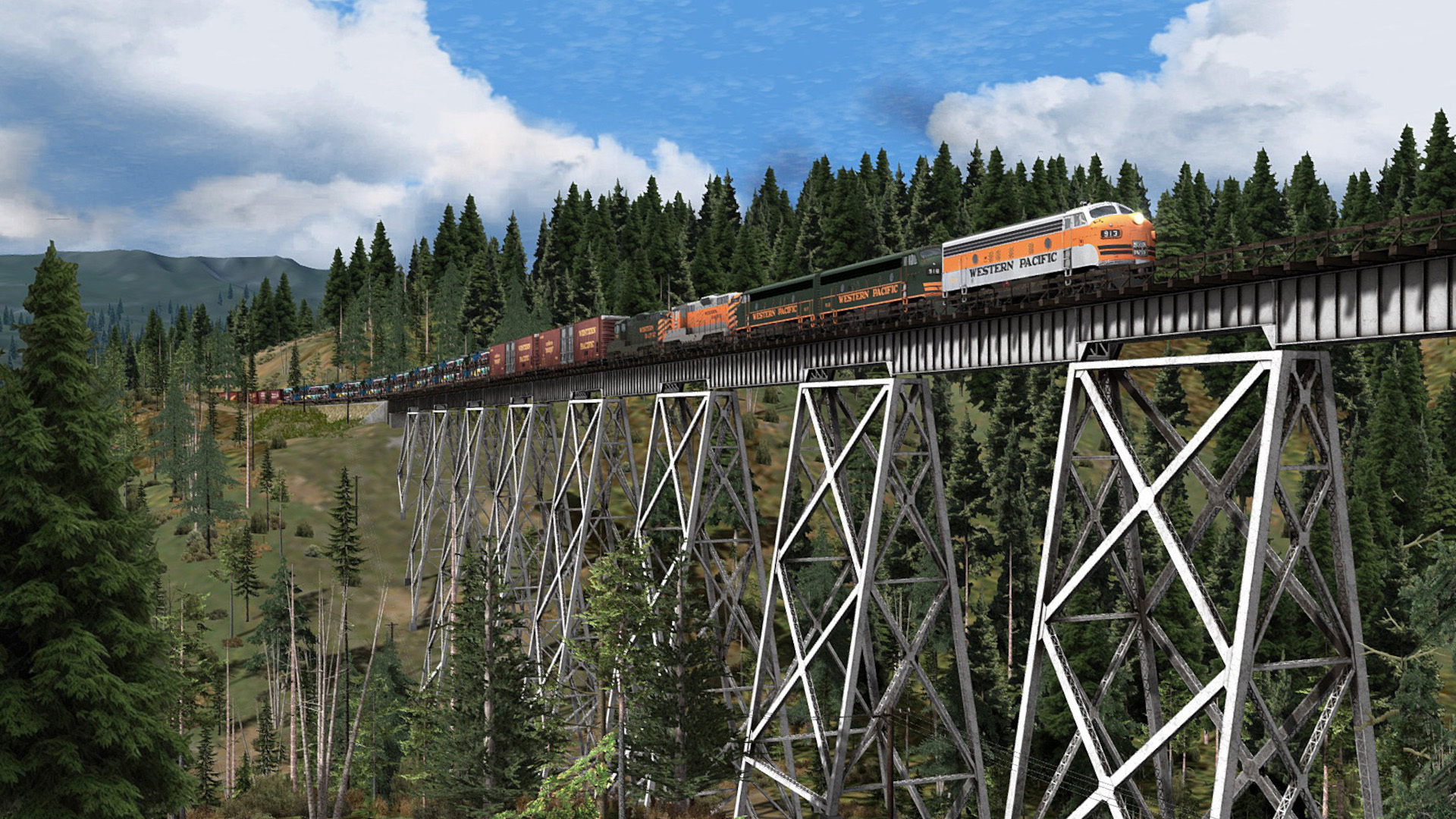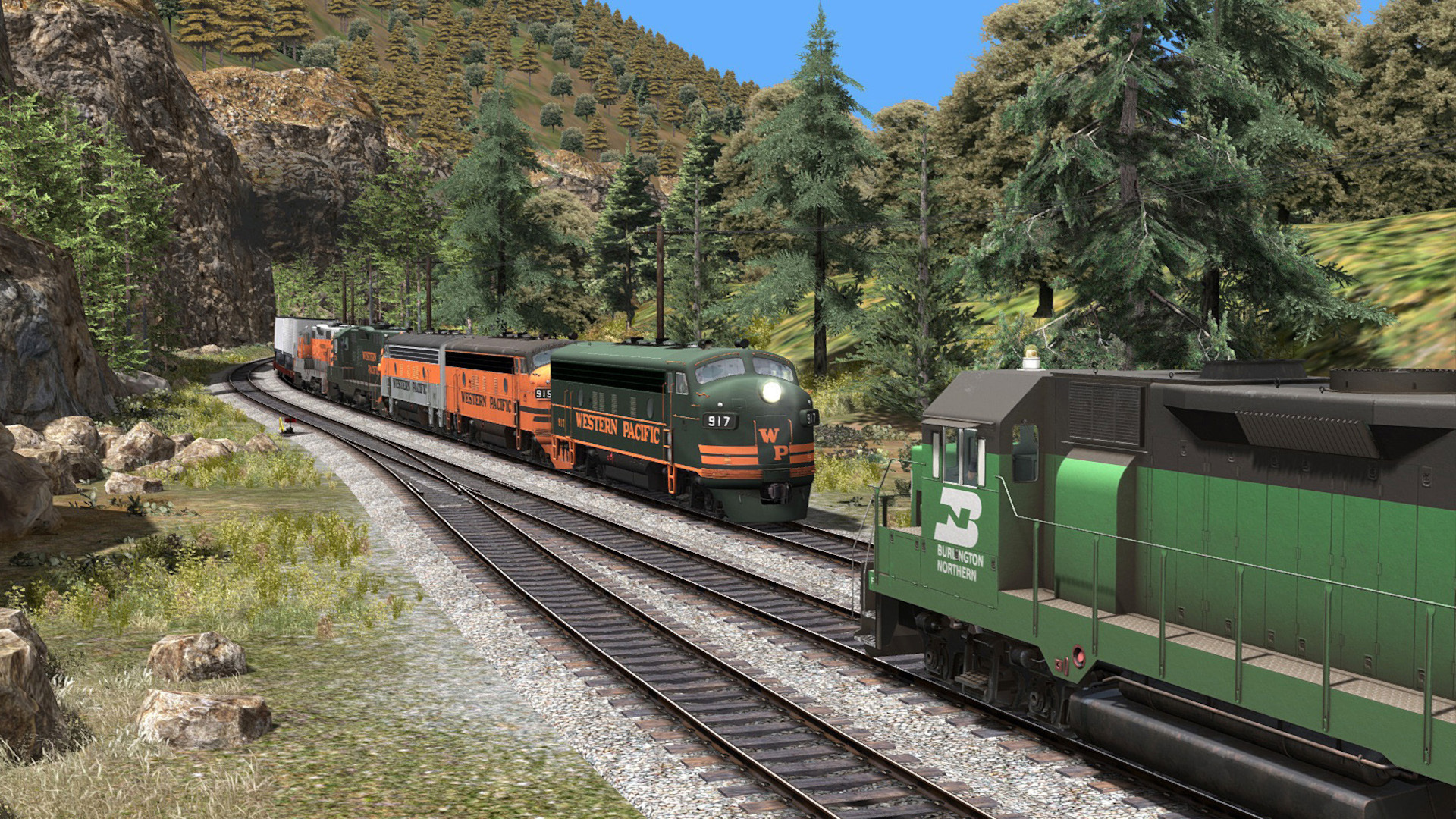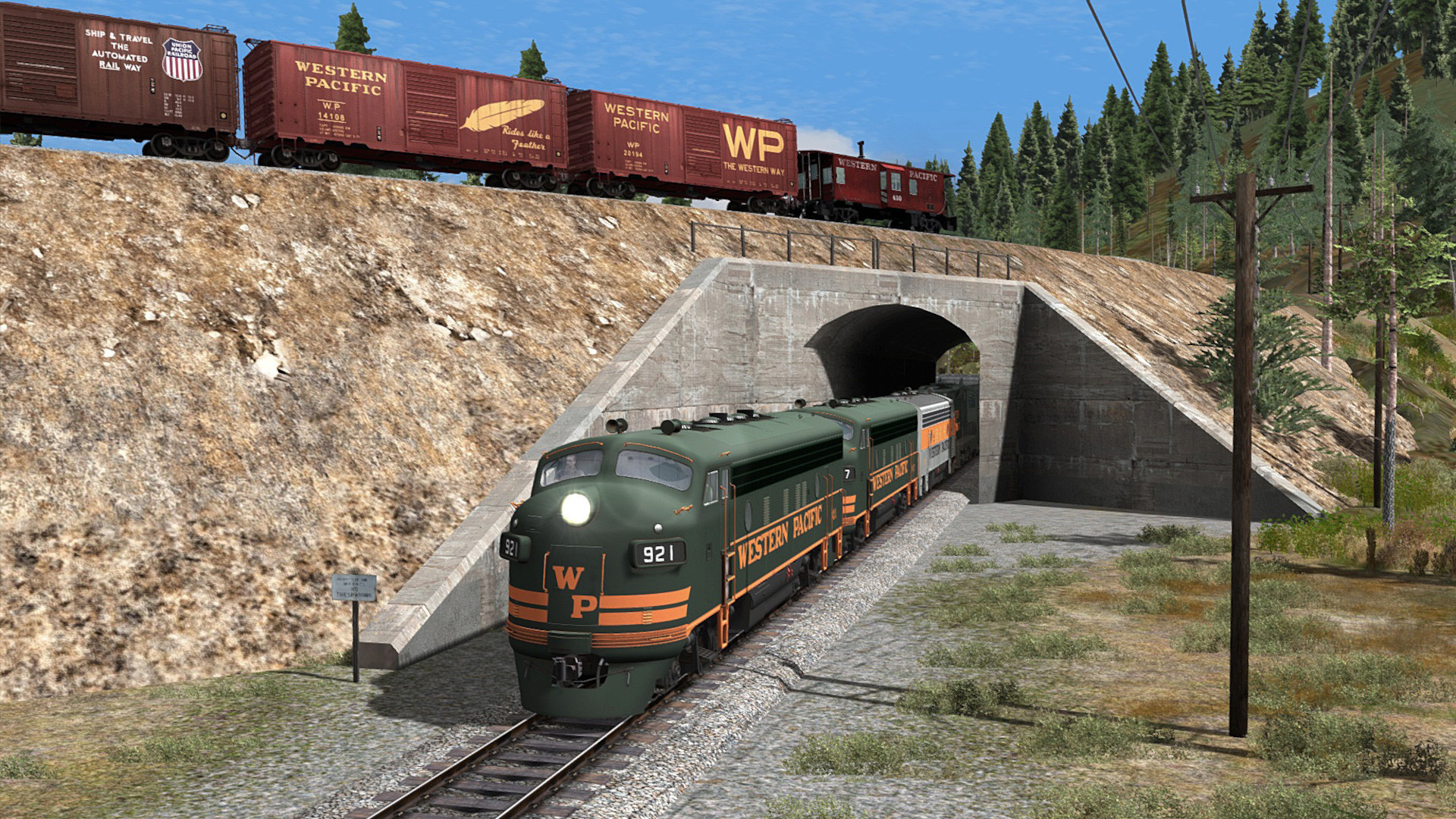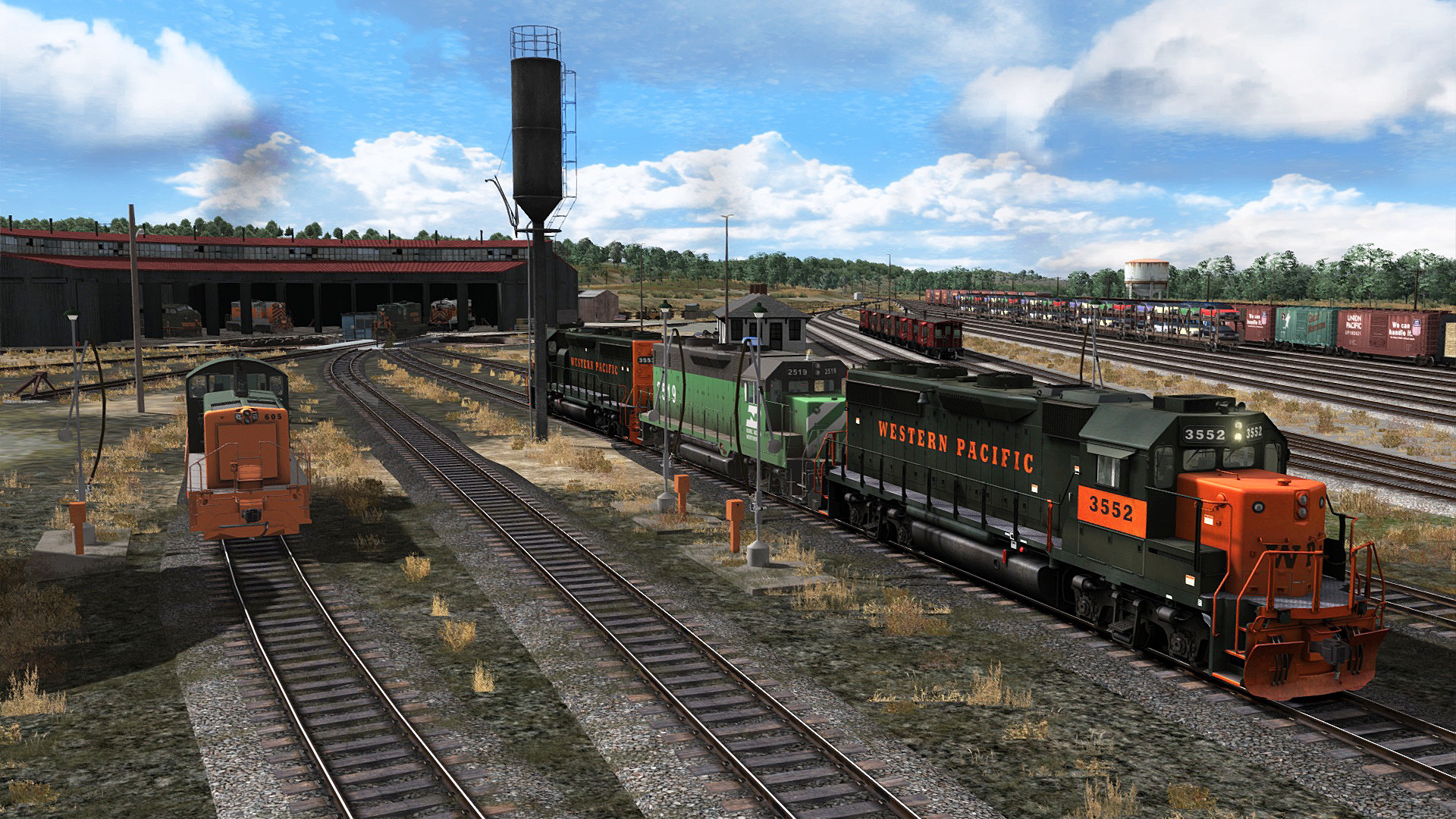
Western Pacific’s fabulous and legendary Feather River Canyon Route is coming 15 February to Train Simulator Classic in an expanded and enhanced edition, re-creating the railroad’s entire 118-mile Third Subdivision from Oroville to Portola, California! This includes enhanced scenery from end to end, you can see a preview of this in the video below.

The upcoming Feather River Canyon Enhanced Route for Train Simulator Classic will also feature a portion of the Western Pacific’s Fourth Subdivision (the “Inside Gateway”) and the entire Quincy Railroad short line, bringing total route mileage to 130 richly detailed route miles.
Five types of Western Pacific diesel locomotives, a Burlington Northern locomotive, and 16 types of freight equipment, all provided in a variety of authentic liveries, will deliver superb operational variety and realism to the upcoming route.
Created through a collaboration between Dovetail Games and High Iron Simulations, the Feather River Canyon Enhanced route will include:
Western Pacific’s entire Third Subdivision as it existed in the 1970-1980 era, and with major yard and terminal facilities at each end (Oroville in the west and Portola in the east).
An all-new 34-mile addition of the route between Quincy Junction and Portola, including famous landmarks such as towering Clio Trestle and the remarkable Williams Loop.
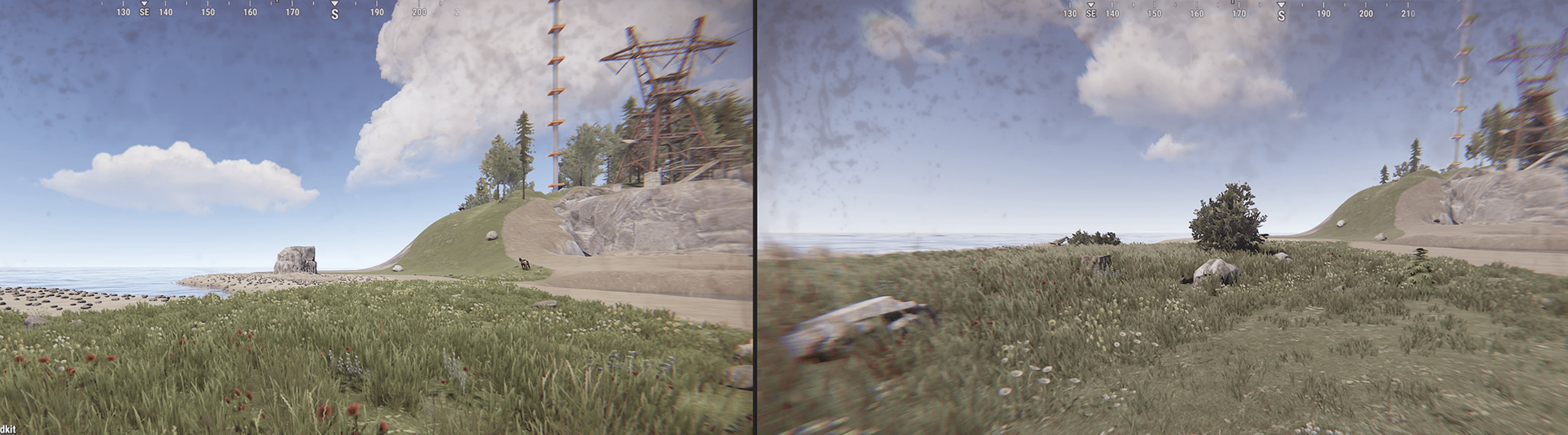
Enhanced and richly detailed scenery from end to end and including a variety of new custom-built stations, structures, and assets. Special attention has been devoted to enhancing the detail and realism of the route’s many lineside shippers and industries.
Five types of Western Pacific diesel locomotives, including the EMD F7 (cab and booster), GP9 (with dual controls), SW9, and GP40-2, plus the GE U30B. All locomotives will feature advanced braking and are offered in 14 total livery variations!
An all-new Burlington Northern EMD GP35. Western Pacific and Burlington Northern conducted joint operations via the “Inside Gateway” and over the west end of the route.
Sixteen types of freight equipment appropriate to the line and era, including open-side auto racks, 86-foot auto parts boxcars, bay-window cabooses, and a variety of rolling stock in liveries including Western Pacific, Union Pacific, Rio Grande, Burlington Northern, Great Northern, Northern Pacific, and Spokane, Portland & Seattle.
To further enhance the realistic operating characteristics of the line, route speed limits have been set as authentic to the 1970s era, signaling has been improved, and the route is fully equipped with lineside operational signage.
Bringing the enhanced experience of the Feather River Canyon to full life will be a set of ten new career scenarios that include end-to-end operations and a free-roam scenario – plus the route is Quick Drive enabled.
Head to the store page below to find out more. Owners of the original Feather River Canyon Route (Released in 2016 by Dovetail Games) will receive a special limited-time -15% discount on the purchase of Feather River Canyon Enhanced. Available for the first two weeks of launch only. To get this you need to have the original route in your Steam Library and be signed in. Add to your Wishlist on Steam to make sure you don't miss it.
Mother Gaia is happy to make not one, but TWO announcements for you.
First: if you’ve been paying attention to our socials, you already know we’ll be participating on Steam Next Fest starting next week. That means there will be a The Posthumous Investigation demo available for y'all to enjoy!
Well, technically it’s already available, as we wanted press folks to try it ahead of the event. But we kept working on it and polishing it, and on Monday you’ll have access to a version that looks better, plays better, and *sounds* better too.
Second, but equally important: we will be streaming! During the week, Alexandre - our in-house artist - will be walking through the demo content and showing you all the special bits and bobs that make our “Machadian” Rio de Janeiro come alive. Come take a look!
During the live sessions, we’ll be on chat to talk, answer questions, and even help if you’re stuck. But, in case you miss both of ‘em, fret not! We’ll be broadcasting the VOD 24/7 during the entirety of the event. If you want to get in touch then, just hit us up on socials, our website, or leave a message in the Community Hub, and we’ll get back to you as soon as possible.
Adding some nifty new features and adjusting some minor things!
Added: -A flashlight that can by found by the basement door to make navigating the darkness down there easier -Volume controls on the settings menu -Small sounds that play when messing with your fellow classmates (which you shouldn't do, they're trying to learn)
Adjustments: -Made Bobby's jumpscare sound slightly quieter -Fixed a minor graphical bug that appeared on the pause menu
I know it's not much, but I'm working to make the game the best it can be little bit by little bit! Any suggestions for the game are very much appreciated if you're interested in including any of them in a Steam review!
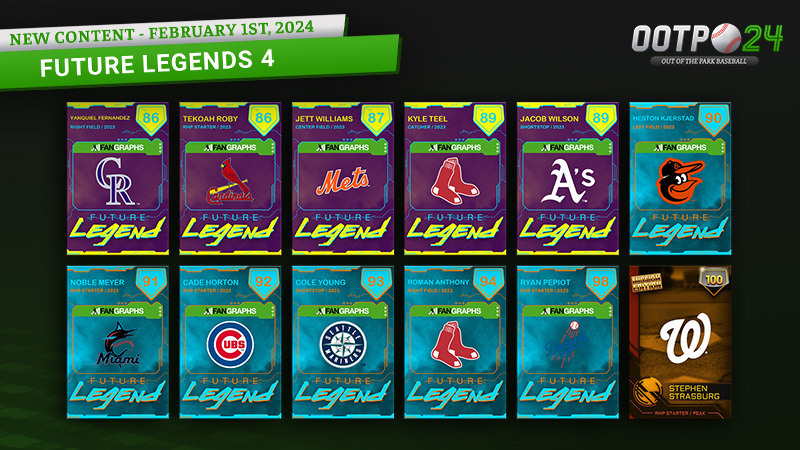
The thirty-ninth version of our all-new "Spotlight Packs" are LIVE in Perfect Team! This week's Spotlight Packs are available until Saturday February 3 at 1 PM ET only and include a guaranteed Silver or better card from Negro Leagues 5 or PT Elite 4 or Hall of Fame or Future Legends 4! Otherwise only Non-Live cards.
All the details on each card available in the Spotlight packs and its pull rates are here:
We are happy to announce another month of Polysseum! This month we are playing Ai-Mo!
How to join?
Open The Battle of Polytopia -> Multiplayer -> Tournaments. Once you find the tournament that suits you, click "Join".
Follow our Tournaments Hub on Challengermode and find your favourite tournaments.
Don't forget to confirm your participation 15 minutes before the tournament start. You can find more details on how to join in the FAQ.
This February
Leaderboard scoring
1st - 400 pt
2nd - 250 pt
3rd-4th - 125 pt
5-8th - 40 pt
9-16th - 10 pt
Maps We will play on the Archipelago, Drylands and Continents.
Tournament capacity Players will be split between up to 3 tournaments.
There will be a maximum of 16 players per tournament.
If there are 10 or more on the waiting list, then a new tournament will be created for them.
Players will be distributed evenly based on their check-in time. So if 16 players confirm participation and 10 are on a waiting list, it will create 2 tournaments with 13 players in each.
All of this means that if you are on a waiting list, don't go too far from your device because you might have a tournament to play.
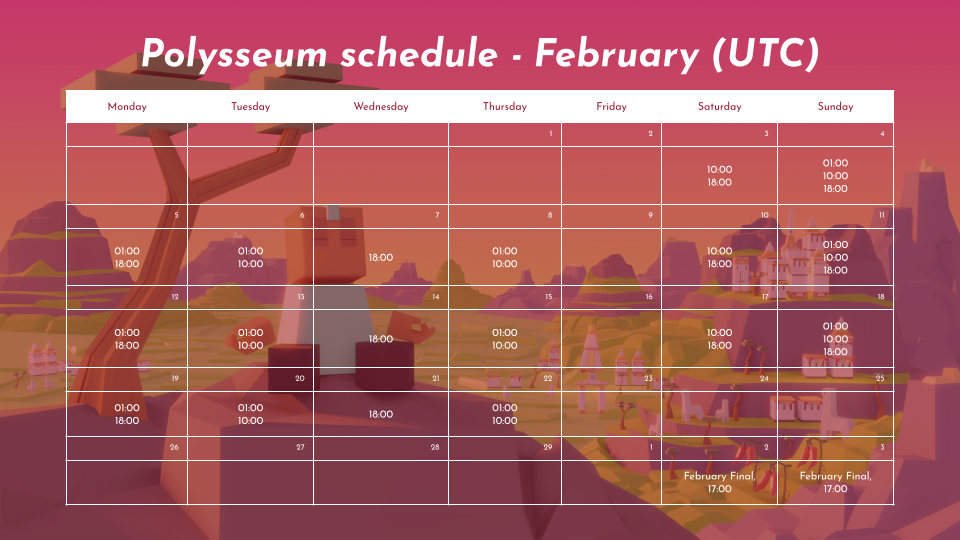
February schedule
A reminder about Polysseum format
Daily tournaments
12 weekly tournaments - Monday, Tuesday, Wednesday, Thursday, Saturday, and Sunday. 36 tournaments per month.
Up to 48 players, split into a maximum of three 16-player tournaments.
1v1 Single elimination, finals Bo3.
Live games, Might, Small map.
Tribe of the Month.
Prize pool per tournament - €7.
Monthly Leaderboard Players will be automatically placed on the leaderboard once they participate in the tournament. The top 16 players will be invited to the Monthly tournament.
Monthly Finals
February Finals - March 2-3rd
16 players.
Live games, Might, Small map.
Prize pool - €200 and 4 spots in the Season Finals.
Bracket format TBA.
Fall Season Finals
Up to 16 players, Top 4 from January, February, March and April Monthly Finals.
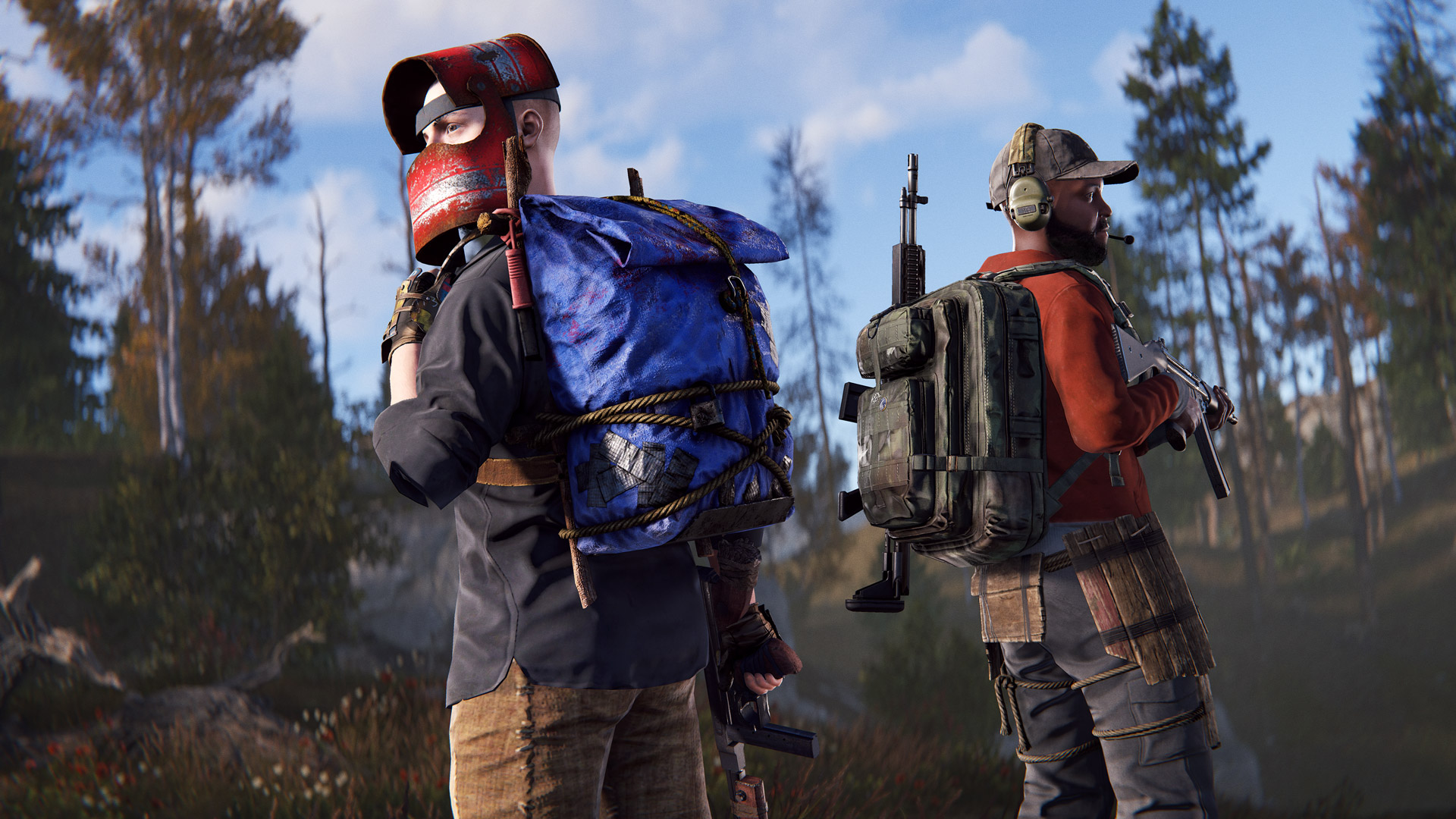
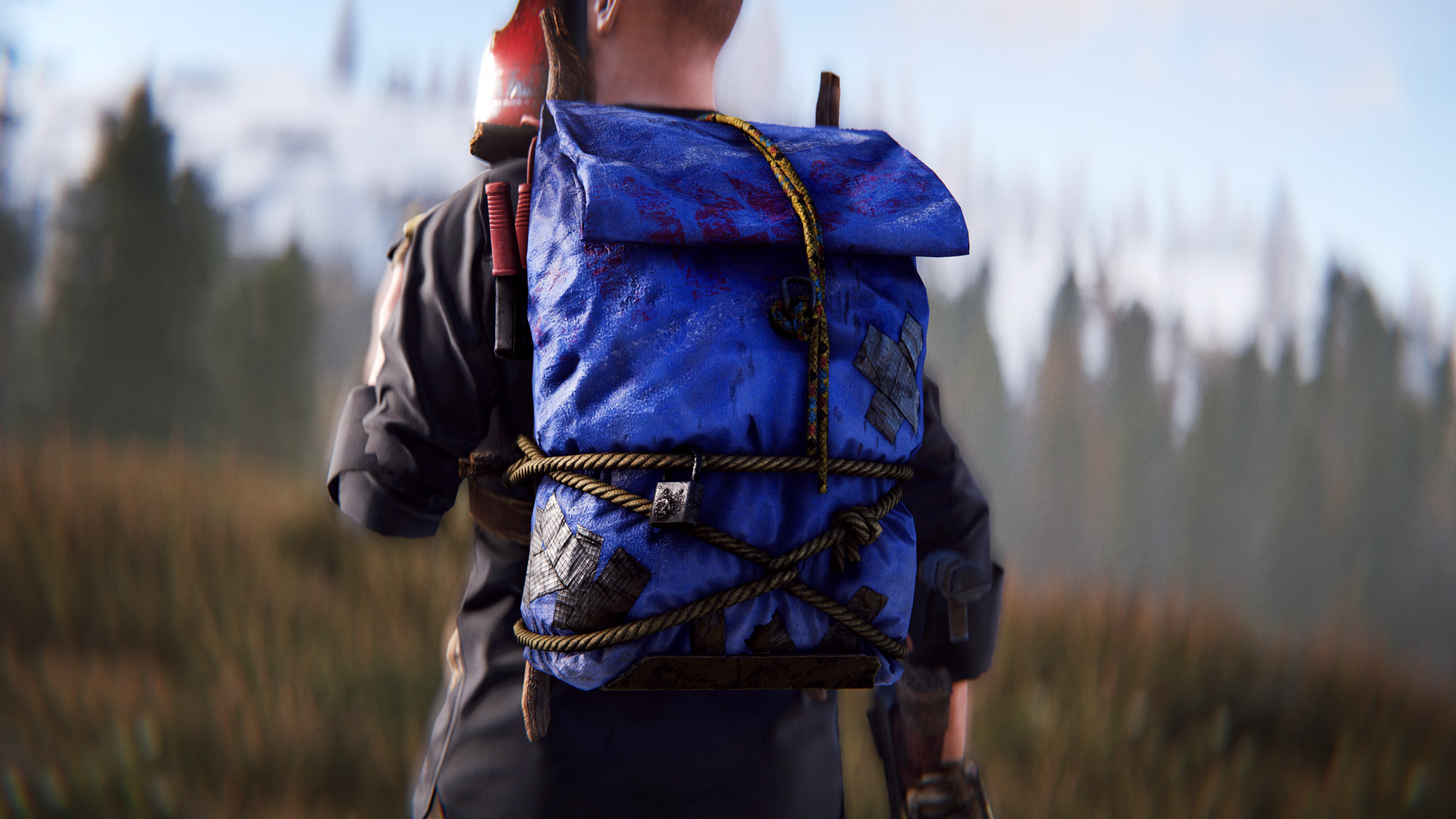
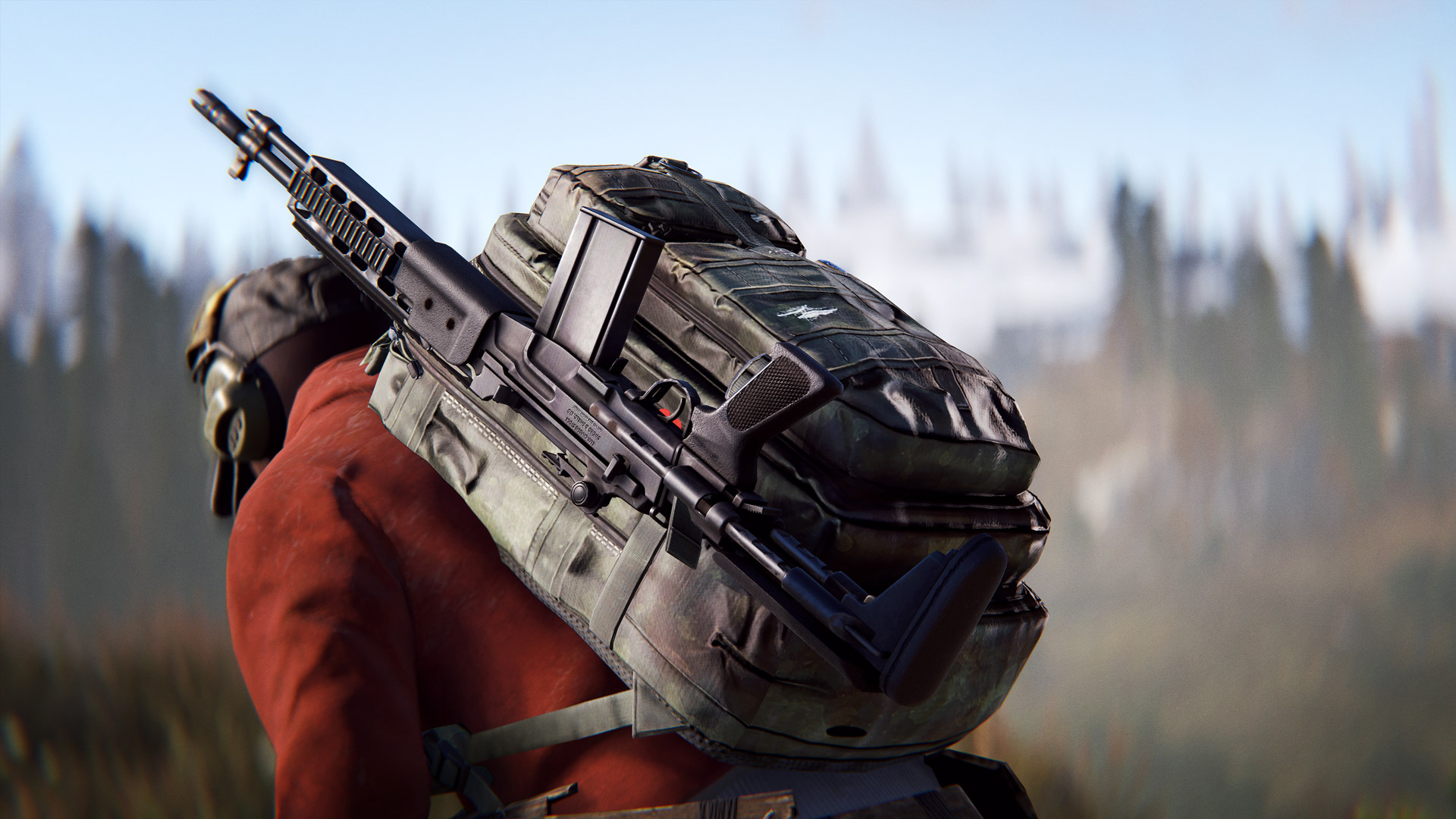
Backpacks have been one of Rust's most highly requested additions for several years, and what is a survival game without backpacks? This month, we're excited to bring you the small and large backpack, allowing players to carry more loot.
Inventory space has become more scarce as more items have been added to Rust over the years.
Small Backpack
The small handmade backpack provides 12 slots & can be crafted for 50 cloth and five sewing kits at a T1 workbench. It is a default blueprint and will take 30 seconds to craft.
Large Backback
The military-grade backpack carries a whopping 28 storage slots and is uncraftable, found in military loot.
How To Use
Both are worn in the backpack slot and drop off your character on death. They can be looted on the ground (be careful if dropping one in a safe zone!) or from inside your own inventory. They take 3 seconds to pickup off the ground and despawn slower when filled with valuable items (up to 2 hours).
Currently, there are no negative effects from using a backpack.
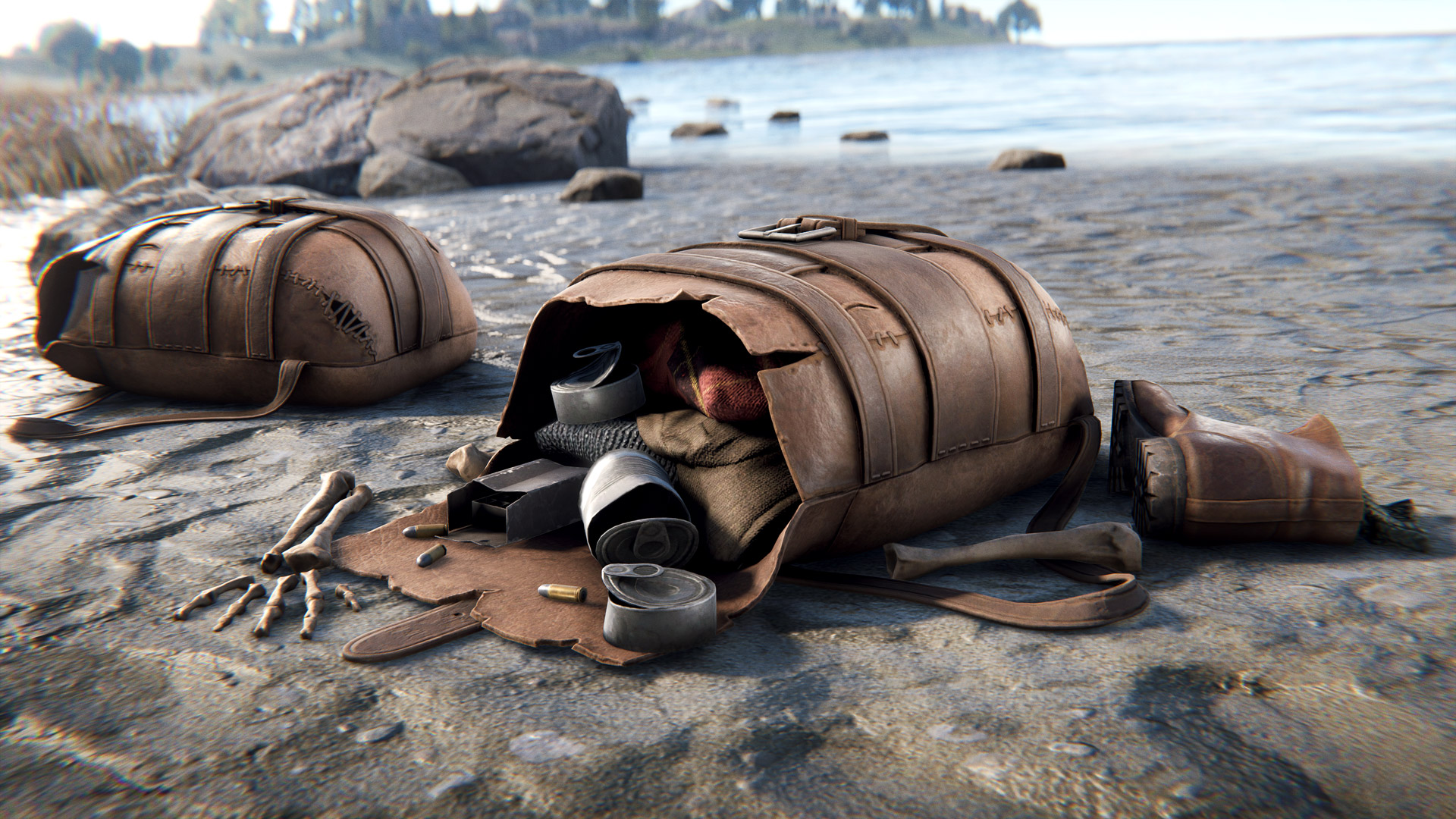
NEW PLAYER REMAINS BACKPACK
To help differentiate regular player remains from the new backpack models we’ve given the player remains a visual refresh. This new model has a new open and closed visual state so you can tell at a glance if a bag has been opened by anyone. There is also some visual debris around an opened bag if the bag has more than 3 items in it.
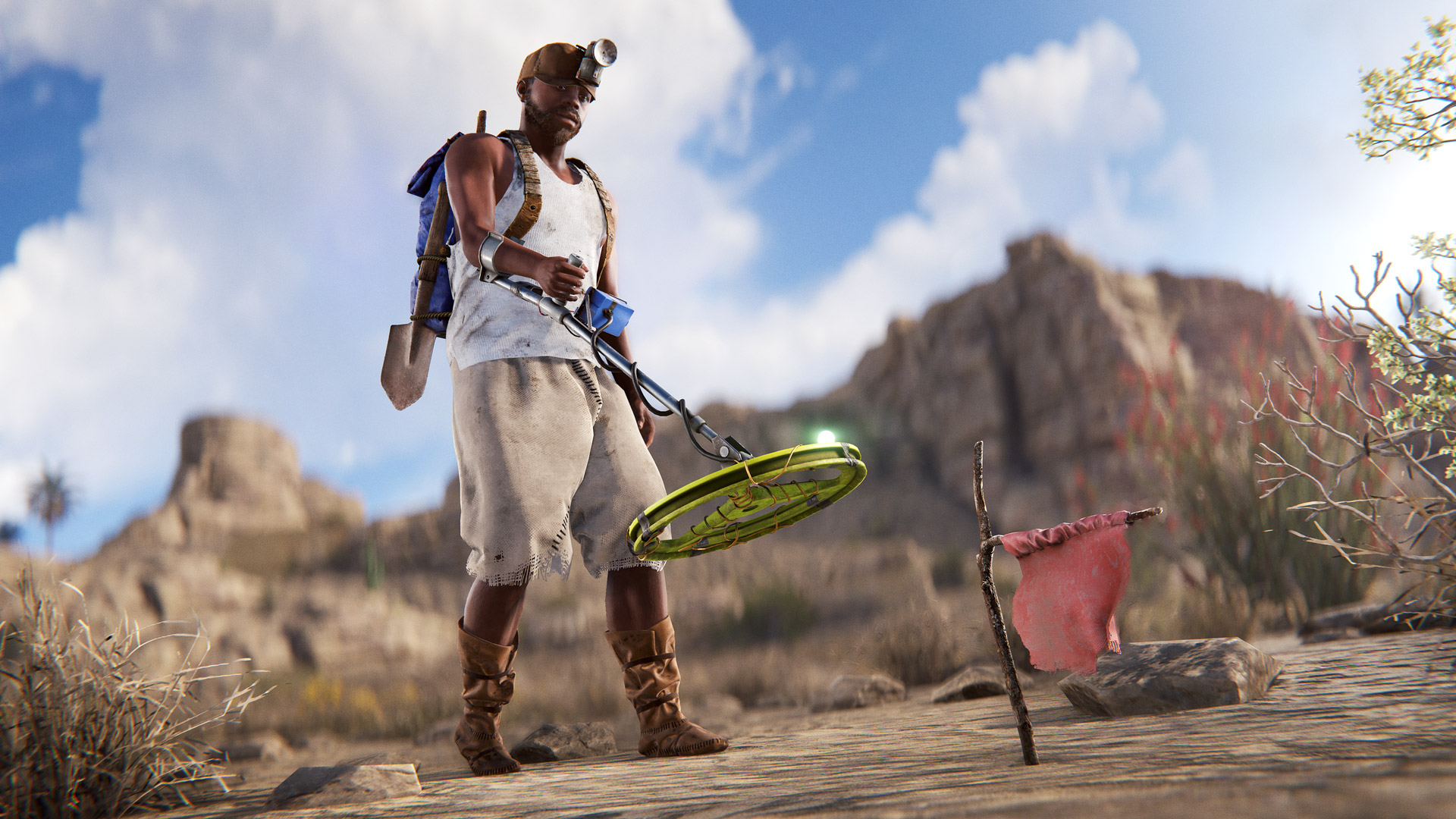
METAL DETECTOR
The new metal detector allows you to find metal objects hidden beneath the ground.
Use the green lights to find the general area of an object, then when the green lights are all fully lit, hold the right mouse button to start sweeping the ground more closely and illuminate the yellow lights.
When all the yellow lights are also lit up, a flag will be placed. Dig this flag up with any melee tool and grab your treasure!
Different areas of the world will yield different types of loot, for example, what you may find on the beach will be different than what you find at the roadside or fields.
WEAPON CHANGES
I've modified the animations for the SAP/SAR and they should feel a bit less floaty and more snappy when reloading and aiming. I've also reduced the additional recoil added while moving when using the SAP. Over the coming months I plan to take a look at each and every weapon and do another pass at balancing them. This means timings, handling, recoil, and aimcone. I'm not saying the changes will be drastic but I'm aware there are elements that need changing. Stay tuned.
IMPROVEMENTS & FIXES HIGHLIGHTS
Legacy Shelter Limit
Players can now only have one shelter placed at any one time
Safezone Warning
When attempting to log out in a safe zone a warning now appears
Compass Death Marker
Death marker now appears on the compass UI
Repair Cost Fix
Some deployables such as the autoturret were unintentionally expensive to repair, this is now fixed.
Rotate Doors
Doors, hatches and embrasures can now be rotated while being deployed using R
Ripe Ripeness
Increased all plants ripe stage duration from 4h to 14h
MILDER SCREEN POST PROCESSING
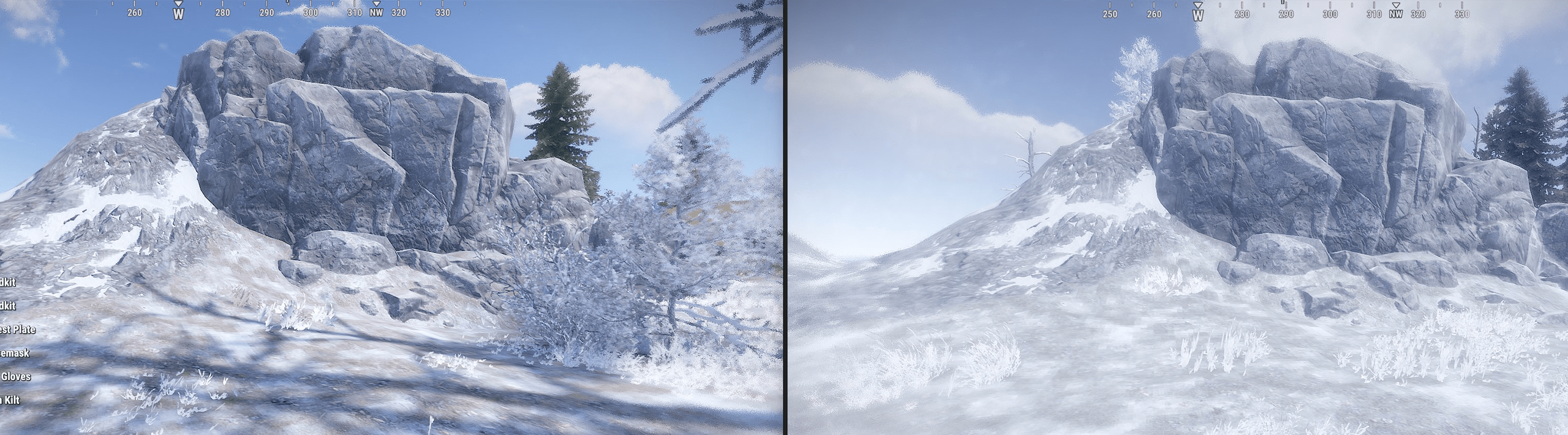
A recurring community comment is the on-screen hurt, cold, warm and radioactive post-processing is hash, it impacts the screen too much. To address the comments we have made the post-processing more mild.
As mentioned in our start of the year blog post, memory usage is a key area of concern this year. One aspect I’ve been looking at lately is entity counts. Anything that gets networked in a Rust server is an entity, so every tree, building block, player, vehicle, etc. What might seem counterintuitive is that many Items in your inventory are also entities, specifically an entity we call a Planner. This is the blue sheet your player visually equips when they are deploying something (eg. a sleeping bag). Any Item that can be deployed in your inventory will have a corresponding Planner entity. This entity is created when the item is created, and will exist on the server (typically in the players hands or at the world origin if they are in a container) until that item is used or destroyed. We need this entity as it handles all the logistics of spawning the deployed version of the item.
To illustrate how many entities this creates we looked a list of entities on Facepunch EU2 towards the end of the November wipe last year. Out of 362,299 entities, 32,455 of them were Planners and are the largest count of entity (the next largest was Walls at 26,015). Since Planners are technically only needed when the player has the item equipped on their belt, this is a big waste of memory and processing time as well as needlessly bloating server save files.
This month we’ve rolled out a change that will only spawn a Planner for these Items once the Item is in a players inventory, then delete the entity when it is moved back into an inventory. This should dramatically cut down on the number of entities taking up memory for no real reason.
We also applied this change to Syringes and Bandages, specifically because these item types also don’t need an Entity if they aren’t in the players inventory and are often stored in large quantities (5,769 and 1,206 respectively in the above EU2 sample). Syringes in particular have been a performance bottleneck for the Industrial system due to the need to create and destroy an Entity every time the item is moved, so this change should have flow on server performance improvements there as well.
We think this change should reduce entity counts on the server by roughly 6-9% but we’ll be monitoring the results over time.
INDUSTRIAL PERFORMANCE
We received reports from several servers this month with Industrial performance issues. After investigating we found some extremely complex conveyor systems moving large amounts of Syringes as the culprit. The above changes to Entity counts will largely solve the issue, but I’ve also added a new convar (Server.industrialTransferStrictTimeLimits) to better handle time budgeting in these situations. While the Industrial system is time budgeted per frame (eg. Only process three conveyors per frame) it struggled if one conveyor took an excessive amount of time (eg. One conveyor takes 15x the allocated budget).
This new convar will allow the conveyor system to stop half way through a transfer if it is taking too long. Crucially it will then resume the transfer from where it left off on the next tick, so the final results should be the same, they may just take longer in real time. From the players perspective, this may result in conveyors splitting things in unintuitive ways (eg. a conveyor splitting into three boxes might do 2 on the first tick, then the last one on the last tick) but it should eventually produce the same result. Therefore we’d recommend turning this on selectively if a server is experiencing Industrial performance issues.
As well as this new convar some general performance optimisations were made, so things should be a little faster across the board in the Industrial system.
MEMORY OPTIMIZATIONS
Despite having some guards in place, asset memory can easily run ouf of control. We keep adding awesome new content and, unfortunately, it keeps increasing our memory footprint. In order to be able to sustain this rate of content expansion, memory usage has to be low and stable, regardless of world complexity. Until we can implement more aggressive and effective streaming, every once in a while we have to sit down and look at what we missed and make the necessary corrections.
On this update we nuked almost 3 GB of memory usage in shader assets, plus a few hundred MB on textures and meshes. This is a bit of a soft start, in regards to textures and meshes, but we expect to reduce memory usge by a few more gigabytes in the coming months.
We do care about memory and performance, and we're actively working on it. This is just the first stage of many that will target not only improve memory usage but also frame rate.
IMPROVED TEXTURE QUALITY
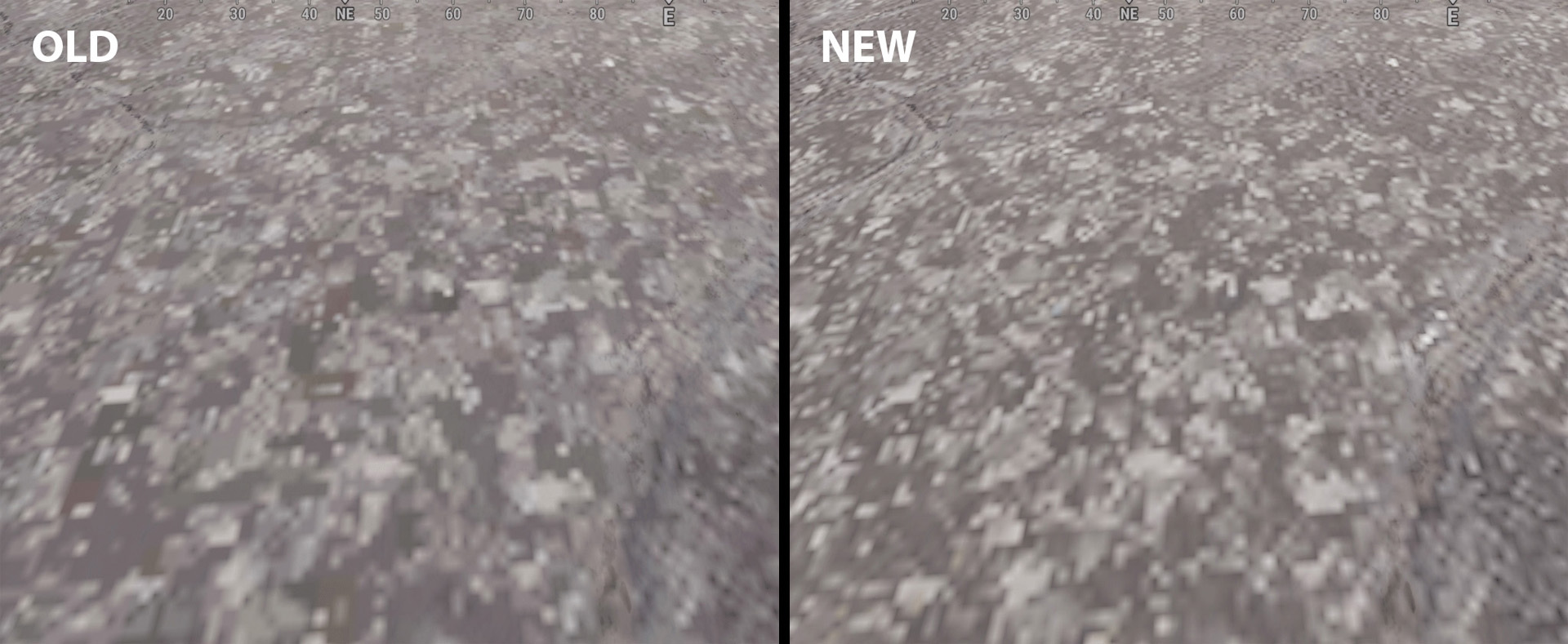
Modern games universally depend on asset compression to maximize the efficient utilization of available system memory. To justify the efforts invested in compression, developers often turn to lossy techniques, which, particularly in the realm of textures, frequently lead to a compromise in image quality. Rust was long overdue for a texture quality review. Below is a before and after.
The improvement in detail and color fidelity can be striking in some cases (right). This is an ugly texture but it's a good example of how compression can ruin a high frequency image. Regions of pixels get merged together and color shifts slightly (left).
Texture compression was being used quite aggressively and, after tweaking some settings, we were able to significantly improve image quality without sacrificing memory. In the end, because a lot of textures had untapped potential for savings, we actually ended up saving runtime memory, at the cost of disk space, while still improving overall image quality.
TEAM MARKERS WITH NV GOGGLES
These were quite mis-aligned while wearing NV Goggles, especially near the screen edges, where they would sometimes float above seemingly nothing. This has now been fixed.
IMPROVED DOOR/GATE VEHICLE BEHAVIOR
Doors and Gates have been cancelling their open/close animation when hitting a vehicle since Modular Cars were introduced, however that would sometimes lead to cases where the animation cancelling would crush vehicles if they hit the Door/Gate from the opposite side. This has been improved this month and colliding with an animated Door/Gate in the direction that it is moving will no longer cause the animation to cancel. This should lead to less cars getting crushed.
In this devlog we go on a deep dive into our art pipeline, and explore some really unique things about how we're creating the games visuals. It covers more technical topics compared to our first devlog, but if you love seeing behind the scenes on how games are made, grab a tea and enjoy the tour of our process!
Decoherence first launched in Apple Arcade in September, 2019 and then in Steam in October, 2021. Years of development and a lot of love have been poured into it, a project that has remained very dear to us and that we’re very proud of. Unfortunately, it didn’t garner much traction and has remained a small but cherished community, yet we’d love for everyone to be able to experience it. We are delighted to share our game with as many people as possible; we hope you enjoy it as much as we enjoyed making it!
🎉Decoherence is available for free on Steam. Strap in for quick, strategy-oriented action, pilot! 🎉
- Vehicles repaired in the field now get Action Points replenished - Fixed Base screen UI to show Fuel buttons in Slots 5 and 6 - SADF SF airstrike range now updated to the same as the SF enemy detection range - Fixed spelling mistakes in Tutorial - SWATF / UNITA Training Status art update
This week, we want to talk about the main characters of BIG SHOTS (after you, of course): bugs.
The Grunt
When creating BigShots, we had a vision, Big Mechs and Big Guns, a fun game where the player can feel powerful. However, there is no way for the player to feel powerful if they aren't doing anything with those Big Guns. Enter the Grunt. The grunt was our first enemy, a perfect tool to make the player feel powerful.
Crawling
Most wave shooters opt for a simple enemy like a zombie from Call of Duty. We wanted to do something different, and when the idea of an extermination was flung around, we knew exactly what to do. And so, the Grunt came to life in the form of a bug, a nasty little bug that you, as the player, have to exterminate, and what better way to make the Grunt feel like a bug was to make them crawl?
Most of us don't like bugs; they are tiny and dirty and can crawl on everything from floors to walls to ceiling to your toothbrush or bed. Making the Grunt crawl gave them a nasty feeling, and killing these ugly bugs can make the player feel even better.
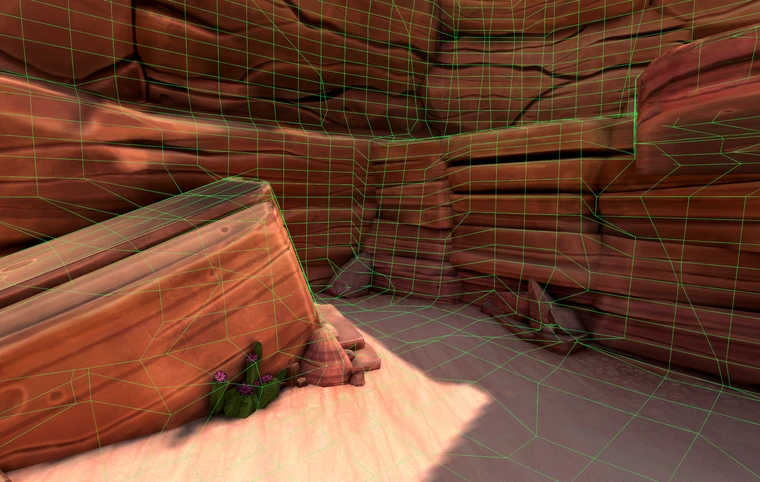
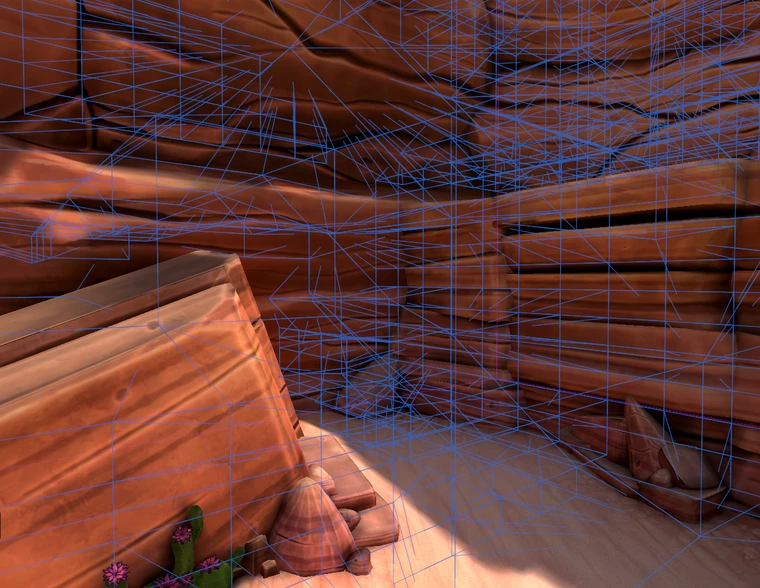
None of the publicly available pathfinding and navmesh solutions supported our idea, so we set out to make a custom navmesh solution. We used the A* as a base for our pathfinding, but the navmesh itself is another beast. First, we voxelize the entire game world using an octree, and then we analyze this octree to make it into an actual navmesh. Each (cubic) cell of the octree has six sides, so six possible areas where a grunt could walk on. We generate points on each side and connect them to the neighboring cells. This results in a proper navmesh that allows for the crawling behavior.
Here you can see the crawling navmesh outlined in green, allowing the bugs to walk on the ground, walls, and even ceilings.
Bug Behavior
Crawling is not the only thing that makes our enemies, and especially the grunt, special; we needed something that could increase the stakes and the danger to the player. So we gave this grunt some special behaviors, but before we could do this, we first needed to make a system that would allow these bugs to behave. For this, we wrote our own Behavior Tree, enabling us to control the bugs. This way, we can also lay out our behaviors properly and ensure the bugs execute the correct behavior at the proper time.
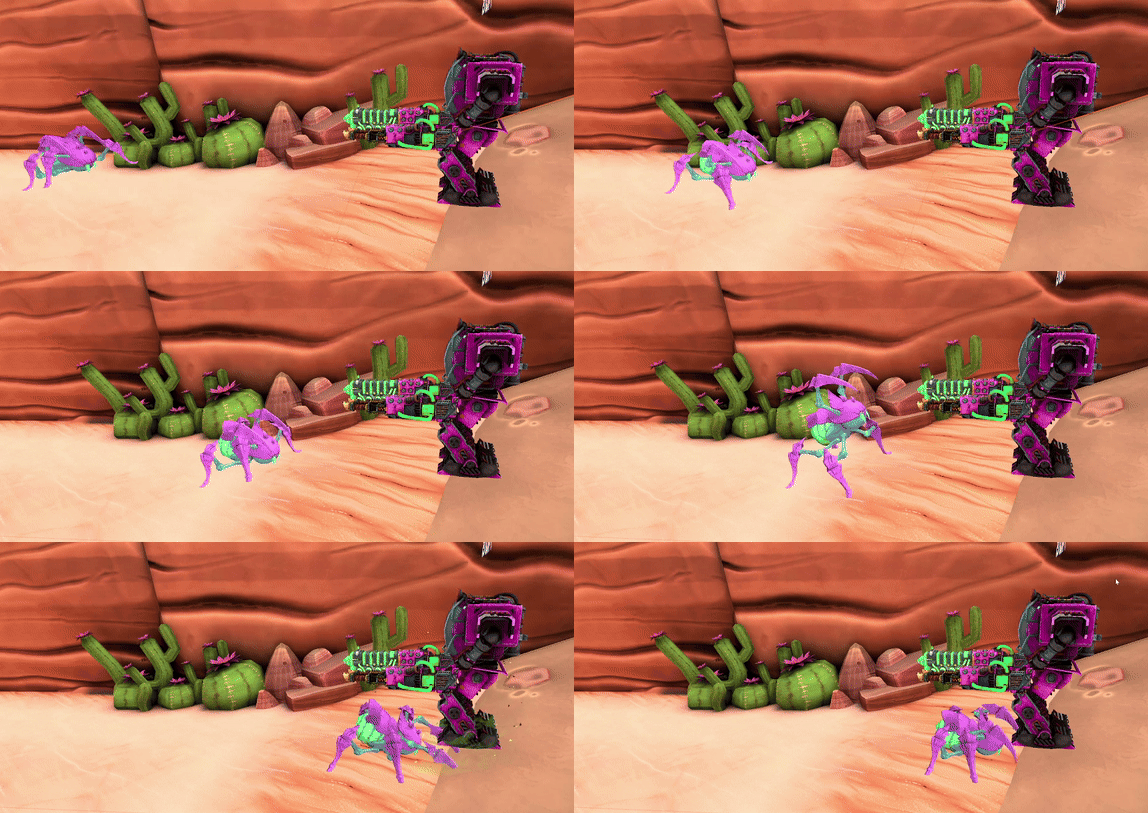
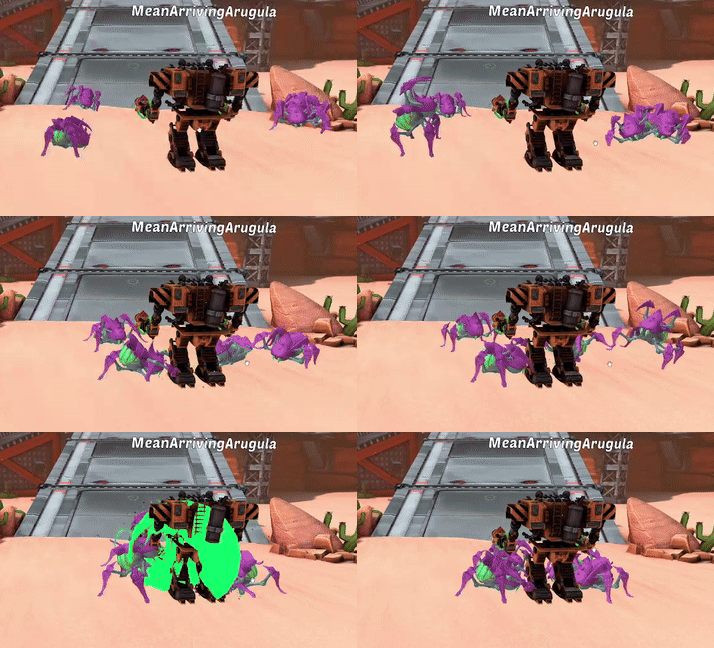
One of the first behaviors the Grunt got after crawling was Attacking; what other way to up the stakes than to let the Grunts fight back? Next came the dash, a quick, scary attack that propels the Grunt right at the player, almost like a spider flinging itself at your face. Out of all the behaviors, this was the most tricky to make; we needed this dash to be fast but also slow enough so the player could react. We struggled a while with making this dash suitably scalable, but after a bunch of trial and error, we settled on a quick dash with a short charge up, which allows the player to either brave up and shoot the Grunt right then and there or be a coward and run for their life. The final behavior we added to the Grunt was a taunt to really spice up the player's aggression and drive to exterminate these bugs.
Here, you can compare the old dash (top) and the new dash (bottom). The new dash has a clear charge-up compared to the old dash.
The Flyer
We all know that Grunts are nasty bugs that you would want to keep off your toothbrush, but they are not the only ones. After making the grunt, we noticed that a Big Mech tends to look down a lot when squashing bugs, and we needed a solution. Now, what bug is by far the most annoying? It is near impossible to kill, steals your blood, and keeps you up at night; that's right, the Mosquito. Everyone loves squashing these bugs. It is one of the most satisfying feelings in the world, so we brought them into Big Shots.
Flying
Since these mosquito-like enemies fly, we also needed a navmesh for these Flyers. After creating the crawling navmesh, we applied what we learned to a flying navmesh. The crawling navmesh is based on an octree, and we can use the same principle for a flying navmesh. We voxelize the world, and instead of looking at where colliders are (where the ground is), we look at where there is space. After connecting all empty spaces, we have a simple flying navmesh, allowing bugs to fly through the open air and narrow spaces.
Here, you can see the flying navmesh outlined in blue, allowing the mosquitos to fly between the ground, walls, and ceilings.
Zig Zaggers
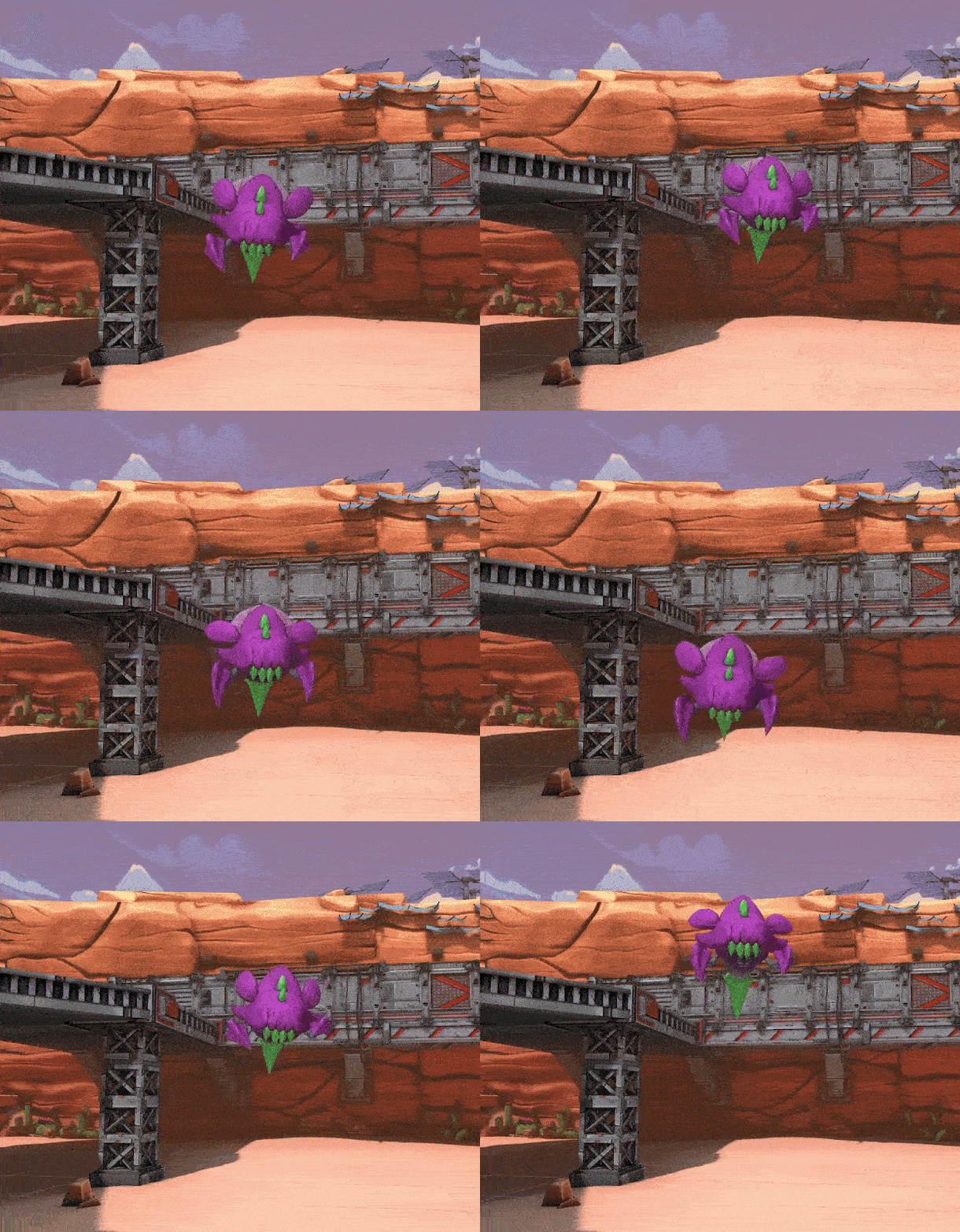
To emulate the feeling of a genuinely annoying mosquito, we had to make the flyers move around con-stant-ly. We wanted the player to have trouble hitting these bugs so that when they do manage to squash a bug, it is the most satisfying feeling ever. The goal was to make the Flyer, and with their zigzagging behavior, the most hated enemy in the community. And we succeeded.
Zigzagging has undergone quite some changes; we noticed early that when a Flyer would zigzag, this would quickly interfere with its pathfinding on the navmesh, causing the Flyer's path to constantly have to relocate as an external force was moving them. To fix this, we fake the zigzagging of the Flyers by only moving their visuals; this creates the illusion that the Flyer is zigzagging without interfering with their pathfinding. However, things like these are never easy to do, just like how you can't hit a mosquito on the first try; this solution caused problems with interpolation and networking syncing between two players. Due to the constant zigzagging, the interpolation could barely follow the movements and would often skip frames, creating jitter and lag. To fix this, we simply zigzag the flyers locally, avoiding interpolation altogether.
Not only are they hard to hit, like a mosquito, but they can easily overwhelm the player by using their quick-firing stingers and fast movements if they are not dealt with promptly. So when you see one, be sure to kill them quickly, or you and your toothbrush will be sucked dry.
More Bugs!
We have two critters as a starting point, but we have managed to create four more bugs, ranging from cockroaches to beetles and even worms. Each one is nastier and scarier than the last. However, each of these bugs will be discussed in a future devlog, so be sure to be on the lookout for that! Enjoy a small teaser.
Conclusion
This concludes our third BIG SHOTS Dev Blog. We hope you look forward to seeing the progress of BIG SHOTS, in the meanwhile, we will continue to work hard to make it even better!