Soulash 2 - Artur Smiarowski
Another day another hotfix. 2 isn't that bad (yet) for a big update, right? ;)

Fixed
- Fixed crash related to Wildfire passive.

Modding
- Fixed crash related to Ability Editor.
- Fixed conversations in mod overriding the core2 ones.
- Fixed mod load order with Steam Workshop mods.
- Fixed mod icons for Steam Workshop mods.
- Fixed mod item tileset overriding images in building tooltips - produces and consumes sections.
Citywars Tower Defense - Giarpy


β—ˆπ…’ 𝅓 𝅒 𝅓 𝅒 𝅓 𝅒 𝅓 𝅒 𝅓 𝅒 𝅓 𝅒 𝅓 𝅒 𝅓 𝅒 𝅓 𝅒 𝅓 𝅒 𝅓 𝅒 𝅓 𝅒 𝅓 𝅒 𝅓 𝅒 𝅓 𝅒 𝅓 𝅒 𝅓 𝅒 𝅓 𝅒 𝅓 𝅒 𝅓 𝅒 𝅓 𝅒 𝅓 𝅒 𝅓 𝅒 𝅓 𝅒 𝅓 𝅒 𝅓 𝅒 𝅓 𝅒 𝅓 𝅒 𝅓 𝅒 𝅓 β—ˆ


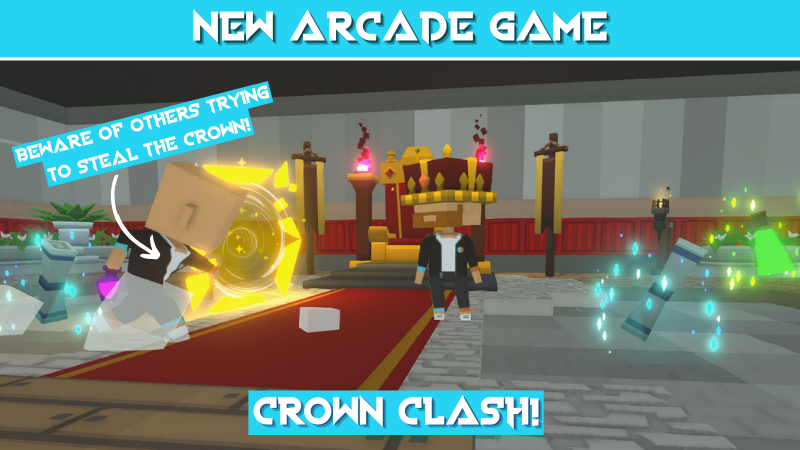
This week, we released a new game named Crown Clash!

In this game, you have to pick up the crown and wear it for as long as you can while avoiding others trying to steal it from you!

If you wear the crown for too long, you will start to get tired so others will be able to get to you more easily.

You can use special items which will be laying around such as:

-Ice spell scrolls that slow every other player down.
-Potions that speed you up.
-Cannons you can hit to shoot your opponents, slow them down, and make them drop their crowns.
-Portals only accessible for the one wearing the crown, which will help you run from your opponents.

You can find this competitive game in Noblewood's Arcade.

β—ˆπ…’ 𝅓 𝅒 𝅓 𝅒 𝅓 𝅒 𝅓 𝅒 𝅓 𝅒 𝅓 𝅒 𝅓 𝅒 𝅓 𝅒 𝅓 𝅒 𝅓 𝅒 𝅓 𝅒 𝅓 𝅒 𝅓 𝅒 𝅓 𝅒 𝅓 𝅒 𝅓 𝅒 𝅓 𝅒 𝅓 𝅒 𝅓 𝅒 𝅓 𝅒 𝅓 𝅒 𝅓 𝅒 𝅓 𝅒 𝅓 𝅒 𝅓 𝅒 𝅓 𝅒 𝅓 𝅒 𝅓 𝅒 𝅓 𝅒 𝅓 β—ˆ


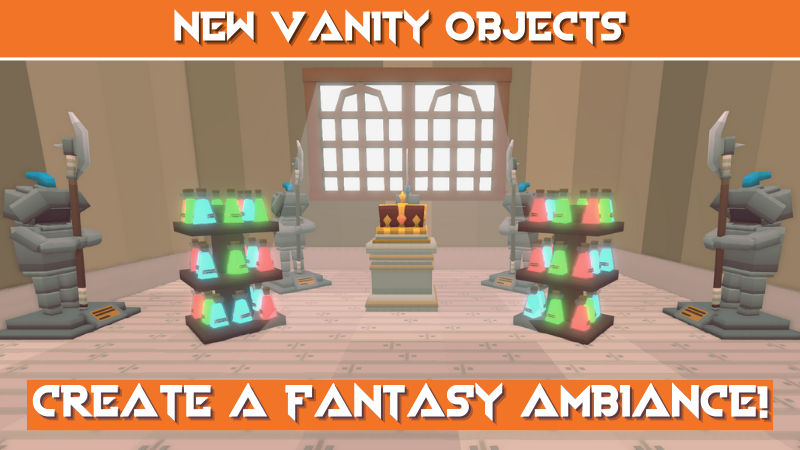
We released 3 new fantasy themed vanity objects:

-A knight armor which you can hit and make sparkles with!
-A potion rack from which you can drink and taste many weird potions!
-A crown stand, to wear a crown like a true king!

You can unlock all of these from the Star Milestones if you have all the required amount of stars.

β—ˆπ…’ 𝅓 𝅒 𝅓 𝅒 𝅓 𝅒 𝅓 𝅒 𝅓 𝅒 𝅓 𝅒 𝅓 𝅒 𝅓 𝅒 𝅓 𝅒 𝅓 𝅒 𝅓 𝅒 𝅓 𝅒 𝅓 𝅒 𝅓 𝅒 𝅓 𝅒 𝅓 𝅒 𝅓 𝅒 𝅓 𝅒 𝅓 𝅒 𝅓 𝅒 𝅓 𝅒 𝅓 𝅒 𝅓 𝅒 𝅓 𝅒 𝅓 𝅒 𝅓 𝅒 𝅓 𝅒 𝅓 𝅒 𝅓 𝅒 𝅓 β—ˆ


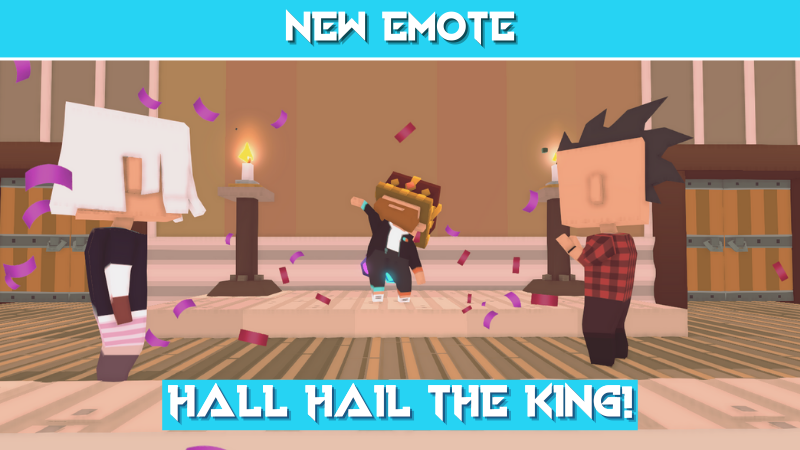
We also have the new emote /crown, which makes you proudly wear your king crown and make others praise you.

To unlock it, you need to have at least 71 stars in the Star Milestones.

β—ˆπ…’ 𝅓 𝅒 𝅓 𝅒 𝅓 𝅒 𝅓 𝅒 𝅓 𝅒 𝅓 𝅒 𝅓 𝅒 𝅓 𝅒 𝅓 𝅒 𝅓 𝅒 𝅓 𝅒 𝅓 𝅒 𝅓 𝅒 𝅓 𝅒 𝅓 𝅒 𝅓 𝅒 𝅓 𝅒 𝅓 𝅒 𝅓 𝅒 𝅓 𝅒 𝅓 𝅒 𝅓 𝅒 𝅓 𝅒 𝅓 𝅒 𝅓 𝅒 𝅓 𝅒 𝅓 𝅒 𝅓 𝅒 𝅓 𝅒 𝅓 β—ˆ


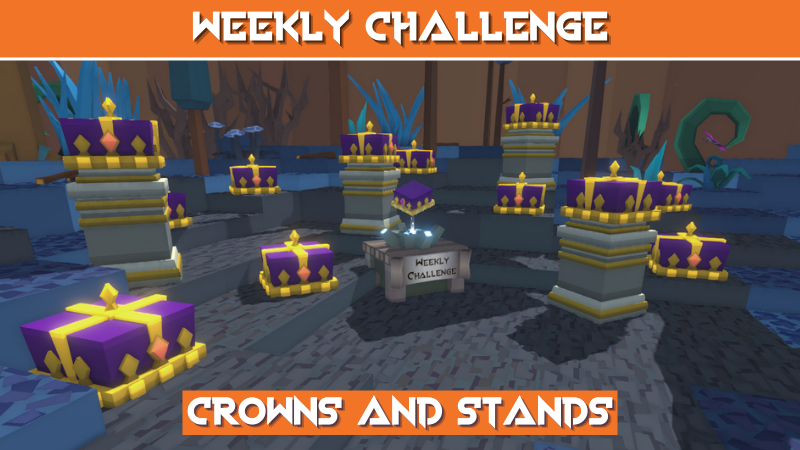
This week's challenge will require you to place purple crowns on stands. When the weekly challenge table is placed, purple crowns and stands will appear around the map. Pick up the crowns and place them on the stands to progress on the challenge.

How it works:
Unlock the Weekly Challenge table in the Star Milestone.
Place it whenever you start a map and it will record your challenge progress while you play.
You need to place it every time you start a map for it to record.
Watch your numbers grow and make sure to complete the target score before Friday.
Jan 6, 2024
fpsVR - Sergio
The fpsVR has been updated with the following changes:

  • Fixed a bug where fpsVR could function incorrectly if the user enabled saving history for the desktop version of the history viewer, but his Documents folder was damaged or inaccessible for some reason (after incorrect removal or installation of OneDrive, incorrectly configured access, etc). In a future update, I plan to make it possible for such cases to select an alternative path for saving history, for example, to the AppData folder.

Jan 6, 2024
Evolution Survival - drierwhisper728
Fixed:
-Hunger and Dehydration not syncing on multiplayer worlds


Added:
-Reworked Heat
-Heat Damage
-Heat Boost (Energy at the start that offers a "Grace" Period before taking damage if environment is too extreme)
-Housing (Full housing requires a roof) Protects from heat
-Temperature Swing (From Day to Night) added along with a setting for it
-Boulders

-Planned:
-Armor, Protects from damage and gives environmental fortitude
Run a CafΓ© - jessicayarborough
This is the first of possibly multiple smaller patches that will focus on the balancing of the game, tweaking mechanics, and bug fixes!

New :
  • The player now has a slight animation while holding something

Changes :
  • Adjusted the placement hitboxes of : Boxes, Iced Coffee Lid Stack, Donuts, Iced Coffee Pot, Ice Scoop, Coffee Lids, Iced Coffee Cups
    This should help allow the player to place things more compactly on counters, and on shelves!
  • Increased the amount of money earned by completing orders
    This change should help make it easier to earn more money for Upgrades for the CafΓ©
  • Coffee Cups & Iced Coffee cups will now empty if tipped over without a lid (will not leave a spill)
BallisticNG - Vonsnake
We've kicked off development of 1.4 and to get things started, we've been working on some modding features alongside some general features and improvements!

Playing development builds
  • Right click BallisticNG in your steam library and go to Properties
  • Go to the betas tab on the window that opens
  • From the dropdown select development. If the update doesn't automatically queue for download, restart Steam
  • Once you have opened the game, the version at the bottom right of the menu will read 1.4-d4
Notices
Legacy Layout Creator Depreciated
1.4 is depreciating the legacy layout creator. It's still in the game and can still be used to create tracks, but has been tucked away so layout creator 2.0 is the focus.

The legacy layout creator can now be accessed by using the mod_legacylayoutcreator console command. Note that it isn't being removed entirely as this is a feature that's important for backwards compatibility.
Unity Tools Update
If you're making mods, you can now download unity packages for development builds of the game:
https://github.com/Neognosis-Workflow/BallisticNG-Unity-Tools/releases/tag/1.4


All changes to releases towards the current major version will be documented on this release page.

Overview

Ship Lua Scripting
The game's Lua implementation has been extended to ships!

These enable you to do anything you can imagine, from setting up additional cosmetics to adding new mechanics and physics! Like with custom track lua scripts, these are sandboxed so they're confined to only doing stuff inside the game.

Download the latest Unity Tools to get started with ship lua scripts.

Documentation:
Trkd files
Trkd (Track Data) files are a new addition to custom tracks which allows menu data to be provided with the track.

Trkd files are compiled and placed next to your tracks trk file. When present, the game will load everything it needs from the trkd, instead of going through the lengthy caching process.

Trkd's can also be embedded into Wtrk files, and will be automatically added / updated if they're next to the Trk when creating / updating the Wtrk.

It's safe to distribute both Trkd and Wtrks with embedded Trkd files to the current public stable release (1.3.3). Older versions of the game will just ingore the files.

Also note that while Trkd files are not required and the game will continue with the current cache process without them, we highly reccomended you start shipping them with tracks as they offer similar load performance to the old system but without the extremely long load time on the first game launch.

Download the latest Unity Tools to start building Trkd files.

Reload mod content in-game
It's now possible to reload mod content without needing to restart the game!

Use the new mod -> refresh content button on the menu to start the refresh. This will remove mods that have been deleted, register mods that were added and will also handle content being moved between folders.

Steam Deck / Big Picture keyboard overlays
If you're running the game on a Steam Deck or in Big Picture with the Steam overlay enabled, any text input required (setting your name, entering data for custom campaigns, etc) when using a controller will now prefer the relevant Steam based keyboard instead of our internal overlay!


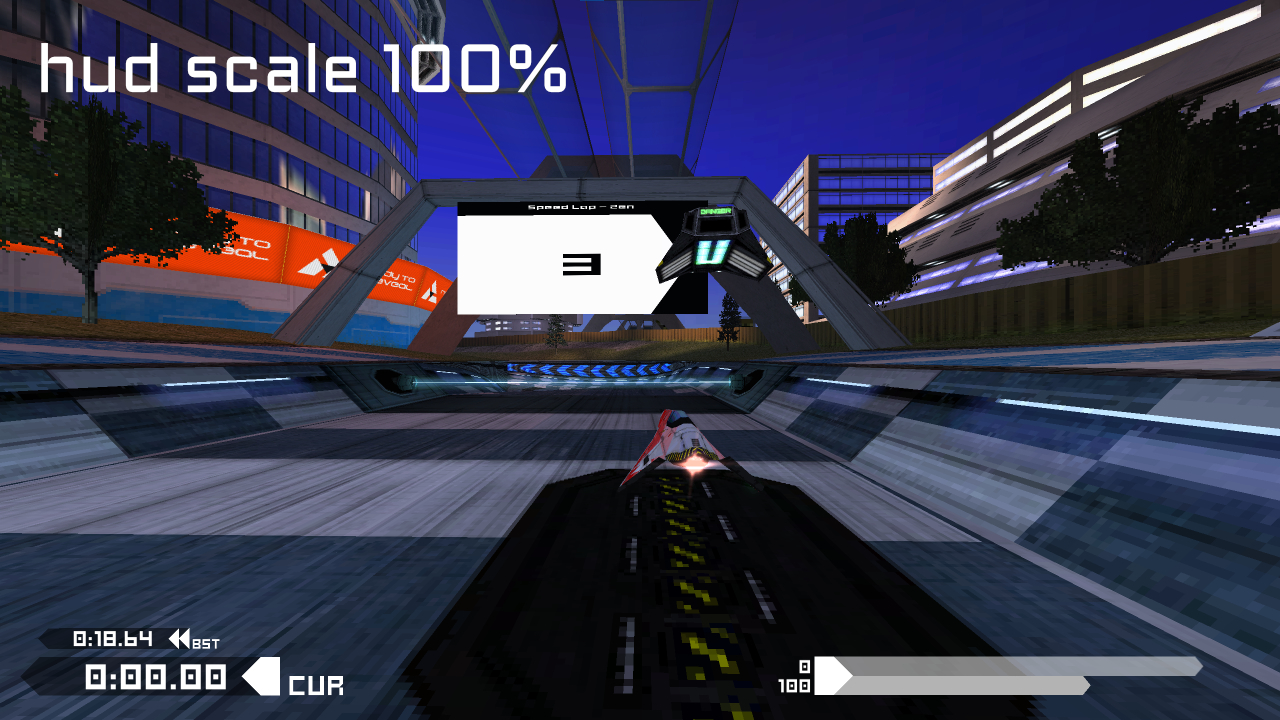
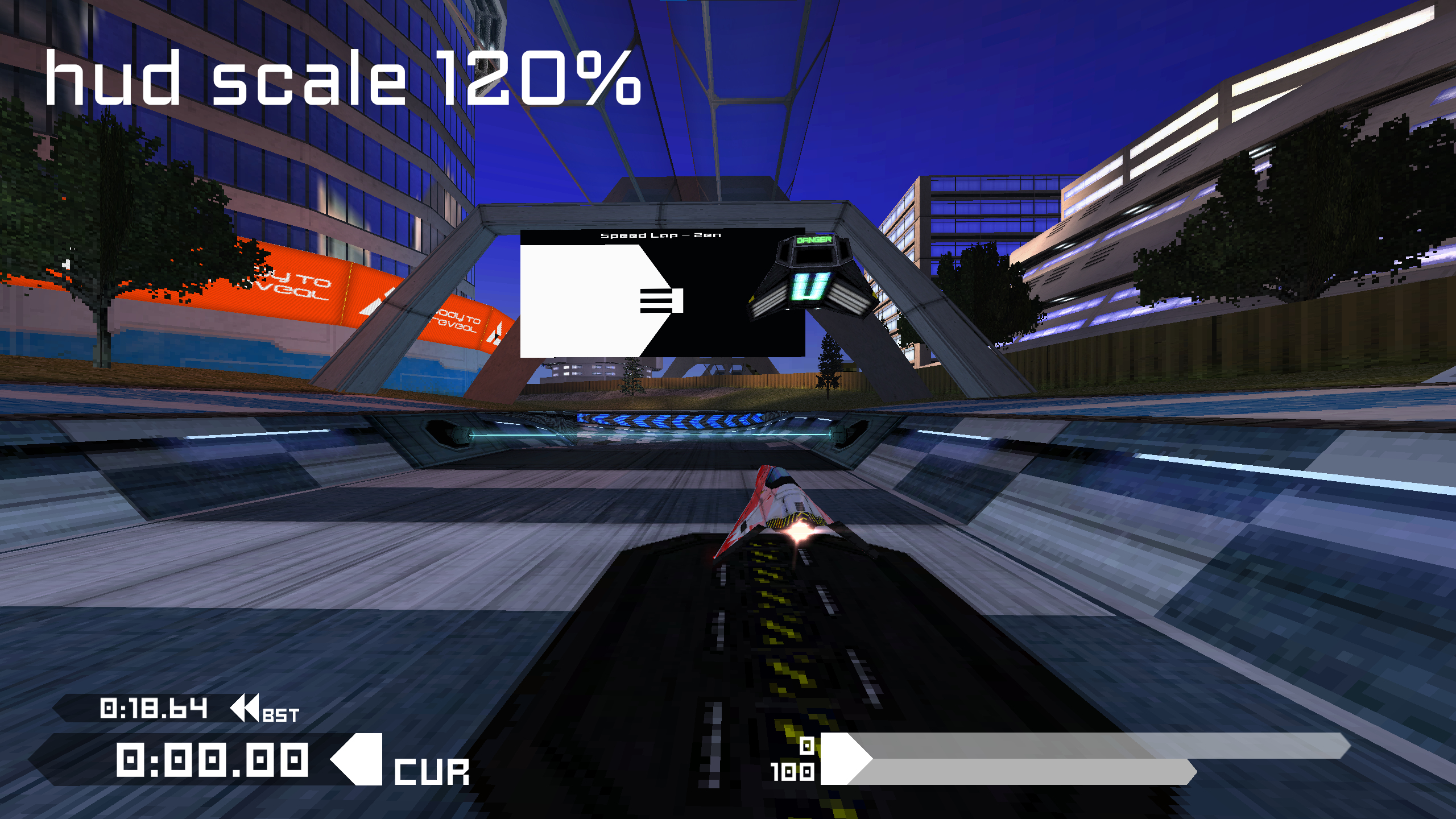
HUD Scaling
BallisticNG now has a HUD scaling option! This setting is particularly useful for use with the Steam Deck or other handheld computers. Scaling ranges from 80-120%, which is setup to accommodate overlap with the vanilla HUD.

Just as a note, we currently don't have plans for menu UI scaling. Several parts of menu UIs are built with the scale they're already at in mind and can't be scaled without breaking.


Changelog (since version 1.3.3)

Options
  • Added HUD scaling (graphics -> display -> hud scaling). This ranges from 80-120%, based on the overlap of internal HUDs. Scaling is always disabled in splitscreen.
  • Added Roll On Thrust Tap (controls -> roll on thrust tap). Enabling this allows you to barrel roll by releasing the thrust input and then quickly pressing it again.
  • Added option to disable player light colors on DS4 / Dualsense controllers
User Interface
  • Sliders now support suffix strings at the end of the value readout.
  • The controls menu now automatically switches the bindings / calibration list to the last touched input device that's assigned to the player, and opens with the players active input device selected.
  • The survival score readout is now vertically positioned above the speed and shield bars and has digit group separators.
  • DLC and custom ship / track loading is now a single loading content screen, which is hooked up to a new content loader.
  • Added mod -> refresh content to the main menu. This will unregister content that no longer exists on disk and then search for newly added files and register them. This doesn't refresh track menu information.
    • If starting the game with -nougc, this can be used to load custom content on demand.
    • This supports moving content around. Just make sure you refresh content before doing anything else so the game is aware of the new file locations.
    • Moving tracks which don't have a trkd file will regenerate the cache as tch files are linked to tracks by absolute file path.
    • Newly added content is not alphabetically organized with the rest of content due to sorting being a part of the file discovery and not internal sorting. Everything will be correctly organized after the next game boot.
  • Removed access to the old layout creator from the menu. It now needs to be accessed from the new mod_legacylayoutcreator command.
  • Text inputs when using a controller now tries to open the Steam Deck or Steam Big Picture keyboard before falling back to the in-game keyboard.
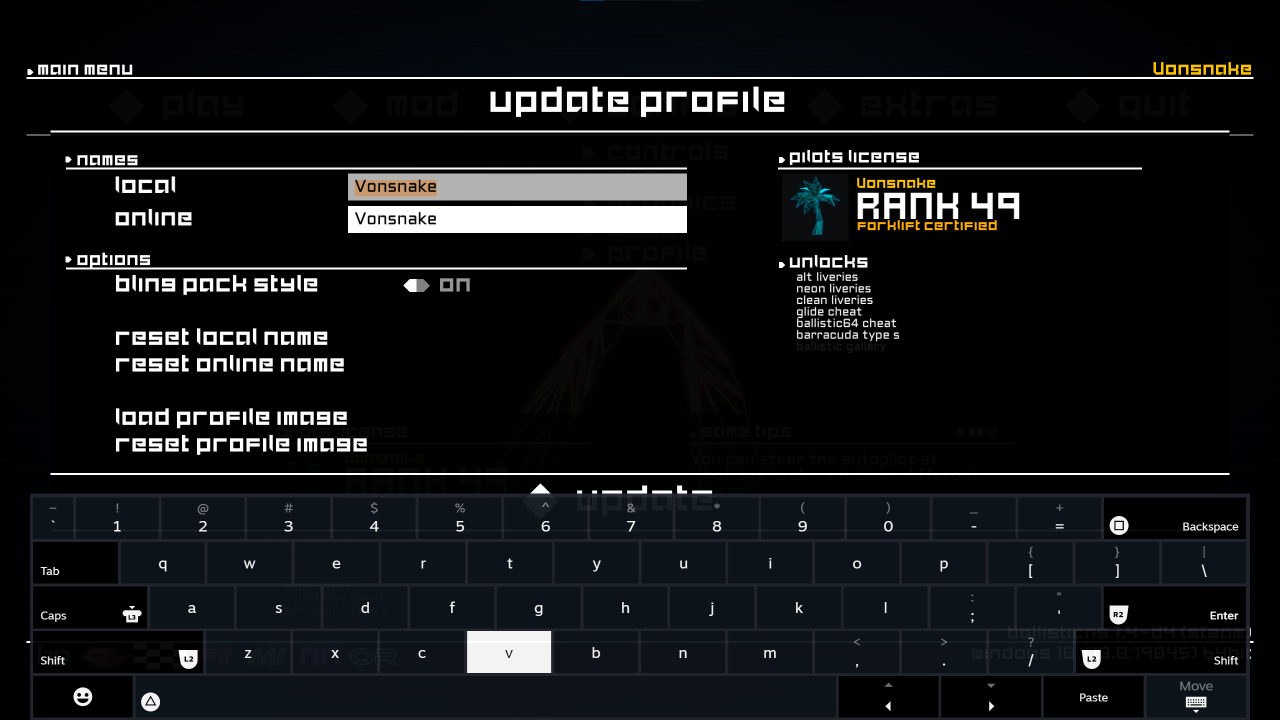
  • The update profile interface now has a button to update the profile image, reset the profile image, and has a realtime pilots license preview.
Modding
  • Implemented trkd files. When present next to a .trk file or embedded into a .wtrk file, these replace the game generated .tch files used for menu frontend data.
  • Fixed custom tracks files in the root of externally linked paths not being moved into an uncategorized folder
  • Mod content folders in different locations with conflicting folder names are now correctly merged into categories, instead of the last loaded folder with a name conflict taking exclusive priority.
Steam
  • Precision run times are now included in Steam Cloud. This applies globally to all branches, this note is just documentation of the change.
  • Updated to the lastest version of Steamworks (we haven't updated in 7 years!)
Commands
  • Added mod_legacylayoutcreator. Call from the menu to access the old layout creator.
  • The following commands have been updated to prompt for an output path using native OS file browsers (they use their previously fixed output paths as the defaults):
    • mod_bloomconfig
    • mod_flareconfig
    • mod_exportshipstats
Lua
  • Implemented support for lua scripts on ships. These use functions and global variables which are specific to ships, and have the same freedom (with sandbox restrictions) as track lua scripts. Like with track lua scripts, user variables can be defined in Unity and used in the script.
  • Added Api:IsSplitscreen() and Api:IsVerticalSplitscreen()
  • Exposed VirtualEnv (virtual environment control), VirtualPaletteSettings (settings for virtual environment palette) and VirtualColors (class holding virtual environment palette data)

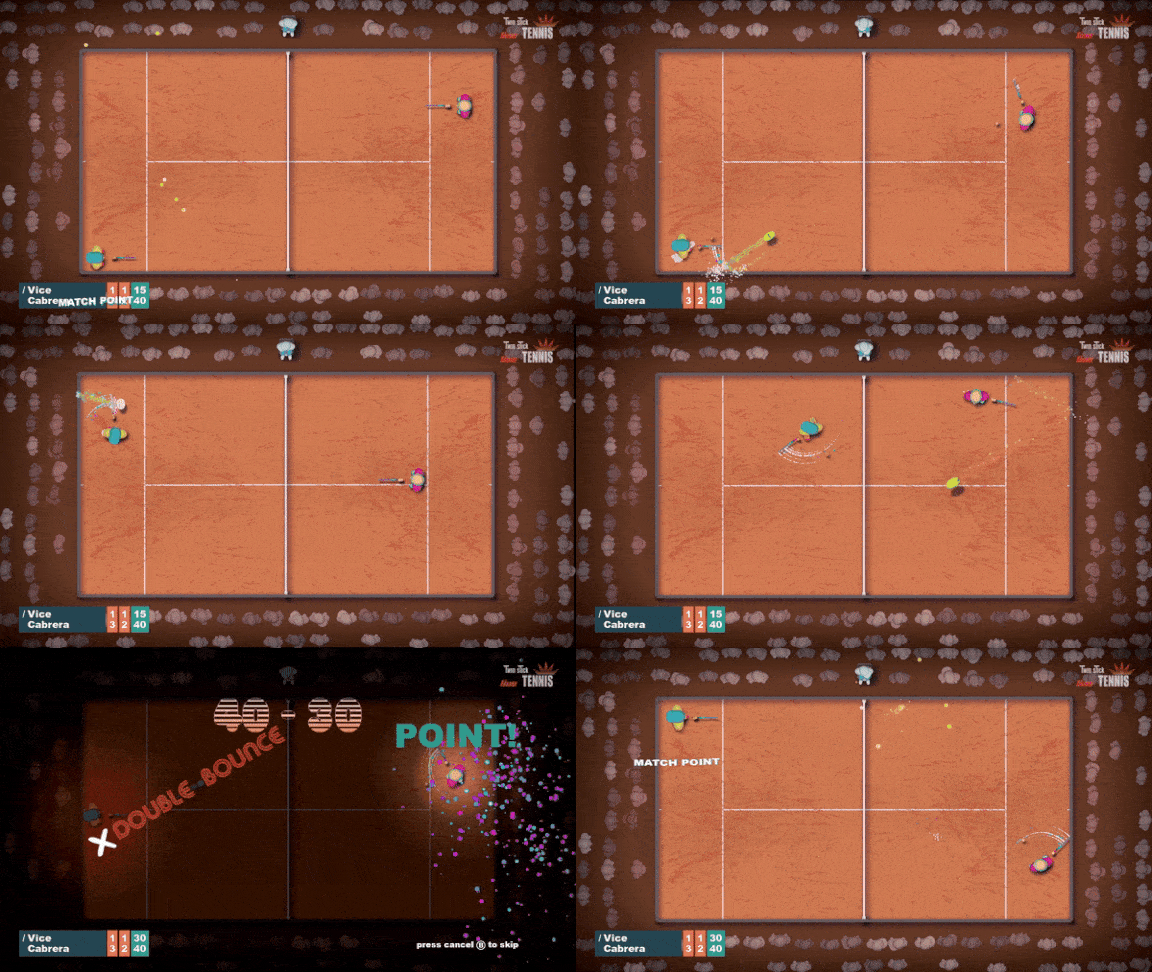
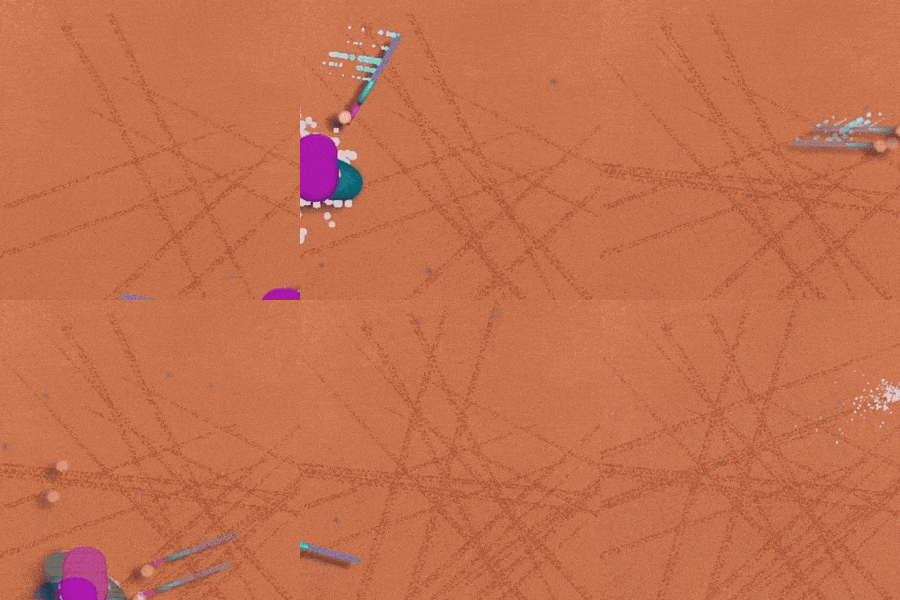
Twin Stick Tennis - Brainburn Studio
Dear Ball Smackers,
The Twin Stick Tennis Demo got a major update. Here is a quick summary of what changed:

You can now play Padel matches!
This is a new game mode that uses the rules of Padel. Use walls to bounce balls around to outplay your opponent.


Local multiplayer and Remote Play Together activated
To celebrate that Twin Stick Tennis is participating in the Steam β€œRemote Play Together” festival local multiplayer was added to the Demo. Festival dates are February 12 – 19, however, local multiplayer is already unlocked in the Demo.

You can now Slide
This was one of the most requested features. Sliding will give you a short speed boost during which you cannot steer the player. Slides can be activated with: <Right Shoulder Button>, <Pressing Right Stick>, <Space Bar> or <Numpad 0>. Happy sliding!


Audience
You are now watched by audience and greeted by applause when epic points are won.

Celebrate better
You can now shoot particles out of the top of your racket to celebrate. Can be activated by pressing <Left Stick> or <Alt>.

Cloud saves
Twin Stick Tennis Demo will now save your progress to the cloud. Your progress from this point on will be carried over to the full game.

Better controller support
Now all mayor brand controllers will show the correct controller glyphs.

Final note
The full game is making big steps, will be announcing a release date soon! So stay tuned.

All the best,
Ward


Super Retro BoxBot - iamdaman13
Update 2.39pr
  • Custom level select screen now shows which custom levels are empty
  • Custom level select screen now has a toggle for edit/play
  • If 'edit' is selected, choosing a level opens the level in the editor
  • If 'play' is selected, choosing a level opens the level to play, exiting the level goes back to custom level select
  • Player speed preference now saves between gameplay sessions
  • Move counter and end-level results on by default (turn off with "V" or in options)
  • Achievement for achieving par on all bonus levels is now functional
  • Minor bugfixes
Jan 6, 2024
Sky Fury - Stounox
- Bugfix
- Game polishing
- The first stage is easier
Spark of Survival - anystudioofficials
  • Fixed Ice Tower and Fire Tower Flamethrower considering wave an enemy and causing some errors
  • Fixed an error caused by returning to the main menu
  • Fixed an uncommon game-breaking freeze that occurred when ending a level
  • Fixed some effects like Boil and Burning Oil not being placed correctly when targeting enemies at the gate
  • Slightly optimized some scripts
...