Today we are happy to announce the release of our next update "v0.5.13", which adds the new Recipe Modification System, Playerfeedback, some rebalancing and bugfixes.
Again we want to thank everyone who reached out to us with their feedback so far! We are constantly monitoring what our community would like to see in Project Astra Dominium and try our best to make your wishes come true!
Some requests got already implemented in this Update, some have to wait a bit longer and others may not work for our vision of the game. Regardless, we'd like you to keep all the suggestions and feedback coming!
The update is released together with this news. If you don't see it yet, you may need to restart Steam!
Now without further ado, let's jump into what's new:
New Features:
Recipe Modifications (see below for more details)
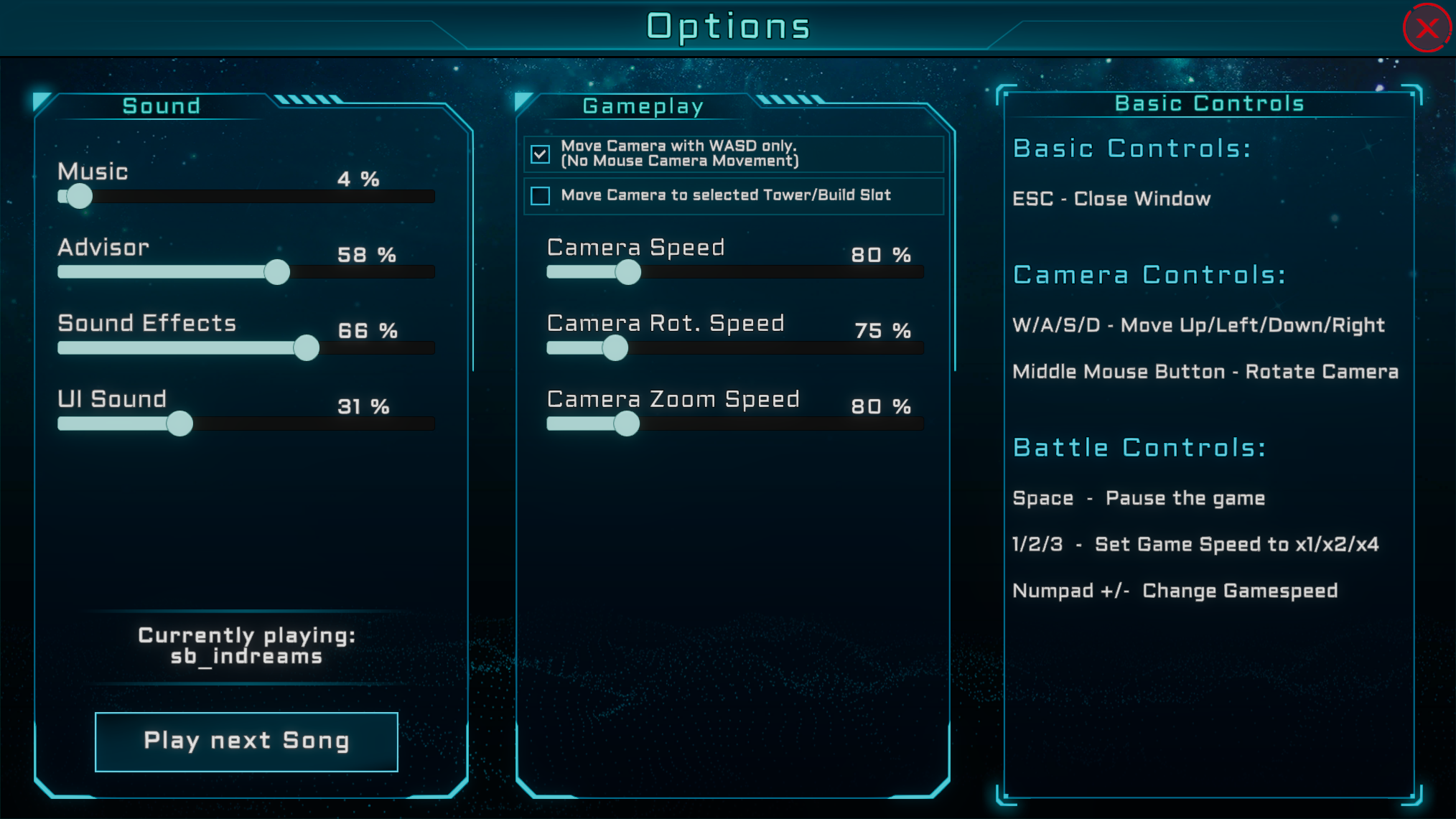
Added camera sensitivity to the Settings menu
Hovering with the mouse over an Item on a Belt will now show a small Tooltip of the item name
Added an Autosave every 5 Minutes while in Base Building mode
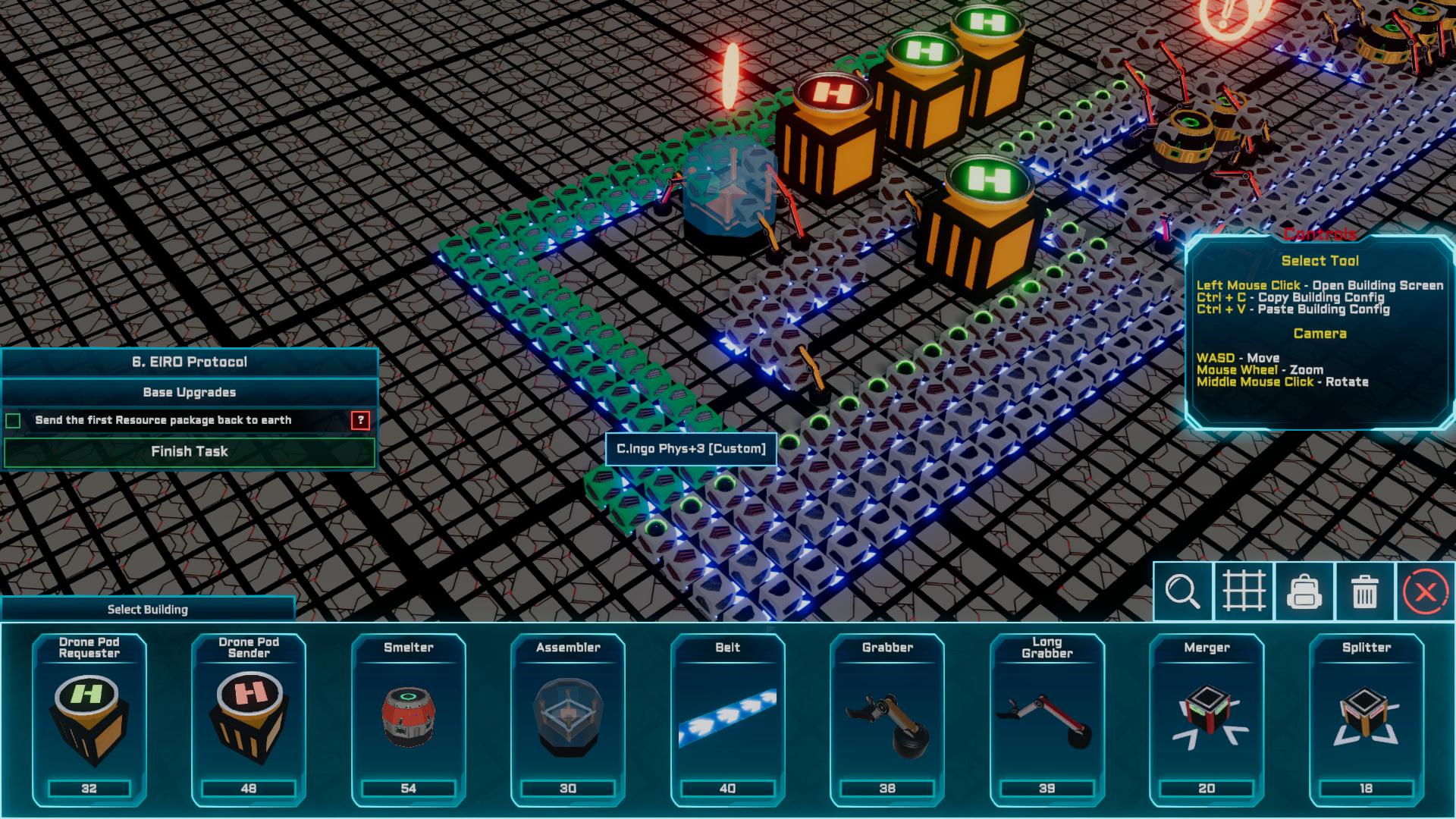
Added Tutorial Arrows that guide the Player through EIRO Protocols, to improve the onboarding of new players.
Added/Rewrote Advisor Screens to better guide new players. We may add more Wiki Entries/EIRO Protocols soon and still strive to continue to help players in better understanding certain aspects of the game.
Added some details to Advisor screens
Added more Quests
Updated Unity to the latest none Beta Version, this should improve performance and fix some bugs
The Monster Loot window can now be hidden
Monster loot collapsible status, Hide/Show Healthbars, Damage and Exp states are now preserved between Tower Defense Levels
The "Start Wave" Button is now on top of the screen and slightly smaller so it does not take up screenspace or is being clicked accidentally when an Advisor Screen is open.
The "Endless mode" Advisor Screen should now only be shown once. If you want to read it again you can do so in the ingame wiki by pressing the "?" Button on the top left of the screen.
Balancing:
Slightly increased difficulty ramp up in endless mode
Nerfed Boss in Level 3 a bit
Achievement: "Finish all Quests" changed to "Finish 10 Quests"
All Towers: Made all Towers rotate faster and rebalanced some damage and range stats.
Gun Tower: Nerfed the flat heat damage bonus from skills, as it was to strong. HeatDamage itself should now be added from equipment, if the player decides to add it via the new Recipe system.
Railgun Tower: Increased overall Damage, aswell as Damage of both DoT Skills.
Laser Tower: Increased resistance reduction from the "Melting Ray" Skill.
Tesla Tower: Increased Damage
Level 3: Added an additional Tower Slot near the start
Fixed Bugs:
Shadows fixed for all Towers, some shadows were not visible
Pressing Escape in the settings menu on the Save Game select Screen closed the Game instead of the menu
Level 3 bridges were sometimes too bright
Volume of sending resources to earth was too loud
Player.log (file we need for proper bugreporting) cleanup
Fixed some typos
Now onto the big new feature:
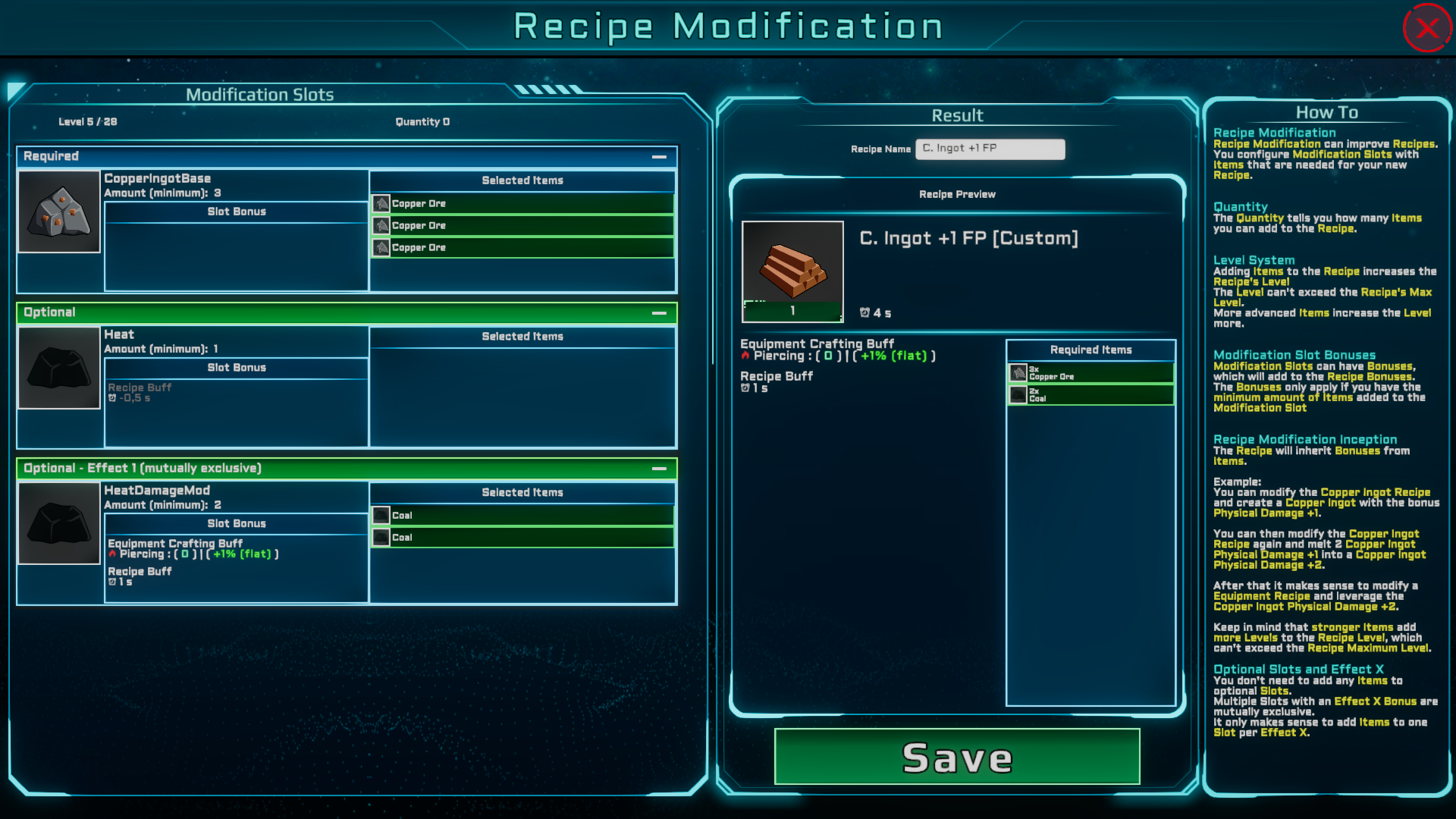
Recipe Modification
Recipe Modifications allow you to create and improve Recipes.
We've also made a video that explains the new feature and shows you how to use it in automation:
This feature might seem overwhelming for some at first, but once you've got the idea of it, it's an awesome and easy way for you to create and customize recipes to your liking.
Would you like to have a Vulcan Cannon that adds immense ammounts of fire damage? Just modify copper ingots with + fire damage, put them into your Vulcan Cannon recipe and there you go!
As this needs a lot of testing and rebalancing and because we want to hear your opinion on this feature before further extending it, we've only added some moddable recipes for now. These are:
Copper, Iron and Aluminium Ingots aswell as the Vulcan Cannon Tier 1 and the Railgun Tier 1.
Note: All your existing recipes should be compatible and not be altered by this. So your existing production lines should continue to function!
Now for a deeper dive into the System:
You configure Modification Slots with Items that are needed for your new Recipe.
Quantity
The Quantity tells you how many Items you can add to the Recipe.
Level System
Adding Items to the Recipe increases the Recipe's Level The Level can't exceed the Recipes Max Level. More advanced Items increase the Level more.
Modification Slot Bonuses
Modification Slots can have Bonuses, which will add to the Recipe Bonuses. The Bonuses only apply if you have the minimum amount of Items added to the Modification Slot.
Recipe Modification Inception
The Recipe will inherit Bonuses from Items.
Example: You can modify the Copper Ingot Recipe and create a Copper Ingot with the bonus Physical Damage +1.
You can then modify the Copper Ingot Recipe again and melt 3 Copper Ingot Physical Damage +1 into a Copper Ingot Physical Damage +3.
After that it makes sense to modify a Equipment Recipe and leverage the Copper Ingot Physical Damage +3.
Keep in mind that stronger Items add more Levels to the Recipe Level, which can't exceed the Recipe Maximum Level.
Optional Slots and Effect X
You don't need to add any Items to optional Slots. Multiple Slots with an Effect X Bonus are mutually exclusive. It only makes sense to add Items to one Slot per Effect X.
Let us know your feedback, ideas, suggestions and whatever you like to tell us on our Discord or in the Steam discussions!
Hello everyone! This update contains a little extra polish and bug fixes that we’ve finished up over the last week while making progress on Friend Pass! If you missed the big news about Friend Pass then check out our last major update notes here!
Whenever players' points increase or decrease, the numbers on the podium will now animate to the new score instead of instantly updating.
Podiums which have no player behind them now show nothing instead of "0".
Fixed an issue where clicking players avatars in the Tab Menu wasn’t opening a player's Steam Profile.
Improved the clickiness of the avatars in the Tab Menu.
Fixed a bug during the ending where, after playing two games in a row, the camera would briefly cut to looking at the players on the podium from below.
Fixed a bug where, after the host selected "Turn Off All" in the Categories Menu, the ‘Categories Enabled’ counter did not update for client players.
Fixed a bug where gamepad players were not able to see the Room Code on the Pause Menu while the answer to a question is being revealed.
Players will no longer be asked to rate Workshop packs that they don't have permission to view at the end of a game.
Fixed a bug where the Isle del Trickster's beach ball and the Winter Village's snowman couldn’t be clicked while a question is being asked.
Fixed the new lights on the sides of the Studio rotating away from the stage instead of towards it.
The stage lights on the Studio level have had several CPU performance improvements applied.
Fixed a spike in RAM usage when Mr Tricks said goodbye at the end of a game, caused by an issue in the configuration of the new stage lights.
Implemented several performance improvements relating to the lights and podium names/points.
Like what we’re doing? Hit the thumbs up below this news post! Have more detailed thoughts? Consider leaving a Steam Review letting us know what you think. Or come chat with us devs in the Official Discord. Thank you for following Trivia Tricks!
Spacelines from the Far Out: Flight School - teamcoffeenauts
Our largest, most comprehensive bug-fixing update yet, patch 1.6 is finally released!
1.6 is jam-packed with a plethora of fixes, improvements and overhauls that will improve game stability and overall player experience! We’ve also included some much-requested features by our community including collision avoidance while docking!
GAMEPLAY AND QUALITY OF LIFE
Feature improvements:
Better docking collision protection: a safety radius around all docking points (passenger stops, remote service stations and public toilets), effectively preventing players from colliding while docking and undocking
Progressive dance level effectiveness: passengers will now get progressively more entertained as dancing players advance to higher dance levels
Interface and HUD overhauls:
New settings menus: settings menu has now been subdivided into separate windows for each setting group (general, video, audio, etc), and now each group can be separately reset to defaults
New save slots menu: save slots menu has been visually overhauled, and with added playthrough info, such as last time played
Better contextual icon auto-layout: as well as avoiding each other, contextual icons such as button prompts, repair level indicators, etc now also reposition themselves around power indicators and passenger and player portraits in order to always stay visible and prevent rendering on top of each other. Player and passenger portraits now also are repositioned if too close to screen borders
Better fat asteroid minimap icon: fat asteroid icons on the minimap now also show the asteroid’s orientation
Auto-repeat directional input in menus: if players hold a directional input when interacting with menus, it gets automatically repeated after a small delay
Better public room info refresh rate: online sessions now update their public info displayed on the lobby at a more reliable rate
STABILITY AND OPTIMIZATION
Memory and storage usage overhaul: major improvement in the game’s runtime memory usage and reduction in patch sizes
Optimized online bandwidth usage: major changes to synchronization of object position and orientation across clients in order to reduce online bandwidth load
Better item parenting system: major overhaul of the item parenting system, responsible for synchronizing which items are being held by players, passengers and ship systems across online clients
VISUAL IMPROVEMENTS
Mechanic, cleaner and refueling remote service station 3D models and materials have been polished and improved
Medium and medium-large connection spaceport 3D models and materials have been polished and improved
All food 3D models and materials have been polished and improved
“Ram” alien species 3D model and materials have been polished and improved
Player flight attendant 3D models and materials have been polished and improved
Cleaning service attendant 3D model and materials have been polished and improved
Comet icon on the minimap is now larger
BUG FIXES
Localization:
Multiple translation improvements for Spanish, German, French, Italian, Japanese, Korean, Russian, Turkish and Chinese localizations
Players:
Fixed an issue that could cause players to move erratically when holding passengers in online sessions
Fixed player name and number appearing above an incorrect character when switching avatars in online sessions
Fixed an issue that could cause the player silhouette color to be incorrect when switching characters in online sessions
Fixed player silhouette sometimes rendering on the floor near a character’s feet in certain environments
Fixed an issue that could spawn a copy of a player’s character at the flight school when returning from a trip
Fixed players sometimes getting stuck in walking animation when interacting with a ship system
Space hazards:
Fixed an issue that allowed the initial position of comets to affect their starting speed
Audio and music:
Fixed an issue that could cause a connection spaceport’s music to keep playing after players have already opened the starmap
Fixed an issue that could make music stop playing during flights
Fixed volume level settings sometimes getting improperly reset
Fixed communicator sound effect sometimes not stopping after call has already been picked up
Menus and HUD:
Fixed minimap icons sometimes disappearing randomly
Fixed minimap expansion sometimes not syncing in online sessions
Fixed mouse interaction with refuel menu sometimes not working properly
Pause menu in local client now closes itself if other clients enter a screen or cinematic that can't be paused in online sessions
Fixed reputation stars not getting properly repositioned when players expand and reduce the minimap
Fixed upgrade store menu sometimes not opening to some clients in online sessions
Fixed an issue that could cause a route to be confirmed more than once on the starmap
Fixed an issue that could allow players to interact with the starmap before loading screen was finished
Fixed start menu background scene not getting reset after save slots are deleted
Fixed end-route reputation stars animation sometimes displaying incorrect values after game over
Fixed unavailable communicator icon sometimes remaining visible indefinitely
Fixed power interface sometimes flickering when systems were switched on or off
Fixed credits screen being skippable by non-host clients in online sessions
Fixed position of player characters at the end of credits screen
Fixed player slots HUD animation not running during pause screen
Fixed “fade to black” screen effect stopping halfway when opening the game through platform friend invite
Fixed an issue that could cause starmap window animations to stop halfway
Fixed an issue that made player characters displayed on loading screen get affected by level illumination
Video:
Fixed windowed mode resetting the game’s resolution setting
Passengers:
Fixed “sick” animation sometimes getting triggered when passengers became satisfied
Fixed passengers’ AI navigation sometimes getting stuck in corners inside the ship
Fixed passengers getting stuck at bored state if they are fed while interacting with a ship system
Fixed passengers getting harshly ejected from seats during cleaning station animation
Ships and Ship Systems:
Fixed repaired metal plates rendering on top of hull breaches
Fixed Medical Capsule sometimes not turning on when players entered it in online sessions
Fixed Medical Capsule sometimes becoming non-interactable in online sessions
Fixed ship system purchase animation sometimes freezing the game or not getting setup properly
Fixed Standard Fridge sometimes appearing as a downgrade in stores when players have the Catering Rack installed
Fixed Holo-Nav collider in order to prevent characters getting stuck on top of it after zero-G
Tutorials and ARTHUR:
Fixed inverted order of localization strings for flight school ARTHUR messages in Spanish, German, French, Italian, Japanese, Korean, Russian, Turkish and Chinese
Fixed ARTHUR messages sometimes appearing on top of end-of-route cinematics
Fixed lounging available player avatars clipping through ARTHUR’s model at the flight school
Chat:
Improvements to word filter in online chat messages
Food:
Fixed colliders in some seasonal foods which were clipping the ship’s floor
Loot:
Fixed how cash loot tiers get filtered
Inspector:
Fixed Inspector sometimes getting frozen when ship’s gravity is restored after zero-G
Fixed Inspector’s AI navigation sometimes getting stuck in corners inside the ship
Fixed Inspector sometimes spawning too close to the ship
Fixed Inspector not leaving alerted state after a vomit gets cleaned at a service station
Fixed Inspector sometimes clipping through ships outer walls
Fixed Inspector’s laser scan VFX for Standard Seats, Medical Capsule and Navigation Systems
Fixed silhouettes and outline effects not getting hidden during some cinematics
Fixed contextual interaction icons sometimes not getting hidden during refuel cinematic
Fixed mop clipping through ship’s floor during game over cinematics
Fixed water hose VFX getting affected by zero gravity
Fixed water hose VFX position during cleaning service animation when using the Voxtron Icebreaker
Camera:
Fixed camera position snapping when players enter piloting system while framing fat asteroids
And that’s it! We hope you enjoy this update and have a safe flight, spacefarers!
If you encounter any issues or would like to leave us some feedback and suggestions, make sure join our official Discord server and contact us there. We’ll be happy to hear your thoughts!
Our largest, most comprehensive bug-fixing update yet, patch 1.6 is finally released!
1.6 is jam-packed with a plethora of fixes, improvements and overhauls that will improve game stability and overall player experience! We’ve also included some much-requested features by our community including collision avoidance while docking and full paint job availability across all ship blueprints!
GAMEPLAY AND QUALITY OF LIFE
Feature improvements:
Full paint job availability: unlocking a paint job will now make it available across all ship blueprints of the same model, no longer being solely tied to one particular ship layout. Players who have previously unlocked paint jobs will now find them available for all of their ships
Better docking collision protection: a safety radius around all docking points (passenger stops, remote service stations and public toilets), effectively preventing players from colliding while docking and undocking
Progressive dance level effectiveness: passengers will now get progressively more entertained as dancing players advance to higher dance levels
New paint job available: the flight school paint job is now unlockable for all models of the Econo-Cruiser
Interface and HUD overhauls:
New settings menus: settings menu has now been subdivided into separate windows for each setting group (general, video, audio, etc), and now each group can be separately reset to defaults
New save slots menu: save slots menu has been visually overhauled, and with added playthrough info, such as last time played
Better contextual icon auto-layout: as well as avoiding each other, contextual icons such as button prompts, repair level indicators, etc now also reposition themselves around power indicators and passenger and player portraits in order to always stay visible and prevent rendering on top of each other. Player and passenger portraits now also are repositioned if too close to screen borders
New unlockable indicator pop-up: whenever players return to the company terminal, a pop-up will now appear letting them know if new unlockables are available
Better fat asteroid minimap icon: fat asteroid icons on the minimap now also show the asteroid’s orientation
Auto-repeat directional input in menus: if players hold a directional input when interacting with menus, it gets automatically repeated after a small delay
Better public room info refresh rate: online sessions now update their public info displayed on the lobby at a more reliable rate
STABILITY AND OPTIMIZATION
Memory and storage usage overhaul: major improvement in the game’s runtime memory usage and reduction in patch sizes
Optimized online bandwidth usage: major changes to synchronization of object position and orientation across clients in order to reduce online bandwidth load
Better item parenting system: major overhaul of the item parenting system, responsible for synchronizing which items are being held by players, passengers and ship systems across online clients
VISUAL IMPROVEMENTS
Mechanic, cleaner and refueling remote service station 3D models and materials have been polished and improved
Bank agency 3D model and materials have been polished and improved
Medium and medium-large connection spaceport 3D models and materials have been polished and improved
All food 3D models and materials have been polished and improved
“Ram” alien species 3D model and materials have been polished and improved
Player flight attendant 3D models and materials have been polished and improved
Cleaning service attendant 3D model and materials have been polished and improved
Company Office 3D model and materials have been polished and improved
Improved laser grid effect applied to ships during insurance cinematic
Comet icon on the minimap is now larger
BUG FIXES
Achievements:
Crowd Pleaser: fixed achievement sometimes not triggering properly
Spaceline Tycoon (Steam only): fixed achievement sometimes not triggering properly. Players who have previously met all requirements will also retroactively receive this achievement as soon as they load the game
Art Collector: fixed achievement sometimes not triggering properly. Players who have previously met all requirements will also retroactively receive this achievement as soon as they load the game
Localization:
Multiple translation improvements for Spanish, German, French, Italian, Japanese, Korean, Russian, Turkish and Chinese localizations
Players:
Fixed an issue that could cause players to move erratically when holding passengers in online sessions
Fixed player name and number appearing above an incorrect character when switching avatars in online sessions
Fixed an issue that could cause the player silhouette color to be incorrect when switching characters in online sessions
Fixed player silhouette sometimes rendering on the floor near a character’s feet in certain environments
Fixed an issue that could spawn a copy of a player’s character at the company office when returning from a trip
Fixed an issue that made tools get smaller when picked up by a Gigi character
Fixed players sometimes getting stuck in walking animation when interacting with a ship system
Fixed passengers sometimes getting stuck behind Medical Capsule in the Deluxe Econo-Cruiser
Fixed passengers’ AI navigation sometimes getting stuck in corners inside the ship
Fixed passengers getting stuck at bored state if they are fed while interacting with a ship system
Fixed passengers getting harshly ejected from seats during cleaning station animation
Ships and Ship Systems:
Fixed cooking system positioning in the Medevac Econo-Cruiser
Fixed sanitation system positioning in the Svetlana Icebreaker
Fixed player spawn point positions in the 101-C Econo-Cruiser
Fixed repaired metal plates rendering on top of hull breaches
Fixed Medical Capsule sometimes not turning on when players entered it in online sessions
Fixed Medical Capsule sometimes becoming non-interactable in online sessions
Fixed ship system purchase animation sometimes freezing the game or not getting setup properly
Fixed Standard Fridge sometimes appearing as a downgrade in stores when players have the Catering Rack installed
Fixed Holo-Nav collider in order to prevent characters getting stuck on top of it after zero-G
Tutorials and ARTHUR:
Fixed inverted order of localization strings for flight school ARTHUR messages in Spanish, German, French, Italian, Japanese, Korean, Russian, Turkish and Chinese
Fixed typo in the English version of ARTHUR’s message when players arrive at the terminal for the first time
Fixed ARTHUR messages sometimes appearing on top of end-of-route cinematics
Fixed lounging available player avatars clipping through ARTHUR’s model at the company office
Fixed ARTHUR giving players money at the wrong moment after completing flight school trip to the terminal
Chat:
Improvements to word filter in online chat messages
Food:
Fixed colliders in some seasonal foods which were clipping the ship’s floor
Loot:
Fixed Gambulon V loot sometimes not getting maximum available loot tier
Fixed how cash loot tiers get filtered
Inspector:
Fixed Inspector sometimes getting frozen when ship’s gravity is restored after zero-G
Fixed Inspector’s AI navigation sometimes getting stuck in corners inside the ship
Fixed Inspector sometimes spawning too close to the ship
Fixed Inspector not leaving alerted state after a vomit gets cleaned at a service station
Fixed Inspector sometimes clipping through ships outer walls
Fixed Inspector’s laser scan VFX for Standard Seats, Medical Capsule and Navigation Systems
Cinematics:
Fixed ships docked at gate 2 and 3 getting positioned incorrectly after insurance materialize cinematic at the company terminal
Fixed silhouettes and outline effects not getting hidden during some cinematics
Fixed cinematic camera take sometimes not being prioritized during insurance animation
Fixed contextual interaction icons sometimes not getting hidden during refuel cinematic
Fixed mop clipping through ship’s floor during game over cinematics
Fixed water hose VFX getting affected by zero gravity
Fixed water hose VFX position during cleaning service animation when using the Voxtron Icebreaker
Camera:
Fixed camera position snapping when players enter piloting system while framing fat asteroids
And that’s it! We hope you enjoy this update and have a safe flight, spacefarers!
If you encounter any issues or would like to leave us some feedback and suggestions, make sure join our official Discord server and contact us there. We’ll be happy to hear your thoughts!
System | Fixed crash when running the game on Linux OC.
Finances | Fixed crash when opening the Finances tab after the takeover of companies, which occurred in some cases.
Banks | Fixed a bug when after a merger/takeover between two banks, the deposits of the new bank became equal to 0.
Scenario | Fixed a bug when banking companies were not generated in the scenario.
Events | Events will now be repeated less frequently.
Events | The amount of money spent in case of choosing the first option for some events has been reduced.
We see all your messages about the bugs found and will definitely fix them over time. Thank you for your feedback, plutocrats, we really appreciate your help!
The new 2.6.4.0 update contains some cool new features. Fully automatic generated 3D control panels finally found their way into NoLimits 2. They are completely interactive, and can be controlled using mouse and even VR motion controllers. You can press the buttons with your index finger in VR, it is a lot of fun. Flashing lights, sounds and vibration give feedback. Even without VR, they are lot of fun using the mouse. There are two modes, either use the centered dot and left click on the buttons, or right click to show the mouse cursor and directly point on the desired button. This cursor system is also scriptable and allows for easy interaction with custom scenery, too. The control panels will be automatically generated when the standard station building is used. For custom stations, it is possible to generate the control panel at a custom location (simply add an empty control panel desk object to the location where you want the control panel to be generated). Button and lights objects are included for further customization and new scripting APIs make it also possible to implement a custom control panel more easily.
Here are the main new features listed...
Automatic generated 3D Control Panels with user interaction (mouse and VR controllers)
Scriptable Cursor System (for mouse and VR controller interaction)
User Texture option for scene Objects
Billboard Scene Object Set demonstrating the new User Texture option.
Local Transform option in Editor
Many more fixes and improvements...
See in-game change log (Main menu -> info -> What's new) for more details.