1. New Advisers: Liu Yunlong, Zhao Xiang, Wu Dahai 2. Repair Division can remove tumuli in bulk now.
Optimizations
1. Added "Pass" building's size and construction time
Bug Fixes
1. Fixed an issue where bridges would crop when zoomed out. 2. Security coverage was used to display incorrect information sometimes. It should now display the coverage accurately. 3. Fixed overlap issues while constructing Hongye Hotel 4. Datapoints on UI refresh more accurately when challenge is being re-attempted. 5. Guest room windows now appear correctly after loading a saved game. 6. Instant transformation for winter won't happen anymore when the game is autosaved. 7. Fixed the issue of neutral land not being able to build buildings 8. Fixed the interface error when the hotel has no star rating
Hello! This update has taken a lot longer than I planned. In hindsight, I should have released a new build after finishing the map controls, as that build would have included a couple nice features on its own such as the pre-flight loadout menu in Arena. However once I got started on the campaign UI, one thing led to another, and now the game has the full campaign framework the 1.0 final game will need.
Campaign
The "Arena Demo" button has been replaced with the proper "Arena Campaigns" menu option.
Campaigns are a string of missions, each with their own objectives. Missions are unlocked as you progress through the campaign, either by completing a previous mission, or achieving a total number of stars across the campaign. Stars are awarded by completing objectives, with secondary objectives awarding bonus stars. As mentioned in the roadmap post, campaigns are one of the big features required before the game can be considered 1.0.
At the moment, the only campaign available is a quick one I threw together to test that the progression and saving functionality works. This is a very critical function that is difficult to debug or fix once it goes live, but results on the tester's branch have been very promising with no issues reported. However, if something catastrophic happens to campaign save data (and for my own testing purposes), I've added a button to clear the persistent data in the syste settings.
The old Arena Demo mission can still be found under a separate campaign. It may still get used for testing future features in isolation, but will be removed eventually. A pseudo-tutorial/introductory campaign will be the first released, and will be released in parts.
Map Camera
Also on the roadmap post is improvements to the Arena map screen. The first step of this is a proper RTS style camera, the camera type that was always intended for this screen. WASD can be used to pan the camera, or the mouse can be dragged while the right mouse button is held. This is only the first of many improvements to the map screen.
Selectable Loadouts for Instant Action
A small change, but a welcome one. Loadouts are now selectable before a flight in both the Arena map screen, and the instant action screen. This allows for more intuitive loadout selection in Arena, and the ability to use the loadouts you want in Instant Action rather than the ones hardcoded to the mission type. I frequently use this to test and practice with different weapon types.
Missile Lofting
After getting pretty burned out by the campaign work, I wanted to do something quick and fun that I had been meaning to get around to for a while. A new navigation mode for missiles has been added, currently in use by the anti-tank missile AGM-65D. After launch, the missile will try to gain a little bit of altitude before coming down on the target. This extends the range slightly, and also gives a higher trajectory to help fly over terrain and other obstacles.
X1, X3, X5, and Unlimited Munition Counts
A new option for adjusting the munitions carried on the plane has been added. X1 is the default, and uses the loadouts as they currently work. Unlimited, as it sounds, makes it so that you never run out of bombs or missiles. The middle options, X3 and X5, allow you to carry an exaggerated, but still limited, number of munitions. For some peoples' play styles, especially since there aren't wingmen, I think this will hit a good middle ground.
Worth mentioning too is that spamming cluster bombs like crazy caused the volume to get so loud that it was just totally unacceptable. The game's audio now has a compressor built into its final mix so that if something ever gets so loud that it would blow out the game's volume (and your eardrums) the volume gets reduced to safe levels.
Cheat Codes
A couple cheat codes have been added to the game. Cheat codes are meant for easier debugging of issues. Typical video game cheat codes like unlimited ammo and invincibility are simply gameplay options in Tiny Combat Arena, and have been available for some time.
One of the cheat codes allows for all AI aircraft to be selectable through the updated loadout dialogs. This is not an officially supported feature. As the name applies, AI aircraft were not meant to be flyable by the player so they will be janky and/or strange. Flying the AI planes is something I often did using my own somewhat awkward to maintain dev tools to test various aspects of the game, and this was one of the most commonly modded features of the game, so I figured I could get two birds with one stone by making this more accessible.
Changelog
New Features:
- Aim time variation added (again)
+ Vehicles will take a minimum amount of time looking at the target before they can fire (typically ~1 second)
+ This value has a spread (e.g. 1-3 seconds) so that vehicles don't all fire synchronously at a target
- Loadout screen can be accessed in the Arena map
- Mouse driven camera for the map view
+ WASD by default to pan camera
+ Hold right mouse button to pan camera
+ Scroll wheel and QE can be used to zoom the camera in/out
+ Bindings can be adjusted in the bindings screen
- Pre-flight loadout screen now supports selection of aircraft if >1 aircraft is defined as playable
- Loadout info now displays selected aircraft
- When an aircraft has no cockpit, the camera near clip plane adjusts to show third person cockpit
- "Arena Demo" replaced with "Arena Campaigns"
+ Mission selector for arena campaigns
+ Dynamic text for start time, pilots, and selectable aircraft shown in mission description
+ Campaigns are a string of Arena missions
+ Completion of a mission + clearing objective earns stars
+ Arena missions unlocked throughout a campaign through either unlocking missions or earning stars
+ Locked missions show their pre-requisites when selected
+ Campaign progress persistently saved on Steam Cloud
- Added button to clear campaign save data to system settings (nuclear debug option...)
- Map category added to input binding screen
- Lofting navigation type for missiles (currently used by AGM-65D)
- Loadout screen now available in the arena map menu, and in the instant action menu
- In instant action, player spawns with the loadout specified by the loadout dialog
- Added cheat code system
+ "onlytheharrier" : Allows all AI aircraft to be selectable in the loadout dialogs
+ "surrenderbelisarius" : Unlocked all missions in all campaigns for the current play session
- Added X1, X3, X5, and Unlimited munitions option to the gameplay settings
- Gun has new 3X ammo option in gameplay settings
Improvements:
- Decreased muzzle velocity variation to decrease longitudinal spread of flak
- Mouse sensitivity slider range changed from (0.1-0.8) -> (1-32) to work better at higher resolutions
- Continuous mouse mode sensitivity now defaults to 10 (equivalent to old 1.0)
- Clouds are hidden when in map view
- Strategic info billboards when in map view instead of facing the camera (prevents awkward rotations)
- Whether tickets are used as a mechanic or not is set by scenario (defaults to off)
- Initial camera position in Arena is now defined by the scenario
- Updated UI borders to be more consistent with each other
- More verbose logging for Steam Cloud functionality
- Main menu buttons are reactive in size
- Modal dialog is a bit wider
- Updated Rewired 1.1.38.3 -> 1.1.44.U2020
- Tweaks to the quick mission builder visuals
- Campaign/mission loader will check subfolders of their respective directories
- Moved the version number to bottom left screen so it won't get covered by "Development Build"
- Floating origin generates less garbage
- Added sound compressor to game so the game volume won't clip like crazy when lots of loud SFX happen at the same time
Bugfixes:
- When non-aircraft are destroyed mysterious, they are now "destroyed" rather than "crashed"
- Selecting previous weapon on the map screen no longer causes NRE
- Adjusted spawn offsets/rotations for all AI aircraft
- Fixed mission and map loaders not correctly reporting as loaded
- Button sounds can no longer be heard if the player is not in control of an aircraft (e.g. menus)
- Removed legacy press build stuff (no visible changes)
- Pre-flight loadout menu (e.g. as seen on map) shows correct store counts
- Changed rounding to prevent "100% Damaged" on a strategic target
- Increased FMOD virtual channels (256 -> 512)
- Launchers automatically sets ownship on its munitions
- Fixed typo in Mk82 Snakeyes description
Balance:
- AV8B roll rate increased 100 -> 140
- AV8B slightly more responsive to input (AngularDrag 120k -> 150k)
- MiG-23/F-4 are more durable 120 -> 200 usable HP
- MiG-21/F-5 are slightly less durable 175 -> 150 usable HP
- Destroyable aircraft part HPs generally made tougher to ensure loss of essential parts (e.g. entire wing) results in loss of plane
- AGM-65D tweaked for more predictable performance at close ranges
+ Motor delay reduced (0.5 -> 0.25)
+ Seeker delay reduced (1.0 -> 0.5)
+ Loft angle slightly reduced (15 -> 12)
- Increased FMOD virtual channels (256 -> 512)
- Launcher automatically sets ownship on its munitions
Welcome to our 43nd Development Status. You can see what we were working on in the new year!
Main Menu UI Work in progress
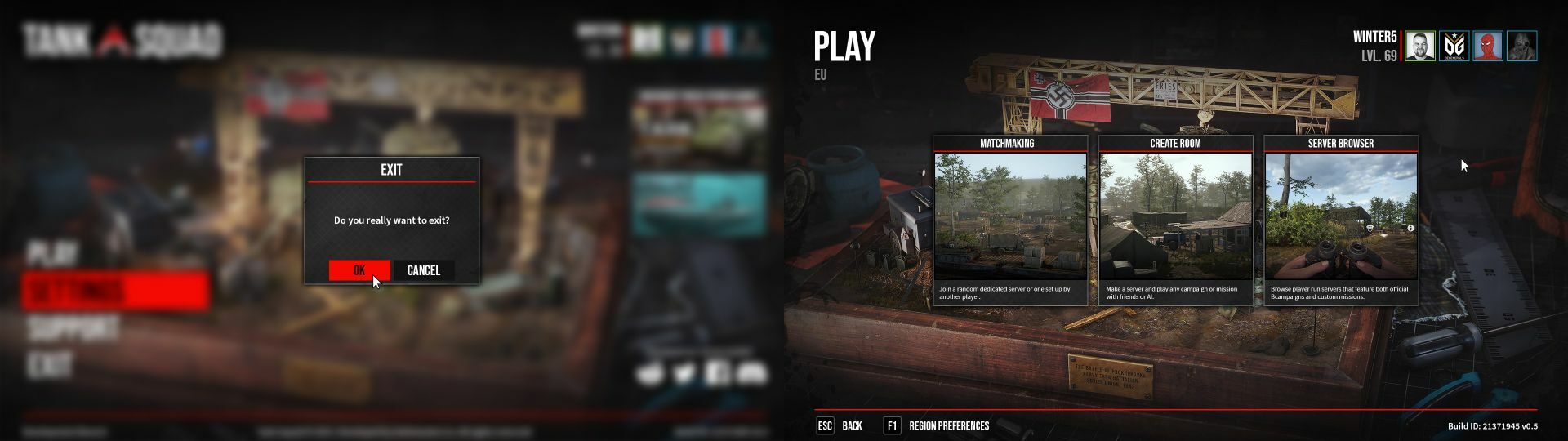
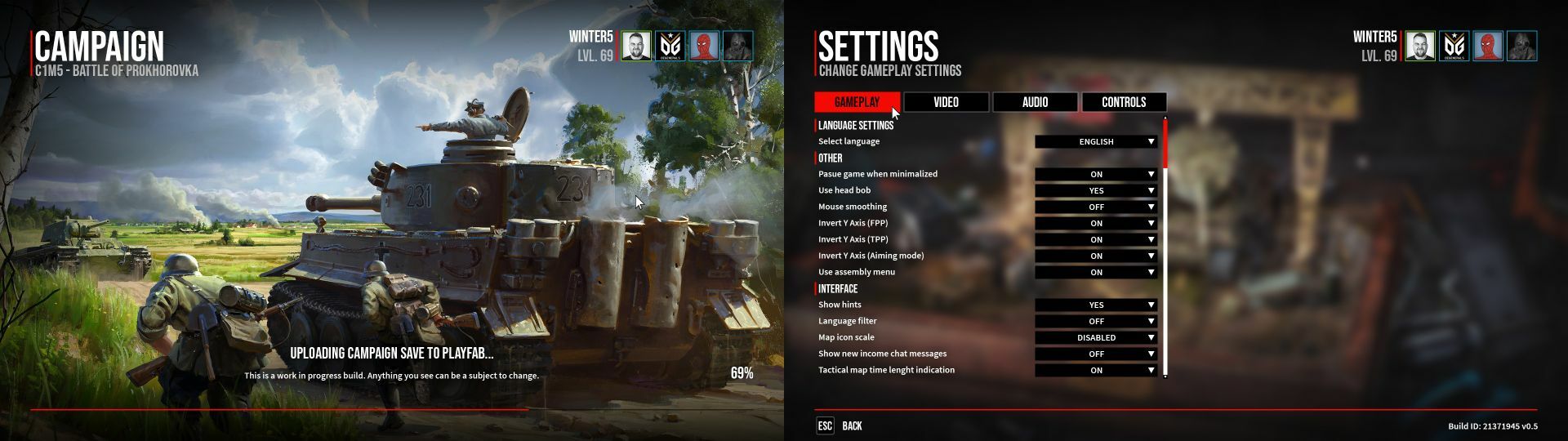
A lot of work has been done in recent weeks on the interface in the main menu. Among the major changes are the Lobby, Settings, or Loading screens.
In addition, windows communicate an event such as quitting the game or another player joining the server.
Shader for Vehicles
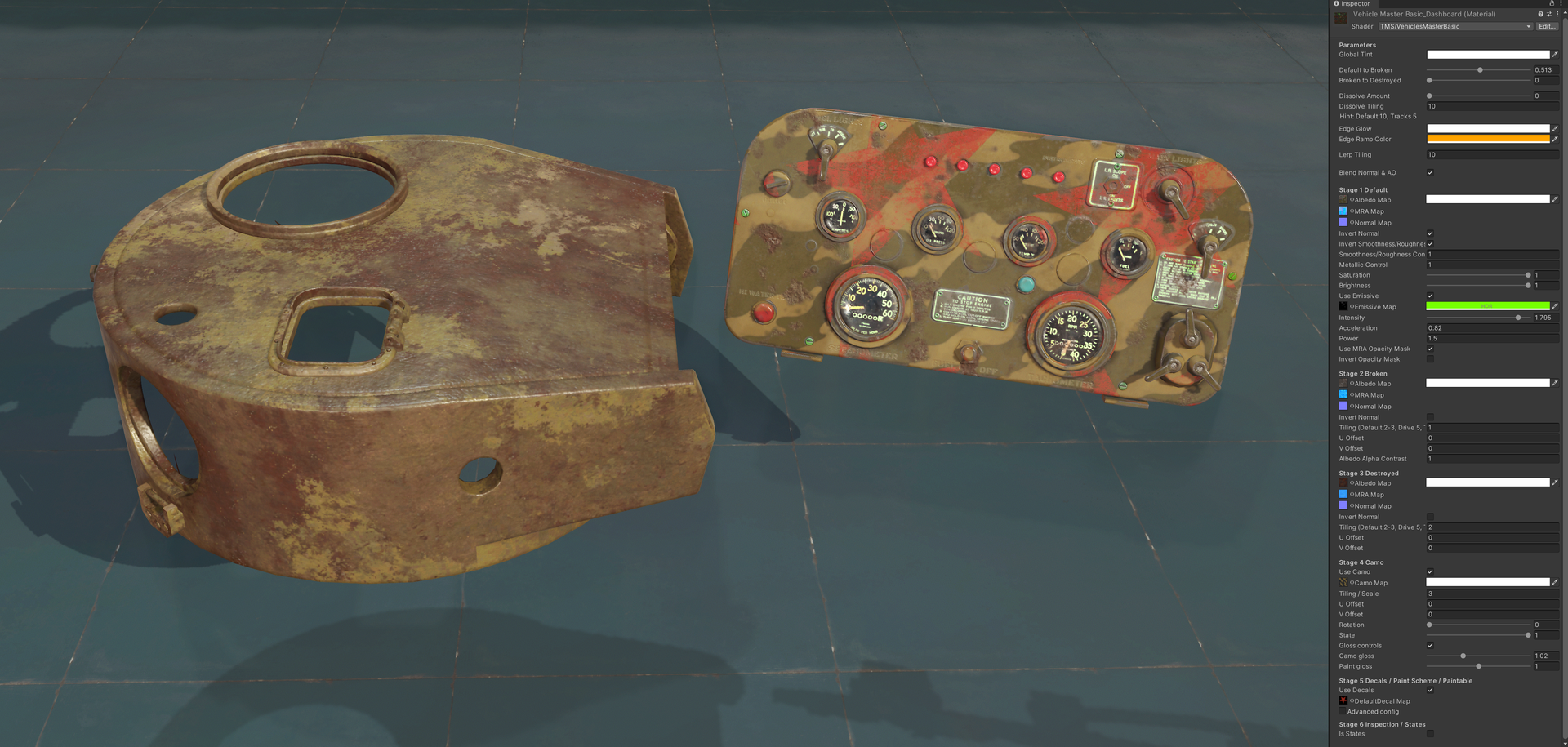
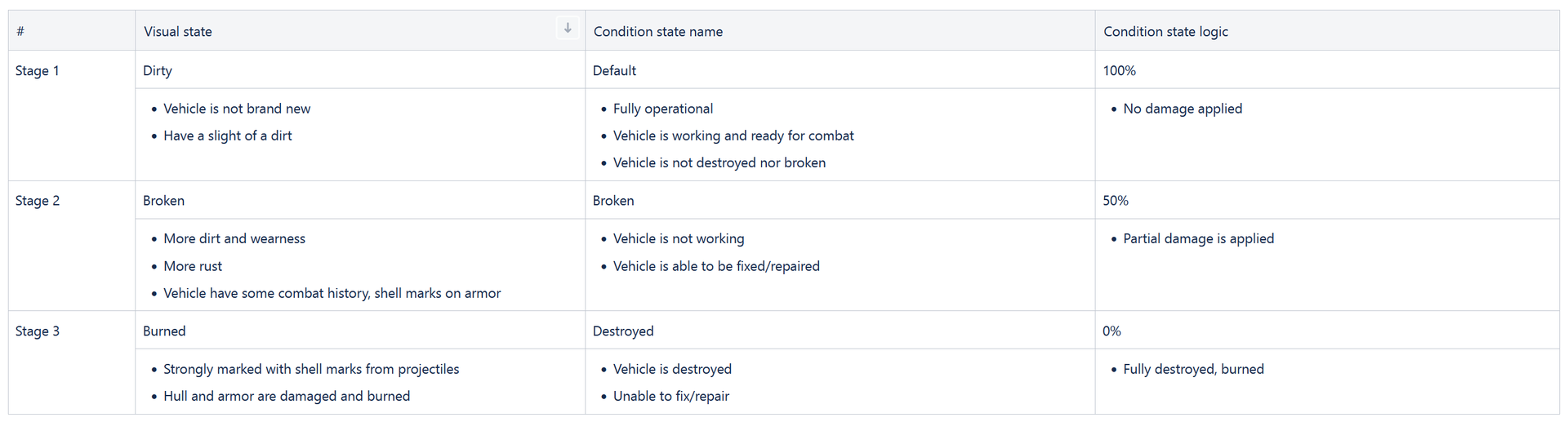
One of the basic things that the tanks in our game must have are materials and shaders. We have created a new basic shader for vehicles to support our assumptions about damage states and more. It will be possible to display camouflage or some inscriptions such as markings on the material.
User Experience
This time our design department took a short break from map creation and focused on analyzing the current state of User Experience. We are aware of the importance connected to UI’s transparency, game mechanics' intuitiveness, or simply knowing “what to do and where to do it”. Therefore, most of our time this month was dedicated to testing gameplay loops and proposing necessary improvements.
We started with the Repairs Scene, where players will spend their time in between missions, conducting repairs, managing their resources, and preparing for the upcoming battle. Our priority was to design an easy-to-learn and instinctive vehicle repair sequence - taking into consideration an enormous amount of feedback from our recent whole-team tests, it was pretty obvious that we need to implement a solid portion of “quality of life” updates. This process of repetitively challenging various features with questions like “does it REALLY serve its purpose?” or “would players CERTAINLY know what to do here” bore fruits in form of multiple concepts, such as a new visual guidance system, need for more icons in place of text, reworked equipment or notebook functionalities and so much more. Now, these ideas are being assessed, which in a short time will certainly lead to improving the overall feel of repairs, hopefully also bringing you more fun from this part of the game.
The second point of our concern was the battle scenes, to be precise: navigation on the battlefield, various messages that the player obtains (ex. warnings about the incoming airstrike), and once again, visual communication. Conclusions were pretty similar to those above, although the dynamic specific of armored warfare requires a little different approach than using a screwdriver 😛. In the weeks to come we will do our best to raise tankers' awareness in the field of their machine’s condition, and battle objectives and generally improve the experience of driving the steel goliaths.
Community Contest 2
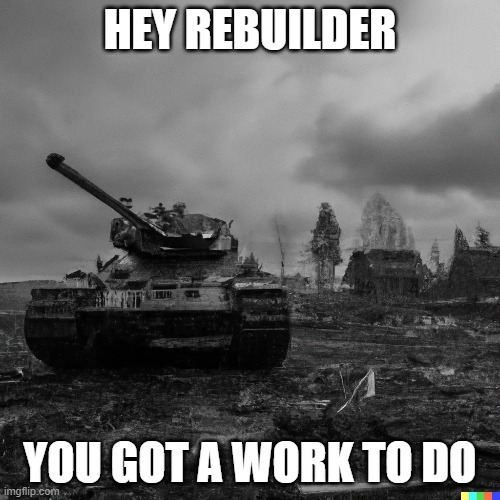
Another year, and another contest! This time prepared together with Madnetic Games, and their WW2 Rebuilder game, which is going to be released on 16.01.2023!
Your task will be to generate graphics through AI graphics generators (there are plenty of them on the internet) thematically combining WW2 Rebuilder and Tank Squad. In addition, participants must add a caption to the graphic - a catchphrase, which will also be evaluated.
To participate in our contest, you must be a member of our discord server, the link to which can be found below.
You can post your works in the dedicated channel #contest on our discord. Each participant can only send one message containing their submission. Winners will receive a keys for WW2: Rebuilder!
Contest starts today, and will last till 22.01.2023 We are going to post results in the next development status.
KV-1 Progress
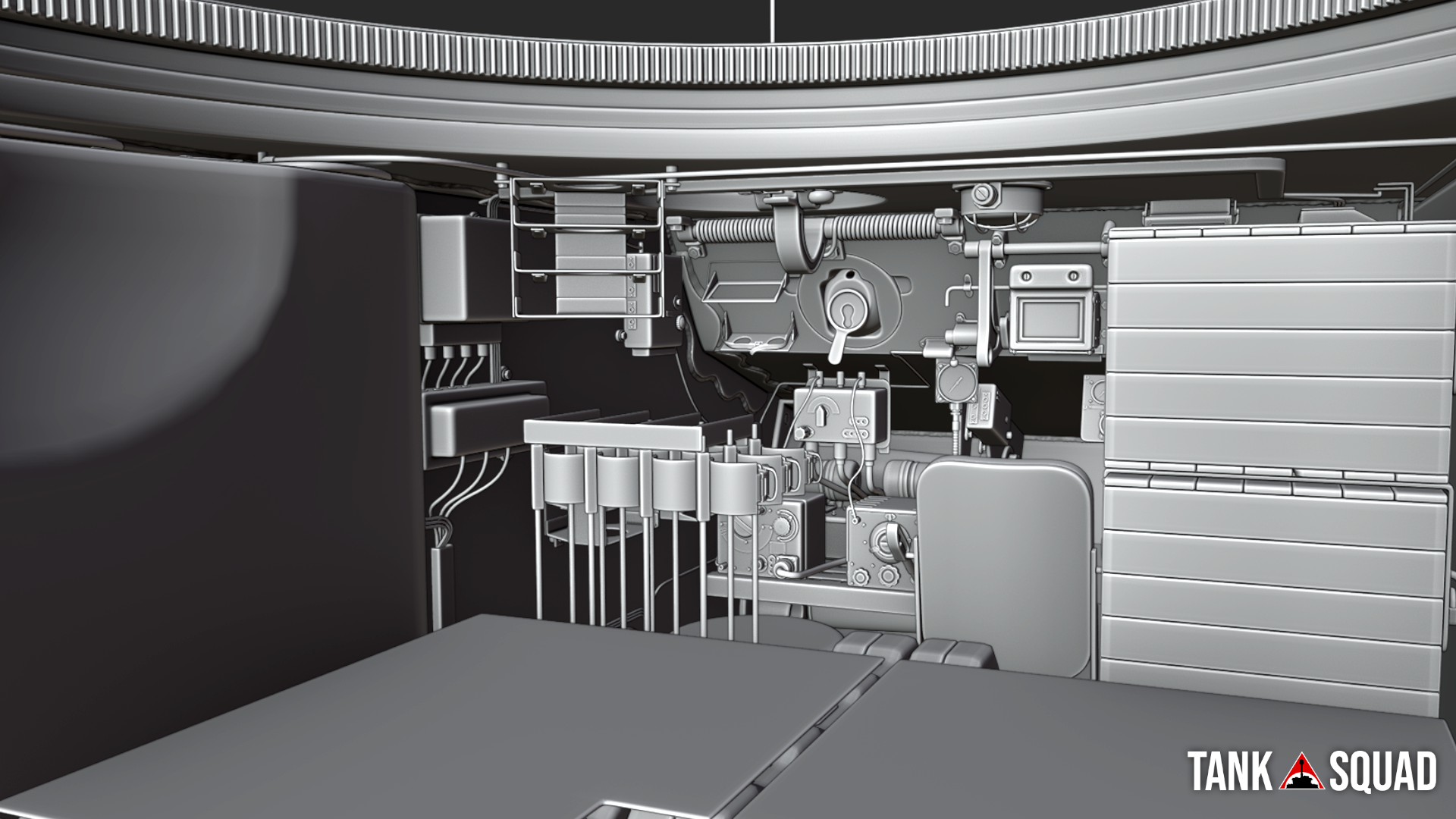
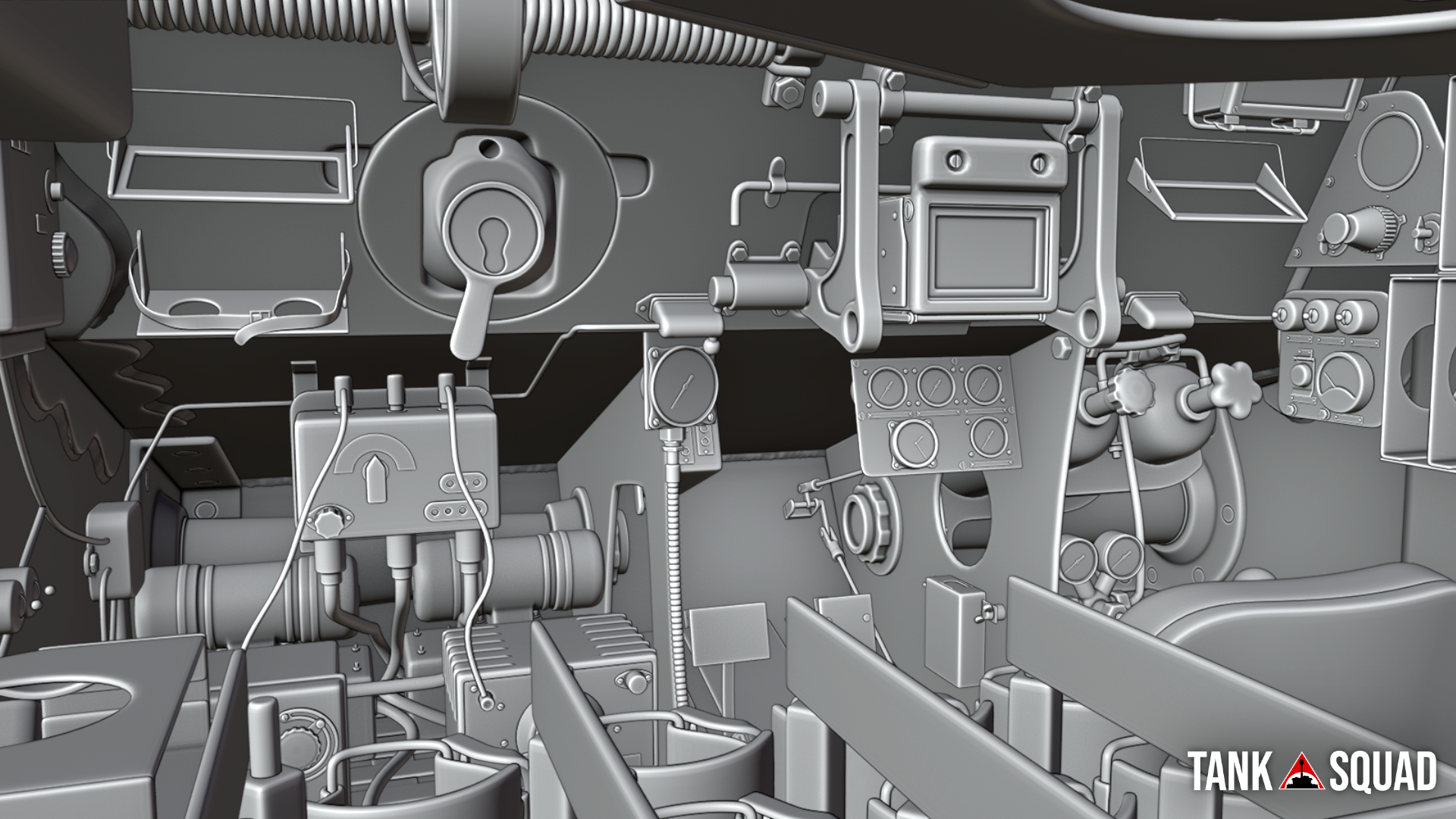
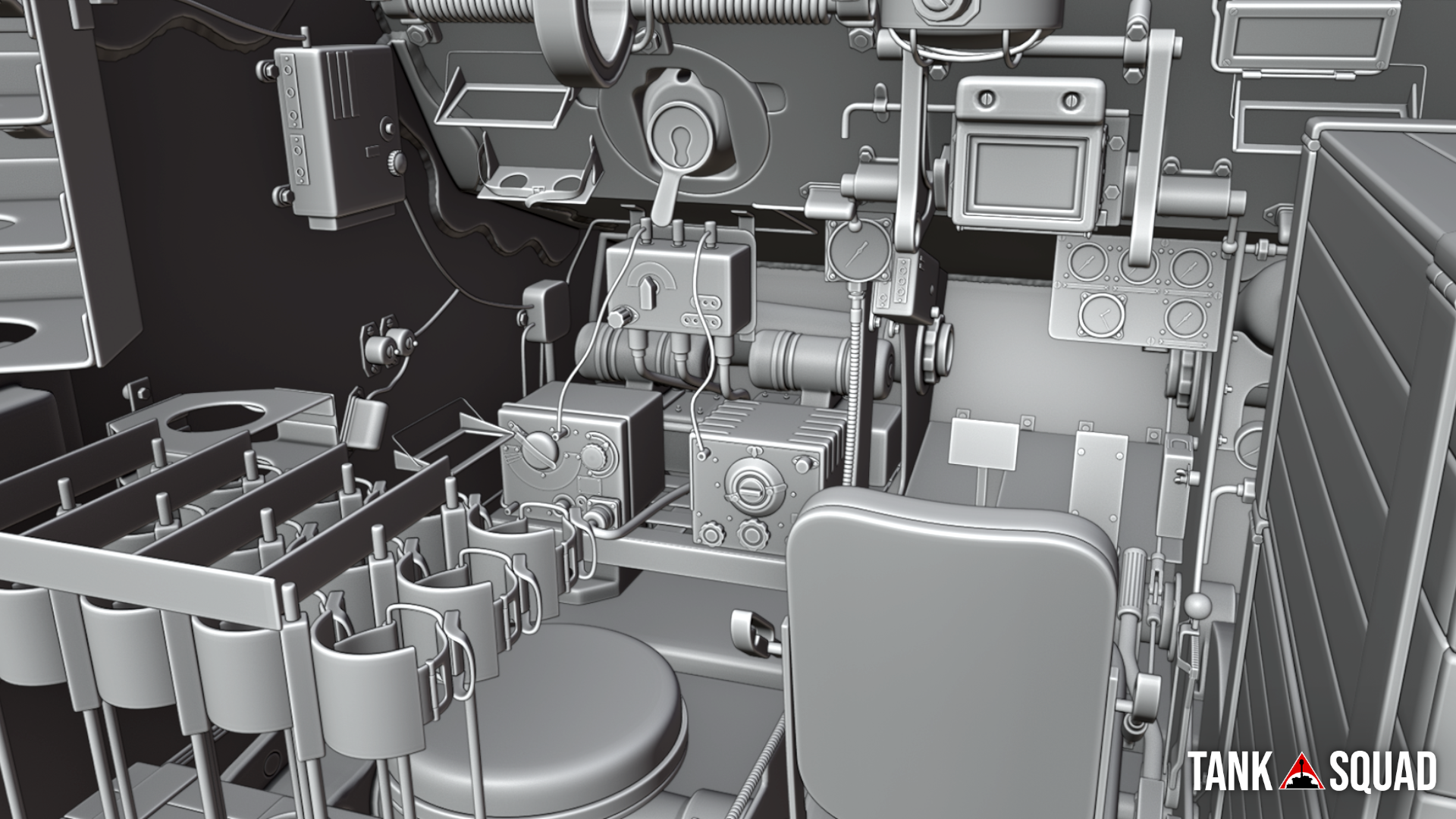
Today we want to show you the fighting compartment in the Soviet KV-1 tank. The whole crew consisted of five people, three of them were operating in the turret and the rest two crewmen (driver and radio operator) were placed at the front of the hull. Inside you will be able to find fuel tanks, ammo racks, radio station, some optic stuff, and other most important devices which would help you to survive on the battlefield. Remember, do not let your enemy flank your KV-1 because ammunition storage under the turret can be pretty sensitive to any hit you get. The real strength of KV-1 comes from his front armor so have in mind to always correct your position while fighting.
Bridges & Factory buildings
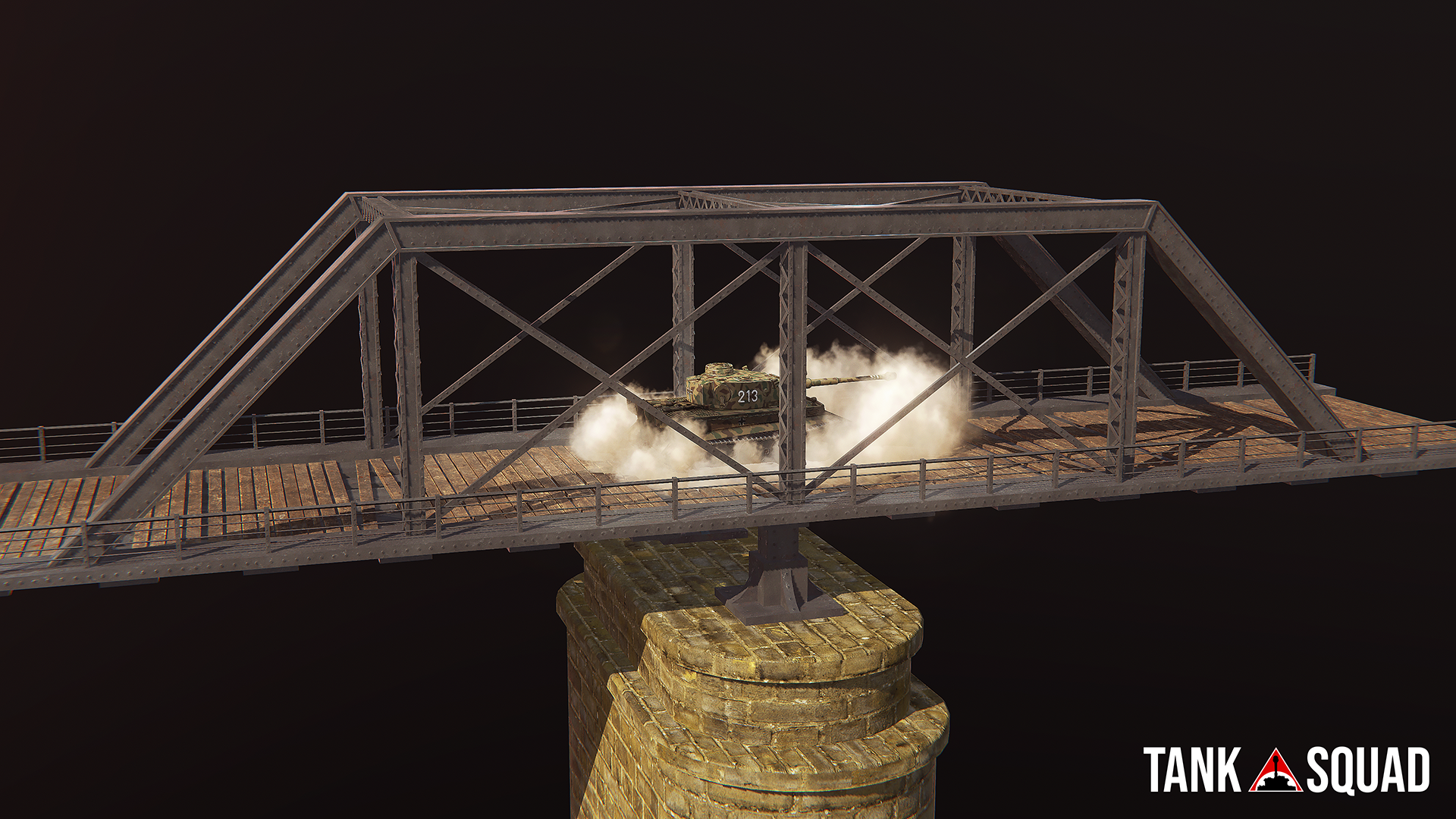
We have created several new objects for use on the maps. These include steel and wooden bridges. We are also working all the time on other infrastructure such as adding factory buildings on the stages.
Desktopia: A Desktop Village Simulator - mf.tinyturtle
On top of the new ‘End of the Road’ game mode, we’ve overhauled large portions of the basegame to bring you a more fun and streamlined experience. Before we release a full list of changs, I’d like to show you some of the more interesting things that will have a visual impact on how you play the game.
Soldier Command
With this update you now have more options in controlling your soldiers. While you could already make them run to you, by spending gratitude and using WarCry, you can now toggle your soldiers between two separate states: advance and surveil.
Advance is their default setting from the original game, and allows them to move down the road at their own pace, while surveil, puts them on patrol at the edge of your village. Like everything to do with villagers in Desktopia, there is a chance that heroes (bored of surveiling) will override your orders locking you out for a short period… although they are less likely to do this if they are happy.
Character Menu
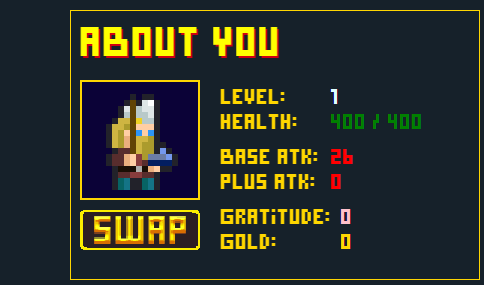
A new character menu not only allows you to view your current statistics on the fly, but also allows you to change your character avatar between six different skins, three male and three female.
Levelling Up
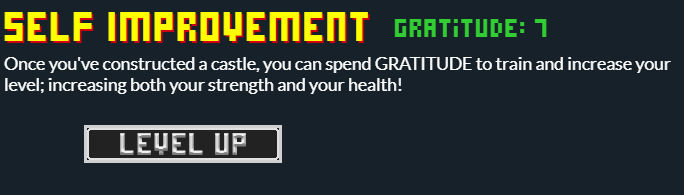
The Castle was always a difficult building to justify, taking up two slots and providing warriors that were mostly outdated with the onset of rifles… but not any more. Building the castle now allows you to spend Gratitude to increase your level: increasing your attack and health, and making you more effective when supporting your troops.
The alchemist, hospital, and geneticist all now improve your healing rate, along with your soldiers so that you can stay in battle longer with your new increased health, and alongside this, there’s now a numeric health indicator on the main screen, so you can get a more accurate overview of your current health.
In the base game, you also level up, each time you finish a village. And in EotR, you level up each time you defeat a mini-boss and stronghold.
Autosave
As requested: a toggleable autosave feature that can be turned on from the main menu.
Your current saves:
Are safe, but incompatible with the new version. In order to make all the changes we have, we’ve had to rewrite huge portions of the base code, and make fundamental changes that make old saves incompatible. This is one of the reasons we are releasing this as a DLC. That way you can try the new version but can easily roll back by uninstalling it. Save files from different versions are stored separately in your installation so won’t be overwritten. We’re sorry that old saves are not compatible, it sucks, but hopefully releasing the update as a DLC is a reasonable compromise.
Thanks, as always for the support. I passed on all the well wishes to Angels, and she was most thankful.
Some good news for all you lovely adventurers out there: Vambrace: Cold Soul was recently reviewed and verified for the Steam Deck! Woohoo! ːsteamhappyː
What does that mean? It's simple: you can enjoy Evelia's adventure in all its glory on the Steam Deck wherever you are: at home on the couch, inside a plane, on a bus or a train, or even during your lunch break at work
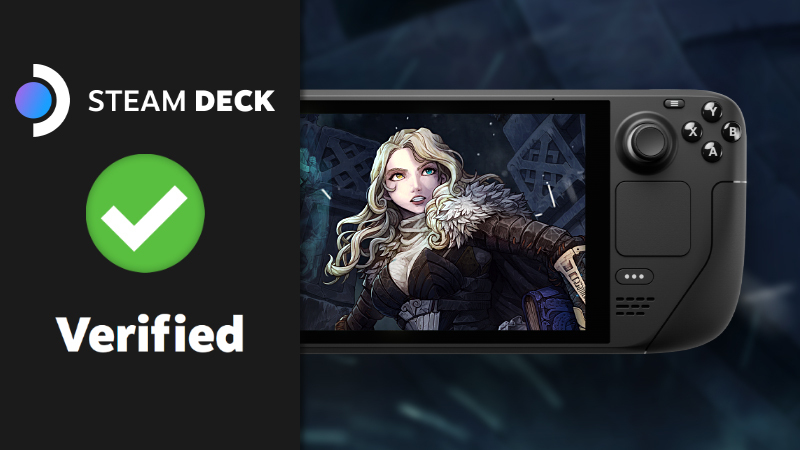
So grab your Deck, folks, and hop onto an icy adventure! ❄️
Till then and take care everyone! Minho, over and out.
1. Changed mouse cursor (it's still placeholder, but it's no longer a white cursor). 2. Changed the initial starting zone, to make it easier to select difficulty, especially for new players. 3. Tweaked physics while player was in the air. 4. Right mouse (hold) will now apply breaking friction (final values are WIP).
Fixes:

1. Escape now resumes game too (you no longer have to click on resume). 2. Flashlight is toggled with <F>, no longer with <E>. 3. Restarting game now properly resets timer. 4. Flags and trees will no longer spawn beneath or on frozen lakes. 5. More changes so its even harder to get stuck.