Fixed an issue when repairing the Helicopter Body not responding to the 'E' key. This occurred if the player was on the mission following the one that initiated the Helicopter Body repair side mission. 'E' should now properly give you the inventory in which to place the repair material.
Thanks for the feedback on the last patch, a game breaking bug has hopefully been patched! You should no longer be able to go to the same contract you are currently in and ultimately crash your game. The current patch has been named appropriately for the first reporter of said bug.
A massive revamp has occurred both in code and naming. Contracts have been named Quests, to be in line with most games as they are ultimately quests. Internal naming inconsistencies regarding this has also been updated to make it easier to maintain (that's just for me of course). If something major happens it's probably because of that.
The changes that were supposed to be last update but now definitely works is:
Picking a quest will remove it from your selection.
Your current quest will still show up, but as a faded circle and slightly different colour. It will still show the popup with your kill requirements as if it were a selectable quest. This is just for easier review in case you weren't in the level tab.
As indicated quests completed will move to (for now internally) Abandoned and Successful quests depending on if you completed it or not. This will have no ultimate impact other than achievements in future!
Hey everyone! Thank you all for an amazing launch so far. We have our first patch for you all today fixing some of the issues you all have been reporting. We are still actively working on finding solutions for some of the other issues which we have listed below. Hopefully this fixes some things for you all. If you haven't already, please consider leaving us a review. It really helps us out and we love getting to read everyone's feedback.
Also we are working on getting key rebinding added into the game. This may take a little bit of time, but it is coming!
Added/Fixed
credits added
2 spelling mistakes fixed
mystery box should not show in mission mode only survival + protection
boss tool bug (hammer and ace where doing only 2 dmg.)
German translation fixed
What we are looking into / need more info on:
If you are experiencing any of the following, please post a Discussion thread or join our Discord and open a ticket so we can gather more info on it
I have great news to share. Raidborn just became feature complete. That means all content and features that are planned for the Early Access release in early 2023 are ready and working. The only thing left to do is to bugfix and polish the game. Once I eliminated the obvious issues myself, I will run the beta playtest you can participate in by wishlisting the game on Steam.
I am currently figuring out the exact release date, but plan to release Early Access somewhere between March and April 2023. Stay tuned.
While developing the mobile version and keeping consistency with the desktop version, which will of course be cross-play, we need to implement several big changes to the UI. At the same time, since our focus is there, we are using this opportunity to improve it in general. This includes improving the overall look of the UI, introducing some quality of life improvements for players, and adding some features that have been requested by the community for a long time.
In this series of short devblogs, we are excited to give you guys a bit of insight into where we are going and the reasoning behind some of those upcoming changes.
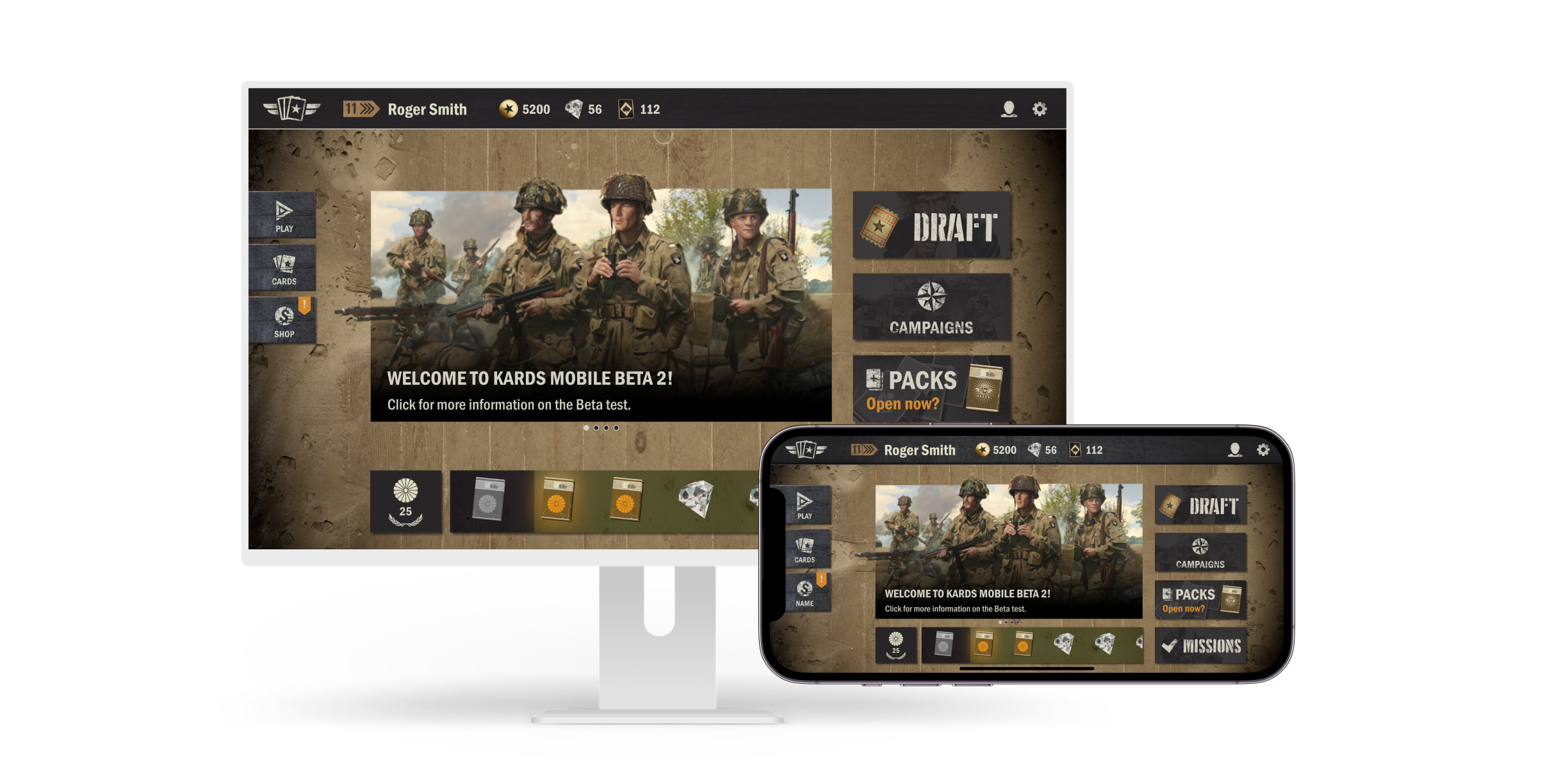
The first and most directly visible change that you will notice when the time comes is that the “Home Screen” will change drastically. This screen has remained similar from early on and as we add more features, game modes, events, tournaments etc, it doesn’t scale well. We felt we needed a more flexible solution that also conveys much more information to you guys right from the screen itself. So let’s look at a WIP version of the new screen.
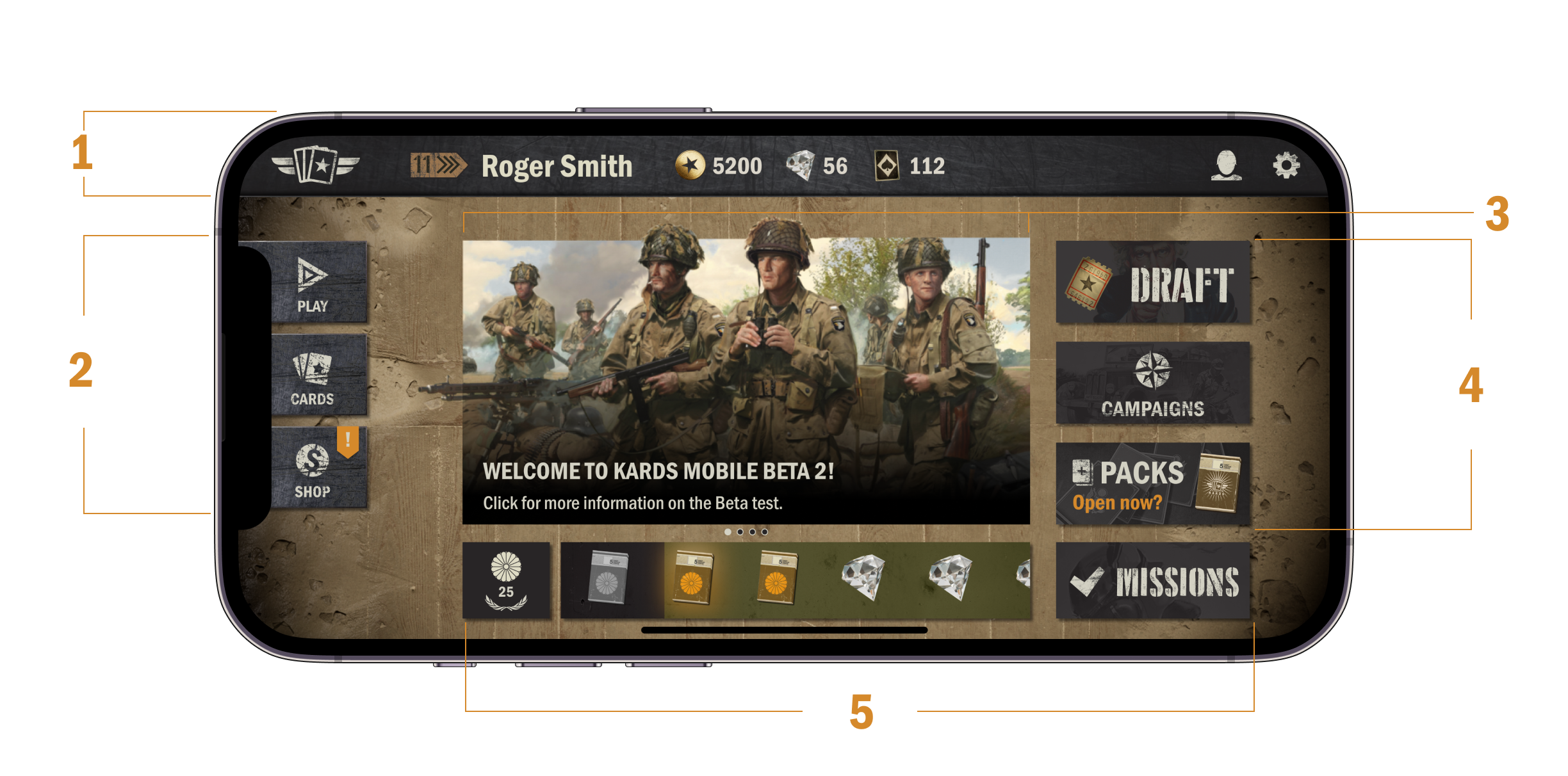
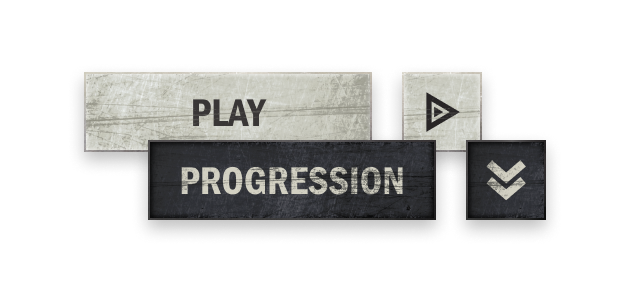
1. General Style Changes of Buttons & UI
This goes for all the UI in the game but is noticeable on the home screen already. We wanted to make it slightly more polished while keeping some of the gritty feel of the original design.
2. The Top Bar!
The Top bar starts with a Home button which is the KARDS logo. This button can be used from almost any other screen to get back to the home screen and will as such reduce the amount of “back” and “done” buttons in various parts of the UI.
Next in line, you have access to your “profile” indicated with your current rank and player name. The profile includes everything about you as a player, ranks, player customization options etc.
Then we have the resource overview where you can see your total gold, diamonds and wildcards and by clicking/tapping the wildcards, you can see an overview of all your wildcards per nation and rarity as you can in the current UI.
Finally on the right side, you can see Friends and Settings buttons.
3. The Main Menu: The Left Side Button Menu or “Main Menu” as we call it
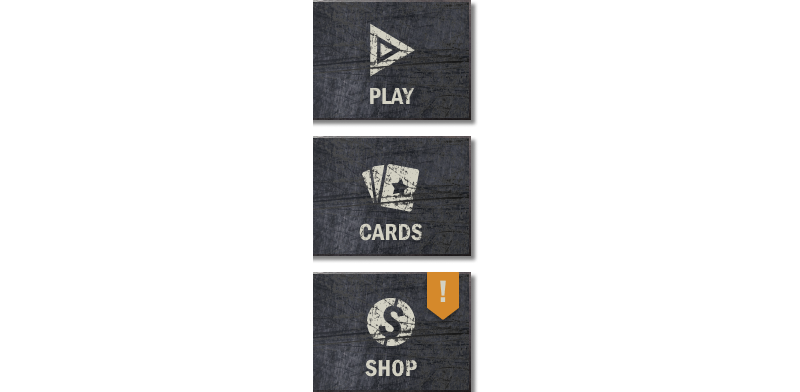
These are buttons to access the main parts of the game:
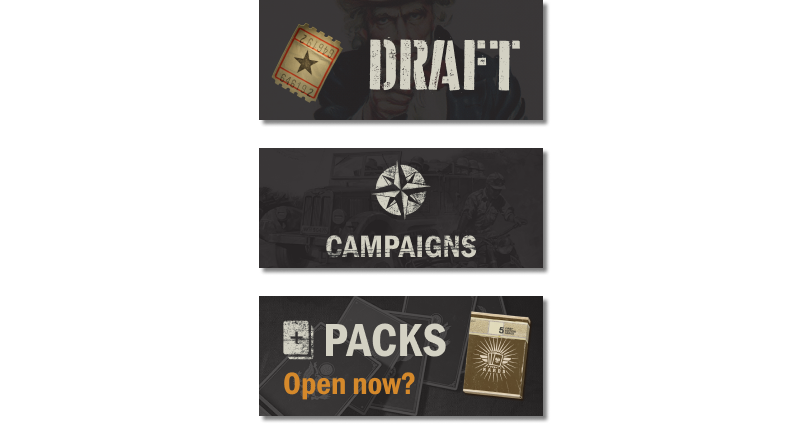
PLAY for navigating to Battle, Training, Campaigns or any other game mode basically.
CARDS gets you to your decks, deckbuilder and collection as it does in the current UI. What happens when you push those buttons is a topic for the next blog in these series.
SHOP sends you to the new fancy shop, more about that later.
4. The Content Carousel
We have felt for a long time that we needed a better way to communicate varied content and important information to you guys within the game itself. Pop-up windows only get you so far and can be very annoying if used too much. Articles posted on Steam, Epic or social media have a limited reach and this will be even more true when a substantial part of our player base will be on mobile only.
The Content carousel can contain anything from information about a recent expansion, decklists, guides, dev blogs, news, store offers, tournament info etc, etc. So you should not have to search outside of the game to know about the most important things happening in KARDS.
5. The Right Side Menu
Again, the content here can be flexible depending on what we want to feature at any given time. This will mostly be reserved for shortcuts to specific game modes, Skirmish mode, events and such.
6. The Progress Line
Finally at the bottom you can view some parts of your progression and relevant rewards to claim.
National progress. By default the UI will show you the last main nation you progressed in but you can also switch nations.
Missions. Based on the same principle, you will have access to your missions from here as well and see the progress at a glance without having to dig deeper. The design of this part is still very much work in progress though.
So now we have covered the surface, but stay tuned for more blogs on the new UI, as we are very excited to share with you guys more about what's under the hood.
Let us know what you think about the changes highlighted here in the comments below or on the KARDS Discord.
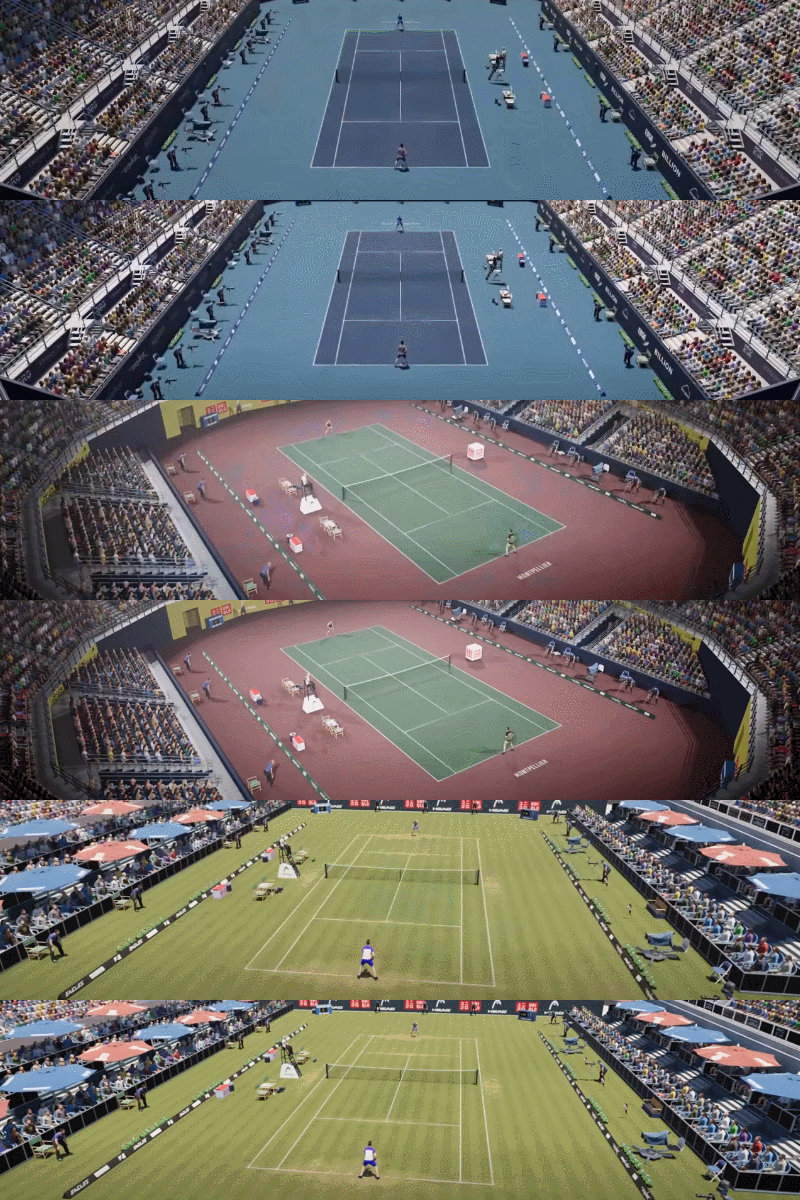
Matchpoint - Tennis Championships – Update 1.8 has just been released for Windows PC, Xbox One, Xbox Series X|S and PlayStation 4|5. The update includes a fix for Tiebreakers that could start with an incorrect score. In addition, Update 1.8 fixes the multiplayer achievement “Schooled” not unlocking after 25 wins on Xbox.
More details can be found in the full changelog below
Game on! Your Matchpoint – Tennis Championships Team
Changelog:
Fixed an issue where Tiebreakers would begin with an incorrect score.
Fixed an issue where a second controller would not connect to local multiplayer in certain circumstances.
Fixed an issue where the aim marker could remain off after playing ranked multiplayer.
Improved lobby connection.
Updated the game intro to the latest version.
[Xbox consoles] Fixed “Schooled” achievement not unlocking when winning 25 online matches.
[PlayStation consoles] Fixed issue where an online ID would not update in the Block List if the user changed their name.
Hi! To make the wait a bit less painful, we'll be sharing some information from time to time about the game.
In Army of Ruin you will select which character you want to play with before every mission.
The Early Access version offers 6 playable characters, each one with its skills, both passive and cooldown-based.
Two are unlocked right away, while the other 4 will be unlocked when meeting specific conditions.
These are the two starter characters:
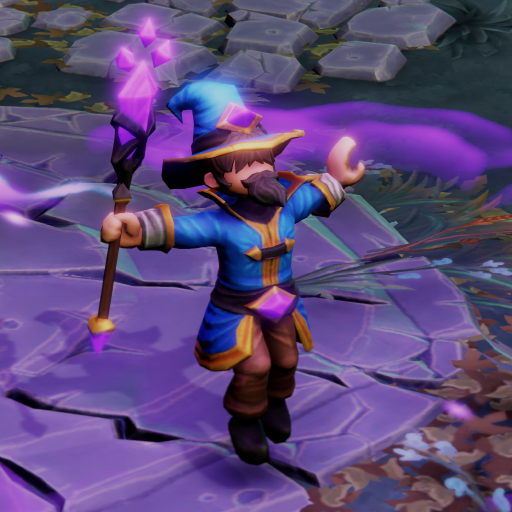
Saul, the Wizard
Starter Weapon: Magic Staff
Passive Skill: Reduce attack cooldown by 1% for every level in your equipped trinkets.
Active Skill: Magic Missiles - Shoot 8 magic pellets around you.
Saul is an easy-to-play, balanced character with a decent single-target starter weapon, and his skill can deal a nice amount of damage on packed groups of enemies. His passive stacks nicely with most weapons, and you'll become even more powerful as you keep leveling up your trinkets.
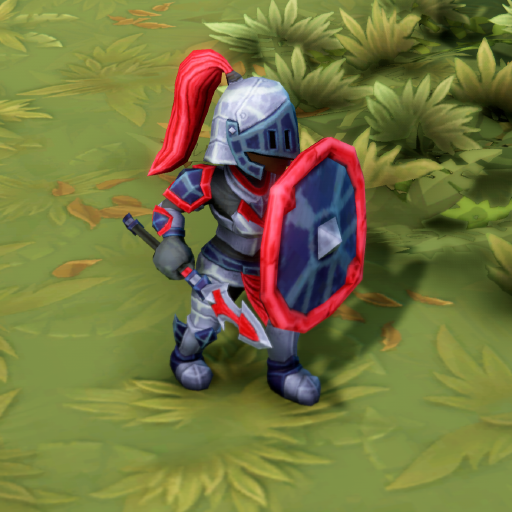
Ariana, the Warrior
Starter Weapon: Quicksilver Spears
Passive Skill: Increase Attack Damage by 10% every 5 levels.
Active Skill: Shell - Become invulnerable and deal damage to enemies you touch for 6 seconds.
Ariana is a short-range character, which can become strong thanks to her passive, and her active skill can quickly deal with bosses and elites. However, her starter weapon requires some skill to be used effectively, and the active skill has a long cooldown, so she needs to use it wisely.
Being the starter characters, both are well balanced and don't have particularly strong points or weaknesses, however characters unlocked later will be a bit more unbalanced and favor specific strategies.
Don't forget to wishlist and follow to stay updated with the latest news on the game, and be sure to join our Discord Server to chat with us if you want!
Divine Duel is moving forward with the first Beta. The testing phase is scheduled for late October and all the participants will receive a special item - an exclusive bow!
This weapon will be unlocked in the full version of the game - beta is the only way to get it so make sure that you participate!
Watch the weapon showcase below:
How to join the beta? All you need to do is to click the "Request access" button visible on the Steam game page. You will get a notification once the beta kicks off.
All the feedback and suggestions are welcome and the best place for it would be our Discord server. Let's create an ultimate VR fighting game together!
Please be aware that from 08:00 CEST on October 6 (23:00 PDT on October 5), the Conqueror’s Blade servers will be inaccessible. The downtime is expected to last for 4 hours.
Please refer to the Patch Notes for documented changes. Meanwhile, stay tuned to our Discord channel in case of any immediate server updates.