Four new dynamic music tracks that react to changes in the game state, enemy threat levels, level completion progress and more besides
Dual-mode Audio Visualiser ornament that reacts to music and menu sounds; use the 128-band mode for a detailed frequency breakdown, or Fourier mode to view audio waveforms directly
Stay safe with the all-new Geiger Counter ornament, featuring 3 different sensitivities. Alerts the user to potentially harmful radioisotopes
Player-driven quality of life changes since v1.0:
Changed: Increased Input repeat delay time and reduced repeat rate slightly to avoid overshooting UI selections
Fixed: Texture on the post-game lower display no longer stretches on ultrawide (and other non-16:9 ratio) resolutions
Increased the number of particles available to reduce the amount of time spent searching for a final few particles
The finish line is now visible through the environment after you get the target element
Warning written on information about reflections in the graphics options: having a minimum of 1 reflection is recommended so you can find particles more easily
The auto-selected next level is now from the newest unlocked Block instead of by default playing the game level-by-level. This unlocks new abilities and enemies more quickly so the more challenging and dynamic parts of the game are accessed much sooner. This setting can be changed in the menu if you wish to progress level-by-level (eg when trying to get quarks for upgrades, or you prefer it this way): Settings -> GamePlay -> Progression Mode
Indicator on "Main Menu" button at the end of each level (*) to indicate that you have quarks available to spend on upgrades
When loading the Delete Player Progress confirmation dialog, the cancel button is now selected properly
Some settings were not saved to disk if changed in the main menu and then the game closed without playing a level. This is now fixed.
Next Level button available upon winning a level
Tutorial for the first time you reach a target element but can no longer complete all the side objectives
Controller now has "menu back" mapped to button B (lower row second button) by default
This is a bugfix update fixing the following issues:
- Campaign - Hard Truths: If you completed consecutive stages of the archive year after year, the event moving the story forward would not trigger correctly. This is no longer the case. - Savefiles: An obsolete trade route that was undone would sometimes get saved to the savefile, especially in endless games, causing the save to no longer load. This should no longer be the case. - Mac: Pressing caps lock during the game would break UI due to how weirdly Macs implement caps lock and a few strange decisions on Unity's part. This has been worked around so pressing caps lock is safe for the universe again. - Tech - Economic zones: This technology used to not work correctly with information and izzium as a resource. It should be okay now. - Tech - Void synthesizer: If you connected the synthesizer first, and only then upgraded a planet with a new need, the synthesizer would miss this and would not supply the need. This should now work correctly. - Building structures: It is no longer possible to build structures at the very edge of known space, since this could cause them to end up too close to objects that haven't yet been discovered. - Performance: Undo should now be a bit faster by avoiding empire updates after undoing actions that shouldn't change the world state. - Localization: One perk description got accidentally "untranslated" due to translated strings being incorrectly overriden by their English "fallback". - Localization - German: Grammar mistakes fixed in industry descriptions.
EDIT (2022-04-03): One of the fixes in this update introduced a new problem that caused some runs to fail to end properly after 25 years. This should now be fixed through a hotfix update.
This update brings the version numbers up to v1.2(b935) on Windows and v1.2(b936) on Mac.
While Phantom Treasure Coins will no longer drop after the event ends on Apr. 24, the event menu will remain available until May 2, 0:00 (UTC+8), during which time you can hunt for treasures with Phantom Treasure Coins or Sovereigns.
Event Info
During the event, warlords can cost 1 Phantom Treasure Coin or 50 Sovereigns to have one hunt and can get random rewards from the hunt. Each warlord can go up to 100 treasure hunts in the event. Phantom Treasure Coin and Sovereign share the cap of Treasure Hunt time.
*For instance, if you used 50 Sovereigns for one hunt, then you will have 99 times hunt left; if you then used 1 Phantom Treasure Coin to do one hunt after that, you will have 98 times hunt left.
Up to 35 Phantom Treasure Coins will drop from Siege, Field, Free Battles, or La Grande Gloire each week. This count resets at 0:00 on Mondays. Expired coins are not carried over to the following week.
You will earn extra Attire Component Selection Chests upon completing 10, 30, 60, and 90 treasure hunts.
You may redeem Phantom Treasure Coins for Treasure Orders at a 3:1 ratio in the event menu after going on 100 treasure hunts.
Drop Rates
Epic Attire Component: 13% (may contain components for the Arbor Phantom hero, mount, and unit attires)
Attire Scraps: 35%
Heroic Epic: 10%
Vault Key: 7%
Frontline Supplies: 20%
Doctrine Water: 15%
[An epic attire component is guaranteed with every 10 draws] (Acquiring the full Arbor Phantom hero attire set unlocks the [Arbor Phantom] achievement, granting you the [Arbor Phantom Avatar])
Fixed: Animations for peasants assigned to depot, lumberjack and trapper
Fixed: The story (dialog event about refugees) meant for Kroburg will no longer show up (with no effect) on the Refugee Camp map
Fixed: Sound distortion on construction of walls
Fixed: Destroyed buildings should no longer show the hand icon
Fixed: Tent no longer shows an ugly red bubble when damaged or destroyed
Fixed: Peasants bar now updated correctly upon peasant deaths
Updated peasant bar visuals
Reworked the way monsters interact with walls and buildings, which changes the dynamics of especially low-tier walls (high-end monsters will break through them more easily, but lose some energy doing so).
Added fishing spots and fishing animation for the fishery.
Improved the "close action cam" panel (delayed show and closing on daytime)
Increased the range of the zoom speed slider, so you can set it to higher values (i.e. faster zoom)
Changed the "drought" icon for fields, hope the new one is more clear
[Important] This update is implemented only in the testing version (Alpha) of our game and will not be synchronized to stable release version (steam default one) until it is stable enough. If you want to experience new contents in advance, you can manually switch the game to Alpha version as describe below.
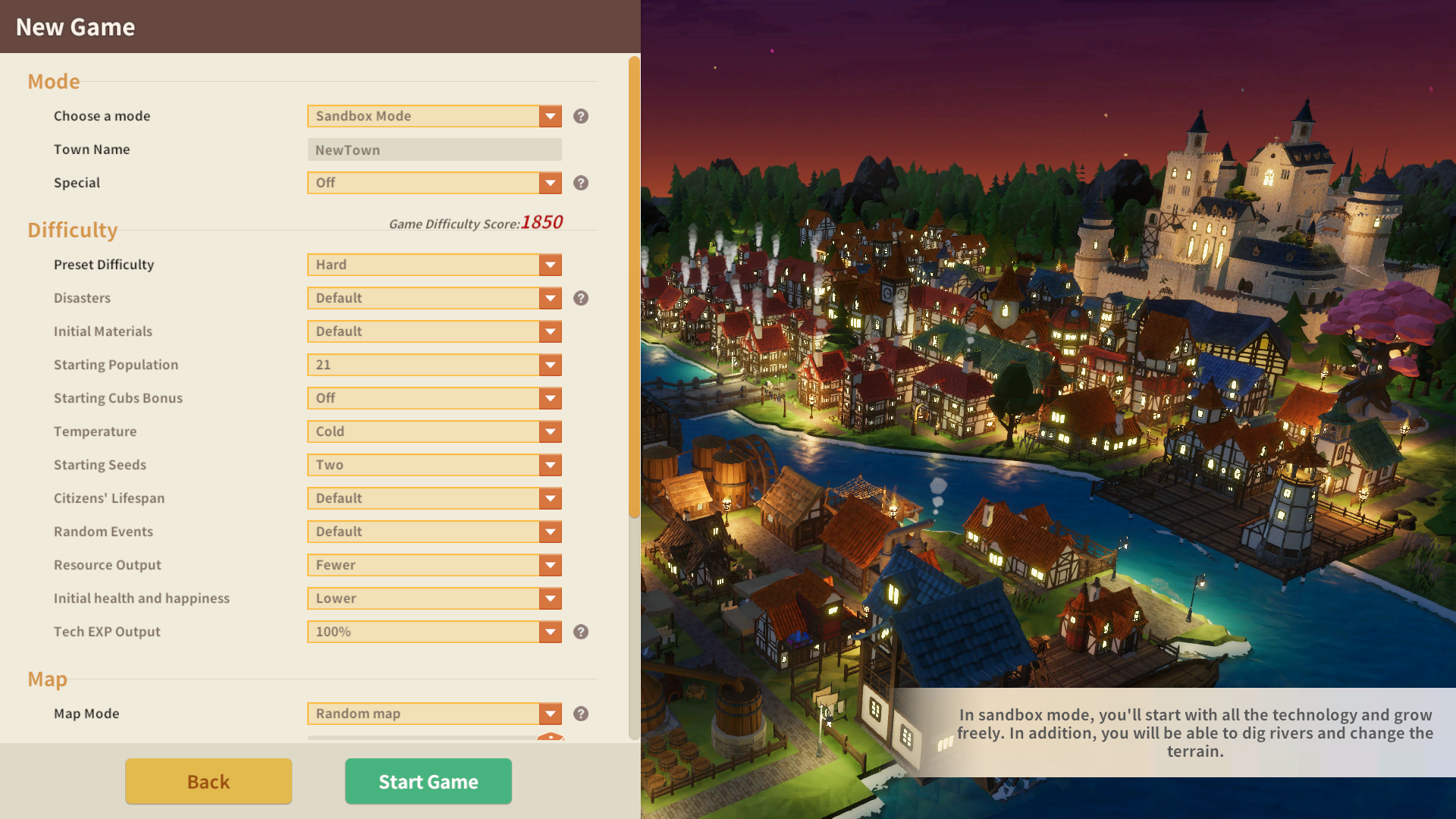
Optimization of game creating menu:
Added more custom difficulty settings.
Added more custom random map settings.
Can choose preset map - Easter Island on Standard Mode and Sandbox Mode.
Can click the town name on top bar after entering the game to check the custom settings.
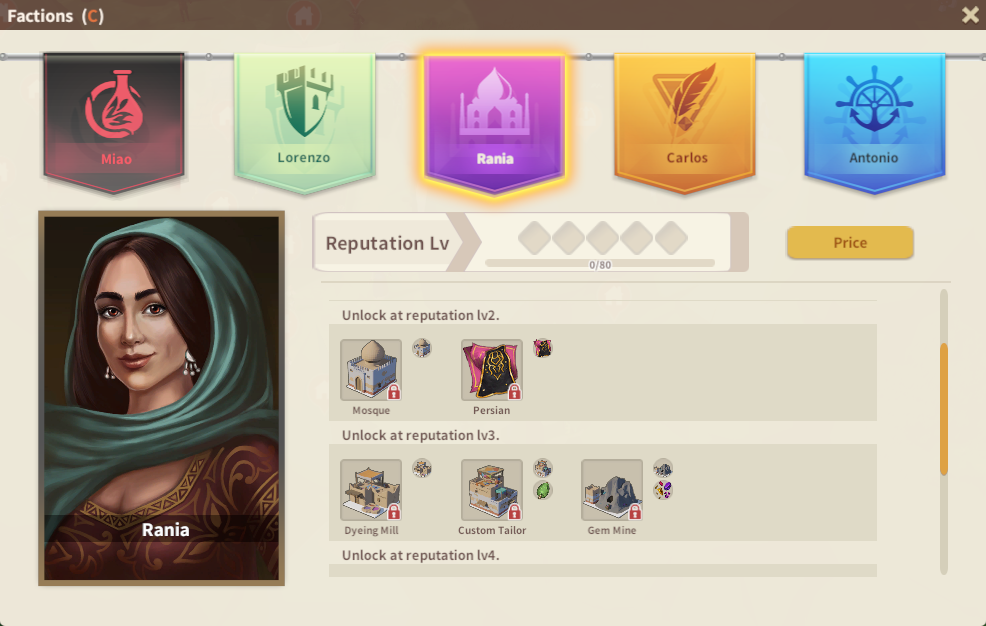
Factions and trade related optimization:
Adjusted and optimized the size of factions panel, icons, and visual effect of reputation lv.
Optimized the market place interface.
Feature Adjustments:
Optimized all building icons to adapt the new build menu.
Added auto text wrapping on Build Menu.
Optimized the output way of Apiary. (Rebuilding needed. )
Optimized the visual effect of roads.
Optimized the possibility of triggering fog in rainy weather.
Added mute the sound when focus loss feature in setting.
Added lightness adjustment feature in settings.
Bug Fixes:
Fixed the wrong population shown in Boarding School after remodel.
Fixed the technology School Expansion which mistakenly increase students in Boarding School.
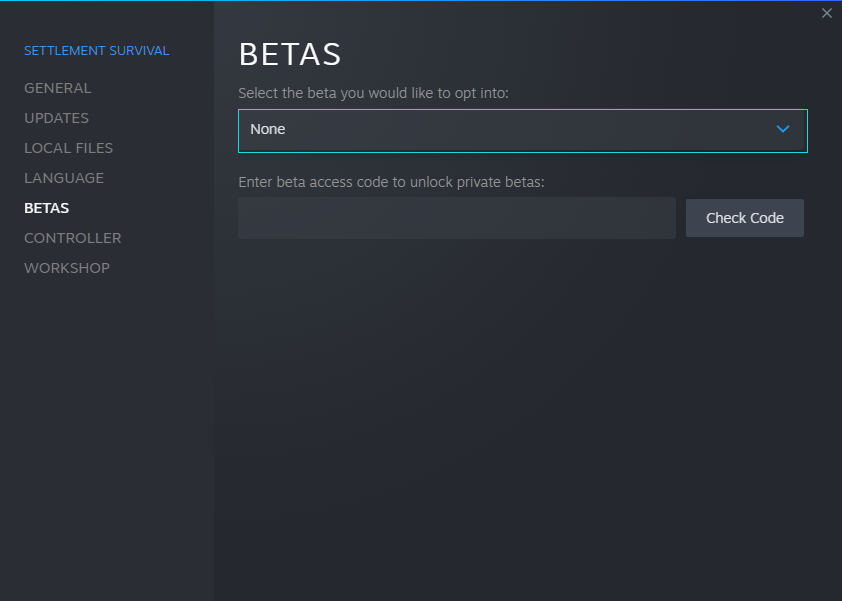
Guides of switching to Alpha version:
Switching Method Right-click Survival Settlement in the Steam LIBRARY, select Properties - BETAS, and choose the game version you want to participate. No need to fill in any code and the game will switch to the version of your choice after closing the window. (In some cases the game may need update and Steam restart.)
Game Saves Compatibility In cases of major content changes or new contents, game save file in Alpha and stable version may not be compatible. We will try to avoid this situation as much as possible and will post a notice about save file usage in advance if necessary.
Warning In Alpha version, you may come across more bugs or crashes. No need to panic. Just contact us through the following ways.