We hope you've all been enjoying adventuring in Arventous so far! You may have noticed earlier today we pushed a small update. This update fixes bugs that we're discovered by the community.
Bug fixes include:
Personal Totem functions properly
Collider tweaks to make a mechanic in the final boss more clear
Fix for mashing recall and having coop player walk into room locking the players out of a room
Fixed a bug where player who sacrificed health would be invincible in certain situations
Fixed a bug where respawning player did not have iFrames and could be killed instantly
Fixed a bug where if P2 broke a breakable, it would turn into a puddle if P1 was far away (it would lack explosion force)
As always you can get in touch with us on our Discord server HERE or on the Steam forums.
Thanks for playing and if you've been enjoying the game so far please consider writing a positive review for Rogues here on Steam, they really help us out!
If you're interested what developers have to put up with when trying to promote their game, I've created a reddit thread detailing some shady business that I've not heard about before I experienced it: https://redd.it/8gt1zq
Regarding Supraland development, it's going pretty well as you can see if you receive all the new updates. Soon work on Blueville will start. The current Blueville parts are just temporary - they will all be removed completely. Right now I'm working on the sandbox setting - the game taking place in a sandbox and the characters being cut out of erasers, playing a story thought up by supposedly a kid. There will also be a very brief intro sequence.
Want to join the shinny new Project Arrhythmia Beta you've been hearing so much about!? Well you have a few options...
- Itchio : Purchase a beta key directly for 2 dollars cheaper then launch price! - Discord : Join for key giveaways, contests and updates on the game! - Twitch : Join for gamedev streams, key giveaways, contests and updates on the game!
CPUCores now fully supports Steam's Family Sharing! (Pending Steam Client Changes by Valve)
A slight tweak has been made to CPUCore's internal engine to increase FPS when Task Manager is enabled.
Games should load a bit more smoothly when launching CPUCores.
A bug has been found with a small portion of users who, upon starting CPUCores, don't see the actual program on their screen. This has since been resolved!
A major bug with the CPUCores Service has been found. The Service has since been removed and it has reverted back to the original and STABLE "core" behind CPUCores.
A bug affecting PUGB (Playerunknowns Battleground) with CPUCores has been resolved. You can now use CPUCores to stablize PUBG FPS once again!
A major bug affecting upgrading/installing CPUCores has been resolved!
CPUCores is once again very stable!
New Achievements! CPUCores now has new time-based achievements. This will trigger based on the amount of time you've used the software. Note: This requires your profile to (temporarily) be made public for the achievement to register. Note #2: There are fun things planned for these achievements including... CONTESTS!
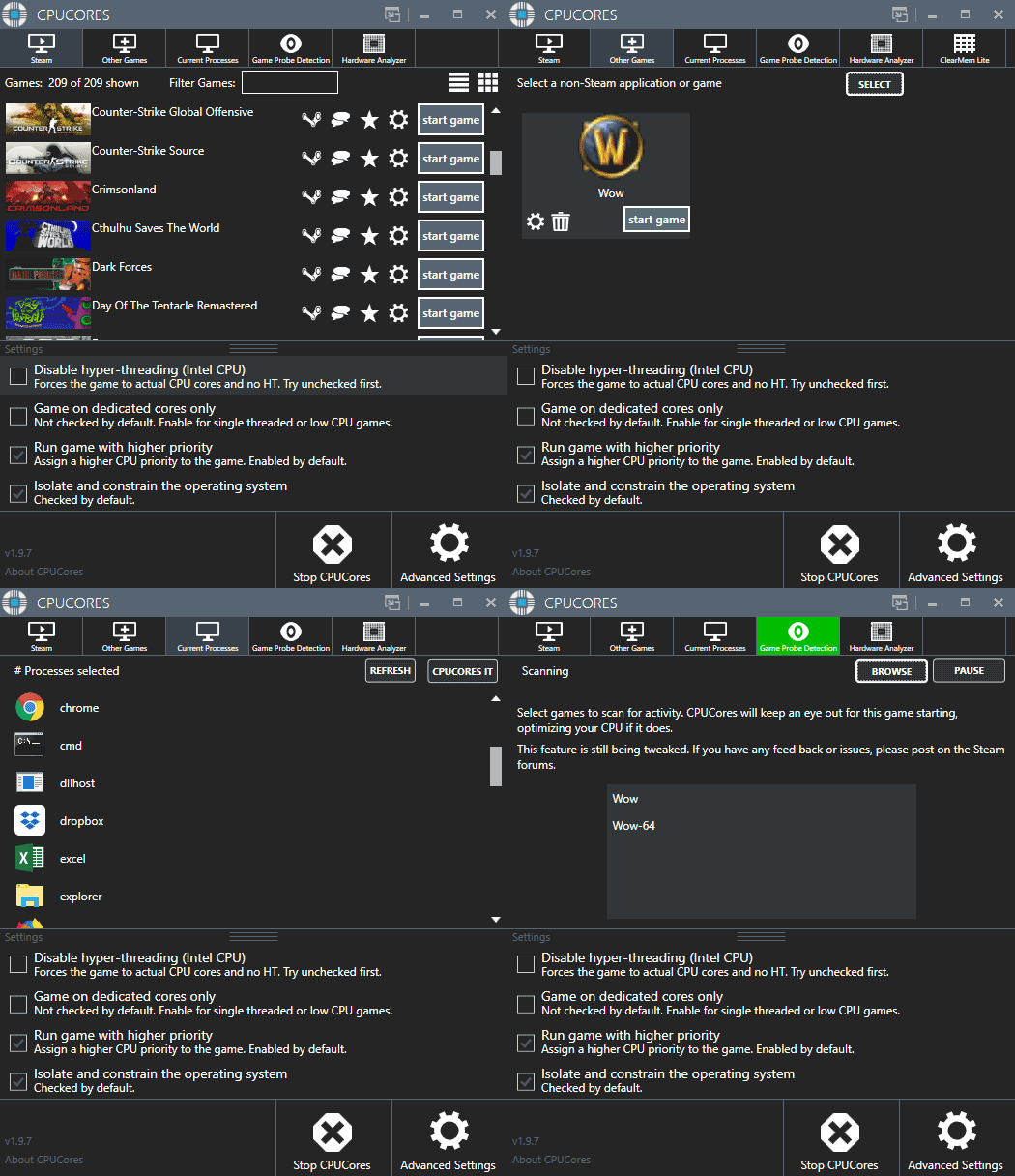
CPUCores now has shortcuts to a Steam game's forums + Steam page directly inside the CPUCores application. Simply click the icon next to the game and you'll be taken right to the Steam page/forum!
A bug with clicking the "Grid" option in CPUCores when initially scanning for games has now been fixed. You must now wait for the game scan to complete before enabling "Grid" mode.
The "Constrain Web Browsers" option has been tweaked!
CPUCores now has a custom DLC "System Hardware Analyzer" !
AMD Ryzen CPU Support! CPUCores has been updated to now work with AMD's latest processors. The software will now automatically detect and configure itself to work with your AMD (or Intel) CPU.
VR Support! CPUCores now has direct support for the Steam VR headset (Vive) as well as the Oculus Rift!
Game Probe Detection has been upgraded and improved! This will allow you to automatically detect a game and engage CPUCores!
Favorites List has been added! You can now flag a game as a favorite and sort it to the top of your Steam games list!
Real-time Process List has been improved! You can now scan your system's processes and pick one to "CPUCores It" in a much more streamlined fashion!
Supports Steam Libraries > 1000 games! CPUCores Steam game detection has been streamlined to better support users with HUGE Steam libraries!
Various minor bug fixes including a license box pop-up, Game Probe Detection auto-starting when it shouldn't, and more.
Modified the method in which CPUCores communicates with Steam to validate your purchase. This should address the rare bug with a Steam user encountering the "Enter your license key" message from CPUCores. A big thanks to everybody for your patience while we worked on resolving this issue!
Improved the Game Probe Detection (BETA) by modifying the internal mechanics of how game scanning and activation/pausing work. This should improve handling of CPUCores when pausing it's operation while a game/program you've listed is still running and needs CPUCores to be set to the "pause" position.
Added support for Steam Launch Parameters! This enables you to set game-specific launch parameters for Steam, of which CPUCores' Steam integration will handle correctly.
Modified how CPUCores shows up in Steam for "Time played" due to Steam's internal API better handling of non-game software. Your hours accrued using CPUCores should now be better reflected, versus the past only showing often 0.2 hours despite potentially using it for hundreds of hours.
Streamlined the software to make it FASTER and better supporting games which use launchers as well as non-Steam games!
Added better support for Windows 10 multi-user environments and custom User Account Security
Added a Windows Notification Icon which has several options including the ability to reset the window position of CPUCores. This can be advantageous for people who have multiple monitors and frequently add/remove monitors which can sometimes cause a program such as CPUCores to appear on a "phantom monitor".
Added better support for detecting games in Custom Steam Libraries. Just go into the Advanced->Steam->Steam Config and add the base location of your additional/custom Steam game libraries.
Added major new performance methods to run your games even faster!
Added support for 18 more languages.
Added a link to an instructions manual for CPUCores.
Added new achievements based on your CPU.
Added better support for varied Windows 7/8/10 UAC and multiple Windows accounts.
Tweaked some default settings to better support more modern games
Added a Twitter Button - Please click and Tweet about CPUCores!
CPUCores is now multi-lingual! We support the following languages: English, German, Russian, Chinese, Polish, Korean, and French. More will be added upon request!
Language settings are auto-detected but can be tweaked in the "Advanced->Languages" area.
Windows 10 Microsoft Signature added
Increased support for Logitech mouse drivers
Improved handling of the internal CPUCores processes
Increased Windows 8 + 10 process efficiency handling
Note: You may wish to rebuild your CPUCores configuration file after this update. While this is not required, it may help if you run into an update issue. To do so, follow the instructions below:
These are 3 extremely rare bugs that I can't fix because they are hard to recreate and I don't know what causes them, so it's possible that I inadvertently fixed them already. I am going to declare to myself that they are fixed for now, unless someone posts a screenie of one of these things happening again. Thanks for the help.
1) Hidden character limbs sometimes reappear (like default thug AKs and mercenary helmets).
2) Footsteps and fall sounds sometimes cut out for a while (listener position problem).
3) Sometimes characters will drop unobtainable items when they die.
EDIT: Pretty sure that #2 and #3 are fixed now, but if #1 happens again please post screenshots.
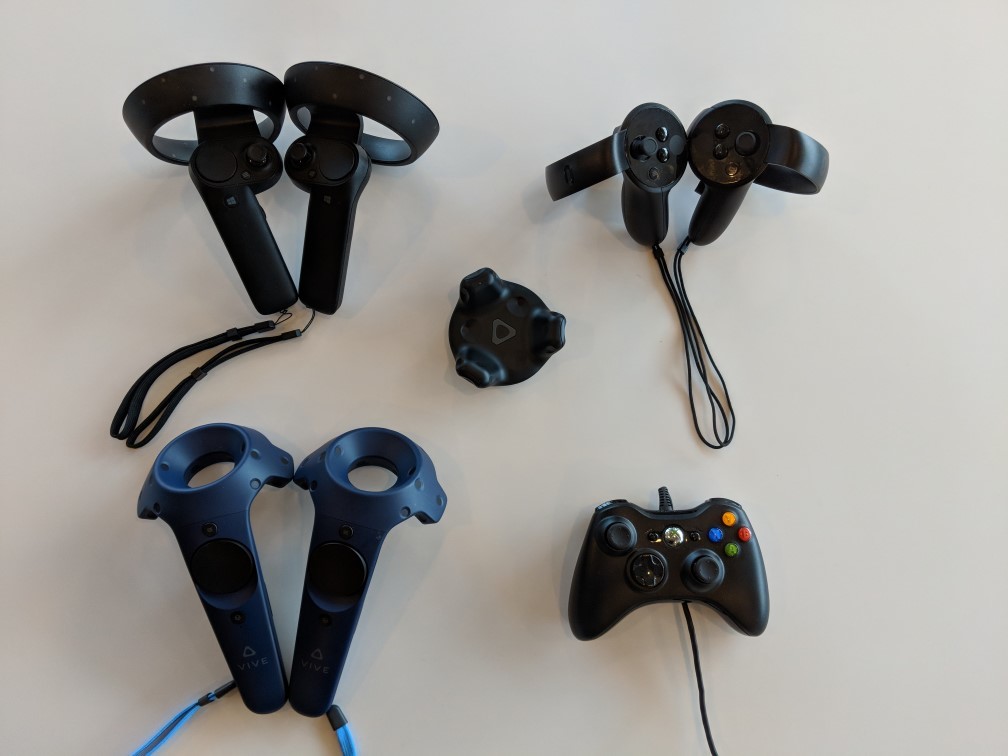
SteamVR supports a lot of different controllers, and it can be difficult for developers to keep up with all of them. Today we are excited to release the first Beta for the new SteamVR Input system.
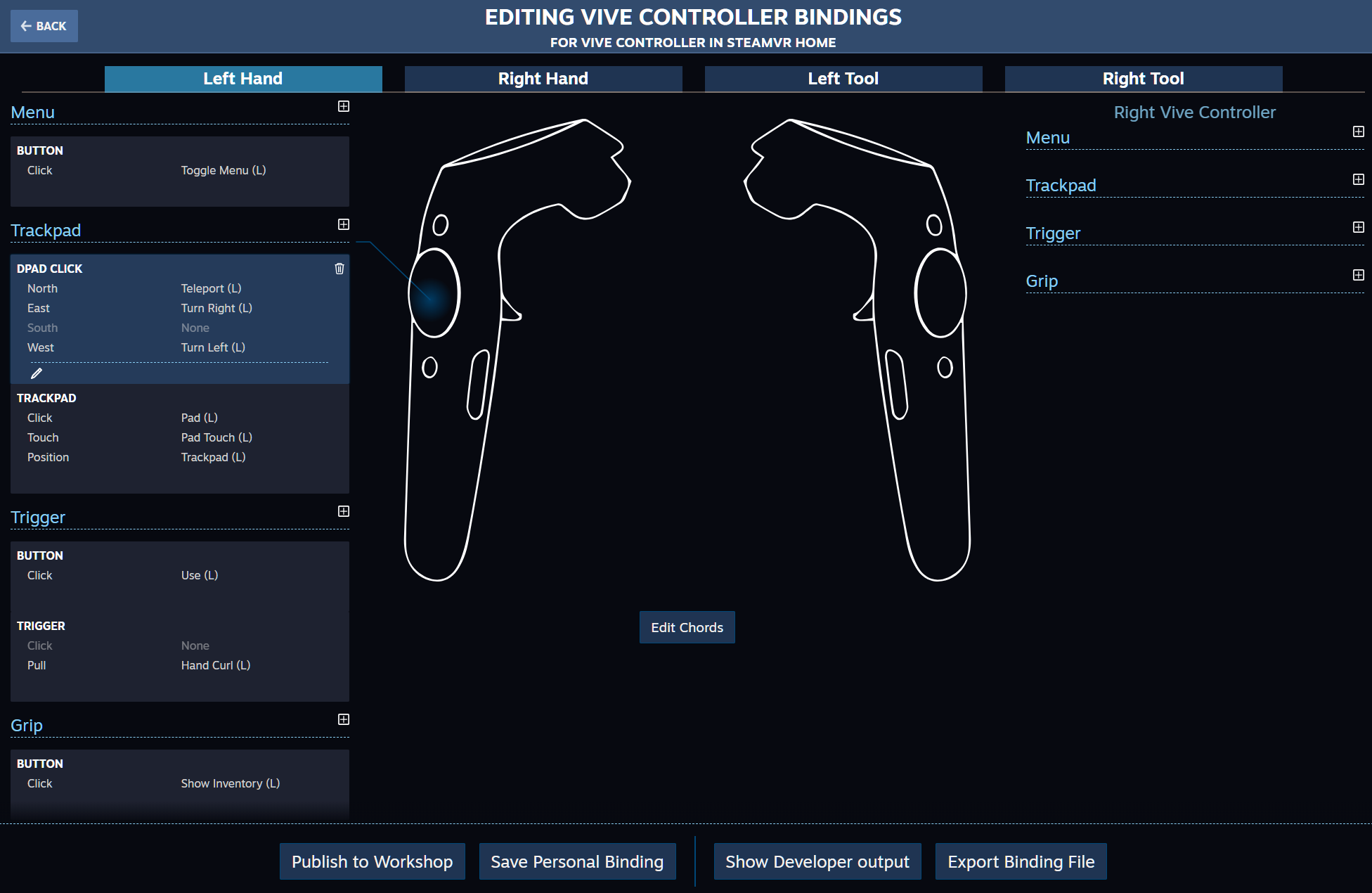
SteamVR Input allows users to build binding configurations for their favorite games, even for controllers that didn't exist when the game was written. They can adapt the controls of games to take left-handedness, a disability, or just personal preference into account. And once they build a configuration they can share them easily with other users of the same game via the Steam Workshop.
This new input system also allows developers to adapt their games more easily to diverse controllers. Developers control the default bindings for each controller type, and can offer alternate control schemes directly without the need to change the games themselves. When using SteamVR Input, developers expose high level "actions" in their applications that control how the binding UI presents their game to users.
All of this support is built right into SteamVR. It also works on every SteamVR application even if the developer of that application hasn't updated it to the new system yet.
In addition, with the introduction of SteamVR Input, hardware designers are free to try more kinds of input. They can expose whatever input controls exist on their device and then describe that device to the system.
All of this is accomplished through an easy to use UI that is available in-headset under the Settings menu.
SteamVR users who would like to try out the new system just need to opt-in to the Beta build of SteamVR. Look under properties in Steam.
Developers should view details on our OpenVR SDK 1.0.15 page and the documentation to see how to enable native support in their applications.
Hardware developers should look at the driver API documentation to see how they can enable this new system for their devices.
For folks ready to jump into creating binding files for different games and controllers, check out this guide.
We would love to hear what you think of SteamVR Input. Please give it a try in the beta and leave a comment below or in the SteamVR forums to tell us what you think.
TOMORROW DON'T COME - Puzzling Depression - Peace & Love
Thank you very much for all the new positive reviews that came in since the last update! <3
Since it's currently mental health awareness week, I want to let you know that you can always talk to me if you need someone to listen. Day by day, you can get through this. I believe in each and everyone of you. We will win this, together.
This time I added a bunch of new sound effects and killed many little bugs I stumbled upon. A few of the changes I had already uploaded beforehand, like the Final Destination achievement bug.
Move forward
Added a new sfx
Words now go italic much faster if you come from the chapter selection
Looking back
Added two additional sfx
Fixed a bug where the sliding sound would still play before the glitch
Fixed a bug where a soundfile wouldn't play if you've somehow managed to find the good end on the first playthrough
Trapped
Fixed a bug where sometimes no particles showed up
Tweaked the behaviour a little bit
Fixed a bug where sliding sound would still play on the edge of the screen when using multiple monitors
Let me die
Added two new sfx
Fixed a bug where the shockwave would still play after coming from the chapter selection
Darkness
Added a new sfx
Wordplay
Rearranging of the words now does not play anymore if you come from the menu
Fixed a bug where "enjoy" would jump to the mouse position on left click
Curtain
Fixed a bug where typing sound wouldn't play in the beginning
Menus & Misc
Added a new sfx to the ending
Updated safe graphics
Updated videos for Intro and Curtain in the chapter selection
Fixed a bug where "continue" would jump to another location after clicking on it
Fixed a bug where the Final Destination would not get unlocked if one unlocked Dead End first
Fixed a bug where hints in the menu would still get shown after you've already finished the first playthrough
...and lots of other tiny tweaks and stuff ^^
Please report any bugs you encounter here. I try my best to playtest every new change up to three times, but sometimes I simply forget to check something. Thank you.