Team Fortress 2 - Valve
Updates to Team Fortress 2 have been released. The updates will be applied automatically when your Steam client is restarted. The major changes include:

Team Fortress 2
  • Fixed a damage calculation in the Mantreads on Linux server, which could cause a physics crash
Nuclear Dawn - Valve
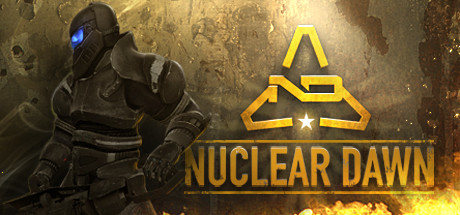
Nuclear Dawn is now available for Pre-purchase on Steam.

Save 10% by purchasing before the September release and also gain access to the beta. (Beta is scheduled to start at the end of August - please stay tuned for an announcement)

Nuclear Dawn will be the first game to offer a full FPS and RTS experience, within a single gameplay model, without crippling or diluting either side of the game.

As a soldier, explore war-torn post-apocalyptic landscapes, modelled on modern cities, and take the fight to your enemies as armoured, assault or stealth infantry using various weapons across ten distinct load-outs to accomplish your objectives. The first person shooter action in Nuclear Dawn is hard, fast and unforgiving, with weapons that rely on skill and tactics more than on twitch reflexes and map memorization.

In RTS mode, players will take Nuclear Dawn above the action and play as the commander. Organize your fellow players in squads and assign them to tactical objectives. Plan the resource routes for your army, and production of your structures for forward deployment. Exploit the terrain and resource point locations to block your enemies’ advance, and crush their plans in an iron fist. Research and implement new technologies to give your soldiers the edge on the battlefield, and set up forward bases to lead the assault on your enemies, with a full complement of defensive and offensive structures to choose from, to build your perfect fortress.

Dino D-Day - Valve
Kick off the weekend by playing Dino D-Day for FREE starting now through Sunday at 1pm PDT.

Dino D-Day has just been updated to include two new dinosaur classes, the all-new Gela map, and a playable T-Rex!

Additionally, pickup Dino D-Day this weekend at 50% off the regular price! Sale ends Monday, August 1st at 10AM Pacific Time.

If you already have Steam installed you can click here to install or play. If you don't have Steam, you can download it here.

Dino D-Day - Valve

  • Added the T-Rex - playable on new map "dm_gela_trex"
  • Added "Trigger" - a playable Allied dinosaur class
  • Added the Stygimoloch - a new class for the Axis team
  • Added a new map - dm_gela_trex. A new map built for the T-Rex.
  • Fixed server passwords being rejected. Should be able to password protect your servers now.
  • Added healthbar to a reconfigured player-ID hud element so you can see the damage you're doing to the enemy.
  • Team switches now occur at the end of rounds on all maps and game modes.
  • Added Overtime mode to King-Of-The-Hill games.
  • Better medic functionality. Wounded players (with less than 25% health) now pulse red. Easy to spot them and go heal.
  • Added medic HUD element to reinforce this. Also added a Medic call button for all players. You can bind this key in your keyboard options. It's listed as "Medic"
  • Objective status, Hill status, and Deathmatch status HUD elements are now visible in spectator mode.
  • Fixed satchel charge bug in obj_canyon where certain satchels were not counting as hits.
  • Adjusted the Dilophosaur's thirdperson camera.
  • Some bug fixes to ammo pick-ups.
  • Added manual entires for new dinosaurs.
  • New damage indicator based on L4D style. Looks different of course but same type of functionality.
  • Fixed camera's colliding with spawn barriers which caused an annoying hitch in the camera when leaving spawn.
  • Fixed a goat catching bug. By the way, Dilophosaurs can throw goats to each other. It's tricky to pull off but quitte fun once you do. Some enterprising Japanese players alerted us to this!
  • Fixed bug in berserk mode when the duration was set to 0 by the server.
  • BAR hud element to indicate what rate of fire you're using.
  • Added fixes to handle player suicides in certain situations. Credit now goes to the proper attacker when a player suicides in the mouth of a Dilophosaur or while pounced by a Raptor.
  • Added view bob and better viewmodel anims for a more realistic feel.
  • Added freezecam to deaths a la TF2.
  • Added camera shakes for nearby explosions.
  • Added headshots.
  • Significant overall optimization pass.
  • Added dinosaur "taunt" - if you bind your "Weapon Option" key you can pee on people as a dinosaur. Pee on them, then kill them to get an achievement!
  • Added 7 new achievements.
Call of Duty®: Black Ops - Valve
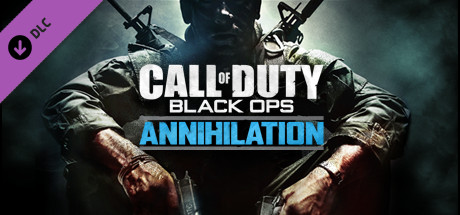
Call of Duty®: Black Ops Annihilation Content Pack is now available on Steam.

Obliterate the competition with “Annihilation,” the newest downloadable content pack for "Call of Duty: Black Ops", with 4 unique Multiplayer Maps and a wild new locale for the latest in unrelenting Zombies action.

Zombies are also back in "Annihilation," as players unearth the mysteries of "Shangri-La," a legendary shrine lost in an exotic jungle, where new undead species lurk within a treacherous labyrinth of underground caverns. Navigate through deadly traps and solve the dark secrets buried within the shifting walls of this zombie infested temple.

Runaway, A Road Adventure - Valve
Today's Deal: Save 66% off Runaway, A Road Adventure

Look for the deals each day on the front page of Steam. Or follow us on twitter or Facebook for instant notifications wherever you are!

Total War: SHOGUN 2 - Sengoku Jidai Unit Pack - Valve
Total War: SHOGUN 2 - The "Sengoku Jidai" Unit Pack downloadable content is now available on Steam.

The Total War: SHOGUN 2 Sengoku Jidai Unit Pack adds 10 new elite units for use across the different game modes of SHOGUN 2. The new pack unlocks all 10 of these versatile units in single and multiplayer Campaign mode. They will also be available in the Avatar Conquest and single player Battle modes of the game when playing with the appropriate clan.

Product Update - Valve


Resolved issue highlights:
- All issues experienced with mouse cursor lag have been resolved
- Log event (Event ID 62464) issues when playing video content have been resolved
- Resolves system hangs seen in the AMD Catalyst™ 11.6 driver on specific HDMI and DP displays
- Bluray playback using PowerDVD 10 under High Performance mode no longer randomly displays a blank screen.
- Some Divx format files no longer display video corruption using WinDVD.
- AMD SteadyVideo is now applied to Home Video clips using WinDVD 10.
- Checkerboard corruption is no longer displayed intermittently when playing DirectX 10 titles in a Crossfire configuration and Eyefinity enabled.
- Shogun II now renders the cinematics correctly when run in various Eyefinity configurations.
- Video playback now works correctly when Hardware acceleration is enabled with VLC Player version 1.1.9.
- Crossfire now functions correctly when playing Hamilton’s Great Adventure.
- PowerDVD now correctly handles 3D Bluray content.
- Portal 2 no longer displays flickering on water surface textures with Medium and Low Shader detail settings.
- Wraparound corruption is no longer displayed intermittently after exiting a 3D application.

Team Fortress 2 - Valve
Updates to Team Fortress 2 have been released. The updates will be applied automatically when your Steam client is restarted. The major changes include:

Team Fortress 2
  • Fixed a Mac client crash triggered after selecting a team
  • Fixed a couple of replay issues
  • Updated the localization files
Star Ruler - Valve
Fixed:
  • Ships on hold or defend position stance will no longer move because of work with tool orders.
  • Homeworlds had less hitpoints than was normal for planets.
  • The game did not render while maximized.
  • Notification of new treaties only occurs when a new treaty is actually proposed, and a sound plays for each unique treaty proposed.
  • Boarding defense did not work.
  • Number suffixes on dates when saving were slightly wrong.
  • Culling of graphics nodes was horribly broken in virtually all cases. The game should perform much better with lots of ships in the galaxy, so long as they aren't on screen.
  • Under attack alerts would only appear once per system.
  • Choosing a govern via the right click menu didn't automatically enable that governor.
Changed:
  • The balanced start map option is now on by default.
  • Reduced modification factors for shift/alt on camera movement.
  • Notification icons can now be right-clicked to dismiss them.
  • Planetary conditions are now visible after exploring, instead of only after colonization.
  • Ordering a non-dangerous tool (Interdictor, Attractor, ...) to fire on your own ship no longer requires you to force / hold control.
  • Shipyards now provide a small ammo generation / storage.
  • System Window now lists Dry Docks (can be filtered out).
  • Build on Best/Build on All from right click menu now take Dry Docks into account.
  • Carriers on 'Hold Fire' stance no longer undock their fighters to engage.
    Balanced:
  • Targeting Sensors now increase range by a much larger amount relative to their size.
  • Positive planetary conditions are now slightly more common than negative ones.
Added:
  • New ringworld model. Thanks WarStalkeR!
  • 5 new planet textures, 3 new ring textures and 2 new cloud textures. Thanks JonnyDawe!
  • System Blockades: if there are over twice as many enemies in a system as you have forces, none of your planets or ships will be able to access the galactic bank in that system.
  • Empires now have race portraits chosen from the race customization window. Thanks Hazzard!
  • Redid the tutorial to be more interactive and (we hope) more interesting.
  • New subsystem: External Mount. Linked sub system takes up no space (the mount always takes up 1.0 space), but takes damage after shields and before armor.
  • New subsystem: Chemical Bomb. Can only target planets, kills a lot of population but leaves structures intact.
  • Groups of haulers can now be ordered to "Keep Supplying This" on an object. The selected haulers will collect resources from the system they're in and supply them to the object, then return to the system they were originally in and repeat.
  • Added bind 'Focus on Object' to the options menu that mimics middle-mouse-click.
  • Added a 'Temperature Falloff' option to the new game settings (default on). Decides the distribution of planet types based roughly off of the temperature the planet would experience.
  • Added 'Spread out Empires' and 'Keep allies together' options to the new game settings (default on). Attempts to spread out non-allies and bunch up allies when generating the map, respectively.
  • Button on the message ticker to open a log window that displays a scrollable list of previous empire messages.
  • 'LAN' tab on the multiplayer menu to discover LAN games without needing to find the local IP manually.
  • New object information panel displaying more graphical information and with individually cancellable orders.
  • Added new weapon effects from Galactic Armory, thanks XTRMNTR2K!
UI:
  • Resizing the blueprints window now makes the layout circle bigger, making it easier to place sub systems on crowded designs.
  • Ordering a tool to fire that requires a forced order now prompts for it.
  • Queue Management window for Dry Docks now displays resource cost/progress.
  • Added notification icon for when someone declares war on you.
  • Added notification icon when a tech is leveled up, a link is finished, or a tech is unlocked.
  • Added notification icon when a planet is colonized or lost.
  • The 'Update Threshold' in blueprints is now more sensible - a value of 1 should update when all sub systems have been affected by 1 tech level increase.
  • 'New Game Menu' settings are now remembered between games. You may also save and load these settings.
  • Trade window hides clauses that can't actually be added to the treaty due to peace agreements or war declarations.
  • Holding shift while clicking a technology/link now queues it behind other techs but before repeated technologies.
  • Multiplayer window now remembers the last IP/Port entered for connect.
  • There is now a button directly opening the civil acts window next to the empire bank display.
...